08Stamp CTA band
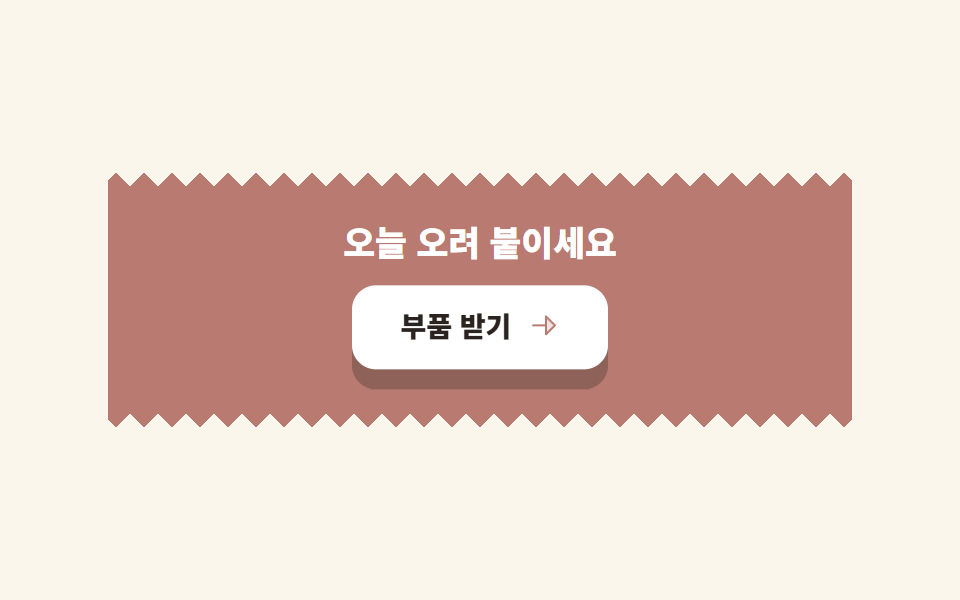
Inside a coral band with a scalloped bottom edge, the button tilts and presses like a stamp, and its shadow thickness disappears as it lands.
Best forBottom-of-page conversion bands
radial-gradient 마스크그림자=두께radius 4

<main class="stage">
  <section class="bcol">
    <p class="bcol__lead">All 9 parts at once</p>
    <button class="bcol__btn" type="button">
      Get the kit
      <span class="bcol__arrow" aria-hidden="true">
        <svg xmlns="http://www.w3.org/2000/svg" width="1em" height="1em" viewBox="0 0 256 256" fill="currentColor"><path d="M216,128l-72,72V56Z" opacity="0.2"/><path d="M221.66,122.34l-72-72A8,8,0,0,0,136,56v64H40a8,8,0,0,0,0,16h96v64a8,8,0,0,0,13.66,5.66l72-72A8,8,0,0,0,221.66,122.34ZM152,180.69V75.31L204.69,128Z"/></svg>
      </span>
    </button>
  </section>
</main>
@use "../../../../site/static/demo-tokens" as *;
// 콜라주·맥시멀 팔레트 (01 과 같은 값). 코랄 면 위 흰 글자 4.59:1
$cg-cream: #fbf3e4;
$cg-sheet: #ffffff;
$cg-ink: #241d2e;
$cg-coral: #bb7f74;
$cg-lemon: #d1c8a3;
$serif: Georgia, "Nanum Myeongjo", "Times New Roman", serif;
$duration: $dur-loop; // 버튼이 도장처럼 눌렸다 떠오르는 한 주기
$easing: $ease-spring;
$color: $cg-coral; // 띠 바탕색
$scallop: 8px; // 아래쪽에서 파내는 반원의 반지름
@include stage($cg-cream);
.bcol {
box-sizing: border-box;
width: clamp(232px, 78vw, 304px);
display: flex;
flex-direction: column;
align-items: center;
gap: $sp-3;
padding: $sp-5 $sp-4 calc(#{$scallop} + #{$sp-5});
border-radius: $r-xs $r-xs 0 0;
background: $cg-coral;
transform: rotate(-1.5deg);
// 아래 가장자리를 반원 물결로 — 이미지가 아니라 마스크 두 겹.
// 원 안쪽을 남기면 부채꼴이 아래로 매달리고(물결), 바깥을 남기면 톱니가 된다
mask:
radial-gradient(circle #{$scallop} at 50% 0, #000 98%, #0000 100%) 0 100% / #{$scallop * 2} #{$scallop} repeat-x,
linear-gradient(#000 0 0) 0 0 / 100% calc(100% - #{$scallop}) no-repeat;
}
.bcol__lead {
margin: 0;
color: $cg-sheet;
font-family: $serif;
font-weight: 700;
font-size: clamp(16px, 4.2vw, 21px);
line-height: 1.2;
}
.bcol__btn {
display: inline-flex;
align-items: center;
gap: $sp-2;
border: 0;
border-radius: $r-pill;
background: $cg-lemon;
color: $cg-ink;
padding: $sp-3 $sp-5;
font-family: inherit;
font-weight: 700;
font-size: clamp(12px, 3vw, 14px);
line-height: 1;
box-shadow: 0 8px 0 rgba($cg-ink, .35);
animation-name: stampPush;
animation-duration: $duration;
animation-timing-function: $easing;
animation-iteration-count: infinite;
}
.bcol__btn:focus-visible {
outline: 3px solid $cg-sheet;
outline-offset: 3px;
}
.bcol__arrow { font-size: 16px; line-height: 1; }
// 데모: 8px 두께가 눌린 만큼 사라진다 — 그림자가 두께라는 약속을 지킨다
@keyframes stampPush {
0%, 100% { transform: translateY(-6px) rotate(-2deg); box-shadow: 0 14px 0 rgba($cg-ink, .35); }
50% { transform: translateY(0) rotate(1.5deg); box-shadow: 0 2px 0 rgba($cg-ink, .35); }
}
@media (max-width: 360px), (max-height: 230px) {
.bcol { width: 224px; padding: $sp-3 $sp-3 calc(#{$scallop} + #{$sp-3}); gap: $sp-2; }
.bcol__lead { font-size: 14px; }
.bcol__btn { padding: $sp-2 $sp-4; }
}
@media (prefers-reduced-motion: reduce) {
.bcol__btn { animation: none !important; transform: rotate(-2deg); }
}html, body {
margin: 0;
overflow: hidden;
}
.stage {
box-sizing: border-box;
min-height: 100vh;
display: grid;
place-items: center;
margin: 0;
background: #fbf3e4;
font-family: -apple-system, "Segoe UI", "Noto Sans KR", sans-serif;
padding: clamp(8px, 4vw, 24px);
}
.bcol {
box-sizing: border-box;
width: clamp(232px, 78vw, 304px);
display: flex;
flex-direction: column;
align-items: center;
gap: 12px;
padding: 20px 16px calc(8px + 20px);
border-radius: 4px 4px 0 0;
background: #bb7f74;
transform: rotate(-1.5deg);
mask: radial-gradient(circle 8px at 50% 0, #000 98%, rgba(0, 0, 0, 0) 100%) 0 100%/16px 8px repeat-x, linear-gradient(#000 0 0) 0 0/100% calc(100% - 8px) no-repeat;
}
.bcol__lead {
margin: 0;
color: #ffffff;
font-family: Georgia, "Nanum Myeongjo", "Times New Roman", serif;
font-weight: 700;
font-size: clamp(16px, 4.2vw, 21px);
line-height: 1.2;
}
.bcol__btn {
display: inline-flex;
align-items: center;
gap: 8px;
border: 0;
border-radius: 999px;
background: #d1c8a3;
color: #241d2e;
padding: 12px 20px;
font-family: inherit;
font-weight: 700;
font-size: clamp(12px, 3vw, 14px);
line-height: 1;
box-shadow: 0 8px 0 rgba(36, 29, 46, 0.35);
animation-name: stampPush;
animation-duration: 2s;
animation-timing-function: cubic-bezier(0.2, 0.8, 0.2, 1);
animation-iteration-count: infinite;
}
.bcol__btn:focus-visible {
outline: 3px solid #ffffff;
outline-offset: 3px;
}
.bcol__arrow {
font-size: 16px;
line-height: 1;
}
@keyframes stampPush {
0%, 100% {
transform: translateY(-6px) rotate(-2deg);
box-shadow: 0 14px 0 rgba(36, 29, 46, 0.35);
}
50% {
transform: translateY(0) rotate(1.5deg);
box-shadow: 0 2px 0 rgba(36, 29, 46, 0.35);
}
}
@media (max-width: 360px), (max-height: 230px) {
.bcol {
width: 224px;
padding: 12px 12px calc(8px + 12px);
gap: 8px;
}
.bcol__lead {
font-size: 14px;
}
.bcol__btn {
padding: 8px 16px;
}
}
@media (prefers-reduced-motion: reduce) {
.bcol__btn {
animation: none !important;
transform: rotate(-2deg);
}
}import type { CSSProperties, ReactNode } from "react";
import styles from "./CtaBandCollage.module.scss";
export type CtaBandCollageProps = {
lead?: string;
cta?: string;
arrowIcon?: ReactNode;
/** 아래 가장자리 물결의 반지름(px) */
scallop?: number;
onClick?: () => void;
duration?: number;
easing?: string;
color?: string;
};
type Vars = CSSProperties & {
"--duration"?: string; "--easing"?: string; "--color"?: string; "--scallop"?: string;
};
export default function CtaBandCollage({
lead = "부품 9개, 한 번에",
cta = "키트 받기",
arrowIcon,
scallop = 8,
onClick,
duration = 2000,
easing = "cubic-bezier(.2, .8, .2, 1)",
color = "#d93a1e",
}: CtaBandCollageProps) {
const vars: Vars = {
"--duration": `${duration}ms`,
"--easing": easing,
"--color": color,
"--scallop": `${scallop}px`,
};
return (
<section className={styles.bcol} style={vars}>
<p className={styles.lead}>{lead}</p>
<button type="button" className={styles.btn} onClick={onClick}>
{cta}
<span className={styles.arrow} aria-hidden="true">{arrowIcon}</span>
</button>
</section>
);
}08 Stamp CTA band — Measured area 2.449% · moving frames 16/23Original by GODRICH · SCSS and React ship in the zip · Maximalist Web Design: 9 Collage Landing Sections
The post this demo lives in
 Maximalist Web Design: 9 Collage Landing SectionsMaximalist web design fills the screen instead of emptying it, stacking color fields, oversized type, and stickers until See all demos in this post