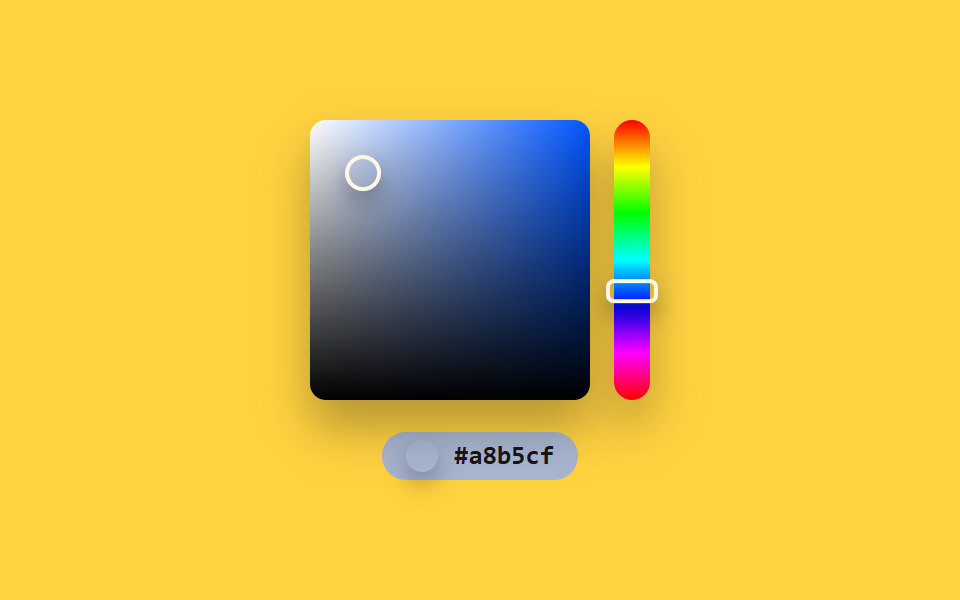
03Windows spectrum — a color picker that splits a 2D position into saturation and lightness
A point's horizontal and vertical position ratio inside the square field is recomputed into separate saturation and lightness values, then combined with the hue bar's value to recalculate the final color every time.
Best forGraphics editor color dialogs, brand color assignment screens
hsvToRgbpointAtaria-valuetext
<main class="stage">
<section class="panel">
  <div class="board">
    <div class="square" id="square" style="--hue:0" role="slider" aria-label="Saturation/lightness area" aria-valuemin="0" aria-valuemax="100" aria-valuenow="0" aria-valuetext="">
      <div class="squareMarker" id="squareMarker"></div>
    </div>
    <div class="hueStrip" id="hueStrip" role="slider" aria-label="Hue" aria-valuemin="0" aria-valuemax="360" aria-valuenow="0">
      <div class="hueMarker" id="hueMarker"></div>
    </div>
  </div>
  <div class="readout" id="readout">
    <span class="swatch" id="swatch"></span>
    <span class="hex" id="hex">#000000</span>
  </div>
</section>
</main>
@use "../../../../site/static/demo-tokens" as *;
@include stage($stage-yellow);
.panel {
display: flex;
flex-direction: column;
align-items: center;
gap: $sp-4;
}
.board {
display: flex;
gap: $sp-3;
}
.square {
position: relative;
width: 140px;
height: 140px;
border-radius: $r-sm;
box-shadow: $shadow-raised;
background:
linear-gradient(to top, #000000 0%, rgba(0, 0, 0, 0) 100%),
linear-gradient(to right, #ffffff 0%, hsl(var(--hue) 100% 50%) 100%);
}
.squareMarker {
position: absolute;
top: 0;
left: 0;
width: 14px;
height: 14px;
border-radius: $r-pill;
border: 2px solid $subject-cream;
box-shadow: $shadow-press;
}
.hueStrip {
position: relative;
width: 18px;
height: 140px;
border-radius: $r-pill;
box-shadow: $shadow-raised;
background: linear-gradient(
to bottom,
hsl(0, 100%, 50%), hsl(60, 100%, 50%), hsl(120, 100%, 50%),
hsl(180, 100%, 50%), hsl(240, 100%, 50%), hsl(300, 100%, 50%), hsl(360, 100%, 50%)
);
}
.hueMarker {
position: absolute;
top: 0;
left: 50%;
width: 22px;
height: 8px;
border-radius: $r-xs;
border: 2px solid $subject-cream;
box-shadow: $shadow-press;
}
.readout {
display: flex;
align-items: center;
gap: $sp-2;
padding: $sp-1 $sp-3;
border-radius: $r-pill;
color: $subject-cream;
&.is-ink {
color: $subject-ink;
}
}
.swatch {
width: 16px;
height: 16px;
border-radius: $r-pill;
box-shadow: $shadow-press;
}
.hex {
font-family: "Space Mono", ui-monospace, monospace;
font-weight: 700;
font-size: 13px;
line-height: 1.3;
}
@media (max-width: 340px) {
.square { width: 108px; height: 108px; }
.hueStrip { height: 108px; }
}
@media (prefers-reduced-motion: reduce) {
.squareMarker,
.hueMarker { transition: none; }
}html, body {
margin: 0;
overflow: hidden;
}
.stage {
box-sizing: border-box;
min-height: 100vh;
display: grid;
place-items: center;
margin: 0;
background: #ffd23f;
font-family: -apple-system, "Segoe UI", "Noto Sans KR", sans-serif;
padding: clamp(8px, 4vw, 24px);
}
.panel {
display: flex;
flex-direction: column;
align-items: center;
gap: 16px;
}
.board {
display: flex;
gap: 12px;
}
.square {
position: relative;
width: 140px;
height: 140px;
border-radius: 8px;
box-shadow: 0 14px 24px rgba(23, 20, 26, 0.32);
background: linear-gradient(to top, #000000 0%, rgba(0, 0, 0, 0) 100%), linear-gradient(to right, #ffffff 0%, hsl(var(--hue), 100%, 50%) 100%);
}
.squareMarker {
position: absolute;
top: 0;
left: 0;
width: 14px;
height: 14px;
border-radius: 999px;
border: 2px solid #fff7e6;
box-shadow: 0 6px 12px rgba(23, 20, 26, 0.32);
}
.hueStrip {
position: relative;
width: 18px;
height: 140px;
border-radius: 999px;
box-shadow: 0 14px 24px rgba(23, 20, 26, 0.32);
background: linear-gradient(to bottom, hsl(0, 100%, 50%), hsl(60, 100%, 50%), hsl(120, 100%, 50%), hsl(180, 100%, 50%), hsl(240, 100%, 50%), hsl(300, 100%, 50%), hsl(0, 100%, 50%));
}
.hueMarker {
position: absolute;
top: 0;
left: 50%;
width: 22px;
height: 8px;
border-radius: 4px;
border: 2px solid #fff7e6;
box-shadow: 0 6px 12px rgba(23, 20, 26, 0.32);
}
.readout {
display: flex;
align-items: center;
gap: 8px;
padding: 4px 12px;
border-radius: 999px;
color: #fff7e6;
}
.readout.is-ink {
color: #17141a;
}
.swatch {
width: 16px;
height: 16px;
border-radius: 999px;
box-shadow: 0 6px 12px rgba(23, 20, 26, 0.32);
}
.hex {
font-family: "Space Mono", ui-monospace, monospace;
font-weight: 700;
font-size: 13px;
line-height: 1.3;
}
@media (max-width: 340px) {
.square {
width: 108px;
height: 108px;
}
.hueStrip {
height: 108px;
}
}
@media (prefers-reduced-motion: reduce) {
.squareMarker,
.hueMarker {
transition: none;
}
}// Windows 스펙트럼(03) — 사각 영역 안 지점의 가로·세로 비율을 Saturation·명도로, 옆 막대 값을 색조로
// 각각 다시 구해 매 프레임 최종 색을 합성한다. 실키·실서버 요청 없음.
(function () {
var squareEl = document.getElementById('square');
var squareMarkerEl = document.getElementById('squareMarker');
var hueStripEl = document.getElementById('hueStrip');
var hueMarkerEl = document.getElementById('hueMarker');
var readoutEl = document.getElementById('readout');
var swatchEl = document.getElementById('swatch');
var hexEl = document.getElementById('hex');
if (!squareEl || !squareMarkerEl || !hueStripEl || !hueMarkerEl || !readoutEl || !swatchEl || !hexEl) return;
var reduce = window.matchMedia('(prefers-reduced-motion: reduce)').matches;
var CYCLE_MS = 2400;
var SQUARE_W = 140;
var SQUARE_H = 140;
var STRIP_H = 140;
var WAYPOINTS = [
{ x: .15, y: .85 },
{ x: .85, y: .15 },
{ x: .5, y: .5 },
{ x: .15, y: .15 },
{ x: .85, y: .85 },
{ x: .15, y: .85 }
];
var SEG_MS = CYCLE_MS / (WAYPOINTS.length - 1);
function pointAt(t) {
var idx = Math.min(WAYPOINTS.length - 2, Math.floor(t / SEG_MS));
var frac = (t % SEG_MS) / SEG_MS;
var a = WAYPOINTS[idx];
var b = WAYPOINTS[idx + 1];
return { x: a.x + (b.x - a.x) * frac, y: a.y + (b.y - a.y) * frac };
}
function hsvToRgb(h, s, v) {
s /= 100; v /= 100;
var c = v * s;
var x = c * (1 - Math.abs(((h / 60) % 2) - 1));
var m = v - c;
var r, g, b;
if (h < 60) { r = c; g = x; b = 0; }
else if (h < 120) { r = x; g = c; b = 0; }
else if (h < 180) { r = 0; g = c; b = x; }
else if (h < 240) { r = 0; g = x; b = c; }
else if (h < 300) { r = x; g = 0; b = c; }
else { r = c; g = 0; b = x; }
return [Math.round((r + m) * 255), Math.round((g + m) * 255), Math.round((b + m) * 255)];
}
function toHex(n) {
return n.toString(16).padStart(2, '0');
}
function apply(t) {
var p = (t / CYCLE_MS) % 1;
var pt = pointAt(t);
var hue = p * 360;
var sat = pt.x * 100;
var val = (1 - pt.y) * 100;
var rgb = hsvToRgb(hue, sat, val);
var hex = '#' + toHex(rgb[0]) + toHex(rgb[1]) + toHex(rgb[2]);
var brightness = (rgb[0] * 299 + rgb[1] * 587 + rgb[2] * 114) / 1000;
var ink = brightness > 150;
squareEl.style.setProperty('--hue', hue.toFixed(1));
squareMarkerEl.style.transform = 'translate(-50%, -50%) translate(' + (pt.x * SQUARE_W).toFixed(2) + 'px, ' + (pt.y * SQUARE_H).toFixed(2) + 'px)';
hueMarkerEl.style.transform = 'translate(-50%, -50%) translateY(' + ((hue / 360) * STRIP_H).toFixed(2) + 'px)';
swatchEl.style.background = hex;
readoutEl.style.background = hex;
readoutEl.classList.toggle('is-ink', ink);
hexEl.textContent = hex;
squareEl.setAttribute('aria-valuenow', String(Math.round(val)));
squareEl.setAttribute('aria-valuetext', hex);
hueStripEl.setAttribute('aria-valuenow', String(Math.round(hue)));
}
if (reduce) {
apply(0);
return;
}
var start = null;
function loop(ts) {
if (start === null) start = ts;
var t = (ts - start) % CYCLE_MS;
apply(t);
requestAnimationFrame(loop);
}
requestAnimationFrame(loop);
})();import { useEffect, useRef } from "react";
import styles from "./ColorPickerWindowsSpectrum.module.scss";
// Windows 스펙트럼 — 사각 영역 안 지점의 가로·세로 비율을 채도·명도로, 옆 막대 값을 색조로
// 각각 다시 구해 매 프레임 최종 색을 합성한다. 실키·실서버 요청 없음.
const CYCLE_MS = 2400;
const SQUARE_W = 140;
const SQUARE_H = 140;
const STRIP_H = 140;
const WAYPOINTS = [
{ x: .15, y: .85 },
{ x: .85, y: .15 },
{ x: .5, y: .5 },
{ x: .15, y: .15 },
{ x: .85, y: .85 },
{ x: .15, y: .85 },
];
const SEG_MS = CYCLE_MS / (WAYPOINTS.length - 1);
function pointAt(t: number) {
const idx = Math.min(WAYPOINTS.length - 2, Math.floor(t / SEG_MS));
const frac = (t % SEG_MS) / SEG_MS;
const a = WAYPOINTS[idx];
const b = WAYPOINTS[idx + 1];
return { x: a.x + (b.x - a.x) * frac, y: a.y + (b.y - a.y) * frac };
}
function hsvToRgb(h: number, s: number, v: number): [number, number, number] {
s /= 100;
v /= 100;
const c = v * s;
const x = c * (1 - Math.abs(((h / 60) % 2) - 1));
const m = v - c;
let r: number, g: number, b: number;
if (h < 60) { r = c; g = x; b = 0; }
else if (h < 120) { r = x; g = c; b = 0; }
else if (h < 180) { r = 0; g = c; b = x; }
else if (h < 240) { r = 0; g = x; b = c; }
else if (h < 300) { r = x; g = 0; b = c; }
else { r = c; g = 0; b = x; }
return [Math.round((r + m) * 255), Math.round((g + m) * 255), Math.round((b + m) * 255)];
}
function toHex(n: number) {
return n.toString(16).padStart(2, "0");
}
export default function ColorPickerWindowsSpectrum() {
const squareRef = useRef<HTMLDivElement>(null);
const squareMarkerRef = useRef<HTMLDivElement>(null);
const hueStripRef = useRef<HTMLDivElement>(null);
const hueMarkerRef = useRef<HTMLDivElement>(null);
const readoutRef = useRef<HTMLDivElement>(null);
const swatchRef = useRef<HTMLSpanElement>(null);
const hexRef = useRef<HTMLSpanElement>(null);
useEffect(() => {
const square = squareRef.current;
const squareMarker = squareMarkerRef.current;
const hueStrip = hueStripRef.current;
const hueMarker = hueMarkerRef.current;
const readout = readoutRef.current;
const swatch = swatchRef.current;
const hexEl = hexRef.current;
if (!square || !squareMarker || !hueStrip || !hueMarker || !readout || !swatch || !hexEl) return;
const reduce = window.matchMedia("(prefers-reduced-motion: reduce)").matches;
function apply(t: number) {
const p = (t / CYCLE_MS) % 1;
const pt = pointAt(t);
const hue = p * 360;
const sat = pt.x * 100;
const val = (1 - pt.y) * 100;
const rgb = hsvToRgb(hue, sat, val);
const hex = "#" + toHex(rgb[0]) + toHex(rgb[1]) + toHex(rgb[2]);
const brightness = (rgb[0] * 299 + rgb[1] * 587 + rgb[2] * 114) / 1000;
const ink = brightness > 150;
square!.style.setProperty("--hue", hue.toFixed(1));
squareMarker!.style.transform = `translate(-50%, -50%) translate(${(pt.x * SQUARE_W).toFixed(2)}px, ${(pt.y * SQUARE_H).toFixed(2)}px)`;
hueMarker!.style.transform = `translate(-50%, -50%) translateY(${((hue / 360) * STRIP_H).toFixed(2)}px)`;
swatch!.style.background = hex;
readout!.style.background = hex;
readout!.classList.toggle(styles.isInk, ink);
hexEl!.textContent = hex;
square!.setAttribute("aria-valuenow", String(Math.round(val)));
square!.setAttribute("aria-valuetext", hex);
hueStrip!.setAttribute("aria-valuenow", String(Math.round(hue)));
}
if (reduce) {
apply(0);
return;
}
let start: number | null = null;
let raf = 0;
function loop(ts: number) {
if (start === null) start = ts;
const t = (ts - start) % CYCLE_MS;
apply(t);
raf = requestAnimationFrame(loop);
}
raf = requestAnimationFrame(loop);
return () => cancelAnimationFrame(raf);
}, []);
return (
<div className={styles.stage}>
<section className={styles.panel}>
<div className={styles.board}>
<div
className={styles.square}
ref={squareRef}
role="slider"
aria-label="채도·명도 영역"
aria-valuemin={0}
aria-valuemax={100}
aria-valuenow={0}
aria-valuetext=""
>
<div className={styles.squareMarker} ref={squareMarkerRef} />
</div>
<div className={styles.hueStrip} ref={hueStripRef} role="slider" aria-label="색조" aria-valuemin={0} aria-valuemax={360} aria-valuenow={0}>
<div className={styles.hueMarker} ref={hueMarkerRef} />
</div>
</div>
<div className={styles.readout} ref={readoutRef}>
<span className={styles.swatch} ref={swatchRef} />
<span className={styles.hex} ref={hexRef}>#000000</span>
</div>
</section>
</div>
);
}03 Windows spectrum — a color picker that splits a 2D position into saturation and lightness — Measured area 15.937% · moving frames 23/23Original by GODRICH · SCSS and React ship in the zip · 9 Color Picker Design Patterns (Copy-Paste)
The post this demo lives in
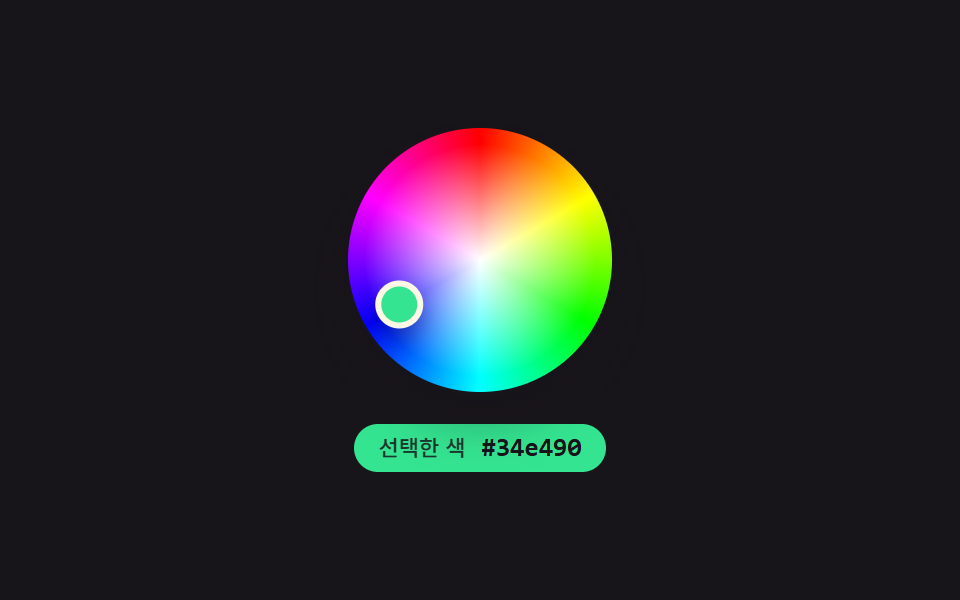 9 Color Picker Design Patterns (Copy-Paste)Nine color-picker UIs that compute: a point's angle turns into a hue, swatch brightness flips the check-icon color, and See all demos in this post
If you like this effect - similar demos
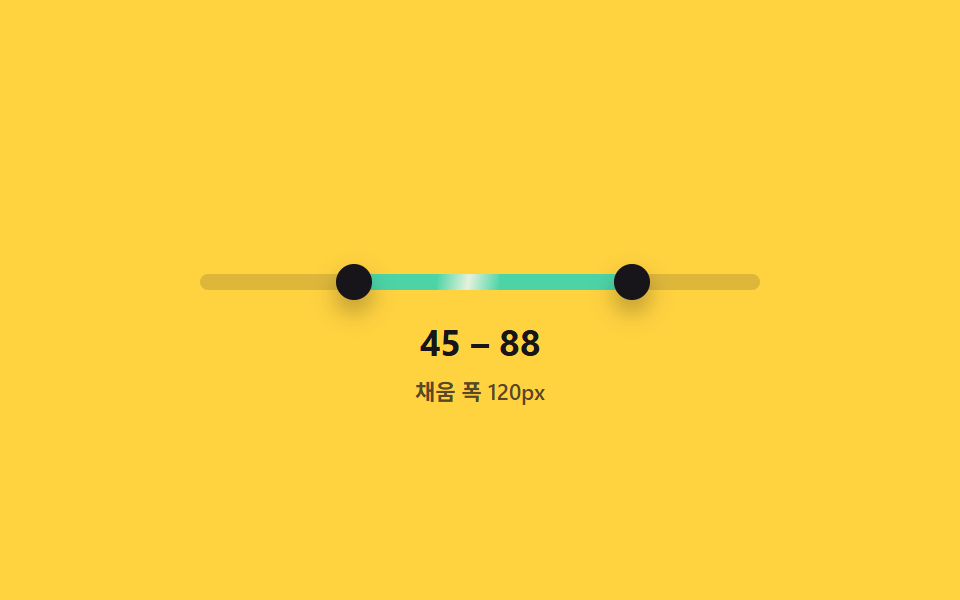 Inputs02 Range Slider That Fills Only Between Its Two HandlesDual Range Slider UI — 9 Two-Handle Patterns
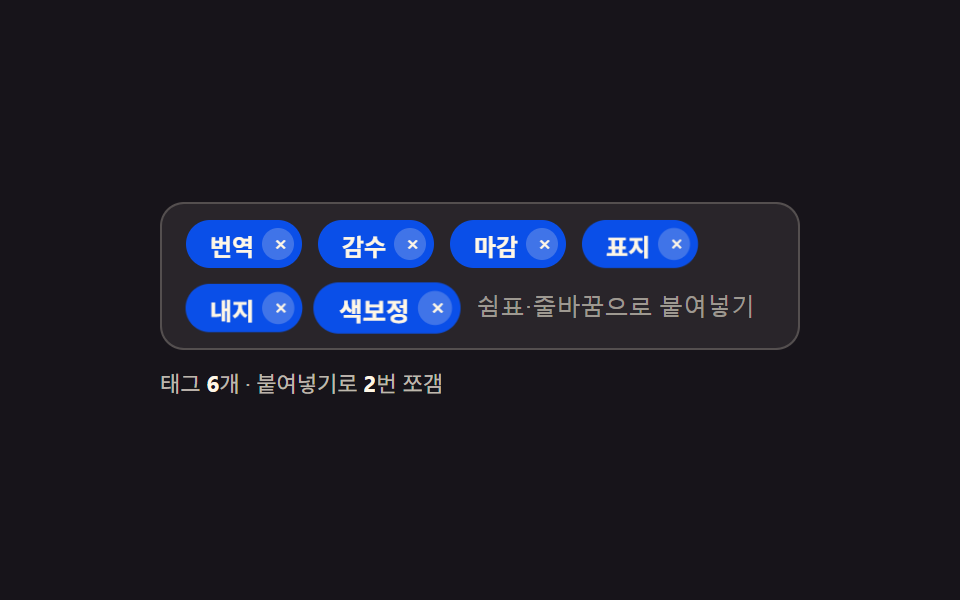 Inputs05 Tag Input That Splits a Pasted List Into Chips at Once9 Tag Input UI Patterns With CSS Chips
 Inputs02 Category Switch Where Scroll Position and Tab Index Stay in SyncEmoji Picker: 9 Patterns by One Value