04Like Count That Rolls the Difference From Its Previous Value
Pressing like calculates the gap between the old and new count and rolls each digit up by that gap, while the button pops larger by an elastic factor before settling back.
Best forLike button on a comment
lk__digitTracklk__digitColrollDigit
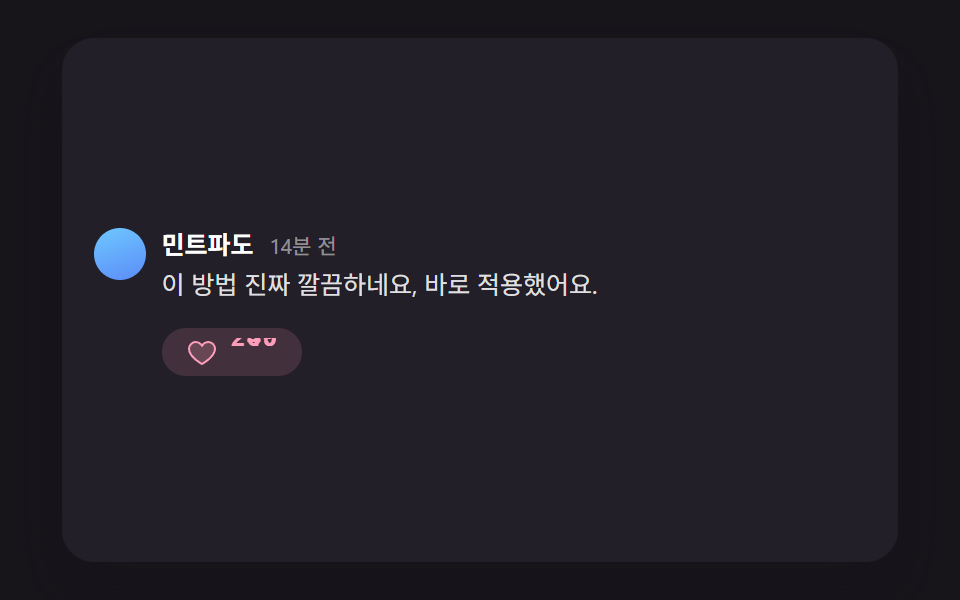
<main class="stage">
<div class="lk is-demo" id="lkRoot">
  <div class="lk__row" id="lkRow">
    <span class="lk__avatar" aria-hidden="true"></span>
    <div class="lk__body">
      <p class="lk__meta"><strong class="lk__name">MintWave</strong><span class="lk__time">14 min ago</span></p>
      <p class="lk__text">This approach is really clean — I applied it right away.</p>
      <button type="button" class="lk__likeBtn" id="lkBtn" aria-pressed="false" aria-label="Like">
        <svg class="lk__heart" id="lkHeart" viewBox="0 0 256 256" aria-hidden="true"><g fill="currentColor"><path d="M232 102c0 66-104 122-104 122S24 168 24 102a54 54 0 0 1 54-54c22.59 0 41.94 12.31 50 32c8.06-19.69 27.41-32 50-32a54 54 0 0 1 54 54" opacity=".2"/><path d="M178 40c-20.65 0-38.73 8.88-50 23.89C116.73 48.88 98.65 40 78 40a62.07 62.07 0 0 0-62 62c0 70 103.79 126.66 108.21 129a8 8 0 0 0 7.58 0C136.21 228.66 240 172 240 102a62.07 62.07 0 0 0-62-62m-50 174.8c-18.26-10.64-96-59.11-96-112.8a46.06 46.06 0 0 1 46-46c19.45 0 35.78 10.36 42.6 27a8 8 0 0 0 14.8 0c6.82-16.67 23.15-27 42.6-27a46.06 46.06 0 0 1 46 46c0 53.61-77.76 102.15-96 112.8"/></g></svg>
        <span class="lk__count" id="lkCount" aria-hidden="true">
          <span class="lk__digitCol"><span class="lk__digitTrack"><span class="lk__digit">2</span></span></span>
          <span class="lk__digitCol"><span class="lk__digitTrack"><span class="lk__digit">4</span></span></span>
          <span class="lk__digitCol"><span class="lk__digitTrack"><span class="lk__digit">9</span></span></span>
        </span>
      </button>
    </div>
  </div>
  <p class="lk__sr" id="lkStatus" aria-live="polite"></p>
</div>
</main>
@use "../../../../site/static/demo-tokens" as *;
@include stage($stage-ink);
.lk {
position: relative;
width: min(92vw, calc(160vh - 12.8vw));
aspect-ratio: 480 / 300;
margin: 0 auto;
border-radius: $r-card;
overflow: hidden;
box-shadow: $shadow-raised;
background: $tick-panel;
font-family: -apple-system, "Segoe UI", "Noto Sans KR", sans-serif;
box-sizing: border-box;
padding: $sp-4;
display: flex;
align-items: center;
}
.lk__row { display: flex; align-items: flex-start; gap: $sp-2; width: 100%; border-radius: $r-sm; padding: $sp-2; margin: -#{$sp-2}; }
.lk__avatar {
flex: none;
width: 26px;
height: 26px;
border-radius: 50%;
background: linear-gradient(160deg, $subject-sky, $subject-blue-light);
margin-top: 4px;
}
.lk__body { min-width: 0; flex: 1; }
.lk__meta { margin: 0 0 4px; display: flex; align-items: baseline; gap: $sp-2; }
.lk__name { color: #fff; font-size: 12.5px; font-weight: 700; }
.lk__time { color: rgba(255, 255, 255, .5); font-size: 10.5px; }
.lk__text { margin: 0 0 $sp-3; color: rgba(255, 255, 255, .86); font-size: 12.5px; line-height: 1.5; }
.lk__likeBtn {
display: inline-flex;
align-items: center;
gap: 8px;
border: 0;
background: rgba(255, 255, 255, .06);
color: rgba(255, 255, 255, .7);
padding: $sp-1 $sp-3;
border-radius: $r-pill;
cursor: pointer;
&:focus-visible { outline: 2px solid $subject-blue-light; outline-offset: 2px; }
&.is-liked {
color: $subject-pink;
background: rgba(255, 158, 187, .14);
}
}
.lk__heart { width: 16px; height: 16px; transform-origin: center; }
.lk__count {
display: inline-flex;
font-variant-numeric: tabular-nums;
font-weight: 700;
font-size: 12.5px;
line-height: 1;
}
.lk__digitCol {
position: relative;
width: 8px;
height: 14px;
overflow: hidden;
display: inline-block;
}
.lk__digitTrack { position: relative; width: 100%; height: 100%; }
.lk__digit {
position: absolute;
inset: 0;
display: flex;
align-items: center;
justify-content: center;
}
.lk__sr {
position: absolute;
width: 1px; height: 1px;
overflow: hidden;
clip: rect(0 0 0 0);
white-space: nowrap;
}
@media (max-width: 340px) {
.lk { padding: $sp-3; }
.lk__text, .lk__name { font-size: 11.5px; }
}
@media (prefers-reduced-motion: reduce) {
.lk__digit, .lk__heart, .lk__likeBtn { transition: none !important; }
}html, body {
margin: 0;
overflow: hidden;
}
.stage {
box-sizing: border-box;
min-height: 100vh;
display: grid;
place-items: center;
margin: 0;
background: #17141a;
font-family: -apple-system, "Segoe UI", "Noto Sans KR", sans-serif;
padding: clamp(8px, 4vw, 24px);
}
.lk {
position: relative;
width: min(92vw, 160vh - 12.8vw);
aspect-ratio: 480/300;
margin: 0 auto;
border-radius: 16px;
overflow: hidden;
box-shadow: 0 14px 24px rgba(23, 20, 26, 0.32);
background: #231f28;
font-family: -apple-system, "Segoe UI", "Noto Sans KR", sans-serif;
box-sizing: border-box;
padding: 16px;
display: flex;
align-items: center;
}
.lk__row {
display: flex;
align-items: flex-start;
gap: 8px;
width: 100%;
border-radius: 8px;
padding: 8px;
margin: -8px;
}
.lk__avatar {
flex: none;
width: 26px;
height: 26px;
border-radius: 50%;
background: linear-gradient(160deg, #6ec8ff, #5b8cf8);
margin-top: 2px;
}
.lk__body {
min-width: 0;
flex: 1;
}
.lk__meta {
margin: 0 0 2px;
display: flex;
align-items: baseline;
gap: 8px;
}
.lk__name {
color: #fff;
font-size: 12.5px;
font-weight: 700;
}
.lk__time {
color: rgba(255, 255, 255, 0.5);
font-size: 10.5px;
}
.lk__text {
margin: 0 0 12px;
color: rgba(255, 255, 255, 0.86);
font-size: 12.5px;
line-height: 1.5;
}
.lk__likeBtn {
display: inline-flex;
align-items: center;
gap: 6px;
border: 0;
background: rgba(255, 255, 255, 0.06);
color: rgba(255, 255, 255, 0.7);
padding: 4px 12px;
border-radius: 999px;
cursor: pointer;
}
.lk__likeBtn:focus-visible {
outline: 2px solid #5b8cf8;
outline-offset: 2px;
}
.lk__likeBtn.is-liked {
color: #ff9ebb;
background: rgba(255, 158, 187, 0.14);
}
.lk__heart {
width: 16px;
height: 16px;
transform-origin: center;
}
.lk__count {
display: inline-flex;
font-variant-numeric: tabular-nums;
font-weight: 700;
font-size: 12.5px;
line-height: 1;
}
.lk__digitCol {
position: relative;
width: 8px;
height: 14px;
overflow: hidden;
display: inline-block;
}
.lk__digitTrack {
position: relative;
width: 100%;
height: 100%;
}
.lk__digit {
position: absolute;
inset: 0;
display: flex;
align-items: center;
justify-content: center;
}
.lk__sr {
position: absolute;
width: 1px;
height: 1px;
overflow: hidden;
clip: rect(0 0 0 0);
white-space: nowrap;
}
@media (max-width: 340px) {
.lk {
padding: 12px;
}
.lk__text, .lk__name {
font-size: 11.5px;
}
}
@media (prefers-reduced-motion: reduce) {
.lk__digit, .lk__heart, .lk__likeBtn {
transition: none !important;
}
}(function () {
// 기법: Like 이전 개수와 이후 개수의 차이(diff)를 계산해, 자릿수가 바뀌는 칸만 그 방향으로
// 슬라이드시켜 "굴러가는" 시각을 만든다(249→250 이면 1의 자리 9→0, 10의 자리 4→5 가 동시에
// 굴러 올림수 전파를 보여준다). 버튼·하트 아이콘의 탄성 튐 폭도 diff 크기로 계산한다.
var root = document.getElementById('lkRoot');
var row = document.getElementById('lkRow');
var btn = document.getElementById('lkBtn');
var heart = document.getElementById('lkHeart');
var countWrap = document.getElementById('lkCount');
var status = document.getElementById('lkStatus');
var reduce = window.matchMedia('(prefers-reduced-motion: reduce)').matches;
if (reduce) root.classList.remove('is-demo');
var count = 249;
var liked = false;
function rollDigit(col, newCh, diff, animate, delayMs) {
var track = col.querySelector('.lk__digitTrack');
var cur = track.querySelector('.lk__digit');
if (cur.textContent === newCh) return;
var next = document.createElement('span');
next.className = 'lk__digit';
next.textContent = newCh;
next.style.transform = 'translateY(' + (diff > 0 ? '100%' : '-100%') + ')';
track.appendChild(next);
if (!animate || reduce) {
cur.remove();
next.style.transform = 'translateY(0)';
return;
}
var dur = 260 + Math.min(200, Math.abs(diff) * 80);
cur.animate(
[{ transform: 'translateY(0)' }, { transform: 'translateY(' + (diff > 0 ? '-100%' : '100%') + ')' }],
{ duration: dur, delay: delayMs || 0, easing: 'cubic-bezier(.3,.7,.2,1)', fill: 'forwards' }
);
var anim = next.animate(
[{ transform: 'translateY(' + (diff > 0 ? '100%' : '-100%') + ')' }, { transform: 'translateY(0)' }],
{ duration: dur, delay: delayMs || 0, easing: 'cubic-bezier(.3,.7,.2,1)', fill: 'forwards' }
);
anim.onfinish = function () {
if (cur.parentNode) cur.remove();
next.style.transform = 'translateY(0)';
};
}
function renderCount(newCount, animate, delayMs) {
var diff = newCount - count;
if (diff === 0) return;
var oldStr = String(count).padStart(3, '0');
var newStr = String(newCount).padStart(3, '0');
var cols = countWrap.querySelectorAll('.lk__digitCol');
for (var i = 0; i < cols.length; i += 1) {
if (oldStr[i] === newStr[i]) continue;
rollDigit(cols[i], newStr[i], diff, animate, delayMs);
}
count = newCount;
}
function pop(el, diff, animate, delayMs) {
if (!animate || reduce) return;
var amp = 1.14 + Math.min(0.26, Math.abs(diff) * 0.04);
el.animate(
[
{ transform: 'scale(1)' },
{ transform: 'scale(' + amp + ')' },
{ transform: 'scale(0.94)' },
{ transform: 'scale(1.03)' },
{ transform: 'scale(1)' }
],
{ duration: 420, delay: delayMs || 0, easing: 'ease-out' }
);
}
function rowPulse(diff, animate, delayMs) {
// 계산: Like 차이(diff)의 크기만큼 행 전체 배경이 밝아졌다 가라앉는 폭을 넓혀
// 버튼 주변뿐 아니라 행 전체로 값을 전파한다(넓은 면적의 근거 있는 변화).
if (!animate || reduce) return;
var amp = Math.min(0.22, 0.1 + Math.abs(diff) * 0.04);
row.animate(
[
{ backgroundColor: 'rgba(255,158,187,0)' },
{ backgroundColor: 'rgba(255,158,187,' + amp + ')' },
{ backgroundColor: 'rgba(255,158,187,0)' }
],
{ duration: 640, delay: delayMs || 0, easing: 'ease-out' }
);
}
function setLiked(next, animate, delayMs) {
liked = next;
var diff = liked ? 1 : -1;
btn.setAttribute('aria-pressed', String(liked));
btn.classList.toggle('is-liked', liked);
var nextCount = count + diff;
status.textContent = liked
? 'Liked. ' + nextCount + ' likes'
: 'Like removed. ' + nextCount + ' likes';
renderCount(nextCount, animate, delayMs);
pop(btn, diff, animate, delayMs);
pop(heart, diff, animate, delayMs);
rowPulse(diff, animate, delayMs);
}
btn.addEventListener('click', function () {
root.classList.remove('is-demo');
setLiked(!liked, true, 0);
});
btn.addEventListener('keydown', function (e) {
if (e.key === 'Enter' || e.key === ' ') { e.preventDefault(); btn.click(); }
});
if (reduce) {
// 초기 마크업이 이미 최종 상태(249, Like 전)이므로 별도 처리 없음.
} else {
setLiked(true, true, 220);
window.setTimeout(function () {
if (root.classList.contains('is-demo')) setLiked(false, true, 0);
}, 1100);
window.setInterval(function () {
if (!root.classList.contains('is-demo')) return;
setLiked(!liked, true, 0);
}, 2200);
}
})();import { useEffect, useRef } from "react";
import styles from "./CommentThreadLikeCountElasticPop.module.scss";
// 기법: 좋아요 이전 개수와 이후 개수의 차이(diff)를 계산해, 자릿수가 바뀌는 칸만 그 방향으로
// 슬라이드시켜 "굴러가는" 시각을 만든다(249→250 이면 1의 자리 9→0, 10의 자리 4→5 가 동시에
// 굴러 올림수 전파를 보여준다). 버튼·하트 아이콘의 탄성 튐 폭도 diff 크기로 계산한다.
const INITIAL_COUNT = 249;
export default function CommentThreadLikeCountElasticPop() {
const rootRef = useRef<HTMLDivElement>(null);
const rowRef = useRef<HTMLDivElement>(null);
const btnRef = useRef<HTMLButtonElement>(null);
const heartRef = useRef<SVGSVGElement>(null);
const countRef = useRef<HTMLSpanElement>(null);
const statusRef = useRef<HTMLParagraphElement>(null);
useEffect(() => {
const root = rootRef.current;
const row = rowRef.current;
const btn = btnRef.current;
const heart = heartRef.current;
const countWrap = countRef.current;
const status = statusRef.current;
if (!root || !row || !btn || !heart || !countWrap || !status) return;
const reduce = window.matchMedia("(prefers-reduced-motion: reduce)").matches;
if (reduce) root.classList.remove("is-demo");
let count = INITIAL_COUNT;
let liked = false;
function rollDigit(col: Element, newCh: string, diff: number, animate: boolean, delayMs: number) {
const track = col.querySelector(":scope > .lk__digitTrack");
const cur = track?.querySelector(":scope > .lk__digit");
if (!track || !cur) return;
if (cur.textContent === newCh) return;
const next = document.createElement("span");
next.className = "lk__digit";
next.textContent = newCh;
next.style.transform = `translateY(${diff > 0 ? "100%" : "-100%"})`;
track.appendChild(next);
if (!animate || reduce) {
cur.remove();
next.style.transform = "translateY(0)";
return;
}
const dur = 260 + Math.min(200, Math.abs(diff) * 80);
cur.animate(
[{ transform: "translateY(0)" }, { transform: `translateY(${diff > 0 ? "-100%" : "100%"})` }],
{ duration: dur, delay: delayMs, easing: "cubic-bezier(.3,.7,.2,1)", fill: "forwards" }
);
const anim = next.animate(
[{ transform: `translateY(${diff > 0 ? "100%" : "-100%"})` }, { transform: "translateY(0)" }],
{ duration: dur, delay: delayMs, easing: "cubic-bezier(.3,.7,.2,1)", fill: "forwards" }
);
anim.onfinish = () => {
if (cur.parentNode) cur.remove();
next.style.transform = "translateY(0)";
};
}
function renderCount(newCount: number, animate: boolean, delayMs: number) {
const diff = newCount - count;
if (diff === 0) return;
const oldStr = String(count).padStart(3, "0");
const newStr = String(newCount).padStart(3, "0");
const cols = countWrap!.querySelectorAll(":scope > .lk__digitCol");
cols.forEach((col, i) => {
if (oldStr[i] === newStr[i]) return;
rollDigit(col, newStr[i], diff, animate, delayMs);
});
count = newCount;
}
function pop(el: Element, diff: number, animate: boolean, delayMs: number) {
if (!animate || reduce) return;
const amp = 1.14 + Math.min(0.26, Math.abs(diff) * 0.04);
el.animate(
[
{ transform: "scale(1)" },
{ transform: `scale(${amp})` },
{ transform: "scale(0.94)" },
{ transform: "scale(1.03)" },
{ transform: "scale(1)" },
],
{ duration: 420, delay: delayMs, easing: "ease-out" }
);
}
function rowPulse(diff: number, animate: boolean, delayMs: number) {
// 계산: 좋아요 차이(diff)의 크기만큼 행 전체 배경이 밝아졌다 가라앉는 폭을 넓혀
// 버튼 주변뿐 아니라 행 전체로 값을 전파한다(넓은 면적의 근거 있는 변화).
if (!animate || reduce) return;
const amp = Math.min(0.22, 0.1 + Math.abs(diff) * 0.04);
row!.animate(
[
{ backgroundColor: "rgba(255,158,187,0)" },
{ backgroundColor: `rgba(255,158,187,${amp})` },
{ backgroundColor: "rgba(255,158,187,0)" },
],
{ duration: 640, delay: delayMs, easing: "ease-out" }
);
}
function setLiked(next: boolean, animate: boolean, delayMs: number) {
liked = next;
const diff = liked ? 1 : -1;
btn!.setAttribute("aria-pressed", String(liked));
btn!.classList.toggle("is-liked", liked);
const nextCount = count + diff;
status!.textContent = liked
? `좋아요를 눌렀습니다. 좋아요 ${nextCount}개`
: `좋아요를 취소했습니다. 좋아요 ${nextCount}개`;
renderCount(nextCount, animate, delayMs);
pop(btn!, diff, animate, delayMs);
pop(heart!, diff, animate, delayMs);
rowPulse(diff, animate, delayMs);
}
const onActivate = () => { root.classList.remove("is-demo"); setLiked(!liked, true, 0); };
btn.addEventListener("click", onActivate);
btn.addEventListener("keydown", (e) => {
if (e.key === "Enter" || e.key === " ") { e.preventDefault(); onActivate(); }
});
let timer: number | undefined;
let popTimer: number | undefined;
if (reduce) {
// 초기 마크업이 이미 최종 상태(249, 좋아요 전)이므로 별도 처리 없음.
} else {
setLiked(true, true, 220);
popTimer = window.setTimeout(() => {
if (root.classList.contains("is-demo")) setLiked(false, true, 0);
}, 1100);
timer = window.setInterval(() => {
if (!root.classList.contains("is-demo")) return;
setLiked(!liked, true, 0);
}, 2200);
}
return () => { if (timer) window.clearInterval(timer); if (popTimer) window.clearTimeout(popTimer); };
}, []);
const digits = String(INITIAL_COUNT).padStart(3, "0").split("");
return (
<main className={styles.stage}>
<div className={`${styles.lk} is-demo`} ref={rootRef}>
<div className={styles.lk__row} ref={rowRef}>
<span className={styles.lk__avatar} aria-hidden="true" />
<div className={styles.lk__body}>
<p className={styles.lk__meta}>
<strong className={styles.lk__name}>민트파도</strong>
<span className={styles.lk__time}>14분 전</span>
</p>
<p className={styles.lk__text}>이 방법 진짜 깔끔하네요, 바로 적용했어요.</p>
<button type="button" className={`lk__likeBtn ${styles.lk__likeBtn}`} ref={btnRef} aria-pressed="false" aria-label="좋아요">
<svg className={`lk__heart ${styles.lk__heart}`} ref={heartRef} viewBox="0 0 256 256" aria-hidden="true">
<g fill="currentColor">
<path d="M232 102c0 66-104 122-104 122S24 168 24 102a54 54 0 0 1 54-54c22.59 0 41.94 12.31 50 32c8.06-19.69 27.41-32 50-32a54 54 0 0 1 54 54" opacity=".2" />
<path d="M178 40c-20.65 0-38.73 8.88-50 23.89C116.73 48.88 98.65 40 78 40a62.07 62.07 0 0 0-62 62c0 70 103.79 126.66 108.21 129a8 8 0 0 0 7.58 0C136.21 228.66 240 172 240 102a62.07 62.07 0 0 0-62-62m-50 174.8c-18.26-10.64-96-59.11-96-112.8a46.06 46.06 0 0 1 46-46c19.45 0 35.78 10.36 42.6 27a8 8 0 0 0 14.8 0c6.82-16.67 23.15-27 42.6-27a46.06 46.06 0 0 1 46 46c0 53.61-77.76 102.15-96 112.8" />
</g>
</svg>
<span className={`lk__count ${styles.lk__count}`} ref={countRef} aria-hidden="true">
{digits.map((d, i) => (
<span key={i} className={`lk__digitCol ${styles.lk__digitCol}`}>
<span className={`lk__digitTrack ${styles.lk__digitTrack}`}>
<span className={`lk__digit ${styles.lk__digit}`}>{d}</span>
</span>
</span>
))}
</span>
</button>
</div>
</div>
<p className={styles.lk__sr} ref={statusRef} aria-live="polite" />
</div>
</main>
);
}04 Like Count That Rolls the Difference From Its Previous Value — Measured area 24.637% · moving frames 8/23Original by GODRICH · SCSS and React ship in the zip · Comment Section UI: 9 Thread List Patterns
The post this demo lives in
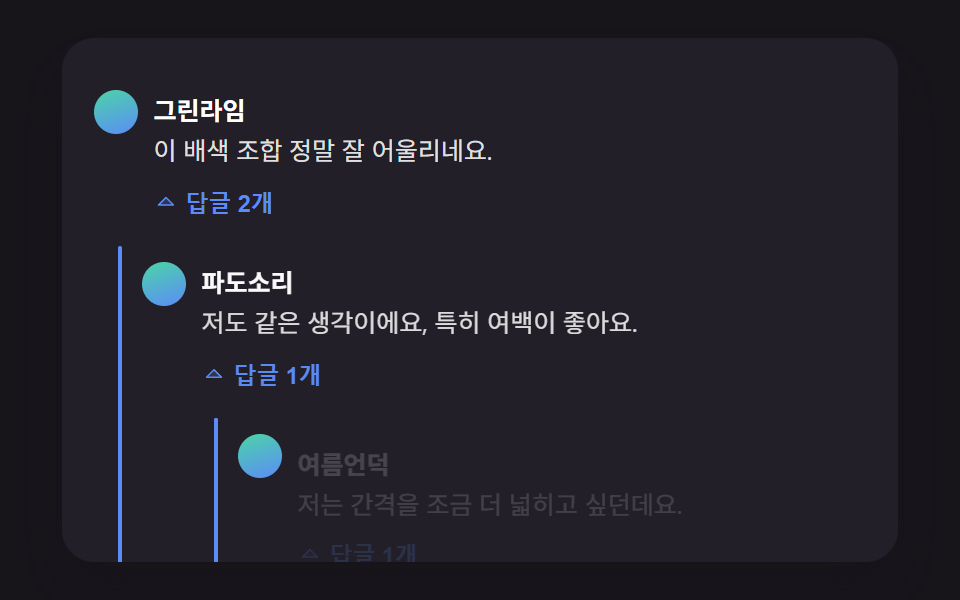 Comment Section UI: 9 Thread List PatternsThe pixels a deleted comment used to fill become exactly how far the rows below rise, and reply indentation pulls its wi See all demos in this post
If you like this effect - similar demos
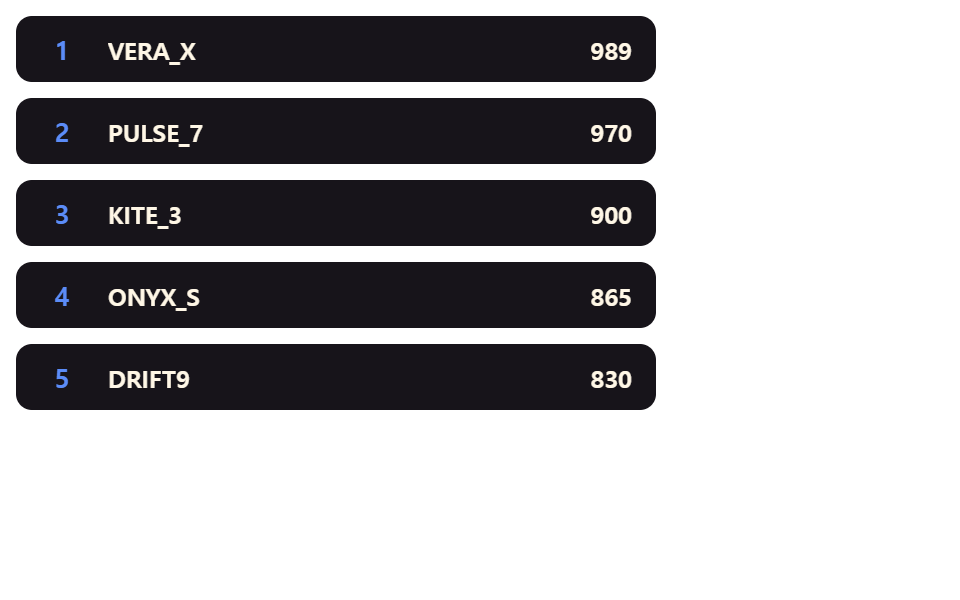 Lists & tables02 Row That Springs Up When Its Rank ImprovesLeaderboard UI Design: 9 Rank-Change List Patterns
 Lists & tables05 Empty cart that rolls in9 Empty State UI Design Cards Drawn in Pure CSS
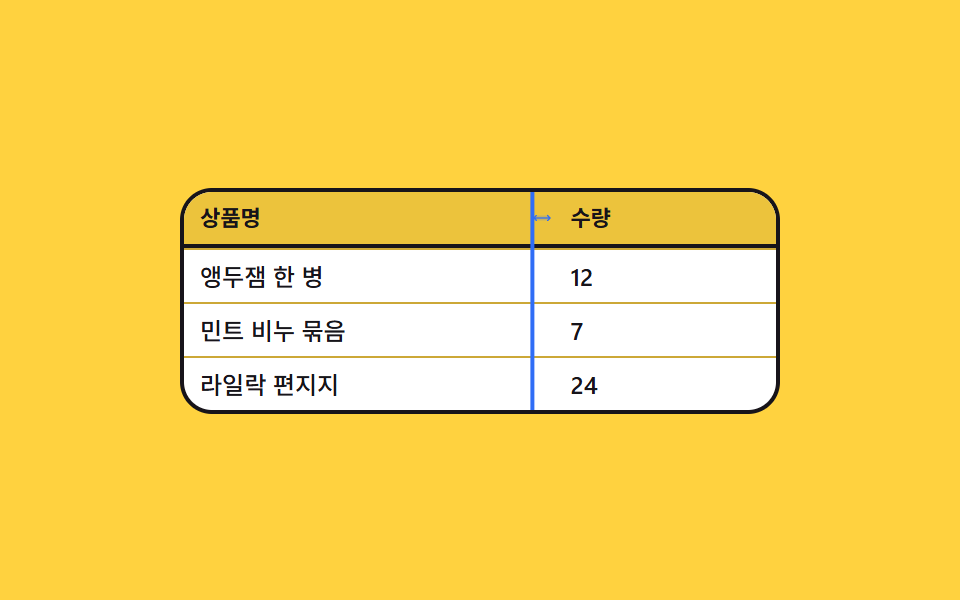 Lists & tables02 Column width you drag from the header edge9 Data Table UI Patterns — Drag, Resize, Select