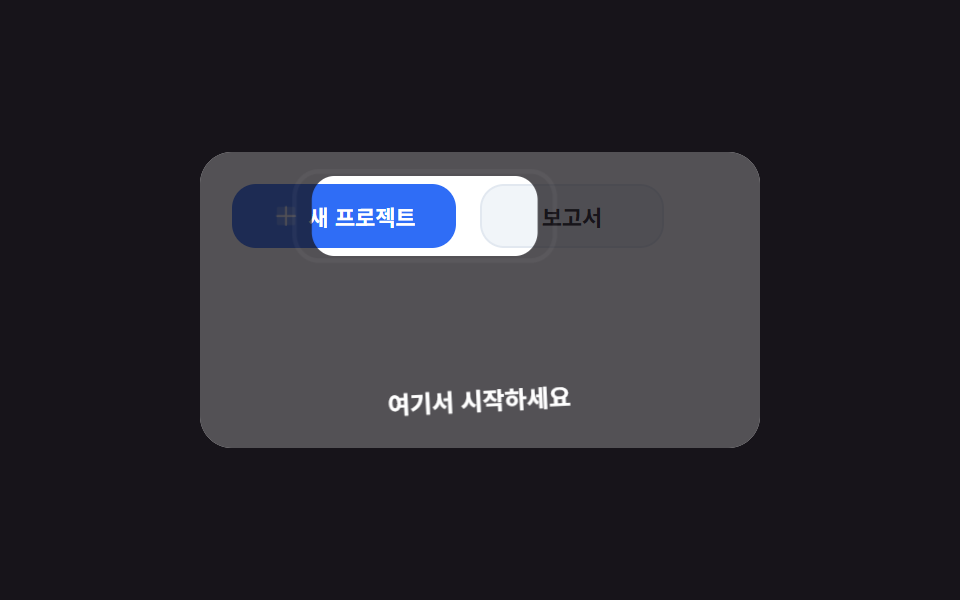
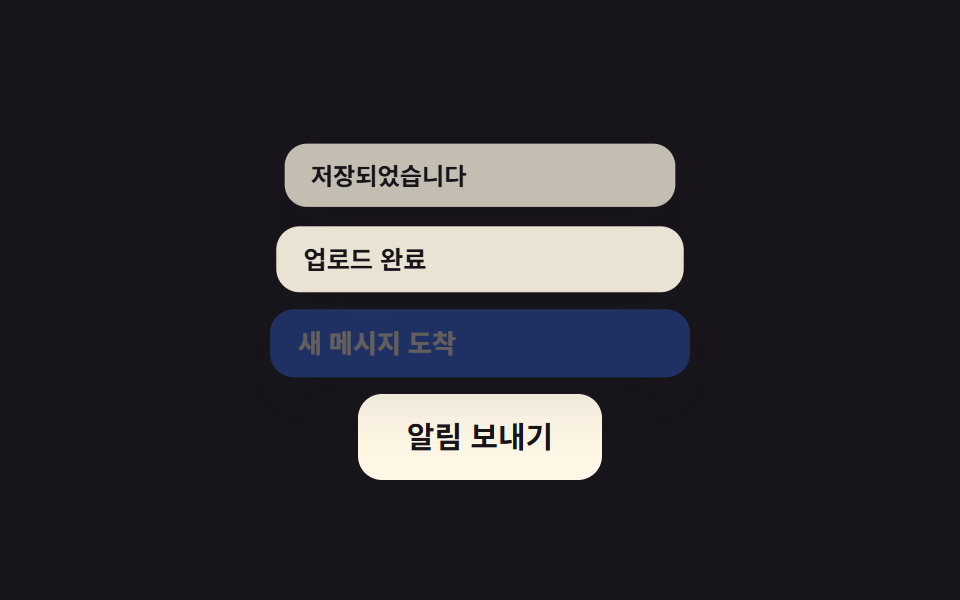
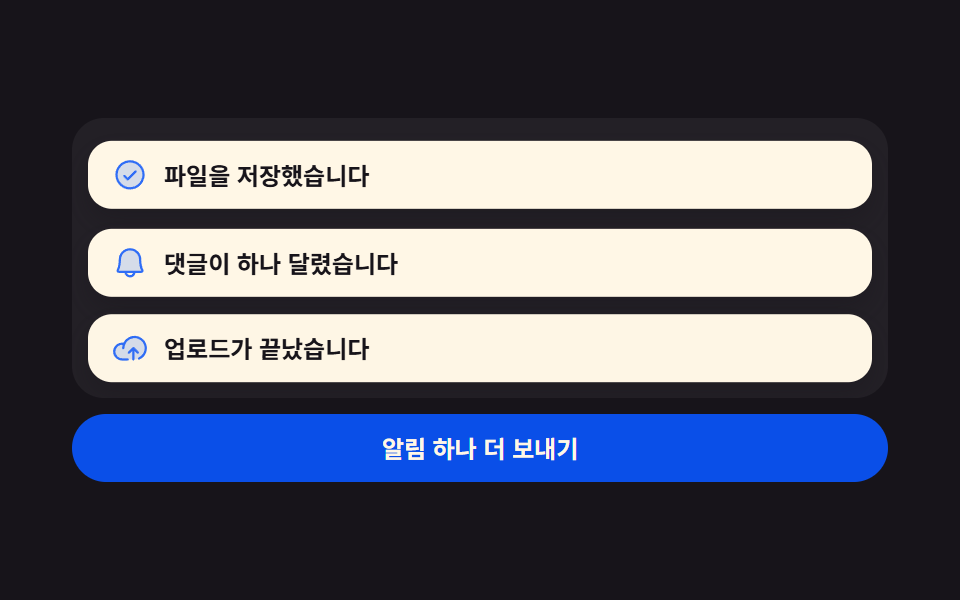
09Settings saved toast
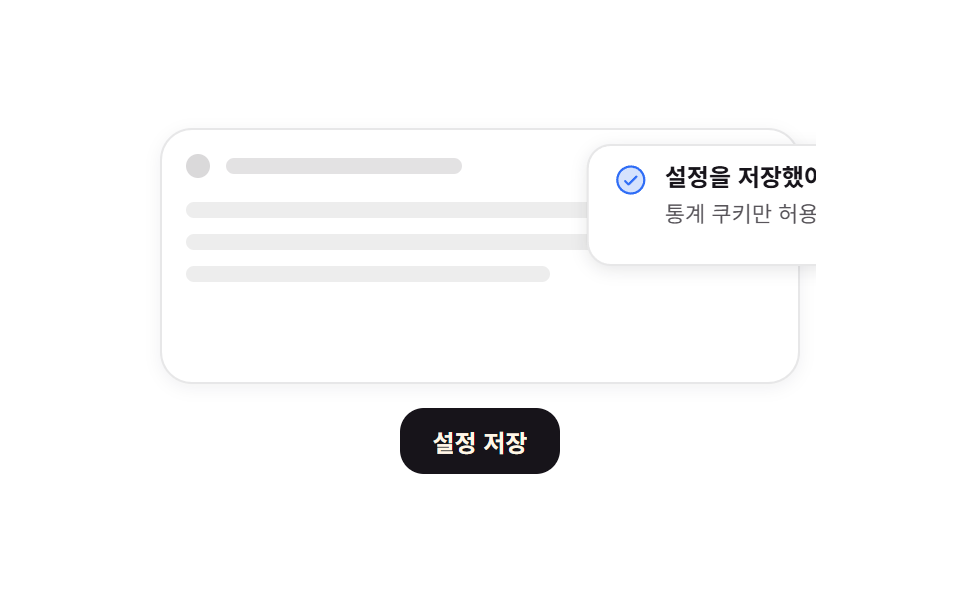
Pressing save slides a toast in from the right, and a thin line counting down the remaining time shrinks leftward before the toast leaves the same way.
Best forConfirming that consent settings were saved, and success notices that disappear quickly
translateX 120%→0scaleX 1→0 타이머radius 12
<main class="stage">
  <div class="ts is-demo">
    <div class="ts__page" aria-hidden="true">
      <div class="ts__topbar"><i class="ts__dot"></i><i class="ts__slug"></i></div>
      <div class="ts__lines"><i></i><i></i><i></i></div>
    </div>
    <button class="ts__save" type="button">Save settings</button>
    <div class="ts__toast" role="status" aria-live="polite">
      <span class="ts__ic" aria-hidden="true"><svg viewBox="0 0 256 256" width="18" height="18"><g fill="currentColor"><path d="M224 128a96 96 0 1 1-96-96a96 96 0 0 1 96 96" opacity=".2"/><path d="M173.66 98.34a8 8 0 0 1 0 11.32l-56 56a8 8 0 0 1-11.32 0l-24-24a8 8 0 0 1 11.32-11.32L112 148.69l50.34-50.35a8 8 0 0 1 11.32 0M232 128A104 104 0 1 1 128 24a104.11 104.11 0 0 1 104 104m-16 0a88 88 0 1 0-88 88a88.1 88.1 0 0 0 88-88"/></g></svg></span>
      <span class="ts__txt">
        <b class="ts__title">Settings saved</b>
        <span class="ts__sub">Analytics cookies only</span>
      </span>
      <i class="ts__timer" aria-hidden="true"></i>
    </div>
  </div>
</main>
@use "../../../../site/static/demo-tokens" as *;
$duration: $dur-loop;
$easing: $ease-spring;
$color: $subject-blue;
@include stage($stage-paper);
.ts {
position: relative;
overflow: hidden; // 화면 밖으로 나간 토스트를 잘라 480×300 밖으로 새지 않게
box-sizing: border-box;
width: clamp(240px, 80vw, 336px);
display: grid;
gap: $sp-3;
padding: $sp-2;
color: $subject-ink;
font-family: -apple-system, "Segoe UI", "Noto Sans KR", sans-serif;
}
// ── 가짜 페이지 목업: 움직이지 않는다 ──
.ts__page {
height: clamp(96px, 34vh, 132px);
border: 1px solid rgba(23, 20, 26, .10);
border-radius: $r-card;
background: $stage-paper;
box-shadow: 0 2px 8px rgba(23, 20, 26, .06);
display: grid;
align-content: start;
gap: $sp-3;
padding: $sp-3;
}
.ts__topbar { display: flex; align-items: center; gap: $sp-2; }
.ts__dot { width: 12px; height: 12px; border-radius: 50%; background: rgba(23, 20, 26, .16); }
.ts__slug { width: 40%; height: 8px; border-radius: $r-xs; background: rgba(23, 20, 26, .12); }
.ts__lines { display: grid; gap: $sp-2; }
.ts__lines i { height: 8px; border-radius: $r-xs; background: rgba(23, 20, 26, .08); }
.ts__lines i:nth-child(2) { width: 84%; }
.ts__lines i:nth-child(3) { width: 62%; }
.ts__save {
justify-self: center;
border: 0;
border-radius: $r-control;
background: $subject-ink;
color: $subject-cream;
font-family: inherit;
font-size: clamp(11px, 2.8vw, 12px);
font-weight: 700;
padding: $sp-2 $sp-4;
cursor: pointer;
transition: transform $dur-quick $ease-out, opacity $dur-quick $ease-out;
}
.ts__save:hover { opacity: .86; }
.ts__save:focus-visible { outline: 2px solid $color; outline-offset: 2px; }
.ts__save:active { transform: scale(.96); }
// ── 토스트: 오른쪽 위, 기본은 화면 밖 ──
.ts__toast {
position: absolute;
top: $sp-4;
right: $sp-4;
width: clamp(152px, 52vw, 200px);
box-sizing: border-box;
display: grid;
grid-template-columns: auto 1fr;
align-items: start;
gap: $sp-2;
padding: $sp-2 $sp-3;
border-radius: $r-control;
background: $stage-paper;
border: 1px solid rgba(23, 20, 26, .10);
box-shadow: 0 2px 8px rgba(23, 20, 26, .10);
transform: translateX(120%);
}
.ts__ic { display: inline-flex; color: $color; }
.ts__txt { display: grid; gap: $sp-1; min-width: 0; }
.ts__title {
font-size: clamp(11px, 2.8vw, 12px);
font-weight: 700;
line-height: 1.3;
}
.ts__sub {
font-size: clamp(9px, 2.4vw, 11px);
line-height: 1.3;
color: rgba($stage-ink, .72);
overflow-wrap: anywhere;
}
.ts__timer {
grid-column: 1 / -1;
height: 2px;
border-radius: $r-pill;
background: $color;
transform: scaleX(1);
transform-origin: right; // 규칙8: 토스트 타이머 우측 기준 감소
}
// ── 들어왔다 · 타이머가 줄고 · 같은 방향으로 나간다. 0% 와 100% 는 화면 밖으로 같다 ──
.ts.is-demo .ts__toast,
.ts__toast.is-shot { animation: ts-slide $duration $easing infinite; }
.ts.is-demo .ts__timer,
.ts__toast.is-shot .ts__timer { animation: ts-timer $duration linear infinite; }
.ts__toast.is-shot,
.ts__toast.is-shot .ts__timer { animation-iteration-count: 1; }
@keyframes ts-slide {
0% { transform: translateX(120%); }
14% { transform: translateX(0); }
86% { transform: translateX(0); }
100% { transform: translateX(120%); }
}
@keyframes ts-timer {
0% { transform: scaleX(1); }
14% { transform: scaleX(1); }
86% { transform: scaleX(0); }
99% { transform: scaleX(0); } // 다 나간 뒤에 되감아 0%/100% 를 같게 만든다
100% { transform: scaleX(1); }
}
@media (max-width: 340px) {
.ts { gap: $sp-2; width: 92vw; }
.ts__page { gap: $sp-2; padding: $sp-2; }
.ts__toast { top: $sp-2; right: $sp-2; padding: $sp-1 $sp-2; }
.ts__save { padding: $sp-2 $sp-3; }
}
@media (prefers-reduced-motion: reduce) {
.ts.is-demo .ts__toast, .ts__toast.is-shot,
.ts.is-demo .ts__timer, .ts__toast.is-shot .ts__timer { animation: none !important; }
// 루프는 끄고 "들어온 뒤" 상태는 남긴다
.ts__toast { transform: translateX(0); }
.ts__timer { transform: scaleX(1); }
.ts__save { transition: none; }
}html, body {
margin: 0;
overflow: hidden;
}
.stage {
box-sizing: border-box;
min-height: 100vh;
display: grid;
place-items: center;
margin: 0;
background: #ffffff;
font-family: -apple-system, "Segoe UI", "Noto Sans KR", sans-serif;
padding: clamp(8px, 4vw, 24px);
}
.ts {
position: relative;
overflow: hidden;
box-sizing: border-box;
width: clamp(240px, 80vw, 336px);
display: grid;
gap: 12px;
padding: 8px;
color: #17141a;
font-family: -apple-system, "Segoe UI", "Noto Sans KR", sans-serif;
}
.ts__page {
height: clamp(96px, 34vh, 132px);
border: 1px solid rgba(23, 20, 26, 0.1);
border-radius: 16px;
background: #ffffff;
box-shadow: 0 2px 8px rgba(23, 20, 26, 0.06);
display: grid;
align-content: start;
gap: 12px;
padding: 12px;
}
.ts__topbar {
display: flex;
align-items: center;
gap: 8px;
}
.ts__dot {
width: 12px;
height: 12px;
border-radius: 50%;
background: rgba(23, 20, 26, 0.16);
}
.ts__slug {
width: 40%;
height: 8px;
border-radius: 4px;
background: rgba(23, 20, 26, 0.12);
}
.ts__lines {
display: grid;
gap: 8px;
}
.ts__lines i {
height: 8px;
border-radius: 4px;
background: rgba(23, 20, 26, 0.08);
}
.ts__lines i:nth-child(2) {
width: 84%;
}
.ts__lines i:nth-child(3) {
width: 62%;
}
.ts__save {
justify-self: center;
border: 0;
border-radius: 12px;
background: #17141a;
color: #fff7e6;
font-family: inherit;
font-size: clamp(11px, 2.8vw, 12px);
font-weight: 700;
padding: 8px 16px;
cursor: pointer;
transition: transform 220ms ease-out, opacity 220ms ease-out;
}
.ts__save:hover {
opacity: 0.86;
}
.ts__save:focus-visible {
outline: 2px solid #2f6df6;
outline-offset: 2px;
}
.ts__save:active {
transform: scale(0.96);
}
.ts__toast {
position: absolute;
top: 16px;
right: 16px;
width: clamp(152px, 52vw, 200px);
box-sizing: border-box;
display: grid;
grid-template-columns: auto 1fr;
align-items: start;
gap: 8px;
padding: 8px 12px;
border-radius: 12px;
background: #ffffff;
border: 1px solid rgba(23, 20, 26, 0.1);
box-shadow: 0 2px 8px rgba(23, 20, 26, 0.1);
transform: translateX(120%);
}
.ts__ic {
display: inline-flex;
color: #2f6df6;
}
.ts__txt {
display: grid;
gap: 4px;
min-width: 0;
}
.ts__title {
font-size: clamp(11px, 2.8vw, 12px);
font-weight: 700;
line-height: 1.3;
}
.ts__sub {
font-size: clamp(9px, 2.4vw, 11px);
line-height: 1.3;
color: rgba(23, 20, 26, 0.72);
overflow-wrap: anywhere;
}
.ts__timer {
grid-column: 1/-1;
height: 2px;
border-radius: 999px;
background: #2f6df6;
transform: scaleX(1);
transform-origin: right;
}
.ts.is-demo .ts__toast,
.ts__toast.is-shot {
animation: ts-slide 2s cubic-bezier(0.2, 0.8, 0.2, 1) infinite;
}
.ts.is-demo .ts__timer,
.ts__toast.is-shot .ts__timer {
animation: ts-timer 2s linear infinite;
}
.ts__toast.is-shot,
.ts__toast.is-shot .ts__timer {
animation-iteration-count: 1;
}
@keyframes ts-slide {
0% {
transform: translateX(120%);
}
14% {
transform: translateX(0);
}
86% {
transform: translateX(0);
}
100% {
transform: translateX(120%);
}
}
@keyframes ts-timer {
0% {
transform: scaleX(1);
}
14% {
transform: scaleX(1);
}
86% {
transform: scaleX(0);
}
99% {
transform: scaleX(0);
}
100% {
transform: scaleX(1);
}
}
@media (max-width: 340px) {
.ts {
gap: 8px;
width: 92vw;
}
.ts__page {
gap: 8px;
padding: 8px;
}
.ts__toast {
top: 8px;
right: 8px;
padding: 4px 8px;
}
.ts__save {
padding: 8px 12px;
}
}
@media (prefers-reduced-motion: reduce) {
.ts.is-demo .ts__toast, .ts__toast.is-shot,
.ts.is-demo .ts__timer, .ts__toast.is-shot .ts__timer {
animation: none !important;
}
.ts__toast {
transform: translateX(0);
}
.ts__timer {
transform: scaleX(1);
}
.ts__save {
transition: none;
}
}// 실제 동작: Save 버튼이 토스트를 한 번 재생한다. Save 횟수·마지막 시각은 localStorage 에 남아 둘째 줄에 붙는다.
var ts = document.querySelector('.ts');
var tsToast = ts.querySelector('.ts__toast');
var tsSub = ts.querySelector('.ts__sub');
var TS_TPL = 'Analytics cookies only · saved {n}× · {t}';
var tsN = 0;
try {
var saved = JSON.parse(localStorage.getItem('gd-consent-09') || '{}');
tsN = parseInt(saved.n, 10) || 0;
if (tsN > 0 && saved.t) { tsSub.textContent = TS_TPL.replace('{n}', String(tsN)).replace('{t}', String(saved.t)); }
} catch (e) {}
tsToast.addEventListener('animationend', function (ev) {
if (ev.target === tsToast) { tsToast.classList.remove('is-shot'); }
});
ts.querySelector('.ts__save').addEventListener('click', function () {
ts.classList.remove('is-demo');
tsN = tsN + 1;
var now = new Date().toTimeString().slice(0, 5);
tsSub.textContent = TS_TPL.replace('{n}', String(tsN)).replace('{t}', now);
try { localStorage.setItem('gd-consent-09', JSON.stringify({ n: tsN, t: now })); } catch (e) {}
tsToast.classList.remove('is-shot');
void tsToast.offsetWidth; // 연타해도 다시 재생되게 리플로를 강제한다
tsToast.classList.add('is-shot');
});import { useEffect, useState } from "react";
import type { CSSProperties } from "react";
import styles from "./SettingsSavedToast.module.scss";
export type SettingsSavedToastProps = {
duration?: number;
easing?: string;
color?: string;
};
type Vars = CSSProperties & {
"--duration"?: string;
"--easing"?: string;
"--color"?: string;
};
const KEY = "gd-consent-09";
const BASE = "Analytics cookies only";
function line(n: number, t: string): string {
return `${BASE} · saved ${n}× · ${t}`;
}
export default function SettingsSavedToast({
duration = 2000,
easing = "cubic-bezier(.2,.8,.2,1)",
color = "#2f6df6",
}: SettingsSavedToastProps) {
const [count, setCount] = useState(0);
const [sub, setSub] = useState(BASE);
// 0 이면 자동 루프, 1 이상이면 그 번째 한 번짜리 재생 (key 로 갈아끼워 애니메이션을 되감는다)
const [runId, setRunId] = useState(0);
useEffect(() => {
try {
const raw = localStorage.getItem(KEY);
if (raw) {
const saved = JSON.parse(raw) as { n?: number; t?: string };
const n = Number(saved.n) || 0;
setCount(n);
if (n > 0 && saved.t) {
setSub(line(n, saved.t));
}
}
} catch {
/* 샌드박스에서 던질 수 있다 */
}
}, []);
function save() {
const n = count + 1;
const t = new Date().toTimeString().slice(0, 5);
setCount(n);
setSub(line(n, t));
try {
localStorage.setItem(KEY, JSON.stringify({ n: n, t: t }));
} catch {
/* 무시 */
}
setRunId(runId + 1);
}
const vars: Vars = {
"--duration": `${duration}ms`,
"--easing": easing,
"--color": color,
};
const demo = runId === 0;
return (
<div className={`${styles.ts} ${demo ? styles.isDemo : ""}`} style={vars}>
<div className={styles.page} aria-hidden="true">
<div className={styles.topbar}>
<i className={styles.dot} />
<i className={styles.slug} />
</div>
<div className={styles.lines}>
<i />
<i />
<i />
</div>
</div>
<button type="button" className={styles.save} onClick={save}>
Save settings
</button>
<div
className={`${styles.toast} ${demo ? "" : styles.isShot}`}
key={runId}
role="status"
aria-live="polite"
>
<span className={styles.ic} aria-hidden="true">
<svg viewBox="0 0 256 256" width="18" height="18">
<g fill="currentColor">
<path d="M224 128a96 96 0 1 1-96-96a96 96 0 0 1 96 96" opacity=".2" />
<path d="M173.66 98.34a8 8 0 0 1 0 11.32l-56 56a8 8 0 0 1-11.32 0l-24-24a8 8 0 0 1 11.32-11.32L112 148.69l50.34-50.35a8 8 0 0 1 11.32 0M232 128A104 104 0 1 1 128 24a104.11 104.11 0 0 1 104 104m-16 0a88 88 0 1 0-88 88a88.1 88.1 0 0 0 88-88" />
</g>
</svg>
</span>
<span className={styles.txt}>
<b className={styles.title}>Settings saved</b>
<span className={styles.sub}>{sub}</span>
</span>
<i className={styles.timer} aria-hidden="true" />
</div>
</div>
);
}09 Settings saved toast — Measured area 4.706% · moving frames 22/23Original by GODRICH · SCSS and React ship in the zip · Cookie Consent Banner UI — 9 Patterns to Paste In
The post this demo lives in
 Cookie Consent Banner UI — 9 Patterns to Paste InA cookie consent banner ui is the strip or card that tells visitors a site stores cookies and records their choice. Thes See all demos in this post