03Tilt on hover
The card tilts to one fixed angle on hover. Unlike the 3D tilt parallax in post 032, which reads pointer coordinates in JS every frame, this one transitions a single fixed :hover value with zero JS.
Best forFeature preview cards, thumbnail previews
perspective:hover 고정 각도JS 0줄

<main class="stage">
  <div class="frame">
    <div class="tilt is-demo" tabindex="0">Product preview</div>
  </div>
</main>
@use "../../../../site/static/demo-tokens" as *;
// ── 변수 3개 ──────────────────────────────
$duration: $dur-base; // 기울기가 붙는 시간
$easing: $ease-spring;
$color: $subject-cream; // 카드 배경
@include stage($stage-orange);
.frame { perspective: 600px; } // JS 없이 :hover 값만 고정으로 기운다(032 는 마우스 좌표 추적, 여기는 고정 각도)
.tilt {
width: min(190px, 58vw);
padding: $sp-6 $sp-4;
border-radius: $r-card;
background: $color;
color: $subject-ink;
font-weight: 700;
font-size: 14px;
line-height: 1.3;
font-family: inherit;
text-align: center;
box-shadow: $shadow-press;
outline: none;
cursor: pointer;
transform: rotateX(0deg) rotateY(0deg);
transition: transform $duration $easing, box-shadow $duration $easing;
}
.tilt:hover,
.tilt:focus-visible,
.tilt:active {
transform: rotateX(10deg) rotateY(-14deg);
box-shadow: $shadow-raised;
}
// 데모 · 문서용: 고정 각도를 2초마다 오갔다 돌아온다
.tilt.is-demo { animation: tilt-loop $dur-loop $easing infinite; }
@keyframes tilt-loop {
0%, 20% { transform: rotateX(0deg) rotateY(0deg); box-shadow: $shadow-press; }
55% { transform: rotateX(10deg) rotateY(-14deg); box-shadow: $shadow-raised; }
100% { transform: rotateX(0deg) rotateY(0deg); box-shadow: $shadow-press; }
}
// 호버가 없는 터치 화면 — 누르는 동안만 기운다
@media (hover: none) {
.tilt:active { transform: rotateX(10deg) rotateY(-14deg); }
}
@media (prefers-reduced-motion: reduce) {
.tilt, .tilt.is-demo { animation: none; transition: none; transform: none; }
}html, body {
margin: 0;
overflow: hidden;
}
.stage {
box-sizing: border-box;
min-height: 100vh;
display: grid;
place-items: center;
margin: 0;
background: #ff4d1f;
font-family: -apple-system, "Segoe UI", "Noto Sans KR", sans-serif;
padding: clamp(8px, 4vw, 24px);
}
.frame {
perspective: 600px;
}
.tilt {
width: min(190px, 58vw);
padding: 24px 16px;
border-radius: 16px;
background: #fff7e6;
color: #17141a;
font-weight: 700;
font-size: 14px;
line-height: 1.3;
font-family: inherit;
text-align: center;
box-shadow: 0 6px 12px rgba(23, 20, 26, 0.32);
outline: none;
cursor: pointer;
transform: rotateX(0deg) rotateY(0deg);
transition: transform 300ms cubic-bezier(0.2, 0.8, 0.2, 1), box-shadow 300ms cubic-bezier(0.2, 0.8, 0.2, 1);
}
.tilt:hover,
.tilt:focus-visible,
.tilt:active {
transform: rotateX(10deg) rotateY(-14deg);
box-shadow: 0 14px 24px rgba(23, 20, 26, 0.32);
}
.tilt.is-demo {
animation: tilt-loop 2s cubic-bezier(0.2, 0.8, 0.2, 1) infinite;
}
@keyframes tilt-loop {
0%, 20% {
transform: rotateX(0deg) rotateY(0deg);
box-shadow: 0 6px 12px rgba(23, 20, 26, 0.32);
}
55% {
transform: rotateX(10deg) rotateY(-14deg);
box-shadow: 0 14px 24px rgba(23, 20, 26, 0.32);
}
100% {
transform: rotateX(0deg) rotateY(0deg);
box-shadow: 0 6px 12px rgba(23, 20, 26, 0.32);
}
}
@media (hover: none) {
.tilt:active {
transform: rotateX(10deg) rotateY(-14deg);
}
}
@media (prefers-reduced-motion: reduce) {
.tilt, .tilt.is-demo {
animation: none;
transition: none;
transform: none;
}
}import type { CSSProperties, ReactNode } from "react";
import styles from "./TiltHoverCard.module.scss";
export type TiltHoverCardProps = {
duration?: number;
easing?: string;
/** 카드 배경 */
color?: string;
children?: ReactNode;
};
type Vars = CSSProperties & { "--duration"?: string; "--easing"?: string; "--color"?: string };
// 032(card-hover-tilt-3d-parallax) 와 달리 마우스 좌표를 안 읽는다 — :hover 값이 고정 각도로 붙는 순수 CSS 버전
export default function TiltHoverCard({
duration = 300,
easing = "cubic-bezier(.2,.8,.2,1)",
color = "#fff7e6",
children = "제품 미리보기",
}: TiltHoverCardProps) {
const vars: Vars = { "--duration": `${duration}ms`, "--easing": easing, "--color": color };
return (
<div className={styles.frame}>
<div className={styles.tilt} style={vars} tabIndex={0}>
{children}
</div>
</div>
);
}03 Tilt on hover — Measured area 5.41% · moving frames 16/23Original by GODRICH · SCSS and React ship in the zip · 9 CSS 3D Cube Effects — One Line, Copy-Paste
The post this demo lives in
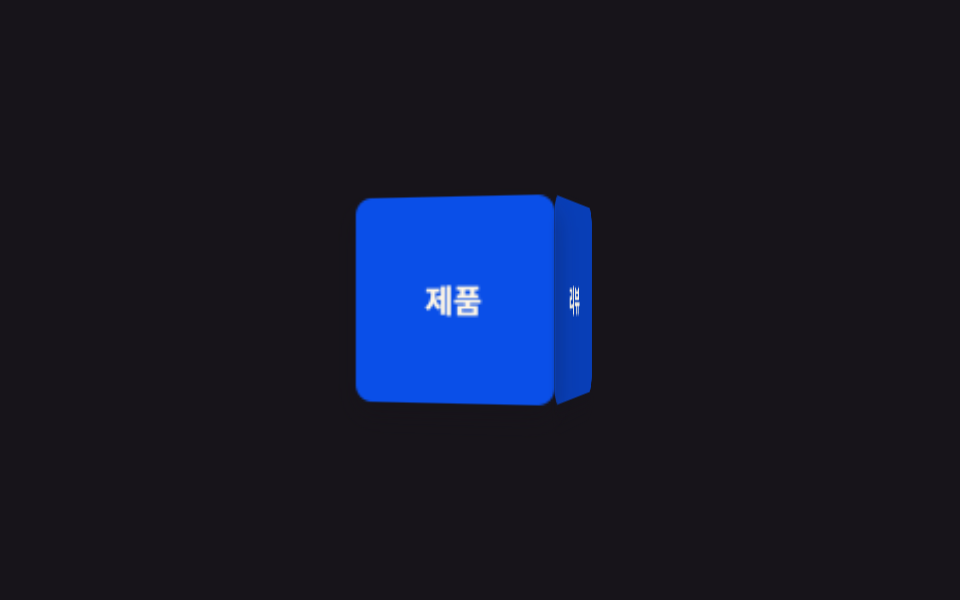 9 CSS 3D Cube Effects — One Line, Copy-PasteA css 3d cube spins its four labeled faces inside a perspective wrapper — one of nine such effects below, each one line, See all demos in this post