01Diagonal highlight sweep border
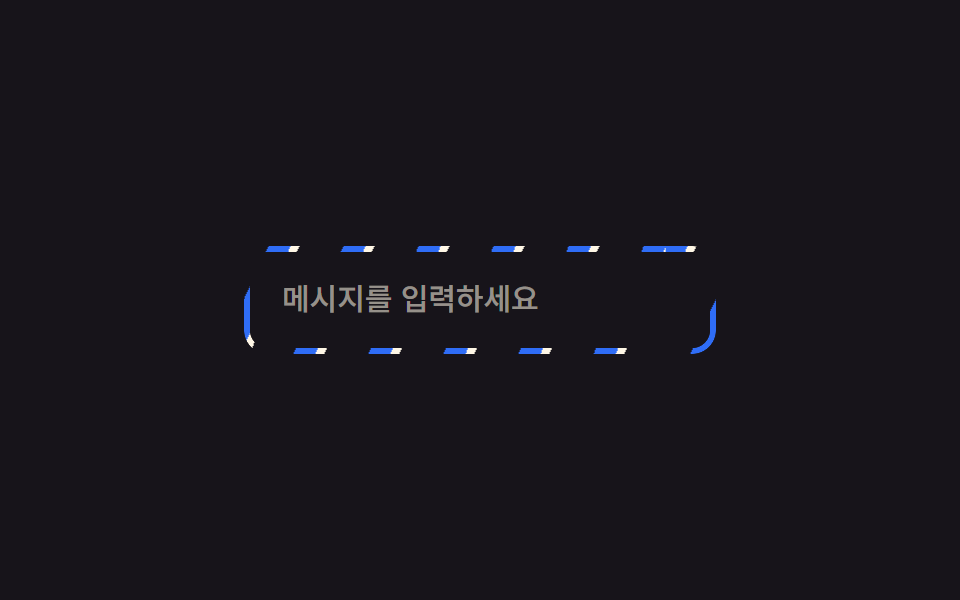
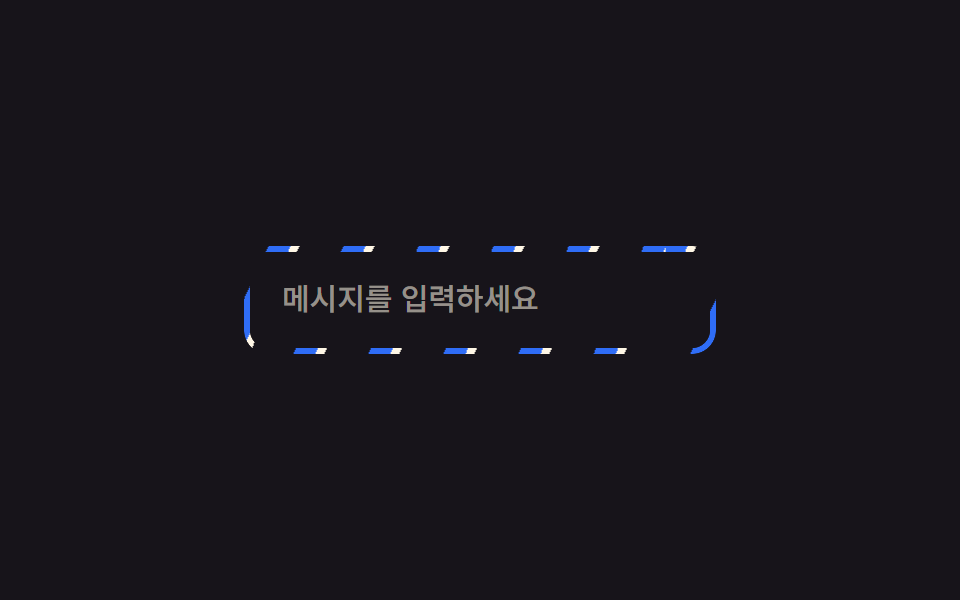
A thin ring cut to the border shape holds a diagonal striped gradient, and sliding its background-position nonstop makes the whole frame look like it is flowing with light at once.
Best forAI-generating input field borders, premium card frames
mask-compositebackground-position2초
<main class="stage">
  <div class="frame is-demo">
    <input class="frame__input" type="text" placeholder="Type a message" readonly>
  </div>
</main>
@use "../../../../site/static/demo-tokens" as *;
$duration: $dur-loop; // 줄무늬가 한 바퀴 흐르는 시간
$easing: linear; // 흐름은 일정 속도로
$color: $subject-blue; // 줄무늬 색
@include stage($stage-ink);
.stage { padding: clamp(6px, 2.4vw, 16px); }
.frame {
position: relative;
width: min(230px, 74vw);
border-radius: $r-control;
padding: 3px;
isolation: isolate;
}
// 테두리 자리에만 보이게 잘라낸 링 위에 대각선 줄무늬를 흘려보낸다
.frame::before {
content: "";
position: absolute;
inset: 0;
border-radius: $r-control;
padding: 3px;
background: repeating-linear-gradient(115deg, $color 0 10px, $subject-cream 10px 14px, transparent 14px 34px);
-webkit-mask: linear-gradient(#000 0 0) content-box, linear-gradient(#000 0 0);
-webkit-mask-composite: xor; // 옛 사파리
mask-composite: exclude; // 표준 (mask 무접두사 지원표: blog-topic 편브리프)
}
.frame.is-demo::before,
.frame:focus-within::before { animation: sweep $duration $easing infinite; }
.frame__input {
position: relative;
display: block;
box-sizing: border-box;
width: 100%;
border: 0;
border-radius: $r-control - 3px;
padding: 14px 16px;
font-weight: 500; font-size: clamp(13px, 3.6vw, 15px); line-height: 1.3; font-family: inherit;
color: $subject-cream;
background: $stage-ink;
}
.frame__input::placeholder { color: rgba($subject-cream, .55); }
@keyframes sweep { to { background-position: 220px 0; } }
@media (prefers-reduced-motion: reduce) {
.frame.is-demo::before, .frame:focus-within::before { animation: none; }
}html, body {
margin: 0;
overflow: hidden;
}
.stage {
box-sizing: border-box;
min-height: 100vh;
display: grid;
place-items: center;
margin: 0;
background: #17141a;
font-family: -apple-system, "Segoe UI", "Noto Sans KR", sans-serif;
padding: clamp(8px, 4vw, 24px);
}
.stage {
padding: clamp(6px, 2.4vw, 16px);
}
.frame {
position: relative;
width: min(230px, 74vw);
border-radius: 12px;
padding: 3px;
isolation: isolate;
}
.frame::before {
content: "";
position: absolute;
inset: 0;
border-radius: 12px;
padding: 3px;
background: repeating-linear-gradient(115deg, #2f6df6 0 10px, #fff7e6 10px 14px, transparent 14px 34px);
-webkit-mask: linear-gradient(#000 0 0) content-box, linear-gradient(#000 0 0);
-webkit-mask-composite: xor;
mask-composite: exclude;
}
.frame.is-demo::before,
.frame:focus-within::before {
animation: sweep 2s linear infinite;
}
.frame__input {
position: relative;
display: block;
box-sizing: border-box;
width: 100%;
border: 0;
border-radius: 9px;
padding: 14px 16px;
font-weight: 500;
font-size: clamp(13px, 3.6vw, 15px);
line-height: 1.3;
font-family: inherit;
color: #fff7e6;
background: #17141a;
}
.frame__input::placeholder {
color: rgba(255, 247, 230, 0.55);
}
@keyframes sweep {
to {
background-position: 220px 0;
}
}
@media (prefers-reduced-motion: reduce) {
.frame.is-demo::before, .frame:focus-within::before {
animation: none;
}
}import type { CSSProperties } from "react";
import styles from "./SweepBorderInput.module.scss";
export type SweepBorderInputProps = {
placeholder: string;
/** 줄무늬가 한 바퀴 흐르는 시간 (기본 2000ms) */
duration?: number;
easing?: string;
/** 줄무늬 색 */
color?: string;
};
type Vars = CSSProperties & { "--duration"?: string; "--easing"?: string; "--color"?: string };
export default function SweepBorderInput({
placeholder,
duration = 2000,
easing = "linear",
color = "#2f6df6",
}: SweepBorderInputProps) {
const vars: Vars = { "--duration": `${duration}ms`, "--easing": easing, "--color": color };
return (
<div className={styles.frame} style={vars}>
<input className={styles.input} type="text" placeholder={placeholder} readOnly />
</div>
);
}01 Diagonal highlight sweep border — Measured area 1.167% · moving frames 23/23Original by GODRICH · SCSS and React ship in the zip · 9 CSS Border Animations — One Line, Copy-Paste
The post this demo lives in
 9 CSS Border Animations — One Line, Copy-PasteA css border animation moves the edge of a card, button, or input instead of its fill, so it can signal loading, focus, See all demos in this post