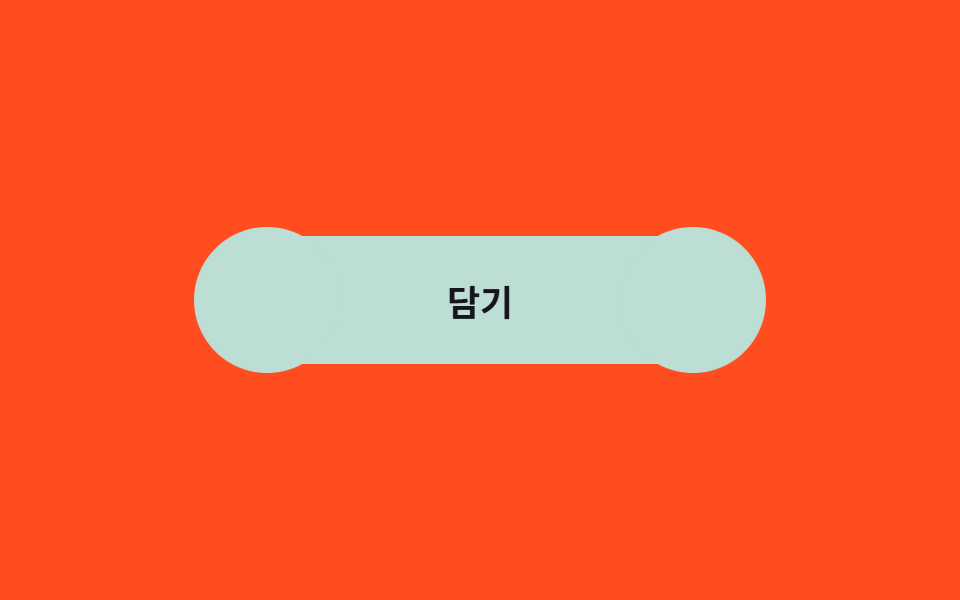
03Gooey blob button
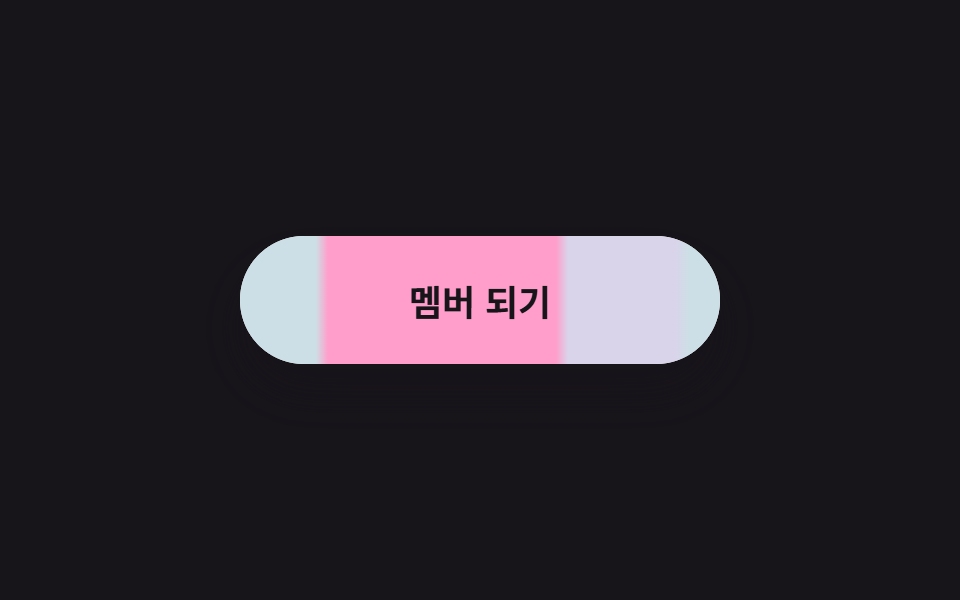
Two mint blobs hidden behind the label swell up with scale and stretch left and right, making the button look like soft jelly changing its own shape.
Best forAdd-to-cart on a kids or goods shop, a social share button
::before·::after scaleborder-radius: 50%$ease-pop
<main class="stage is-demo">
  <button class="btn" type="button"><span class="btn__label">Add</span></button>
</main>
@use "../../../../site/static/demo-tokens" as *;
// ── 변수 3개 ──────────────────────────────────────────
$duration: $dur-loop; // 2s — 부풀기 한 주기
$easing: $ease-pop; // 튕기듯 말랑하게
$color: #bcded4; // 민트
@include stage($stage-orange);
.btn {
box-sizing: border-box;
position: relative;
width: 240px;
height: 64px;
border: none;
border-radius: $r-pill;
background: $color;
color: $subject-ink;
font-family: -apple-system, "Segoe UI", "Noto Sans KR", sans-serif;
font-weight: 700;
font-size: 18px;
cursor: pointer;
}
// 라벨은 블롭 위에
.btn__label { position: relative; z-index: 1; }
// 좌우 블롭 — 버튼과 같은 색이라 윤곽이 합쳐져 말랑하게 늘어나 보인다
.btn::before,
.btn::after {
content: "";
position: absolute;
top: 50%;
width: 56px;
height: 56px;
border-radius: 50%;
background: $color;
transform: translateY(-50%) scale(.3);
}
.btn::before { left: -4px; }
.btn::after { right: -4px; }
// 실사용: 올리면 좌우로 부풀고, 크기가 커질수록 말랑함이 커진다
.btn:hover::before { transform: translateY(-50%) scale(1.25) translateX(-8px); }
.btn:hover::after { transform: translateY(-50%) scale(1.25) translateX(8px); }
.btn::before, .btn::after { transition: transform $dur-base $easing; }
.btn:focus-visible { outline: 3px solid $subject-ink; outline-offset: 4px; }
// 격자 미리보기: 말랑-주물럭 루프
.stage.is-demo .btn::before { animation: blob-l $duration $easing infinite; }
.stage.is-demo .btn::after { animation: blob-r $duration $easing infinite; }
@keyframes blob-l {
0%, 12% { transform: translateY(-50%) scale(.3); }
40% { transform: translateY(-50%) scale(1.3) translateX(-8px); }
68%, 82% { transform: translateY(-50%) scale(1.15) translateX(-4px); }
100% { transform: translateY(-50%) scale(.3); }
}
@keyframes blob-r {
0%, 12% { transform: translateY(-50%) scale(.3); }
40% { transform: translateY(-50%) scale(1.3) translateX(8px); }
68%, 82% { transform: translateY(-50%) scale(1.15) translateX(4px); }
100% { transform: translateY(-50%) scale(.3); }
}
@media (prefers-reduced-motion: reduce) {
.stage.is-demo .btn::before, .stage.is-demo .btn::after { animation: none; }
}html, body {
margin: 0;
overflow: hidden;
}
.stage {
box-sizing: border-box;
min-height: 100vh;
display: grid;
place-items: center;
margin: 0;
background: #ff4d1f;
font-family: -apple-system, "Segoe UI", "Noto Sans KR", sans-serif;
padding: clamp(8px, 4vw, 24px);
}
.btn {
box-sizing: border-box;
position: relative;
width: 240px;
height: 64px;
border: none;
border-radius: 999px;
background: #bcded4;
color: #17141a;
font-family: -apple-system, "Segoe UI", "Noto Sans KR", sans-serif;
font-weight: 700;
font-size: 18px;
cursor: pointer;
}
.btn__label {
position: relative;
z-index: 1;
}
.btn::before,
.btn::after {
content: "";
position: absolute;
top: 50%;
width: 56px;
height: 56px;
border-radius: 50%;
background: #bcded4;
transform: translateY(-50%) scale(0.3);
}
.btn::before {
left: -4px;
}
.btn::after {
right: -4px;
}
.btn:hover::before {
transform: translateY(-50%) scale(1.25) translateX(-8px);
}
.btn:hover::after {
transform: translateY(-50%) scale(1.25) translateX(8px);
}
.btn::before, .btn::after {
transition: transform 300ms cubic-bezier(0.2, 1.4, 0.4, 1);
}
.btn:focus-visible {
outline: 3px solid #17141a;
outline-offset: 4px;
}
.stage.is-demo .btn::before {
animation: blob-l 2s cubic-bezier(0.2, 1.4, 0.4, 1) infinite;
}
.stage.is-demo .btn::after {
animation: blob-r 2s cubic-bezier(0.2, 1.4, 0.4, 1) infinite;
}
@keyframes blob-l {
0%, 12% {
transform: translateY(-50%) scale(0.3);
}
40% {
transform: translateY(-50%) scale(1.3) translateX(-8px);
}
68%, 82% {
transform: translateY(-50%) scale(1.15) translateX(-4px);
}
100% {
transform: translateY(-50%) scale(0.3);
}
}
@keyframes blob-r {
0%, 12% {
transform: translateY(-50%) scale(0.3);
}
40% {
transform: translateY(-50%) scale(1.3) translateX(8px);
}
68%, 82% {
transform: translateY(-50%) scale(1.15) translateX(4px);
}
100% {
transform: translateY(-50%) scale(0.3);
}
}
@media (prefers-reduced-motion: reduce) {
.stage.is-demo .btn::before, .stage.is-demo .btn::after {
animation: none;
}
}import type { CSSProperties } from "react";
import styles from "./GooeyBlobButton.module.scss";
export type GooeyBlobButtonProps = {
duration?: number;
easing?: string;
color?: string;
label?: string;
};
export default function GooeyBlobButton({
duration = 300,
easing = "cubic-bezier(.2, 1.4, .4, 1)",
color = "#7fe3c4",
label = "담기",
}: GooeyBlobButtonProps) {
const vars: CSSProperties = { "--duration": `${duration}ms`, "--easing": easing, "--color": color } as CSSProperties;
return (
<button className={styles.btn} style={vars} type="button">
<span className={styles.label}>{label}</span>
</button>
);
}03 Gooey blob button — Measured area 3.052% · moving frames 14/23Original by GODRICH · SCSS and React ship in the zip · 9 css button design ideas — candy, push, loading
The post this demo lives in
 9 css button design ideas — candy, push, loadingcss button design means deciding a button's colors, shape, and mouse reaction in a few lines of code. Want that candy-gr See all demos in this post