07Squash and stretch press
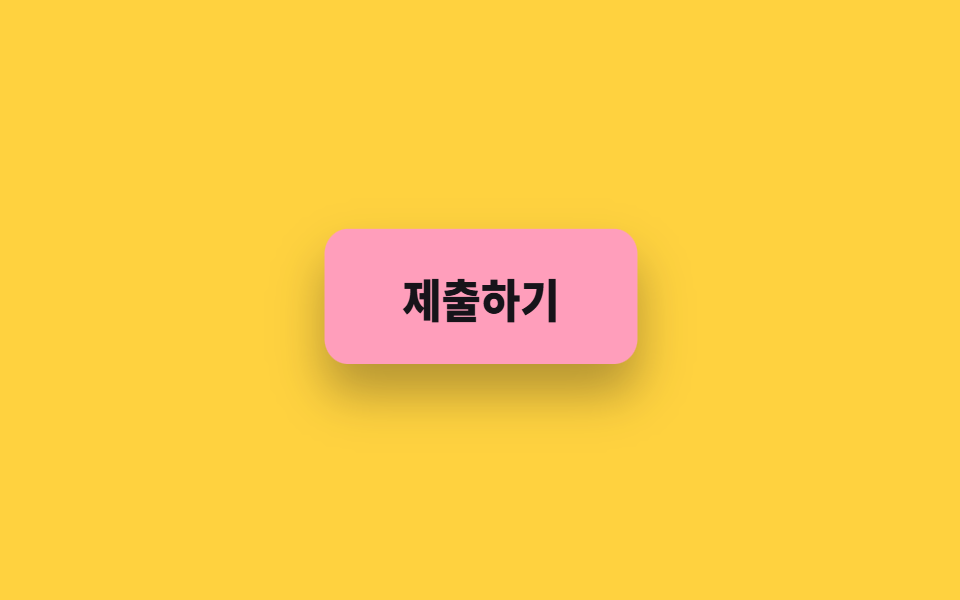
On press the button flattens vertically and spreads sideways, then springs back twice on release before settling. The shadow thins on the same beat.
Best forOn buttons that must answer a tap instantly on mobile, especially submit buttons where the network may be slow
scale$ease-popbox-shadow
<main class="stage">
  <button class="squash is-demo" type="button"><span class="squash__label">Submit</span></button>
</main>
@use "../../../../site/static/demo-tokens" as *;
// 변형은 이 세 줄만 바꾼다
$duration: $dur-loop;
$easing: $ease-pop;
$color: $subject-pink;
@include stage($stage-yellow);
.squash {
border: 0;
cursor: pointer;
padding: $sp-4 $sp-10;
border-radius: $r-control;
background: $color;
color: $subject-ink;
font-family: inherit;
font-size: clamp(17px, 5vw, 22px);
font-weight: 800;
box-shadow: $shadow-raised;
transform-origin: center bottom;
}
.squash.is-demo { animation: squash-press $duration $easing infinite; }
// 눌림(scale 1.06/.88) → 반동(.97/1.06) → 안착. 100% 가 0% 와 같은 값이라 되감기가 없다
@keyframes squash-press {
0%, 34% { transform: scale(1, 1); box-shadow: $shadow-raised; }
46% { transform: scale(1.06, .88); box-shadow: $shadow-press; }
60% { transform: scale(.97, 1.06); box-shadow: $shadow-raised; }
72% { transform: scale(1.02, .98); box-shadow: $shadow-raised; }
86%, 100% { transform: scale(1, 1); box-shadow: $shadow-raised; }
}
// 손으로 눌렀을 때도 같은 눌림 값
.squash:active {
animation: none;
transform: scale(1.06, .88);
box-shadow: $shadow-press;
}
@media (prefers-reduced-motion: reduce) {
.squash.is-demo { animation: none; }
.squash:active { transform: none; }
}html, body {
margin: 0;
overflow: hidden;
}
.stage {
box-sizing: border-box;
min-height: 100vh;
display: grid;
place-items: center;
margin: 0;
background: #ffd23f;
font-family: -apple-system, "Segoe UI", "Noto Sans KR", sans-serif;
padding: clamp(8px, 4vw, 24px);
}
.squash {
border: 0;
cursor: pointer;
padding: 16px 40px;
border-radius: 12px;
background: #ff9ebb;
color: #17141a;
font-family: inherit;
font-size: clamp(17px, 5vw, 22px);
font-weight: 800;
box-shadow: 0 14px 24px rgba(23, 20, 26, 0.32);
transform-origin: center bottom;
}
.squash.is-demo {
animation: squash-press 2s cubic-bezier(0.2, 1.4, 0.4, 1) infinite;
}
@keyframes squash-press {
0%, 34% {
transform: scale(1, 1);
box-shadow: 0 14px 24px rgba(23, 20, 26, 0.32);
}
46% {
transform: scale(1.06, 0.88);
box-shadow: 0 6px 12px rgba(23, 20, 26, 0.32);
}
60% {
transform: scale(0.97, 1.06);
box-shadow: 0 14px 24px rgba(23, 20, 26, 0.32);
}
72% {
transform: scale(1.02, 0.98);
box-shadow: 0 14px 24px rgba(23, 20, 26, 0.32);
}
86%, 100% {
transform: scale(1, 1);
box-shadow: 0 14px 24px rgba(23, 20, 26, 0.32);
}
}
.squash:active {
animation: none;
transform: scale(1.06, 0.88);
box-shadow: 0 6px 12px rgba(23, 20, 26, 0.32);
}
@media (prefers-reduced-motion: reduce) {
.squash.is-demo {
animation: none;
}
.squash:active {
transform: none;
}
}import type { CSSProperties } from "react";
import styles from "./SquashPressButton.module.scss";
export type SquashPressButtonProps = {
label?: string;
duration?: number;
easing?: string;
color?: string;
};
type Vars = CSSProperties & { "--duration"?: string; "--easing"?: string; "--color"?: string };
export default function SquashPressButton({
label = "Submit",
duration = 2000,
easing = "cubic-bezier(.2,1.4,.4,1)",
color = "#ff9ebb",
}: SquashPressButtonProps) {
const vars: Vars = { "--duration": `${duration}ms`, "--easing": easing, "--color": color };
return (
<button type="button" className={styles.squash} style={vars}>
{label}
</button>
);
}07 Squash and stretch press — Measured area 5.59% · moving frames 13/23Original by GODRICH · SCSS and React ship in the zip · 9 button hover effects css that award sites reuse
The post this demo lives in
 9 button hover effects css that award sites reuseThese button hover effects css techniques are the reactions a button gives when a pointer arrives, sorted by what each s See all demos in this post