05Wispy Cloud Stretched by Wind That Varies with Height
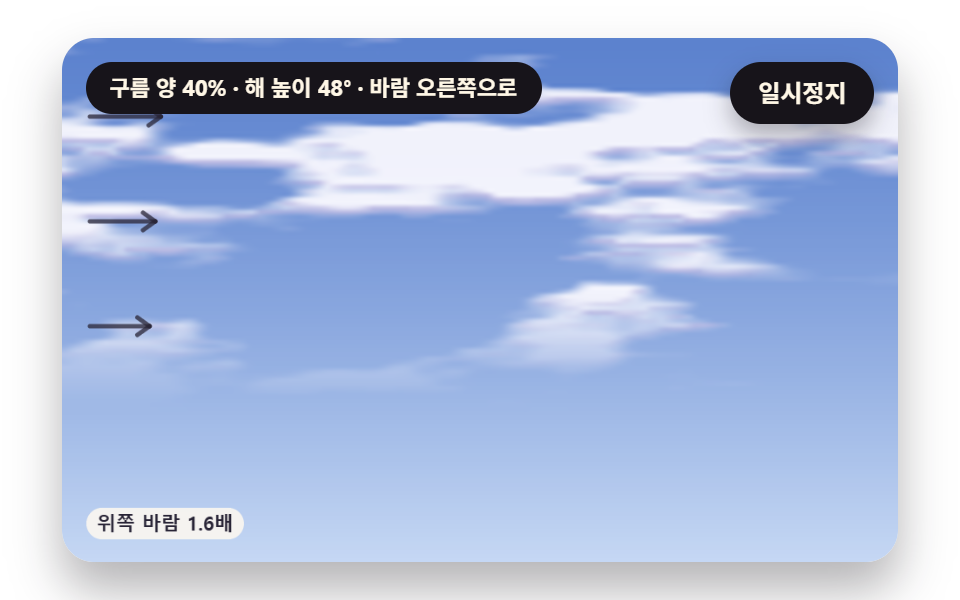
The coordinates used to read the noise are pushed by wind that strengthens with height, and only the horizontal axis is read stretched, so the cloud grain combs out along the wind and the upper strands drift faster.
Best forSky on a meditation app's start screen
WIND_PXPHASE_SwindAt
<main class="stage">
<div class="cl is-demo" id="cl">
  <canvas class="cl__canvas" data-role="canvas" width="480" height="300" role="img" aria-label="High wispy cloud strands stretch out as if combed along the wind, upper strands flow faster so the cloud leans, and the arrow lengths at left show wind strength by height."></canvas>
  <p class="cl__status" data-role="status" aria-live="off">Reading the sky</p>
  <button class="cl__pause" data-role="pause" type="button" aria-pressed="false">Pause</button>
</div>
</main>
@use "../../../../site/static/demo-tokens" as *;
@include stage($stage-paper);
.cl {
position: relative;
width: min(92vw, calc(160vh - 12.8vw));
aspect-ratio: 480 / 300;
margin: 0 auto;
border-radius: $r-card;
overflow: hidden;
box-shadow: $shadow-raised;
background: $subject-cream;
}
.cl__canvas {
position: absolute;
inset: 0;
display: block;
width: 100%;
height: 100%;
}
.cl__pause {
position: absolute;
right: $sp-3;
top: $sp-3;
padding: $sp-1 $sp-3;
border: 2px solid $subject-ink;
border-radius: $r-pill;
background: $subject-ink;
color: $subject-cream;
font-family: inherit;
font-weight: 700;
font-size: 12px;
line-height: 1.6;
cursor: pointer;
box-shadow: $shadow-press;
transition: transform $dur-quick $ease-spring;
}
// 눌린 상태(멈춤) — 바탕과 글자색을 뒤집어 aria-pressed 가 눈에도 보이게
.cl__pause[aria-pressed="true"] {
background: $subject-cream;
color: $subject-ink;
}
.cl__pause:hover {
transform: translateY(-2px);
}
.cl__pause:active {
transform: translateY(1px);
}
.cl__pause:focus-visible {
outline: 3px solid $subject-ink;
outline-offset: 3px;
}
// 상태 줄 — 지금 하늘(구름 양·해 높이·바람)을 글자로. 시연 중에는 aria-live off, 사람이 처음 버튼을 누르면 polite
.cl__status {
position: absolute;
left: $sp-3;
top: $sp-3;
max-width: calc(100% - 120px);
margin: 0;
padding: $sp-1 $sp-3;
border-radius: $r-pill;
background: $subject-ink;
color: $subject-cream;
font-weight: 700;
font-size: 11px;
line-height: 1.6;
white-space: nowrap;
overflow: hidden;
text-overflow: ellipsis;
pointer-events: none;
}
@media (max-width: 340px) {
.cl__pause,
.cl__status { font-size: 10px; padding: 0 $sp-2; }
}
// 움직임 줄이기 — 장면은 스크립트가 정지 장면 한 장으로 멈춘다. 버튼도 떠오르지 않게
@media (prefers-reduced-motion: reduce) {
.cl__pause { transition: none !important; }
.cl__pause:hover,
.cl__pause:active { transform: none !important; }
}html, body {
margin: 0;
overflow: hidden;
}
.stage {
box-sizing: border-box;
min-height: 100vh;
display: grid;
place-items: center;
margin: 0;
background: #ffffff;
font-family: -apple-system, "Segoe UI", "Noto Sans KR", sans-serif;
padding: clamp(8px, 4vw, 24px);
}
.cl {
position: relative;
width: min(92vw, 160vh - 12.8vw);
aspect-ratio: 480/300;
margin: 0 auto;
border-radius: 16px;
overflow: hidden;
box-shadow: 0 14px 24px rgba(23, 20, 26, 0.32);
background: #fff7e6;
}
.cl__canvas {
position: absolute;
inset: 0;
display: block;
width: 100%;
height: 100%;
}
.cl__pause {
position: absolute;
right: 12px;
top: 12px;
padding: 4px 12px;
border: 2px solid #17141a;
border-radius: 999px;
background: #17141a;
color: #fff7e6;
font-family: inherit;
font-weight: 700;
font-size: 12px;
line-height: 1.6;
cursor: pointer;
box-shadow: 0 6px 12px rgba(23, 20, 26, 0.32);
transition: transform 220ms cubic-bezier(0.2, 0.8, 0.2, 1);
}
.cl__pause[aria-pressed=true] {
background: #fff7e6;
color: #17141a;
}
.cl__pause:hover {
transform: translateY(-2px);
}
.cl__pause:active {
transform: translateY(1px);
}
.cl__pause:focus-visible {
outline: 3px solid #17141a;
outline-offset: 3px;
}
.cl__status {
position: absolute;
left: 12px;
top: 12px;
max-width: calc(100% - 120px);
margin: 0;
padding: 4px 12px;
border-radius: 999px;
background: #17141a;
color: #fff7e6;
font-weight: 700;
font-size: 11px;
line-height: 1.6;
white-space: nowrap;
overflow: hidden;
text-overflow: ellipsis;
pointer-events: none;
}
@media (max-width: 340px) {
.cl__pause,
.cl__status {
font-size: 10px;
padding: 0 8px;
}
}
@media (prefers-reduced-motion: reduce) {
.cl__pause {
transition: none !important;
}
.cl__pause:hover,
.cl__pause:active {
transform: none !important;
}
}(function () {
const root = document.getElementById("cl");
if (!root) return;
// 무대 좌표 — 캔버스 안 계산은 늘 480×300. 화면에 보이는 크기와 상관없다
const W = 480;
const H = 300;
const TAU = Math.PI * 2;
function clamp(v, lo, hi) { return v < lo ? lo : (v > hi ? hi : v); }
function lerp(a, b, k) { return a + (b - a) * k; }
// 0~1 사이를 3차로 부드럽게 — 양 끝에서 기울기 0
function smooth01(x) { const c = clamp(x, 0, 1); return c * c * (3 - 2 * c); }
// edge0 에서 0, edge1 에서 1 로 부드럽게 넘어가는 문턱
function band(edge0, edge1, x) { return smooth01((x - edge0) / (edge1 - edge0)); }
function toRad(deg) { return deg * Math.PI / 180; }
// 시드 고정 난수 — 같은 시드면 같은 시연 (32비트 xorshift 에 곱셈 섞기 한 번)
function seeded(seed) {
let s = (seed * 2654435761) >>> 0 || 1;
return function () {
s ^= s << 13;
s >>>= 0;
s ^= s >>> 17;
s ^= s << 5;
s >>>= 0;
return (Math.imul(s, 0x9e3779b1) >>> 0) / 4294967296;
};
}
// ── 노이즈 ──────────────────────────────────────────────────
// 격자 꼭짓점마다 정수 해시로 0~1 값 하나 — 같은 (ix, iy, seed) 면 늘 같은 값
function latticeValue(ix, iy, seed) {
let h = (Math.imul(ix, 374761393) + Math.imul(iy, 668265263) + Math.imul(seed, 1103515245)) | 0;
h = Math.imul(h ^ (h >>> 13), 1274126177);
h ^= h >>> 16;
return (h >>> 0) / 4294967296;
}
// 값 노이즈 — 둘레 네 꼭짓점 값을 3차로 부드럽게 섞는다. 결과 0~1
function valueNoise(x, y, seed) {
const ix = Math.floor(x);
const iy = Math.floor(y);
const fx = x - ix;
const fy = y - iy;
const ux = fx * fx * (3 - 2 * fx);
const uy = fy * fy * (3 - 2 * fy);
const a = latticeValue(ix, iy, seed);
const b = latticeValue(ix + 1, iy, seed);
const c = latticeValue(ix, iy + 1, seed);
const d = latticeValue(ix + 1, iy + 1, seed);
return lerp(lerp(a, b, ux), lerp(c, d, ux), uy);
}
// 여러 겹 노이즈 합 — 겹마다 빈도 2배·세기 절반으로 octaves 겹을 더해 전체 세기 합으로 나눈다. 결과 0~1
function layeredNoise(x, y, octaves, seed) {
let sum = 0;
let amp = 1;
let norm = 0;
let f = 1;
for (let k = 0; k < octaves; k += 1) {
sum += valueNoise(x * f, y * f, seed + k * 101) * amp;
norm += amp;
amp *= 0.5;
f *= 2;
}
return sum / norm;
}
// 정수 나머지를 늘 0 이상으로
function wrapIndex(i, n) { const r = i % n; return r < 0 ? r + n : r; }
// 주기 값 노이즈 — 가로 격자 번호를 period 로 나머지 처리해, x 가 period 만큼 가면 처음과 같은 값이 된다
function periodicNoise(x, y, period, seed) {
const ix = Math.floor(x);
const iy = Math.floor(y);
const fx = x - ix;
const fy = y - iy;
const ux = fx * fx * (3 - 2 * fx);
const uy = fy * fy * (3 - 2 * fy);
const x0 = wrapIndex(ix, period);
const x1 = wrapIndex(ix + 1, period);
const a = latticeValue(x0, iy, seed);
const b = latticeValue(x1, iy, seed);
const c = latticeValue(x0, iy + 1, seed);
const d = latticeValue(x1, iy + 1, seed);
return lerp(lerp(a, b, ux), lerp(c, d, ux), uy);
}
// 주기 여러 겹 노이즈 합 — 겹마다 빈도와 주기를 함께 2배로 해, 모든 겹이 같은 거리에서 한 바퀴를 돈다
function periodicLayered(x, y, period, octaves, seed) {
let sum = 0;
let amp = 1;
let norm = 0;
let f = 1;
for (let k = 0; k < octaves; k += 1) {
sum += periodicNoise(x * f, y * f, period * f, seed + k * 101) * amp;
norm += amp;
amp *= 0.5;
f *= 2;
}
return sum / norm;
}
function makeField(gw, gh) { return { gw: gw, gh: gh, v: new Float32Array(gw * gh) }; }
// 칸 사이 값을 네 칸 섞어 읽는다 — 격자 밖은 0
function sampleField(f, x, y) {
const ix = Math.floor(x);
const iy = Math.floor(y);
if (ix < 0 || iy < 0 || ix >= f.gw - 1 || iy >= f.gh - 1) {
return 0;
}
const fx = x - ix;
const fy = y - iy;
const i = iy * f.gw + ix;
const a = f.v[i];
const b = f.v[i + 1];
const c = f.v[i + f.gw];
const d = f.v[i + f.gw + 1];
return lerp(lerp(a, b, fx), lerp(c, d, fx), fy);
}
// 구름 양 — 짙기가 level 을 넘는 칸의 몫(0~1)
function coverOf(f, level) {
let n = 0;
for (let i = 0; i < f.v.length; i += 1) {
if (f.v[i] > level) {
n += 1;
}
}
return n / f.v.length;
}
// ── 파스텔 팔레트 ────────────────────────────────────────────
// 하늘·구름·땅은 파스텔, 구름 아랫면·그림자처럼 명도로 읽히는 것은 명도 차를 크게 둔다. 글자는 진한 INK
const PAPER = [250, 246, 240];
const INK = [40, 36, 54];
const SKY_HIGH = [124, 160, 222];
const SKY_LOW = [198, 216, 244];
const CLOUD = [253, 251, 255];
const CLOUD_SHADE = [142, 140, 182];
const LAVENDER = [190, 176, 232];
const PEACH = [250, 202, 172];
const ROSE = [236, 168, 182];
const BUTTER = [250, 226, 156];
const MINT = [168, 214, 188];
const GRASS = [160, 204, 146];
const GRASS_SHADE = [76, 118, 98];
const CORAL_DEEP = [176, 66, 54];
const MINT_DEEP = [32, 110, 86];
function mix(a, b, k) { return [lerp(a[0], b[0], k), lerp(a[1], b[1], k), lerp(a[2], b[2], k)]; }
function rgba(c, a) {
return 'rgba(' + Math.round(clamp(c[0], 0, 255)) + ',' + Math.round(clamp(c[1], 0, 255)) + ',' + Math.round(clamp(c[2], 0, 255)) + ',' + clamp(a, 0, 1).toFixed(3) + ')';
}
// ── 상태 줄 낱말 ─────────────────────────────────────────────
// 지금 하늘 — 구름 양(5% 단위)·해 높이(땅에서 잰 각, 도)·바람 방향. 숫자를 반올림해 글자가 매 프레임 바뀌지 않게
function windName(dir) {
if (dir > 0) {
return 'to the right';
}
if (dir < 0) {
return 'to the left';
}
return 'calm';
}
function skyText(cover, sunDeg, windDir) {
return 'Cloud cover {c}% · sun height {s}° · wind {w}'
.replace('{c}', String(Math.round(clamp(cover, 0, 1) * 20) * 5))
.replace('{s}', String(Math.round(sunDeg)))
.replace('{w}', windName(windDir));
}
// 장면 시계(초) — 장면 계산이 고치고 화면 쪽이 읽는다
let sceneT = 0;
const canvasEl = root.querySelector('[data-role="canvas"]');
const pauseEl = root.querySelector('[data-role="pause"]');
const statusEl = root.querySelector('[data-role="status"]');
const ctxRaw = canvasEl ? canvasEl.getContext('2d') : null;
if (!canvasEl || !ctxRaw || !pauseEl) {
return;
}
const cv = canvasEl;
const ctx = ctxRaw;
const pauseBtn = pauseEl;
// 외부 웹폰트는 부르지 않는다 — 기기에 있는 글꼴 목록만
const FONT_STACK = 'system-ui, -apple-system, "Segoe UI", "Noto Sans KR", sans-serif';
let dpr = 1;
function fitCanvas() {
// 배율은 2 에서 자른다 — 배율 3 기기에서 화소가 2.25배로 늘지 않게
dpr = Math.min(window.devicePixelRatio || 1, 2);
cv.width = Math.round(W * dpr);
cv.height = Math.round(H * dpr);
ctx.setTransform(dpr, 0, 0, dpr, 0, 0);
}
function makePix(w, h) {
const c = document.createElement('canvas');
c.width = w;
c.height = h;
const x = c.getContext('2d');
return { w: w, h: h, img: x.createImageData(w, h), c: c, x: x };
}
// 화소 하나 쓰기(불투명)
function putPx(p, i, c) {
const d = p.img.data;
const k = i * 4;
d[k] = c[0];
d[k + 1] = c[1];
d[k + 2] = c[2];
d[k + 3] = 255;
}
// 판을 화면 자리 (dx, dy, dw, dh) 로 늘려 그린다 — 부드럽게 늘려 칸 경계가 보이지 않게
function blit(p, dx, dy, dw, dh) {
p.x.putImageData(p.img, 0, 0);
ctx.imageSmoothingEnabled = true;
ctx.imageSmoothingQuality = 'high';
ctx.drawImage(p.c, dx, dy, dw, dh);
}
function fillAll(c) {
ctx.fillStyle = rgba(c, 1);
ctx.fillRect(0, 0, W, H);
}
function disc(x, y, r, c, a) {
if (r <= 0.2 || a <= 0) {
return;
}
ctx.beginPath();
ctx.arc(x, y, r, 0, TAU);
ctx.fillStyle = rgba(c, a);
ctx.fill();
}
function ring(x, y, r, width, c, a) {
if (r <= 0.2 || a <= 0) {
return;
}
ctx.beginPath();
ctx.arc(x, y, r, 0, TAU);
ctx.lineWidth = width;
ctx.strokeStyle = rgba(c, a);
ctx.stroke();
}
function seg(x1, y1, x2, y2, width, c, a, dash) {
if (a <= 0) {
return;
}
ctx.beginPath();
ctx.setLineDash(dash > 0 ? [dash, dash] : []);
ctx.moveTo(x1, y1);
ctx.lineTo(x2, y2);
ctx.lineWidth = width;
ctx.lineCap = 'round';
ctx.strokeStyle = rgba(c, a);
ctx.stroke();
ctx.setLineDash([]);
}
function box(x, y, w, h, r, c, a) {
if (w <= 0.2 || h <= 0.2 || a <= 0) {
return;
}
ctx.beginPath();
ctx.roundRect(x, y, w, h, Math.max(0, Math.min(r, w / 2, h / 2)));
ctx.fillStyle = rgba(c, a);
ctx.fill();
}
function frameBox(x, y, w, h, r, width, c, a) {
ctx.beginPath();
ctx.roundRect(x, y, w, h, Math.max(0, Math.min(r, w / 2, h / 2)));
ctx.lineWidth = width;
ctx.strokeStyle = rgba(c, a);
ctx.stroke();
}
function text(s, x, y, c, a, px, weight, align) {
ctx.font = weight + ' ' + px + 'px ' + FONT_STACK;
ctx.textAlign = align;
ctx.textBaseline = 'middle';
ctx.fillStyle = rgba(c, a);
ctx.fillText(s, x, y);
}
// 글자 이름표 — 밝은 알약 위에 진한 글자
function tag(s, x, y, fg, px, align) {
ctx.font = '700 ' + px + 'px ' + FONT_STACK;
const w = ctx.measureText(s).width + px * 1.1;
const left = align === 'center' ? x - w / 2 : (align === 'right' ? x - w : x);
box(left, y - px * 0.82, w, px * 1.64, px * 0.82, PAPER, 0.92);
text(s, left + w / 2, y + 0.5, fg, 1, px, 700, 'center');
}
// 위아래 두 색 하늘 — 화면 쪽 꾸밈 한 겹
function skyGradient(top, bottom, y0, y1) {
const g = ctx.createLinearGradient(0, y0, 0, y1);
g.addColorStop(0, rgba(top, 1));
g.addColorStop(1, rgba(bottom, 1));
ctx.fillStyle = g;
ctx.fillRect(0, y0, W, y1 - y0);
}
// 상태 줄 — 글자가 바뀔 때만 고친다
let shownStatus = '';
function pushStatus(s) {
if (!statusEl || s === shownStatus) {
return;
}
shownStatus = s;
statusEl.textContent = s;
}
// ── 05 높이마다 다른 바람에 늘어나는 새털구름 ───────────────────
// 높이 비 hr = 1 − y / H (화면 아래 0, 위 1). 그 높이의 바람 = WIND_PX × (1 + SHEAR × hr) px/초 — 위로 갈수록 세다
const WIND_PX = 30;
const SHEAR = 0.6;
// 가로축만 STRETCH 배 늘여 읽는다 — 노이즈 덩어리가 바람 방향으로 길쭉해진다
const STRETCH = 6;
const NOISE_PX = 22;
// 두 위상 섞기 — 시계를 PHASE_S 초마다 되감는 판 둘을 반 주기 어긋나게 두고, 되감는 순간 무게가 0 인 쪽을 쓴다.
// 미는 거리가 끝없이 커져 결이 눕기만 하지 않게(한 판이 PHASE_S 동안만 밀린다)
const PHASE_S = 16;
const GRID_W = 200;
const GRID_H = 125;
const CELL = W / GRID_W;
const SUN_DEG_05 = 48;
const LOOP_S = 0;
const START_T = 6;
const REST_T = 8;
const wisp05 = makeField(GRID_W, GRID_H);
// 높이 비 hr 에서의 바람(px/초)
function windAt(hr) { return WIND_PX * (1 + SHEAR * hr); }
// 한 위상 판의 짙기 — 읽는 x 를 그 높이 바람으로 tp 초만큼 거슬러 민 뒤 가로만 STRETCH 배 늘여 읽는다
function wispPhase(x, y, tp, salt) {
const hr = 1 - y / H;
const u = (x - tp * windAt(hr)) / (NOISE_PX * STRETCH);
const v = y / NOISE_PX + salt;
return layeredNoise(u, v, 4, 55);
}
// 칸 (x, y) 의 새털구름 짙기 — 두 위상 판을 삼각 무게로 섞고, 높이 비 0.28~0.52 에서 차츰 나타나 그 위 높은 하늘에만 남긴다
function wispDensity(x, y, t) {
const f = t / PHASE_S - Math.floor(t / PHASE_S);
const g = (f + 0.5) - Math.floor(f + 0.5);
const wa = 1 - Math.abs(2 * f - 1);
const n = wispPhase(x, y, f * PHASE_S, 0) * wa + wispPhase(x, y, g * PHASE_S, 17.3) * (1 - wa);
const hr = 1 - y / H;
return band(0.52, 0.66, n) * band(0.28, 0.52, hr);
}
function buildWisps(t) {
for (let gy = 0; gy < GRID_H; gy += 1) {
for (let gx = 0; gx < GRID_W; gx += 1) {
wisp05.v[gy * GRID_W + gx] = wispDensity((gx + 0.5) * CELL, (gy + 0.5) * CELL, t);
}
}
}
function reset() { }
function update(dt) { }
// ── 05 화면 ──────────────────────────────────────────────────
const pix05 = makePix(GRID_W, GRID_H);
const HIGH_BLUE = [92, 130, 206];
const WISP_SHADE = [176, 170, 220];
function windArrow(y, len) {
const x0 = 16;
seg(x0, y, x0 + len, y, 2.5, INK, 0.75, 0);
seg(x0 + len, y, x0 + len - 7, y - 5, 2.5, INK, 0.75, 0);
seg(x0 + len, y, x0 + len - 7, y + 5, 2.5, INK, 0.75, 0);
}
function draw() {
buildWisps(sceneT);
const d = pix05.img.data;
for (let gy = 0; gy < GRID_H; gy += 1) {
const sky = mix(HIGH_BLUE, SKY_LOW, Math.pow(gy / GRID_H, 1.3));
for (let gx = 0; gx < GRID_W; gx += 1) {
const i = gy * GRID_W + gx;
const v = wisp05.v[i];
let c = sky;
if (v > 0) {
// 결의 아래쪽(아래 칸이 더 옅은 자리)은 라벤더 그늘
const below = gy + 1 < GRID_H ? wisp05.v[i + GRID_W] : 0;
const cl = mix(CLOUD, WISP_SHADE, clamp((v - below) * 3, 0, 1) * 0.7);
c = mix(sky, cl, v * 0.92);
}
const k = i * 4;
d[k] = c[0];
d[k + 1] = c[1];
d[k + 2] = c[2];
d[k + 3] = 255;
}
}
blit(pix05, 0, 0, W, H);
// 높이별 바람 화살표 — 길이가 그 높이 바람 세기(px/초)에 비례
for (const hr of [0.85, 0.65, 0.45]) {
windArrow((1 - hr) * H, windAt(hr) * 0.9);
}
tag('Upper wind {k}x'.replace('{k}', (1 + SHEAR).toFixed(1)), 14, H - 22, INK, 11, 'left');
}
function statusText() { return skyText(coverOf(wisp05, 0.2) / 0.6, SUN_DEG_05, 1); }
let paused = false;
const reduceQuery = window.matchMedia('(prefers-reduced-motion: reduce)');
// 페이지를 연 채 움직임 줄이기 설정을 바꿔도 change 리스너가 다시 읽는다
let still = reduceQuery.matches;
// 자동 시연 표시 — 사람이 처음 버튼을 누르면 떼고 상태 줄을 polite 로 켠다
let demo = root.classList.contains('is-demo');
const off = new AbortController();
function wake() {
if (!demo) {
return;
}
demo = false;
root.classList.remove('is-demo');
if (statusEl) {
statusEl.setAttribute('aria-live', 'polite');
}
}
// 한 프레임에 넘기는 시간 상한(초) — 오래 숨었다 돌아온 첫 프레임도 50ms 까지만 계산에 넣는다
const DT_MAX = 0.05;
function advance(dt) {
sceneT += dt;
if (LOOP_S > 0 && sceneT >= LOOP_S) {
sceneT -= LOOP_S;
reset();
}
update(dt);
}
// 처음부터 t 초까지 1/60초 고정 걸음으로 감아 둔다 — 첫 화면·정지 장면이 빈 하늘로 시작하지 않게
function runTo(t) {
sceneT = 0;
reset();
const h = 1 / 60;
while (sceneT + h <= t) {
advance(h);
}
}
let rafId = 0;
let lastTs = -1;
function frame(ts) {
if (still || paused) {
rafId = 0;
return;
}
if (lastTs < 0) {
lastTs = ts;
}
const dt = Math.min((ts - lastTs) / 1000, DT_MAX);
lastTs = ts;
if (dt > 0) {
advance(dt);
}
draw();
pushStatus(statusText());
rafId = window.requestAnimationFrame(frame);
}
function startLoop() {
if (rafId) {
return;
}
// 멈췄던 사이의 시간을 첫 프레임 dt 로 넘기지 않는다
lastTs = -1;
rafId = window.requestAnimationFrame(frame);
}
function stopLoop() {
if (rafId) {
window.cancelAnimationFrame(rafId);
rafId = 0;
}
}
// 움직임 줄이기 — 루프 없이 대표 순간(REST_T 초)의 하늘 한 장
function showRest() {
stopLoop();
runTo(REST_T);
draw();
pushStatus(statusText());
}
// 자동 시연은 START_T 초 자리에서 시작한다(첫 화면에 장면 핵심이 보이게). LOOP_S 가 있는 장면은 한 바퀴를 돌면 0초부터
function play() {
runTo(START_T);
draw();
pushStatus(statusText());
if (!paused) {
startLoop();
}
}
pauseBtn.addEventListener('click', function () {
paused = !paused;
pauseBtn.setAttribute('aria-pressed', paused ? 'true' : 'false');
wake();
if (paused) {
stopLoop();
}
else if (!still) {
startLoop();
}
}, { signal: off.signal });
// 탭이 숨으면 멈추고, 돌아오면 시계를 다시 맞춰 시작 — 숨은 동안의 몇 초가 한 프레임에 몰리지 않게
document.addEventListener('visibilitychange', function () {
if (document.hidden) {
stopLoop();
}
else if (!paused && !still) {
startLoop();
}
}, { signal: off.signal });
// 설정이 바뀌면 — 켜지면 정지 장면, 꺼지면 다시 움직인다
reduceQuery.addEventListener('change', function () {
still = reduceQuery.matches;
if (still) {
showRest();
}
else {
play();
}
}, { signal: off.signal });
window.addEventListener('resize', function () {
fitCanvas();
draw();
}, { signal: off.signal });
fitCanvas();
if (still) {
showRest();
}
else {
play();
}
return function () {
stopLoop();
off.abort();
};
})();// ShearCirrusStreak - 같은 항목 vanilla index.html 의 React 판. 같은 계산을 useEffect 안에서 돌린다
import { useEffect, useRef } from "react";
import styles from "./ShearCirrusStreak.module.scss";
const cx = (s: string): string => s.split(" ").map((n) => styles[n] ?? n).join(" ");
export default function ShearCirrusStreak() {
const rootRef = useRef<HTMLDivElement | null>(null);
useEffect(() => {
const rootEl = rootRef.current;
if (!rootEl) return;
const root: HTMLElement = rootEl;
type RGB = [number, number, number];
// 무대 좌표 — 캔버스 안 계산은 늘 480×300. 화면에 보이는 크기와 상관없다
const W = 480;
const H = 300;
const TAU = Math.PI * 2;
function clamp(v: number, lo: number, hi: number): number { return v < lo ? lo : (v > hi ? hi : v); }
function lerp(a: number, b: number, k: number): number { return a + (b - a) * k; }
// 0~1 사이를 3차로 부드럽게 — 양 끝에서 기울기 0
function smooth01(x: number): number { const c = clamp(x, 0, 1); return c * c * (3 - 2 * c); }
// edge0 에서 0, edge1 에서 1 로 부드럽게 넘어가는 문턱
function band(edge0: number, edge1: number, x: number): number { return smooth01((x - edge0) / (edge1 - edge0)); }
function toRad(deg: number): number { return deg * Math.PI / 180; }
// 시드 고정 난수 — 같은 시드면 같은 시연 (32비트 xorshift 에 곱셈 섞기 한 번)
function seeded(seed: number): () => number {
let s = (seed * 2654435761) >>> 0 || 1;
return function (): number {
s ^= s << 13; s >>>= 0;
s ^= s >>> 17;
s ^= s << 5; s >>>= 0;
return (Math.imul(s, 0x9e3779b1) >>> 0) / 4294967296;
};
}
// ── 노이즈 ──────────────────────────────────────────────────
// 격자 꼭짓점마다 정수 해시로 0~1 값 하나 — 같은 (ix, iy, seed) 면 늘 같은 값
function latticeValue(ix: number, iy: number, seed: number): number {
let h = (Math.imul(ix, 374761393) + Math.imul(iy, 668265263) + Math.imul(seed, 1103515245)) | 0;
h = Math.imul(h ^ (h >>> 13), 1274126177);
h ^= h >>> 16;
return (h >>> 0) / 4294967296;
}
// 값 노이즈 — 둘레 네 꼭짓점 값을 3차로 부드럽게 섞는다. 결과 0~1
function valueNoise(x: number, y: number, seed: number): number {
const ix = Math.floor(x);
const iy = Math.floor(y);
const fx = x - ix;
const fy = y - iy;
const ux = fx * fx * (3 - 2 * fx);
const uy = fy * fy * (3 - 2 * fy);
const a = latticeValue(ix, iy, seed);
const b = latticeValue(ix + 1, iy, seed);
const c = latticeValue(ix, iy + 1, seed);
const d = latticeValue(ix + 1, iy + 1, seed);
return lerp(lerp(a, b, ux), lerp(c, d, ux), uy);
}
// 여러 겹 노이즈 합 — 겹마다 빈도 2배·세기 절반으로 octaves 겹을 더해 전체 세기 합으로 나눈다. 결과 0~1
function layeredNoise(x: number, y: number, octaves: number, seed: number): number {
let sum = 0;
let amp = 1;
let norm = 0;
let f = 1;
for (let k = 0; k < octaves; k += 1) {
sum += valueNoise(x * f, y * f, seed + k * 101) * amp;
norm += amp;
amp *= 0.5;
f *= 2;
}
return sum / norm;
}
// 정수 나머지를 늘 0 이상으로
function wrapIndex(i: number, n: number): number { const r = i % n; return r < 0 ? r + n : r; }
// 주기 값 노이즈 — 가로 격자 번호를 period 로 나머지 처리해, x 가 period 만큼 가면 처음과 같은 값이 된다
function periodicNoise(x: number, y: number, period: number, seed: number): number {
const ix = Math.floor(x);
const iy = Math.floor(y);
const fx = x - ix;
const fy = y - iy;
const ux = fx * fx * (3 - 2 * fx);
const uy = fy * fy * (3 - 2 * fy);
const x0 = wrapIndex(ix, period);
const x1 = wrapIndex(ix + 1, period);
const a = latticeValue(x0, iy, seed);
const b = latticeValue(x1, iy, seed);
const c = latticeValue(x0, iy + 1, seed);
const d = latticeValue(x1, iy + 1, seed);
return lerp(lerp(a, b, ux), lerp(c, d, ux), uy);
}
// 주기 여러 겹 노이즈 합 — 겹마다 빈도와 주기를 함께 2배로 해, 모든 겹이 같은 거리에서 한 바퀴를 돈다
function periodicLayered(x: number, y: number, period: number, octaves: number, seed: number): number {
let sum = 0;
let amp = 1;
let norm = 0;
let f = 1;
for (let k = 0; k < octaves; k += 1) {
sum += periodicNoise(x * f, y * f, period * f, seed + k * 101) * amp;
norm += amp;
amp *= 0.5;
f *= 2;
}
return sum / norm;
}
// ── 짙기 격자 ────────────────────────────────────────────────
// 낮은 해상도 격자 한 장(가로 gw × 세로 gh 칸). 칸 하나 = 화면 W / gw px
type Field = { gw: number; gh: number; v: Float32Array };
function makeField(gw: number, gh: number): Field { return { gw: gw, gh: gh, v: new Float32Array(gw * gh) }; }
// 칸 사이 값을 네 칸 섞어 읽는다 — 격자 밖은 0
function sampleField(f: Field, x: number, y: number): number {
const ix = Math.floor(x);
const iy = Math.floor(y);
if (ix < 0 || iy < 0 || ix >= f.gw - 1 || iy >= f.gh - 1) { return 0; }
const fx = x - ix;
const fy = y - iy;
const i = iy * f.gw + ix;
const a = f.v[i];
const b = f.v[i + 1];
const c = f.v[i + f.gw];
const d = f.v[i + f.gw + 1];
return lerp(lerp(a, b, fx), lerp(c, d, fx), fy);
}
// 구름 양 — 짙기가 level 을 넘는 칸의 몫(0~1)
function coverOf(f: Field, level: number): number {
let n = 0;
for (let i = 0; i < f.v.length; i += 1) { if (f.v[i] > level) { n += 1; } }
return n / f.v.length;
}
// ── 파스텔 팔레트 ────────────────────────────────────────────
// 하늘·구름·땅은 파스텔, 구름 아랫면·그림자처럼 명도로 읽히는 것은 명도 차를 크게 둔다. 글자는 진한 INK
const PAPER: RGB = [250, 246, 240];
const INK: RGB = [40, 36, 54];
const SKY_HIGH: RGB = [124, 160, 222];
const SKY_LOW: RGB = [198, 216, 244];
const CLOUD: RGB = [253, 251, 255];
const CLOUD_SHADE: RGB = [142, 140, 182];
const LAVENDER: RGB = [190, 176, 232];
const PEACH: RGB = [250, 202, 172];
const ROSE: RGB = [236, 168, 182];
const BUTTER: RGB = [250, 226, 156];
const MINT: RGB = [168, 214, 188];
const GRASS: RGB = [160, 204, 146];
const GRASS_SHADE: RGB = [76, 118, 98];
const CORAL_DEEP: RGB = [176, 66, 54];
const MINT_DEEP: RGB = [32, 110, 86];
function mix(a: RGB, b: RGB, k: number): RGB { return [lerp(a[0], b[0], k), lerp(a[1], b[1], k), lerp(a[2], b[2], k)]; }
function rgba(c: RGB, a: number): string {
return 'rgba(' + Math.round(clamp(c[0], 0, 255)) + ',' + Math.round(clamp(c[1], 0, 255)) + ',' + Math.round(clamp(c[2], 0, 255)) + ',' + clamp(a, 0, 1).toFixed(3) + ')';
}
// ── 상태 줄 낱말 ─────────────────────────────────────────────
// 지금 하늘 — 구름 양(5% 단위)·해 높이(땅에서 잰 각, 도)·바람 방향. 숫자를 반올림해 글자가 매 프레임 바뀌지 않게
function windName(dir: number): string {
if (dir > 0) { return '오른쪽으로'; }
if (dir < 0) { return '왼쪽으로'; }
return '잔잔함';
}
function skyText(cover: number, sunDeg: number, windDir: number): string {
return '구름 양 {c}% · 해 높이 {s}° · 바람 {w}'
.replace('{c}', String(Math.round(clamp(cover, 0, 1) * 20) * 5))
.replace('{s}', String(Math.round(sunDeg)))
.replace('{w}', windName(windDir));
}
// 장면 시계(초) — 장면 계산이 고치고 화면 쪽이 읽는다
let sceneT = 0;
const canvasEl = root.querySelector('[data-role="canvas"]') as HTMLCanvasElement | null;
const pauseEl = root.querySelector('[data-role="pause"]') as HTMLButtonElement | null;
const statusEl = root.querySelector('[data-role="status"]') as HTMLElement | null;
const ctxRaw = canvasEl ? canvasEl.getContext('2d') : null;
if (!canvasEl || !ctxRaw || !pauseEl) { return; }
const cv: HTMLCanvasElement = canvasEl;
const ctx: CanvasRenderingContext2D = ctxRaw;
const pauseBtn: HTMLButtonElement = pauseEl;
// 외부 웹폰트는 부르지 않는다 — 기기에 있는 글꼴 목록만
const FONT_STACK = 'system-ui, -apple-system, "Segoe UI", "Noto Sans KR", sans-serif';
let dpr = 1;
function fitCanvas(): void {
// 배율은 2 에서 자른다 — 배율 3 기기에서 화소가 2.25배로 늘지 않게
dpr = Math.min(window.devicePixelRatio || 1, 2);
cv.width = Math.round(W * dpr);
cv.height = Math.round(H * dpr);
ctx.setTransform(dpr, 0, 0, dpr, 0, 0);
}
// 낮은 해상도 화소 판 — 화면 밖 캔버스 하나와 ImageData 하나를 만들어 두고 매 프레임 다시 쓴다
type Pix = { w: number; h: number; img: ImageData; c: HTMLCanvasElement; x: CanvasRenderingContext2D };
function makePix(w: number, h: number): Pix {
const c = document.createElement('canvas');
c.width = w;
c.height = h;
const x = c.getContext('2d') as CanvasRenderingContext2D;
return { w: w, h: h, img: x.createImageData(w, h), c: c, x: x };
}
// 화소 하나 쓰기(불투명)
function putPx(p: Pix, i: number, c: RGB): void {
const d = p.img.data;
const k = i * 4;
d[k] = c[0];
d[k + 1] = c[1];
d[k + 2] = c[2];
d[k + 3] = 255;
}
// 판을 화면 자리 (dx, dy, dw, dh) 로 늘려 그린다 — 부드럽게 늘려 칸 경계가 보이지 않게
function blit(p: Pix, dx: number, dy: number, dw: number, dh: number): void {
p.x.putImageData(p.img, 0, 0);
ctx.imageSmoothingEnabled = true;
ctx.imageSmoothingQuality = 'high';
ctx.drawImage(p.c, dx, dy, dw, dh);
}
function fillAll(c: RGB): void {
ctx.fillStyle = rgba(c, 1);
ctx.fillRect(0, 0, W, H);
}
function disc(x: number, y: number, r: number, c: RGB, a: number): void {
if (r <= 0.2 || a <= 0) { return; }
ctx.beginPath();
ctx.arc(x, y, r, 0, TAU);
ctx.fillStyle = rgba(c, a);
ctx.fill();
}
function ring(x: number, y: number, r: number, width: number, c: RGB, a: number): void {
if (r <= 0.2 || a <= 0) { return; }
ctx.beginPath();
ctx.arc(x, y, r, 0, TAU);
ctx.lineWidth = width;
ctx.strokeStyle = rgba(c, a);
ctx.stroke();
}
function seg(x1: number, y1: number, x2: number, y2: number, width: number, c: RGB, a: number, dash: number): void {
if (a <= 0) { return; }
ctx.beginPath();
ctx.setLineDash(dash > 0 ? [dash, dash] : []);
ctx.moveTo(x1, y1);
ctx.lineTo(x2, y2);
ctx.lineWidth = width;
ctx.lineCap = 'round';
ctx.strokeStyle = rgba(c, a);
ctx.stroke();
ctx.setLineDash([]);
}
function box(x: number, y: number, w: number, h: number, r: number, c: RGB, a: number): void {
if (w <= 0.2 || h <= 0.2 || a <= 0) { return; }
ctx.beginPath();
ctx.roundRect(x, y, w, h, Math.max(0, Math.min(r, w / 2, h / 2)));
ctx.fillStyle = rgba(c, a);
ctx.fill();
}
function frameBox(x: number, y: number, w: number, h: number, r: number, width: number, c: RGB, a: number): void {
ctx.beginPath();
ctx.roundRect(x, y, w, h, Math.max(0, Math.min(r, w / 2, h / 2)));
ctx.lineWidth = width;
ctx.strokeStyle = rgba(c, a);
ctx.stroke();
}
function text(s: string, x: number, y: number, c: RGB, a: number, px: number, weight: number, align: CanvasTextAlign): void {
ctx.font = weight + ' ' + px + 'px ' + FONT_STACK;
ctx.textAlign = align;
ctx.textBaseline = 'middle';
ctx.fillStyle = rgba(c, a);
ctx.fillText(s, x, y);
}
// 글자 이름표 — 밝은 알약 위에 진한 글자
function tag(s: string, x: number, y: number, fg: RGB, px: number, align: CanvasTextAlign): void {
ctx.font = '700 ' + px + 'px ' + FONT_STACK;
const w = ctx.measureText(s).width + px * 1.1;
const left = align === 'center' ? x - w / 2 : (align === 'right' ? x - w : x);
box(left, y - px * 0.82, w, px * 1.64, px * 0.82, PAPER, 0.92);
text(s, left + w / 2, y + 0.5, fg, 1, px, 700, 'center');
}
// 위아래 두 색 하늘 — 화면 쪽 꾸밈 한 겹
function skyGradient(top: RGB, bottom: RGB, y0: number, y1: number): void {
const g = ctx.createLinearGradient(0, y0, 0, y1);
g.addColorStop(0, rgba(top, 1));
g.addColorStop(1, rgba(bottom, 1));
ctx.fillStyle = g;
ctx.fillRect(0, y0, W, y1 - y0);
}
// 상태 줄 — 글자가 바뀔 때만 고친다
let shownStatus = '';
function pushStatus(s: string): void {
if (!statusEl || s === shownStatus) { return; }
shownStatus = s;
statusEl.textContent = s;
}
// ── 05 높이마다 다른 바람에 늘어나는 새털구름 ───────────────────
// 높이 비 hr = 1 − y / H (화면 아래 0, 위 1). 그 높이의 바람 = WIND_PX × (1 + SHEAR × hr) px/초 — 위로 갈수록 세다
const WIND_PX = 30;
const SHEAR = 0.6;
// 가로축만 STRETCH 배 늘여 읽는다 — 노이즈 덩어리가 바람 방향으로 길쭉해진다
const STRETCH = 6;
const NOISE_PX = 22;
// 두 위상 섞기 — 시계를 PHASE_S 초마다 되감는 판 둘을 반 주기 어긋나게 두고, 되감는 순간 무게가 0 인 쪽을 쓴다.
// 미는 거리가 끝없이 커져 결이 눕기만 하지 않게(한 판이 PHASE_S 동안만 밀린다)
const PHASE_S = 16;
const GRID_W = 200;
const GRID_H = 125;
const CELL = W / GRID_W;
const SUN_DEG_05 = 48;
const LOOP_S = 0;
const START_T = 6;
const REST_T = 8;
const wisp05 = makeField(GRID_W, GRID_H);
// 높이 비 hr 에서의 바람(px/초)
function windAt(hr: number): number { return WIND_PX * (1 + SHEAR * hr); }
// 한 위상 판의 짙기 — 읽는 x 를 그 높이 바람으로 tp 초만큼 거슬러 민 뒤 가로만 STRETCH 배 늘여 읽는다
function wispPhase(x: number, y: number, tp: number, salt: number): number {
const hr = 1 - y / H;
const u = (x - tp * windAt(hr)) / (NOISE_PX * STRETCH);
const v = y / NOISE_PX + salt;
return layeredNoise(u, v, 4, 55);
}
// 칸 (x, y) 의 새털구름 짙기 — 두 위상 판을 삼각 무게로 섞고, 높이 비 0.28~0.52 에서 차츰 나타나 그 위 높은 하늘에만 남긴다
function wispDensity(x: number, y: number, t: number): number {
const f = t / PHASE_S - Math.floor(t / PHASE_S);
const g = (f + 0.5) - Math.floor(f + 0.5);
const wa = 1 - Math.abs(2 * f - 1);
const n = wispPhase(x, y, f * PHASE_S, 0) * wa + wispPhase(x, y, g * PHASE_S, 17.3) * (1 - wa);
const hr = 1 - y / H;
return band(0.52, 0.66, n) * band(0.28, 0.52, hr);
}
function buildWisps(t: number): void {
for (let gy = 0; gy < GRID_H; gy += 1) {
for (let gx = 0; gx < GRID_W; gx += 1) {
wisp05.v[gy * GRID_W + gx] = wispDensity((gx + 0.5) * CELL, (gy + 0.5) * CELL, t);
}
}
}
function reset(): void { /* 상태가 없다 */ }
function update(dt: number): void { /* 시각만 흐른다 */ }
// ── 05 화면 ──────────────────────────────────────────────────
const pix05 = makePix(GRID_W, GRID_H);
const HIGH_BLUE: RGB = [92, 130, 206];
const WISP_SHADE: RGB = [176, 170, 220];
function windArrow(y: number, len: number): void {
const x0 = 16;
seg(x0, y, x0 + len, y, 2.5, INK, 0.75, 0);
seg(x0 + len, y, x0 + len - 7, y - 5, 2.5, INK, 0.75, 0);
seg(x0 + len, y, x0 + len - 7, y + 5, 2.5, INK, 0.75, 0);
}
function draw(): void {
buildWisps(sceneT);
const d = pix05.img.data;
for (let gy = 0; gy < GRID_H; gy += 1) {
const sky = mix(HIGH_BLUE, SKY_LOW, Math.pow(gy / GRID_H, 1.3));
for (let gx = 0; gx < GRID_W; gx += 1) {
const i = gy * GRID_W + gx;
const v = wisp05.v[i];
let c = sky;
if (v > 0) {
// 결의 아래쪽(아래 칸이 더 옅은 자리)은 라벤더 그늘
const below = gy + 1 < GRID_H ? wisp05.v[i + GRID_W] : 0;
const cl = mix(CLOUD, WISP_SHADE, clamp((v - below) * 3, 0, 1) * 0.7);
c = mix(sky, cl, v * 0.92);
}
const k = i * 4;
d[k] = c[0]; d[k + 1] = c[1]; d[k + 2] = c[2]; d[k + 3] = 255;
}
}
blit(pix05, 0, 0, W, H);
// 높이별 바람 화살표 — 길이가 그 높이 바람 세기(px/초)에 비례
for (const hr of [0.85, 0.65, 0.45]) { windArrow((1 - hr) * H, windAt(hr) * 0.9); }
tag('위쪽 바람 {k}배'.replace('{k}', (1 + SHEAR).toFixed(1)), 14, H - 22, INK, 11, 'left');
}
function statusText(): string { return skyText(coverOf(wisp05, 0.2) / 0.6, SUN_DEG_05, 1); }
let paused = false;
const reduceQuery = window.matchMedia('(prefers-reduced-motion: reduce)');
// 페이지를 연 채 움직임 줄이기 설정을 바꿔도 change 리스너가 다시 읽는다
let still = reduceQuery.matches;
// 자동 시연 표시 — 사람이 처음 버튼을 누르면 떼고 상태 줄을 polite 로 켠다
let demo = root.classList.contains('is-demo');
const off = new AbortController();
function wake(): void {
if (!demo) { return; }
demo = false;
root.classList.remove('is-demo');
if (statusEl) { statusEl.setAttribute('aria-live', 'polite'); }
}
// 한 프레임에 넘기는 시간 상한(초) — 오래 숨었다 돌아온 첫 프레임도 50ms 까지만 계산에 넣는다
const DT_MAX = 0.05;
function advance(dt: number): void {
sceneT += dt;
if (LOOP_S > 0 && sceneT >= LOOP_S) {
sceneT -= LOOP_S;
reset();
}
update(dt);
}
// 처음부터 t 초까지 1/60초 고정 걸음으로 감아 둔다 — 첫 화면·정지 장면이 빈 하늘로 시작하지 않게
function runTo(t: number): void {
sceneT = 0;
reset();
const h = 1 / 60;
while (sceneT + h <= t) { advance(h); }
}
let rafId = 0;
let lastTs = -1;
function frame(ts: number): void {
if (still || paused) { rafId = 0; return; }
if (lastTs < 0) { lastTs = ts; }
const dt = Math.min((ts - lastTs) / 1000, DT_MAX);
lastTs = ts;
if (dt > 0) { advance(dt); }
draw();
pushStatus(statusText());
rafId = window.requestAnimationFrame(frame);
}
function startLoop(): void {
if (rafId) { return; }
// 멈췄던 사이의 시간을 첫 프레임 dt 로 넘기지 않는다
lastTs = -1;
rafId = window.requestAnimationFrame(frame);
}
function stopLoop(): void {
if (rafId) { window.cancelAnimationFrame(rafId); rafId = 0; }
}
// 움직임 줄이기 — 루프 없이 대표 순간(REST_T 초)의 하늘 한 장
function showRest(): void {
stopLoop();
runTo(REST_T);
draw();
pushStatus(statusText());
}
// 자동 시연은 START_T 초 자리에서 시작한다(첫 화면에 장면 핵심이 보이게). LOOP_S 가 있는 장면은 한 바퀴를 돌면 0초부터
function play(): void {
runTo(START_T);
draw();
pushStatus(statusText());
if (!paused) { startLoop(); }
}
pauseBtn.addEventListener('click', function (): void {
paused = !paused;
pauseBtn.setAttribute('aria-pressed', paused ? 'true' : 'false');
wake();
if (paused) { stopLoop(); } else if (!still) { startLoop(); }
}, { signal: off.signal });
// 탭이 숨으면 멈추고, 돌아오면 시계를 다시 맞춰 시작 — 숨은 동안의 몇 초가 한 프레임에 몰리지 않게
document.addEventListener('visibilitychange', function (): void {
if (document.hidden) { stopLoop(); } else if (!paused && !still) { startLoop(); }
}, { signal: off.signal });
// 설정이 바뀌면 — 켜지면 정지 장면, 꺼지면 다시 움직인다
reduceQuery.addEventListener('change', function (): void {
still = reduceQuery.matches;
if (still) { showRest(); } else { play(); }
}, { signal: off.signal });
window.addEventListener('resize', function (): void {
fitCanvas();
draw();
}, { signal: off.signal });
fitCanvas();
if (still) { showRest(); } else { play(); }
return function (): void {
stopLoop();
off.abort();
};
}, []);
return (
<div className={cx("cl") + " is-demo"} ref={rootRef}>
<canvas className={cx("cl__canvas")} data-role="canvas" width={480} height={300} role="img" aria-label={'높은 하늘의 새털구름 결이 바람 방향으로 빗질한 듯 길게 늘어나고, 위쪽 결일수록 빨리 흘러 구름이 비스듬히 기울며, 왼쪽 화살표 길이가 높이별 바람 세기를 보여 준다'}></canvas>
<p className={cx("cl__status")} data-role="status" aria-live="off">{'하늘을 읽는 중'}</p>
<button className={cx("cl__pause")} data-role="pause" type="button" aria-pressed="false">{'일시정지'}</button>
</div>
);
}05 Wispy Cloud Stretched by Wind That Varies with Height — Measured area 29.586% · moving frames 23/23Original by GODRICH · SCSS and React ship in the zip · CSS Cloud Animation: 9 Sky Scenes in Canvas
The post this demo lives in
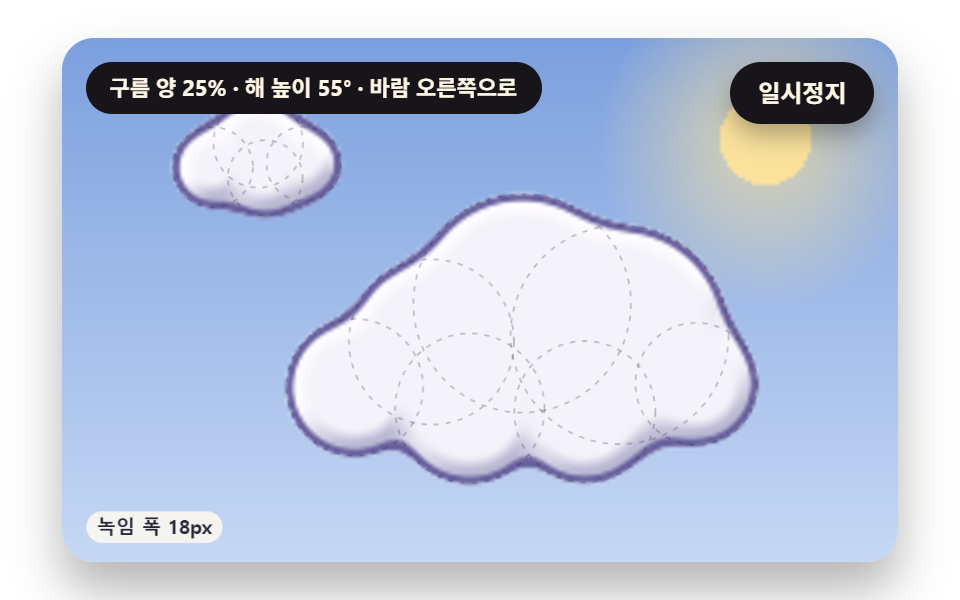 CSS Cloud Animation: 9 Sky Scenes in Canvascss cloud animation: Why is a puffy cloud's base so flat? 03 adds puffs only above the height where rising air condenses See all demos in this post
If you like this effect - similar demos
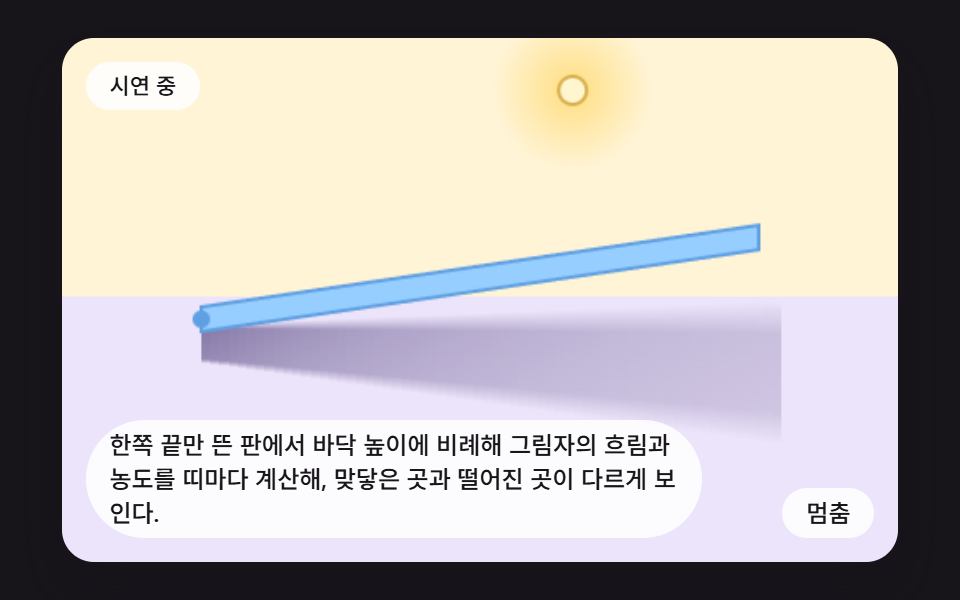 Creative UI03 A Shadow That Blurs With HeightCSS Shadow Effects: 9 Demos That Compute the Cast
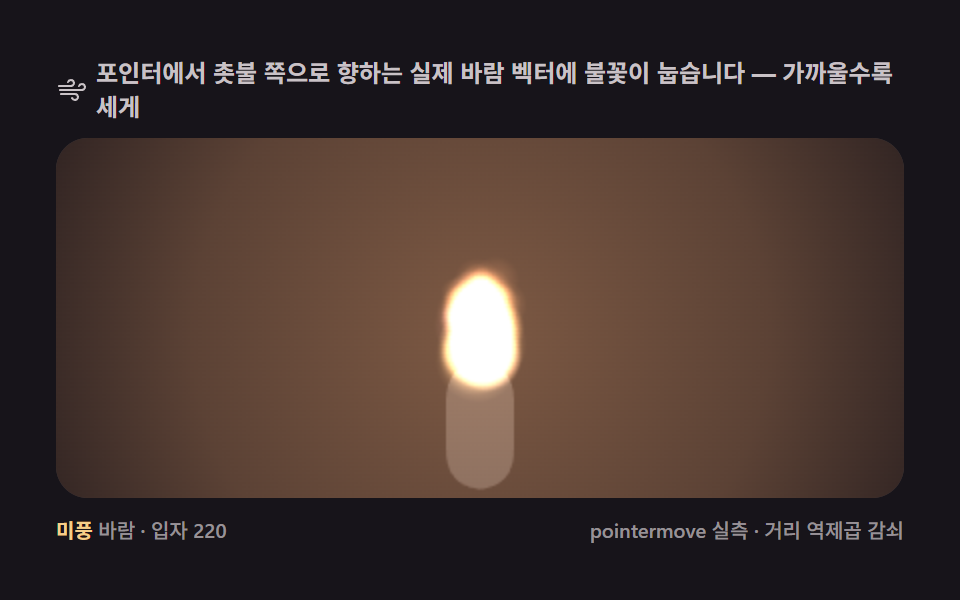 Creative UI07 Candle and wind — a flame that leans toward the pointer9 Canvas Fire Animation Scenes, No WebGL
 Creative UI06 Murmuration — a black cloud that leaves flow lines9 Canvas Boids Algorithm Flocking Birds Simulation