06Emoji pop
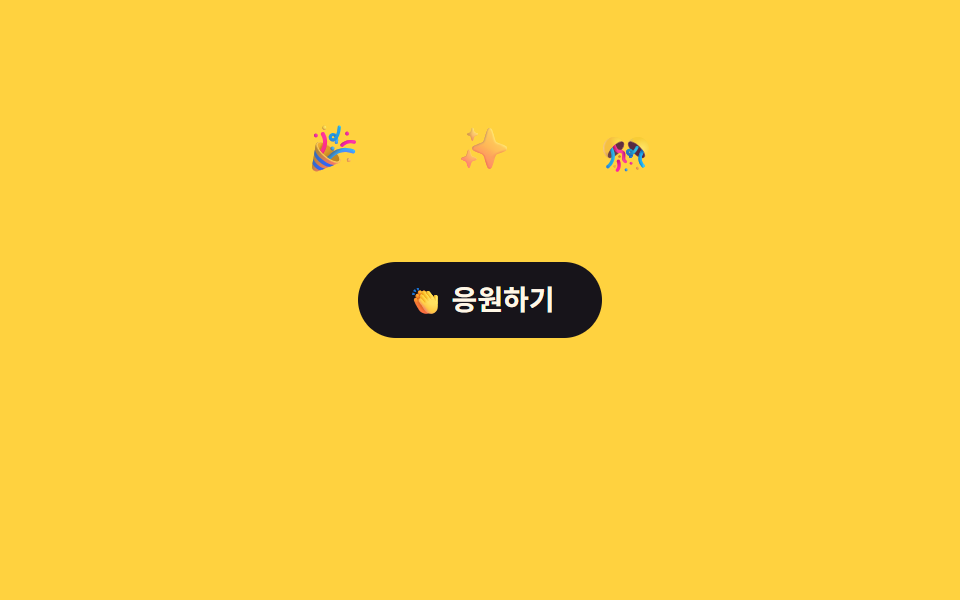
Tapping a react button pops three emoji up on staggered delays, riding a keyframe that combines translateY and scale before fading with opacity.
Best forLike/react buttons, comment reactions
translateY+scalestaggered delay700ms
<main class="stage">
  <div class="ep-wrap is-demo">
    <button class="ep-btn" type="button" aria-pressed="false">👏 Cheer</button>
    <span class="ep-emoji ep-emoji--1">🎉</span>
    <span class="ep-emoji ep-emoji--2">✨</span>
    <span class="ep-emoji ep-emoji--3">🎊</span>
  </div>
</main>
@use "../../../../site/static/demo-tokens" as *;
// ── 변수 3개 ──────────────────────────────────────────
$duration: 700ms;
$easing: $ease-pop;
$color: $subject-blue;
@include stage($stage-yellow);
.ep-wrap {
position: relative;
width: min(220px, 80vw);
display: grid;
place-items: center;
}
.ep-btn {
position: relative;
z-index: 1;
border: 0;
border-radius: $r-pill;
padding: $sp-3 $sp-6;
background: $subject-ink;
color: $subject-cream;
font: 700 14px/1 -apple-system, "Segoe UI", "Noto Sans KR", sans-serif;
cursor: pointer;
}
.ep-emoji {
position: absolute;
top: -8px;
font-size: 22px;
line-height: 1;
opacity: 0;
pointer-events: none;
}
.ep-emoji--1 { left: 10%; }
.ep-emoji--2 { left: 44%; }
.ep-emoji--3 { right: 10%; }
@keyframes ep-pop {
0% { transform: translateY(0) scale(.4); opacity: 0; }
30% { opacity: 1; }
100% { transform: translateY(-64px) scale(1.1); opacity: 0; }
}
// 실사용: 클릭이 is-pop 을 다시 붙인다 (위 <script>)
.ep-wrap.is-pop .ep-emoji,
.ep-wrap.is-demo .ep-emoji { animation: ep-pop $duration $easing infinite; }
.ep-emoji--2 { animation-delay: 110ms; }
.ep-emoji--3 { animation-delay: 220ms; }
@media (prefers-reduced-motion: reduce) {
.ep-wrap.is-pop .ep-emoji,
.ep-wrap.is-demo .ep-emoji { animation: none !important; opacity: 0 !important; }
}html, body {
margin: 0;
overflow: hidden;
}
.stage {
box-sizing: border-box;
min-height: 100vh;
display: grid;
place-items: center;
margin: 0;
background: #ffd23f;
font-family: -apple-system, "Segoe UI", "Noto Sans KR", sans-serif;
padding: clamp(8px, 4vw, 24px);
}
.ep-wrap {
position: relative;
width: min(220px, 80vw);
display: grid;
place-items: center;
}
.ep-btn {
position: relative;
z-index: 1;
border: 0;
border-radius: 999px;
padding: 12px 24px;
background: #17141a;
color: #fff7e6;
font: 700 14px/1 -apple-system, "Segoe UI", "Noto Sans KR", sans-serif;
cursor: pointer;
}
.ep-emoji {
position: absolute;
top: -8px;
font-size: 22px;
line-height: 1;
opacity: 0;
pointer-events: none;
}
.ep-emoji--1 {
left: 10%;
}
.ep-emoji--2 {
left: 44%;
}
.ep-emoji--3 {
right: 10%;
}
@keyframes ep-pop {
0% {
transform: translateY(0) scale(0.4);
opacity: 0;
}
30% {
opacity: 1;
}
100% {
transform: translateY(-64px) scale(1.1);
opacity: 0;
}
}
.ep-wrap.is-pop .ep-emoji,
.ep-wrap.is-demo .ep-emoji {
animation: ep-pop 700ms cubic-bezier(0.2, 1.4, 0.4, 1) infinite;
}
.ep-emoji--2 {
animation-delay: 110ms;
}
.ep-emoji--3 {
animation-delay: 220ms;
}
@media (prefers-reduced-motion: reduce) {
.ep-wrap.is-pop .ep-emoji,
.ep-wrap.is-demo .ep-emoji {
animation: none !important;
opacity: 0 !important;
}
}var wrap = document.querySelector('.ep-wrap');
var btn = document.querySelector('.ep-btn');
btn.addEventListener('click', function () {
wrap.classList.remove('is-pop');
void wrap.offsetWidth;
wrap.classList.add('is-pop');
});import { CSSProperties, useState } from "react";
import styles from "./EmojiPop.module.scss";
type Vars = CSSProperties & Record<string, string>;
export interface EmojiPopProps {
duration?: string;
easing?: string;
color?: string;
}
const EMOJI = ["🎉", "✨", "🎊"];
export default function EmojiPop({
duration = "700ms",
easing = "cubic-bezier(.2, 1.4, .4, 1)",
color = "#2f6df6",
}: EmojiPopProps) {
const [popKey, setPopKey] = useState(0);
const style: Vars = { "--duration": duration, "--easing": easing, "--color": color };
return (
<div className={styles.wrap} style={style}>
<button className={styles.btn} type="button" onClick={() => setPopKey((k) => k + 1)}>
👏 응원하기
</button>
<span key={popKey} className={styles.emojis}>
{EMOJI.map((e, i) => (
<span
key={i}
className={styles.emoji}
style={{ left: `${10 + i * 34}%`, animationDelay: `${i * 110}ms` } as Vars}
>
{e}
</span>
))}
</span>
</div>
);
}06 Emoji pop — Measured area 1.865% · moving frames 15/23Original by GODRICH · SCSS and React ship in the zip · 9 CSS Confetti Animation & Sparkle Effects
The post this demo lives in
 9 CSS Confetti Animation & Sparkle EffectsA confetti animation is the small colored burst a screen fires when something succeeds — a finished signup, a completed See all demos in this post