07A Card-Style Input Whose Shadow Elevation Springs Up on Focus
One elevation value drives the offset, blur and opacity of both shadow layers, and the label rise comes from the same value, so the field lifts like paper with a steady impression.
Best forSettings and filter inputs in dashboards
ELEVATIONSHADOW_BLUR_KSPRING_KTINT_ALPHA
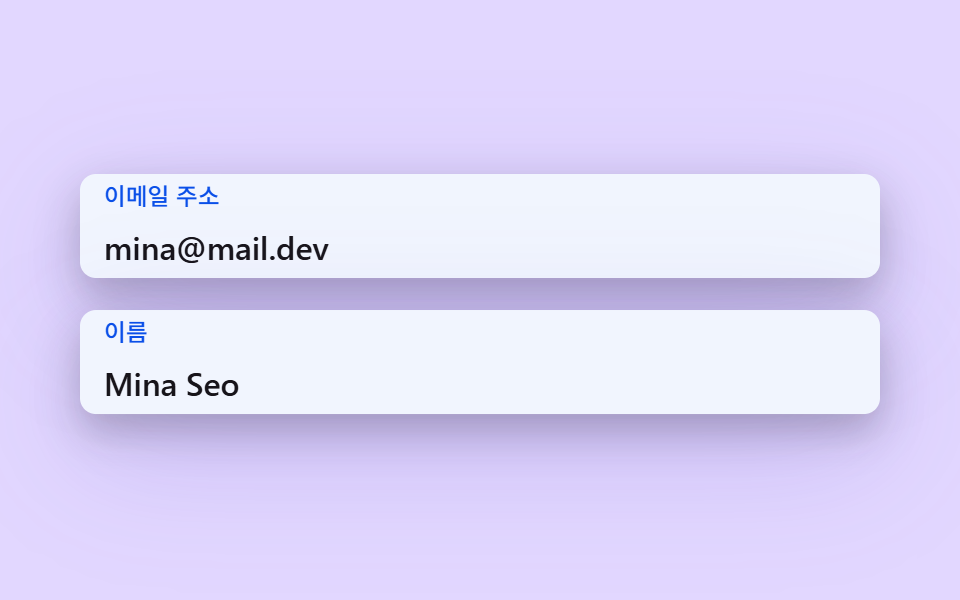
<main class="stage">
  <div class="fl is-demo" id="fl" data-demo="1">
    <div class="fl__field">
      <div class="fl__box" data-r="box">
        <input class="fl__input" id="f1" data-r="input" type="email" autocomplete="email">
        <label class="fl__label" for="f1" data-r="label">Email address</label>
      </div>
    </div>
    <div class="fl__field">
      <div class="fl__box" data-r="box">
        <input class="fl__input" id="f2" data-r="input" type="text" autocomplete="name">
        <label class="fl__label" for="f2" data-r="label">Name</label>
      </div>
    </div>
  </div>
</main>
@use "../../../../site/static/demo-tokens" as *;
// 핵심: 높이 값 하나로 두 겹 그림자의 오프셋·번짐·불투명도를 계산해 스프링으로 띄운다. 라벨은 진짜 <label for> 이고 칸은 진짜 입력 요소다. 움직임 값은 JS 가 계산하고 CSS 는 모양만 맡는다.
@include stage(mix($subject-lilac, $stage-paper, 42%));
$panel: transparent;
$box-bg: $stage-paper;
$fg: $subject-ink;
$mute: mix($subject-ink, $stage-paper, 62%);
$line: mix($subject-ink, $stage-paper, 30%);
$accent: $subject-blue-deep;
$err: $error;
$menu-bg: $stage-paper;
$box-h: 52px;
.fl {
position: relative;
box-sizing: border-box;
width: min(100%, 440px);
padding: $sp-5;
display: flex;
flex-direction: column;
gap: $sp-4;
border-radius: $r-card;
background: $panel;
color: $fg;
font-size: 16px;
line-height: 24px;
font-weight: 500;
}
.fl__field { position: relative; }
.fl__box {
--ln: #{$line};
position: relative;
z-index: 1;
height: $box-h;
border-radius: $r-sm;
background: $box-bg;
box-shadow: inset 0 0 0 1.5px var(--ln), 0 0 0 calc(var(--p, 0) * 3px) rgba($accent, .3);
}
.fl__box[data-up] { --ln: #{$accent}; }
.fl__box::after {
content: "";
position: absolute;
inset: 0;
z-index: 0;
border-radius: inherit;
background: $accent;
opacity: calc(var(--p, 0) * .12);
pointer-events: none;
}
.fl__input {
position: relative;
z-index: 1;
box-sizing: border-box;
display: block;
width: 100%;
height: 100%;
margin: 0;
padding: $sp-6 $sp-3 $sp-1;
border: 0;
border-radius: inherit;
background: transparent;
color: $fg;
font-family: inherit;
font-size: 16px;
line-height: 24px;
font-weight: 500;
outline: none;
}
.fl__input:focus-visible { outline: 2px solid $accent; outline-offset: 2px; }
.fl__label {
position: absolute;
left: $sp-3;
top: 0;
z-index: 2;
line-height: $box-h;
font-size: 16px;
font-weight: 500;
color: $mute;
white-space: nowrap;
transform-origin: 0 50%;
pointer-events: none;
will-change: transform;
}
.fl__box[data-up] .fl__label { color: $accent; }
.fl__box { box-shadow: 0 1px 2px rgba($subject-ink, .1); will-change: transform; }
.fl__box::after { opacity: calc(var(--p, 0) * .06); }
.fl__box[data-up] { --ln: #{$accent}; }
@media (max-height: 250px) {
.fl__field:nth-child(n + 3) { display: none; }
}
@media (prefers-reduced-motion: reduce) {
.fl__label, .fl__box { will-change: auto; }
}html, body {
margin: 0;
overflow: hidden;
}
.stage {
box-sizing: border-box;
min-height: 100vh;
display: grid;
place-items: center;
margin: 0;
background: rgb(88.4705882353%, 84.3529411765%, 100%);
font-family: -apple-system, "Segoe UI", "Noto Sans KR", sans-serif;
padding: clamp(8px, 4vw, 24px);
}
.fl {
position: relative;
box-sizing: border-box;
width: min(100%, 440px);
padding: 20px;
display: flex;
flex-direction: column;
gap: 16px;
border-radius: 16px;
background: transparent;
color: #17141a;
font-size: 16px;
line-height: 24px;
font-weight: 500;
}
.fl__field {
position: relative;
}
.fl__box {
--ln: rgb(72.7058823529%, 72.3529411765%, 73.0588235294%);
position: relative;
z-index: 1;
height: 52px;
border-radius: 8px;
background: #ffffff;
box-shadow: inset 0 0 0 1.5px var(--ln), 0 0 0 calc(var(--p, 0) * 3px) rgba(10, 79, 232, 0.3);
}
.fl__box[data-up] {
--ln: #0a4fe8;
}
.fl__box::after {
content: "";
position: absolute;
inset: 0;
z-index: 0;
border-radius: inherit;
background: #0a4fe8;
opacity: calc(var(--p, 0) * 0.12);
pointer-events: none;
}
.fl__input {
position: relative;
z-index: 1;
box-sizing: border-box;
display: block;
width: 100%;
height: 100%;
margin: 0;
padding: 24px 12px 4px;
border: 0;
border-radius: inherit;
background: transparent;
color: #17141a;
font-family: inherit;
font-size: 16px;
line-height: 24px;
font-weight: 500;
outline: none;
}
.fl__input:focus-visible {
outline: 2px solid #0a4fe8;
outline-offset: 2px;
}
.fl__label {
position: absolute;
left: 12px;
top: 0;
z-index: 2;
line-height: 52px;
font-size: 16px;
font-weight: 500;
color: rgb(43.5921568627%, 42.862745098%, 44.3215686275%);
white-space: nowrap;
transform-origin: 0 50%;
pointer-events: none;
will-change: transform;
}
.fl__box[data-up] .fl__label {
color: #0a4fe8;
}
.fl__box {
box-shadow: 0 1px 2px rgba(23, 20, 26, 0.1);
will-change: transform;
}
.fl__box::after {
opacity: calc(var(--p, 0) * 0.06);
}
.fl__box[data-up] {
--ln: #0a4fe8;
}
@media (max-height: 250px) {
.fl__field:nth-child(n+3) {
display: none;
}
}
@media (prefers-reduced-motion: reduce) {
.fl__label, .fl__box {
will-change: auto;
}
}(function () {
const root = document.getElementById("fl");
const CLS = {};
const reduce = window.matchMedia("(prefers-reduced-motion: reduce)").matches;
let demo = !reduce;
let raf = 0;
let last = -1;
const offs = [];
function q(sel) {
return root.querySelector(sel);
}
function qa(sel) {
const list = Array.prototype.slice.call(root.querySelectorAll(sel));
return list;
}
function clamp(v, lo, hi) {
return Math.max(lo, Math.min(hi, v));
}
function on(el, type, fn) {
el.addEventListener(type, fn);
offs.push(function () {
el.removeEventListener(type, fn);
});
}
// 좌표 해시: 같은 입력이면 같은 값 0~1. 난수 함수를 쓰지 않고 사인의 소수부만 쓴다.
function hash(x) {
const s = Math.sin(x * 127.1 + 311.7) * 43758.5453;
return s - Math.floor(s);
}
// 지수 접근: 프레임당 비율 per 만큼 목표에 다가간다. f 는 60fps 기준 프레임 수(dt * 60)라 프레임률이 달라도 같은 속도다.
function approach(x, target, per, f) {
return x + (target - x) * (1 - Math.pow(1 - per, f));
}
// 스프링 한 칸: 가속도 = -k (x - 목표) - c v. 반암시적 오일러를 1/120초 이하 부분 스텝으로 쪼갠다.
function springStep(s, target, k, c, dt) {
let left = dt;
while (left > 0) {
const h = Math.min(left, 1 / 120);
s.v += (-k * (s.x - target) - c * s.v) * h;
s.x += s.v * h;
left -= h;
}
}
// 값이 있으면 라벨은 올라가 있어야 한다. 브라우저 자동완성이 값을 채우면 input 이벤트가 없을 수 있어 :autofill 도 함께 본다.
function isFilled(el) {
if (el.value !== "") return true;
try {
return el.matches(":-webkit-autofill");
} catch (err) {
return false;
}
}
let leaveHook = null;
function stopDemo() {
if (!demo) return;
demo = false;
root.removeAttribute("data-demo");
root.classList.remove("is-demo");
resetFields();
}
function frame(ts) {
const dt = last < 0 ? 0.016 : Math.min(0.05, (ts - last) / 1000);
last = ts;
if (demo) script(ts);
step(dt, ts);
render();
raf = requestAnimationFrame(frame);
}
const ro = new ResizeObserver(function () {
relayout();
});
ro.observe(root);
if (document.fonts) {
document.fonts.ready.then(function () {
relayout();
});
}
// 시연 계획: 칸마다 포커스 구간(a~b), 타이핑 시작(s)·글자당 ms(rate)·글. 2초 주기로 되풀이하고 주기 첫머리엔 모두 비운다.
function runPlan(ts) {
const t = ts % 2000;
let changed = false;
for (let i = 0; i < PLAN.length; i += 1) {
const p = PLAN[i];
const f = fields[i];
const isOn = t >= p.a && t < p.b;
const n = t < p.s ? 0 : Math.min(p.text.length, Math.floor((t - p.s) / p.rate) + 1);
const v = p.text.slice(0, n);
if (f.input.value !== v) {
f.input.value = v;
changed = true;
}
if (f.focus !== isOn) {
f.focus = isOn;
changed = true;
if (!isOn && leaveHook) leaveHook(i);
}
}
if (changed) retarget();
}
function resetFields() {
for (let i = 0; i < fields.length; i += 1) {
fields[i].input.value = "";
fields[i].focus = false;
}
retarget();
}
function wire() {
fields.forEach(function (f, i) {
on(f.input, "focus", function () {
stopDemo();
f.focus = true;
retarget();
});
on(f.input, "blur", function () {
f.focus = false;
if (leaveHook) leaveHook(i);
retarget();
});
on(f.input, "input", function () {
retarget();
});
});
}
// 기법: 높이 값 e 하나로 두 겹 그림자의 오프셋·번짐·불투명도를 모두 계산하고, e 를 스프링으로 띄운다. 라벨 상승도 같은 e 에서 나온다.
const ELEVATION = 18;
const SHADOW_BLUR_K = 1.7;
const SPRING_K = 150;
const TINT_ALPHA = 0.16;
const SPRING_C = 15;
const RISE_PX = 15;
const LABEL_SCALE = 0.74;
const fields = qa("[data-r=box]").map(function (box) {
return {
box: box,
input: box.querySelector("input"),
label: box.querySelector("label"),
focus: false, up: false, sp: { x: 0, v: 0 }
};
});
const PLAN = [
{ a: 200, b: 1000, s: 420, rate: 60, text: "[email protected]" },
{ a: 1000, b: 1700, s: 1100, rate: 70, text: "Mina Seo" }
];
// 높이 e(0 이면 바닥, 1 이면 ELEVATION 만큼 뜸) 에서 그림자 두 겹을 만든다. 가까운 겹은 짧고 진하고, 먼 겹은 길고 흐리다.
function shadowOf(e) {
const h = clamp(e, 0, 1.4);
const y1 = 1 + h * ELEVATION * 0.4;
const b1 = 2 + h * ELEVATION * 0.6 * SHADOW_BLUR_K;
const a1 = 0.1 + h * TINT_ALPHA;
const y2 = h * ELEVATION;
const b2 = h * ELEVATION * 2 * SHADOW_BLUR_K;
const a2 = h * TINT_ALPHA * 1.4;
return "0 " + y1.toFixed(1) + "px " + b1.toFixed(1) + "px rgba(23,20,26," + a1.toFixed(3) + "), 0 " + y2.toFixed(1) + "px " + b2.toFixed(1) + "px rgba(95,70,200," + a2.toFixed(3) + ")";
}
function retarget() {
fields.forEach(function (f) {
f.up = f.focus || isFilled(f.input);
if (f.up) f.box.setAttribute("data-up", "");
else f.box.removeAttribute("data-up");
if (reduce) {
f.sp.x = f.up ? 1 : 0;
f.sp.v = 0;
}
});
if (reduce) render();
}
function relayout() {
retarget();
}
function script(ts) {
runPlan(ts);
}
function step(dt, ts) {
fields.forEach(function (f) {
springStep(f.sp, f.up ? 1 : 0, SPRING_K, SPRING_C, dt);
});
}
function render() {
fields.forEach(function (f) {
const e = f.sp.x;
const r = clamp(e, 0, 1.4);
const s = 1 - (1 - LABEL_SCALE) * r;
f.label.style.transform = "translate3d(0," + (-RISE_PX * r).toFixed(2) + "px,0) scale(" + s.toFixed(3) + ")";
f.box.style.setProperty("--p", clamp(r, 0, 1).toFixed(3));
f.box.style.boxShadow = shadowOf(e);
f.box.style.transform = "translate3d(0," + (-3 * r).toFixed(2) + "px,0)";
});
}
wire();
relayout();
if (reduce) {
render();
} else {
raf = requestAnimationFrame(frame);
}
})();// ShadowElevationLift - vanilla 판(07-fl-shadow-elevation-lift) 의 React 포트. 같은 계산을 useEffect 안에서 돌린다.
import { useEffect, useRef } from "react";
import styles from "./ShadowElevationLift.module.scss";
type Spring = { x: number; v: number };
type Plan = { a: number; b: number; s: number; rate: number; text: string };
type Base = { input: HTMLInputElement | HTMLTextAreaElement; focus: boolean; up: boolean };
type F = Base & { box: HTMLElement; label: HTMLElement; sp: Spring };
export default function ShadowElevationLift() {
const rootRef = useRef<HTMLDivElement | null>(null);
useEffect(() => {
const rootEl = rootRef.current;
if (!rootEl) return;
const root: HTMLElement = rootEl;
const CLS = { };
const reduce = window.matchMedia("(prefers-reduced-motion: reduce)").matches;
let demo = !reduce;
let raf: number = 0;
let last: number = -1;
const offs: Array<() => void> = [];
function q(sel: string): HTMLElement {
return root.querySelector(sel) as HTMLElement;
}
function qa(sel: string): HTMLElement[] {
const list: HTMLElement[] = Array.prototype.slice.call(root.querySelectorAll(sel));
return list;
}
function clamp(v: number, lo: number, hi: number): number {
return Math.max(lo, Math.min(hi, v));
}
function on(el: EventTarget, type: string, fn: (e: any) => void): void {
el.addEventListener(type, fn);
offs.push(function (): void {
el.removeEventListener(type, fn);
});
}
// 좌표 해시: 같은 입력이면 같은 값 0~1. 난수 함수를 쓰지 않고 사인의 소수부만 쓴다.
function hash(x: number): number {
const s = Math.sin(x * 127.1 + 311.7) * 43758.5453;
return s - Math.floor(s);
}
// 지수 접근: 프레임당 비율 per 만큼 목표에 다가간다. f 는 60fps 기준 프레임 수(dt * 60)라 프레임률이 달라도 같은 속도다.
function approach(x: number, target: number, per: number, f: number): number {
return x + (target - x) * (1 - Math.pow(1 - per, f));
}
// 스프링 한 칸: 가속도 = -k (x - 목표) - c v. 반암시적 오일러를 1/120초 이하 부분 스텝으로 쪼갠다.
function springStep(s: Spring, target: number, k: number, c: number, dt: number): void {
let left = dt;
while (left > 0) {
const h = Math.min(left, 1 / 120);
s.v += (-k * (s.x - target) - c * s.v) * h;
s.x += s.v * h;
left -= h;
}
}
// 값이 있으면 라벨은 올라가 있어야 한다. 브라우저 자동완성이 값을 채우면 input 이벤트가 없을 수 있어 :autofill 도 함께 본다.
function isFilled(el: HTMLInputElement | HTMLTextAreaElement): boolean {
if (el.value !== "") return true;
try {
return el.matches(":-webkit-autofill");
} catch (err) {
return false;
}
}
let leaveHook: ((i: number) => void) | null = null;
function stopDemo(): void {
if (!demo) return;
demo = false;
root.removeAttribute("data-demo");
root.classList.remove("is-demo");
resetFields();
}
function frame(ts: number): void {
const dt = last < 0 ? 0.016 : Math.min(0.05, (ts - last) / 1000);
last = ts;
if (demo) script(ts);
step(dt, ts);
render();
raf = requestAnimationFrame(frame);
}
const ro = new ResizeObserver(function (): void {
relayout();
});
ro.observe(root);
if (document.fonts) {
document.fonts.ready.then(function (): void {
relayout();
});
}
// 시연 계획: 칸마다 포커스 구간(a~b), 타이핑 시작(s)·글자당 ms(rate)·글. 2초 주기로 되풀이하고 주기 첫머리엔 모두 비운다.
function runPlan(ts: number): void {
const t = ts % 2000;
let changed = false;
for (let i = 0; i < PLAN.length; i += 1) {
const p = PLAN[i];
const f = fields[i];
const isOn = t >= p.a && t < p.b;
const n = t < p.s ? 0 : Math.min(p.text.length, Math.floor((t - p.s) / p.rate) + 1);
const v = p.text.slice(0, n);
if (f.input.value !== v) {
f.input.value = v;
changed = true;
}
if (f.focus !== isOn) {
f.focus = isOn;
changed = true;
if (!isOn && leaveHook) leaveHook(i);
}
}
if (changed) retarget();
}
function resetFields(): void {
for (let i = 0; i < fields.length; i += 1) {
fields[i].input.value = "";
fields[i].focus = false;
}
retarget();
}
function wire(): void {
fields.forEach(function (f: F, i: number): void {
on(f.input, "focus", function (): void {
stopDemo();
f.focus = true;
retarget();
});
on(f.input, "blur", function (): void {
f.focus = false;
if (leaveHook) leaveHook(i);
retarget();
});
on(f.input, "input", function (): void {
retarget();
});
});
}
// 기법: 높이 값 e 하나로 두 겹 그림자의 오프셋·번짐·불투명도를 모두 계산하고, e 를 스프링으로 띄운다. 라벨 상승도 같은 e 에서 나온다.
const ELEVATION = 18;
const SHADOW_BLUR_K = 1.7;
const SPRING_K = 150;
const TINT_ALPHA = 0.16;
const SPRING_C = 15;
const RISE_PX = 15;
const LABEL_SCALE = 0.74;
const fields: F[] = qa("[data-r=box]").map(function (box: HTMLElement): F {
return {
box: box,
input: box.querySelector("input") as HTMLInputElement,
label: box.querySelector("label") as HTMLElement,
focus: false, up: false, sp: { x: 0, v: 0 }
};
});
const PLAN: Plan[] = [
{ a: 200, b: 1000, s: 420, rate: 60, text: "[email protected]" },
{ a: 1000, b: 1700, s: 1100, rate: 70, text: "Mina Seo" }
];
// 높이 e(0 이면 바닥, 1 이면 ELEVATION 만큼 뜸) 에서 그림자 두 겹을 만든다. 가까운 겹은 짧고 진하고, 먼 겹은 길고 흐리다.
function shadowOf(e: number): string {
const h = clamp(e, 0, 1.4);
const y1 = 1 + h * ELEVATION * 0.4;
const b1 = 2 + h * ELEVATION * 0.6 * SHADOW_BLUR_K;
const a1 = 0.1 + h * TINT_ALPHA;
const y2 = h * ELEVATION;
const b2 = h * ELEVATION * 2 * SHADOW_BLUR_K;
const a2 = h * TINT_ALPHA * 1.4;
return "0 " + y1.toFixed(1) + "px " + b1.toFixed(1) + "px rgba(23,20,26," + a1.toFixed(3) + "), 0 " + y2.toFixed(1) + "px " + b2.toFixed(1) + "px rgba(95,70,200," + a2.toFixed(3) + ")";
}
function retarget(): void {
fields.forEach(function (f: F): void {
f.up = f.focus || isFilled(f.input);
if (f.up) f.box.setAttribute("data-up", "");
else f.box.removeAttribute("data-up");
if (reduce) {
f.sp.x = f.up ? 1 : 0;
f.sp.v = 0;
}
});
if (reduce) render();
}
function relayout(): void {
retarget();
}
function script(ts: number): void {
runPlan(ts);
}
function step(dt: number, ts: number): void {
fields.forEach(function (f: F): void {
springStep(f.sp, f.up ? 1 : 0, SPRING_K, SPRING_C, dt);
});
}
function render(): void {
fields.forEach(function (f: F): void {
const e = f.sp.x;
const r = clamp(e, 0, 1.4);
const s = 1 - (1 - LABEL_SCALE) * r;
f.label.style.transform = "translate3d(0," + (-RISE_PX * r).toFixed(2) + "px,0) scale(" + s.toFixed(3) + ")";
f.box.style.setProperty("--p", clamp(r, 0, 1).toFixed(3));
f.box.style.boxShadow = shadowOf(e);
f.box.style.transform = "translate3d(0," + (-3 * r).toFixed(2) + "px,0)";
});
}
wire();
relayout();
if (reduce) {
render();
} else {
raf = requestAnimationFrame(frame);
}
return () => {
cancelAnimationFrame(raf);
offs.forEach((f) => f());
ro.disconnect();
};
}, []);
return (
<main className={styles["stage"]}>
<div ref={rootRef} className={styles["fl"] + " is-demo"} data-demo="1">
<div className={styles["fl__field"]}>
<div className={styles["fl__box"]} data-r="box">
<input className={styles["fl__input"]} id="f1" data-r="input" type="email" autoComplete="email" />
<label className={styles["fl__label"]} htmlFor="f1" data-r="label">이메일 주소</label>
</div>
</div>
<div className={styles["fl__field"]}>
<div className={styles["fl__box"]} data-r="box">
<input className={styles["fl__input"]} id="f2" data-r="input" type="text" autoComplete="name" />
<label className={styles["fl__label"]} htmlFor="f2" data-r="label">이름</label>
</div>
</div>
</div>
</main>
);
}07 A Card-Style Input Whose Shadow Elevation Springs Up on Focus — Measured area 45.378% · moving frames 23/23Original by GODRICH · SCSS and React ship in the zip · CSS Floating Label: 9 Inputs on Spring Physics
The post this demo lives in
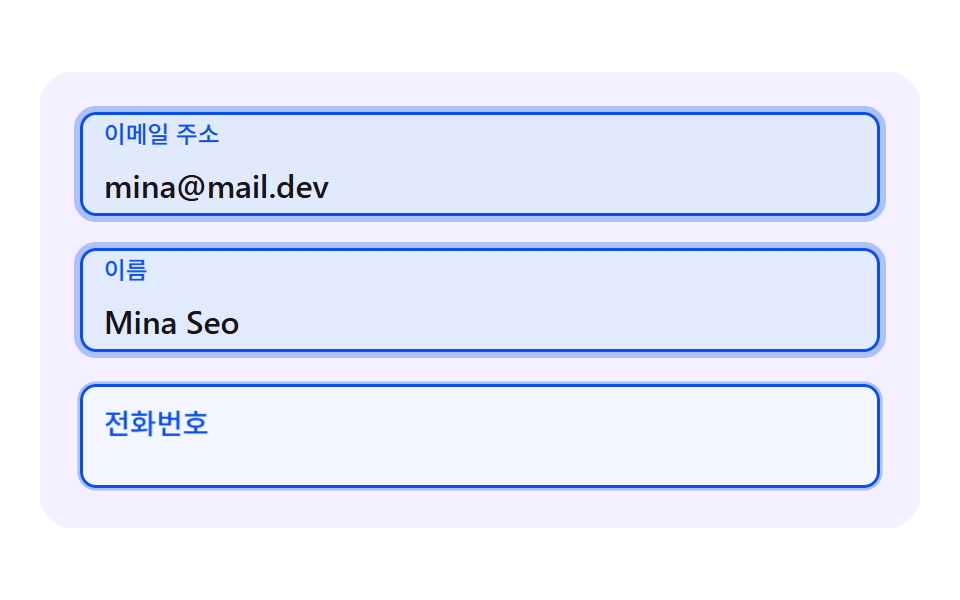 CSS Floating Label: 9 Inputs on Spring PhysicsWithin 0.3 seconds of a tap on a field, the way a css floating label rises sets the first impression of the form — scene See all demos in this post
If you like this effect - similar demos
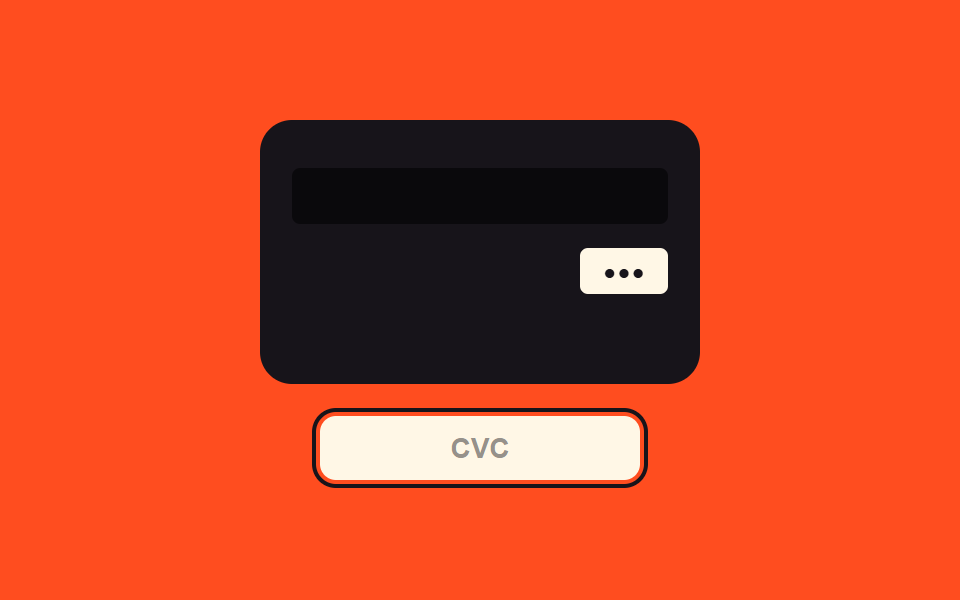 Inputs03 Security-code focus value toggle — when the security-code field's focus value turns on, the view switches to a value showing the card's backCredit Card Input UI: 9 Patterns
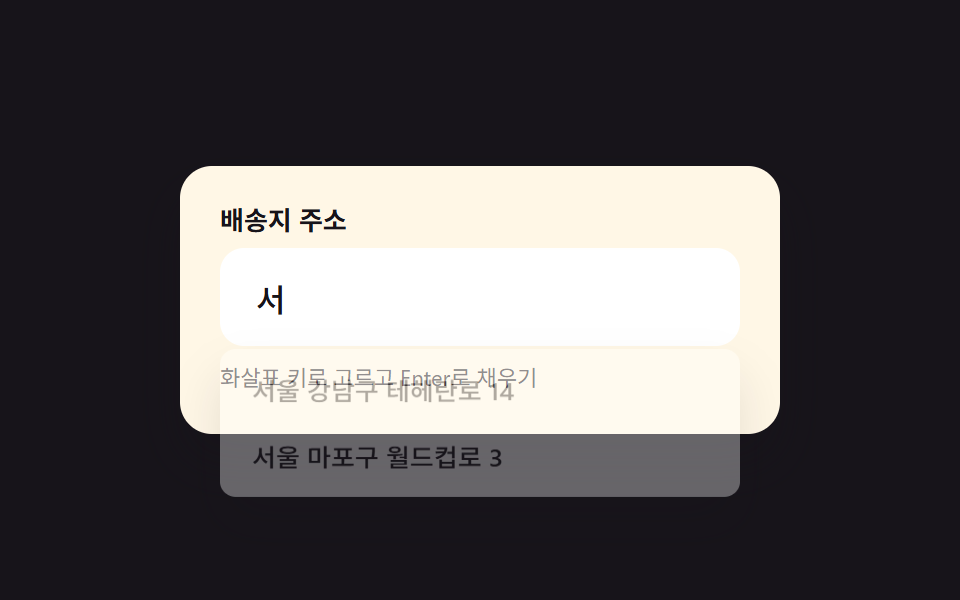 Inputs05 Address autocomplete style inputRegister Form Design: 9 Keyboard-Friendly Inputs
 Inputs06 Tag Input Whose Chips Reorder by Drag9 Tag Input UI Patterns With CSS Chips