01Lightbox That Expands From the Thumbnail's Spot
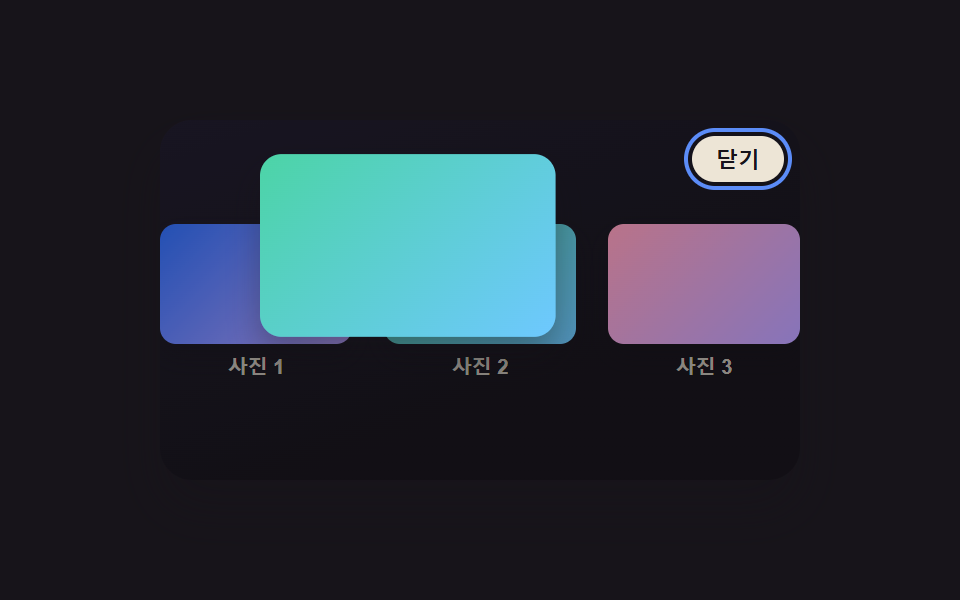
Clicking a grid thumbnail makes that exact image grow from its own on-screen spot and size into a full lightbox, unlike a dialog that always appears centered regardless of where it was triggered.
Best forProduct and portfolio image grids
getBoundingClientRecttransform-originFLIP technique
<main class="stage">
<div class="scene is-demo" id="scene">
  <ul class="grid" id="grid">
    <li><button class="thumb" id="thumb0" type="button" aria-haspopup="dialog"><span class="thumbImg thumbImg--a"></span><span class="thumbLabel">Photo 1</span></button></li>
    <li><button class="thumb" id="thumb1" type="button" aria-haspopup="dialog"><span class="thumbImg thumbImg--b"></span><span class="thumbLabel">Photo 2</span></button></li>
    <li><button class="thumb" id="thumb2" type="button" aria-haspopup="dialog"><span class="thumbImg thumbImg--c"></span><span class="thumbLabel">Photo 3</span></button></li>
  </ul>
  <div class="backdrop" id="backdrop"></div>
  <div class="lightbox" id="lightbox" role="dialog" aria-modal="true" aria-hidden="true" aria-label="View enlarged photo">
    <span class="fullImg" id="fullImg"></span>
    <button class="closeBtn" id="closeBtn" type="button">Close</button>
  </div>
</div>
</main>
@use "../../../../site/static/demo-tokens" as *;
// 변수 3개
$duration: $dur-enter;
$easing: $ease-out;
$color: $subject-blue-light;
// 계산 겹: index.html 의 openFrom()/closeLightbox() 가 클릭한 썸네일과 풀 이미지의
// getBoundingClientRect 차이(FLIP)로 매 프레임 translate·scale 을 산술로 만든다 — 고정 트윈이 아니다.
@include stage($stage-ink);
.scene {
position: relative;
width: 320px;
height: 180px;
border-radius: $r-card;
overflow: hidden;
box-shadow: $shadow-raised;
background: linear-gradient(160deg, #201c2c, $stage-ink 70%);
}
.grid {
position: absolute;
inset: 0;
margin: 0;
padding: 0;
list-style: none;
display: flex;
align-items: center;
justify-content: center;
gap: $sp-4;
}
.thumb {
appearance: none;
border: none;
background: none;
padding: 0;
display: flex;
flex-direction: column;
align-items: center;
gap: $sp-1;
cursor: pointer;
&:focus-visible .thumbImg { outline: 2px solid $color; outline-offset: 2px; }
}
.thumbImg {
display: block;
border-radius: $r-sm;
box-shadow: $shadow-press;
&--a { background: linear-gradient(135deg, $subject-blue, $subject-lilac); }
&--b { background: linear-gradient(135deg, $subject-mint, $subject-sky); }
&--c { background: linear-gradient(135deg, $subject-pink, $subject-lilac); }
}
.thumbLabel {
font-size: 10px;
font-weight: 600;
color: rgba($subject-cream, .72);
}
.backdrop {
position: absolute;
inset: 0;
background: rgba(#050409, .92);
opacity: 0;
visibility: hidden;
pointer-events: none;
}
.lightbox {
position: absolute;
inset: 0;
display: grid;
place-items: center;
visibility: hidden;
}
.fullImg {
display: block;
width: 220px;
height: 136px;
border-radius: $r-card;
box-shadow: $shadow-raised;
transform-origin: top left;
&--a { background: linear-gradient(135deg, $subject-blue, $subject-lilac); }
&--b { background: linear-gradient(135deg, $subject-mint, $subject-sky); }
&--c { background: linear-gradient(135deg, $subject-pink, $subject-lilac); }
}
.closeBtn {
position: absolute;
top: $sp-2;
right: $sp-2;
appearance: none;
border: none;
border-radius: $r-pill;
padding: $sp-1 $sp-3;
font-size: 11px;
font-weight: 600;
color: $subject-ink;
background: rgba($subject-cream, .92);
cursor: pointer;
&:focus-visible { outline: 2px solid $color; outline-offset: 2px; }
}
@media (max-width: 340px) {
.scene { width: 220px; height: 124px; }
.fullImg { width: 156px; height: 96px; }
.thumbLabel { font-size: 9px; }
}
@media (prefers-reduced-motion: reduce) {
// 실사용 경로 적용 — 주 확장·닫힘 트윈은 index.html 의 animate() 가 reduce 시 즉시 최종 상태로 처리한다.
// 여기서는 CSS 전용 보조 트랜지션(포커스 아웃라인 등)만 정리한다.
.closeBtn, .thumb { transition: none; }
}html, body {
margin: 0;
overflow: hidden;
}
.stage {
box-sizing: border-box;
min-height: 100vh;
display: grid;
place-items: center;
margin: 0;
background: #17141a;
font-family: -apple-system, "Segoe UI", "Noto Sans KR", sans-serif;
padding: clamp(8px, 4vw, 24px);
}
.scene {
position: relative;
width: 320px;
height: 180px;
border-radius: 16px;
overflow: hidden;
box-shadow: 0 14px 24px rgba(23, 20, 26, 0.32);
background: linear-gradient(160deg, #201c2c, #17141a 70%);
}
.grid {
position: absolute;
inset: 0;
margin: 0;
padding: 0;
list-style: none;
display: flex;
align-items: center;
justify-content: center;
gap: 16px;
}
.thumb {
appearance: none;
border: none;
background: none;
padding: 0;
display: flex;
flex-direction: column;
align-items: center;
gap: 4px;
cursor: pointer;
}
.thumb:focus-visible .thumbImg {
outline: 2px solid #5b8cf8;
outline-offset: 2px;
}
.thumbImg {
display: block;
border-radius: 8px;
box-shadow: 0 6px 12px rgba(23, 20, 26, 0.32);
}
.thumbImg--a {
background: linear-gradient(135deg, #2f6df6, #b9a0ff);
}
.thumbImg--b {
background: linear-gradient(135deg, #4cd4a6, #6ec8ff);
}
.thumbImg--c {
background: linear-gradient(135deg, #ff9ebb, #b9a0ff);
}
.thumbLabel {
font-size: 10px;
font-weight: 600;
color: rgba(255, 247, 230, 0.72);
}
.backdrop {
position: absolute;
inset: 0;
background: rgba(5, 4, 9, 0.92);
opacity: 0;
visibility: hidden;
pointer-events: none;
}
.lightbox {
position: absolute;
inset: 0;
display: grid;
place-items: center;
visibility: hidden;
}
.fullImg {
display: block;
width: 220px;
height: 136px;
border-radius: 16px;
box-shadow: 0 14px 24px rgba(23, 20, 26, 0.32);
transform-origin: top left;
}
.fullImg--a {
background: linear-gradient(135deg, #2f6df6, #b9a0ff);
}
.fullImg--b {
background: linear-gradient(135deg, #4cd4a6, #6ec8ff);
}
.fullImg--c {
background: linear-gradient(135deg, #ff9ebb, #b9a0ff);
}
.closeBtn {
position: absolute;
top: 8px;
right: 8px;
appearance: none;
border: none;
border-radius: 999px;
padding: 4px 12px;
font-size: 11px;
font-weight: 600;
color: #17141a;
background: rgba(255, 247, 230, 0.92);
cursor: pointer;
}
.closeBtn:focus-visible {
outline: 2px solid #5b8cf8;
outline-offset: 2px;
}
@media (max-width: 340px) {
.scene {
width: 220px;
height: 124px;
}
.fullImg {
width: 156px;
height: 96px;
}
.thumbLabel {
font-size: 9px;
}
}
@media (prefers-reduced-motion: reduce) {
.closeBtn, .thumb {
transition: none;
}
}(function () {
var LIGHTBOX_MORPH_SCALE_FROM = 0.3; // 썸네일 폭 = 장면 폭 × 이 Ratio — 실제 레이아웃 크기로 FLIP 델타를 잰다
var OPEN_MS = 650;
var CLOSE_MS = 480;
var LOOP_MS = 2000;
var HOLD_OPEN_MS = 600;
var scene = document.getElementById('scene');
var backdrop = document.getElementById('backdrop');
var lightbox = document.getElementById('lightbox');
var fullImg = document.getElementById('fullImg');
var closeBtn = document.getElementById('closeBtn');
var thumbs = [].slice.call(document.querySelectorAll('.thumb'));
var reduce = window.matchMedia('(prefers-reduced-motion: reduce)').matches;
var imgClassByIdx = ['thumbImg--a', 'thumbImg--b', 'thumbImg--c'];
var sceneW = scene.getBoundingClientRect().width || 320;
var thumbW = Math.round(sceneW * LIGHTBOX_MORPH_SCALE_FROM);
thumbs.forEach(function (t) {
var img = t.querySelector('.thumbImg');
img.style.width = thumbW + 'px';
img.style.height = Math.round(thumbW * 0.62) + 'px';
});
var open = false;
var activeIdx = 1;
var timers = [];
function clamp(v, lo, hi) { return Math.min(hi, Math.max(lo, v)); }
function easeOutCubic(t) { return 1 - Math.pow(1 - t, 3); }
// reduce: 실사용 경로 적용 — 트윈 없이 최종 상태로 즉시 전환한다(자동 루프는 아래에서 아예 안 돈다)
function animate(duration, onFrame, onDone) {
if (reduce) { onFrame(1); if (onDone) onDone(); return; }
var start = performance.now();
function frame(now) {
var p = clamp((now - start) / duration, 0, 1);
onFrame(easeOutCubic(p));
if (p < 1) requestAnimationFrame(frame);
else if (onDone) onDone();
}
requestAnimationFrame(frame);
}
function openFrom(idx) {
if (open) return;
open = true;
var thumbImg = thumbs[idx].querySelector('.thumbImg');
var fromRect = thumbImg.getBoundingClientRect();
fullImg.className = 'fullImg ' + imgClassByIdx[idx];
lightbox.style.visibility = 'visible';
lightbox.setAttribute('aria-hidden', 'false');
backdrop.style.visibility = 'visible';
var toRect = fullImg.getBoundingClientRect();
var dx = (fromRect.left + fromRect.width / 2) - (toRect.left + toRect.width / 2);
var dy = (fromRect.top + fromRect.height / 2) - (toRect.top + toRect.height / 2);
var scaleFrom = fromRect.width / toRect.width;
animate(OPEN_MS, function (e) {
var s = scaleFrom + (1 - scaleFrom) * e;
var tx = dx * (1 - e);
var ty = dy * (1 - e);
fullImg.style.transform = 'translate(' + tx.toFixed(2) + 'px,' + ty.toFixed(2) + 'px) scale(' + s.toFixed(4) + ')';
backdrop.style.opacity = (e * 0.72).toFixed(3);
}, function () {
closeBtn.focus({ preventScroll: true });
});
}
function closeLightbox(idx) {
if (!open) return;
var thumbImg = thumbs[idx].querySelector('.thumbImg');
var fromRect = thumbImg.getBoundingClientRect();
var toRect = fullImg.getBoundingClientRect();
var dx = (fromRect.left + fromRect.width / 2) - (toRect.left + toRect.width / 2);
var dy = (fromRect.top + fromRect.height / 2) - (toRect.top + toRect.height / 2);
var scaleTo = fromRect.width / toRect.width;
animate(CLOSE_MS, function (e) {
var s = 1 + (scaleTo - 1) * e;
var tx = dx * e;
var ty = dy * e;
fullImg.style.transform = 'translate(' + tx.toFixed(2) + 'px,' + ty.toFixed(2) + 'px) scale(' + s.toFixed(4) + ')';
backdrop.style.opacity = (0.72 * (1 - e)).toFixed(3);
}, function () {
lightbox.style.visibility = 'hidden';
lightbox.setAttribute('aria-hidden', 'true');
backdrop.style.visibility = 'hidden';
open = false;
thumbs[idx].focus({ preventScroll: true });
});
}
function human() {
if (scene.classList.contains('is-demo')) {
scene.classList.remove('is-demo');
timers.forEach(function (t) { clearTimeout(t); clearInterval(t); });
timers = [];
}
}
thumbs.forEach(function (t, i) {
t.addEventListener('click', function () {
human();
activeIdx = i;
openFrom(i);
});
});
closeBtn.addEventListener('click', function () { human(); closeLightbox(activeIdx); });
backdrop.addEventListener('click', function () { human(); closeLightbox(activeIdx); });
document.addEventListener('keydown', function (e) {
if (e.key === 'Escape' && open) { human(); closeLightbox(activeIdx); }
});
function cycle() {
activeIdx = 1;
openFrom(1);
timers.push(setTimeout(function () { closeLightbox(1); }, OPEN_MS + HOLD_OPEN_MS));
}
if (!reduce) {
cycle();
timers.push(setInterval(function () {
if (scene.classList.contains('is-demo')) cycle();
}, LOOP_MS));
}
})();import { useEffect, useRef } from 'react';
import styles from './ThumbnailMorphExpand.module.scss';
const LIGHTBOX_MORPH_SCALE_FROM = 0.3; // 썸네일 폭 = 장면 폭 × 이 비율 — 실제 레이아웃 크기로 FLIP 델타를 잰다
const OPEN_MS = 650;
const CLOSE_MS = 480;
const LOOP_MS = 2000;
const HOLD_OPEN_MS = 600;
export default function ThumbnailMorphExpand() {
const sceneRef = useRef<HTMLDivElement>(null);
useEffect(() => {
const scene0 = sceneRef.current;
if (!scene0) return undefined;
const backdrop0 = scene0.querySelector<HTMLDivElement>('.' + styles.backdrop);
const lightbox0 = scene0.querySelector<HTMLDivElement>('.' + styles.lightbox);
const fullImg0 = scene0.querySelector<HTMLSpanElement>('.' + styles.fullImg);
const closeBtn0 = scene0.querySelector<HTMLButtonElement>('.' + styles.closeBtn);
const thumbs = Array.from(scene0.querySelectorAll<HTMLButtonElement>('.' + styles.thumb));
if (!backdrop0 || !lightbox0 || !fullImg0 || !closeBtn0 || thumbs.length === 0) return undefined;
const scene = scene0;
const backdrop = backdrop0;
const lightbox = lightbox0;
const fullImg = fullImg0;
const closeBtn = closeBtn0;
const reduce = window.matchMedia('(prefers-reduced-motion: reduce)').matches;
const imgClassByIdx = [styles['thumbImg--a'], styles['thumbImg--b'], styles['thumbImg--c']];
const sceneW = scene.getBoundingClientRect().width || 320;
const thumbW = Math.round(sceneW * LIGHTBOX_MORPH_SCALE_FROM);
thumbs.forEach((t) => {
const img = t.querySelector<HTMLSpanElement>('.' + styles.thumbImg);
if (!img) return;
img.style.width = thumbW + 'px';
img.style.height = Math.round(thumbW * 0.62) + 'px';
});
let open = false;
let activeIdx = 1;
let timers: number[] = [];
function clamp(v: number, lo: number, hi: number) { return Math.min(hi, Math.max(lo, v)); }
function easeOutCubic(t: number) { return 1 - Math.pow(1 - t, 3); }
// reduce: 실사용 경로 적용 — 트윈 없이 최종 상태로 즉시 전환한다(자동 루프는 아래에서 아예 안 돈다)
function animate(duration: number, onFrame: (e: number) => void, onDone?: () => void) {
if (reduce) { onFrame(1); if (onDone) onDone(); return; }
const start = performance.now();
function frame(now: number) {
const p = clamp((now - start) / duration, 0, 1);
onFrame(easeOutCubic(p));
if (p < 1) requestAnimationFrame(frame);
else if (onDone) onDone();
}
requestAnimationFrame(frame);
}
function openFrom(idx: number) {
if (open) return;
open = true;
const thumbImg = thumbs[idx].querySelector<HTMLSpanElement>('.' + styles.thumbImg);
if (!thumbImg) return;
const fromRect = thumbImg.getBoundingClientRect();
fullImg.className = styles.fullImg + ' ' + imgClassByIdx[idx];
lightbox.style.visibility = 'visible';
lightbox.setAttribute('aria-hidden', 'false');
backdrop.style.visibility = 'visible';
const toRect = fullImg.getBoundingClientRect();
const dx = (fromRect.left + fromRect.width / 2) - (toRect.left + toRect.width / 2);
const dy = (fromRect.top + fromRect.height / 2) - (toRect.top + toRect.height / 2);
const scaleFrom = fromRect.width / toRect.width;
animate(OPEN_MS, (e) => {
const s = scaleFrom + (1 - scaleFrom) * e;
const tx = dx * (1 - e);
const ty = dy * (1 - e);
fullImg.style.transform = 'translate(' + tx.toFixed(2) + 'px,' + ty.toFixed(2) + 'px) scale(' + s.toFixed(4) + ')';
backdrop.style.opacity = (e * 0.72).toFixed(3);
}, () => {
closeBtn.focus({ preventScroll: true });
});
}
function closeLightbox(idx: number) {
if (!open) return;
const thumbImg = thumbs[idx].querySelector<HTMLSpanElement>('.' + styles.thumbImg);
if (!thumbImg) return;
const fromRect = thumbImg.getBoundingClientRect();
const toRect = fullImg.getBoundingClientRect();
const dx = (fromRect.left + fromRect.width / 2) - (toRect.left + toRect.width / 2);
const dy = (fromRect.top + fromRect.height / 2) - (toRect.top + toRect.height / 2);
const scaleTo = fromRect.width / toRect.width;
animate(CLOSE_MS, (e) => {
const s = 1 + (scaleTo - 1) * e;
const tx = dx * e;
const ty = dy * e;
fullImg.style.transform = 'translate(' + tx.toFixed(2) + 'px,' + ty.toFixed(2) + 'px) scale(' + s.toFixed(4) + ')';
backdrop.style.opacity = (0.72 * (1 - e)).toFixed(3);
}, () => {
lightbox.style.visibility = 'hidden';
lightbox.setAttribute('aria-hidden', 'true');
backdrop.style.visibility = 'hidden';
open = false;
thumbs[idx].focus({ preventScroll: true });
});
}
function human() {
if (scene.classList.contains(styles['is-demo'])) {
scene.classList.remove(styles['is-demo']);
timers.forEach((id) => { window.clearTimeout(id); window.clearInterval(id); });
timers = [];
}
}
const onThumbClick = (i: number) => () => { human(); activeIdx = i; openFrom(i); };
const thumbHandlers = thumbs.map((_, i) => onThumbClick(i));
thumbs.forEach((t, i) => t.addEventListener('click', thumbHandlers[i]));
function onCloseClick() { human(); closeLightbox(activeIdx); }
function onBackdropClick() { human(); closeLightbox(activeIdx); }
function onKeydown(e: KeyboardEvent) {
if (e.key === 'Escape' && open) { human(); closeLightbox(activeIdx); }
}
closeBtn.addEventListener('click', onCloseClick);
backdrop.addEventListener('click', onBackdropClick);
document.addEventListener('keydown', onKeydown);
function cycle() {
activeIdx = 1;
openFrom(1);
timers.push(window.setTimeout(() => { closeLightbox(1); }, OPEN_MS + HOLD_OPEN_MS));
}
if (!reduce) {
cycle();
timers.push(window.setInterval(() => {
if (scene.classList.contains(styles['is-demo'])) cycle();
}, LOOP_MS));
}
return () => {
timers.forEach((id) => { window.clearTimeout(id); window.clearInterval(id); });
thumbs.forEach((t, i) => t.removeEventListener('click', thumbHandlers[i]));
closeBtn.removeEventListener('click', onCloseClick);
backdrop.removeEventListener('click', onBackdropClick);
document.removeEventListener('keydown', onKeydown);
};
}, []);
return (
<div className={`${styles.scene} ${styles['is-demo']}`} ref={sceneRef}>
<ul className={styles.grid}>
<li><button className={styles.thumb} type="button" aria-haspopup="dialog"><span className={`${styles.thumbImg} ${styles['thumbImg--a']}`} /><span className={styles.thumbLabel}>사진 1</span></button></li>
<li><button className={styles.thumb} type="button" aria-haspopup="dialog"><span className={`${styles.thumbImg} ${styles['thumbImg--b']}`} /><span className={styles.thumbLabel}>사진 2</span></button></li>
<li><button className={styles.thumb} type="button" aria-haspopup="dialog"><span className={`${styles.thumbImg} ${styles['thumbImg--c']}`} /><span className={styles.thumbLabel}>사진 3</span></button></li>
</ul>
<div className={styles.backdrop} />
<div className={styles.lightbox} role="dialog" aria-modal="true" aria-hidden="true" aria-label="사진 확대 보기">
<span className={styles.fullImg} />
<button className={styles.closeBtn} type="button">닫기</button>
</div>
</div>
);
}01 Lightbox That Expands From the Thumbnail's Spot — Measured area 36.697% · moving frames 15/23Original by GODRICH · SCSS and React ship in the zip · CSS Lightbox Gallery Animation — 9 Transitions
The post this demo lives in
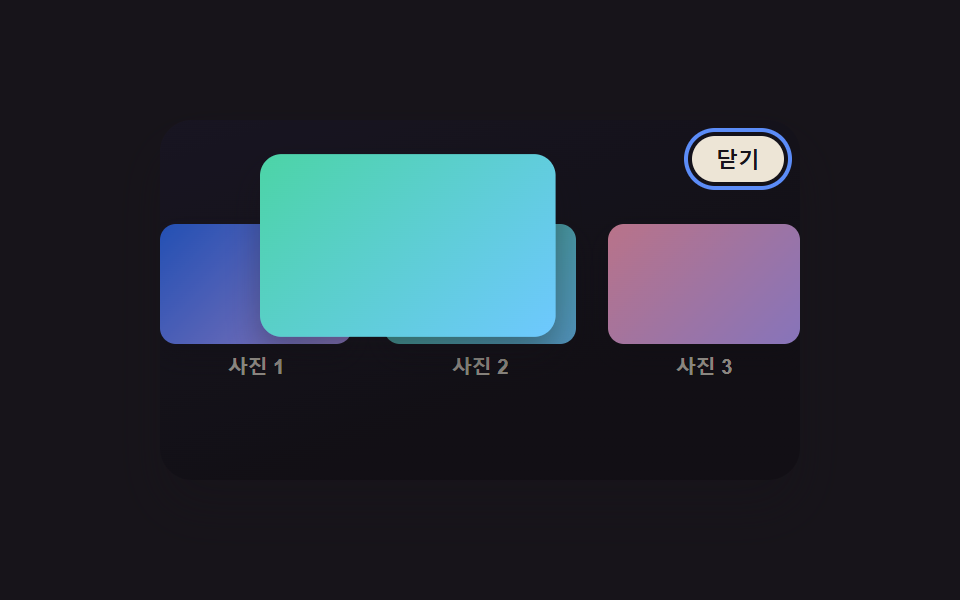 CSS Lightbox Gallery Animation — 9 TransitionsAmong nine css lightbox gallery ideas, one grows from the clicked thumbnail's spot, one times a downward flick to decide See all demos in this post
If you like this effect - similar demos
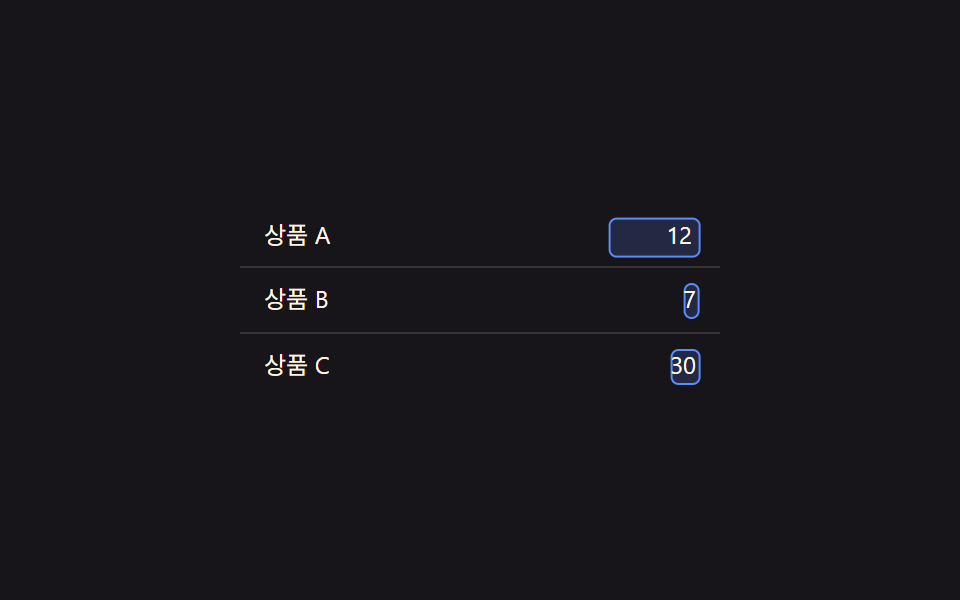 Transitions06 Edit-state value toggle — when a cell's edit-state value changes, a text value's spot switches to an input valueCollapsible Table Row: 9 UI Patterns
 Transitions01 Active-indicator slide-morph toggle — when the selected tab changes, the highlight's position and width values shift together from the old spot to the new oneCSS Bottom Navigation Bar: 9 Transition Patterns
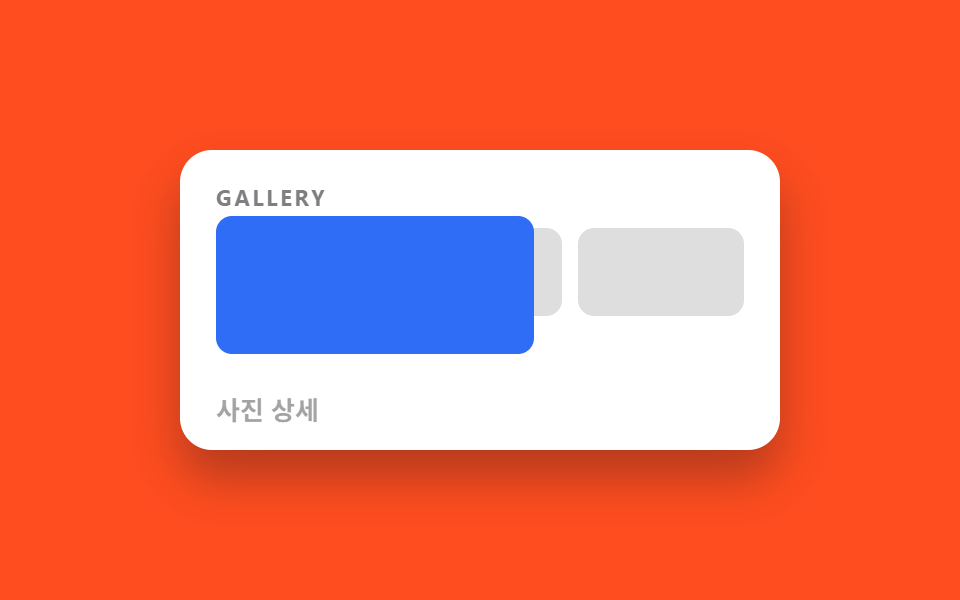 Transitions03 Shared element hero morph9 CSS Page Transitions — No Library, Pure CSS