04Squish ball
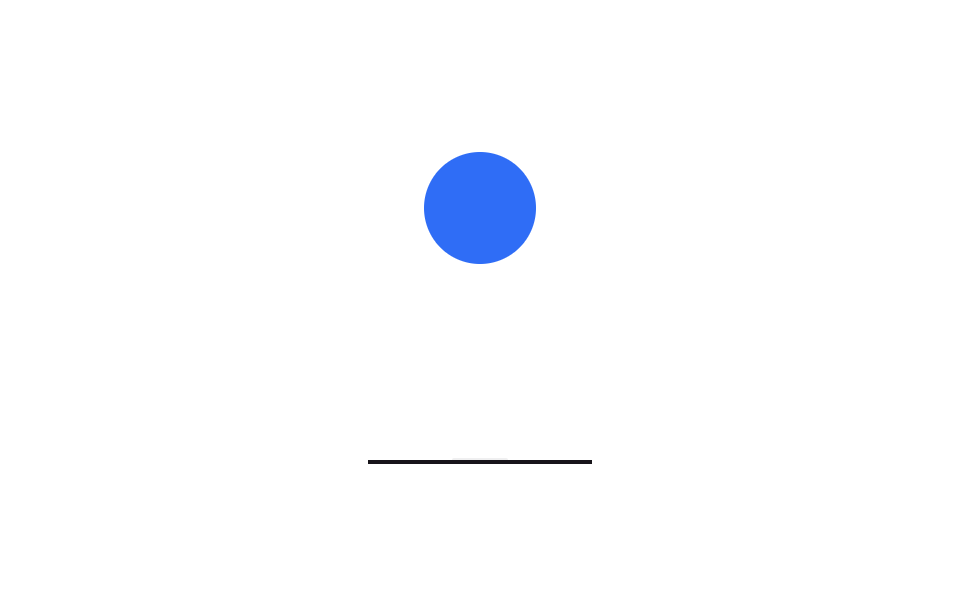
The ball drops, squashes flat against the floor for a beat, then rebounds — two separate timings with transform-origin pinned to the floor so the impact actually reads.
Best forPlayful app loading, a fun accent next to a refresh button
translateYscale(1.28, .55)transform-origin
<main class="stage">
  <div class="sq-scene is-demo" aria-hidden="true">
    <div class="sq-ball"></div>
    <div class="sq-shadow"></div>
    <div class="sq-floor"></div>
  </div>
</main>
@use "../../../../site/static/demo-tokens" as *;
// ── 변수 3개 ──────────────────────────────────────────
$duration: 1s;
$easing: cubic-bezier(.45, 0, .8, .6); // 떨어질 때: 점점 빨라지는 중력
$color: $subject-blue;
@include stage($stage-paper);
// 실사용: 로딩 중에만 .is-loading
.sq-scene {
position: relative;
width: 112px;
height: 164px;
}
.sq-ball {
position: absolute;
left: 50%;
bottom: 2px; // 바닥선(2px) 위에 정확히 얹힌다
width: 56px;
height: 56px;
margin-left: -28px;
border-radius: 50%;
background: $color;
transform-origin: 50% 100%; // 바닥에 닿은 채로 찍히게
}
.sq-shadow {
position: absolute;
left: 50%;
bottom: 0;
width: 56px;
height: $sp-1;
margin-left: -28px;
border-radius: $r-pill;
background: rgba(23, 20, 26, .22);
}
.sq-floor {
position: absolute;
left: 0;
bottom: 0;
width: 100%;
height: 2px;
background: $subject-ink;
}
.sq-scene.is-loading .sq-ball,
.sq-scene.is-demo .sq-ball {
animation: sq-bounce $duration $easing infinite;
}
.sq-scene.is-loading .sq-shadow,
.sq-scene.is-demo .sq-shadow {
animation: sq-shadow-pulse $duration $easing infinite;
}
@keyframes sq-bounce {
0% { transform: translateY(-98px) scale(1, 1); }
55% { transform: translateY(0) scale(1, 1); } // 바닥 도착
68% { transform: translateY(0) scale(1.28, .55); } // 쿵 — 찍힘
80% { transform: translateY(0) scale(.92, 1.08); } // 되튕기며 복원
100% { transform: translateY(-98px) scale(1, 1); }
}
@keyframes sq-shadow-pulse {
0%, 100% { transform: scale(.5); opacity: .3; }
55%, 80% { transform: scale(1.05); opacity: .75; }
}
@media (prefers-reduced-motion: reduce) {
.sq-scene.is-loading .sq-ball,
.sq-scene.is-demo .sq-ball {
animation: none !important;
transform: translateY(-40px) !important; // 정지해도 공중에 떠 있는 모양
}
.sq-scene.is-loading .sq-shadow,
.sq-scene.is-demo .sq-shadow {
animation: none !important;
opacity: .5 !important;
transform: scale(.8) !important;
}
}html, body {
margin: 0;
overflow: hidden;
}
.stage {
box-sizing: border-box;
min-height: 100vh;
display: grid;
place-items: center;
margin: 0;
background: #ffffff;
font-family: -apple-system, "Segoe UI", "Noto Sans KR", sans-serif;
padding: clamp(8px, 4vw, 24px);
}
.sq-scene {
position: relative;
width: 112px;
height: 164px;
}
.sq-ball {
position: absolute;
left: 50%;
bottom: 2px;
width: 56px;
height: 56px;
margin-left: -28px;
border-radius: 50%;
background: #2f6df6;
transform-origin: 50% 100%;
}
.sq-shadow {
position: absolute;
left: 50%;
bottom: 0;
width: 56px;
height: 4px;
margin-left: -28px;
border-radius: 999px;
background: rgba(23, 20, 26, 0.22);
}
.sq-floor {
position: absolute;
left: 0;
bottom: 0;
width: 100%;
height: 2px;
background: #17141a;
}
.sq-scene.is-loading .sq-ball,
.sq-scene.is-demo .sq-ball {
animation: sq-bounce 1s cubic-bezier(0.45, 0, 0.8, 0.6) infinite;
}
.sq-scene.is-loading .sq-shadow,
.sq-scene.is-demo .sq-shadow {
animation: sq-shadow-pulse 1s cubic-bezier(0.45, 0, 0.8, 0.6) infinite;
}
@keyframes sq-bounce {
0% {
transform: translateY(-98px) scale(1, 1);
}
55% {
transform: translateY(0) scale(1, 1);
}
68% {
transform: translateY(0) scale(1.28, 0.55);
}
80% {
transform: translateY(0) scale(0.92, 1.08);
}
100% {
transform: translateY(-98px) scale(1, 1);
}
}
@keyframes sq-shadow-pulse {
0%, 100% {
transform: scale(0.5);
opacity: 0.3;
}
55%, 80% {
transform: scale(1.05);
opacity: 0.75;
}
}
@media (prefers-reduced-motion: reduce) {
.sq-scene.is-loading .sq-ball,
.sq-scene.is-demo .sq-ball {
animation: none !important;
transform: translateY(-40px) !important;
}
.sq-scene.is-loading .sq-shadow,
.sq-scene.is-demo .sq-shadow {
animation: none !important;
opacity: 0.5 !important;
transform: scale(0.8) !important;
}
}import { CSSProperties } from "react";
import styles from "./SquishBall.module.scss";
type Vars = CSSProperties & {
"--duration"?: string;
"--easing"?: string;
"--color"?: string;
};
export interface SquishBallProps {
duration?: string;
easing?: string;
color?: string;
}
export default function SquishBall({
duration = "1s",
easing = "cubic-bezier(.45, 0, .8, .6)",
color = "#2f6df6",
}: SquishBallProps) {
const style: Vars = {
"--duration": duration,
"--easing": easing,
"--color": color,
};
return (
<div className={styles.scene} style={style} aria-hidden="true">
<div className={styles.ball} />
<div className={styles.shadow} />
<div className={styles.floor} />
</div>
);
}04 Squish ball — Measured area 5.947% · moving frames 23/23Original by GODRICH · SCSS and React ship in the zip · 9 Loading Screen Designs — Pretty CSS Loaders
The post this demo lives in
 9 Loading Screen Designs — Pretty CSS LoadersA loading screen design is the first thing your site says while the user waits. A pastel ring or a circle filling with w See all demos in this post