07Count-up number
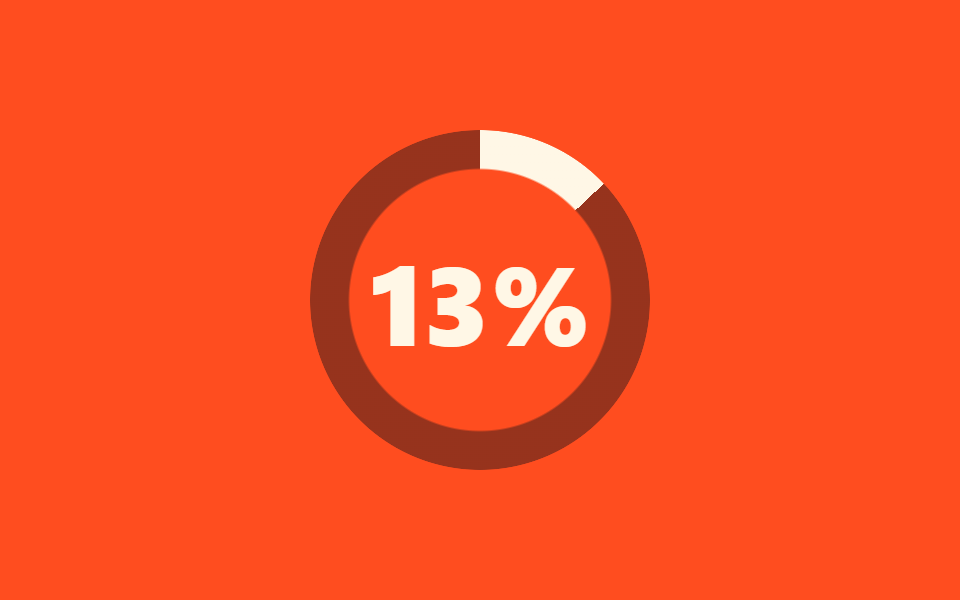
No JavaScript: a number custom property registered with @property climbs from 0 to 100 and prints through counter(), while a thin ring fills at the exact same pace so digits and gauge stay in lockstep.
Best forAsset preload percentage, app initialization progress
@propertycounter()linear
<main class="stage">
  <div class="cu-box is-demo" role="status">
    <span class="cu-sr-only">Loading</span>
    <div class="cu-ring" aria-hidden="true"></div>
    <span class="cu-num" aria-hidden="true"></span>
  </div>
</main>
@use "../../../../site/static/demo-tokens" as *;
// ── 변수 3개 ──────────────────────────────────────────
$duration: 2s;
$easing: linear;
$color: $subject-cream;
@include stage($stage-orange);
// 숫자 변수를 등록해야 애니메이션과 counter() 로 쓸 수 있다 (JS 없음)
@property --n {
syntax: "<integer>";
inherits: true;
initial-value: 0;
}
.cu-box {
position: relative;
width: 170px;
height: 170px;
display: grid;
place-items: center;
--n: 0;
}
.cu-sr-only {
position: absolute;
width: 1px;
height: 1px;
overflow: hidden;
clip-path: inset(50%);
white-space: nowrap;
}
.cu-ring {
position: absolute;
inset: 0;
border-radius: 50%;
background: conic-gradient($color calc(var(--n) * 1%), rgba(23, 20, 26, .45) 0);
mask: radial-gradient(farthest-side, #0000 calc(100% - 20px), #000 calc(100% - 19px));
}
.cu-num {
font-family: -apple-system, "Segoe UI", "Noto Sans KR", sans-serif;
font-size: 56px;
font-weight: 800;
line-height: 1;
color: $color;
counter-reset: n var(--n);
}
.cu-num::after {
content: counter(n) "%";
}
// 실사용: 로딩 중에만 .is-loading — 숫자와 링이 같은 변수를 읽어 정확히 맞물린다
.cu-box.is-loading,
.cu-box.is-demo {
animation: cu-count $duration $easing infinite;
}
@keyframes cu-count {
from { --n: 0; }
to { --n: 100; }
}
@media (prefers-reduced-motion: reduce) {
.cu-box.is-loading,
.cu-box.is-demo {
animation: none !important;
--n: 100 !important; // 100% 에 멈춘 모양
}
}html, body {
margin: 0;
overflow: hidden;
}
.stage {
box-sizing: border-box;
min-height: 100vh;
display: grid;
place-items: center;
margin: 0;
background: #ff4d1f;
font-family: -apple-system, "Segoe UI", "Noto Sans KR", sans-serif;
padding: clamp(8px, 4vw, 24px);
}
@property --n {
syntax: "<integer>";
inherits: true;
initial-value: 0;
}
.cu-box {
position: relative;
width: 170px;
height: 170px;
display: grid;
place-items: center;
--n: 0;
}
.cu-sr-only {
position: absolute;
width: 1px;
height: 1px;
overflow: hidden;
clip-path: inset(50%);
white-space: nowrap;
}
.cu-ring {
position: absolute;
inset: 0;
border-radius: 50%;
background: conic-gradient(#fff7e6 calc(var(--n) * 1%), rgba(23, 20, 26, 0.45) 0);
mask: radial-gradient(farthest-side, rgba(0, 0, 0, 0) calc(100% - 20px), #000 calc(100% - 19px));
}
.cu-num {
font-family: -apple-system, "Segoe UI", "Noto Sans KR", sans-serif;
font-size: 56px;
font-weight: 800;
line-height: 1;
color: #fff7e6;
counter-reset: n var(--n);
}
.cu-num::after {
content: counter(n) "%";
}
.cu-box.is-loading,
.cu-box.is-demo {
animation: cu-count 2s linear infinite;
}
@keyframes cu-count {
from {
--n: 0;
}
to {
--n: 100;
}
}
@media (prefers-reduced-motion: reduce) {
.cu-box.is-loading,
.cu-box.is-demo {
animation: none !important;
--n: 100 !important;
}
}import { CSSProperties } from "react";
import styles from "./CountUpNumber.module.scss";
type Vars = CSSProperties & {
"--duration"?: string;
"--easing"?: string;
"--color"?: string;
};
export interface CountUpNumberProps {
duration?: string;
easing?: string;
color?: string;
/** 화면에 표시할 짧은 안내 문구 (스크린리더용) */
label?: string;
}
export default function CountUpNumber({
duration = "2s",
easing = "linear",
color = "#fff7e6",
label = "Loading",
}: CountUpNumberProps) {
const style: Vars = {
"--duration": duration,
"--easing": easing,
"--color": color,
};
return (
<div className={styles.box} style={style} role="status">
<span className={styles.srOnly}>{label}</span>
<div className={styles.ring} aria-hidden="true" />
<span className={styles.num} aria-hidden="true" />
</div>
);
}07 Count-up number — Measured area 9.245% · moving frames 23/23Original by GODRICH · SCSS and React ship in the zip · 9 Loading Screen Designs — Pretty CSS Loaders
The post this demo lives in
 9 Loading Screen Designs — Pretty CSS LoadersA loading screen design is the first thing your site says while the user waits. A pastel ring or a circle filling with w See all demos in this post