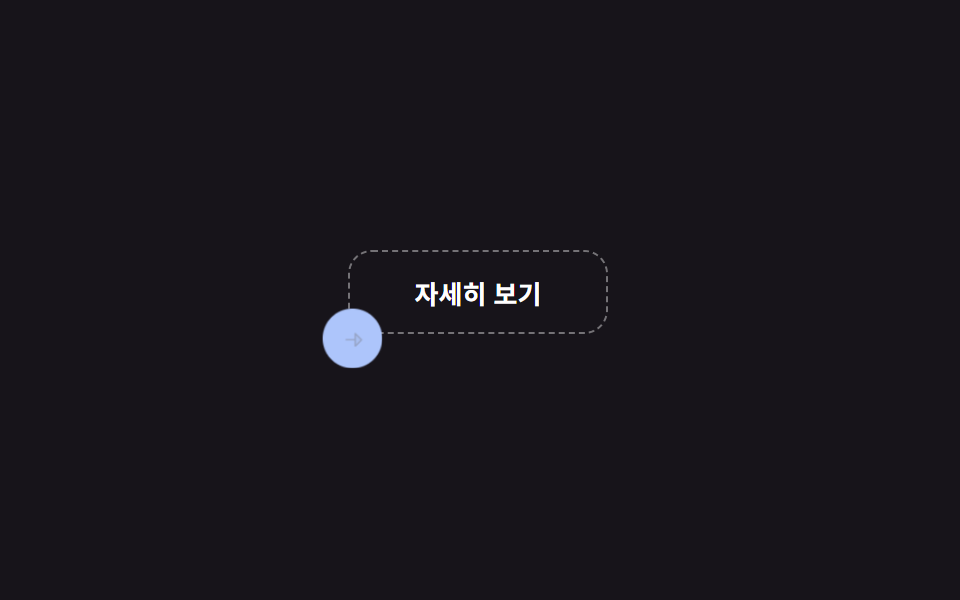
01Cursor shape morph
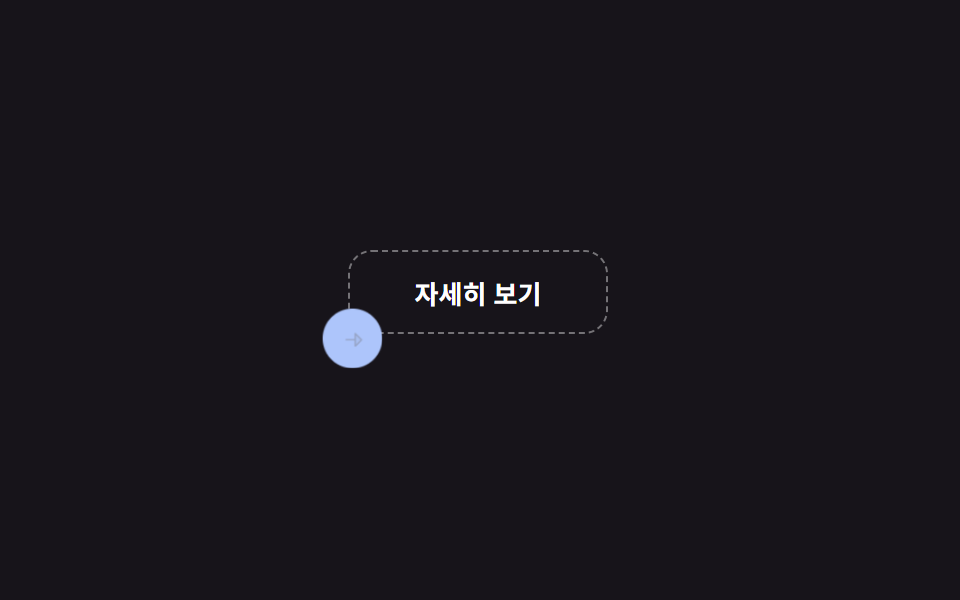
Hovering a link grows the small dot cursor into a blue ring with an arrow inside; leaving shrinks it back to a dot.
Best forPortfolio/agency site link and CTA emphasis
pointermove translatedata-cursor 속성pointer:coarse 터치 제외
<main class="stage">
  <div class="cm-area is-demo">
    <a class="cm-link" href="#" data-cursor="link" tabindex="-1">Learn more</a>
    <div class="cm-cursor" aria-hidden="true">
      <span class="cm-cursor__shape">
        <svg viewBox="0 0 256 256"><g fill="currentColor"><path d="m216 128l-72 72V56Z" opacity=".2"/><path d="m221.66 122.34l-72-72A8 8 0 0 0 136 56v64H40a8 8 0 0 0 0 16h96v64a8 8 0 0 0 13.66 5.66l72-72a8 8 0 0 0 0-11.32M152 180.69V75.31L204.69 128Z"/></g></svg>
      </span>
    </div>
  </div>
</main>
@use "../../../../site/static/demo-tokens" as *;
$duration: $dur-quick; // 커서 모양 전환 시간
$easing: $ease-spring;
$color: $stage-paper;
@include stage($stage-ink);
.cm-area {
position: relative;
width: min(220px, 74vw);
height: 110px;
}
.cm-link {
position: absolute;
left: 44px;
top: 30px;
width: 128px;
height: 40px;
display: grid;
place-items: center;
border-radius: $r-control;
border: 1px dashed rgba(255, 255, 255, .4);
color: $color;
font-size: 13px;
font-weight: 700;
text-decoration: none;
}
// pointer(마우스)가 있는 기기만 커스텀 커서를 그린다 — 손가락엔 커서가 없다
.cm-cursor {
position: absolute;
left: 0;
top: 0;
width: 0;
height: 0;
pointer-events: none;
transform: translate(6px, 90px);
transition: transform $duration $easing;
}
.cm-cursor__shape {
position: absolute;
left: -11px;
top: -11px;
width: 22px;
height: 22px;
display: grid;
place-items: center;
border-radius: $r-pill;
background: $color;
transition: transform $duration $easing, background $duration $easing;
}
.cm-cursor__shape svg {
width: 13px;
height: 13px;
color: $stage-ink;
opacity: 0;
transform: scale(.4);
transition: opacity $duration $easing, transform $duration $easing;
}
.cm-cursor.is-link .cm-cursor__shape {
transform: scale(1.9);
background: $subject-blue;
}
.cm-cursor.is-link .cm-cursor__shape svg {
opacity: 1;
transform: scale(1);
color: $stage-paper;
}
@media (hover: none), (pointer: coarse) {
.cm-cursor { display: none; } // 터치 기기: 커스텀 커서 자체가 의미 없다 (함정 참고)
}
// 데모 강제 루프 — 실제 pointermove 없이도 같은 두 상태를 오간다
.cm-area.is-demo .cm-cursor { animation: cm-move $dur-loop $easing infinite; }
.cm-area.is-demo .cm-cursor__shape { animation: cm-shape $dur-loop $easing infinite; }
.cm-area.is-demo .cm-cursor__shape svg { animation: cm-icon $dur-loop $easing infinite; }
@keyframes cm-move {
0%, 12% { transform: translate(6px, 90px); }
40%, 62% { transform: translate(108px, 50px); }
90%, 100% { transform: translate(6px, 90px); }
}
@keyframes cm-shape {
0%, 12% { transform: scale(1); background: $color; }
40%, 62% { transform: scale(1.9); background: $subject-blue; }
90%, 100% { transform: scale(1); background: $color; }
}
@keyframes cm-icon {
0%, 12% { opacity: 0; transform: scale(.4); color: $stage-ink; }
40%, 62% { opacity: 1; transform: scale(1); color: $stage-paper; }
90%, 100% { opacity: 0; transform: scale(.4); color: $stage-ink; }
}
@media (prefers-reduced-motion: reduce) {
.cm-cursor, .cm-cursor__shape, .cm-cursor__shape svg { animation: none !important; transition: none !important; }
}html, body {
margin: 0;
overflow: hidden;
}
.stage {
box-sizing: border-box;
min-height: 100vh;
display: grid;
place-items: center;
margin: 0;
background: #17141a;
font-family: -apple-system, "Segoe UI", "Noto Sans KR", sans-serif;
padding: clamp(8px, 4vw, 24px);
}
.cm-area {
position: relative;
width: min(220px, 74vw);
height: 110px;
}
.cm-link {
position: absolute;
left: 44px;
top: 30px;
width: 128px;
height: 40px;
display: grid;
place-items: center;
border-radius: 12px;
border: 1px dashed rgba(255, 255, 255, 0.4);
color: #ffffff;
font-size: 13px;
font-weight: 700;
text-decoration: none;
}
.cm-cursor {
position: absolute;
left: 0;
top: 0;
width: 0;
height: 0;
pointer-events: none;
transform: translate(6px, 90px);
transition: transform 220ms cubic-bezier(0.2, 0.8, 0.2, 1);
}
.cm-cursor__shape {
position: absolute;
left: -11px;
top: -11px;
width: 22px;
height: 22px;
display: grid;
place-items: center;
border-radius: 999px;
background: #ffffff;
transition: transform 220ms cubic-bezier(0.2, 0.8, 0.2, 1), background 220ms cubic-bezier(0.2, 0.8, 0.2, 1);
}
.cm-cursor__shape svg {
width: 13px;
height: 13px;
color: #17141a;
opacity: 0;
transform: scale(0.4);
transition: opacity 220ms cubic-bezier(0.2, 0.8, 0.2, 1), transform 220ms cubic-bezier(0.2, 0.8, 0.2, 1);
}
.cm-cursor.is-link .cm-cursor__shape {
transform: scale(1.9);
background: #2f6df6;
}
.cm-cursor.is-link .cm-cursor__shape svg {
opacity: 1;
transform: scale(1);
color: #ffffff;
}
@media (hover: none), (pointer: coarse) {
.cm-cursor {
display: none;
}
}
.cm-area.is-demo .cm-cursor {
animation: cm-move 2s cubic-bezier(0.2, 0.8, 0.2, 1) infinite;
}
.cm-area.is-demo .cm-cursor__shape {
animation: cm-shape 2s cubic-bezier(0.2, 0.8, 0.2, 1) infinite;
}
.cm-area.is-demo .cm-cursor__shape svg {
animation: cm-icon 2s cubic-bezier(0.2, 0.8, 0.2, 1) infinite;
}
@keyframes cm-move {
0%, 12% {
transform: translate(6px, 90px);
}
40%, 62% {
transform: translate(108px, 50px);
}
90%, 100% {
transform: translate(6px, 90px);
}
}
@keyframes cm-shape {
0%, 12% {
transform: scale(1);
background: #ffffff;
}
40%, 62% {
transform: scale(1.9);
background: #2f6df6;
}
90%, 100% {
transform: scale(1);
background: #ffffff;
}
}
@keyframes cm-icon {
0%, 12% {
opacity: 0;
transform: scale(0.4);
color: #17141a;
}
40%, 62% {
opacity: 1;
transform: scale(1);
color: #ffffff;
}
90%, 100% {
opacity: 0;
transform: scale(0.4);
color: #17141a;
}
}
@media (prefers-reduced-motion: reduce) {
.cm-cursor, .cm-cursor__shape, .cm-cursor__shape svg {
animation: none !important;
transition: none !important;
}
}(function () {
var area = document.querySelector('.cm-area');
var cursor = area.querySelector('.cm-cursor');
var link = area.querySelector('.cm-link');
// 실제 사용자: pointermove 로 커서 점이 실제 포인터를 따라가고, data-cursor 요소 위에서 링+화살표로 커진다
area.addEventListener('pointermove', function (e) {
if (area.classList.contains('is-demo')) return;
var r = area.getBoundingClientRect();
cursor.style.transform = 'translate(' + (e.clientX - r.left) + 'px,' + (e.clientY - r.top) + 'px)';
});
link.addEventListener('pointerenter', function () { cursor.classList.add('is-link'); });
link.addEventListener('pointerleave', function () { cursor.classList.remove('is-link'); });
// 터치 기기엔 pointermove 오버가 없다 — 첫 터치를 감지하면 데모 루프로 되돌려 커서가 화면에 박혀 남지 않게 한다
area.addEventListener('pointerdown', function (e) {
if (e.pointerType === 'touch') { area.classList.add('is-demo'); cursor.style.transform = ''; }
});
})();import { useRef, type CSSProperties, type PointerEvent } from "react";
import styles from "./CursorShapeMorphLink.module.scss";
export type CursorShapeMorphLinkProps = {
href?: string;
label?: string;
duration?: number;
easing?: string;
color?: string;
};
type Vars = CSSProperties & { "--duration"?: string; "--easing"?: string; "--color"?: string };
/** pointermove 로 커서 점이 따라가고, 링크 위에서 화살표 든 원으로 커진다. 터치 기기는 CSS 로 커서를 숨긴다 */
export default function CursorShapeMorphLink({
href = "#",
label = "자세히 보기",
duration = 220,
easing = "cubic-bezier(.2,.8,.2,1)",
color = "#ffffff",
}: CursorShapeMorphLinkProps) {
const areaRef = useRef<HTMLDivElement>(null);
const cursorRef = useRef<HTMLDivElement>(null);
const vars: Vars = { "--duration": `${duration}ms`, "--easing": easing, "--color": color };
const move = (e: PointerEvent<HTMLDivElement>) => {
const area = areaRef.current, cursor = cursorRef.current;
if (!area || !cursor) return;
const r = area.getBoundingClientRect();
cursor.style.transform = `translate(${e.clientX - r.left}px,${e.clientY - r.top}px)`;
};
return (
<div ref={areaRef} className={styles.area} style={vars} onPointerMove={move}>
<a
className={styles.link}
href={href}
onPointerEnter={() => cursorRef.current?.classList.add(styles.isLink)}
onPointerLeave={() => cursorRef.current?.classList.remove(styles.isLink)}
>
{label}
</a>
<div ref={cursorRef} className={styles.cursor} aria-hidden="true">
<span className={styles.shape}>
<svg viewBox="0 0 256 256"><g fill="currentColor"><path d="m216 128l-72 72V56Z" opacity=".2" /><path d="m221.66 122.34l-72-72A8 8 0 0 0 136 56v64H40a8 8 0 0 0 0 16h96v64a8 8 0 0 0 13.66 5.66l72-72a8 8 0 0 0 0-11.32M152 180.69V75.31L204.69 128Z" /></g></svg>
</span>
</div>
</div>
);
}01 Cursor shape morph — Measured area 3.019% · moving frames 16/23Original by GODRICH · SCSS and React ship in the zip · 9 Mouse Effects CSS Tricks You Can Copy-Paste
The post this demo lives in
 9 Mouse Effects CSS Tricks You Can Copy-PasteMouse effects css tricks are small interactions that react to pointer moves, clicks, drags, or scrolls. The cursor barel See all demos in this post