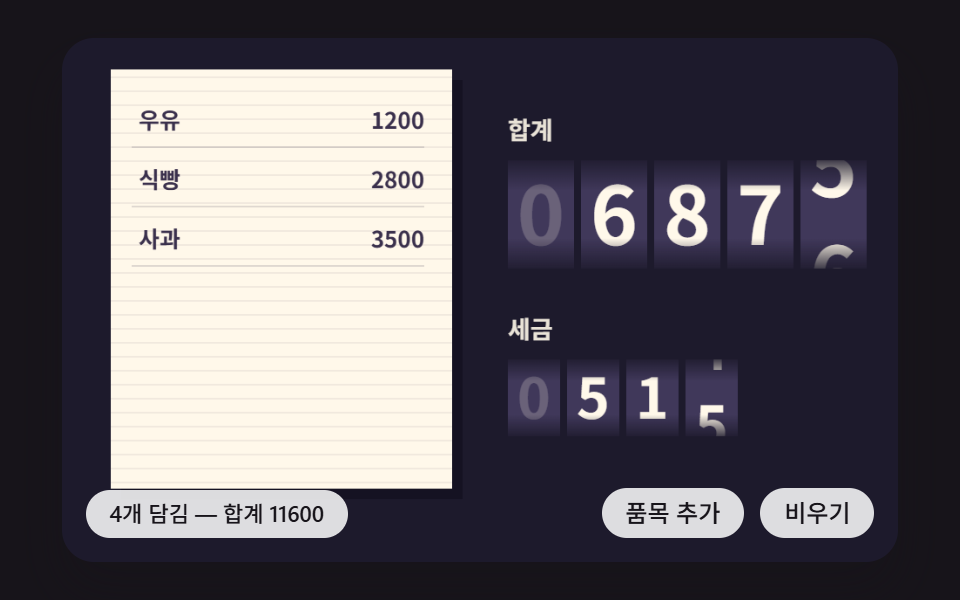
05A Total Line Where Digits Roll Vertically as Items Are Added and the Tax Row Follows One Beat Late
Each digit chases its target with inertia, and the tax row receives the total through a delay filter so it settles slightly later.
Best forCart totals and checkout summary cards
DIGIT_HINERTIATAX_RATEDELAY_MS
<main class="stage">
<div class="rc is-demo" id="rc">
  <canvas class="rc__canvas" data-role="canvas" width="480" height="300" aria-label="Each time an item is added the total wheels roll up with inertia and the tax line follows one beat later"></canvas>
  <p class="rc__status" data-role="status" aria-live="polite">Empty</p>
  <div class="rc__tools">
    <button class="rc__btn" data-role="btn" type="button">Add item</button>
    <button class="rc__btn" data-role="clear" type="button">Clear</button>
  </div>
</div>
</main>
@use "../../../../site/static/demo-tokens" as *;
@include stage($stage-ink);
.rc {
position: relative;
width: min(92vw, calc(160vh - 12.8vw));
aspect-ratio: 480 / 300;
margin: 0 auto;
border-radius: $r-card;
overflow: hidden;
box-shadow: $shadow-raised;
background: $subject-ink;
}
.rc__canvas {
display: block;
width: 100%;
height: 100%;
}
.rc__canvas:focus-visible {
outline: 2px solid rgba(255, 255, 255, .85);
outline-offset: -6px;
}
.rc__status {
position: absolute;
left: $sp-3;
bottom: $sp-3;
max-width: 46%;
margin: 0;
padding: $sp-1 $sp-3;
border-radius: $r-control;
background: rgba(255, 255, 255, .85);
color: $subject-ink;
font-weight: 500;
font-size: 11px;
line-height: 1.4;
pointer-events: none;
}
.rc__tools {
position: absolute;
right: $sp-3;
bottom: $sp-3;
display: flex;
gap: $sp-2;
}
.rc__btn {
margin: 0;
padding: $sp-1 $sp-3;
border: 0;
border-radius: $r-pill;
background: rgba(255, 255, 255, .85);
color: $subject-ink;
font: inherit;
font-weight: 500;
font-size: 12px;
line-height: 1.4;
cursor: pointer;
}
.rc__btn[aria-pressed="true"] {
background: $subject-mint;
}
.rc__btn:focus-visible {
outline: 2px solid rgba(255, 255, 255, .95);
outline-offset: 2px;
}
@media (max-width: 340px) {
.rc__btn { font-size: 10px; padding: $sp-1 $sp-2; }
.rc__status { font-size: 10px; padding: $sp-1 $sp-2; }
}
@media (prefers-reduced-motion: reduce) {
.rc { cursor: default; }
.rc__chip { cursor: default; }
}html, body {
margin: 0;
overflow: hidden;
}
.stage {
box-sizing: border-box;
min-height: 100vh;
display: grid;
place-items: center;
margin: 0;
background: #17141a;
font-family: -apple-system, "Segoe UI", "Noto Sans KR", sans-serif;
padding: clamp(8px, 4vw, 24px);
}
.rc {
position: relative;
width: min(92vw, 160vh - 12.8vw);
aspect-ratio: 480/300;
margin: 0 auto;
border-radius: 16px;
overflow: hidden;
box-shadow: 0 14px 24px rgba(23, 20, 26, 0.32);
background: #17141a;
}
.rc__canvas {
display: block;
width: 100%;
height: 100%;
}
.rc__canvas:focus-visible {
outline: 2px solid rgba(255, 255, 255, 0.85);
outline-offset: -6px;
}
.rc__status {
position: absolute;
left: 12px;
bottom: 12px;
max-width: 46%;
margin: 0;
padding: 4px 12px;
border-radius: 12px;
background: rgba(255, 255, 255, 0.85);
color: #17141a;
font-weight: 500;
font-size: 11px;
line-height: 1.4;
pointer-events: none;
}
.rc__tools {
position: absolute;
right: 12px;
bottom: 12px;
display: flex;
gap: 8px;
}
.rc__btn {
margin: 0;
padding: 4px 12px;
border: 0;
border-radius: 999px;
background: rgba(255, 255, 255, 0.85);
color: #17141a;
font: inherit;
font-weight: 500;
font-size: 12px;
line-height: 1.4;
cursor: pointer;
}
.rc__btn[aria-pressed=true] {
background: #4cd4a6;
}
.rc__btn:focus-visible {
outline: 2px solid rgba(255, 255, 255, 0.95);
outline-offset: 2px;
}
@media (max-width: 340px) {
.rc__btn {
font-size: 10px;
padding: 4px 8px;
}
.rc__status {
font-size: 10px;
padding: 4px 8px;
}
}
@media (prefers-reduced-motion: reduce) {
.rc {
cursor: default;
}
.rc__chip {
cursor: default;
}
}(function () {
const root = document.getElementById("rc");
if (!root) return;
const W = 480;
const H = 300;
const FIXED_DT = 16;
// 파스텔 팔레트 — 어두운 무대 위에 밝은 종이를 얹어 명도 차로 읽힌다
const BG = [29, 26, 44];
const PAPER = [255, 248, 234];
const INK = [58, 48, 76];
const MINT = [126, 226, 192];
const SKY = [124, 196, 255];
const LILAC = [190, 164, 255];
const PINK = [255, 160, 190];
const PEACH = [255, 208, 168];
function clamp(v, lo, hi) { return v < lo ? lo : (v > hi ? hi : v); }
function lerp(a, b, k) { return a + (b - a) * k; }
function smooth(x) { const c = clamp(x, 0, 1); return c * c * (3 - 2 * c); }
function rgba(c, a) {
return 'rgba(' + Math.round(c[0]) + ',' + Math.round(c[1]) + ',' + Math.round(c[2]) + ',' + clamp(a, 0, 1).toFixed(3) + ')';
}
function mix(a, b, k) { return [lerp(a[0], b[0], k), lerp(a[1], b[1], k), lerp(a[2], b[2], k)]; }
// 시드 고정 난수 — 같은 시드면 언제나 같은 수열 (선형 합동 방식)
function lcg(seed) {
let s = seed >>> 0;
return function () {
s = (Math.imul(s, 1664525) + 1013904223) >>> 0;
return s / 4294967296;
};
}
const canvasEl = root.querySelector('[data-role="canvas"]');
const statusEl = root.querySelector('[data-role="status"]');
const ctxRaw = canvasEl ? canvasEl.getContext('2d') : null;
if (!canvasEl || !ctxRaw || !statusEl) {
return;
}
const cv = canvasEl;
const ctx = ctxRaw;
const status = statusEl;
const reduceQuery = window.matchMedia('(prefers-reduced-motion: reduce)');
function fitCanvas() {
const dpr = window.devicePixelRatio || 1;
cv.width = Math.round(W * dpr);
cv.height = Math.round(H * dpr);
ctx.setTransform(dpr, 0, 0, dpr, 0, 0);
}
function onResize() {
fitCanvas();
if (reduceQuery.matches) {
draw();
}
}
fitCanvas();
window.addEventListener('resize', onResize);
// 화면 좌표(CSS px) → 장면 좌표(480x300). 리사이즈 뒤에도 늘 현재 크기로 다시 잰다
function toScene(ev) {
const r = cv.getBoundingClientRect();
return [((ev.clientX - r.left) / r.width) * W, ((ev.clientY - r.top) / r.height) * H];
}
const DIGIT_H = 62;
const INERTIA = 0.9;
const PULL_K = 0.0052;
const TAX_RATE = 0.1;
const DELAY_MS = 260;
const ADD_MS = 440;
const HOLD_MS = 900;
const TXT_SUM = 'Total';
const TXT_TAX = 'Tax';
const TXT_COUNT = ' items added — total ';
const TXT_EMPTY = 'Empty';
const NAMES = ['Milk', 'Bread', 'Apples', 'Eggs', 'Tangerines'];
const PRICES = [1200, 2800, 3500, 4100, 1900];
const addBtn = root.querySelector('[data-role="btn"]');
const clearBtn = root.querySelector('[data-role="clear"]');
let count = 0;
let target = 0;
let shown = 0;
let speed = 0;
let taxShown = 0;
let clock = 0;
let nextAt = 200;
let userTouched = false;
const addedAt = [];
function totalOf(n) {
let s = 0;
for (let i = 0; i < n; i += 1) {
s += PRICES[i];
}
return s;
}
// 숫자 판 하나가 놓이는 위치 — 올림이 일어나는 구간(바로 아래 자리가 9.9 를 넘길 때)에만 구른다
function digitPos(value, d) {
if (d === 0) {
return value;
}
const scale = Math.pow(10, d);
const base = Math.floor(value / scale);
const f = value / scale - base;
return base + smooth((f - 0.9) / 0.1);
}
function announce() {
status.textContent = count === 0 ? TXT_EMPTY : count + TXT_COUNT + target;
}
function addItem() {
if (count >= PRICES.length) {
return;
}
addedAt[count] = clock;
count += 1;
target = totalOf(count);
announce();
}
function clearAll() {
count = 0;
target = 0;
announce();
}
function step() {
clock += FIXED_DT;
if (!userTouched && clock >= nextAt) {
if (count >= PRICES.length) {
clearAll();
nextAt = clock + 700;
}
else {
addItem();
nextAt = clock + (count >= PRICES.length ? HOLD_MS : ADD_MS);
}
}
// 관성 — 목표를 지나쳤다가 되돌아와 멈춘다
speed = speed * INERTIA + (target - shown) * PULL_K * (FIXED_DT / 16);
shown = Math.max(0, shown + speed);
// Tax 줄은 화면에 보이는 합계를 한 박자 늦게 따라간다 (지연 필터)
taxShown += (shown * TAX_RATE - taxShown) * (1 - Math.exp(-FIXED_DT / DELAY_MS));
}
function settle() {
count = PRICES.length;
target = totalOf(count);
shown = target;
taxShown = target * TAX_RATE;
for (let i = 0; i < count; i += 1) {
addedAt[i] = -9999;
}
announce();
}
function drawWheel(x, y, w, h, p, dim, size) {
ctx.fillStyle = rgba(mix(BG, LILAC, 0.22), 1);
ctx.fillRect(x, y, w, h);
ctx.save();
ctx.beginPath();
ctx.rect(x, y, w, h);
ctx.clip();
const base = Math.floor(p);
const f = p - base;
ctx.font = '700 ' + size + 'px ui-monospace, "Noto Sans KR", monospace';
ctx.textAlign = 'center';
ctx.textBaseline = 'middle';
ctx.fillStyle = rgba(PAPER, dim ? 0.22 : 1);
const a = ((base % 10) + 10) % 10;
ctx.fillText(String(a), x + w / 2, y + h / 2 - f * h);
ctx.fillText(String((a + 1) % 10), x + w / 2, y + h / 2 + (1 - f) * h);
// 둥근 판의 위아래가 어두워지는 음영
const sh = ctx.createLinearGradient(0, y, 0, y + h);
sh.addColorStop(0, rgba(BG, 0.85));
sh.addColorStop(0.28, rgba(BG, 0));
sh.addColorStop(0.72, rgba(BG, 0));
sh.addColorStop(1, rgba(BG, 0.85));
ctx.fillStyle = sh;
ctx.fillRect(x, y, w, h);
ctx.restore();
ctx.textBaseline = 'alphabetic';
}
function drawOdometer(x, y, digits, value, w, h, size) {
for (let k = 0; k < digits; k += 1) {
const d = digits - 1 - k;
const lead = value < Math.pow(10, d) - 0.5 && d > 0;
drawWheel(x + k * (w + 4), y, w, h, digitPos(value, d), lead, size);
}
}
function draw() {
ctx.fillStyle = rgba(BG, 1);
ctx.fillRect(0, 0, W, H);
// 왼쪽 영수증 종이
ctx.fillStyle = rgba([10, 8, 22], 0.45);
ctx.fillRect(34, 24, 196, 240);
ctx.fillStyle = rgba(PAPER, 1);
ctx.fillRect(28, 18, 196, 240);
ctx.fillStyle = rgba(INK, 0.07);
for (let y = 22; y < 256; y += 8) {
ctx.fillRect(28, y, 196, 1);
}
ctx.font = '600 13px "Noto Sans KR", ui-monospace, monospace';
for (let i = 0; i < count; i += 1) {
const age = clamp((clock - addedAt[i]) / 240, 0, 1);
const y = 52 + i * 34;
ctx.fillStyle = rgba(INK, smooth(age));
ctx.textAlign = 'left';
ctx.fillText(NAMES[i], 44 - (1 - smooth(age)) * 26, y);
ctx.textAlign = 'right';
ctx.fillText(String(PRICES[i]), 208 + (1 - smooth(age)) * 26, y);
ctx.fillStyle = rgba(INK, 0.16 * smooth(age));
ctx.fillRect(40, y + 10, 168, 1);
}
// 오른쪽 숫자 판
ctx.font = '700 14px "Noto Sans KR", ui-monospace, monospace';
ctx.textAlign = 'left';
ctx.fillStyle = rgba(PAPER, 0.9);
ctx.fillText(TXT_SUM, 256, 58);
drawOdometer(256, 70, 5, shown, 38, DIGIT_H, 46);
ctx.fillStyle = rgba(PAPER, 0.9);
ctx.font = '700 14px "Noto Sans KR", ui-monospace, monospace';
ctx.fillText(TXT_TAX, 256, 172);
drawOdometer(256, 184, 4, taxShown, 30, 44, 32);
}
function press() {
userTouched = true;
if (reduceQuery.matches) {
addItem();
shown = target;
taxShown = target * TAX_RATE;
draw();
return;
}
addItem();
}
if (addBtn) {
addBtn.addEventListener('click', press);
}
if (clearBtn) {
clearBtn.addEventListener('click', function () {
userTouched = true;
clearAll();
if (reduceQuery.matches) {
shown = 0;
taxShown = 0;
draw();
}
});
}
let rafId = 0;
let lastTs = -1;
let acc = 0;
function frame(ts) {
if (lastTs < 0) {
lastTs = ts;
}
acc += Math.min(ts - lastTs, 100);
lastTs = ts;
let n = 0;
while (acc >= FIXED_DT && n < 6) {
step();
acc -= FIXED_DT;
n += 1;
}
draw();
rafId = window.requestAnimationFrame(frame);
}
if (reduceQuery.matches) {
settle();
draw();
}
else {
rafId = window.requestAnimationFrame(frame);
}
return function () {
window.cancelAnimationFrame(rafId);
window.removeEventListener('resize', onResize);
};
})();// RecTotalOdometerRollTaxTick - vanilla 판(05-rec-total-odometer-roll-tax-tick) 의 React 포트. 같은 계산을 useEffect 안에서 돌린다.
import { useEffect, useRef } from "react";
import styles from "./RecTotalOdometerRollTaxTick.module.scss";
const cx = (s: string): string => s.split(" ").map((n) => styles[n] ?? n).join(" ");
export default function RecTotalOdometerRollTaxTick() {
const rootRef = useRef<HTMLDivElement | null>(null);
useEffect(() => {
const rootEl = rootRef.current;
if (!rootEl) return;
const root: HTMLElement = rootEl;
type RGB = [number, number, number];
const W = 480;
const H = 300;
const FIXED_DT = 16;
// 파스텔 팔레트 — 어두운 무대 위에 밝은 종이를 얹어 명도 차로 읽힌다
const BG: RGB = [29, 26, 44];
const PAPER: RGB = [255, 248, 234];
const INK: RGB = [58, 48, 76];
const MINT: RGB = [126, 226, 192];
const SKY: RGB = [124, 196, 255];
const LILAC: RGB = [190, 164, 255];
const PINK: RGB = [255, 160, 190];
const PEACH: RGB = [255, 208, 168];
function clamp(v: number, lo: number, hi: number): number { return v < lo ? lo : (v > hi ? hi : v); }
function lerp(a: number, b: number, k: number): number { return a + (b - a) * k; }
function smooth(x: number): number { const c = clamp(x, 0, 1); return c * c * (3 - 2 * c); }
function rgba(c: RGB, a: number): string {
return 'rgba(' + Math.round(c[0]) + ',' + Math.round(c[1]) + ',' + Math.round(c[2]) + ',' + clamp(a, 0, 1).toFixed(3) + ')';
}
function mix(a: RGB, b: RGB, k: number): RGB { return [lerp(a[0], b[0], k), lerp(a[1], b[1], k), lerp(a[2], b[2], k)]; }
// 시드 고정 난수 — 같은 시드면 언제나 같은 수열 (선형 합동 방식)
function lcg(seed: number): () => number {
let s = seed >>> 0;
return function (): number {
s = (Math.imul(s, 1664525) + 1013904223) >>> 0;
return s / 4294967296;
};
}
const canvasEl = root.querySelector('[data-role="canvas"]') as HTMLCanvasElement | null;
const statusEl = root.querySelector('[data-role="status"]') as HTMLElement | null;
const ctxRaw = canvasEl ? canvasEl.getContext('2d') : null;
if (!canvasEl || !ctxRaw || !statusEl) { return; }
const cv: HTMLCanvasElement = canvasEl;
const ctx: CanvasRenderingContext2D = ctxRaw;
const status: HTMLElement = statusEl;
const reduceQuery = window.matchMedia('(prefers-reduced-motion: reduce)');
function fitCanvas(): void {
const dpr = window.devicePixelRatio || 1;
cv.width = Math.round(W * dpr);
cv.height = Math.round(H * dpr);
ctx.setTransform(dpr, 0, 0, dpr, 0, 0);
}
function onResize(): void {
fitCanvas();
if (reduceQuery.matches) { draw(); }
}
fitCanvas();
window.addEventListener('resize', onResize);
// 화면 좌표(CSS px) → 장면 좌표(480x300). 리사이즈 뒤에도 늘 현재 크기로 다시 잰다
function toScene(ev: PointerEvent): [number, number] {
const r = cv.getBoundingClientRect();
return [((ev.clientX - r.left) / r.width) * W, ((ev.clientY - r.top) / r.height) * H];
}
const DIGIT_H = 62;
const INERTIA = 0.9;
const PULL_K = 0.0052;
const TAX_RATE = 0.1;
const DELAY_MS = 260;
const ADD_MS = 440;
const HOLD_MS = 900;
const TXT_SUM = '합계';
const TXT_TAX = '세금';
const TXT_COUNT = '개 담김 — 합계 ';
const TXT_EMPTY = '비어 있음';
const NAMES: string[] = ['우유', '식빵', '사과', '달걀', '귤'];
const PRICES: number[] = [1200, 2800, 3500, 4100, 1900];
const addBtn = root.querySelector('[data-role="btn"]') as HTMLButtonElement | null;
const clearBtn = root.querySelector('[data-role="clear"]') as HTMLButtonElement | null;
let count = 0;
let target = 0;
let shown = 0;
let speed = 0;
let taxShown = 0;
let clock = 0;
let nextAt = 200;
let userTouched = false;
const addedAt: number[] = [];
function totalOf(n: number): number {
let s = 0;
for (let i = 0; i < n; i += 1) { s += PRICES[i]; }
return s;
}
// 숫자 판 하나가 놓이는 위치 — 올림이 일어나는 구간(바로 아래 자리가 9.9 를 넘길 때)에만 구른다
function digitPos(value: number, d: number): number {
if (d === 0) { return value; }
const scale = Math.pow(10, d);
const base = Math.floor(value / scale);
const f = value / scale - base;
return base + smooth((f - 0.9) / 0.1);
}
function announce(): void {
status.textContent = count === 0 ? TXT_EMPTY : count + TXT_COUNT + target;
}
function addItem(): void {
if (count >= PRICES.length) { return; }
addedAt[count] = clock;
count += 1;
target = totalOf(count);
announce();
}
function clearAll(): void {
count = 0;
target = 0;
announce();
}
function step(): void {
clock += FIXED_DT;
if (!userTouched && clock >= nextAt) {
if (count >= PRICES.length) {
clearAll();
nextAt = clock + 700;
} else {
addItem();
nextAt = clock + (count >= PRICES.length ? HOLD_MS : ADD_MS);
}
}
// 관성 — 목표를 지나쳤다가 되돌아와 멈춘다
speed = speed * INERTIA + (target - shown) * PULL_K * (FIXED_DT / 16);
shown = Math.max(0, shown + speed);
// 세금 줄은 화면에 보이는 합계를 한 박자 늦게 따라간다 (지연 필터)
taxShown += (shown * TAX_RATE - taxShown) * (1 - Math.exp(-FIXED_DT / DELAY_MS));
}
function settle(): void {
count = PRICES.length;
target = totalOf(count);
shown = target;
taxShown = target * TAX_RATE;
for (let i = 0; i < count; i += 1) { addedAt[i] = -9999; }
announce();
}
function drawWheel(x: number, y: number, w: number, h: number, p: number, dim: boolean, size: number): void {
ctx.fillStyle = rgba(mix(BG, LILAC, 0.22), 1);
ctx.fillRect(x, y, w, h);
ctx.save();
ctx.beginPath();
ctx.rect(x, y, w, h);
ctx.clip();
const base = Math.floor(p);
const f = p - base;
ctx.font = '700 ' + size + 'px ui-monospace, "Noto Sans KR", monospace';
ctx.textAlign = 'center';
ctx.textBaseline = 'middle';
ctx.fillStyle = rgba(PAPER, dim ? 0.22 : 1);
const a = ((base % 10) + 10) % 10;
ctx.fillText(String(a), x + w / 2, y + h / 2 - f * h);
ctx.fillText(String((a + 1) % 10), x + w / 2, y + h / 2 + (1 - f) * h);
// 둥근 판의 위아래가 어두워지는 음영
const sh = ctx.createLinearGradient(0, y, 0, y + h);
sh.addColorStop(0, rgba(BG, 0.85));
sh.addColorStop(0.28, rgba(BG, 0));
sh.addColorStop(0.72, rgba(BG, 0));
sh.addColorStop(1, rgba(BG, 0.85));
ctx.fillStyle = sh;
ctx.fillRect(x, y, w, h);
ctx.restore();
ctx.textBaseline = 'alphabetic';
}
function drawOdometer(x: number, y: number, digits: number, value: number, w: number, h: number, size: number): void {
for (let k = 0; k < digits; k += 1) {
const d = digits - 1 - k;
const lead = value < Math.pow(10, d) - 0.5 && d > 0;
drawWheel(x + k * (w + 4), y, w, h, digitPos(value, d), lead, size);
}
}
function draw(): void {
ctx.fillStyle = rgba(BG, 1);
ctx.fillRect(0, 0, W, H);
// 왼쪽 영수증 종이
ctx.fillStyle = rgba([10, 8, 22], 0.45);
ctx.fillRect(34, 24, 196, 240);
ctx.fillStyle = rgba(PAPER, 1);
ctx.fillRect(28, 18, 196, 240);
ctx.fillStyle = rgba(INK, 0.07);
for (let y = 22; y < 256; y += 8) { ctx.fillRect(28, y, 196, 1); }
ctx.font = '600 13px "Noto Sans KR", ui-monospace, monospace';
for (let i = 0; i < count; i += 1) {
const age = clamp((clock - addedAt[i]) / 240, 0, 1);
const y = 52 + i * 34;
ctx.fillStyle = rgba(INK, smooth(age));
ctx.textAlign = 'left';
ctx.fillText(NAMES[i], 44 - (1 - smooth(age)) * 26, y);
ctx.textAlign = 'right';
ctx.fillText(String(PRICES[i]), 208 + (1 - smooth(age)) * 26, y);
ctx.fillStyle = rgba(INK, 0.16 * smooth(age));
ctx.fillRect(40, y + 10, 168, 1);
}
// 오른쪽 숫자 판
ctx.font = '700 14px "Noto Sans KR", ui-monospace, monospace';
ctx.textAlign = 'left';
ctx.fillStyle = rgba(PAPER, 0.9);
ctx.fillText(TXT_SUM, 256, 58);
drawOdometer(256, 70, 5, shown, 38, DIGIT_H, 46);
ctx.fillStyle = rgba(PAPER, 0.9);
ctx.font = '700 14px "Noto Sans KR", ui-monospace, monospace';
ctx.fillText(TXT_TAX, 256, 172);
drawOdometer(256, 184, 4, taxShown, 30, 44, 32);
}
function press(): void {
userTouched = true;
if (reduceQuery.matches) {
addItem();
shown = target;
taxShown = target * TAX_RATE;
draw();
return;
}
addItem();
}
if (addBtn) { addBtn.addEventListener('click', press); }
if (clearBtn) {
clearBtn.addEventListener('click', function (): void {
userTouched = true;
clearAll();
if (reduceQuery.matches) { shown = 0; taxShown = 0; draw(); }
});
}
let rafId = 0;
let lastTs = -1;
let acc = 0;
function frame(ts: number): void {
if (lastTs < 0) { lastTs = ts; }
acc += Math.min(ts - lastTs, 100);
lastTs = ts;
let n = 0;
while (acc >= FIXED_DT && n < 6) {
step();
acc -= FIXED_DT;
n += 1;
}
draw();
rafId = window.requestAnimationFrame(frame);
}
if (reduceQuery.matches) {
settle();
draw();
} else {
rafId = window.requestAnimationFrame(frame);
}
return function (): void {
window.cancelAnimationFrame(rafId);
window.removeEventListener('resize', onResize);
};
}, []);
return (
<div className={cx("rc") + " is-demo"} ref={rootRef}>
<canvas className={cx("rc__canvas")} data-role="canvas" width={480} height={300} aria-label="품목이 담길 때마다 합계 숫자판이 관성으로 굴러 올라가고 세금 줄이 한 박자 늦게 따라가는 장면"></canvas>
<p className={cx("rc__status")} data-role="status" aria-live="polite">비어 있음</p>
<div className={cx("rc__tools")}>
<button className={cx("rc__btn")} data-role="btn" type="button">품목 추가</button>
<button className={cx("rc__btn")} data-role="clear" type="button">비우기</button>
</div>
</div>
);
}05 A Total Line Where Digits Roll Vertically as Items Are Added and the Tax Row Follows One Beat Late — Measured area 8.624% · moving frames 23/23Original by GODRICH · SCSS and React ship in the zip · CSS Receipt: 9 Thermal Print and Tear-Off Scenes
The post this demo lives in
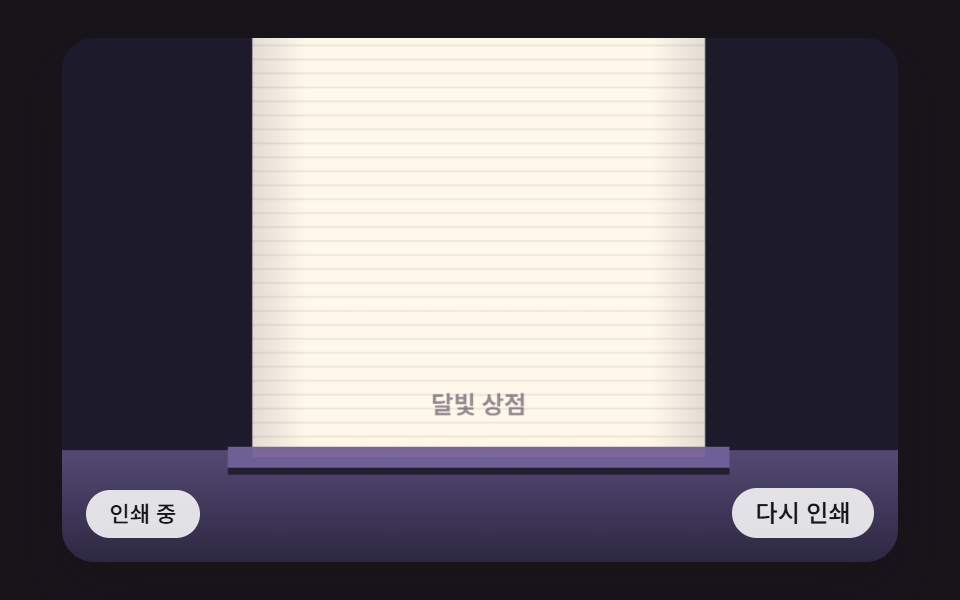 CSS Receipt: 9 Thermal Print and Tear-Off ScenesA css receipt layers print-head shiver, paper curl and a rolling total — scene 01 adds a tremor to each line step, and s See all demos in this post
If you like this effect - similar demos
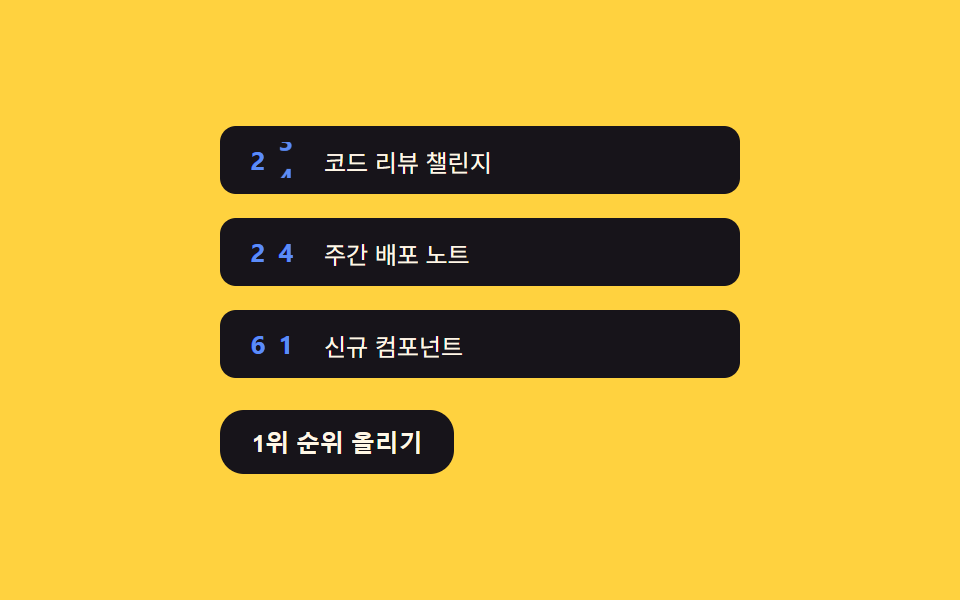 Lists & tables02 Odometer counter — splitting the counter value into digits so number markers rollCSS List Style: 9 Marker Design Patterns
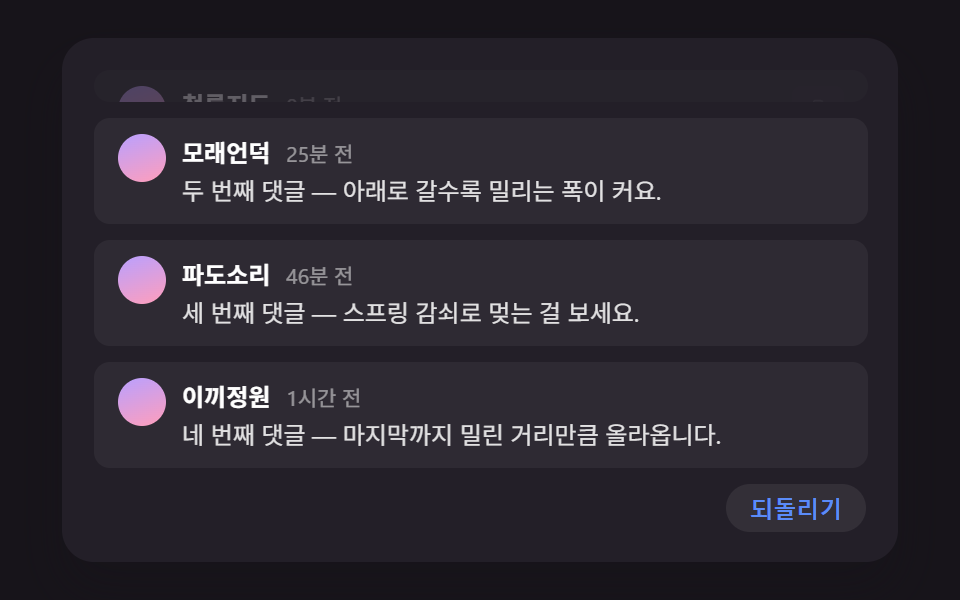 Lists & tables07 Delete Shift Where Comments Below Rise by the Deleted Row's HeightComment Section UI: 9 Thread List Patterns
 Lists & tables07 Cells painted and barred by how big the number is9 Data Table UI Patterns — Drag, Resize, Select