06A Receipt Roll Scene Where Cylinder Shading Is Computed Per Pixel as Paper Unwinds and the Roll Radius Shrinks
The roll radius shrinks by the length of paper unwound, and the shading of each pixel comes from the dot product of the cylinder surface normal and the light direction. The paper continues below the roll as a flat strip.
Best forPrinter UIs and print-waiting screens
ROLL_RLIGHT_VECUNWIND_PXSHADE_GAIN
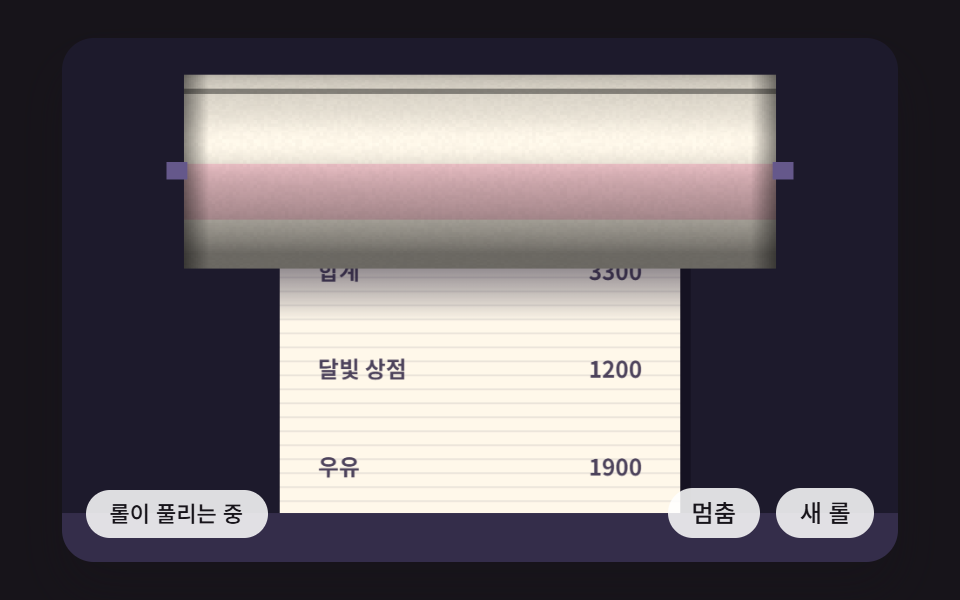
<main class="stage">
<div class="rc is-demo" id="rc">
  <canvas class="rc__canvas" data-role="canvas" width="480" height="300" tabindex="0" aria-label="A paper roll unwinding while cylinder shading is computed per pixel and the roll radius shrinks"></canvas>
  <p class="rc__status" data-role="status" aria-live="polite">Roll unwinding</p>
  <div class="rc__tools">
    <button class="rc__btn" data-role="btn" type="button" aria-pressed="false">Pause</button>
    <button class="rc__btn" data-role="roll" type="button">New roll</button>
  </div>
</div>
</main>
@use "../../../../site/static/demo-tokens" as *;
@include stage($stage-ink);
.rc {
position: relative;
width: min(92vw, calc(160vh - 12.8vw));
aspect-ratio: 480 / 300;
margin: 0 auto;
border-radius: $r-card;
overflow: hidden;
box-shadow: $shadow-raised;
background: $subject-ink;
}
.rc__canvas {
display: block;
width: 100%;
height: 100%;
}
.rc__canvas:focus-visible {
outline: 2px solid rgba(255, 255, 255, .85);
outline-offset: -6px;
}
.rc__status {
position: absolute;
left: $sp-3;
bottom: $sp-3;
max-width: 46%;
margin: 0;
padding: $sp-1 $sp-3;
border-radius: $r-control;
background: rgba(255, 255, 255, .85);
color: $subject-ink;
font-weight: 500;
font-size: 11px;
line-height: 1.4;
pointer-events: none;
}
.rc__tools {
position: absolute;
right: $sp-3;
bottom: $sp-3;
display: flex;
gap: $sp-2;
}
.rc__btn {
margin: 0;
padding: $sp-1 $sp-3;
border: 0;
border-radius: $r-pill;
background: rgba(255, 255, 255, .85);
color: $subject-ink;
font: inherit;
font-weight: 500;
font-size: 12px;
line-height: 1.4;
cursor: pointer;
}
.rc__btn[aria-pressed="true"] {
background: $subject-mint;
}
.rc__btn:focus-visible {
outline: 2px solid rgba(255, 255, 255, .95);
outline-offset: 2px;
}
@media (max-width: 340px) {
.rc__btn { font-size: 10px; padding: $sp-1 $sp-2; }
.rc__status { font-size: 10px; padding: $sp-1 $sp-2; }
}
@media (prefers-reduced-motion: reduce) {
.rc { cursor: default; }
.rc__chip { cursor: default; }
}html, body {
margin: 0;
overflow: hidden;
}
.stage {
box-sizing: border-box;
min-height: 100vh;
display: grid;
place-items: center;
margin: 0;
background: #17141a;
font-family: -apple-system, "Segoe UI", "Noto Sans KR", sans-serif;
padding: clamp(8px, 4vw, 24px);
}
.rc {
position: relative;
width: min(92vw, 160vh - 12.8vw);
aspect-ratio: 480/300;
margin: 0 auto;
border-radius: 16px;
overflow: hidden;
box-shadow: 0 14px 24px rgba(23, 20, 26, 0.32);
background: #17141a;
}
.rc__canvas {
display: block;
width: 100%;
height: 100%;
}
.rc__canvas:focus-visible {
outline: 2px solid rgba(255, 255, 255, 0.85);
outline-offset: -6px;
}
.rc__status {
position: absolute;
left: 12px;
bottom: 12px;
max-width: 46%;
margin: 0;
padding: 4px 12px;
border-radius: 12px;
background: rgba(255, 255, 255, 0.85);
color: #17141a;
font-weight: 500;
font-size: 11px;
line-height: 1.4;
pointer-events: none;
}
.rc__tools {
position: absolute;
right: 12px;
bottom: 12px;
display: flex;
gap: 8px;
}
.rc__btn {
margin: 0;
padding: 4px 12px;
border: 0;
border-radius: 999px;
background: rgba(255, 255, 255, 0.85);
color: #17141a;
font: inherit;
font-weight: 500;
font-size: 12px;
line-height: 1.4;
cursor: pointer;
}
.rc__btn[aria-pressed=true] {
background: #4cd4a6;
}
.rc__btn:focus-visible {
outline: 2px solid rgba(255, 255, 255, 0.95);
outline-offset: 2px;
}
@media (max-width: 340px) {
.rc__btn {
font-size: 10px;
padding: 4px 8px;
}
.rc__status {
font-size: 10px;
padding: 4px 8px;
}
}
@media (prefers-reduced-motion: reduce) {
.rc {
cursor: default;
}
.rc__chip {
cursor: default;
}
}(function () {
const root = document.getElementById("rc");
if (!root) return;
const W = 480;
const H = 300;
const FIXED_DT = 16;
// 파스텔 팔레트 — 어두운 무대 위에 밝은 종이를 얹어 명도 차로 읽힌다
const BG = [29, 26, 44];
const PAPER = [255, 248, 234];
const INK = [58, 48, 76];
const MINT = [126, 226, 192];
const SKY = [124, 196, 255];
const LILAC = [190, 164, 255];
const PINK = [255, 160, 190];
const PEACH = [255, 208, 168];
function clamp(v, lo, hi) { return v < lo ? lo : (v > hi ? hi : v); }
function lerp(a, b, k) { return a + (b - a) * k; }
function smooth(x) { const c = clamp(x, 0, 1); return c * c * (3 - 2 * c); }
function rgba(c, a) {
return 'rgba(' + Math.round(c[0]) + ',' + Math.round(c[1]) + ',' + Math.round(c[2]) + ',' + clamp(a, 0, 1).toFixed(3) + ')';
}
function mix(a, b, k) { return [lerp(a[0], b[0], k), lerp(a[1], b[1], k), lerp(a[2], b[2], k)]; }
// 시드 고정 난수 — 같은 시드면 언제나 같은 수열 (선형 합동 방식)
function lcg(seed) {
let s = seed >>> 0;
return function () {
s = (Math.imul(s, 1664525) + 1013904223) >>> 0;
return s / 4294967296;
};
}
const canvasEl = root.querySelector('[data-role="canvas"]');
const statusEl = root.querySelector('[data-role="status"]');
const ctxRaw = canvasEl ? canvasEl.getContext('2d') : null;
if (!canvasEl || !ctxRaw || !statusEl) {
return;
}
const cv = canvasEl;
const ctx = ctxRaw;
const status = statusEl;
const reduceQuery = window.matchMedia('(prefers-reduced-motion: reduce)');
function fitCanvas() {
const dpr = window.devicePixelRatio || 1;
cv.width = Math.round(W * dpr);
cv.height = Math.round(H * dpr);
ctx.setTransform(dpr, 0, 0, dpr, 0, 0);
}
function onResize() {
fitCanvas();
if (reduceQuery.matches) {
draw();
}
}
fitCanvas();
window.addEventListener('resize', onResize);
// 화면 좌표(CSS px) → 장면 좌표(480x300). 리사이즈 뒤에도 늘 현재 크기로 다시 잰다
function toScene(ev) {
const r = cv.getBoundingClientRect();
return [((ev.clientX - r.left) / r.width) * W, ((ev.clientY - r.top) / r.height) * H];
}
const ROLL_R = 58;
const LIGHT_VEC = [0.4, -0.5, 0.77];
const UNWIND_PX = 140;
const SHADE_GAIN = 0.5;
const THICK = 4.8;
const CYCLE_MS = 2600;
const SWELL_MS = 420;
const RW = 340;
const RX = (W - RW) / 2;
const CY = 76;
const STRIP_W = 230;
const TXT_ROLL = 'Roll unwinding';
const TXT_STOP = 'Pause';
const TXT_NEW = 'New roll';
const TXT_LINES = ['Moonlight Shop', 'Milk', 'Bread', 'Total'];
const toggleBtn = root.querySelector('[data-role="btn"]');
const newBtn = root.querySelector('[data-role="roll"]');
const off = document.createElement('canvas');
off.width = RW;
off.height = ROLL_R * 2 + 2;
const offCtxRaw = off.getContext('2d');
if (!offCtxRaw) {
return;
}
const offCtx = offCtxRaw;
const img = offCtx.createImageData(RW, ROLL_R * 2 + 2);
let lx = LIGHT_VEC[0];
let ly = LIGHT_VEC[1];
let lz = LIGHT_VEC[2];
let unwound = 0;
let rot = 0;
let radius = ROLL_R;
let swell = 0;
let playing = true;
let clock = 0;
function hash2(x, y) {
let h = (Math.imul(x | 0, 374761393) + Math.imul(y | 0, 668265263)) | 0;
h = Math.imul(h ^ (h >>> 13), 1274126177);
h ^= h >>> 16;
return (h >>> 0) / 4294967296;
}
function setLight(x, y) {
const len = Math.sqrt(x * x + y * y + 0.6);
lx = x / len;
ly = y / len;
lz = Math.sqrt(0.6) / len;
}
// 남은 종이 길이로 롤 반지름을 구한다 — 면적(반지름 제곱)이 길이에 비례해 줄어든다
function radiusAt(len) {
return Math.sqrt(Math.max(ROLL_R * ROLL_R * 0.4, ROLL_R * ROLL_R - THICK * len));
}
// 한 픽셀의 음영 — 원통의 법선(0, ny, nz)과 빛 방향의 내적
function shadePixel(ny) {
const nz = Math.sqrt(Math.max(0, 1 - ny * ny));
const diff = Math.max(0, ny * ly + nz * lz);
const hx = lx;
const hy = ly;
const hz = lz + 1;
const hl = Math.sqrt(hx * hx + hy * hy + hz * hz);
const spec = Math.pow(Math.max(0, (ny * hy + nz * hz) / hl), 26);
return 0.42 + SHADE_GAIN * diff + spec * 0.25;
}
function paintRoll() {
const data = img.data;
const rows = ROLL_R * 2 + 2;
for (let j = 0; j < rows; j += 1) {
const y = j - ROLL_R - 1;
const ny = y / radius;
for (let x = 0; x < RW; x += 1) {
const i4 = (j * RW + x) * 4;
if (ny < -1 || ny > 1) {
data[i4 + 3] = 0;
continue;
}
const phi = Math.asin(ny) + rot;
let k = shadePixel(ny);
// 끝 마개 쪽은 둥글게 어두워진다
const e = Math.min(x, RW - 1 - x);
if (e < 14) {
k *= 0.55 + 0.45 * (e / 14);
}
// 종이 결 — 회전하는 각도 좌표에 얹은 해시 잡음
const g = hash2(x >> 1, Math.floor(phi * radius * 0.5));
k *= 0.985 + 0.03 * g;
// 이음 선과 분홍 띠
const wrap = ((phi % (Math.PI * 2)) + Math.PI * 2) % (Math.PI * 2);
let col = PAPER;
if (wrap > 0.9 && wrap < 1.5) {
col = mix(PAPER, PINK, 0.45);
}
if (wrap < 0.05 || wrap > 6.23) {
k *= 0.6;
}
data[i4] = clamp(col[0] * k, 0, 255);
data[i4 + 1] = clamp(col[1] * k, 0, 255);
data[i4 + 2] = clamp(col[2] * k, 0, 255);
data[i4 + 3] = 255;
}
}
offCtx.putImageData(img, 0, 0);
}
function step() {
clock += FIXED_DT;
if (!playing) {
return;
}
const dt = FIXED_DT / 1000;
if (swell > 0) {
swell = Math.max(0, swell - FIXED_DT);
const k = 1 - swell / SWELL_MS;
radius = lerp(radiusAt(CYCLE_MS / 1000 * UNWIND_PX), ROLL_R, smooth(k));
if (swell === 0) {
unwound = 0;
}
return;
}
unwound += UNWIND_PX * dt;
rot += (UNWIND_PX / radius) * dt;
radius = radiusAt(unwound);
if (unwound >= (CYCLE_MS / 1000) * UNWIND_PX) {
swell = SWELL_MS;
status.textContent = TXT_NEW;
}
}
function settle() {
unwound = UNWIND_PX * 0.9;
radius = radiusAt(unwound);
rot = 0.7;
status.textContent = TXT_ROLL;
}
function draw() {
ctx.fillStyle = rgba(BG, 1);
ctx.fillRect(0, 0, W, H);
const topY = CY + radius - 3;
const sx = (W - STRIP_W) / 2;
// 풀려 내려오는 종이
ctx.fillStyle = rgba([10, 8, 22], 0.45);
ctx.fillRect(sx + 6, topY, STRIP_W, H - topY);
ctx.fillStyle = rgba(PAPER, 1);
ctx.fillRect(sx, topY, STRIP_W, H - topY);
const off8 = ((unwound % 8) + 8) % 8;
ctx.fillStyle = rgba(INK, 0.1);
for (let y = topY + off8; y < H; y += 8) {
ctx.fillRect(sx, y, STRIP_W, 1);
}
ctx.font = '600 13px "Noto Sans KR", ui-monospace, monospace';
for (let i = 0; i < 4; i += 1) {
const y = ((i * 56 + unwound) % 224) + topY + 10;
if (y > H - 30) {
continue;
}
if (y > H + 14) {
continue;
}
ctx.fillStyle = rgba(INK, 0.9);
ctx.textAlign = 'left';
ctx.fillText(TXT_LINES[i], sx + 22, y);
ctx.textAlign = 'right';
ctx.fillText(String(1200 + i * 700), sx + STRIP_W - 22, y);
}
// 롤이 종이에 드리우는 접촉 그림자
const cs = ctx.createLinearGradient(0, topY, 0, topY + 34);
cs.addColorStop(0, rgba([20, 14, 40], 0.5));
cs.addColorStop(1, rgba([20, 14, 40], 0));
ctx.fillStyle = cs;
ctx.fillRect(sx, topY, STRIP_W, 34);
paintRoll();
ctx.imageSmoothingEnabled = false;
ctx.drawImage(off, RX, CY - ROLL_R - 1);
// 아래 받침 — 종이는 이 안으로 들어간다
ctx.fillStyle = rgba(mix(BG, LILAC, 0.14), 1);
ctx.fillRect(0, H - 28, W, 28);
// 롤 받침대
ctx.fillStyle = rgba(mix(BG, LILAC, 0.45), 1);
ctx.fillRect(RX - 10, CY - 5, 12, 10);
ctx.fillRect(RX + RW - 2, CY - 5, 12, 10);
}
function setPlaying(on) {
playing = on;
if (toggleBtn) {
toggleBtn.setAttribute('aria-pressed', on ? 'false' : 'true');
}
status.textContent = on ? TXT_ROLL : TXT_STOP;
if (reduceQuery.matches) {
draw();
}
}
if (toggleBtn) {
toggleBtn.addEventListener('click', function () { setPlaying(!playing); });
}
if (newBtn) {
newBtn.addEventListener('click', function () {
unwound = 0;
swell = 0;
radius = ROLL_R;
status.textContent = TXT_NEW;
if (reduceQuery.matches) {
draw();
}
});
}
cv.addEventListener('pointermove', function (ev) {
const p = toScene(ev);
setLight((p[0] / W - 0.5) * 1.8, (p[1] / H - 0.5) * 1.8 - 0.3);
if (reduceQuery.matches) {
draw();
}
});
cv.addEventListener('keydown', function (ev) {
let dx = 0;
let dy = 0;
if (ev.key === 'ArrowLeft') {
dx = -0.1;
}
if (ev.key === 'ArrowRight') {
dx = 0.1;
}
if (ev.key === 'ArrowUp') {
dy = -0.1;
}
if (ev.key === 'ArrowDown') {
dy = 0.1;
}
if (dx === 0 && dy === 0) {
return;
}
ev.preventDefault();
setLight(lx + dx, ly + dy);
if (reduceQuery.matches) {
draw();
}
});
let rafId = 0;
let lastTs = -1;
let acc = 0;
function frame(ts) {
if (lastTs < 0) {
lastTs = ts;
}
acc += Math.min(ts - lastTs, 100);
lastTs = ts;
let n = 0;
while (acc >= FIXED_DT && n < 6) {
step();
acc -= FIXED_DT;
n += 1;
}
draw();
rafId = window.requestAnimationFrame(frame);
}
if (reduceQuery.matches) {
settle();
draw();
}
else {
rafId = window.requestAnimationFrame(frame);
}
return function () {
window.cancelAnimationFrame(rafId);
window.removeEventListener('resize', onResize);
};
})();// RecPaperRollCylinderShadingUnwind - vanilla 판(06-rec-paper-roll-cylinder-shading-unwind) 의 React 포트. 같은 계산을 useEffect 안에서 돌린다.
import { useEffect, useRef } from "react";
import styles from "./RecPaperRollCylinderShadingUnwind.module.scss";
const cx = (s: string): string => s.split(" ").map((n) => styles[n] ?? n).join(" ");
export default function RecPaperRollCylinderShadingUnwind() {
const rootRef = useRef<HTMLDivElement | null>(null);
useEffect(() => {
const rootEl = rootRef.current;
if (!rootEl) return;
const root: HTMLElement = rootEl;
type RGB = [number, number, number];
const W = 480;
const H = 300;
const FIXED_DT = 16;
// 파스텔 팔레트 — 어두운 무대 위에 밝은 종이를 얹어 명도 차로 읽힌다
const BG: RGB = [29, 26, 44];
const PAPER: RGB = [255, 248, 234];
const INK: RGB = [58, 48, 76];
const MINT: RGB = [126, 226, 192];
const SKY: RGB = [124, 196, 255];
const LILAC: RGB = [190, 164, 255];
const PINK: RGB = [255, 160, 190];
const PEACH: RGB = [255, 208, 168];
function clamp(v: number, lo: number, hi: number): number { return v < lo ? lo : (v > hi ? hi : v); }
function lerp(a: number, b: number, k: number): number { return a + (b - a) * k; }
function smooth(x: number): number { const c = clamp(x, 0, 1); return c * c * (3 - 2 * c); }
function rgba(c: RGB, a: number): string {
return 'rgba(' + Math.round(c[0]) + ',' + Math.round(c[1]) + ',' + Math.round(c[2]) + ',' + clamp(a, 0, 1).toFixed(3) + ')';
}
function mix(a: RGB, b: RGB, k: number): RGB { return [lerp(a[0], b[0], k), lerp(a[1], b[1], k), lerp(a[2], b[2], k)]; }
// 시드 고정 난수 — 같은 시드면 언제나 같은 수열 (선형 합동 방식)
function lcg(seed: number): () => number {
let s = seed >>> 0;
return function (): number {
s = (Math.imul(s, 1664525) + 1013904223) >>> 0;
return s / 4294967296;
};
}
const canvasEl = root.querySelector('[data-role="canvas"]') as HTMLCanvasElement | null;
const statusEl = root.querySelector('[data-role="status"]') as HTMLElement | null;
const ctxRaw = canvasEl ? canvasEl.getContext('2d') : null;
if (!canvasEl || !ctxRaw || !statusEl) { return; }
const cv: HTMLCanvasElement = canvasEl;
const ctx: CanvasRenderingContext2D = ctxRaw;
const status: HTMLElement = statusEl;
const reduceQuery = window.matchMedia('(prefers-reduced-motion: reduce)');
function fitCanvas(): void {
const dpr = window.devicePixelRatio || 1;
cv.width = Math.round(W * dpr);
cv.height = Math.round(H * dpr);
ctx.setTransform(dpr, 0, 0, dpr, 0, 0);
}
function onResize(): void {
fitCanvas();
if (reduceQuery.matches) { draw(); }
}
fitCanvas();
window.addEventListener('resize', onResize);
// 화면 좌표(CSS px) → 장면 좌표(480x300). 리사이즈 뒤에도 늘 현재 크기로 다시 잰다
function toScene(ev: PointerEvent): [number, number] {
const r = cv.getBoundingClientRect();
return [((ev.clientX - r.left) / r.width) * W, ((ev.clientY - r.top) / r.height) * H];
}
const ROLL_R = 58;
const LIGHT_VEC: number[] = [0.4, -0.5, 0.77];
const UNWIND_PX = 140;
const SHADE_GAIN = 0.5;
const THICK = 4.8;
const CYCLE_MS = 2600;
const SWELL_MS = 420;
const RW = 340;
const RX = (W - RW) / 2;
const CY = 76;
const STRIP_W = 230;
const TXT_ROLL = '롤이 풀리는 중';
const TXT_STOP = '멈춤';
const TXT_NEW = '새 롤';
const TXT_LINES: string[] = ['달빛 상점', '우유', '식빵', '합계'];
const toggleBtn = root.querySelector('[data-role="btn"]') as HTMLButtonElement | null;
const newBtn = root.querySelector('[data-role="roll"]') as HTMLButtonElement | null;
const off = document.createElement('canvas');
off.width = RW;
off.height = ROLL_R * 2 + 2;
const offCtxRaw = off.getContext('2d');
if (!offCtxRaw) { return; }
const offCtx: CanvasRenderingContext2D = offCtxRaw;
const img = offCtx.createImageData(RW, ROLL_R * 2 + 2);
let lx = LIGHT_VEC[0];
let ly = LIGHT_VEC[1];
let lz = LIGHT_VEC[2];
let unwound = 0;
let rot = 0;
let radius = ROLL_R;
let swell = 0;
let playing = true;
let clock = 0;
function hash2(x: number, y: number): number {
let h = (Math.imul(x | 0, 374761393) + Math.imul(y | 0, 668265263)) | 0;
h = Math.imul(h ^ (h >>> 13), 1274126177);
h ^= h >>> 16;
return (h >>> 0) / 4294967296;
}
function setLight(x: number, y: number): void {
const len = Math.sqrt(x * x + y * y + 0.6);
lx = x / len;
ly = y / len;
lz = Math.sqrt(0.6) / len;
}
// 남은 종이 길이로 롤 반지름을 구한다 — 면적(반지름 제곱)이 길이에 비례해 줄어든다
function radiusAt(len: number): number {
return Math.sqrt(Math.max(ROLL_R * ROLL_R * 0.4, ROLL_R * ROLL_R - THICK * len));
}
// 한 픽셀의 음영 — 원통의 법선(0, ny, nz)과 빛 방향의 내적
function shadePixel(ny: number): number {
const nz = Math.sqrt(Math.max(0, 1 - ny * ny));
const diff = Math.max(0, ny * ly + nz * lz);
const hx = lx;
const hy = ly;
const hz = lz + 1;
const hl = Math.sqrt(hx * hx + hy * hy + hz * hz);
const spec = Math.pow(Math.max(0, (ny * hy + nz * hz) / hl), 26);
return 0.42 + SHADE_GAIN * diff + spec * 0.25;
}
function paintRoll(): void {
const data = img.data;
const rows = ROLL_R * 2 + 2;
for (let j = 0; j < rows; j += 1) {
const y = j - ROLL_R - 1;
const ny = y / radius;
for (let x = 0; x < RW; x += 1) {
const i4 = (j * RW + x) * 4;
if (ny < -1 || ny > 1) { data[i4 + 3] = 0; continue; }
const phi = Math.asin(ny) + rot;
let k = shadePixel(ny);
// 끝 마개 쪽은 둥글게 어두워진다
const e = Math.min(x, RW - 1 - x);
if (e < 14) { k *= 0.55 + 0.45 * (e / 14); }
// 종이 결 — 회전하는 각도 좌표에 얹은 해시 잡음
const g = hash2(x >> 1, Math.floor(phi * radius * 0.5));
k *= 0.985 + 0.03 * g;
// 이음 선과 분홍 띠
const wrap = ((phi % (Math.PI * 2)) + Math.PI * 2) % (Math.PI * 2);
let col: RGB = PAPER;
if (wrap > 0.9 && wrap < 1.5) { col = mix(PAPER, PINK, 0.45); }
if (wrap < 0.05 || wrap > 6.23) { k *= 0.6; }
data[i4] = clamp(col[0] * k, 0, 255);
data[i4 + 1] = clamp(col[1] * k, 0, 255);
data[i4 + 2] = clamp(col[2] * k, 0, 255);
data[i4 + 3] = 255;
}
}
offCtx.putImageData(img, 0, 0);
}
function step(): void {
clock += FIXED_DT;
if (!playing) { return; }
const dt = FIXED_DT / 1000;
if (swell > 0) {
swell = Math.max(0, swell - FIXED_DT);
const k = 1 - swell / SWELL_MS;
radius = lerp(radiusAt(CYCLE_MS / 1000 * UNWIND_PX), ROLL_R, smooth(k));
if (swell === 0) { unwound = 0; }
return;
}
unwound += UNWIND_PX * dt;
rot += (UNWIND_PX / radius) * dt;
radius = radiusAt(unwound);
if (unwound >= (CYCLE_MS / 1000) * UNWIND_PX) {
swell = SWELL_MS;
status.textContent = TXT_NEW;
}
}
function settle(): void {
unwound = UNWIND_PX * 0.9;
radius = radiusAt(unwound);
rot = 0.7;
status.textContent = TXT_ROLL;
}
function draw(): void {
ctx.fillStyle = rgba(BG, 1);
ctx.fillRect(0, 0, W, H);
const topY = CY + radius - 3;
const sx = (W - STRIP_W) / 2;
// 풀려 내려오는 종이
ctx.fillStyle = rgba([10, 8, 22], 0.45);
ctx.fillRect(sx + 6, topY, STRIP_W, H - topY);
ctx.fillStyle = rgba(PAPER, 1);
ctx.fillRect(sx, topY, STRIP_W, H - topY);
const off8 = ((unwound % 8) + 8) % 8;
ctx.fillStyle = rgba(INK, 0.1);
for (let y = topY + off8; y < H; y += 8) { ctx.fillRect(sx, y, STRIP_W, 1); }
ctx.font = '600 13px "Noto Sans KR", ui-monospace, monospace';
for (let i = 0; i < 4; i += 1) {
const y = ((i * 56 + unwound) % 224) + topY + 10;
if (y > H - 30) { continue; }
if (y > H + 14) { continue; }
ctx.fillStyle = rgba(INK, 0.9);
ctx.textAlign = 'left';
ctx.fillText(TXT_LINES[i], sx + 22, y);
ctx.textAlign = 'right';
ctx.fillText(String(1200 + i * 700), sx + STRIP_W - 22, y);
}
// 롤이 종이에 드리우는 접촉 그림자
const cs = ctx.createLinearGradient(0, topY, 0, topY + 34);
cs.addColorStop(0, rgba([20, 14, 40], 0.5));
cs.addColorStop(1, rgba([20, 14, 40], 0));
ctx.fillStyle = cs;
ctx.fillRect(sx, topY, STRIP_W, 34);
paintRoll();
ctx.imageSmoothingEnabled = false;
ctx.drawImage(off, RX, CY - ROLL_R - 1);
// 아래 받침 — 종이는 이 안으로 들어간다
ctx.fillStyle = rgba(mix(BG, LILAC, 0.14), 1);
ctx.fillRect(0, H - 28, W, 28);
// 롤 받침대
ctx.fillStyle = rgba(mix(BG, LILAC, 0.45), 1);
ctx.fillRect(RX - 10, CY - 5, 12, 10);
ctx.fillRect(RX + RW - 2, CY - 5, 12, 10);
}
function setPlaying(on: boolean): void {
playing = on;
if (toggleBtn) { toggleBtn.setAttribute('aria-pressed', on ? 'false' : 'true'); }
status.textContent = on ? TXT_ROLL : TXT_STOP;
if (reduceQuery.matches) { draw(); }
}
if (toggleBtn) { toggleBtn.addEventListener('click', function (): void { setPlaying(!playing); }); }
if (newBtn) {
newBtn.addEventListener('click', function (): void {
unwound = 0;
swell = 0;
radius = ROLL_R;
status.textContent = TXT_NEW;
if (reduceQuery.matches) { draw(); }
});
}
cv.addEventListener('pointermove', function (ev: PointerEvent): void {
const p = toScene(ev);
setLight((p[0] / W - 0.5) * 1.8, (p[1] / H - 0.5) * 1.8 - 0.3);
if (reduceQuery.matches) { draw(); }
});
cv.addEventListener('keydown', function (ev: KeyboardEvent): void {
let dx = 0;
let dy = 0;
if (ev.key === 'ArrowLeft') { dx = -0.1; }
if (ev.key === 'ArrowRight') { dx = 0.1; }
if (ev.key === 'ArrowUp') { dy = -0.1; }
if (ev.key === 'ArrowDown') { dy = 0.1; }
if (dx === 0 && dy === 0) { return; }
ev.preventDefault();
setLight(lx + dx, ly + dy);
if (reduceQuery.matches) { draw(); }
});
let rafId = 0;
let lastTs = -1;
let acc = 0;
function frame(ts: number): void {
if (lastTs < 0) { lastTs = ts; }
acc += Math.min(ts - lastTs, 100);
lastTs = ts;
let n = 0;
while (acc >= FIXED_DT && n < 6) {
step();
acc -= FIXED_DT;
n += 1;
}
draw();
rafId = window.requestAnimationFrame(frame);
}
if (reduceQuery.matches) {
settle();
draw();
} else {
rafId = window.requestAnimationFrame(frame);
}
return function (): void {
window.cancelAnimationFrame(rafId);
window.removeEventListener('resize', onResize);
};
}, []);
return (
<div className={cx("rc") + " is-demo"} ref={rootRef}>
<canvas className={cx("rc__canvas")} data-role="canvas" width={480} height={300} tabIndex={0} aria-label="종이 롤이 풀리며 원통 음영이 픽셀마다 계산되고 롤 반지름이 줄어드는 장면"></canvas>
<p className={cx("rc__status")} data-role="status" aria-live="polite">롤이 풀리는 중</p>
<div className={cx("rc__tools")}>
<button className={cx("rc__btn")} data-role="btn" type="button" aria-pressed="false">멈춤</button>
<button className={cx("rc__btn")} data-role="roll" type="button">새 롤</button>
</div>
</div>
);
}06 A Receipt Roll Scene Where Cylinder Shading Is Computed Per Pixel as Paper Unwinds and the Roll Radius Shrinks — Measured area 32.6% · moving frames 23/23Original by GODRICH · SCSS and React ship in the zip · CSS Receipt: 9 Thermal Print and Tear-Off Scenes
The post this demo lives in
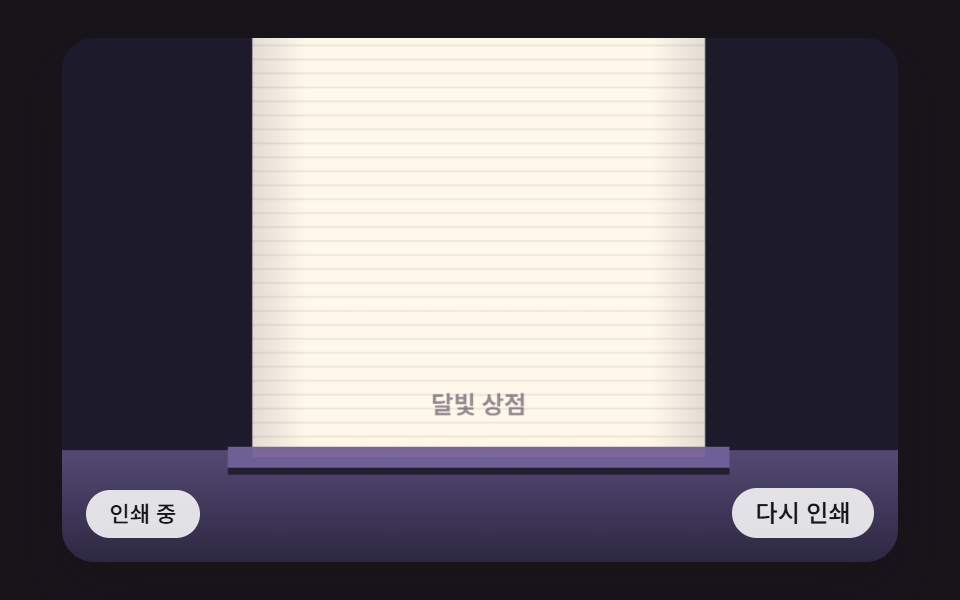 CSS Receipt: 9 Thermal Print and Tear-Off ScenesA css receipt layers print-head shiver, paper curl and a rolling total — scene 01 adds a tremor to each line step, and s See all demos in this post
If you like this effect - similar demos
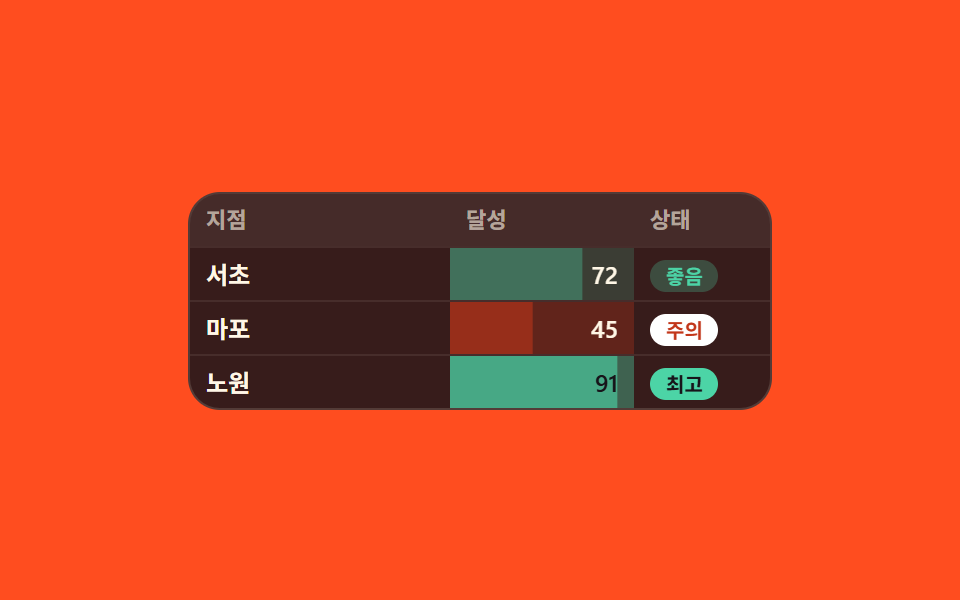 Lists & tables07 Cells painted and barred by how big the number is9 Data Table UI Patterns — Drag, Resize, Select
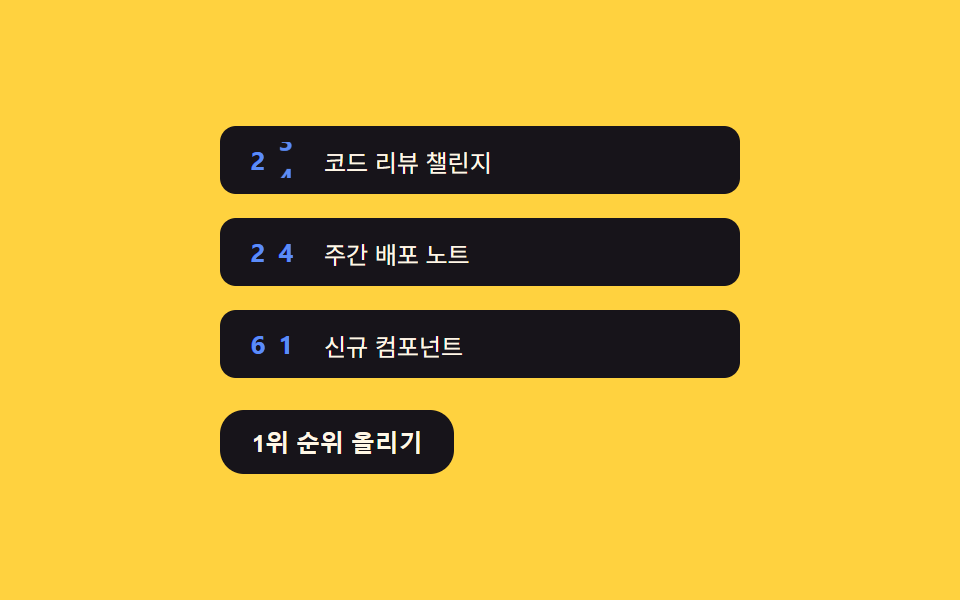 Lists & tables02 Odometer counter — splitting the counter value into digits so number markers rollCSS List Style: 9 Marker Design Patterns
 Lists & tables07 Delete Shift Where Comments Below Rise by the Deleted Row's HeightComment Section UI: 9 Thread List Patterns