07Hide on scroll
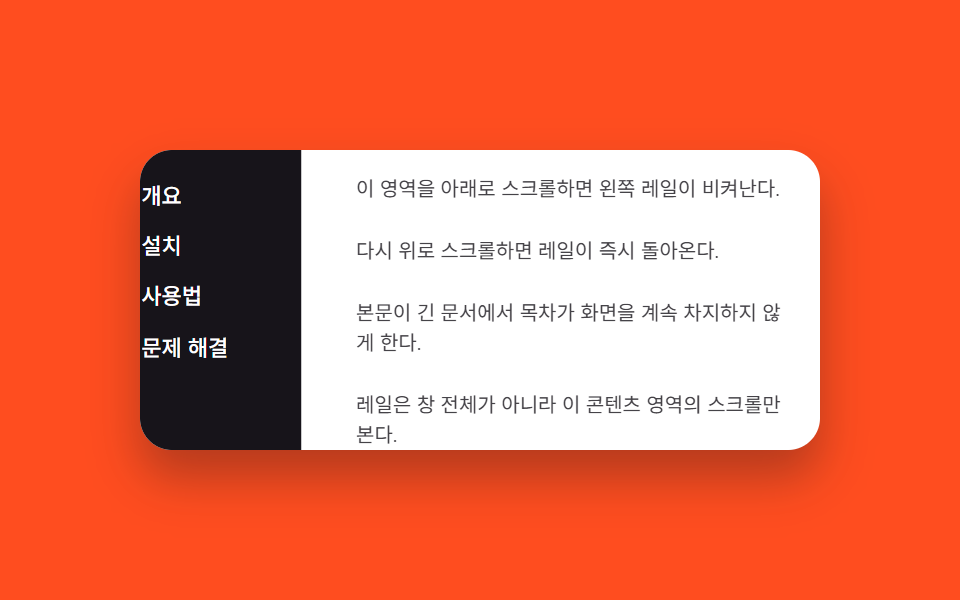
Scrolling the adjacent content panel down slides the rail away via translateX, and scrolling up brings it back.
Best forTable-of-contents rails in long document viewers
scroll 방향 감지translateX 은닉내부 콘텐츠 스크롤
<main class="stage is-demo">
  <div class="layout">
    <nav class="rail" aria-label="Contents">
      <a class="rail__link" href="#">Overview</a>
      <a class="rail__link" href="#">Install</a>
      <a class="rail__link" href="#">Usage</a>
      <a class="rail__link" href="#">Troubleshooting</a>
    </nav>
    <div class="content" id="content">
      <p>Scroll this area down and the left rail steps aside.</p>
      <p>Scroll back up and the rail returns instantly.</p>
      <p>Keeps a table of contents from hogging screen space in long documents.</p>
      <p>The rail watches this content area's scroll, not the whole window.</p>
    </div>
  </div>
</main>
@use "../../../../site/static/demo-tokens" as *;
// ── 변수 3개 ──────────────────────────────────────────
$duration: $dur-quick; // 220ms — 실제 스크롤 시 숨는 속도
$easing: $ease-out;
$color: $subject-cream; // 레일 링크 강조색
// ── 데모 무대 ───────────────────────────────────────────
@include stage($stage-orange);
.layout {
display: flex;
width: min(90vw, 340px);
height: min(50vw, 150px);
border-radius: $r-card;
overflow: hidden;
background: $stage-paper;
box-shadow: $shadow-raised;
}
.rail {
flex: none;
width: 96px;
box-sizing: border-box;
display: flex; flex-direction: column; gap: $sp-1;
padding: $sp-3 $sp-2;
background: $stage-ink;
transform: translateX(0);
transition: transform $duration $easing;
}
.rail__link {
padding: $sp-1 $sp-2;
border-radius: $r-xs;
color: $stage-paper; text-decoration: none; font-weight: 500; font-size: 11px; line-height: 1.2; font-family: inherit;
&:hover, &:focus-visible { color: $color; background: rgba($stage-paper, .12); }
}
.rail.is-hidden { transform: translateX(-100%); }
.content {
flex: 1;
overflow-y: auto;
box-sizing: border-box;
padding: $sp-3;
display: flex; flex-direction: column; gap: $sp-4;
color: $stage-ink;
p { margin: 0; font-size: clamp(10px, 3vmin, 12px); line-height: 1.5; opacity: .8; }
}
// 데모 루프: 레일이 나갔다 들어왔다를 2초에 한 바퀴(실제 스크롤 여부와 무관)
.stage.is-demo .rail { animation: rail-loop $dur-loop ease-in-out infinite; }
@keyframes rail-loop {
0%, 100% { transform: translateX(0); }
40%, 70% { transform: translateX(-100%); }
}
@media (prefers-reduced-motion: reduce) {
.stage.is-demo .rail { animation: none; }
.rail { transition-duration: 1ms; }
}html, body {
margin: 0;
overflow: hidden;
}
.stage {
box-sizing: border-box;
min-height: 100vh;
display: grid;
place-items: center;
margin: 0;
background: #ff4d1f;
font-family: -apple-system, "Segoe UI", "Noto Sans KR", sans-serif;
padding: clamp(8px, 4vw, 24px);
}
.layout {
display: flex;
width: min(90vw, 340px);
height: min(50vw, 150px);
border-radius: 16px;
overflow: hidden;
background: #ffffff;
box-shadow: 0 14px 24px rgba(23, 20, 26, 0.32);
}
.rail {
flex: none;
width: 96px;
box-sizing: border-box;
display: flex;
flex-direction: column;
gap: 4px;
padding: 12px 8px;
background: #17141a;
transform: translateX(0);
transition: transform 220ms ease-out;
}
.rail__link {
padding: 4px 8px;
border-radius: 4px;
color: #ffffff;
text-decoration: none;
font-weight: 500;
font-size: 11px;
line-height: 1.2;
font-family: inherit;
}
.rail__link:hover, .rail__link:focus-visible {
color: #fff7e6;
background: rgba(255, 255, 255, 0.12);
}
.rail.is-hidden {
transform: translateX(-100%);
}
.content {
flex: 1;
overflow-y: auto;
box-sizing: border-box;
padding: 12px;
display: flex;
flex-direction: column;
gap: 16px;
color: #17141a;
}
.content p {
margin: 0;
font-size: clamp(10px, 3vmin, 12px);
line-height: 1.5;
opacity: 0.8;
}
.stage.is-demo .rail {
animation: rail-loop 2s ease-in-out infinite;
}
@keyframes rail-loop {
0%, 100% {
transform: translateX(0);
}
40%, 70% {
transform: translateX(-100%);
}
}
@media (prefers-reduced-motion: reduce) {
.stage.is-demo .rail {
animation: none;
}
.rail {
transition-duration: 1ms;
}
}// 콘텐츠 스크롤 방향을 비교해 레일을 translateX 로 숨기고 보인다. 실제 스크롤이 오면 데모 루프를 넘긴다.
(function () {
var stage = document.querySelector('.stage');
var rail = document.querySelector('.rail');
var content = document.getElementById('content');
var last = 0;
content.addEventListener('scroll', function () {
stage.classList.remove('is-demo');
var y = content.scrollTop;
if (y > last + 4) rail.classList.add('is-hidden');
else if (y < last - 4) rail.classList.remove('is-hidden');
last = y;
});
})();import { useRef, useState } from "react";
import type { CSSProperties } from "react";
import styles from "./ScrollHideRail.module.scss";
type ScrollEv = { currentTarget: HTMLDivElement };
export type ScrollHideRailProps = {
duration?: number;
easing?: string;
color?: string;
};
const LINKS = ["개요", "설치", "사용법", "문제 해결"];
export default function ScrollHideRail({
duration = 220,
easing = "ease-out",
color = "#fff7e6",
}: ScrollHideRailProps) {
const [hidden, setHidden] = useState(false);
const lastY = useRef(0);
function onScroll(e: ScrollEv) {
const y = e.currentTarget.scrollTop;
const last = lastY.current ?? 0;
if (y > last + 4) setHidden(true);
else if (y < last - 4) setHidden(false);
lastY.current = y;
}
const vars: CSSProperties = { "--duration": `${duration}ms`, "--easing": easing, "--color": color };
return (
<div className={styles.stage} style={vars}>
<div className={styles.layout}>
<nav className={styles.rail} data-hidden={hidden} aria-label="목차">
{LINKS.map((label) => (
<a key={label} className={styles.link} href="#">{label}</a>
))}
</nav>
<div className={styles.content} onScroll={onScroll}>
<p>이 영역을 아래로 스크롤하면 왼쪽 레일이 비켜난다.</p>
<p>다시 위로 스크롤하면 레일이 즉시 돌아온다.</p>
<p>본문이 긴 문서에서 목차가 화면을 계속 차지하지 않게 한다.</p>
<p>레일은 창 전체가 아니라 이 콘텐츠 영역의 스크롤만 본다.</p>
</div>
</div>
</div>
);
}07 Hide on scroll — Measured area 9.937% · moving frames 17/23Original by GODRICH · SCSS and React ship in the zip · 9 CSS Sidebar Animations — Minimal JS
The post this demo lives in
 9 CSS Sidebar Animations — Minimal JSA css sidebar animation is a panel pinned to a screen edge that slides, fades, snaps, or scales open on a trigger, and t See all demos in this post
If you like this effect - similar demos
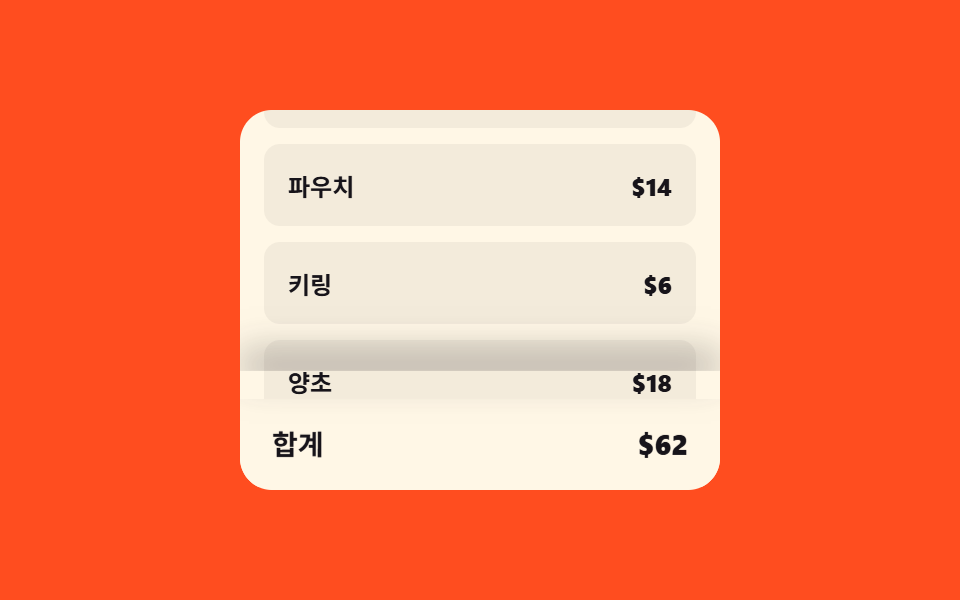 Transitions07 Checkout bar lift — a bottom bar whose shadow and height values grow with scroll positionCart Drawer UI Patterns: 9 Motion Techniques
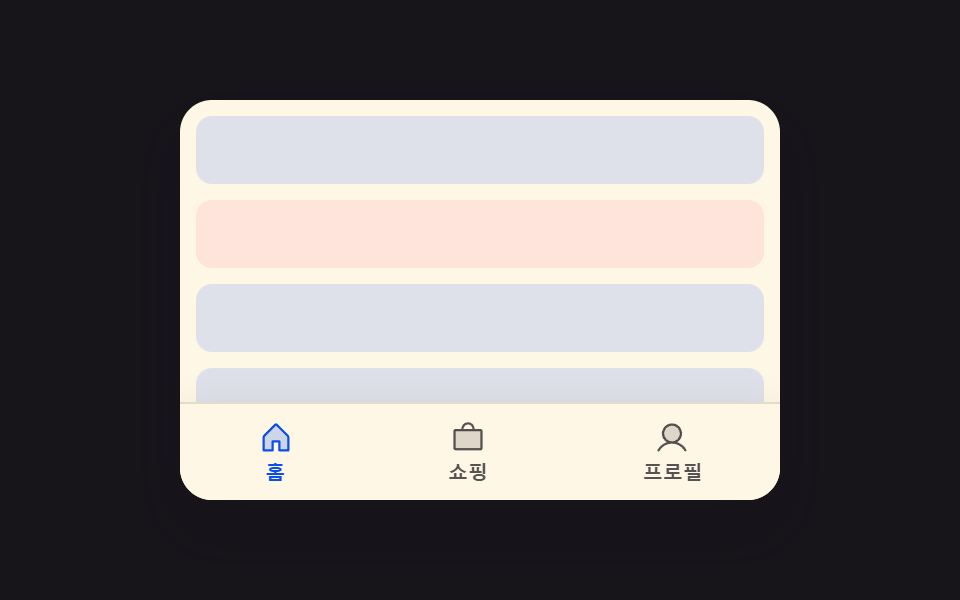 Transitions05 Scroll-direction hide-reveal toggle — when the scroll-direction value is downward the whole bar hides offscreen, and upward brings it backCSS Bottom Navigation Bar: 9 Transition Patterns
 Transitions03 Side drawer9 CSS Modal Animation Patterns, No Library Needed