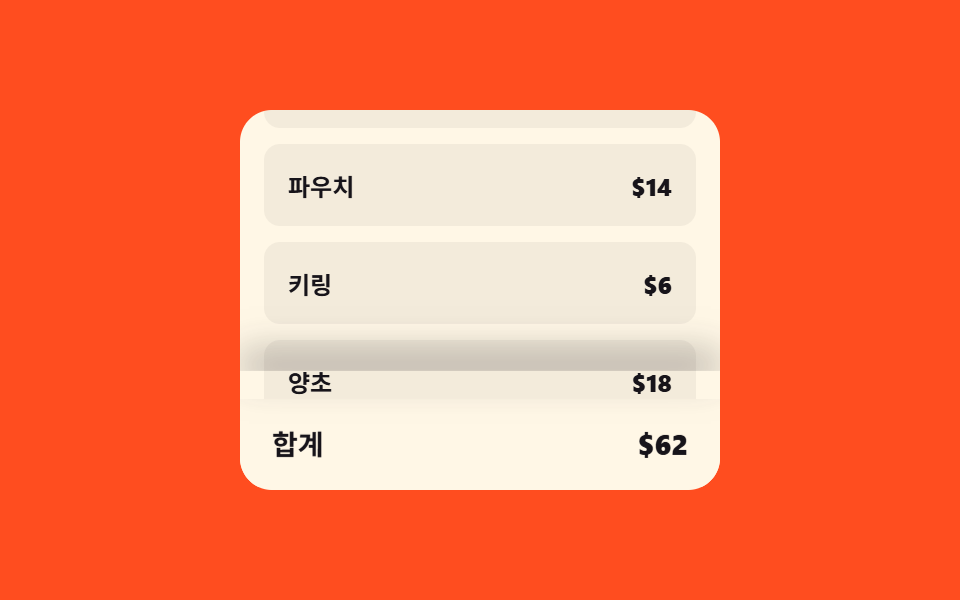
07Checkout bar lift — a bottom bar whose shadow and height values grow with scroll position
Once the list's scroll position value nears the bottom, the bottom bar's shadow depth value and height value both grow so it lifts forward, and as the scroll position value moves back up both values shrink to their resting size.
Best forThe bottom of a cart with a fixed checkout button
lerpCYCLE_MScomputeMax
<main class="stage">
<div class="cscr is-demo" id="cscr">
  <div class="cscr__panel">
    <div class="cscr__scroll" id="cscrScroll">
      <ul class="cscr__list">
        <li class="cscr__row"><span>Tumbler</span><b>$16</b></li>
        <li class="cscr__row"><span>Notebook</span><b>$8</b></li>
        <li class="cscr__row"><span>Pouch</span><b>$14</b></li>
        <li class="cscr__row"><span>Keyring</span><b>$6</b></li>
        <li class="cscr__row"><span>Candle</span><b>$18</b></li>
      </ul>
    </div>
    <footer class="cscr__bar" id="cscrBar">
      <span>Total</span>
      <b id="cscrTotal">$62</b>
    </footer>
  </div>
</div>
</main>
@use "../../../../site/static/demo-tokens" as *;
// 계산 겹: 스크롤 진행률을 목표값으로 두고 매 프레임 lerp() 로 그림자 세기 쪽에 관성 있게
// 다가간다(tick(), index.html) — 스크롤 위치를 그대로 쓰지 않고 보간된 값만 opacity 로 반영한다.
$duration: $dur-quick;
$easing: $ease-out;
$color: $subject-ink;
@include stage($stage-orange);
.stage { position: relative; }
.cscr__panel {
width: min(240px, 70vw);
height: 190px;
display: flex;
flex-direction: column;
border-radius: $r-card;
overflow: hidden;
background: $subject-cream;
}
.cscr__scroll {
flex: 1 1 auto;
overflow-y: auto;
padding: $sp-3;
}
.cscr__list {
list-style: none;
margin: 0;
padding: 0;
display: flex;
flex-direction: column;
gap: $sp-2;
}
.cscr__row {
display: flex;
align-items: center;
justify-content: space-between;
padding: $sp-3;
border-radius: $r-sm;
background: rgba(23, 20, 26, .05);
color: $color;
font-weight: 600;
font-size: 12px;
}
.cscr__bar {
position: relative;
flex: 0 0 auto;
display: flex;
align-items: center;
justify-content: space-between;
padding: $sp-3 $sp-4;
background: $subject-cream;
color: $color;
font-weight: 700;
font-size: 14px;
--shadow-op: 0;
will-change: transform;
}
.cscr__bar::before {
content: '';
position: absolute;
left: 0;
right: 0;
bottom: 100%;
height: 14px;
box-shadow: 0 -10px 18px rgba(23, 20, 26, .4);
opacity: var(--shadow-op);
pointer-events: none;
}
@media (max-width: 340px) {
.cscr__panel { width: min(190px, 66vw); height: 160px; }
}
@media (prefers-reduced-motion: reduce) {
.cscr__bar { transition: none !important; }
}html, body {
margin: 0;
overflow: hidden;
}
.stage {
box-sizing: border-box;
min-height: 100vh;
display: grid;
place-items: center;
margin: 0;
background: #ff4d1f;
font-family: -apple-system, "Segoe UI", "Noto Sans KR", sans-serif;
padding: clamp(8px, 4vw, 24px);
}
.stage {
position: relative;
}
.cscr__panel {
width: min(240px, 70vw);
height: 190px;
display: flex;
flex-direction: column;
border-radius: 16px;
overflow: hidden;
background: #fff7e6;
}
.cscr__scroll {
flex: 1 1 auto;
overflow-y: auto;
padding: 12px;
}
.cscr__list {
list-style: none;
margin: 0;
padding: 0;
display: flex;
flex-direction: column;
gap: 8px;
}
.cscr__row {
display: flex;
align-items: center;
justify-content: space-between;
padding: 12px;
border-radius: 8px;
background: rgba(23, 20, 26, 0.05);
color: #17141a;
font-weight: 600;
font-size: 12px;
}
.cscr__bar {
position: relative;
flex: 0 0 auto;
display: flex;
align-items: center;
justify-content: space-between;
padding: 12px 16px;
background: #fff7e6;
color: #17141a;
font-weight: 700;
font-size: 14px;
--shadow-op: 0;
will-change: transform;
}
.cscr__bar::before {
content: "";
position: absolute;
left: 0;
right: 0;
bottom: 100%;
height: 14px;
box-shadow: 0 -10px 18px rgba(23, 20, 26, 0.4);
opacity: var(--shadow-op);
pointer-events: none;
}
@media (max-width: 340px) {
.cscr__panel {
width: min(190px, 66vw);
height: 160px;
}
}
@media (prefers-reduced-motion: reduce) {
.cscr__bar {
transition: none !important;
}
}(function () {
var root = document.getElementById('cscr');
var scrollEl = document.getElementById('cscrScroll');
var bar = document.getElementById('cscrBar');
// 계산 겹: 스크롤 진행률(0~1)을 매 프레임 lerp() 로 그림자 강도·bar 높이 값에 보간한다 —
// 스크롤 위치를 그대로 쓰지 않고 목표 값 쪽으로 매 프레임 조금씩 다가가는 관성 보간이다.
function lerp(a, b, t) { return a + (b - a) * t; }
var maxScroll = 1;
function computeMax() {
maxScroll = Math.max(1, scrollEl.scrollHeight - scrollEl.clientHeight);
}
var shadow = 0;
var raf = null;
function tick() {
var target = Math.min(1, scrollEl.scrollTop / maxScroll);
shadow = lerp(shadow, target, 0.18);
bar.style.setProperty('--shadow-op', shadow.toFixed(3));
bar.style.transform = 'translateY(' + (-shadow * 2).toFixed(2) + 'px)';
if (Math.abs(target - shadow) > 0.002) {
raf = requestAnimationFrame(tick);
} else {
raf = null;
}
}
function kick() {
if (!raf) { raf = requestAnimationFrame(tick); }
}
function stopOnRealInput() {
root.classList.remove('is-demo');
stopAutoplay();
}
scrollEl.addEventListener('wheel', stopOnRealInput, { passive: true });
scrollEl.addEventListener('pointerdown', stopOnRealInput);
scrollEl.addEventListener('scroll', kick);
var autoplayRaf = null;
function stopAutoplay() {
if (autoplayRaf) { cancelAnimationFrame(autoplayRaf); autoplayRaf = null; }
}
computeMax();
window.addEventListener('resize', computeMax);
var CYCLE_MS = 1600;
function autoLoop(now) {
var p = (now % CYCLE_MS) / CYCLE_MS;
var tri = p < 0.5 ? p * 2 : 2 - p * 2;
scrollEl.scrollTop = tri * maxScroll;
var target = Math.min(1, scrollEl.scrollTop / maxScroll);
shadow = lerp(shadow, target, 0.18);
bar.style.setProperty('--shadow-op', shadow.toFixed(3));
bar.style.transform = 'translateY(' + (-shadow * 2).toFixed(2) + 'px)';
autoplayRaf = requestAnimationFrame(autoLoop);
}
var reduce = window.matchMedia('(prefers-reduced-motion: reduce)').matches;
if (!reduce) {
autoplayRaf = requestAnimationFrame(autoLoop);
}
})();import { useEffect, useRef } from "react";
import type { CSSProperties } from "react";
import styles from "./CartDrawerStickyCheckoutReveal.module.scss";
export type CartDrawerStickyCheckoutRevealProps = {
duration?: number;
color?: string;
};
// 계산 겹: 스크롤 진행률(0~1)을 매 프레임 lerp() 로 그림자 강도·bar 높이 값에 보간한다 —
// 스크롤 위치를 그대로 쓰지 않고 목표 값 쪽으로 매 프레임 조금씩 다가가는 관성 보간이다.
function lerp(a: number, b: number, t: number): number {
return a + (b - a) * t;
}
export default function CartDrawerStickyCheckoutReveal({
color = "#17141a",
}: CartDrawerStickyCheckoutRevealProps) {
const rootRef = useRef<HTMLDivElement | null>(null);
const scrollRef = useRef<HTMLDivElement | null>(null);
const barRef = useRef<HTMLElement | null>(null);
const shadowRef = useRef(0);
const maxScrollRef = useRef(1);
const rafRef = useRef<number | null>(null);
const autoplayRafRef = useRef<number | null>(null);
useEffect(() => {
const scrollEl = scrollRef.current;
const bar = barRef.current;
if (!scrollEl || !bar) return;
function computeMax() {
maxScrollRef.current = Math.max(1, (scrollEl as HTMLDivElement).scrollHeight - (scrollEl as HTMLDivElement).clientHeight);
}
function tick() {
const target = Math.min(1, scrollEl!.scrollTop / (maxScrollRef.current ?? 1));
const shadow = lerp(shadowRef.current ?? 0, target, 0.18);
shadowRef.current = shadow;
bar!.style.setProperty("--shadow-op", shadow.toFixed(3));
bar!.style.transform = `translateY(${(-shadow * 2).toFixed(2)}px)`;
if (Math.abs(target - shadow) > 0.002) {
rafRef.current = requestAnimationFrame(tick);
} else {
rafRef.current = null;
}
}
function kick() {
if (!rafRef.current) rafRef.current = requestAnimationFrame(tick);
}
function stopAutoplay() {
if (autoplayRafRef.current) {
cancelAnimationFrame(autoplayRafRef.current);
autoplayRafRef.current = null;
}
}
function stopOnRealInput() {
rootRef.current?.classList.remove(styles.isDemo);
stopAutoplay();
}
scrollEl.addEventListener("wheel", stopOnRealInput, { passive: true });
scrollEl.addEventListener("pointerdown", stopOnRealInput);
scrollEl.addEventListener("scroll", kick);
window.addEventListener("resize", computeMax);
computeMax();
const CYCLE_MS = 1600;
function autoLoop(now: number) {
const p = (now % CYCLE_MS) / CYCLE_MS;
const tri = p < 0.5 ? p * 2 : 2 - p * 2;
const maxScroll = maxScrollRef.current ?? 1;
scrollEl!.scrollTop = tri * maxScroll;
const target = Math.min(1, scrollEl!.scrollTop / maxScroll);
const shadow = lerp(shadowRef.current ?? 0, target, 0.18);
shadowRef.current = shadow;
bar!.style.setProperty("--shadow-op", shadow.toFixed(3));
bar!.style.transform = `translateY(${(-shadow * 2).toFixed(2)}px)`;
autoplayRafRef.current = requestAnimationFrame(autoLoop);
}
const reduce = window.matchMedia("(prefers-reduced-motion: reduce)").matches;
if (!reduce) {
autoplayRafRef.current = requestAnimationFrame(autoLoop);
}
return () => {
stopAutoplay();
if (rafRef.current) cancelAnimationFrame(rafRef.current);
scrollEl.removeEventListener("wheel", stopOnRealInput);
scrollEl.removeEventListener("pointerdown", stopOnRealInput);
scrollEl.removeEventListener("scroll", kick);
window.removeEventListener("resize", computeMax);
};
}, []);
return (
<div ref={rootRef} className={`${styles.stage} ${styles.isDemo}`} style={{ "--color": color } as CSSProperties}>
<div className={styles.panel}>
<div ref={scrollRef} className={styles.scroll}>
<ul className={styles.list}>
<li className={styles.row}><span>텀블러</span><b>$16</b></li>
<li className={styles.row}><span>노트</span><b>$8</b></li>
<li className={styles.row}><span>파우치</span><b>$14</b></li>
<li className={styles.row}><span>키링</span><b>$6</b></li>
<li className={styles.row}><span>양초</span><b>$18</b></li>
</ul>
</div>
<footer ref={barRef} className={styles.bar}>
<span>합계</span>
<b>$62</b>
</footer>
</div>
</div>
);
}07 Checkout bar lift — a bottom bar whose shadow and height values grow with scroll position — Measured area 8.047% · moving frames 23/23Original by GODRICH · SCSS and React ship in the zip · Cart Drawer UI Patterns: 9 Motion Techniques
The post this demo lives in
 Cart Drawer UI Patterns: 9 Motion TechniquesOne panel overshoots its open position before a spring curve settles it, one drag distance meets growing resistance past See all demos in this post
If you like this effect - similar demos
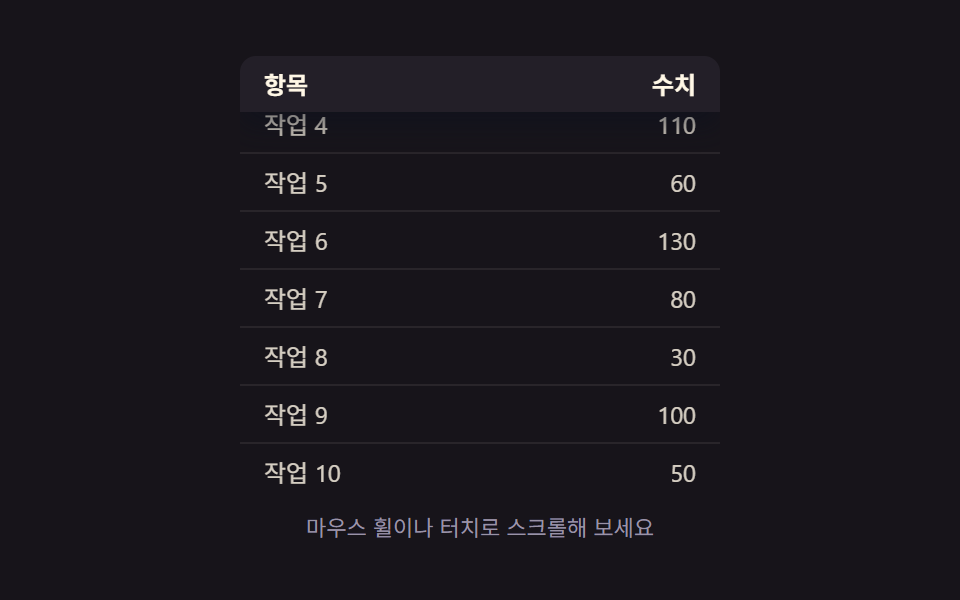 Transitions09 Scroll-position and shadow values linked — once the scroll-position value crosses a set threshold, the header pins in place and its shadow value deepensCollapsible Table Row: 9 UI Patterns
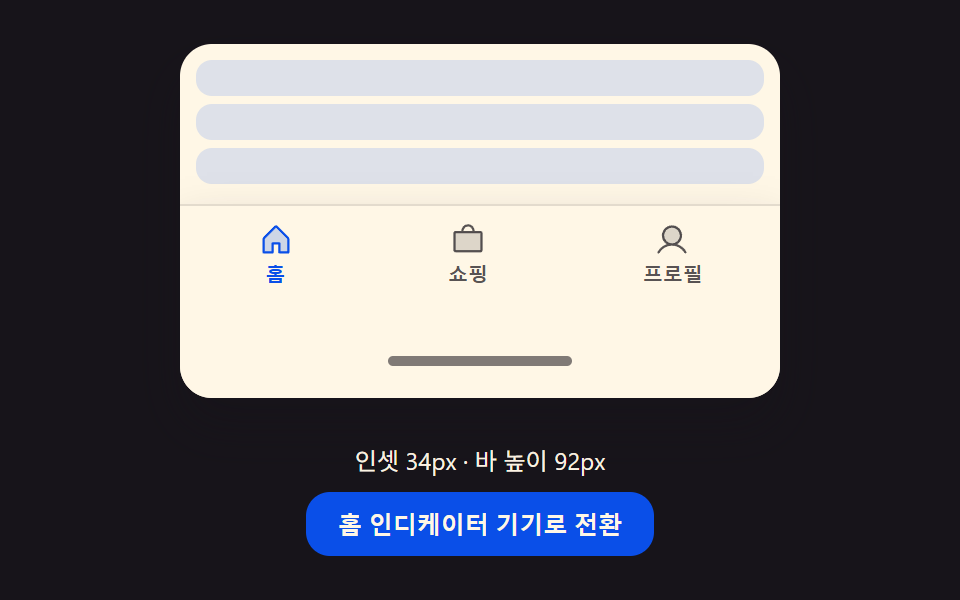 Transitions08 Inset-resize toggle — when the bottom-inset value grows, the bar's overall height and inner-padding values grow together by that same differenceCSS Bottom Navigation Bar: 9 Transition Patterns
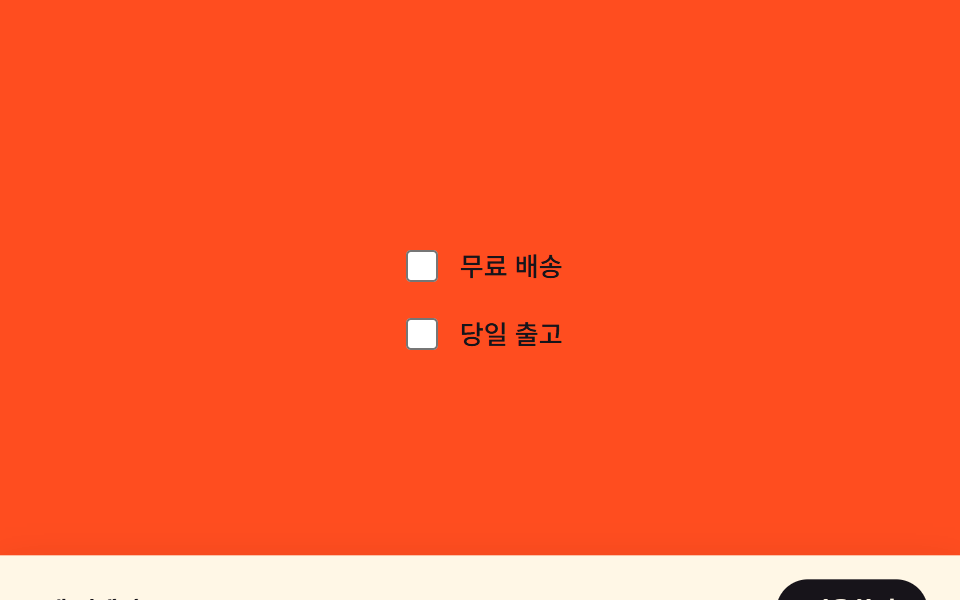 Transitions07 Sticky apply-bar reveal — a bottom bar repositioned by a selection-state value9 Filter UI Patterns (Panel Slide to Chip Remove)