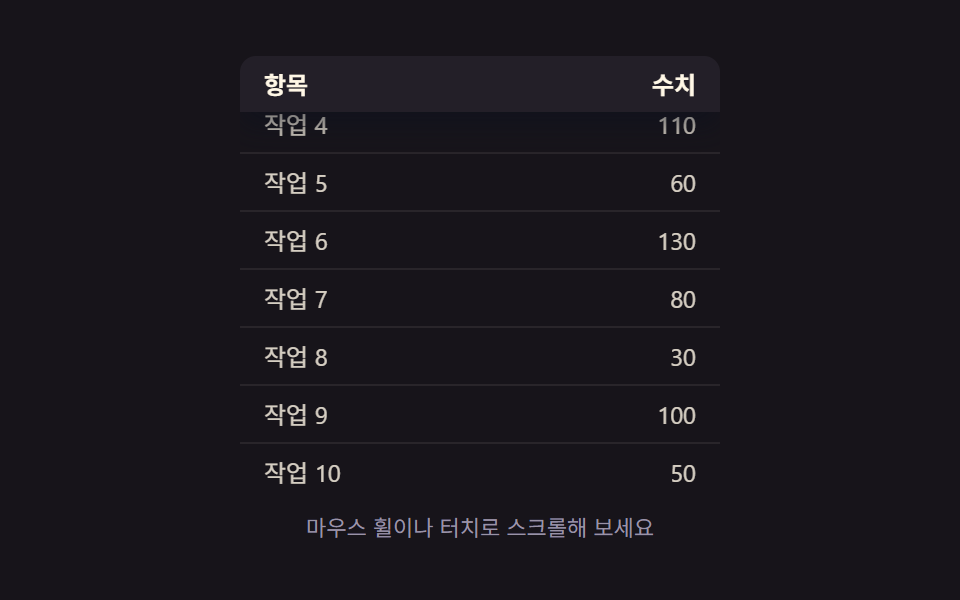
09Scroll-position and shadow values linked — once the scroll-position value crosses a set threshold, the header pins in place and its shadow value deepens
Once the scroll-position value passes a set threshold, the header stays pinned at the top and the shadow value beneath it deepens.
Best forA pinned header on a long data table, an admin list with a long scroll
scrollTop / maxScrollLERP 0.18.tss__head
<main class="stage">
<div class="tss is-demo" id="tss">
  <div class="tss__viewport" id="tssViewport">
    <table class="tss__table">
      <thead class="tss__head" id="tssHead">
        <tr><th class="tss__th">Item</th><th class="tss__th tss__th--num">Value</th></tr>
      </thead>
      <tbody id="tssBody"></tbody>
    </table>
  </div>
  <p class="tss__hint">Try scrolling with your wheel or touch</p>
</div>
</main>
@use "../../../../site/static/demo-tokens" as *;
// 계산 겹: 스크롤 위치 값(scrollTop / maxScroll)에서 0.18~0.5 구간만 걸러 머리글 고정 값(pin)을
// 만들고 그 값으로 그림자를 보간한다 — index.html tick() 참조
@include stage($stage-ink);
.tss {
width: 100%;
max-width: 240px;
}
.tss__viewport {
overflow-y: auto;
height: 216px;
border-radius: $r-sm;
scrollbar-width: none;
&::-webkit-scrollbar { display: none; }
}
.tss__table {
width: 100%;
border-collapse: collapse;
}
.tss__head {
position: sticky;
top: 0;
background: rgba(35, 31, 40, .94);
}
.tss__th {
padding: $sp-2 $sp-3;
text-align: left;
color: $subject-cream;
font: 600 12px/1 -apple-system, "Segoe UI", "Noto Sans KR", sans-serif;
border-bottom: 1px solid rgba(91, 140, 248, .35);
}
.tss__th--num {
text-align: right;
}
.tss__td {
padding: $sp-2 $sp-3;
color: rgba(255, 247, 230, .82);
font: 400 12px/1 -apple-system, "Segoe UI", "Noto Sans KR", sans-serif;
border-bottom: 1px solid rgba(255, 247, 230, .08);
}
.tss__td--num {
text-align: right;
font-variant-numeric: tabular-nums;
}
.tss__hint {
margin: $sp-3 0 0;
text-align: center;
color: $tick-mute;
font: 400 11px/1.4 -apple-system, "Segoe UI", "Noto Sans KR", sans-serif;
}
@media (max-width: 340px) {
.tss { max-width: 200px; }
.tss__viewport { height: 140px; }
.tss__th, .tss__td { font-size: 11px; }
}
@media (prefers-reduced-motion: reduce) {
.tss__head { transition: none; }
}html, body {
margin: 0;
overflow: hidden;
}
.stage {
box-sizing: border-box;
min-height: 100vh;
display: grid;
place-items: center;
margin: 0;
background: #17141a;
font-family: -apple-system, "Segoe UI", "Noto Sans KR", sans-serif;
padding: clamp(8px, 4vw, 24px);
}
.tss {
width: 100%;
max-width: 240px;
}
.tss__viewport {
overflow-y: auto;
height: 216px;
border-radius: 8px;
scrollbar-width: none;
}
.tss__viewport::-webkit-scrollbar {
display: none;
}
.tss__table {
width: 100%;
border-collapse: collapse;
}
.tss__head {
position: sticky;
top: 0;
background: rgba(35, 31, 40, 0.94);
}
.tss__th {
padding: 8px 12px;
text-align: left;
color: #fff7e6;
font: 600 12px/1 -apple-system, "Segoe UI", "Noto Sans KR", sans-serif;
border-bottom: 1px solid rgba(91, 140, 248, 0.35);
}
.tss__th--num {
text-align: right;
}
.tss__td {
padding: 8px 12px;
color: rgba(255, 247, 230, 0.82);
font: 400 12px/1 -apple-system, "Segoe UI", "Noto Sans KR", sans-serif;
border-bottom: 1px solid rgba(255, 247, 230, 0.08);
}
.tss__td--num {
text-align: right;
font-variant-numeric: tabular-nums;
}
.tss__hint {
margin: 12px 0 0;
text-align: center;
color: #9a93a6;
font: 400 11px/1.4 -apple-system, "Segoe UI", "Noto Sans KR", sans-serif;
}
@media (max-width: 340px) {
.tss {
max-width: 200px;
}
.tss__viewport {
height: 140px;
}
.tss__th, .tss__td {
font-size: 11px;
}
}
@media (prefers-reduced-motion: reduce) {
.tss__head {
transition: none;
}
}(function () {
var root = document.getElementById('tss');
var viewport = document.getElementById('tssViewport');
var head = document.getElementById('tssHead');
var body = document.getElementById('tssBody');
// 상수: 표시할 행 수 · 그림자 보간 속도 · 자동 스크롤 속도(px/초)
var N_ROWS = 10;
var LERP = 0.18;
var AUTO_SPEED = 46;
var names = [];
for (var ni = 1; ni <= N_ROWS; ni++) names.push('Task ' + ni);
for (var i = 0; i < N_ROWS; i++) {
var tr = document.createElement('tr');
var tdName = document.createElement('td');
tdName.className = 'tss__td';
tdName.textContent = names[i];
var tdVal = document.createElement('td');
tdVal.className = 'tss__td tss__td--num';
tdVal.textContent = ((i * 7) % 12 + 2) * 10;
tr.appendChild(tdName);
tr.appendChild(tdVal);
body.appendChild(tr);
}
var shadow = 0; // 그림자 값(0~1) — 스크롤 위치에 반응해 보간된다
var maxScroll = 1;
function measure() {
maxScroll = Math.max(1, viewport.scrollHeight - viewport.clientHeight);
}
measure();
// 계산 겹: 스크롤 위치 값(scrollTop / maxScroll)에서 0.18~0.5 구간만 걸러 머리글 고정 값(pin)을
// 만들고, 그 값으로 그림자 번짐·내림을 매 프레임 남은 거리의 18%씩 보간한다
function tick() {
measure();
var ratio = viewport.scrollTop / maxScroll;
var pinTarget = ratio < 0.18 ? 0 : ratio > 0.5 ? 1 : (ratio - 0.18) / 0.32;
shadow += (pinTarget - shadow) * LERP;
var blur = (shadow * 14).toFixed(1);
var drop = (shadow * 6).toFixed(1);
var alpha = (shadow * 0.5).toFixed(2);
head.style.boxShadow = '0 ' + drop + 'px ' + blur + 'px rgba(10, 15, 30, ' + alpha + ')';
head.style.backgroundColor = 'rgba(35, 31, 40, ' + (0.94 + shadow * 0.06).toFixed(2) + ')';
requestAnimationFrame(tick);
}
requestAnimationFrame(tick);
// 자동 루프가 viewport.scrollTop 을 바꿀 때도 scroll 이벤트는 발생한다(비동기 디스패치).
// 자동 스크롤 프레임마다 가드 스탬프(autoUntil)를 찍고, 이벤트가 그 짧은 창 안에서 오면
// 무시한다 — 사용자 스크롤만 is-demo 를 끊는다
var autoUntil = 0;
viewport.addEventListener('scroll', function () {
if (performance.now() < autoUntil) return;
root.classList.remove('is-demo');
});
// 자동 루프: 사용자가 손을 대기 전까지 왕복 스크롤로 고정→해제를 반복한다
var dir = 1;
var lastT = performance.now();
function autoTick(now) {
var dt = Math.min(0.05, (now - lastT) / 1000);
lastT = now;
if (root.classList.contains('is-demo')) {
autoUntil = now + 80;
viewport.scrollTop += AUTO_SPEED * dt * dir;
if (viewport.scrollTop >= maxScroll - 1) dir = -1;
if (viewport.scrollTop <= 1) dir = 1;
}
requestAnimationFrame(autoTick);
}
requestAnimationFrame(autoTick);
})();import { useEffect, useRef } from "react";
import styles from "./TableRowStickyHeaderShadow.module.scss";
type Box<T> = { current: T };
export default function TableRowStickyHeaderShadow() {
const rootRef = useRef(null) as unknown as Box<HTMLDivElement | null>;
const viewportRef = useRef(null) as unknown as Box<HTMLDivElement | null>;
const headRef = useRef(null) as unknown as Box<HTMLTableSectionElement | null>;
const bodyRef = useRef(null) as unknown as Box<HTMLTableSectionElement | null>;
useEffect(() => {
const root = rootRef.current;
const viewport = viewportRef.current;
const head = headRef.current;
const body = bodyRef.current;
if (!root || !viewport || !head || !body) return;
// 상수: 표시할 행 수 · 그림자 보간 속도 · 자동 스크롤 속도(px/초)
const N_ROWS = 10;
const LERP = 0.18;
const AUTO_SPEED = 46;
const names: string[] = [];
for (let ni = 1; ni <= N_ROWS; ni++) names.push("작업 " + ni);
for (let i = 0; i < N_ROWS; i++) {
const tr = document.createElement("tr");
const tdName = document.createElement("td");
tdName.className = styles.td;
tdName.textContent = names[i];
const tdVal = document.createElement("td");
tdVal.className = `${styles.td} ${styles.tdNum}`;
tdVal.textContent = String(((i * 7) % 12 + 2) * 10);
tr.appendChild(tdName);
tr.appendChild(tdVal);
body!.appendChild(tr);
}
let shadow = 0; // 그림자 값(0~1) — 스크롤 위치에 반응해 보간된다
let maxScroll = 1;
function measure() {
maxScroll = Math.max(1, viewport!.scrollHeight - viewport!.clientHeight);
}
measure();
// 계산 겹: 스크롤 위치 값(scrollTop / maxScroll)에서 0.18~0.5 구간만 걸러 머리글 고정 값(pin)을
// 만들고, 그 값으로 그림자 번짐·내림을 매 프레임 남은 거리의 18%씩 보간한다
function tick() {
measure();
const ratio = viewport!.scrollTop / maxScroll;
const pinTarget = ratio < 0.18 ? 0 : ratio > 0.5 ? 1 : (ratio - 0.18) / 0.32;
shadow += (pinTarget - shadow) * LERP;
const blur = (shadow * 14).toFixed(1);
const drop = (shadow * 6).toFixed(1);
const alpha = (shadow * 0.5).toFixed(2);
head!.style.boxShadow = "0 " + drop + "px " + blur + "px rgba(10, 15, 30, " + alpha + ")";
head!.style.backgroundColor = "rgba(35, 31, 40, " + (0.94 + shadow * 0.06).toFixed(2) + ")";
rafId = requestAnimationFrame(tick);
}
let rafId = requestAnimationFrame(tick);
// 자동 루프가 viewport.scrollTop 을 바꿀 때도 scroll 이벤트는 발생한다(비동기 디스패치).
// 자동 스크롤 프레임마다 가드 스탬프(autoUntil)를 찍고, 이벤트가 그 짧은 창 안에서 오면
// 무시한다 — 사용자 스크롤만 is-demo 를 끊는다
let autoUntil = 0;
function onScroll() {
if (performance.now() < autoUntil) return;
root!.classList.remove(styles["is-demo"]);
}
viewport!.addEventListener("scroll", onScroll);
// 자동 루프: 사용자가 손을 대기 전까지 왕복 스크롤로 고정→해제를 반복한다
let dir = 1;
let lastT = performance.now();
function autoTick(now: number) {
const dt = Math.min(0.05, (now - lastT) / 1000);
lastT = now;
if (root!.classList.contains(styles["is-demo"])) {
autoUntil = now + 80;
viewport!.scrollTop += AUTO_SPEED * dt * dir;
if (viewport!.scrollTop >= maxScroll - 1) dir = -1;
if (viewport!.scrollTop <= 1) dir = 1;
}
rafId = requestAnimationFrame(autoTick);
}
rafId = requestAnimationFrame(autoTick);
return () => {
cancelAnimationFrame(rafId);
viewport!.removeEventListener("scroll", onScroll);
};
}, []);
return (
<div className={styles.stage}>
<div ref={rootRef} className={`${styles.tss} ${styles["is-demo"]}`}>
<div ref={viewportRef} className={styles.viewport}>
<table className={styles.table}>
<thead ref={headRef} className={styles.head}>
<tr>
<th className={styles.th}>항목</th>
<th className={`${styles.th} ${styles.thNum}`}>수치</th>
</tr>
</thead>
<tbody ref={bodyRef} />
</table>
</div>
<p className={styles.hint}>마우스 휠이나 터치로 스크롤해 보세요</p>
</div>
</div>
);
}09 Scroll-position and shadow values linked — once the scroll-position value crosses a set threshold, the header pins in place and its shadow value deepens — Measured area 22.126% · moving frames 23/23Original by GODRICH · SCSS and React ship in the zip · Collapsible Table Row: 9 UI Patterns
The post this demo lives in
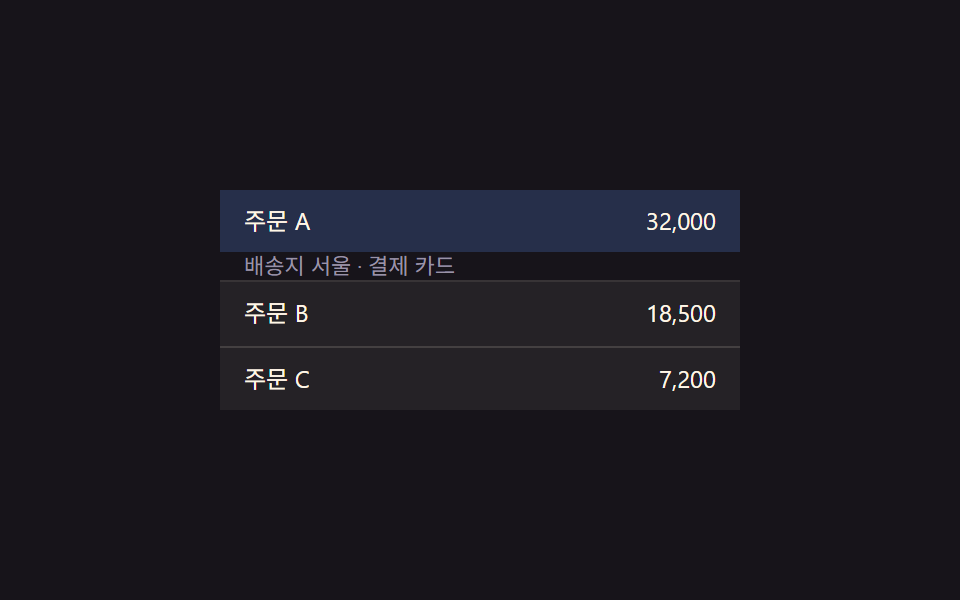 Collapsible Table Row: 9 UI PatternsCollapsible table row: One of nine grows a detail height as a row's expand value changes, one shrinks a removed row to z See all demos in this post
If you like this effect - similar demos
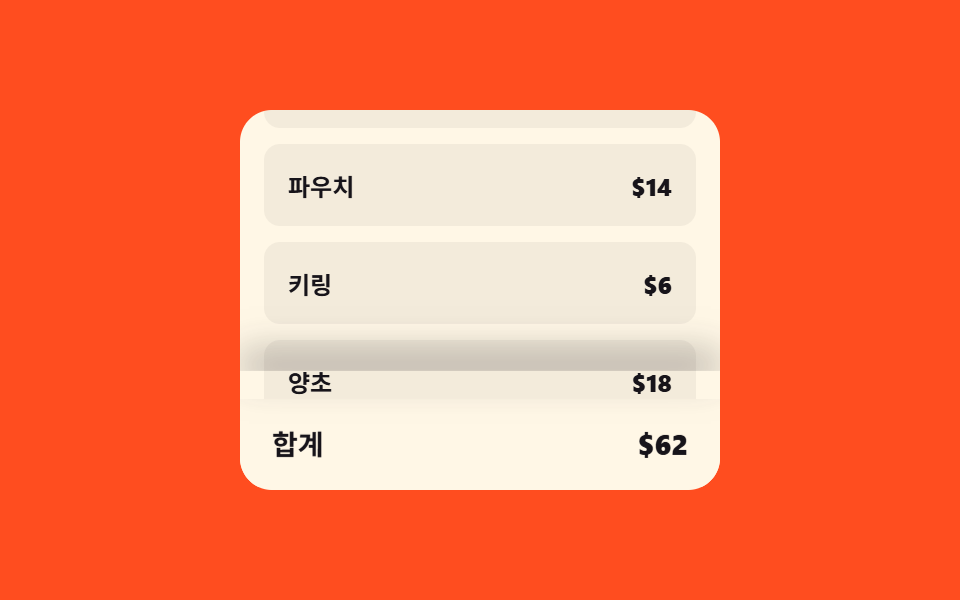 Transitions07 Checkout bar lift — a bottom bar whose shadow and height values grow with scroll positionCart Drawer UI Patterns: 9 Motion Techniques
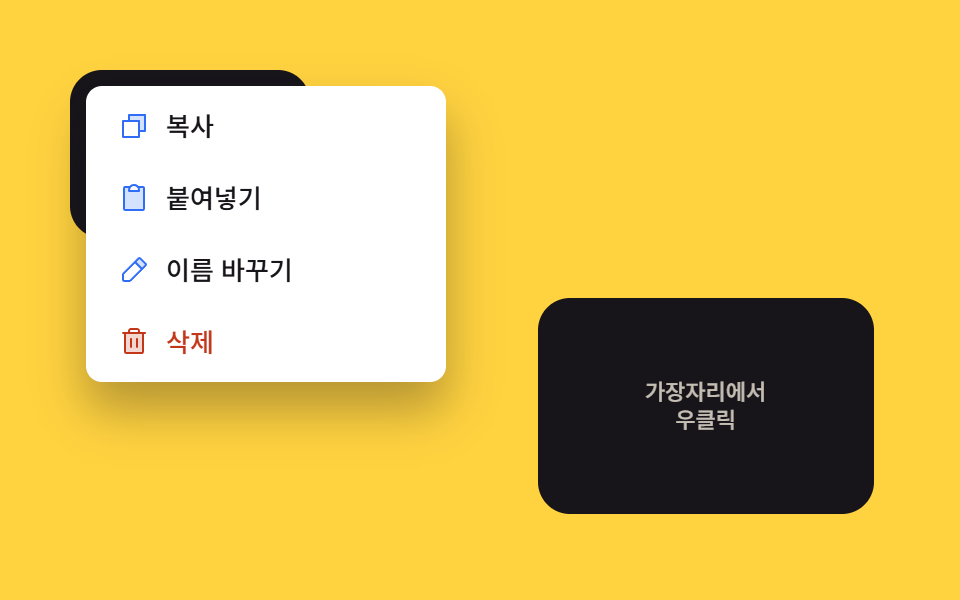 Transitions02 Viewport edge flip — the opening direction value reverses once the position value reaches a screen edgeContext Menu UI: 9 Right-Click Menu Patterns
 Transitions01 Active-indicator slide-morph toggle — when the selected tab changes, the highlight's position and width values shift together from the old spot to the new oneCSS Bottom Navigation Bar: 9 Transition Patterns