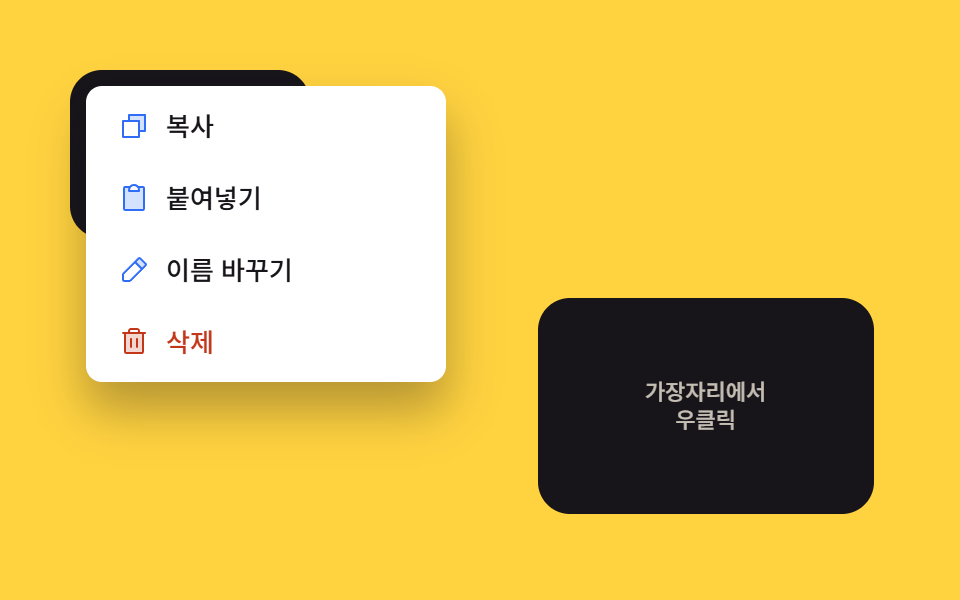
02Viewport edge flip — the opening direction value reverses once the position value reaches a screen edge
Once the menu box's right edge coordinate value passes the screen width value, the opening direction value flips to the left, and the same happens downward with an upward direction value.
Best forRight-clicking an element near the right edge, right-clicking an element near the bottom edge
flipFor(x, y)flip-x / flip-y(x + mw) > vw
<main class="stage">
<div class="cm is-demo" id="cm">
  <div class="cm__field cm__field--alt" id="cmFieldAlt">
    <span class="cm__hint">Top-left<br>Right-click</span>
  </div>
  <div class="cm__field" id="cmField">
    <span class="cm__hint">Near the edge<br>Right-click</span>
  </div>
  <div class="cm__menu" id="cmMenu" role="menu">
    <button class="cm__item" type="button" role="menuitem">
      <span class="cm__ic"><svg xmlns="http://www.w3.org/2000/svg" viewBox="0 0 256 256"><g fill="currentColor"><path d="M216 40v128h-48V88H88V40Z" opacity=".2"/><path d="M216 32H88a8 8 0 0 0-8 8v40H40a8 8 0 0 0-8 8v128a8 8 0 0 0 8 8h128a8 8 0 0 0 8-8v-40h40a8 8 0 0 0 8-8V40a8 8 0 0 0-8-8m-56 176H48V96h112Zm48-48h-32V88a8 8 0 0 0-8-8H96V48h112Z"/></g></svg></span>
      <span>Copy</span>
    </button>
    <button class="cm__item" type="button" role="menuitem">
      <span class="cm__ic"><svg xmlns="http://www.w3.org/2000/svg" viewBox="0 0 256 256"><g fill="currentColor"><path d="M208 48v168a8 8 0 0 1-8 8H56a8 8 0 0 1-8-8V48a8 8 0 0 1 8-8h40a39.83 39.83 0 0 0-8 24v8h80v-8a39.83 39.83 0 0 0-8-24h40a8 8 0 0 1 8 8" opacity=".2"/><path d="M200 32h-36.26a47.92 47.92 0 0 0-71.48 0H56a16 16 0 0 0-16 16v168a16 16 0 0 0 16 16h144a16 16 0 0 0 16-16V48a16 16 0 0 0-16-16m-72 0a32 32 0 0 1 32 32H96a32 32 0 0 1 32-32m72 184H56V48h26.75A47.9 47.9 0 0 0 80 64v8a8 8 0 0 0 8 8h80a8 8 0 0 0 8-8v-8a47.9 47.9 0 0 0-2.75-16H200Z"/></g></svg></span>
      <span>Paste</span>
    </button>
    <button class="cm__item" type="button" role="menuitem">
      <span class="cm__ic"><svg xmlns="http://www.w3.org/2000/svg" viewBox="0 0 256 256"><g fill="currentColor"><path d="M221.66 90.34L192 120l-56-56l29.66-29.66a8 8 0 0 1 11.31 0L221.66 79a8 8 0 0 1 0 11.34" opacity=".2"/><path d="m227.31 73.37l-44.68-44.69a16 16 0 0 0-22.63 0L36.69 152A15.86 15.86 0 0 0 32 163.31V208a16 16 0 0 0 16 16h44.69a15.86 15.86 0 0 0 11.31-4.69L227.31 96a16 16 0 0 0 0-22.63M92.69 208H48v-44.69l88-88L180.69 120ZM192 108.68L147.31 64l24-24L216 84.68Z"/></g></svg></span>
      <span>Rename</span>
    </button>
    <button class="cm__item cm__item--danger" type="button" role="menuitem">
      <span class="cm__ic"><svg xmlns="http://www.w3.org/2000/svg" viewBox="0 0 256 256"><g fill="currentColor"><path d="M200 56v152a8 8 0 0 1-8 8H64a8 8 0 0 1-8-8V56Z" opacity=".2"/><path d="M216 48h-40v-8a24 24 0 0 0-24-24h-48a24 24 0 0 0-24 24v8H40a8 8 0 0 0 0 16h8v144a16 16 0 0 0 16 16h128a16 16 0 0 0 16-16V64h8a8 8 0 0 0 0-16M96 40a8 8 0 0 1 8-8h48a8 8 0 0 1 8 8v8H96Zm96 168H64V64h128Zm-80-104v64a8 8 0 0 1-16 0v-64a8 8 0 0 1 16 0m48 0v64a8 8 0 0 1-16 0v-64a8 8 0 0 1 16 0"/></g></svg></span>
      <span>Delete</span>
    </button>
  </div>
</div>
</main>@use "../../../../site/static/demo-tokens" as *;
// 계산 겹: 메뉴 상자의 오른쪽·아래쪽 끝 좌표 값이 화면 폭·높이 값을 넘어서는지 먼저 계산하고,
// 넘어서면 펼치는 방향(transform-origin)과 앵커 좌표를 반대로 뒤집는다 (flipFor()).
@include stage($stage-yellow);
.cm {
position: relative;
width: 100%;
height: 100%;
}
.cm__field {
position: absolute;
right: $sp-6;
bottom: $sp-6;
width: 168px;
height: 108px;
border-radius: $r-card;
background: $subject-ink;
color: $subject-cream;
display: grid;
place-items: center;
text-align: center;
padding: $sp-3;
box-sizing: border-box;
font: 600 13px/1.3 -apple-system, "Segoe UI", "Noto Sans KR", sans-serif;
user-select: none;
}
.cm__field--alt {
right: auto;
left: $sp-4;
top: $sp-4;
bottom: auto;
width: 120px;
height: 84px;
}
.cm__hint { opacity: .75; font-weight: 500; font-size: 11px; }
.cm__menu {
position: fixed;
top: 0;
left: 0;
min-width: 172px;
background: $stage-paper;
border-radius: $r-sm;
box-shadow: $shadow-raised;
padding: $sp-1;
display: grid;
gap: $sp-1;
opacity: 0;
transform: scale(.94);
transform-origin: top left;
pointer-events: none;
transition: opacity $dur-quick $ease-out, transform $dur-quick $ease-out;
z-index: 5;
&.is-open { opacity: 1; transform: scale(1); pointer-events: auto; }
&.flip-x { transform-origin: top right; }
&.flip-y { transform-origin: bottom left; }
&.flip-x.flip-y { transform-origin: bottom right; }
}
.cm__item {
display: flex;
align-items: center;
gap: $sp-2;
padding: $sp-2 $sp-3;
border: 0;
background: none;
border-radius: $r-xs;
font: 500 13px/1.2 -apple-system, "Segoe UI", "Noto Sans KR", sans-serif;
color: $subject-ink;
cursor: pointer;
text-align: left;
&:hover, &:focus-visible { background: rgba($subject-ink, .08); }
&--danger { color: $error; }
}
.cm__ic {
width: 16px;
height: 16px;
flex: none;
color: $subject-blue;
svg { display: block; width: 100%; height: 100%; }
}
.cm__item--danger .cm__ic { color: $error; }
@media (max-width: 340px) {
.cm__field { width: 140px; height: 96px; right: $sp-3; bottom: $sp-3; font-size: 11px; }
.cm__field--alt { width: 104px; height: 76px; left: $sp-2; top: $sp-2; }
.cm__menu { min-width: 144px; }
.cm__item { padding: $sp-1 $sp-2; font-size: 12px; }
}
@media (prefers-reduced-motion: reduce) {
.cm__menu { transition: none; }
}html, body {
margin: 0;
overflow: hidden;
}
.stage {
box-sizing: border-box;
min-height: 100vh;
display: grid;
place-items: center;
margin: 0;
background: #ffd23f;
font-family: -apple-system, "Segoe UI", "Noto Sans KR", sans-serif;
padding: clamp(8px, 4vw, 24px);
}
.cm {
position: relative;
width: 100%;
height: 100%;
}
.cm__field {
position: absolute;
right: 24px;
bottom: 24px;
width: 168px;
height: 108px;
border-radius: 16px;
background: #17141a;
color: #fff7e6;
display: grid;
place-items: center;
text-align: center;
padding: 12px;
box-sizing: border-box;
font: 600 13px/1.3 -apple-system, "Segoe UI", "Noto Sans KR", sans-serif;
user-select: none;
}
.cm__field--alt {
right: auto;
left: 16px;
top: 16px;
bottom: auto;
width: 120px;
height: 84px;
}
.cm__hint {
opacity: 0.75;
font-weight: 500;
font-size: 11px;
}
.cm__menu {
position: fixed;
top: 0;
left: 0;
min-width: 172px;
background: #ffffff;
border-radius: 8px;
box-shadow: 0 14px 24px rgba(23, 20, 26, 0.32);
padding: 4px;
display: grid;
gap: 4px;
opacity: 0;
transform: scale(0.94);
transform-origin: top left;
pointer-events: none;
transition: opacity 220ms ease-out, transform 220ms ease-out;
z-index: 5;
}
.cm__menu.is-open {
opacity: 1;
transform: scale(1);
pointer-events: auto;
}
.cm__menu.flip-x {
transform-origin: top right;
}
.cm__menu.flip-y {
transform-origin: bottom left;
}
.cm__menu.flip-x.flip-y {
transform-origin: bottom right;
}
.cm__item {
display: flex;
align-items: center;
gap: 8px;
padding: 8px 12px;
border: 0;
background: none;
border-radius: 4px;
font: 500 13px/1.2 -apple-system, "Segoe UI", "Noto Sans KR", sans-serif;
color: #17141a;
cursor: pointer;
text-align: left;
}
.cm__item:hover, .cm__item:focus-visible {
background: rgba(23, 20, 26, 0.08);
}
.cm__item--danger {
color: #c2361a;
}
.cm__ic {
width: 16px;
height: 16px;
flex: none;
color: #2f6df6;
}
.cm__ic svg {
display: block;
width: 100%;
height: 100%;
}
.cm__item--danger .cm__ic {
color: #c2361a;
}
@media (max-width: 340px) {
.cm__field {
width: 140px;
height: 96px;
right: 12px;
bottom: 12px;
font-size: 11px;
}
.cm__field--alt {
width: 104px;
height: 76px;
left: 8px;
top: 8px;
}
.cm__menu {
min-width: 144px;
}
.cm__item {
padding: 4px 8px;
font-size: 12px;
}
}
@media (prefers-reduced-motion: reduce) {
.cm__menu {
transition: none;
}
}(function () {
var field = document.getElementById('cmField');
var fieldAlt = document.getElementById('cmFieldAlt');
var menu = document.getElementById('cmMenu');
var root = document.getElementById('cm');
var GAP = 4;
function flipFor(x, y) {
var mw = menu.offsetWidth, mh = menu.offsetHeight;
var vw = document.documentElement.clientWidth, vh = document.documentElement.clientHeight;
// 계산 겹: 메뉴 상자의 오른쪽·아래쪽 끝(x+mw, y+mh)이 화면 폭·높이 값을 넘어서는지 먼저 재고,
// 넘어서는 축만 앵커에서 메뉴 크기만큼 반대로 밀어 펼치는 방향을 뒤집는다.
var flipX = (x + mw) > vw;
var flipY = (y + mh) > vh;
var px = flipX ? (x - mw) : x;
var py = flipY ? (y - mh) : y;
px = Math.max(GAP, Math.min(px, vw - mw - GAP));
py = Math.max(GAP, Math.min(py, vh - mh - GAP));
menu.style.left = px.toFixed(0) + 'px';
menu.style.top = py.toFixed(0) + 'px';
menu.classList.toggle('flip-x', flipX);
menu.classList.toggle('flip-y', flipY);
}
function open(x, y) {
flipFor(x, y);
menu.classList.add('is-open');
}
function close() { menu.classList.remove('is-open'); }
function wireField(el) {
el.addEventListener('contextmenu', function (e) {
e.preventDefault();
root.classList.remove('is-demo'); stopAutoplay();
var r = el.getBoundingClientRect();
open(e.clientX - r.left > r.width / 2 ? r.right - 2 : r.left + 2, e.clientY);
});
}
wireField(field);
wireField(fieldAlt);
document.addEventListener('pointerdown', function (e) {
if (menu.classList.contains('is-open') && !menu.contains(e.target) && e.target !== field && e.target !== fieldAlt) {
close();
}
});
menu.addEventListener('click', close);
// 자동 루프: Top-left 필드(뒤집힘 없음)와 오른쪽 아래 필드(가로·세로 모두 뒤집힘)를 번갈아 열어
// 같은 flipFor() 경로가 두 경우 모두 다른 방향으로 뒤집는 것을 보여준다.
var seq = [
function () { var r = fieldAlt.getBoundingClientRect(); open(r.left + 8, r.top + 8); },
close,
function () { var r = field.getBoundingClientRect(); open(r.right - 8, r.bottom - 8); },
close
];
var si = 0, autoTimer = null;
function autoTick() { seq[si % seq.length](); si++; }
var reduce = window.matchMedia('(prefers-reduced-motion: reduce)').matches;
function stopAutoplay() { if (autoTimer) { clearInterval(autoTimer); autoTimer = null; } }
if (!reduce) { autoTimer = setInterval(autoTick, 280); autoTick(); }
})();import { useEffect, useRef } from "react";
import styles from "./ViewportEdgeFlip.module.scss";
const ICON_COPY = '<svg xmlns="http://www.w3.org/2000/svg" viewBox="0 0 256 256"><g fill="currentColor"><path d="M216 40v128h-48V88H88V40Z" opacity=".2"/><path d="M216 32H88a8 8 0 0 0-8 8v40H40a8 8 0 0 0-8 8v128a8 8 0 0 0 8 8h128a8 8 0 0 0 8-8v-40h40a8 8 0 0 0 8-8V40a8 8 0 0 0-8-8m-56 176H48V96h112Zm48-48h-32V88a8 8 0 0 0-8-8H96V48h112Z"/></g></svg>';
const ICON_PASTE = '<svg xmlns="http://www.w3.org/2000/svg" viewBox="0 0 256 256"><g fill="currentColor"><path d="M208 48v168a8 8 0 0 1-8 8H56a8 8 0 0 1-8-8V48a8 8 0 0 1 8-8h40a39.83 39.83 0 0 0-8 24v8h80v-8a39.83 39.83 0 0 0-8-24h40a8 8 0 0 1 8 8" opacity=".2"/><path d="M200 32h-36.26a47.92 47.92 0 0 0-71.48 0H56a16 16 0 0 0-16 16v168a16 16 0 0 0 16 16h144a16 16 0 0 0 16-16V48a16 16 0 0 0-16-16m-72 0a32 32 0 0 1 32 32H96a32 32 0 0 1 32-32m72 184H56V48h26.75A47.9 47.9 0 0 0 80 64v8a8 8 0 0 0 8 8h80a8 8 0 0 0 8-8v-8a47.9 47.9 0 0 0-2.75-16H200Z"/></g></svg>';
const ICON_RENAME = '<svg xmlns="http://www.w3.org/2000/svg" viewBox="0 0 256 256"><g fill="currentColor"><path d="M221.66 90.34L192 120l-56-56l29.66-29.66a8 8 0 0 1 11.31 0L221.66 79a8 8 0 0 1 0 11.34" opacity=".2"/><path d="m227.31 73.37l-44.68-44.69a16 16 0 0 0-22.63 0L36.69 152A15.86 15.86 0 0 0 32 163.31V208a16 16 0 0 0 16 16h44.69a15.86 15.86 0 0 0 11.31-4.69L227.31 96a16 16 0 0 0 0-22.63M92.69 208H48v-44.69l88-88L180.69 120ZM192 108.68L147.31 64l24-24L216 84.68Z"/></g></svg>';
const ICON_TRASH = '<svg xmlns="http://www.w3.org/2000/svg" viewBox="0 0 256 256"><g fill="currentColor"><path d="M200 56v152a8 8 0 0 1-8 8H64a8 8 0 0 1-8-8V56Z" opacity=".2"/><path d="M216 48h-40v-8a24 24 0 0 0-24-24h-48a24 24 0 0 0-24 24v8H40a8 8 0 0 0 0 16h8v144a16 16 0 0 0 16 16h128a16 16 0 0 0 16-16V64h8a8 8 0 0 0 0-16M96 40a8 8 0 0 1 8-8h48a8 8 0 0 1 8 8v8H96Zm96 168H64V64h128Zm-80-104v64a8 8 0 0 1-16 0v-64a8 8 0 0 1 16 0m48 0v64a8 8 0 0 1-16 0v-64a8 8 0 0 1 16 0"/></g></svg>';
export type ViewportEdgeFlipProps = {
color?: string;
};
export default function ViewportEdgeFlip({
color = "#2f6df6",
}: ViewportEdgeFlipProps) {
const rootRef = useRef<HTMLDivElement | null>(null);
useEffect(() => {
const root = rootRef.current;
if (!root) return;
const field = root.querySelector<HTMLDivElement>(`.${styles.field}`);
const fieldAlt = root.querySelector<HTMLDivElement>(`.${styles.fieldAlt}`);
const menu = root.querySelector<HTMLDivElement>(`.${styles.menu}`);
if (!field || !fieldAlt || !menu) return;
const GAP = 4;
// 계산 겹: 메뉴 상자의 오른쪽·아래쪽 끝이 뷰포트를 넘는지 먼저 재고, 넘는 축만 앵커에서
// 메뉴 크기만큼 반대로 밀어 펼치는 방향을 뒤집는다.
function flipFor(x: number, y: number) {
const mw = menu!.offsetWidth, mh = menu!.offsetHeight;
const vw = document.documentElement.clientWidth, vh = document.documentElement.clientHeight;
const flipX = (x + mw) > vw;
const flipY = (y + mh) > vh;
let px = flipX ? (x - mw) : x;
let py = flipY ? (y - mh) : y;
px = Math.max(GAP, Math.min(px, vw - mw - GAP));
py = Math.max(GAP, Math.min(py, vh - mh - GAP));
menu!.style.left = px.toFixed(0) + "px";
menu!.style.top = py.toFixed(0) + "px";
menu!.classList.toggle(styles.flipX, flipX);
menu!.classList.toggle(styles.flipY, flipY);
}
function open(x: number, y: number) { flipFor(x, y); menu!.classList.add(styles.open); }
function close() { menu!.classList.remove(styles.open); }
function wireField(el: HTMLDivElement) {
const handler = (e: MouseEvent) => {
e.preventDefault();
stopAutoplay();
const r = el.getBoundingClientRect();
open(e.clientX - r.left > r.width / 2 ? r.right - 2 : r.left + 2, e.clientY);
};
el.addEventListener("contextmenu", handler);
return () => el.removeEventListener("contextmenu", handler);
}
const un1 = wireField(field);
const un2 = wireField(fieldAlt);
function onDocDown(e: PointerEvent) {
if (menu!.classList.contains(styles.open) && !menu!.contains(e.target as Node) && e.target !== field && e.target !== fieldAlt) close();
}
document.addEventListener("pointerdown", onDocDown);
menu.addEventListener("click", close);
const seq = [
() => { const r = fieldAlt.getBoundingClientRect(); open(r.left + 8, r.top + 8); },
close,
() => { const r = field.getBoundingClientRect(); open(r.right - 8, r.bottom - 8); },
close,
];
let si = 0;
let autoTimer: number | null = null;
function autoTick() { seq[si % seq.length](); si++; }
function stopAutoplay() { if (autoTimer !== null) { window.clearInterval(autoTimer); autoTimer = null; } }
const reduce = window.matchMedia("(prefers-reduced-motion: reduce)").matches;
if (!reduce) { autoTimer = window.setInterval(autoTick, 280); autoTick(); }
return () => {
stopAutoplay();
un1(); un2();
document.removeEventListener("pointerdown", onDocDown);
};
}, []);
return (
<div ref={rootRef} className={styles.stage}>
<div className={styles.cm}>
<div className={`${styles.field} ${styles.fieldAlt}`}>
<span className={styles.hint}>왼쪽 위<br />우클릭</span>
</div>
<div className={styles.field}>
<span className={styles.hint}>가장자리에서<br />우클릭</span>
</div>
<div className={styles.menu} role="menu">
<button type="button" className={styles.item} role="menuitem">
<span className={styles.ic} style={{ color }} dangerouslySetInnerHTML={{ __html: ICON_COPY }} />
<span>복사</span>
</button>
<button type="button" className={styles.item} role="menuitem">
<span className={styles.ic} style={{ color }} dangerouslySetInnerHTML={{ __html: ICON_PASTE }} />
<span>붙여넣기</span>
</button>
<button type="button" className={styles.item} role="menuitem">
<span className={styles.ic} style={{ color }} dangerouslySetInnerHTML={{ __html: ICON_RENAME }} />
<span>이름 바꾸기</span>
</button>
<button type="button" className={`${styles.item} ${styles.danger}`} role="menuitem">
<span className={styles.ic} dangerouslySetInnerHTML={{ __html: ICON_TRASH }} />
<span>삭제</span>
</button>
</div>
</div>
</div>
);
}02 Viewport edge flip — the opening direction value reverses once the position value reaches a screen edge — Measured area 45.69% · moving frames 8/23Original by GODRICH · SCSS and React ship in the zip · Context Menu UI: 9 Right-Click Menu Patterns
The post this demo lives in
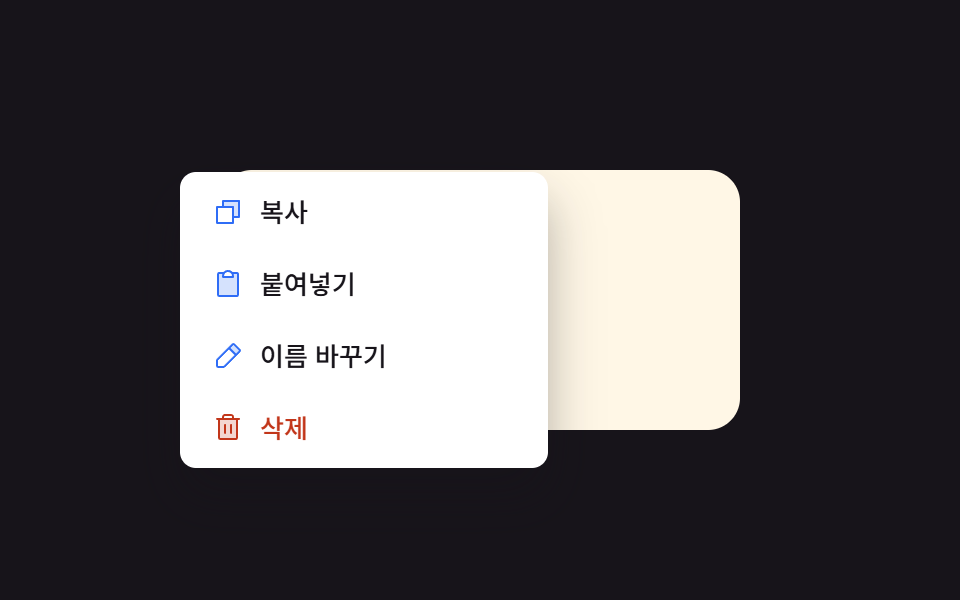 Context Menu UI: 9 Right-Click Menu PatternsOne menu position value is set from the clicked coordinate value, one flips its direction value near a screen edge, and See all demos in this post
If you like this effect - similar demos
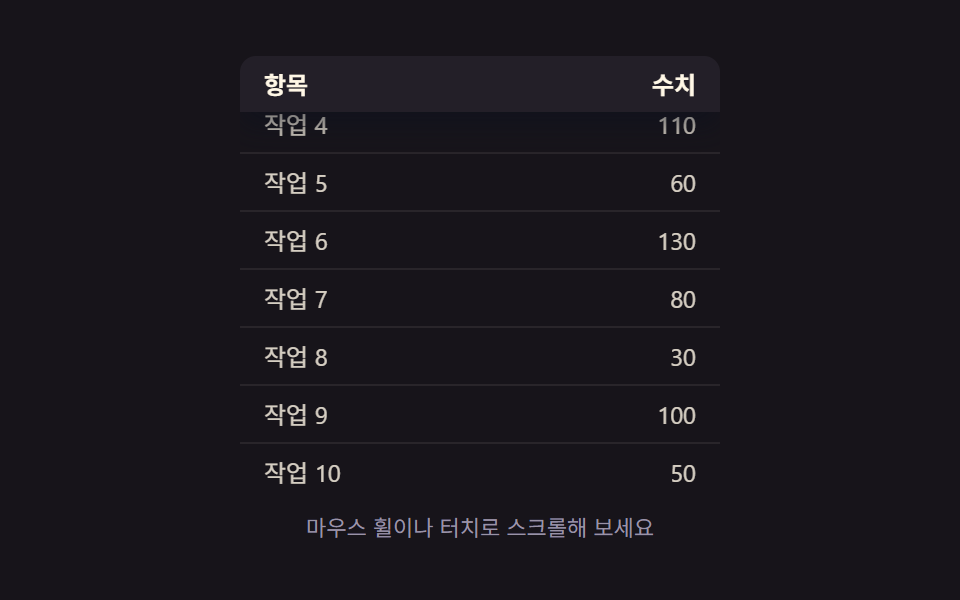 Transitions09 Scroll-position and shadow values linked — once the scroll-position value crosses a set threshold, the header pins in place and its shadow value deepensCollapsible Table Row: 9 UI Patterns
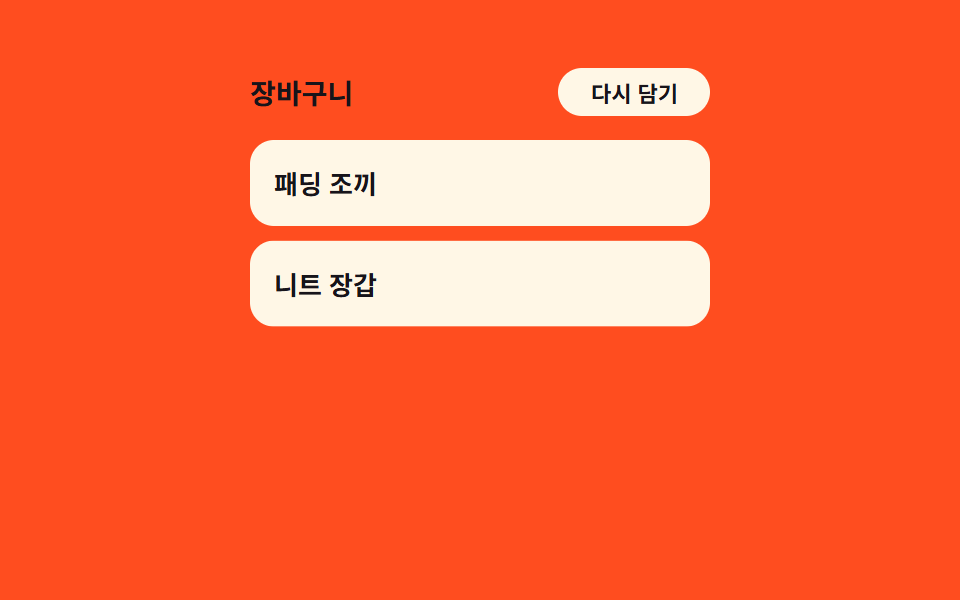 Transitions03 Item stagger cascade — each row's delay grows with its position value in the listCart Drawer UI Patterns: 9 Motion Techniques
 Transitions05 Scroll-direction hide-reveal toggle — when the scroll-direction value is downward the whole bar hides offscreen, and upward brings it backCSS Bottom Navigation Bar: 9 Transition Patterns