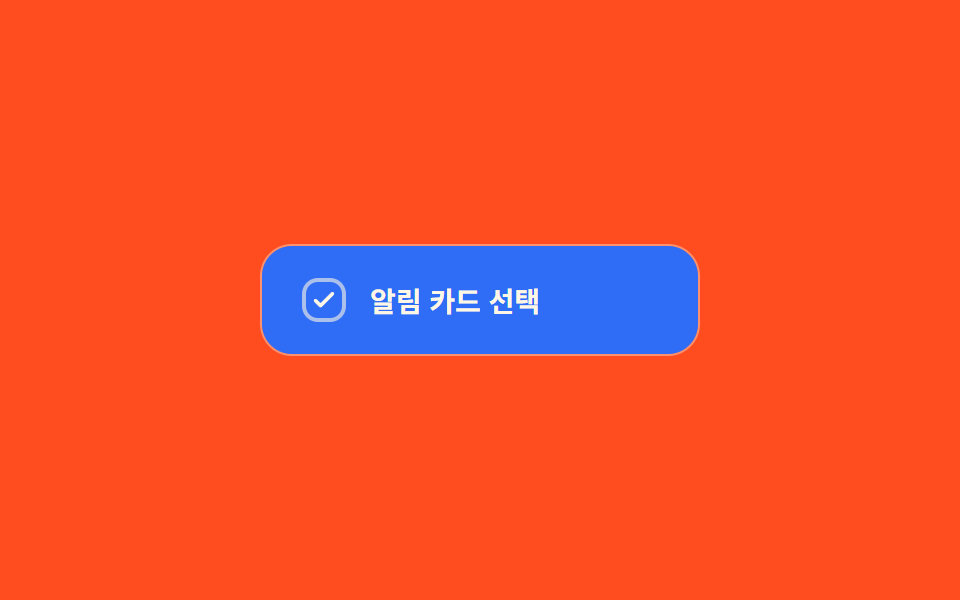
06Color-fill-wipe toggle — when the checked value turns on, the box's fill value spreads from one corner to the opposite one
The moment the checked value turns on, the box's fill value starts at one corner and spreads outward to the opposite corner.
Best forA selection item wanting to emphasize an accent color, a card-style selection list
WIPE_MSclip-pathbackground
<main class="stage">
<label class="cbw is-demo" id="cbw">
  <input type="checkbox" class="cbw__input" id="cbwInput">
  <span class="cbw__card" id="cbwCard">
    <span class="cbw__fill" id="cbwFill" aria-hidden="true"></span>
    <span class="cbw__box" aria-hidden="true">
      <svg viewBox="0 0 20 20" width="14" height="14"><path d="M4 10.5l3.5 3.5L16 5.5" fill="none" stroke="currentColor" stroke-width="2.6" stroke-linecap="round" stroke-linejoin="round"/></svg>
    </span>
    <span class="cbw__text">Select notification card</span>
  </span>
</label>
</main>
@use "../../../../site/static/demo-tokens" as *;
// 계산 겹: index.html measure() 가 카드의 실측 대각선 길이(getBoundingClientRect)를 재고,
// clip-path circle() 반지름을 easeOutCubic 로 그 길이까지 rAF 적분해 한쪽 모서리에서
// 반대쪽 모서리까지 채움 배경이 번지는 값을 만든다.
@include stage($stage-orange);
.cbw {
cursor: pointer;
user-select: none;
display: block;
}
.cbw__input {
position: absolute;
width: 1px;
height: 1px;
opacity: 0;
pointer-events: none;
}
.cbw__card {
position: relative;
display: flex;
align-items: center;
gap: $sp-3;
width: 220px;
padding: $sp-4 $sp-5;
border-radius: $r-card;
background: rgba($subject-cream, .14);
border: 1px solid rgba($subject-cream, .3);
overflow: hidden;
box-sizing: border-box;
}
.cbw__fill {
position: absolute;
inset: 0;
background: $subject-blue;
clip-path: circle(0px at 0% 100%);
pointer-events: none;
}
.cbw__box {
position: relative;
z-index: 1;
flex: 0 0 auto;
width: 22px;
height: 22px;
border-radius: $r-sm;
border: 2px solid rgba($subject-cream, .6);
color: $subject-cream;
display: grid;
place-items: center;
box-sizing: border-box;
svg {
opacity: 0;
transition: opacity $dur-quick $ease-out;
}
}
.cbw__input:checked ~ .cbw__card .cbw__box svg {
opacity: 1;
}
.cbw__text {
position: relative;
z-index: 1;
color: $subject-cream;
font-size: 14px;
font-weight: 600;
}
.cbw__input:focus-visible ~ .cbw__card {
outline: 2px solid $subject-blue-light;
outline-offset: 2px;
}
@media (max-width: 340px) {
.cbw__card { width: 100%; max-width: 220px; }
.cbw__text { font-size: 13px; }
}
@media (prefers-reduced-motion: reduce) {
.cbw__fill { transition: none; }
.cbw__box svg { transition: none; }
}html, body {
margin: 0;
overflow: hidden;
}
.stage {
box-sizing: border-box;
min-height: 100vh;
display: grid;
place-items: center;
margin: 0;
background: #ff4d1f;
font-family: -apple-system, "Segoe UI", "Noto Sans KR", sans-serif;
padding: clamp(8px, 4vw, 24px);
}
.cbw {
cursor: pointer;
user-select: none;
display: block;
}
.cbw__input {
position: absolute;
width: 1px;
height: 1px;
opacity: 0;
pointer-events: none;
}
.cbw__card {
position: relative;
display: flex;
align-items: center;
gap: 12px;
width: 220px;
padding: 16px 20px;
border-radius: 16px;
background: rgba(255, 247, 230, 0.14);
border: 1px solid rgba(255, 247, 230, 0.3);
overflow: hidden;
box-sizing: border-box;
}
.cbw__fill {
position: absolute;
inset: 0;
background: #2f6df6;
clip-path: circle(0px at 0% 100%);
pointer-events: none;
}
.cbw__box {
position: relative;
z-index: 1;
flex: 0 0 auto;
width: 22px;
height: 22px;
border-radius: 8px;
border: 2px solid rgba(255, 247, 230, 0.6);
color: #fff7e6;
display: grid;
place-items: center;
box-sizing: border-box;
}
.cbw__box svg {
opacity: 0;
transition: opacity 220ms ease-out;
}
.cbw__input:checked ~ .cbw__card .cbw__box svg {
opacity: 1;
}
.cbw__text {
position: relative;
z-index: 1;
color: #fff7e6;
font-size: 14px;
font-weight: 600;
}
.cbw__input:focus-visible ~ .cbw__card {
outline: 2px solid #5b8cf8;
outline-offset: 2px;
}
@media (max-width: 340px) {
.cbw__card {
width: 100%;
max-width: 220px;
}
.cbw__text {
font-size: 13px;
}
}
@media (prefers-reduced-motion: reduce) {
.cbw__fill {
transition: none;
}
.cbw__box svg {
transition: none;
}
}(function () {
var WIPE_MS = 420; // 계산 겹 상수: 채움이 한쪽 모서리에서 반대쪽까지 번지는 데 걸리는 실제 시간(ms)
var CYCLE_MS = 900; // 자동 루프가 체크·해제를 오가는 간격
var reduce = window.matchMedia('(prefers-reduced-motion: reduce)').matches;
var root = document.getElementById('cbw');
var input = document.getElementById('cbwInput');
var card = document.getElementById('cbwCard');
var fill = document.getElementById('cbwFill');
var isDemo = true;
var diag = 0;
var wiping = false, wipeStart = 0, wipeDir = 1;
function measure() {
// 계산 겹: 카드 실측 대각선 길이 — 채움 원이 반대쪽 모서리에 정확히 닿는 반지름 값
var r = card.getBoundingClientRect();
diag = Math.sqrt(r.width * r.width + r.height * r.height);
}
function easeOutCubic(t) { return 1 - Math.pow(1 - t, 3); }
function human() {
if (isDemo) { root.classList.remove('is-demo'); isDemo = false; }
}
function setChecked(next, ts) {
input.checked = next;
wipeDir = next ? 1 : -1;
wipeStart = ts;
wiping = true;
}
input.addEventListener('change', function () {
human();
setChecked(input.checked, performance.now());
});
var cycleStart = 0;
var lastState = false;
function loop(ts) {
if (!cycleStart) cycleStart = ts;
if (!diag) measure();
if (isDemo) {
var step = Math.floor((ts - cycleStart) / CYCLE_MS) % 2 === 1;
if (step !== lastState) { lastState = step; setChecked(step, ts); }
}
if (wiping) {
var t = Math.min(1, (ts - wipeStart) / WIPE_MS);
var p = easeOutCubic(t);
var r = wipeDir === 1 ? p * diag : (1 - p) * diag;
fill.style.clipPath = 'circle(' + r.toFixed(1) + 'px at 0% 100%)';
if (t >= 1) wiping = false;
}
requestAnimationFrame(loop);
}
window.addEventListener('resize', measure);
measure();
if (reduce) { WIPE_MS = 1; }
requestAnimationFrame(loop);
})();// ColorFillWipe — vanilla 판(run/368/demo/06-custom-checkbox-color-fill-wipe/index.html) 의 React 포트.
// 카드의 실측 대각선 길이(getBoundingClientRect)를 재고, clip-path circle() 반지름을
// easeOutCubic 로 그 길이까지 rAF 적분해 한쪽 모서리에서 반대쪽까지 채움 배경을 만든다.
import { useEffect, useRef } from "react";
import styles from "./ColorFillWipe.module.scss";
type Box<T> = { current: T };
export default function ColorFillWipe() {
const rootRef = useRef(null) as unknown as Box<HTMLLabelElement>;
const inputRef = useRef(null) as unknown as Box<HTMLInputElement>;
const cardRef = useRef(null) as unknown as Box<HTMLSpanElement>;
const fillRef = useRef(null) as unknown as Box<HTMLSpanElement>;
const rafRef = useRef(0) as unknown as Box<number>;
useEffect(() => {
let WIPE_MS = 420; // 계산 겹 상수: 채움이 한쪽 모서리에서 반대쪽까지 번지는 데 걸리는 실제 시간(ms)
const CYCLE_MS = 900; // 자동 루프가 체크·해제를 오가는 간격
const reduce = window.matchMedia("(prefers-reduced-motion: reduce)").matches;
const root = rootRef.current;
const input = inputRef.current;
const card = cardRef.current;
const fill = fillRef.current;
if (!root || !input || !card || !fill) return;
let isDemo = true;
let diag = 0;
let wiping = false, wipeStart = 0, wipeDir = 1;
function measure() {
// 계산 겹: 카드 실측 대각선 길이 — 채움 원이 반대쪽 모서리에 정확히 닿는 반지름 값
const r = card!.getBoundingClientRect();
diag = Math.sqrt(r.width * r.width + r.height * r.height);
}
function easeOutCubic(t: number) { return 1 - Math.pow(1 - t, 3); }
function human() {
if (isDemo) { root!.classList.remove(styles.isDemo); isDemo = false; }
}
function setChecked(next: boolean, ts: number) {
input!.checked = next;
wipeDir = next ? 1 : -1;
wipeStart = ts;
wiping = true;
}
function onChange() { human(); setChecked(input!.checked, performance.now()); }
input.addEventListener("change", onChange);
let cycleStart = 0;
let lastState = false;
function loop(ts: number) {
if (!cycleStart) cycleStart = ts;
if (!diag) measure();
if (isDemo) {
const step = Math.floor((ts - cycleStart) / CYCLE_MS) % 2 === 1;
if (step !== lastState) { lastState = step; setChecked(step, ts); }
}
if (wiping) {
const t = Math.min(1, (ts - wipeStart) / WIPE_MS);
const p = easeOutCubic(t);
const r = wipeDir === 1 ? p * diag : (1 - p) * diag;
fill!.style.clipPath = "circle(" + r.toFixed(1) + "px at 0% 100%)";
if (t >= 1) wiping = false;
}
rafRef.current = requestAnimationFrame(loop);
}
function onResize() { measure(); }
window.addEventListener("resize", onResize);
measure();
if (reduce) { WIPE_MS = 1; }
rafRef.current = requestAnimationFrame(loop);
return () => {
input.removeEventListener("change", onChange);
window.removeEventListener("resize", onResize);
cancelAnimationFrame(rafRef.current);
};
}, []);
return (
<main className={styles.stage}>
<label className={styles.cbw + " " + styles.isDemo} ref={rootRef}>
<input type="checkbox" className={styles.cbwInput} ref={inputRef} />
<span className={styles.cbwCard} ref={cardRef}>
<span className={styles.cbwFill} ref={fillRef} aria-hidden="true" />
<span className={styles.cbwBox} aria-hidden="true">
<svg viewBox="0 0 20 20" width={14} height={14}>
<path d="M4 10.5l3.5 3.5L16 5.5" fill="none" stroke="currentColor" strokeWidth={2.6} strokeLinecap="round" strokeLinejoin="round" />
</svg>
</span>
<span className={styles.cbwText}>알림 카드 선택</span>
</span>
</label>
</main>
);
}06 Color-fill-wipe toggle — when the checked value turns on, the box's fill value spreads from one corner to the opposite one — Measured area 7.924% · moving frames 8/23Original by GODRICH · SCSS and React ship in the zip · CSS Custom Checkbox: 9 Interaction Patterns
The post this demo lives in
 CSS Custom Checkbox: 9 Interaction PatternsCSS Custom Checkbox: One of nine draws its checkmark length to full on check, one bounces the box size then settles on t See all demos in this post
If you like this effect - similar demos
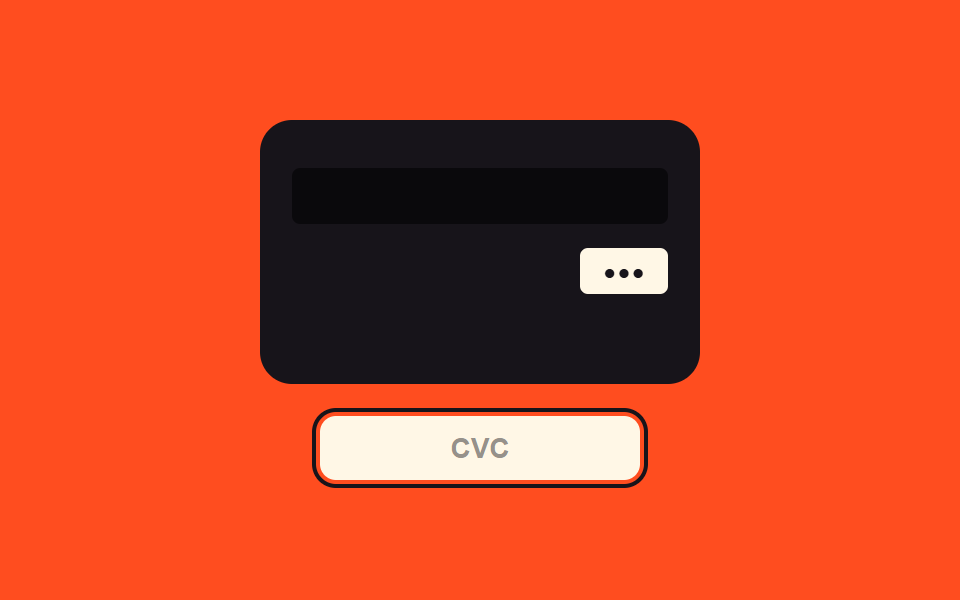 Inputs03 Security-code focus value toggle — when the security-code field's focus value turns on, the view switches to a value showing the card's backCredit Card Input UI: 9 Patterns
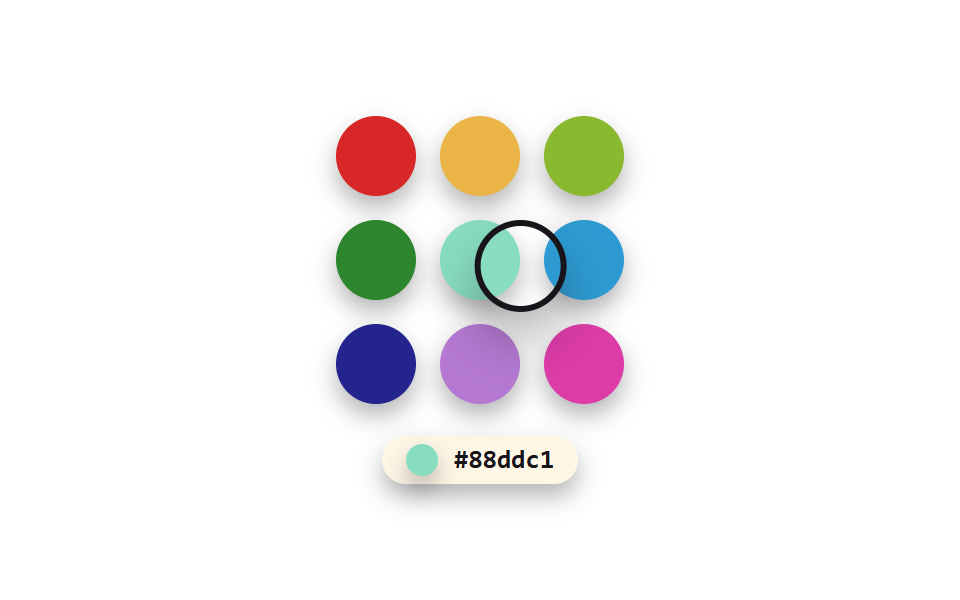 Inputs04 macOS crayon — a grid color picker that sets its border color from a brightness value9 Color Picker Design Patterns (Copy-Paste)
 Inputs06 Keyboard jump — arrow keys change the value by one unit, a modifier key by a larger unitNumber Stepper UI: 9 Interaction Patterns