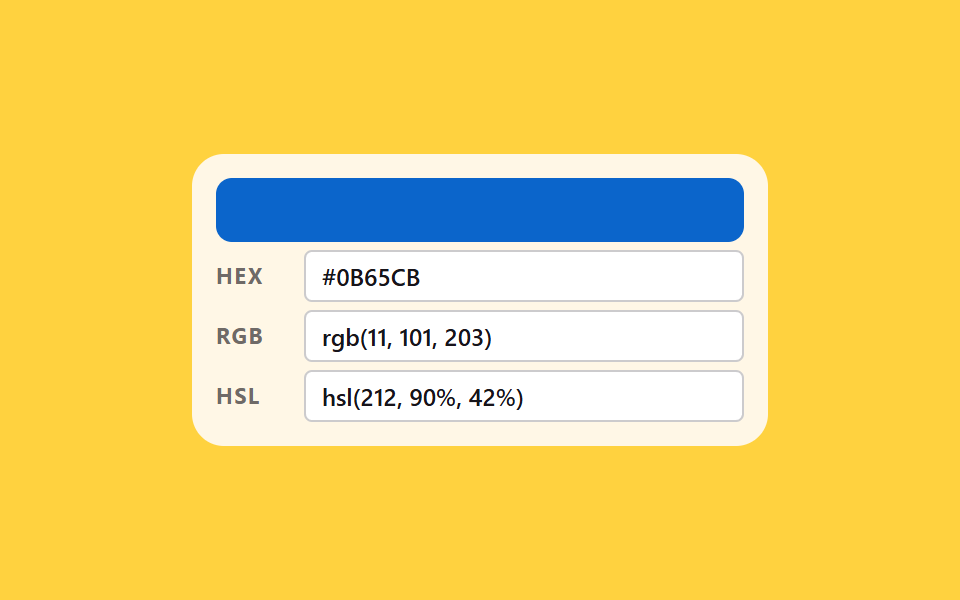
03HEX, RGB and HSL boxes that follow each other
Type in one box and the other two are recomputed to the same color, while only a malformed box stays red.
Best forColor input in devtools, design token editing
@counter-stylearia-invalidcounter-set
<main class="stage">
  <div class="sy is-demo">
    <div class="sy__band" aria-hidden="true"></div>
    <div class="sy__row" data-kind="hex">
      <span class="sy__label" aria-hidden="true">HEX</span>
      <span class="sy__field">
        <input class="sy__input" type="text" spellcheck="false" autocomplete="off"
               aria-label="Enter HEX value" aria-invalid="false" value="#0D78F2">
        <span class="sy__ghost sy__ghost--hex" aria-hidden="true"></span>
        <span class="sy__bad" aria-hidden="true">Bad format</span>
      </span>
    </div>
    <div class="sy__row" data-kind="rgb">
      <span class="sy__label" aria-hidden="true">RGB</span>
      <span class="sy__field">
        <input class="sy__input" type="text" spellcheck="false" autocomplete="off"
               aria-label="Enter RGB value" aria-invalid="false" value="rgb(13, 120, 242)">
        <span class="sy__ghost sy__ghost--rgb" aria-hidden="true"></span>
        <span class="sy__bad" aria-hidden="true">Bad format</span>
      </span>
    </div>
    <div class="sy__row" data-kind="hsl">
      <span class="sy__label" aria-hidden="true">HSL</span>
      <span class="sy__field">
        <input class="sy__input" type="text" spellcheck="false" autocomplete="off"
               aria-label="Enter HSL value" aria-invalid="false" value="hsl(212, 90%, 50%)">
        <span class="sy__ghost sy__ghost--hsl" aria-hidden="true"></span>
        <span class="sy__bad" aria-hidden="true">Bad format</span>
      </span>
    </div>
  </div>
</main>@use "../../../../site/static/demo-tokens" as *;
// HEX·RGB·HSL 세 칸 동기 — 한 칸에 값을 넣으면 나머지 두 칸이 같은 색으로 다시 계산된다.
// 색을 담는 값은 등록 속성 여섯 개(--r --g --b --hh --ss --ll)뿐이고, 띠 색도 미리보기 글자도
// 전부 그 여섯에서 나온다. 글자는 counter-set 이 계수기로 옮기고 @counter-style hx 가 16진으로 찍는다.
// 미리보기 루프는 색상 212·채도 90% 를 고정하고 명도만 움직인다 — 명도 l ≤ 0.5 구간에서
// hsl(212, 90%, l) 의 RGB 는 (0.1l, 0.94l, 1.9l) × 255 라 l 에 완전히 비례한다.
// 그래서 RGB 와 HSL 을 같은 키프레임에 같은 비율(linear)로 보간해도 두 표기가 같은 색을 가리킨다.
$duration: $dur-loop;
$easing: linear;
$color: $subject-blue;
@include stage($stage-yellow);
@property --r { syntax: "<integer>"; inherits: true; initial-value: 13; }
@property --g { syntax: "<integer>"; inherits: true; initial-value: 120; }
@property --b { syntax: "<integer>"; inherits: true; initial-value: 242; }
@property --hh { syntax: "<integer>"; inherits: true; initial-value: 212; }
@property --ss { syntax: "<integer>"; inherits: true; initial-value: 90; }
@property --ll { syntax: "<integer>"; inherits: true; initial-value: 50; }
// 0~15 를 16진 한 자리로 찍는 계수기 눈금. pad 2 "0" 이 0F 처럼 앞자리를 채운다
@counter-style hx {
system: numeric;
symbols: "0" "1" "2" "3" "4" "5" "6" "7" "8" "9" "A" "B" "C" "D" "E" "F";
pad: 2 "0";
}
.sy {
box-sizing: border-box;
width: 288px;
max-width: 100%;
padding: $sp-3;
border-radius: $r-card;
background: $subject-cream;
color: $subject-ink;
font-family: inherit;
}
.sy * { box-sizing: border-box; }
.sy__band {
height: 32px;
border-radius: $r-sm;
background: rgb(var(--r) var(--g) var(--b));
}
.sy__row {
display: grid;
grid-template-columns: 36px 1fr;
align-items: center;
gap: $sp-2;
margin-top: $sp-1;
}
.sy__label {
font-size: 11px;
font-weight: 700;
line-height: 1.2;
letter-spacing: .06em;
color: rgba(23, 20, 26, .62);
}
.sy__field {
position: relative;
display: block;
}
.sy__input {
display: block;
width: 100%;
height: 26px;
padding: 0 $sp-2;
border: 1px solid rgba(23, 20, 26, .22);
border-radius: $r-xs;
background: $stage-paper;
color: $subject-ink;
font-family: inherit;
font-size: 12px;
font-weight: 600;
line-height: 1.2;
}
.sy__input:focus-visible { outline: 3px solid $color; outline-offset: 1px; }
// 형식이 어긋난 칸만 붉게 남는다. 색만으로 알리지 않도록 옆에 글자도 함께 켠다
.sy__input[aria-invalid="true"] { border-color: $error; background: $error-soft; }
.sy__bad {
position: absolute;
right: 4px;
top: 50%;
transform: translateY(-50%);
padding: 0 $sp-1;
border-radius: $r-xs;
background: $error-soft;
color: $error;
font-size: 10px;
font-weight: 700;
line-height: 1.6;
opacity: 0; // 공간은 늘 차지한 채로 숨어 있다
pointer-events: none;
}
.sy__row.is-bad .sy__bad { opacity: 1; }
// 미리보기 글자 — 입력칸 글자와 같은 자리에 겹친다. 안쪽 여백·테두리 두께를 그대로 따라 맞춘다
.sy__ghost {
position: absolute;
left: 0;
top: 0;
display: flex;
align-items: center;
width: 100%;
height: 100%;
padding: 0 $sp-2;
border: 1px solid transparent;
font-size: 12px;
font-weight: 600;
line-height: 1.2;
opacity: 0;
pointer-events: none;
}
.sy__ghost--hex {
counter-set: cr calc(var(--r)) cg calc(var(--g)) cb calc(var(--b));
}
.sy__ghost--hex::after { content: "#" counter(cr, hx) counter(cg, hx) counter(cb, hx); }
.sy__ghost--rgb {
counter-set: cr calc(var(--r)) cg calc(var(--g)) cb calc(var(--b));
}
.sy__ghost--rgb::after { content: "rgb(" counter(cr) ", " counter(cg) ", " counter(cb) ")"; }
.sy__ghost--hsl {
counter-set: chh calc(var(--hh)) css calc(var(--ss)) cll calc(var(--ll));
}
.sy__ghost--hsl::after { content: "hsl(" counter(chh) ", " counter(css) "%, " counter(cll) "%)"; }
// ── 미리보기 루프(정적 규칙 먼저, 그 위에 덧씌움) ─────────────────
// 루프 동안만 진짜 입력칸 글자를 감추고(공간은 유지) 계수기 글자를 켠다
.sy.is-demo .sy__input { color: transparent; }
.sy.is-demo .sy__ghost { opacity: 1; }
.sy.is-demo {
animation-name: syColor;
animation-duration: $duration;
animation-timing-function: $easing;
animation-iteration-count: infinite;
}
// 명도 50% → 24% → 되짚어 50%. 90% 에 제자리로 돌아온다(24프레임의 마지막 장이 95.8% 지점이다).
// 여섯 값이 한 키프레임 안에 있어 어느 프레임에서도 띠 색과 세 줄 글자가 같은 색을 가리킨다
@keyframes syColor {
0% { --ll: 50; --r: 13; --g: 120; --b: 242; }
45%, 55% { --ll: 24; --r: 6; --g: 58; --b: 116; }
90%, 100% { --ll: 50; --r: 13; --g: 120; --b: 242; }
}
@media (prefers-reduced-motion: reduce) {
.sy.is-demo { animation: none !important; }
.sy.is-demo .sy__input { color: $subject-ink !important; }
.sy.is-demo .sy__ghost { opacity: 0 !important; }
}html, body {
margin: 0;
overflow: hidden;
}
.stage {
box-sizing: border-box;
min-height: 100vh;
display: grid;
place-items: center;
margin: 0;
background: #ffd23f;
font-family: -apple-system, "Segoe UI", "Noto Sans KR", sans-serif;
padding: clamp(8px, 4vw, 24px);
}
@property --r {
syntax: "<integer>";
inherits: true;
initial-value: 13;
}
@property --g {
syntax: "<integer>";
inherits: true;
initial-value: 120;
}
@property --b {
syntax: "<integer>";
inherits: true;
initial-value: 242;
}
@property --hh {
syntax: "<integer>";
inherits: true;
initial-value: 212;
}
@property --ss {
syntax: "<integer>";
inherits: true;
initial-value: 90;
}
@property --ll {
syntax: "<integer>";
inherits: true;
initial-value: 50;
}
@counter-style hx {
system: numeric;
symbols: "0" "1" "2" "3" "4" "5" "6" "7" "8" "9" "A" "B" "C" "D" "E" "F";
pad: 2 "0";
}
.sy {
box-sizing: border-box;
width: 288px;
max-width: 100%;
padding: 12px;
border-radius: 16px;
background: #fff7e6;
color: #17141a;
font-family: inherit;
}
.sy * {
box-sizing: border-box;
}
.sy__band {
height: 32px;
border-radius: 8px;
background: rgb(var(--r), var(--g), var(--b));
}
.sy__row {
display: grid;
grid-template-columns: 36px 1fr;
align-items: center;
gap: 8px;
margin-top: 4px;
}
.sy__label {
font-size: 11px;
font-weight: 700;
line-height: 1.2;
letter-spacing: 0.06em;
color: rgba(23, 20, 26, 0.62);
}
.sy__field {
position: relative;
display: block;
}
.sy__input {
display: block;
width: 100%;
height: 26px;
padding: 0 8px;
border: 1px solid rgba(23, 20, 26, 0.22);
border-radius: 4px;
background: #ffffff;
color: #17141a;
font-family: inherit;
font-size: 12px;
font-weight: 600;
line-height: 1.2;
}
.sy__input:focus-visible {
outline: 3px solid #2f6df6;
outline-offset: 1px;
}
.sy__input[aria-invalid=true] {
border-color: #c2361a;
background: #ffe0d8;
}
.sy__bad {
position: absolute;
right: 4px;
top: 50%;
transform: translateY(-50%);
padding: 0 4px;
border-radius: 4px;
background: #ffe0d8;
color: #c2361a;
font-size: 10px;
font-weight: 700;
line-height: 1.6;
opacity: 0;
pointer-events: none;
}
.sy__row.is-bad .sy__bad {
opacity: 1;
}
.sy__ghost {
position: absolute;
left: 0;
top: 0;
display: flex;
align-items: center;
width: 100%;
height: 100%;
padding: 0 8px;
border: 1px solid transparent;
font-size: 12px;
font-weight: 600;
line-height: 1.2;
opacity: 0;
pointer-events: none;
}
.sy__ghost--hex {
counter-set: cr calc(var(--r)) cg calc(var(--g)) cb calc(var(--b));
}
.sy__ghost--hex::after {
content: "#" counter(cr, hx) counter(cg, hx) counter(cb, hx);
}
.sy__ghost--rgb {
counter-set: cr calc(var(--r)) cg calc(var(--g)) cb calc(var(--b));
}
.sy__ghost--rgb::after {
content: "rgb(" counter(cr) ", " counter(cg) ", " counter(cb) ")";
}
.sy__ghost--hsl {
counter-set: chh calc(var(--hh)) css calc(var(--ss)) cll calc(var(--ll));
}
.sy__ghost--hsl::after {
content: "hsl(" counter(chh) ", " counter(css) "%, " counter(cll) "%)";
}
.sy.is-demo .sy__input {
color: transparent;
}
.sy.is-demo .sy__ghost {
opacity: 1;
}
.sy.is-demo {
animation-name: syColor;
animation-duration: 2s;
animation-timing-function: linear;
animation-iteration-count: infinite;
}
@keyframes syColor {
0% {
--ll: 50;
--r: 13;
--g: 120;
--b: 242;
}
45%, 55% {
--ll: 24;
--r: 6;
--g: 58;
--b: 116;
}
90%, 100% {
--ll: 50;
--r: 13;
--g: 120;
--b: 242;
}
}
@media (prefers-reduced-motion: reduce) {
.sy.is-demo {
animation: none !important;
}
.sy.is-demo .sy__input {
color: #17141a !important;
}
.sy.is-demo .sy__ghost {
opacity: 0 !important;
}
}(function () {
var root = document.querySelector('.sy');
var rows = [].slice.call(document.querySelectorAll('.sy__row'));
var rgb = [13, 120, 242];
function pad(n) { return n.toString(16).padStart(2, '0'); }
function toHex(c) { return ('#' + pad(c[0]) + pad(c[1]) + pad(c[2])).toUpperCase(); }
// RGB(0~255) → HSL(0~360, 0~100%, 0~100%)
function toHsl(c) {
var r = c[0] / 255, g = c[1] / 255, b = c[2] / 255;
var mx = Math.max(r, g, b), mn = Math.min(r, g, b), d = mx - mn;
var l = (mx + mn) / 2;
var s = d === 0 ? 0 : d / (1 - Math.abs(2 * l - 1));
var h = 0;
if (d !== 0 && mx === r) { h = 60 * (((g - b) / d) % 6); }
else if (d !== 0 && mx === g) { h = 60 * ((b - r) / d + 2); }
else if (d !== 0) { h = 60 * ((r - g) / d + 4); }
return [Math.round((h + 360) % 360), Math.round(s * 100), Math.round(l * 100)];
}
// HSL → RGB. 육각형 여섯 구간을 표로 펴서 분기 없이 고른다
function fromHsl(h, s, l) {
var sf = s / 100, lf = l / 100;
var c = (1 - Math.abs(2 * lf - 1)) * sf;
var x = c * (1 - Math.abs(((h / 60) % 2) - 1));
var m = lf - c / 2;
var face = [[c, x, 0], [x, c, 0], [0, c, x], [0, x, c], [x, 0, c], [c, 0, x]][Math.floor(h / 60) % 6];
return face.map(function (n) { return Math.round((n + m) * 255); });
}
// 세 표기 중 하나를 읽는다. 형식이 어긋나면 null 을 돌려주고 그 칸만 aria-invalid 로 남는다
function parse(kind, raw) {
var t = raw.trim(), m, v;
if (kind === 'hex') {
m = /^#?([0-9a-f]{6})$/i.exec(t);
return m ? [0, 2, 4].map(function (i) { return parseInt(m[1].substr(i, 2), 16); }) : null;
}
if (kind === 'rgb') {
m = /^rgb\(\s*(\d{1,3})\s*,\s*(\d{1,3})\s*,\s*(\d{1,3})\s*\)$/i.exec(t);
if (!m) { return null; }
v = [1, 2, 3].map(function (i) { return parseInt(m[i], 10); });
return v.some(function (n) { return n > 255; }) ? null : v;
}
m = /^hsl\(\s*(\d{1,3})\s*,\s*(\d{1,3})%\s*,\s*(\d{1,3})%\s*\)$/i.exec(t);
if (!m) { return null; }
v = [1, 2, 3].map(function (i) { return parseInt(m[i], 10); });
return (v[0] > 360 || v[1] > 100 || v[2] > 100) ? null : fromHsl(v[0], v[1], v[2]);
}
function label(kind) {
var hsl = toHsl(rgb);
if (kind === 'hex') { return toHex(rgb); }
if (kind === 'rgb') { return 'rgb(' + rgb[0] + ', ' + rgb[1] + ', ' + rgb[2] + ')'; }
return 'hsl(' + hsl[0] + ', ' + hsl[1] + '%, ' + hsl[2] + '%)';
}
// 값 하나가 바뀌면 여섯 개의 등록 속성만 갱신한다 — 띠 색도 미리보기 글자도 거기서 나온다
function paint(skip) {
var hsl = toHsl(rgb);
var vars = { '--r': rgb[0], '--g': rgb[1], '--b': rgb[2], '--hh': hsl[0], '--ss': hsl[1], '--ll': hsl[2] };
Object.keys(vars).forEach(function (name) { root.style.setProperty(name, vars[name]); });
rows.forEach(function (row) {
var kind = row.getAttribute('data-kind');
if (kind === skip) { return; }
row.querySelector('.sy__input').value = label(kind);
row.querySelector('.sy__input').setAttribute('aria-invalid', 'false');
row.classList.remove('is-bad');
});
}
rows.forEach(function (row) {
var kind = row.getAttribute('data-kind');
var input = row.querySelector('.sy__input');
input.addEventListener('input', function () {
root.classList.remove('is-demo');
var next = parse(kind, input.value);
input.setAttribute('aria-invalid', next ? 'false' : 'true');
row.classList.toggle('is-bad', !next);
if (next) { rgb = next; paint(kind); }
});
});
paint(null);
})();// HexRgbHslSync — vanilla 판(run/286/demo/03-color-picker-hex-rgb-hsl-sync) 의 React 포트.
// 변수 3개(duration·easing·color)는 props 로 받아 CSS 변수(var(--duration) 등)로 들어온다.
// 상태는 RGB 세 숫자뿐이다. HSL 은 그때그때 계산해 --hh --ss --ll 로만 넘기고,
// 미리보기 글자는 module.scss 의 counter-set + @counter-style 이 찍는다 — JS 가 글자를 쓰지 않는다.
import { useState } from "react";
import type { CSSProperties, ChangeEvent } from "react";
import styles from "./HexRgbHslSync.module.scss";
export type HexRgbHslSyncProps = {
hexLabel?: string;
rgbLabel?: string;
hslLabel?: string;
badLabel?: string;
/** 격자 미리보기용 2초 자동 루프. 사람이 손대면 꺼진다 */
demo?: boolean;
duration?: number;
easing?: string;
color?: string;
};
type Vars = CSSProperties & {
"--duration"?: string;
"--easing"?: string;
"--color"?: string;
"--r"?: number;
"--g"?: number;
"--b"?: number;
"--hh"?: number;
"--ss"?: number;
"--ll"?: number;
};
const KINDS = ["hex", "rgb", "hsl"];
function pad(n: number): string {
return n.toString(16).padStart(2, "0");
}
function toHex(c: number[]): string {
return ("#" + pad(c[0]) + pad(c[1]) + pad(c[2])).toUpperCase();
}
// RGB(0~255) → HSL(0~360, 0~100%, 0~100%)
function toHsl(c: number[]): number[] {
const r = c[0] / 255;
const g = c[1] / 255;
const b = c[2] / 255;
const mx = Math.max(r, g, b);
const mn = Math.min(r, g, b);
const d = mx - mn;
const l = (mx + mn) / 2;
const s = d === 0 ? 0 : d / (1 - Math.abs(2 * l - 1));
let h = 0;
if (d !== 0 && mx === r) h = 60 * (((g - b) / d) % 6);
else if (d !== 0 && mx === g) h = 60 * ((b - r) / d + 2);
else if (d !== 0) h = 60 * ((r - g) / d + 4);
return [Math.round((h + 360) % 360), Math.round(s * 100), Math.round(l * 100)];
}
// HSL → RGB. 육각형 여섯 구간을 표로 펴서 분기 없이 고른다
function fromHsl(h: number, s: number, l: number): number[] {
const sf = s / 100;
const lf = l / 100;
const c = (1 - Math.abs(2 * lf - 1)) * sf;
const x = c * (1 - Math.abs(((h / 60) % 2) - 1));
const m = lf - c / 2;
const faces: number[][] = [[c, x, 0], [x, c, 0], [0, c, x], [0, x, c], [x, 0, c], [c, 0, x]];
return faces[Math.floor(h / 60) % 6].map((n) => Math.round((n + m) * 255));
}
// 세 표기 중 하나를 읽는다. 형식이 어긋나면 null 을 돌려주고 그 칸만 aria-invalid 로 남는다
function parse(kind: string, raw: string): number[] | null {
const t = raw.trim();
if (kind === "hex") {
const m = /^#?([0-9a-f]{6})$/i.exec(t);
return m ? [0, 2, 4].map((i) => parseInt(m[1].substr(i, 2), 16)) : null;
}
if (kind === "rgb") {
const m = /^rgb\(\s*(\d{1,3})\s*,\s*(\d{1,3})\s*,\s*(\d{1,3})\s*\)$/i.exec(t);
if (!m) return null;
const v = [1, 2, 3].map((i) => parseInt(m[i], 10));
return v.some((n) => n > 255) ? null : v;
}
const m = /^hsl\(\s*(\d{1,3})\s*,\s*(\d{1,3})%\s*,\s*(\d{1,3})%\s*\)$/i.exec(t);
if (!m) return null;
const v = [1, 2, 3].map((i) => parseInt(m[i], 10));
return v[0] > 360 || v[1] > 100 || v[2] > 100 ? null : fromHsl(v[0], v[1], v[2]);
}
function label(kind: string, rgb: number[]): string {
if (kind === "hex") return toHex(rgb);
if (kind === "rgb") return `rgb(${rgb[0]}, ${rgb[1]}, ${rgb[2]})`;
const hsl = toHsl(rgb);
return `hsl(${hsl[0]}, ${hsl[1]}%, ${hsl[2]}%)`;
}
export default function HexRgbHslSync({
hexLabel = "HEX 값 입력",
rgbLabel = "RGB 값 입력",
hslLabel = "HSL 값 입력",
badLabel = "형식 오류",
demo = true,
duration = 2000,
easing = "linear",
color = "#2f6df6",
}: HexRgbHslSyncProps) {
const [live, setLive] = useState(demo);
const [rgb, setRgb] = useState<number[]>([13, 120, 242]);
const [editing, setEditing] = useState(""); // 사람이 손대고 있는 칸
const [draft, setDraft] = useState(""); // 그 칸에 적힌 글자 그대로
const [bad, setBad] = useState(""); // 형식이 어긋난 칸
const hsl = toHsl(rgb);
const vars: Vars = {
"--duration": `${duration}ms`,
"--easing": easing,
"--color": color,
"--r": rgb[0],
"--g": rgb[1],
"--b": rgb[2],
"--hh": hsl[0],
"--ss": hsl[1],
"--ll": hsl[2],
};
const labels: { [k: string]: string } = { hex: hexLabel, rgb: rgbLabel, hsl: hslLabel };
const ghosts: { [k: string]: string } = { hex: styles.ghostHex, rgb: styles.ghostRgb, hsl: styles.ghostHsl };
function change(kind: string, e: ChangeEvent<HTMLInputElement>) {
setLive(false);
const raw = e.target.value;
setEditing(kind);
setDraft(raw);
const next = parse(kind, raw);
if (next) {
setRgb(next);
setBad("");
} else {
setBad(kind);
}
}
return (
<div className={[styles.sy, live ? styles.isDemo : ""].filter(Boolean).join(" ")} style={vars}>
<div className={styles.band} aria-hidden="true" />
{KINDS.map((kind) => (
<div key={kind} className={[styles.row, bad === kind ? styles.isBad : ""].filter(Boolean).join(" ")}>
<span className={styles.label} aria-hidden="true">
{kind.toUpperCase()}
</span>
<span className={styles.field}>
<input
className={styles.input}
type="text"
spellCheck={false}
autoComplete="off"
aria-label={labels[kind]}
aria-invalid={bad === kind}
value={kind === editing ? draft : label(kind, rgb)}
onChange={(e: ChangeEvent<HTMLInputElement>) => change(kind, e)}
/>
<span className={[styles.ghost, ghosts[kind]].join(" ")} aria-hidden="true" />
<span className={styles.bad} aria-hidden="true">
{badLabel}
</span>
</span>
</div>
))}
</div>
);
}03 HEX, RGB and HSL boxes that follow each other — Measured area 6.699% · moving frames 20/23Original by GODRICH · SCSS and React ship in the zip · Custom Color Picker: 9 JS Parts, No Library
The post this demo lives in
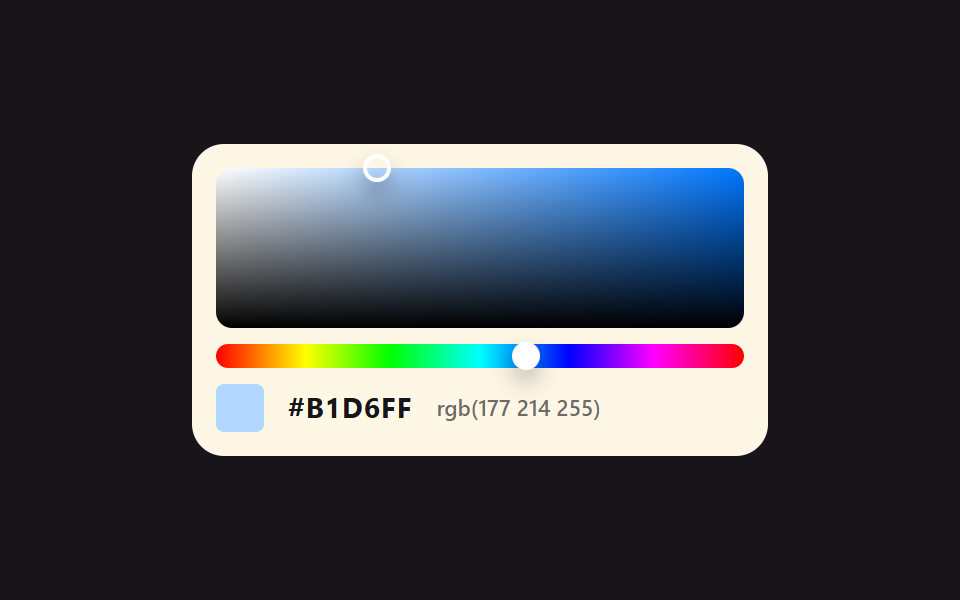 Custom Color Picker: 9 JS Parts, No LibraryA custom color picker is a control for choosing a color on screen and getting a HEX code back. This page runs nine such See all demos in this post
If you like this effect - similar demos
 Pickers07 Grid color swatch picker9 Segmented Control UI Patterns — Copy-Paste
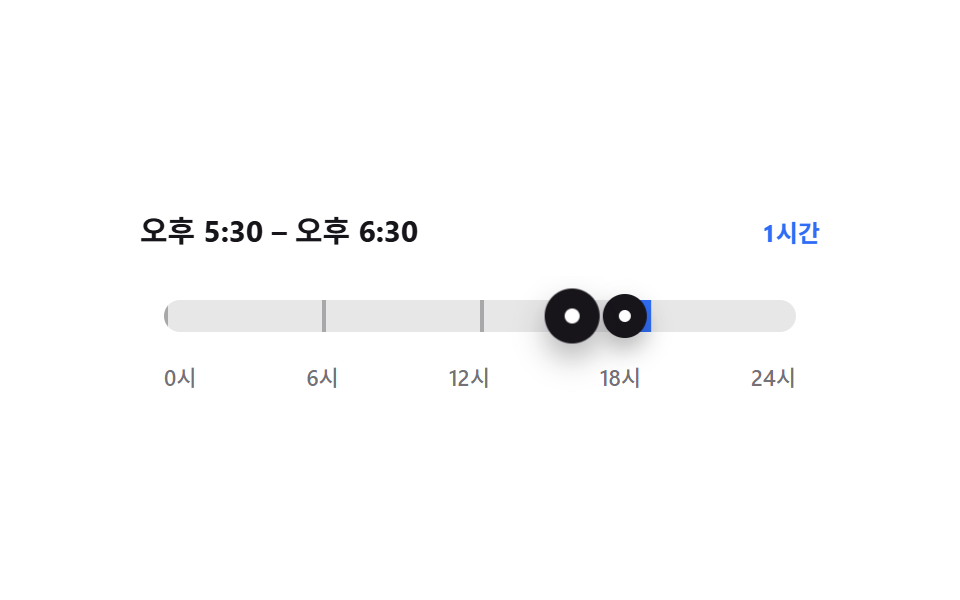 Pickers04 Span bar whose two handles push each other9 time picker ui patterns, from a point to a span
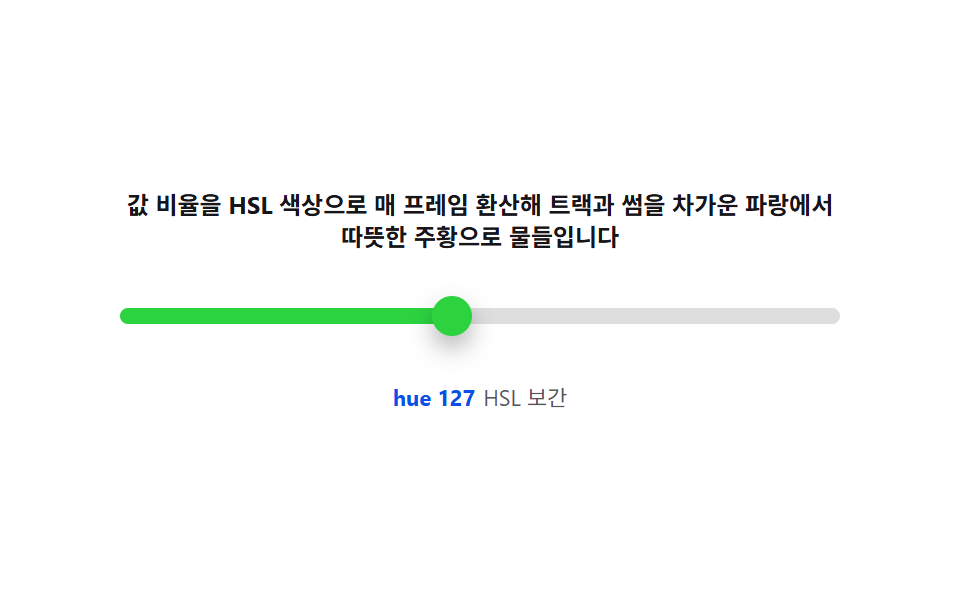 Pickers08 Color-temperature track — interpolating hue and saturation from the value ratioCSS Range Slider: 9 Physics-Grade Custom Sliders