04Sticky grouped headers
Scrolling pins the current group's title to the top of the list, and the next group pushes it out of the way.
Best forWhen options fall into categories and users keep losing track of which group a row belongs to
position: stickyrole=grouparia-labelledby
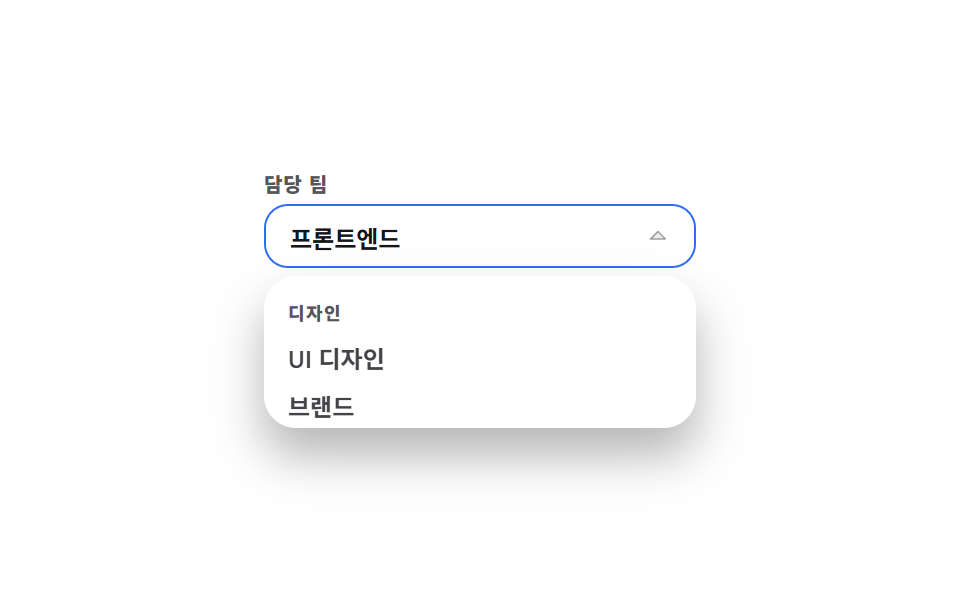
<main class="stage">
  <div class="gs is-demo is-open">
    <span class="gs__label" id="gs-label">Team</span>
    <button class="gs__btn" type="button" id="gs-btn" aria-haspopup="listbox" aria-expanded="true" aria-controls="gs-list" aria-labelledby="gs-label gs-value">
      <span id="gs-value">Frontend</span>
      <span class="gs__caret" aria-hidden="true"><svg viewBox="0 0 256 256" width="12" height="12"><g fill="currentColor"><path d="m208 96l-80 80l-80-80Z" opacity=".2"/><path d="M215.39 92.94A8 8 0 0 0 208 88H48a8 8 0 0 0-5.66 13.66l80 80a8 8 0 0 0 11.32 0l80-80a8 8 0 0 0 1.73-8.72M128 164.69L67.31 104h121.38Z"/></g></svg></span>
    </button>
    <div class="gs__panel">
      <div class="gs__scroll" id="gs-scroll">
        <ul class="gs__track" id="gs-list" role="listbox" aria-labelledby="gs-label" tabindex="-1">
          <li class="gs__group" role="group" aria-labelledby="gs-g1">
            <p class="gs__head gs__head--a" id="gs-g1">Engineering</p>
            <ul class="gs__sub" role="presentation">
              <li class="gs__opt" id="gs-o1" role="option" aria-selected="true">Frontend</li>
              <li class="gs__opt" id="gs-o2" role="option" aria-selected="false">Backend</li>
            </ul>
          </li>
          <li class="gs__group" role="group" aria-labelledby="gs-g2">
            <p class="gs__head" id="gs-g2">Design</p>
            <ul class="gs__sub" role="presentation">
              <li class="gs__opt" id="gs-o3" role="option" aria-selected="false">UI design</li>
              <li class="gs__opt" id="gs-o4" role="option" aria-selected="false">Brand</li>
            </ul>
          </li>
        </ul>
      </div>
    </div>
  </div>
</main>@use "../../../../site/static/demo-tokens" as *;
$duration: $dur-quick;
$easing: $ease-spring;
$color: $subject-blue;
@include stage($stage-paper);
.gs {
position: relative;
box-sizing: border-box;
width: min(216px, 84vw);
// 열린 패널은 absolute 라 높이에 안 잡힌다 — 그만큼 아래를 비워 둔다
padding-bottom: 80px;
font-family: -apple-system, "Segoe UI", "Noto Sans KR", sans-serif;
color: $stage-ink;
}
.gs__label {
display: block;
font-size: 10px; line-height: 12px; font-weight: 800;
letter-spacing: .04em;
color: rgba(23, 20, 26, .72);
margin: 0 0 $sp-1;
}
.gs__btn {
box-sizing: border-box;
width: 100%; height: 32px;
display: flex; align-items: center; justify-content: space-between; gap: $sp-2;
padding: 0 $sp-3;
border: 1px solid rgba(23, 20, 26, .16);
background: #fff;
border-radius: $r-control;
color: $stage-ink;
font-family: inherit;
font-size: 12px; font-weight: 600;
cursor: pointer;
}
.gs.is-open .gs__btn { border-color: $color; }
.gs__caret { display: inline-flex; color: rgba(23, 20, 26, .4); transition: transform $duration $easing; }
.gs.is-open .gs__caret { transform: rotate(180deg); }
.gs__panel {
position: absolute;
top: 52px; left: 0; right: 0;
box-sizing: border-box;
padding: $sp-1;
background: #fff;
border-radius: $r-card;
box-shadow: $shadow-raised;
transform-origin: top center; // 규칙8: 버튼 아래변에서 펼침
transform: scaleY(.8);
opacity: 0;
pointer-events: none;
transition: transform $duration $easing, opacity $duration $easing;
}
.gs.is-open .gs__panel { transform: scaleY(1); opacity: 1; pointer-events: auto; }
.gs__scroll {
height: 68px;
overflow-y: auto;
scrollbar-width: thin;
overscroll-behavior: contain;
}
.gs__track, .gs__sub { margin: 0; padding: 0; list-style: none; }
.gs__track:focus-visible { outline: 2px solid $color; outline-offset: 2px; border-radius: $r-sm; }
.gs__head {
position: sticky;
top: 0;
z-index: 1;
box-sizing: border-box;
height: 20px;
margin: 0; padding: 0 $sp-2;
display: flex; align-items: center;
background: #fff;
font-size: 9px; font-weight: 800;
letter-spacing: .08em;
color: rgba(23, 20, 26, .72);
} // 스티키 헤더 글자 — 회색 면 위 5.55:1
.gs__opt {
box-sizing: border-box;
height: 24px;
display: flex; align-items: center;
padding: 0 $sp-2;
border-radius: $r-sm;
font-size: 12px; font-weight: 600;
color: rgba(23, 20, 26, .8);
cursor: pointer;
}
.gs__opt.is-at, .gs__opt:hover { background: rgba(47, 109, 246, .1); color: $color; }
.gs__opt[aria-selected="true"] { font-weight: 800; color: $color; }
// ── 자동 루프: 목록이 68px 내려갔다 그대로 되돌아온다. 「개발」 머리글은 48px 까지 제자리에
// 버티다(sticky 가 하는 일) 다음 묶음에 밀려 올라간다. 0% 와 100% 가 같아 이음새가 없다 ──
.gs.is-demo .gs__track { animation: gs-scroll $dur-loop linear infinite; }
.gs.is-demo .gs__head--a { animation: gs-pin $dur-loop linear infinite; }
@keyframes gs-scroll {
0% { transform: translateY(0); }
28% { transform: translateY(-48px); }
40% { transform: translateY(-68px); }
60% { transform: translateY(-68px); }
72% { transform: translateY(-48px); }
100% { transform: translateY(0); }
}
@keyframes gs-pin {
0% { transform: translateY(0); }
28% { transform: translateY(48px); }
40% { transform: translateY(28px); }
60% { transform: translateY(28px); }
72% { transform: translateY(48px); }
100% { transform: translateY(0); }
}
@media (prefers-reduced-motion: reduce) {
.gs.is-demo .gs__track, .gs.is-demo .gs__head--a { animation: none !important; }
.gs__panel, .gs__caret { transition: none; }
}html, body {
margin: 0;
overflow: hidden;
}
.stage {
box-sizing: border-box;
min-height: 100vh;
display: grid;
place-items: center;
margin: 0;
background: #ffffff;
font-family: -apple-system, "Segoe UI", "Noto Sans KR", sans-serif;
padding: clamp(8px, 4vw, 24px);
}
.gs {
position: relative;
box-sizing: border-box;
width: min(216px, 84vw);
padding-bottom: 80px;
font-family: -apple-system, "Segoe UI", "Noto Sans KR", sans-serif;
color: #17141a;
}
.gs__label {
display: block;
font-size: 10px;
line-height: 12px;
font-weight: 800;
letter-spacing: 0.04em;
color: rgba(23, 20, 26, 0.72);
margin: 0 0 4px;
}
.gs__btn {
box-sizing: border-box;
width: 100%;
height: 32px;
display: flex;
align-items: center;
justify-content: space-between;
gap: 8px;
padding: 0 12px;
border: 1px solid rgba(23, 20, 26, 0.16);
background: #fff;
border-radius: 12px;
color: #17141a;
font-family: inherit;
font-size: 12px;
font-weight: 600;
cursor: pointer;
}
.gs.is-open .gs__btn {
border-color: #2f6df6;
}
.gs__caret {
display: inline-flex;
color: rgba(23, 20, 26, 0.4);
transition: transform 220ms cubic-bezier(0.2, 0.8, 0.2, 1);
}
.gs.is-open .gs__caret {
transform: rotate(180deg);
}
.gs__panel {
position: absolute;
top: 52px;
left: 0;
right: 0;
box-sizing: border-box;
padding: 4px;
background: #fff;
border-radius: 16px;
box-shadow: 0 14px 24px rgba(23, 20, 26, 0.32);
transform-origin: top center;
transform: scaleY(0.8);
opacity: 0;
pointer-events: none;
transition: transform 220ms cubic-bezier(0.2, 0.8, 0.2, 1), opacity 220ms cubic-bezier(0.2, 0.8, 0.2, 1);
}
.gs.is-open .gs__panel {
transform: scaleY(1);
opacity: 1;
pointer-events: auto;
}
.gs__scroll {
height: 68px;
overflow-y: auto;
scrollbar-width: thin;
overscroll-behavior: contain;
}
.gs__track, .gs__sub {
margin: 0;
padding: 0;
list-style: none;
}
.gs__track:focus-visible {
outline: 2px solid #2f6df6;
outline-offset: 2px;
border-radius: 8px;
}
.gs__head {
position: sticky;
top: 0;
z-index: 1;
box-sizing: border-box;
height: 20px;
margin: 0;
padding: 0 8px;
display: flex;
align-items: center;
background: #fff;
font-size: 9px;
font-weight: 800;
letter-spacing: 0.08em;
color: rgba(23, 20, 26, 0.72);
}
.gs__opt {
box-sizing: border-box;
height: 24px;
display: flex;
align-items: center;
padding: 0 8px;
border-radius: 8px;
font-size: 12px;
font-weight: 600;
color: rgba(23, 20, 26, 0.8);
cursor: pointer;
}
.gs__opt.is-at, .gs__opt:hover {
background: rgba(47, 109, 246, 0.1);
color: #2f6df6;
}
.gs__opt[aria-selected=true] {
font-weight: 800;
color: #2f6df6;
}
.gs.is-demo .gs__track {
animation: gs-scroll 2s linear infinite;
}
.gs.is-demo .gs__head--a {
animation: gs-pin 2s linear infinite;
}
@keyframes gs-scroll {
0% {
transform: translateY(0);
}
28% {
transform: translateY(-48px);
}
40% {
transform: translateY(-68px);
}
60% {
transform: translateY(-68px);
}
72% {
transform: translateY(-48px);
}
100% {
transform: translateY(0);
}
}
@keyframes gs-pin {
0% {
transform: translateY(0);
}
28% {
transform: translateY(48px);
}
40% {
transform: translateY(28px);
}
60% {
transform: translateY(28px);
}
72% {
transform: translateY(48px);
}
100% {
transform: translateY(0);
}
}
@media (prefers-reduced-motion: reduce) {
.gs.is-demo .gs__track, .gs.is-demo .gs__head--a {
animation: none !important;
}
.gs__panel, .gs__caret {
transition: none;
}
}// 실제 동작: 진짜 스크롤이라 position:sticky 로 그룹 제목이 목록 위에 붙는다. 버튼으로 열고 닫는다.
var root = document.querySelector('.gs');
var btn = document.getElementById('gs-btn');
var track = document.getElementById('gs-list');
var value = document.getElementById('gs-value');
var opts = [].slice.call(track.querySelectorAll('.gs__opt'));
var at = 0;
function open(on) {
root.classList.remove('is-demo');
root.classList.toggle('is-open', on);
btn.setAttribute('aria-expanded', String(on));
if (on) track.focus({ preventScroll: true });
}
function pick(i) {
at = i;
opts.forEach(function (o, k) { o.setAttribute('aria-selected', String(k === i)); });
value.textContent = opts[i].textContent;
open(false);
btn.focus({ preventScroll: true });
}
btn.addEventListener('click', function () { open(!root.classList.contains('is-open')); });
opts.forEach(function (o, i) { o.addEventListener('click', function () { pick(i); }); });
track.addEventListener('keydown', function (e) {
if (e.key === 'ArrowDown' || e.key === 'ArrowUp') {
at = Math.max(0, Math.min(at + (e.key === 'ArrowDown' ? 1 : -1), opts.length - 1));
opts.forEach(function (o, k) { o.classList.toggle('is-at', k === at); });
track.setAttribute('aria-activedescendant', opts[at].id);
opts[at].scrollIntoView({ block: 'nearest' });
e.preventDefault();
} else if (e.key === 'Enter' || e.key === ' ') { pick(at); e.preventDefault(); }
else if (e.key === 'Escape') { open(false); btn.focus({ preventScroll: true }); }
});
document.addEventListener('click', function (e) { if (!e.target.closest('.gs')) open(false); });import { useEffect, useRef, useState } from "react";
import type { CSSProperties } from "react";
import styles from "./GroupedSelect.module.scss";
export type SelectGroup = { head: string; options: string[] };
export type GroupedSelectProps = {
label?: string;
groups?: SelectGroup[];
duration?: number;
easing?: string;
color?: string;
};
type Vars = CSSProperties & { "--duration"?: string; "--easing"?: string; "--color"?: string };
type KeyEvt = { key: string; preventDefault: () => void };
type ChangeEvt = { target: { value: string } };
type ClickEvt = { stopPropagation: () => void };
const DEFAULT_GROUPS: SelectGroup[] = [
{ head: "Engineering", options: ["Frontend", "Backend"] },
{ head: "Design", options: ["UI design", "Brand"] },
];
export default function GroupedSelect({
label = "Team",
groups = DEFAULT_GROUPS,
duration = 220,
easing = "cubic-bezier(.2,.8,.2,1)",
color = "#2f6df6",
}: GroupedSelectProps) {
const [open, setOpen] = useState(false);
const [at, setAt] = useState(0);
const [picked, setPicked] = useState(0);
const rootRef = useRef<HTMLDivElement>(null);
const btnRef = useRef<HTMLButtonElement>(null);
const trackRef = useRef<HTMLUListElement>(null);
const optRefs = useRef<(HTMLLIElement | null)[]>([]);
const vars: Vars = { "--duration": `${duration}ms`, "--easing": easing, "--color": color };
const flat: string[] = groups.flatMap((g) => g.options);
const offset = (gi: number) => groups.slice(0, gi).reduce((s, g) => s + g.options.length, 0);
useEffect(() => {
function onDocClick(e: MouseEvent) {
if (rootRef.current && !rootRef.current.contains(e.target as Node)) setOpen(false);
}
document.addEventListener("click", onDocClick);
return () => document.removeEventListener("click", onDocClick);
}, []);
useEffect(() => {
if (open) trackRef.current?.focus({ preventScroll: true });
}, [open]);
function pick(i: number) {
setAt(i);
setPicked(i);
setOpen(false);
btnRef.current?.focus({ preventScroll: true });
}
return (
<div className={`${styles.gs} ${open ? styles.isOpen : ""}`} style={vars} ref={rootRef}>
<span className={styles.label} id="gs-label">{label}</span>
<button
ref={btnRef}
type="button"
id="gs-btn"
className={styles.btn}
aria-haspopup="listbox"
aria-expanded={open}
aria-controls="gs-list"
aria-labelledby="gs-label gs-value"
onClick={() => setOpen((o) => !o)}
>
<span id="gs-value">{flat[picked]}</span>
<span className={styles.caret} aria-hidden="true">
<svg viewBox="0 0 256 256" width="12" height="12">
<g fill="currentColor">
<path d="m208 96l-80 80l-80-80Z" opacity=".2" />
<path d="M215.39 92.94A8 8 0 0 0 208 88H48a8 8 0 0 0-5.66 13.66l80 80a8 8 0 0 0 11.32 0l80-80a8 8 0 0 0 1.73-8.72M128 164.69L67.31 104h121.38Z" />
</g>
</svg>
</span>
</button>
<div className={styles.panel}>
<div className={styles.scroll} id="gs-scroll">
<ul
ref={trackRef}
id="gs-list"
className={styles.track}
role="listbox"
aria-labelledby="gs-label"
aria-activedescendant={`gs-o${at}`}
tabIndex={-1}
onKeyDown={(e: KeyEvt) => {
if (e.key === "ArrowDown" || e.key === "ArrowUp") {
const next = Math.max(0, Math.min(at + (e.key === "ArrowDown" ? 1 : -1), flat.length - 1));
setAt(next);
optRefs.current?.[next]?.scrollIntoView({ block: "nearest" });
e.preventDefault();
} else if (e.key === "Enter" || e.key === " ") {
pick(at);
e.preventDefault();
} else if (e.key === "Escape") {
setOpen(false);
btnRef.current?.focus({ preventScroll: true });
}
}}
>
{groups.map((g, gi) => (
<li key={g.head} className={styles.group} role="group" aria-labelledby={`gs-g${gi}`}>
<p className={styles.head} id={`gs-g${gi}`}>{g.head}</p>
<ul className={styles.sub} role="presentation">
{g.options.map((o, oi) => {
const i = offset(gi) + oi;
return (
<li
key={o}
ref={(el: HTMLLIElement | null) => { if (optRefs.current) optRefs.current[i] = el; }}
id={`gs-o${i}`}
className={`${styles.opt} ${i === at ? styles.isAt : ""}`}
role="option"
aria-selected={i === picked}
onClick={() => pick(i)}
>
{o}
</li>
);
})}
</ul>
</li>
))}
</ul>
</div>
</div>
</div>
);
}04 Sticky grouped headers — Measured area 1.897% · moving frames 19/23Original by GODRICH · SCSS and React ship in the zip · 9 Select Dropdown Design Patterns That Really Open
The post this demo lives in
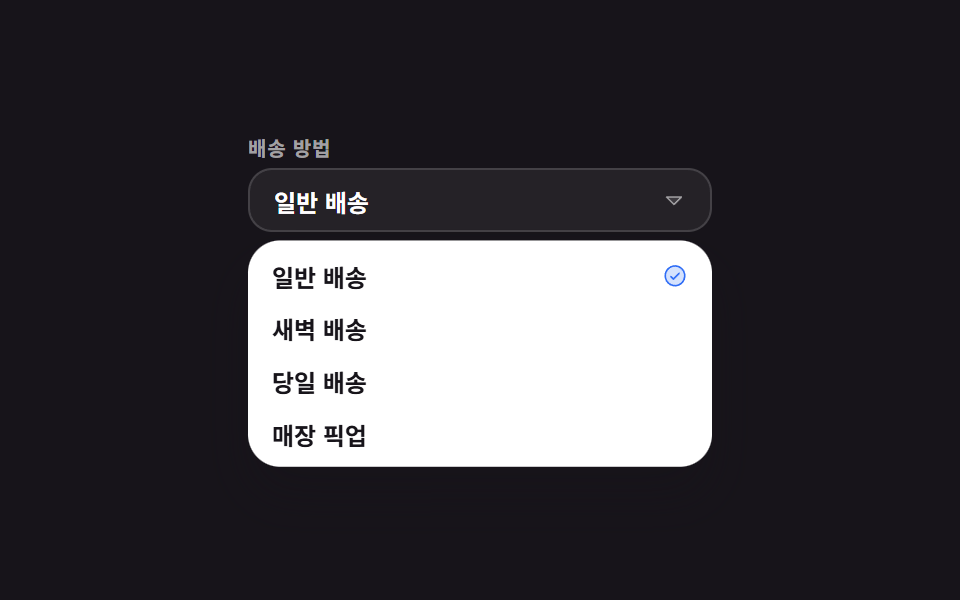 9 Select Dropdown Design Patterns That Really OpenA hand-built select dropdown design replaces the gray box the browser draws for <select> with a button and a list of you See all demos in this post
If you like this effect - similar demos
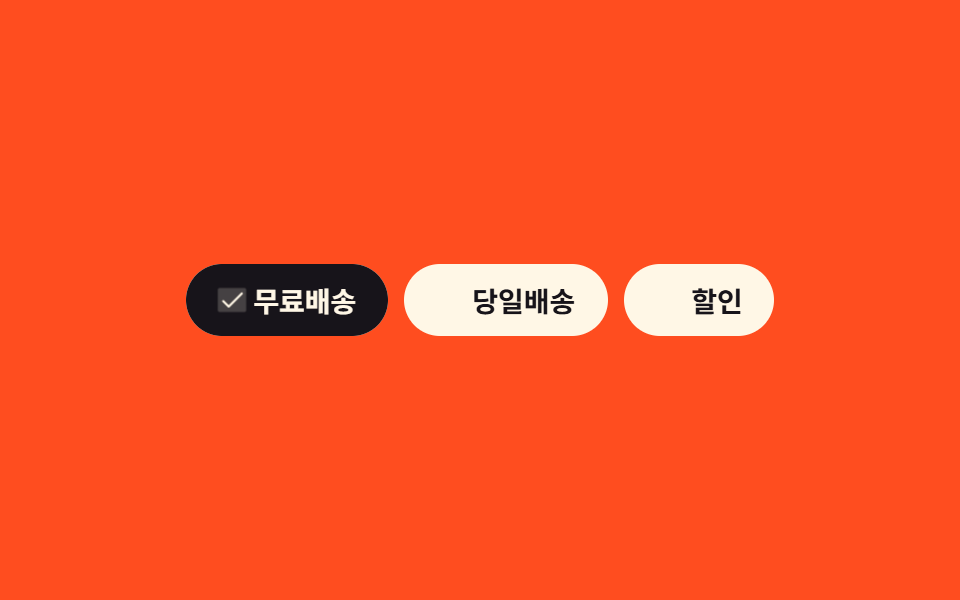 Pickers03 Multi-select filter chips9 Segmented Control UI Patterns — Copy-Paste
 Pickers01 Calendar drag range select9 Date Range Picker UI Patterns — Copy-Paste
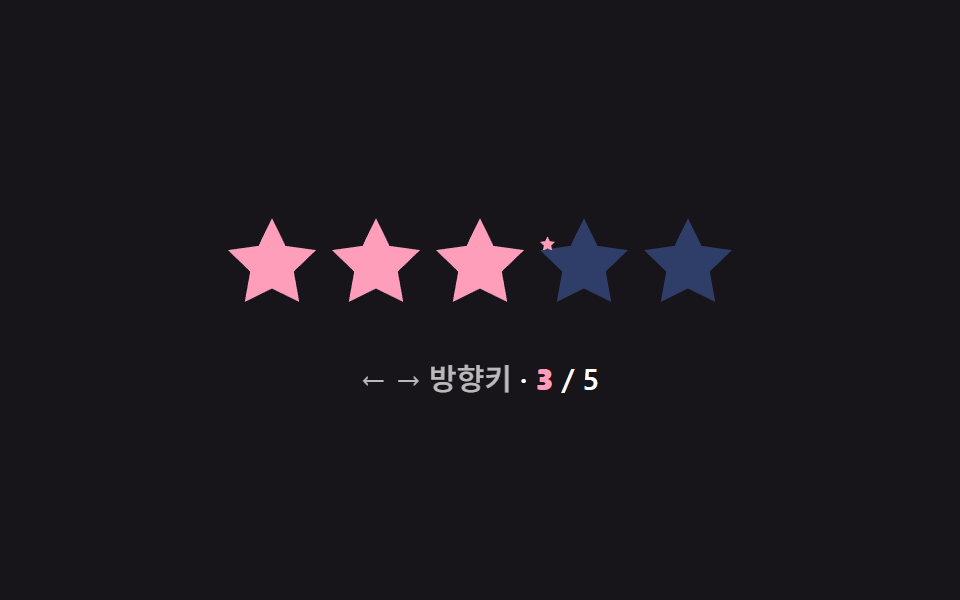 Pickers03 Keyboard arrow select — the selected star's order value increases or decreases by one for each pressed direction valueStar Rating UI: 9 Interactive Rating Patterns