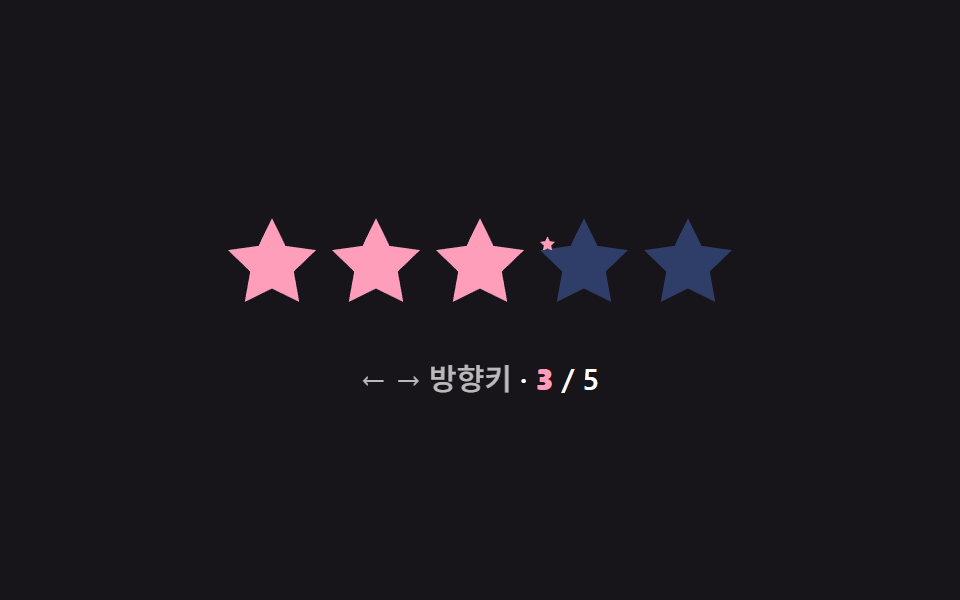
03Keyboard arrow select — the selected star's order value increases or decreases by one for each pressed direction value
Each right or left arrow key press increases or decreases the selected star's order value by one, and once that value passes either end of the range it stops at the end value.
Best forAn accessible star rating input used without a mouse, a survey form operated by keyboard only
tick() / animateTo(t)display += (target - display) * 0.2seq = [4, 5, 3, 1, 0, 2, 3]
<main class="stage">
<div class="sr is-demo" id="sr">
  <div class="sr__row" id="srRow" role="slider" tabindex="0" aria-label="Star rating" aria-valuemin="0" aria-valuemax="5" aria-valuenow="3">
    <span class="sr__star"><svg class="sr__base" viewBox="0 0 24 24"><path d="M12 .587l3.668 7.568 8.332 1.151-6.064 5.828 1.48 8.279L12 19.771l-7.416 3.642 1.48-8.279-6.064-5.828 8.332-1.151z"/></svg><span class="sr__fillclip" data-fc><svg class="sr__fill" viewBox="0 0 24 24"><path d="M12 .587l3.668 7.568 8.332 1.151-6.064 5.828 1.48 8.279L12 19.771l-7.416 3.642 1.48-8.279-6.064-5.828 8.332-1.151z"/></svg></span></span>
    <span class="sr__star"><svg class="sr__base" viewBox="0 0 24 24"><path d="M12 .587l3.668 7.568 8.332 1.151-6.064 5.828 1.48 8.279L12 19.771l-7.416 3.642 1.48-8.279-6.064-5.828 8.332-1.151z"/></svg><span class="sr__fillclip" data-fc><svg class="sr__fill" viewBox="0 0 24 24"><path d="M12 .587l3.668 7.568 8.332 1.151-6.064 5.828 1.48 8.279L12 19.771l-7.416 3.642 1.48-8.279-6.064-5.828 8.332-1.151z"/></svg></span></span>
    <span class="sr__star"><svg class="sr__base" viewBox="0 0 24 24"><path d="M12 .587l3.668 7.568 8.332 1.151-6.064 5.828 1.48 8.279L12 19.771l-7.416 3.642 1.48-8.279-6.064-5.828 8.332-1.151z"/></svg><span class="sr__fillclip" data-fc><svg class="sr__fill" viewBox="0 0 24 24"><path d="M12 .587l3.668 7.568 8.332 1.151-6.064 5.828 1.48 8.279L12 19.771l-7.416 3.642 1.48-8.279-6.064-5.828 8.332-1.151z"/></svg></span></span>
    <span class="sr__star"><svg class="sr__base" viewBox="0 0 24 24"><path d="M12 .587l3.668 7.568 8.332 1.151-6.064 5.828 1.48 8.279L12 19.771l-7.416 3.642 1.48-8.279-6.064-5.828 8.332-1.151z"/></svg><span class="sr__fillclip" data-fc><svg class="sr__fill" viewBox="0 0 24 24"><path d="M12 .587l3.668 7.568 8.332 1.151-6.064 5.828 1.48 8.279L12 19.771l-7.416 3.642 1.48-8.279-6.064-5.828 8.332-1.151z"/></svg></span></span>
    <span class="sr__star"><svg class="sr__base" viewBox="0 0 24 24"><path d="M12 .587l3.668 7.568 8.332 1.151-6.064 5.828 1.48 8.279L12 19.771l-7.416 3.642 1.48-8.279-6.064-5.828 8.332-1.151z"/></svg><span class="sr__fillclip" data-fc><svg class="sr__fill" viewBox="0 0 24 24"><path d="M12 .587l3.668 7.568 8.332 1.151-6.064 5.828 1.48 8.279L12 19.771l-7.416 3.642 1.48-8.279-6.064-5.828 8.332-1.151z"/></svg></span></span>
  </div>
  <div class="sr__readout"><span class="sr__hint">← → Arrow keys</span> · <b id="srNum">3</b> / 5</div>
</div>
</main>
@use "../../../../site/static/demo-tokens" as *;
// 계산 겹: 방향키가 바뀔 때마다 목표 값을 갱신하고, 화면 값은 매 프레임 목표 쪽으로 20%씩만
// 다가가는 선형보간(lerp)으로 따라가 즉시 스냅이 아니라 관성 있는 곡선으로 채워진다.
@include stage($stage-ink);
.sr {
display: grid;
gap: $sp-5;
place-items: center;
}
.sr__row {
display: flex;
gap: $sp-2;
border-radius: $r-sm;
padding: $sp-2;
outline: none;
&:focus-visible { box-shadow: 0 0 0 3px $subject-blue-light; }
}
.sr__star {
position: relative;
width: 44px;
height: 44px;
}
.sr__base,
.sr__fill svg {
position: absolute;
inset: 0;
width: 100%;
height: 100%;
}
.sr__base { fill: $subject-blue-light; opacity: .35; }
.sr__fillclip {
position: absolute;
inset: 0;
width: 0%;
overflow: hidden;
}
.sr__fill { fill: $subject-pink; }
.sr__readout {
font: 600 15px/1.3 -apple-system, "Segoe UI", "Noto Sans KR", sans-serif;
color: $stage-paper;
b { color: $subject-pink; font-variant-numeric: tabular-nums; }
}
.sr__hint { opacity: .7; font-weight: 500; }
@media (max-width: 340px) {
.sr__star { width: 34px; height: 34px; }
.sr__row { gap: $sp-1; }
.sr__readout { font-size: 13px; }
}
@media (prefers-reduced-motion: reduce) {
.sr__row { transition: none; }
}html, body {
margin: 0;
overflow: hidden;
}
.stage {
box-sizing: border-box;
min-height: 100vh;
display: grid;
place-items: center;
margin: 0;
background: #17141a;
font-family: -apple-system, "Segoe UI", "Noto Sans KR", sans-serif;
padding: clamp(8px, 4vw, 24px);
}
.sr {
display: grid;
gap: 20px;
place-items: center;
}
.sr__row {
display: flex;
gap: 8px;
border-radius: 8px;
padding: 8px;
outline: none;
}
.sr__row:focus-visible {
box-shadow: 0 0 0 3px #5b8cf8;
}
.sr__star {
position: relative;
width: 44px;
height: 44px;
}
.sr__base,
.sr__fill svg {
position: absolute;
inset: 0;
width: 100%;
height: 100%;
}
.sr__base {
fill: #5b8cf8;
opacity: 0.35;
}
.sr__fillclip {
position: absolute;
inset: 0;
width: 0%;
overflow: hidden;
}
.sr__fill {
fill: #ff9ebb;
}
.sr__readout {
font: 600 15px/1.3 -apple-system, "Segoe UI", "Noto Sans KR", sans-serif;
color: #ffffff;
}
.sr__readout b {
color: #ff9ebb;
font-variant-numeric: tabular-nums;
}
.sr__hint {
opacity: 0.7;
font-weight: 500;
}
@media (max-width: 340px) {
.sr__star {
width: 34px;
height: 34px;
}
.sr__row {
gap: 4px;
}
.sr__readout {
font-size: 13px;
}
}
@media (prefers-reduced-motion: reduce) {
.sr__row {
transition: none;
}
}(function () {
var root = document.getElementById('sr');
var row = document.getElementById('srRow');
var clips = Array.prototype.slice.call(row.querySelectorAll('[data-fc]'));
var numEl = document.getElementById('srNum');
var TOTAL = clips.length;
var target = 3;
var display = 3;
var raf = null;
function paint(v) {
clips.forEach(function (el, idx) {
var starVal = Math.max(0, Math.min(1, v - idx));
el.style.width = (starVal * 100).toFixed(1) + '%';
});
}
// 계산 겹: 매 프레임 display 값을 target Value 쪽으로 20% 씩만 이동시키는 선형보간(lerp) —
// 방향키를 눌러도 값이 즉시 튀지 않고 관성 있는 곡선으로 따라간다.
function tick() {
display += (target - display) * 0.2;
if (Math.abs(target - display) < 0.01) {
display = target;
paint(display);
raf = null;
return;
}
paint(display);
raf = requestAnimationFrame(tick);
}
function animateTo(t) {
target = Math.max(0, Math.min(TOTAL, t));
row.setAttribute('aria-valuenow', String(target));
numEl.textContent = String(target);
if (raf === null) raf = requestAnimationFrame(tick);
}
row.addEventListener('keydown', function (e) {
if (e.key === 'ArrowRight') { e.preventDefault(); root.classList.remove('is-demo'); stopAutoplay(); animateTo(target + 1); }
else if (e.key === 'ArrowLeft') { e.preventDefault(); root.classList.remove('is-demo'); stopAutoplay(); animateTo(target - 1); }
});
paint(display);
// 자동 루프: 방향키 입력을 흉내내 값을 0→5→0 으로 오가며 lerp 이동을 보여준다.
var seq = [4, 5, 3, 1, 0, 2, 3];
var seqI = 0;
var autoTimer = null;
function autoTick() { animateTo(seq[seqI]); seqI = (seqI + 1) % seq.length; }
var reduce = window.matchMedia('(prefers-reduced-motion: reduce)').matches;
function stopAutoplay() { if (autoTimer) { clearInterval(autoTimer); autoTimer = null; } }
if (!reduce) { autoTimer = setInterval(autoTick, 620); autoTick(); }
})();import { useEffect, useRef } from "react";
import styles from "./KeyboardArrowSelect.module.scss";
const STAR_PATH =
"M12 .587l3.668 7.568 8.332 1.151-6.064 5.828 1.48 8.279L12 19.771l-7.416 3.642 1.48-8.279-6.064-5.828 8.332-1.151z";
export default function KeyboardArrowSelect() {
const rootRef = useRef<HTMLDivElement | null>(null);
useEffect(() => {
const root = rootRef.current;
if (!root) return;
const row = root.querySelector<HTMLDivElement>(`.${styles.row}`);
const numEl = root.querySelector<HTMLElement>(`.${styles.num}`);
if (!row || !numEl) return;
const clips = Array.prototype.slice.call(
row.querySelectorAll(`.${styles.fillclip}`)
) as HTMLElement[];
const TOTAL = clips.length;
let target = 3;
let display = 3;
let raf: number | null = null;
function paint(v: number) {
clips.forEach((el, idx) => {
const starVal = Math.max(0, Math.min(1, v - idx));
el.style.width = (starVal * 100).toFixed(1) + "%";
});
}
// 계산 겹: 매 프레임 display 값을 target 값 쪽으로 20% 씩만 이동시키는 선형보간(lerp) —
// 방향키를 눌러도 값이 즉시 튀지 않고 관성 있는 곡선으로 따라간다.
function tick() {
display += (target - display) * 0.2;
if (Math.abs(target - display) < 0.01) {
display = target;
paint(display);
raf = null;
return;
}
paint(display);
raf = requestAnimationFrame(tick);
}
function animateTo(t: number) {
target = Math.max(0, Math.min(TOTAL, t));
row!.setAttribute("aria-valuenow", String(target));
numEl!.textContent = String(target);
if (raf === null) raf = requestAnimationFrame(tick);
}
function onKeyDown(e: KeyboardEvent) {
if (e.key === "ArrowRight") { e.preventDefault(); stopAutoplay(); animateTo(target + 1); }
else if (e.key === "ArrowLeft") { e.preventDefault(); stopAutoplay(); animateTo(target - 1); }
}
row.addEventListener("keydown", onKeyDown);
paint(display);
// 자동 루프: 방향키 입력을 흉내내 값을 0→5→0 으로 오가며 lerp 이동을 보여준다.
const seq = [4, 5, 3, 1, 0, 2, 3];
let seqI = 0;
let autoTimer: number | null = null;
function autoTick() { animateTo(seq[seqI]); seqI = (seqI + 1) % seq.length; }
function stopAutoplay() { if (autoTimer !== null) { window.clearInterval(autoTimer); autoTimer = null; } }
const reduce = window.matchMedia("(prefers-reduced-motion: reduce)").matches;
if (!reduce) { autoTimer = window.setInterval(autoTick, 620); autoTick(); }
return () => {
stopAutoplay();
if (raf !== null) cancelAnimationFrame(raf);
row.removeEventListener("keydown", onKeyDown);
};
}, []);
return (
<div ref={rootRef} className={styles.stage}>
<div className={styles.sr}>
<div
className={styles.row}
role="slider"
tabIndex={0}
aria-label="별점"
aria-valuemin={0}
aria-valuemax={5}
aria-valuenow={3}
>
{[0, 1, 2, 3, 4].map((i) => (
<span key={i} className={styles.star}>
<svg className={styles.base} viewBox="0 0 24 24"><path d={STAR_PATH} /></svg>
<span className={styles.fillclip}>
<svg className={styles.fill} viewBox="0 0 24 24"><path d={STAR_PATH} /></svg>
</span>
</span>
))}
</div>
<div className={styles.readout}>
<span className={styles.hint}>← → 방향키</span> · <b className={styles.num}>3</b> / 5
</div>
</div>
</div>
);
}03 Keyboard arrow select — the selected star's order value increases or decreases by one for each pressed direction value — Measured area 3.694% · moving frames 16/23Original by GODRICH · SCSS and React ship in the zip · Star Rating UI: 9 Interactive Rating Patterns
The post this demo lives in
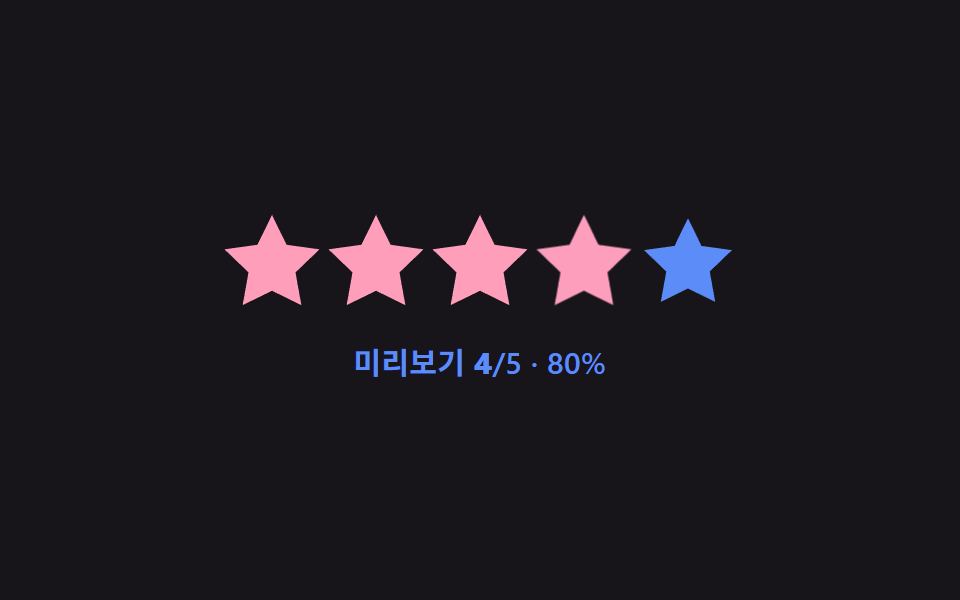 Star Rating UI: 9 Interactive Rating PatternsOne fill value follows the finger's position value in real time, one overlays an average's decimal part on a star, and o See all demos in this post
If you like this effect - similar demos
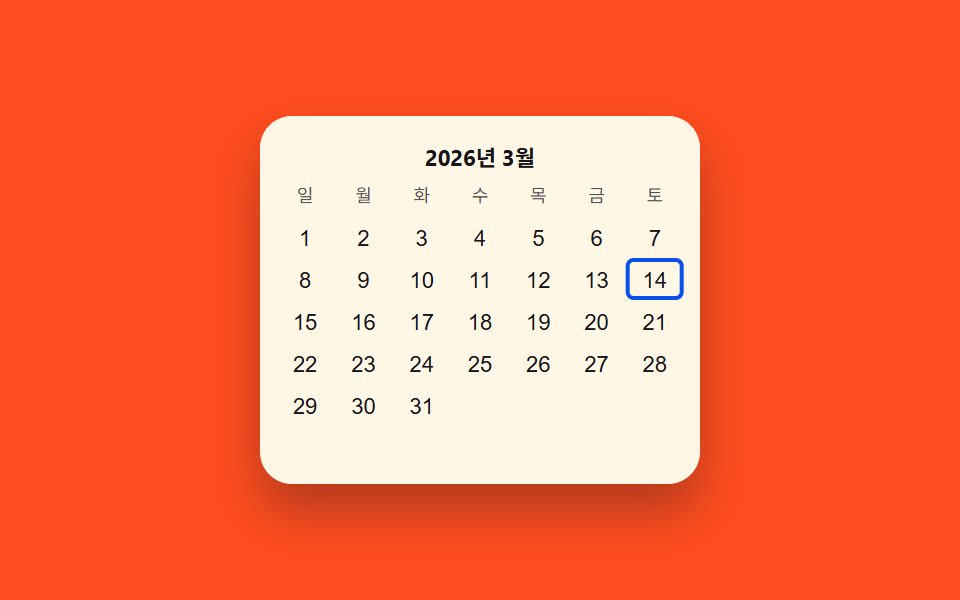 Pickers03 Keyboard-arrow value toggle — each time a direction value changes, a highlighted-cell value moves across the gridDate Picker UI: 9 Popover & Calendar Patterns
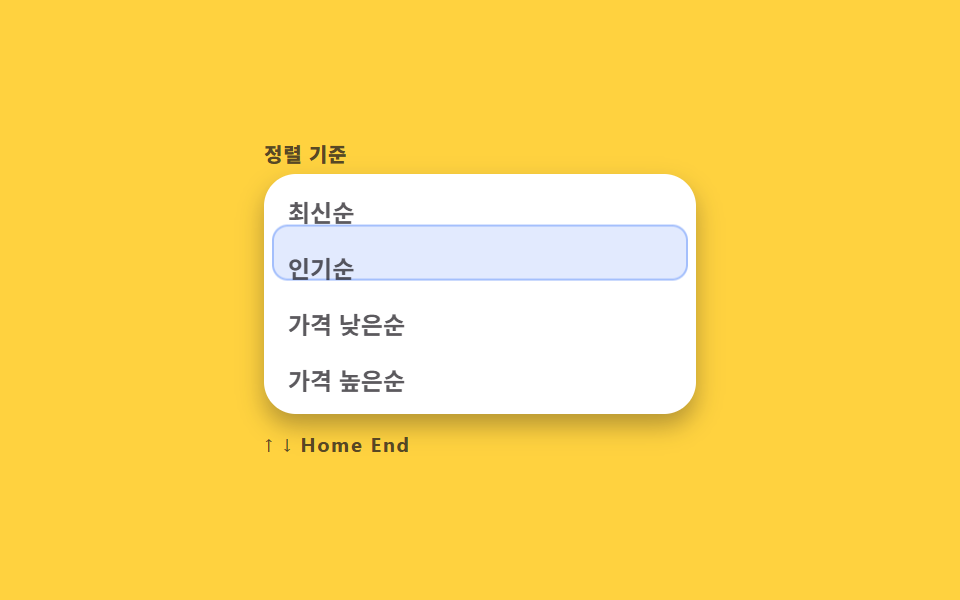 Pickers02 Keyboard highlight rail9 Select Dropdown Design Patterns That Really Open
 Pickers01 Value bubble — converting track position to a percentage the label followsCSS Range Slider: 9 Physics-Grade Custom Sliders