02Activity feed timeline
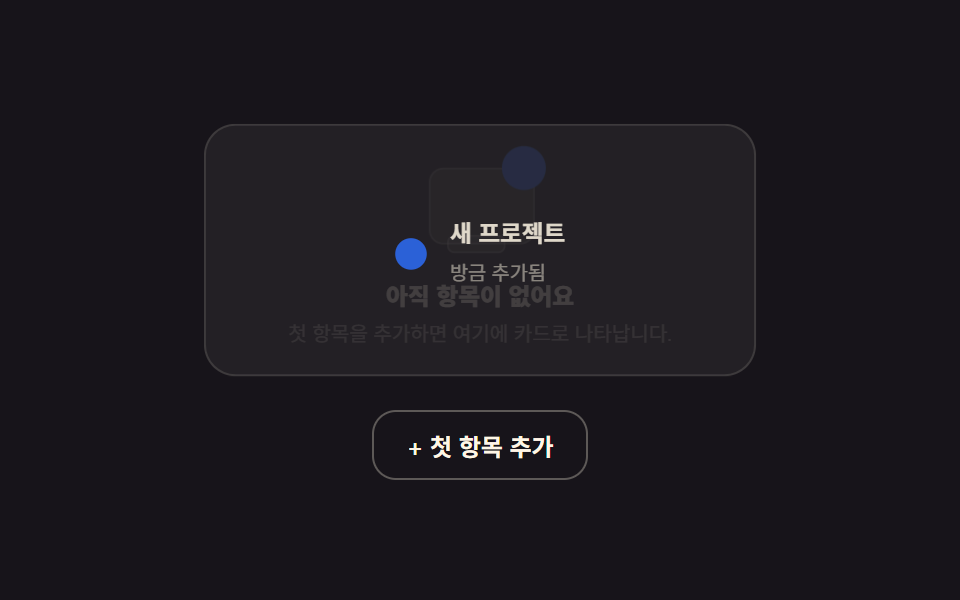
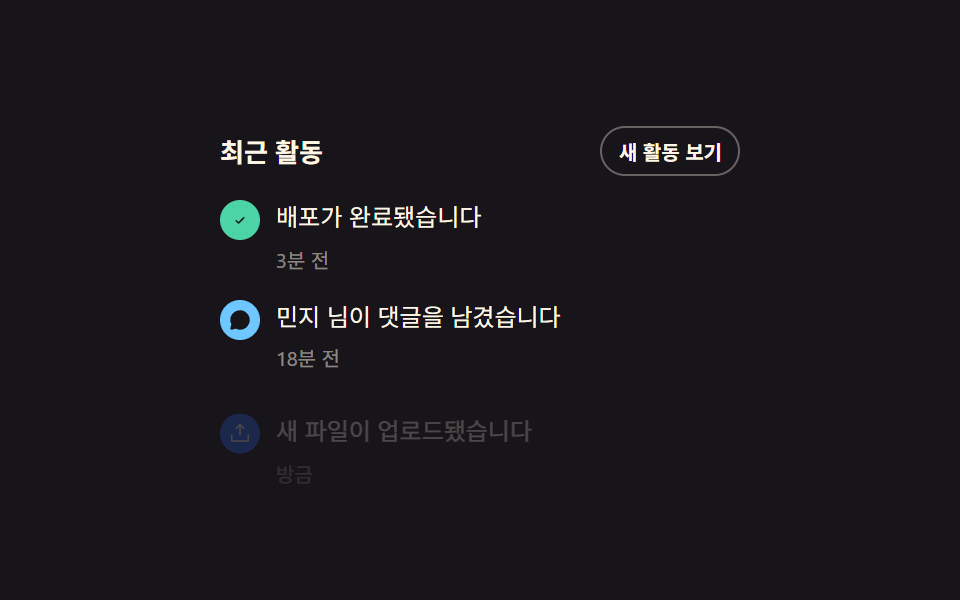
Clicking "show new activity" actually slides a hidden entry up into view, and the type icon's dot keeps a soft pulse.
Best forWhen a settings or order-history page needs just one vertical recent-activity log
translateYopacityclick
<main class="stage">
  <div class="af">
    <div class="af__head">
      <strong class="af__title">Recent activity</strong>
      <button class="af__more" type="button">Show new activity</button>
    </div>
    <ul class="af__list">
      <li class="af__item">
        <span class="af__ic af__ic--check"><svg viewBox="0 0 256 256" width="12" height="12"><g fill="currentColor"><path d="M173.66 98.34a8 8 0 0 1 0 11.32l-56 56a8 8 0 0 1-11.32 0l-24-24a8 8 0 0 1 11.32-11.32L112 148.69l50.34-50.35a8 8 0 0 1 11.32 0"/></g></svg></span>
        <div class="af__body"><p class="af__text">Deployment completed</p><time class="af__time">3m ago</time></div>
      </li>
      <li class="af__item">
        <span class="af__ic af__ic--chat"><svg viewBox="0 0 256 256" width="12" height="12"><g fill="currentColor"><path d="M128 24a104 104 0 0 0-91.82 152.88l-11.35 34.05a16 16 0 0 0 20.24 20.24l34.05-11.35A104 104 0 1 0 128 24"/></g></svg></span>
        <div class="af__body"><p class="af__text">Minji left a comment</p><time class="af__time">18m ago</time></div>
      </li>
      <li class="af__item af__item--new is-demo">
        <span class="af__ic af__ic--upload"><svg viewBox="0 0 256 256" width="12" height="12"><g fill="currentColor"><path d="M224 144v64a8 8 0 0 1-8 8H40a8 8 0 0 1-8-8v-64a8 8 0 0 1 16 0v56h160v-56a8 8 0 0 1 16 0M93.66 77.66L120 51.31V144a8 8 0 0 0 16 0V51.31l26.34 26.35a8 8 0 0 0 11.32-11.32l-40-40a8 8 0 0 0-11.32 0l-40 40a8 8 0 0 0 11.32 11.32"/></g></svg></span>
        <div class="af__body"><p class="af__text">A new file was uploaded</p><time class="af__time">Just now</time></div>
      </li>
    </ul>
  </div>
</main>
@use "../../../../site/static/demo-tokens" as *;
$duration: $dur-enter;
$easing: $ease-pop;
$color: $subject-blue;
@include stage($stage-ink);
.af {
box-sizing: border-box;
width: min(260px, 88vw);
font-family: -apple-system, "Segoe UI", "Noto Sans KR", sans-serif;
color: $subject-cream;
}
.af__head { display: flex; align-items: center; justify-content: space-between; margin: 0 0 $sp-3; }
.af__title { font-size: 13px; }
.af__more {
border: 1px solid rgba(255, 247, 230, .35);
background: transparent;
color: $subject-cream;
font: inherit; font-weight: 700; font-size: 10px;
padding: $sp-1 $sp-2;
border-radius: $r-pill;
cursor: pointer;
}
.af__more:disabled { opacity: .5; cursor: default; }
.af__list { list-style: none; margin: 0; padding: 0; display: flex; flex-direction: column; gap: $sp-3; }
.af__item { display: flex; align-items: flex-start; gap: $sp-2; }
.af__ic {
flex: 0 0 auto;
width: 20px; height: 20px;
border-radius: 50%;
display: grid; place-items: center;
color: $stage-ink;
}
.af__ic--check { background: $subject-mint; }
.af__ic--chat { background: $subject-sky; }
.af__ic--upload { background: $color; color: $subject-cream; }
.af__body { min-width: 0; }
.af__text { margin: 0; font-size: 12px; line-height: 1.4; }
.af__time { font-size: 10px; color: rgba(255, 247, 230, .5); }
.af__item--new {
opacity: 0;
transform: translateY(10px);
transition: opacity $duration $easing, transform $duration $easing;
}
.af__item--new.af__item--shown { opacity: 1; transform: translateY(0); }
// ── 자동 루프: 새 활동 항목이 계속 나타났다 사라진다 ──────────────
.af__item--new.is-demo { animation: af-in 2s $easing infinite; }
@keyframes af-in {
0% { opacity: 0; transform: translateY(10px); }
35% { opacity: 1; transform: translateY(0); }
80% { opacity: 1; transform: translateY(0); }
100% { opacity: 0; transform: translateY(10px); }
}
@media (max-width: 340px) {
.af__text { font-size: 11px; }
}
@media (prefers-reduced-motion: reduce) {
.af__item--new.is-demo { animation: none !important; opacity: 1; transform: translateY(0); }
.af__item--new { transition: none; }
}html, body {
margin: 0;
overflow: hidden;
}
.stage {
box-sizing: border-box;
min-height: 100vh;
display: grid;
place-items: center;
margin: 0;
background: #17141a;
font-family: -apple-system, "Segoe UI", "Noto Sans KR", sans-serif;
padding: clamp(8px, 4vw, 24px);
}
.af {
box-sizing: border-box;
width: min(260px, 88vw);
font-family: -apple-system, "Segoe UI", "Noto Sans KR", sans-serif;
color: #fff7e6;
}
.af__head {
display: flex;
align-items: center;
justify-content: space-between;
margin: 0 0 12px;
}
.af__title {
font-size: 13px;
}
.af__more {
border: 1px solid rgba(255, 247, 230, 0.35);
background: transparent;
color: #fff7e6;
font: inherit;
font-weight: 700;
font-size: 10px;
padding: 4px 8px;
border-radius: 999px;
cursor: pointer;
}
.af__more:disabled {
opacity: 0.5;
cursor: default;
}
.af__list {
list-style: none;
margin: 0;
padding: 0;
display: flex;
flex-direction: column;
gap: 12px;
}
.af__item {
display: flex;
align-items: flex-start;
gap: 8px;
}
.af__ic {
flex: 0 0 auto;
width: 20px;
height: 20px;
border-radius: 50%;
display: grid;
place-items: center;
color: #17141a;
}
.af__ic--check {
background: #4cd4a6;
}
.af__ic--chat {
background: #6ec8ff;
}
.af__ic--upload {
background: #2f6df6;
color: #fff7e6;
}
.af__body {
min-width: 0;
}
.af__text {
margin: 0;
font-size: 12px;
line-height: 1.4;
}
.af__time {
font-size: 10px;
color: rgba(255, 247, 230, 0.5);
}
.af__item--new {
opacity: 0;
transform: translateY(10px);
transition: opacity 600ms cubic-bezier(0.2, 1.4, 0.4, 1), transform 600ms cubic-bezier(0.2, 1.4, 0.4, 1);
}
.af__item--new.af__item--shown {
opacity: 1;
transform: translateY(0);
}
.af__item--new.is-demo {
animation: af-in 2s cubic-bezier(0.2, 1.4, 0.4, 1) infinite;
}
@keyframes af-in {
0% {
opacity: 0;
transform: translateY(10px);
}
35% {
opacity: 1;
transform: translateY(0);
}
80% {
opacity: 1;
transform: translateY(0);
}
100% {
opacity: 0;
transform: translateY(10px);
}
}
@media (max-width: 340px) {
.af__text {
font-size: 11px;
}
}
@media (prefers-reduced-motion: reduce) {
.af__item--new.is-demo {
animation: none !important;
opacity: 1;
transform: translateY(0);
}
.af__item--new {
transition: none;
}
}// 실제 동작: 버튼을 누르면 숨어 있던 새 활동 항목이 실제로 나타나고, 버튼은 다 쓰면 사라진다.
var btn = document.querySelector('.af__more');
var last = document.querySelector('.af__item--new');
btn.addEventListener('click', function () {
last.classList.remove('is-demo');
last.classList.add('af__item--shown');
btn.disabled = true;
btn.textContent = 'All caught up';
});import { useState } from "react";
import type { CSSProperties } from "react";
import styles from "./ActivityFeed.module.scss";
export type ActivityFeedProps = {
duration?: number;
easing?: string;
color?: string;
};
type Vars = CSSProperties & { "--duration"?: string; "--easing"?: string; "--color"?: string };
export default function ActivityFeed({ duration = 600, easing = "cubic-bezier(.2,1.4,.4,1)", color = "#2f6df6" }: ActivityFeedProps) {
const [shown, setShown] = useState(false);
const vars: Vars = { "--duration": `${duration}ms`, "--easing": easing, "--color": color };
return (
<div className={styles.af} style={vars}>
<div className={styles.head}>
<strong className={styles.title}>Recent activity</strong>
<button type="button" className={styles.more} disabled={shown} onClick={() => setShown(true)}>
{shown ? "All caught up" : "Show new activity"}
</button>
</div>
<ul className={styles.list}>
<li className={styles.item}>
<span className={`${styles.ic} ${styles.check}`}>✓</span>
<div><p className={styles.text}>Deployment completed</p><time className={styles.time}>3m ago</time></div>
</li>
<li className={styles.item}>
<span className={`${styles.ic} ${styles.chat}`}>💬</span>
<div><p className={styles.text}>Minji left a comment</p><time className={styles.time}>18m ago</time></div>
</li>
<li className={`${styles.item} ${styles.newItem} ${shown ? styles.shown : ""}`}>
<span className={`${styles.ic} ${styles.upload}`}>↑</span>
<div><p className={styles.text}>A new file was uploaded</p><time className={styles.time}>Just now</time></div>
</li>
</ul>
</div>
);
}02 Activity feed timeline — Measured area 1.846% · moving frames 10/23Original by GODRICH · SCSS and React ship in the zip · 9 Dashboard Components, Not the Whole Page
The post this demo lives in
 9 Dashboard Components, Not the Whole PageDashboard components are UI pieces — a header, a feed, a calendar — you drop in one at a time instead of wiring a whole See all demos in this post