06Per-column filters that leave a pill behind
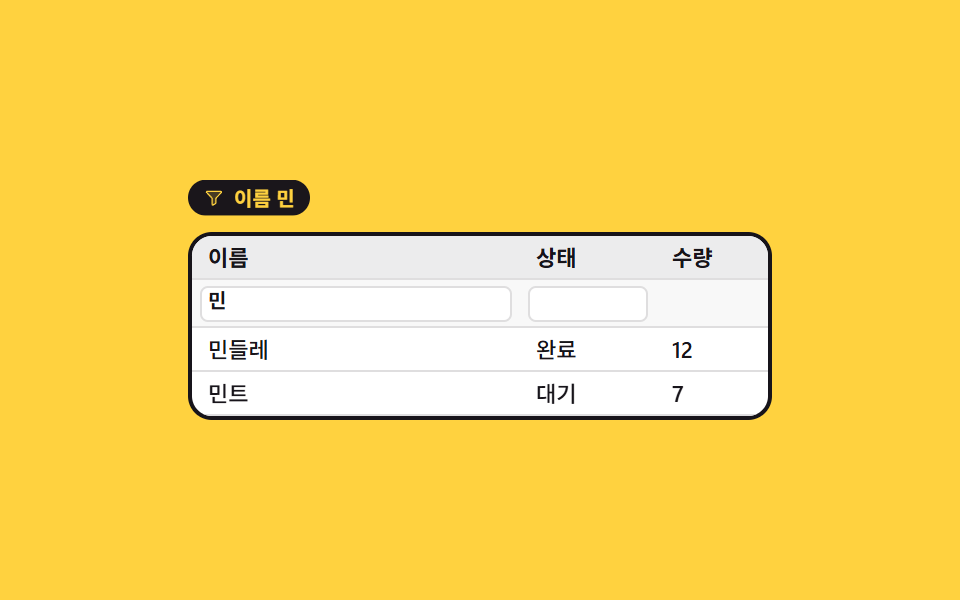
Type into the small box under a header and the rows that miss fold away in a single frame, while the conditions now in force stack up as pills above the table so the reason for the shrinking is never hidden.
Best forOrder or member lists narrowed by name and status at once
toLowerCasetranslateYsteps(1, end)
<main class="stage">
  <div class="mf is-demo" id="mf">
    <div class="mf__chips" id="mf-chips">
      <span class="mf__chip mf__chip--1">
        <span class="mf__fic" aria-hidden="true"><svg viewBox="0 0 256 256" width="1em" height="1em" fill="currentColor"><g><path d="M221.9 61.38L152 136v58.65a8 8 0 0 1-3.56 6.66l-32 21.33A8 8 0 0 1 104 216v-80L34.1 61.38A8 8 0 0 1 40 48h176a8 8 0 0 1 5.9 13.38" opacity=".2"/><path d="M230.6 49.53A15.81 15.81 0 0 0 216 40H40a16 16 0 0 0-11.81 26.76l.08.09L96 139.17V216a16 16 0 0 0 24.87 13.32l32-21.34a16 16 0 0 0 7.13-13.32v-55.49l67.74-72.32l.08-.09a15.8 15.8 0 0 0 2.78-17.23m-84.42 81.05A8 8 0 0 0 144 136v58.66L112 216v-80a8 8 0 0 0-2.16-5.47L40 56h176Z"/></g></svg></span>Name: mi</span>
      <span class="mf__chip mf__chip--2">
        <span class="mf__fic" aria-hidden="true"><svg viewBox="0 0 256 256" width="1em" height="1em" fill="currentColor"><g><path d="M221.9 61.38L152 136v58.65a8 8 0 0 1-3.56 6.66l-32 21.33A8 8 0 0 1 104 216v-80L34.1 61.38A8 8 0 0 1 40 48h176a8 8 0 0 1 5.9 13.38" opacity=".2"/><path d="M230.6 49.53A15.81 15.81 0 0 0 216 40H40a16 16 0 0 0-11.81 26.76l.08.09L96 139.17V216a16 16 0 0 0 24.87 13.32l32-21.34a16 16 0 0 0 7.13-13.32v-55.49l67.74-72.32l.08-.09a15.8 15.8 0 0 0 2.78-17.23m-84.42 81.05A8 8 0 0 0 144 136v58.66L112 216v-80a8 8 0 0 0-2.16-5.47L40 56h176Z"/></g></svg></span>Status: done</span>
    </div>

    <div class="mf__grid" role="grid" aria-label="Order list">
      <div class="mf__row mf__row--head" role="row">
        <span role="columnheader">Name</span><span role="columnheader">Status</span><span role="columnheader">Qty</span>
      </div>
      <div class="mf__row mf__row--filter" role="row">
        <span class="mf__f"><input class="mf__in" id="mf-name" data-col="0" aria-label="Filter by name"><span class="mf__ghost mf__ghost--1" aria-hidden="true">mi</span></span>
        <span class="mf__f"><input class="mf__in" id="mf-state" data-col="1" aria-label="Filter by status"><span class="mf__ghost mf__ghost--2" aria-hidden="true">Done</span></span>
        <span class="mf__f"></span>
      </div>
      <div class="mf__body" id="mf-body" role="rowgroup">
        <div class="mf__row" role="row"><span role="gridcell">Mina</span><span role="gridcell">Done</span><span role="gridcell">12</span></div>
        <div class="mf__row" role="row"><span role="gridcell">Mint</span><span role="gridcell">Waiting</span><span role="gridcell">7</span></div>
        <div class="mf__row" role="row"><span role="gridcell">Sky</span><span role="gridcell">Done</span><span role="gridcell">24</span></div>
        <div class="mf__row" role="row"><span role="gridcell">Gaon</span><span role="gridcell">Waiting</span><span role="gridcell">5</span></div>
      </div>
    </div>
  </div>
</main>@use "sass:color";
@use "../../../../site/static/demo-tokens" as *;
$duration: $dur-quick;
$easing: $ease-spring;
$color: $subject-blue;
@include stage($stage-yellow);
$row-h: 22px;
$ink: $subject-ink;
$line: color.mix($ink, $stage-paper, 14%);
.mf {
box-sizing: border-box;
width: min(292px, 92vw);
color: $ink;
font-family: -apple-system, "Segoe UI", "Noto Sans KR", sans-serif;
}
// ── 걸린 조건 알약 ────────────────────────────────────
.mf__chips {
display: flex;
gap: $sp-1;
height: 22px;
margin-bottom: $sp-1;
overflow: hidden;
}
.mf__chip {
display: inline-flex;
align-items: center;
gap: $sp-1;
height: 18px;
padding: 0 $sp-2;
border-radius: $r-pill;
background: $ink;
color: $stage-yellow;
font-size: 10px;
line-height: 18px;
font-weight: 700;
white-space: nowrap;
opacity: 0;
transform: translateY(-14px);
}
.mf__chip.is-live { opacity: 1; transform: translateY(0); }
.mf__fic { display: inline-flex; width: 11px; height: 11px; }
// ── 표 ───────────────────────────────────────────────
.mf__grid {
border: 2px solid $ink;
border-radius: $r-control;
background: $stage-paper;
overflow: hidden;
}
.mf__row {
display: grid;
grid-template-columns: 1fr 68px 56px;
align-items: center;
height: $row-h;
overflow: hidden;
box-shadow: inset 0 -1px 0 $line;
}
.mf__row > * {
padding: 0 $sp-2;
font-size: 11px;
line-height: $row-h;
font-weight: 500;
white-space: nowrap;
overflow: hidden;
}
.mf__row--head {
background: color.mix($ink, $stage-paper, 8%);
}
.mf__row--head > * { font-weight: 700; }
.mf__row--filter { height: 24px; background: color.mix($ink, $stage-paper, 3%); }
.mf__f { position: relative; display: block; padding: 0 $sp-1; }
.mf__in {
box-sizing: border-box;
width: 100%;
height: 18px;
padding: 0 $sp-1;
border: 1px solid $line;
border-radius: $r-xs;
background: $stage-paper;
color: $ink;
font-family: inherit;
font-size: 10px;
line-height: 16px;
font-weight: 600;
}
.mf__in:focus-visible { outline: 2px solid $color; outline-offset: -1px; }
// 자동 루프에서만 보이는 "쳐 넣는 글자". 사람이 치면 진짜 input 값이 대신 보인다
.mf__ghost {
position: absolute;
left: 8px; top: 0;
color: $ink;
font-size: 10px;
line-height: 18px;
font-weight: 600;
pointer-events: none;
opacity: 0;
}
.mf__row--filter .mf__f:last-child { padding: 0; }
.mf__body .mf__row.is-out { height: 0; opacity: 0; }
// ── 자동 루프 (2s) ───────────────────────────────────
// 8~24% 「민」 을 한 자씩 친다 → 26% 에 안 맞는 두 줄이 높이 0 으로 컷 접힘(페이드 교차가
// 없어야 poster 에 반투명 유령이 안 남는다) → 44~56% 「완료」 를 친다 → 58% 에 한 줄 더 접힘
// → 74% 에 전부 되돌아오고 88% 까지 알약이 위로 빠진다.
.mf.is-demo .mf__ghost {
opacity: 1;
animation-duration: $dur-loop;
animation-iteration-count: infinite;
}
.mf.is-demo .mf__ghost--1 {
animation-name: mf-type1;
animation-timing-function: steps(1, end);
}
.mf.is-demo .mf__ghost--2 {
animation-name: mf-type2;
animation-timing-function: steps(2, end);
}
.mf.is-demo .mf__body .mf__row {
animation-duration: $dur-loop;
animation-timing-function: steps(1, end);
animation-iteration-count: infinite;
}
.mf.is-demo .mf__body .mf__row:nth-child(2) { animation-name: mf-out2; }
.mf.is-demo .mf__body .mf__row:nth-child(3) { animation-name: mf-out3; }
.mf.is-demo .mf__body .mf__row:nth-child(4) { animation-name: mf-out4; }
.mf.is-demo .mf__chip {
animation-duration: $dur-loop;
animation-timing-function: $easing;
animation-iteration-count: infinite;
animation-fill-mode: backwards;
}
.mf.is-demo .mf__chip--1 { animation-name: mf-chip1; }
.mf.is-demo .mf__chip--2 { animation-name: mf-chip2; }
// 되돌림을 한 프레임에 몰면 「거른 글자는 그대로인데 네 줄이 다 보이는」 장이 생기고
// 그 장이 제일 크게 변해 poster 로 뽑힌다(실측). 그래서 글자를 먼저 지우고(72%)
// 줄은 한 줄씩(76·80·84%) 되돌린다 — 한 장에서 되살아나는 줄이 언제나 하나뿐이다.
@keyframes mf-type1 {
0% { clip-path: inset(0 100% 0 0); }
8% { clip-path: inset(0 100% 0 0); }
24% { clip-path: inset(0 0 0 0); }
72% { clip-path: inset(0 0 0 0); }
74% { clip-path: inset(0 100% 0 0); }
100% { clip-path: inset(0 100% 0 0); }
}
@keyframes mf-type2 {
0% { clip-path: inset(0 100% 0 0); }
44% { clip-path: inset(0 100% 0 0); }
56% { clip-path: inset(0 0 0 0); }
72% { clip-path: inset(0 0 0 0); }
74% { clip-path: inset(0 100% 0 0); }
100% { clip-path: inset(0 100% 0 0); }
}
@keyframes mf-out2 {
0% { height: $row-h; opacity: 1; }
58% { height: 0; opacity: 0; }
76% { height: $row-h; opacity: 1; }
100% { height: $row-h; opacity: 1; }
}
@keyframes mf-out3 {
0% { height: $row-h; opacity: 1; }
26% { height: 0; opacity: 0; }
80% { height: $row-h; opacity: 1; }
100% { height: $row-h; opacity: 1; }
}
@keyframes mf-out4 {
0% { height: $row-h; opacity: 1; }
26% { height: 0; opacity: 0; }
84% { height: $row-h; opacity: 1; }
100% { height: $row-h; opacity: 1; }
}
@keyframes mf-chip1 {
0% { opacity: 0; transform: translateY(-14px); }
22% { opacity: 0; transform: translateY(-14px); }
32% { opacity: 1; transform: translateY(0); }
72% { opacity: 1; transform: translateY(0); }
82% { opacity: 0; transform: translateY(-14px); }
100% { opacity: 0; transform: translateY(-14px); }
}
@keyframes mf-chip2 {
0% { opacity: 0; transform: translateY(-14px); }
54% { opacity: 0; transform: translateY(-14px); }
64% { opacity: 1; transform: translateY(0); }
70% { opacity: 1; transform: translateY(0); }
78% { opacity: 0; transform: translateY(-14px); }
100% { opacity: 0; transform: translateY(-14px); }
}
// 320×200 — 열 폭과 셀 여백만 줄인다. 세로는 이미 154px 로 꽉 차 있다
@media (max-width: 340px) {
.mf__row { grid-template-columns: 1fr 56px 44px; }
.mf__row > * { padding: 0 $sp-1; }
}
@media (prefers-reduced-motion: reduce) {
.mf.is-demo .mf__ghost,
.mf.is-demo .mf__body .mf__row,
.mf.is-demo .mf__chip { animation: none !important; }
.mf.is-demo .mf__ghost { opacity: 1; clip-path: inset(0 0 0 0); }
.mf.is-demo .mf__body .mf__row:nth-child(2),
.mf.is-demo .mf__body .mf__row:nth-child(3),
.mf.is-demo .mf__body .mf__row:nth-child(4) { height: 0; opacity: 0; }
.mf.is-demo .mf__chip { opacity: 1; transform: translateY(0); }
}html, body {
margin: 0;
overflow: hidden;
}
.stage {
box-sizing: border-box;
min-height: 100vh;
display: grid;
place-items: center;
margin: 0;
background: #ffd23f;
font-family: -apple-system, "Segoe UI", "Noto Sans KR", sans-serif;
padding: clamp(8px, 4vw, 24px);
}
.mf {
box-sizing: border-box;
width: min(292px, 92vw);
color: #17141a;
font-family: -apple-system, "Segoe UI", "Noto Sans KR", sans-serif;
}
.mf__chips {
display: flex;
gap: 4px;
height: 22px;
margin-bottom: 4px;
overflow: hidden;
}
.mf__chip {
display: inline-flex;
align-items: center;
gap: 4px;
height: 18px;
padding: 0 8px;
border-radius: 999px;
background: #17141a;
color: #ffd23f;
font-size: 10px;
line-height: 18px;
font-weight: 700;
white-space: nowrap;
opacity: 0;
transform: translateY(-14px);
}
.mf__chip.is-live {
opacity: 1;
transform: translateY(0);
}
.mf__fic {
display: inline-flex;
width: 11px;
height: 11px;
}
.mf__grid {
border: 2px solid #17141a;
border-radius: 12px;
background: #ffffff;
overflow: hidden;
}
.mf__row {
display: grid;
grid-template-columns: 1fr 68px 56px;
align-items: center;
height: 22px;
overflow: hidden;
box-shadow: inset 0 -1px 0 rgb(87.262745098%, 87.0980392157%, 87.4274509804%);
}
.mf__row > * {
padding: 0 8px;
font-size: 11px;
line-height: 22px;
font-weight: 500;
white-space: nowrap;
overflow: hidden;
}
.mf__row--head {
background: rgb(92.7215686275%, 92.6274509804%, 92.8156862745%);
}
.mf__row--head > * {
font-weight: 700;
}
.mf__row--filter {
height: 24px;
background: rgb(97.2705882353%, 97.2352941176%, 97.3058823529%);
}
.mf__f {
position: relative;
display: block;
padding: 0 4px;
}
.mf__in {
box-sizing: border-box;
width: 100%;
height: 18px;
padding: 0 4px;
border: 1px solid rgb(87.262745098%, 87.0980392157%, 87.4274509804%);
border-radius: 4px;
background: #ffffff;
color: #17141a;
font-family: inherit;
font-size: 10px;
line-height: 16px;
font-weight: 600;
}
.mf__in:focus-visible {
outline: 2px solid #2f6df6;
outline-offset: -1px;
}
.mf__ghost {
position: absolute;
left: 8px;
top: 0;
color: #17141a;
font-size: 10px;
line-height: 18px;
font-weight: 600;
pointer-events: none;
opacity: 0;
}
.mf__row--filter .mf__f:last-child {
padding: 0;
}
.mf__body .mf__row.is-out {
height: 0;
opacity: 0;
}
.mf.is-demo .mf__ghost {
opacity: 1;
animation-duration: 2s;
animation-iteration-count: infinite;
}
.mf.is-demo .mf__ghost--1 {
animation-name: mf-type1;
animation-timing-function: steps(1, end);
}
.mf.is-demo .mf__ghost--2 {
animation-name: mf-type2;
animation-timing-function: steps(2, end);
}
.mf.is-demo .mf__body .mf__row {
animation-duration: 2s;
animation-timing-function: steps(1, end);
animation-iteration-count: infinite;
}
.mf.is-demo .mf__body .mf__row:nth-child(2) {
animation-name: mf-out2;
}
.mf.is-demo .mf__body .mf__row:nth-child(3) {
animation-name: mf-out3;
}
.mf.is-demo .mf__body .mf__row:nth-child(4) {
animation-name: mf-out4;
}
.mf.is-demo .mf__chip {
animation-duration: 2s;
animation-timing-function: cubic-bezier(0.2, 0.8, 0.2, 1);
animation-iteration-count: infinite;
animation-fill-mode: backwards;
}
.mf.is-demo .mf__chip--1 {
animation-name: mf-chip1;
}
.mf.is-demo .mf__chip--2 {
animation-name: mf-chip2;
}
@keyframes mf-type1 {
0% {
clip-path: inset(0 100% 0 0);
}
8% {
clip-path: inset(0 100% 0 0);
}
24% {
clip-path: inset(0 0 0 0);
}
72% {
clip-path: inset(0 0 0 0);
}
74% {
clip-path: inset(0 100% 0 0);
}
100% {
clip-path: inset(0 100% 0 0);
}
}
@keyframes mf-type2 {
0% {
clip-path: inset(0 100% 0 0);
}
44% {
clip-path: inset(0 100% 0 0);
}
56% {
clip-path: inset(0 0 0 0);
}
72% {
clip-path: inset(0 0 0 0);
}
74% {
clip-path: inset(0 100% 0 0);
}
100% {
clip-path: inset(0 100% 0 0);
}
}
@keyframes mf-out2 {
0% {
height: 22px;
opacity: 1;
}
58% {
height: 0;
opacity: 0;
}
76% {
height: 22px;
opacity: 1;
}
100% {
height: 22px;
opacity: 1;
}
}
@keyframes mf-out3 {
0% {
height: 22px;
opacity: 1;
}
26% {
height: 0;
opacity: 0;
}
80% {
height: 22px;
opacity: 1;
}
100% {
height: 22px;
opacity: 1;
}
}
@keyframes mf-out4 {
0% {
height: 22px;
opacity: 1;
}
26% {
height: 0;
opacity: 0;
}
84% {
height: 22px;
opacity: 1;
}
100% {
height: 22px;
opacity: 1;
}
}
@keyframes mf-chip1 {
0% {
opacity: 0;
transform: translateY(-14px);
}
22% {
opacity: 0;
transform: translateY(-14px);
}
32% {
opacity: 1;
transform: translateY(0);
}
72% {
opacity: 1;
transform: translateY(0);
}
82% {
opacity: 0;
transform: translateY(-14px);
}
100% {
opacity: 0;
transform: translateY(-14px);
}
}
@keyframes mf-chip2 {
0% {
opacity: 0;
transform: translateY(-14px);
}
54% {
opacity: 0;
transform: translateY(-14px);
}
64% {
opacity: 1;
transform: translateY(0);
}
70% {
opacity: 1;
transform: translateY(0);
}
78% {
opacity: 0;
transform: translateY(-14px);
}
100% {
opacity: 0;
transform: translateY(-14px);
}
}
@media (max-width: 340px) {
.mf__row {
grid-template-columns: 1fr 56px 44px;
}
.mf__row > * {
padding: 0 4px;
}
}
@media (prefers-reduced-motion: reduce) {
.mf.is-demo .mf__ghost,
.mf.is-demo .mf__body .mf__row,
.mf.is-demo .mf__chip {
animation: none !important;
}
.mf.is-demo .mf__ghost {
opacity: 1;
clip-path: inset(0 0 0 0);
}
.mf.is-demo .mf__body .mf__row:nth-child(2),
.mf.is-demo .mf__body .mf__row:nth-child(3),
.mf.is-demo .mf__body .mf__row:nth-child(4) {
height: 0;
opacity: 0;
}
.mf.is-demo .mf__chip {
opacity: 1;
transform: translateY(0);
}
}// 실제 동작: 열마다 따로 친 글자를 모아 한 번에 걸러 낸다. 맞지 않는 행은 높이를 0 으로 접는다.
var mf = document.getElementById('mf');
var mfBody = document.getElementById('mf-body');
var mfChips = document.getElementById('mf-chips');
var MF_H = ['Name', 'Status'];
function mfApply() {
mf.classList.remove('is-demo');
var q = [].slice.call(mf.querySelectorAll('.mf__in')).map(function (i) { return i.value.trim().toLowerCase(); });
[].forEach.call(mfBody.children, function (row) {
var keep = q.every(function (v, c) {
return !v || row.children[c].textContent.toLowerCase().indexOf(v) >= 0;
});
row.classList.toggle('is-out', !keep);
});
mfChips.innerHTML = q.map(function (v, c) {
return v ? '<span class="mf__chip is-live">' + MF_H[c] + ' ' + v + '</span>' : '';
}).join('');
}
[].forEach.call(mf.querySelectorAll('.mf__in'), function (i) {
i.addEventListener('input', mfApply);
});import { useState } from "react";
import type { CSSProperties } from "react";
import styles from "./ColumnFilterChips.module.scss";
export type ColumnFilterChipsProps = {
tableLabel?: string;
/** 머리글 — 앞의 두 열에만 거르기 칸이 붙는다 */
head?: string[];
rows?: string[][];
/** 거르기 칸의 읽어 주는 이름 */
filterLabels?: string[];
/** 자동 루프에서 한 자씩 쳐 넣는 글자 */
ghosts?: string[];
/** 자동 재생 루프 (갤러리용). 사람이 손대면 꺼진다 */
demo?: boolean;
duration?: number;
easing?: string;
color?: string;
};
type Vars = CSSProperties & { "--duration"?: string; "--easing"?: string; "--color"?: string };
type ChangeEvt = { target: { value: string } };
function FilterIcon() {
return (
<svg viewBox="0 0 256 256" width="1em" height="1em" fill="currentColor">
<g>
<path d="M221.9 61.38L152 136v58.65a8 8 0 0 1-3.56 6.66l-32 21.33A8 8 0 0 1 104 216v-80L34.1 61.38A8 8 0 0 1 40 48h176a8 8 0 0 1 5.9 13.38" opacity=".2" />
<path d="M230.6 49.53A15.81 15.81 0 0 0 216 40H40a16 16 0 0 0-11.81 26.76l.08.09L96 139.17V216a16 16 0 0 0 24.87 13.32l32-21.34a16 16 0 0 0 7.13-13.32v-55.49l67.74-72.32l.08-.09a15.8 15.8 0 0 0 2.78-17.23m-84.42 81.05A8 8 0 0 0 144 136v58.66L112 216v-80a8 8 0 0 0-2.16-5.47L40 56h176Z" />
</g>
</svg>
);
}
export default function ColumnFilterChips({
tableLabel = "Order list",
head = ["Name", "Status", "Qty"],
rows = [
["Mina", "Done", "12"],
["Mint", "Waiting", "7"],
["Sky", "Done", "24"],
["Gaon", "Waiting", "5"],
],
filterLabels = ["Filter by name", "Filter by status"],
ghosts = ["mi", "done"],
demo = true,
duration = 220,
easing = "cubic-bezier(.2,.8,.2,1)",
color = "#2f6df6",
}: ColumnFilterChipsProps) {
const [q, setQ] = useState<string[]>(["", ""]);
const [live, setLive] = useState(demo);
const vars: Vars = { "--duration": `${duration}ms`, "--easing": easing, "--color": color };
const cls = [styles.root, live ? styles.isDemo : ""].join(" ");
// 열마다 따로 친 글자를 모아 한 번에 걸러 낸다
const keeps = (row: string[]) =>
q.every((v, c) => {
const t = v.trim().toLowerCase();
return !t || row[c].toLowerCase().indexOf(t) >= 0;
});
const onType = (c: number, value: string) => {
setLive(false);
setQ(q.map((v, k) => (k === c ? value : v)));
};
const chipText = (c: number, v: string) => `${head[c]} ${v}`;
return (
<div className={cls} style={vars}>
<div className={styles.chips}>
{live
? ghosts.map((g, c) => (
<span key={c} className={[styles.chip, c === 0 ? styles.chip1 : styles.chip2].join(" ")}>
<span className={styles.fic} aria-hidden="true">
<FilterIcon />
</span>
{chipText(c, g)}
</span>
))
: q.map((v, c) =>
v.trim() ? (
<span key={c} className={[styles.chip, styles.isLive].join(" ")}>
{chipText(c, v.trim().toLowerCase())}
</span>
) : null
)}
</div>
<div className={styles.grid} role="grid" aria-label={tableLabel}>
<div className={[styles.row, styles.rowHead].join(" ")} role="row">
{head.map((h) => (
<span key={h} role="columnheader">
{h}
</span>
))}
</div>
<div className={[styles.row, styles.rowFilter].join(" ")} role="row">
{head.map((h, c) => (
<span className={styles.f} key={h}>
{c < q.length ? (
<>
<input
className={styles.input}
data-col={c}
aria-label={filterLabels[c]}
value={q[c]}
onChange={(e: ChangeEvt) => onType(c, e.target.value)}
/>
<span
className={[styles.ghost, c === 0 ? styles.ghost1 : styles.ghost2].join(" ")}
aria-hidden="true"
>
{ghosts[c]}
</span>
</>
) : null}
</span>
))}
</div>
<div className={styles.body} role="rowgroup">
{rows.map((row, r) => (
<div
className={[styles.row, keeps(row) ? "" : styles.isOut].join(" ")}
role="row"
key={r}
>
{row.map((cell, c) => (
<span key={c} role="gridcell">
{cell}
</span>
))}
</div>
))}
</div>
</div>
</div>
);
}06 Per-column filters that leave a pill behind — Measured area 21.649% · moving frames 12/23Original by GODRICH · SCSS and React ship in the zip · 9 Data Table UI Patterns — Drag, Resize, Select
The post this demo lives in
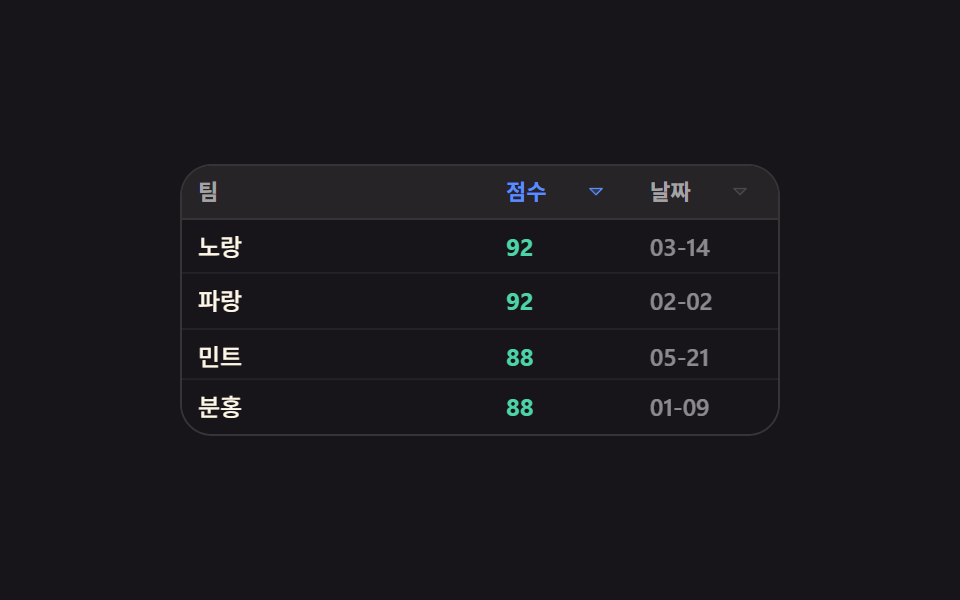 9 Data Table UI Patterns — Drag, Resize, SelectA data table ui is a grid of rows and columns you can reorder, narrow, and pull values out of by hand. All nine sort a r See all demos in this post
If you like this effect - similar demos
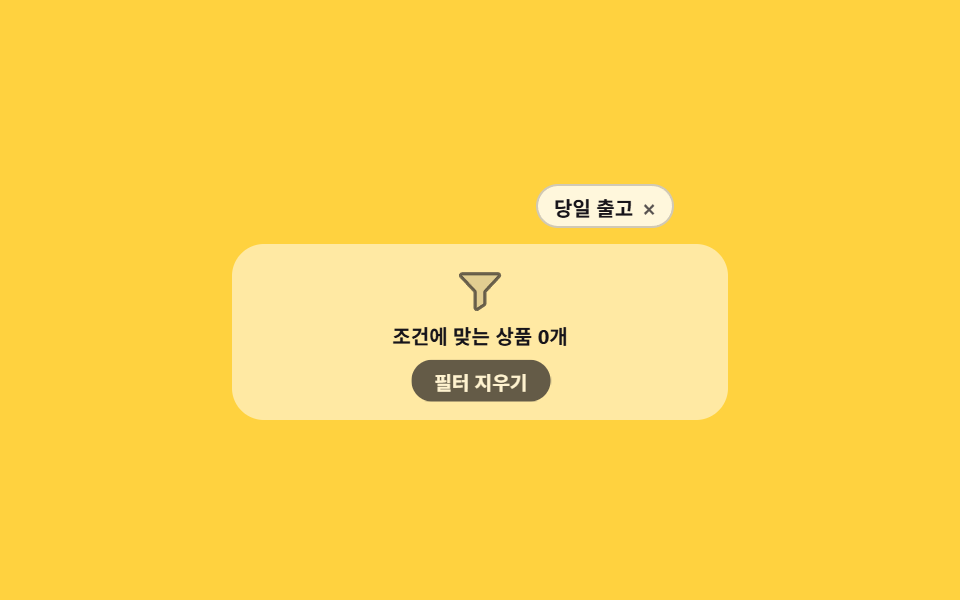 Lists & tables06 Filter chips clearing one by one9 Empty State UI Design Cards Drawn in Pure CSS
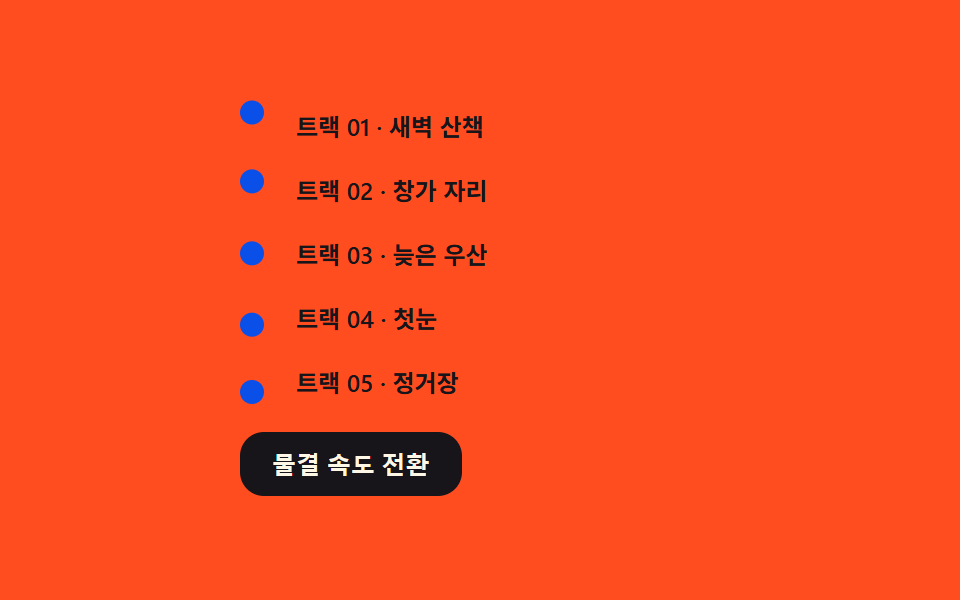 Lists & tables03 Phase-wave marker — shifting a phase value per item so bullets rippleCSS List Style: 9 Marker Design Patterns
 Lists & tables03 Active highlight with breadcrumb9 File Tree CSS Views — Folders That Really Open