06Keyboard Difficulty Selector Whose Focus Ring Trails With Inertia
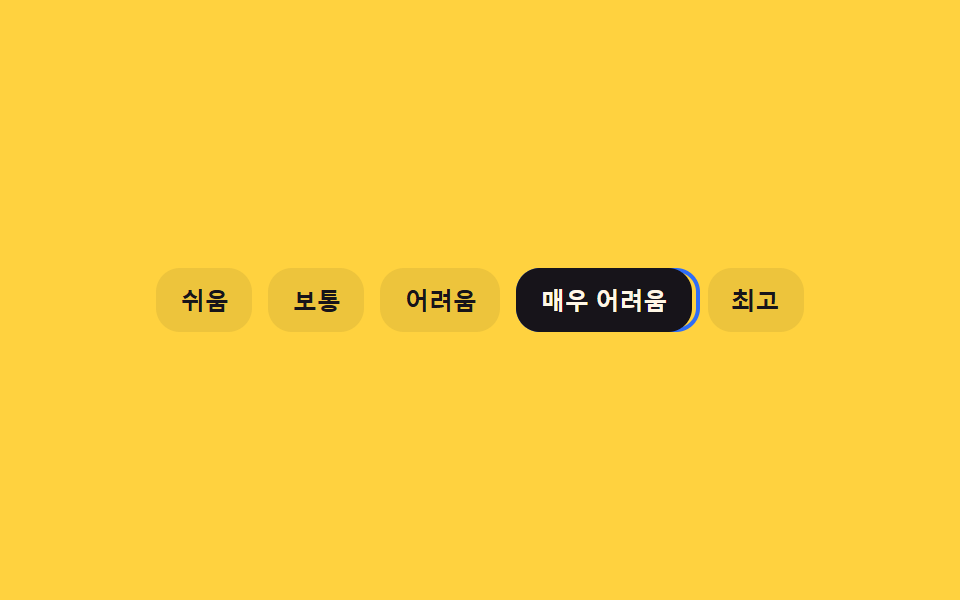
Pressing an arrow key moves the tier instantly, but the focus ring trails behind, closing only a fraction of the remaining distance each frame until it settles.
Best forA keyboard-only difficulty pick in an accessibility settings panel
measuremoveRingTopaintRing
<main class="stage">
<div class="kal is-demo" id="kal">
  <div class="kal__row" id="kalRow" role="radiogroup" aria-label="Difficulty">
    <div class="kal__ring" id="kalRing" aria-hidden="true"></div>
    <button type="button" class="kal__opt" role="radio" aria-checked="true" data-i="0" tabindex="0">Easy</button>
    <button type="button" class="kal__opt" role="radio" aria-checked="false" data-i="1" tabindex="-1">Normal</button>
    <button type="button" class="kal__opt" role="radio" aria-checked="false" data-i="2" tabindex="-1">Hard</button>
    <button type="button" class="kal__opt" role="radio" aria-checked="false" data-i="3" tabindex="-1">Very Hard</button>
    <button type="button" class="kal__opt" role="radio" aria-checked="false" data-i="4" tabindex="-1">Extreme</button>
  </div>
</div>
</main>
@use "../../../../site/static/demo-tokens" as *;
// 변수 3개
$duration: $dur-quick;
$easing: $ease-out;
$color: $subject-blue;
// 계산 겹: loop() 가 매 프레임 (목표-현재)*TRAIL_LERP 로 남은 거리의 일부만 좁히는 지수 감쇠를 적분한다(JS)
@include stage($stage-yellow);
.kal__row { position: relative; display: flex; gap: $sp-2; padding: $sp-1; }
.kal__ring {
position: absolute; top: $sp-1; bottom: $sp-1; left: 0; width: 0;
border: 2px solid $color; border-radius: $r-control; pointer-events: none;
}
.kal__opt {
position: relative; appearance: none; border: 0; border-radius: $r-control;
background: rgba($subject-ink, .08); color: $subject-ink; font-weight: 700; font-size: 12px;
padding: $sp-2 $sp-3; cursor: pointer; white-space: nowrap;
}
.kal__opt[aria-checked="true"] { background: $subject-ink; color: $subject-cream; }
.kal__opt:focus-visible { outline: 2px solid $subject-ink; outline-offset: 2px; }
@media (max-width: 340px) {
.kal__row { flex-wrap: wrap; max-width: 260px; }
.kal__opt { font-size: 11px; padding: $sp-1 $sp-2; }
}
@media (prefers-reduced-motion: reduce) {
// 실사용 경로 적용: moveRingTo() 안에서 reduce 를 확인해 lerp 루프 없이 고리가 목표로 바로 이동한다(JS 쪽 처리)
.kal__ring { transition: none; }
}html, body {
margin: 0;
overflow: hidden;
}
.stage {
box-sizing: border-box;
min-height: 100vh;
display: grid;
place-items: center;
margin: 0;
background: #ffd23f;
font-family: -apple-system, "Segoe UI", "Noto Sans KR", sans-serif;
padding: clamp(8px, 4vw, 24px);
}
.kal__row {
position: relative;
display: flex;
gap: 8px;
padding: 4px;
}
.kal__ring {
position: absolute;
top: 4px;
bottom: 4px;
left: 0;
width: 0;
border: 2px solid #2f6df6;
border-radius: 12px;
pointer-events: none;
}
.kal__opt {
position: relative;
appearance: none;
border: 0;
border-radius: 12px;
background: rgba(23, 20, 26, 0.08);
color: #17141a;
font-weight: 700;
font-size: 12px;
padding: 8px 12px;
cursor: pointer;
white-space: nowrap;
}
.kal__opt[aria-checked=true] {
background: #17141a;
color: #fff7e6;
}
.kal__opt:focus-visible {
outline: 2px solid #17141a;
outline-offset: 2px;
}
@media (max-width: 340px) {
.kal__row {
flex-wrap: wrap;
max-width: 260px;
}
.kal__opt {
font-size: 11px;
padding: 4px 8px;
}
}
@media (prefers-reduced-motion: reduce) {
.kal__ring {
transition: none;
}
}(function () {
var TRAIL_LERP = 0.18;
var root = document.getElementById('kal');
var rowEl = document.getElementById('kalRow');
var ring = document.getElementById('kalRing');
var opts = Array.prototype.slice.call(rowEl.querySelectorAll('.kal__opt'));
var index = 0;
var ringX = 0, ringW = 0, targetX = 0, targetW = 0, raf = 0;
var reduce = window.matchMedia('(prefers-reduced-motion: reduce)').matches;
function measure(i) {
var r = opts[i].getBoundingClientRect();
var pr = rowEl.getBoundingClientRect();
return { x: r.left - pr.left, w: r.width };
}
function paintRing(x, w) { ring.style.transform = 'translateX(' + x + 'px)'; ring.style.width = w + 'px'; }
// 계산 겹: 매 프레임 남은 거리의 TRAIL_LERP 비율만 좁히는 지수 감쇠(lerp)로 고리가 목표를 뒤따라온다
function loop() {
ringX += (targetX - ringX) * TRAIL_LERP;
ringW += (targetW - ringW) * TRAIL_LERP;
paintRing(ringX, ringW);
if (Math.abs(targetX - ringX) > 0.4 || Math.abs(targetW - ringW) > 0.4) raf = requestAnimationFrame(loop);
else { ringX = targetX; ringW = targetW; paintRing(ringX, ringW); }
}
function moveRingTo(i) {
var m = measure(i);
targetX = m.x; targetW = m.w;
cancelAnimationFrame(raf);
if (reduce) { ringX = targetX; ringW = targetW; paintRing(ringX, ringW); return; }
raf = requestAnimationFrame(loop);
}
function human() { root.classList.remove('is-demo'); clearInterval(timer); }
function select(i) {
index = i;
opts.forEach(function (o, idx) {
o.setAttribute('aria-checked', idx === i ? 'true' : 'false');
o.setAttribute('tabindex', idx === i ? '0' : '-1');
});
moveRingTo(i);
}
opts.forEach(function (o, i) {
o.addEventListener('click', function () { human(); select(i); opts[i].focus({ preventScroll: true }); });
o.addEventListener('keydown', function (e) {
if (e.key === 'ArrowRight') { e.preventDefault(); human(); var n = Math.min(opts.length - 1, index + 1); select(n); opts[n].focus({ preventScroll: true }); }
else if (e.key === 'ArrowLeft') { e.preventDefault(); human(); var p = Math.max(0, index - 1); select(p); opts[p].focus({ preventScroll: true }); }
else if (e.key === 'Home') { e.preventDefault(); human(); select(0); opts[0].focus({ preventScroll: true }); }
else if (e.key === 'End') { e.preventDefault(); human(); select(opts.length - 1); opts[opts.length - 1].focus({ preventScroll: true }); }
});
});
var sequence = [3, 1, 4, 0, 2];
var si = 0;
function tick() { select(sequence[si % sequence.length]); si++; }
var timer = reduce ? null : setInterval(tick, 850);
var m0 = measure(0); ringX = m0.x; ringW = m0.w; targetX = m0.x; targetW = m0.w; paintRing(ringX, ringW);
}());import { useEffect, useRef } from 'react';
import styles from './DifficultySelectorKeyboardArrowLerp.module.scss';
const LEVELS = ['쉬움', '보통', '어려움', '매우 어려움', '최고'];
const TRAIL_LERP = 0.18;
const SEQUENCE = [3, 1, 4, 0, 2];
const TICK_MS = 850;
export default function DifficultySelectorKeyboardArrowLerp() {
const rootRef = useRef<HTMLDivElement>(null);
const rowRef = useRef<HTMLDivElement>(null);
const ringRef = useRef<HTMLDivElement>(null);
const optRefs = useRef<HTMLButtonElement[]>([]);
useEffect(() => {
const root = rootRef.current;
const rowEl = rowRef.current;
const ring = ringRef.current;
if (!root || !rowEl || !ring || !optRefs.current) return undefined;
const opts = optRefs.current;
if (opts.length !== LEVELS.length) return undefined;
let index = 0;
let ringX = 0, ringW = 0, targetX = 0, targetW = 0, raf = 0;
const reduce = window.matchMedia('(prefers-reduced-motion: reduce)').matches;
function measure(i: number) {
const r = opts[i].getBoundingClientRect();
const pr = rowEl!.getBoundingClientRect();
return { x: r.left - pr.left, w: r.width };
}
function paintRing(x: number, w: number) { ring!.style.transform = 'translateX(' + x + 'px)'; ring!.style.width = w + 'px'; }
// 계산 겹: 매 프레임 남은 거리의 TRAIL_LERP 비율만 좁히는 지수 감쇠(lerp)로 고리가 목표를 뒤따라온다
function loop() {
ringX += (targetX - ringX) * TRAIL_LERP;
ringW += (targetW - ringW) * TRAIL_LERP;
paintRing(ringX, ringW);
if (Math.abs(targetX - ringX) > 0.4 || Math.abs(targetW - ringW) > 0.4) raf = requestAnimationFrame(loop);
else { ringX = targetX; ringW = targetW; paintRing(ringX, ringW); }
}
function moveRingTo(i: number) {
const m = measure(i);
targetX = m.x; targetW = m.w;
cancelAnimationFrame(raf);
if (reduce) { ringX = targetX; ringW = targetW; paintRing(ringX, ringW); return; }
raf = requestAnimationFrame(loop);
}
let timer = 0;
function human() { root!.classList.remove(styles['is-demo']); window.clearInterval(timer); }
function select(i: number) {
index = i;
opts.forEach((o, idx) => {
o.setAttribute('aria-checked', idx === i ? 'true' : 'false');
o.setAttribute('tabindex', idx === i ? '0' : '-1');
});
moveRingTo(i);
}
const offs = opts.map((o, i) => {
function onClick() { human(); select(i); opts[i].focus({ preventScroll: true }); }
function onKey(e: KeyboardEvent) {
if (e.key === 'ArrowRight') { e.preventDefault(); human(); const n = Math.min(opts.length - 1, index + 1); select(n); opts[n].focus({ preventScroll: true }); }
else if (e.key === 'ArrowLeft') { e.preventDefault(); human(); const p = Math.max(0, index - 1); select(p); opts[p].focus({ preventScroll: true }); }
else if (e.key === 'Home') { e.preventDefault(); human(); select(0); opts[0].focus({ preventScroll: true }); }
else if (e.key === 'End') { e.preventDefault(); human(); select(opts.length - 1); opts[opts.length - 1].focus({ preventScroll: true }); }
}
o.addEventListener('click', onClick);
o.addEventListener('keydown', onKey);
return () => { o.removeEventListener('click', onClick); o.removeEventListener('keydown', onKey); };
});
let si = 0;
function tick() { select(SEQUENCE[si % SEQUENCE.length]); si++; }
if (!reduce) timer = window.setInterval(tick, TICK_MS);
const m0 = measure(0); ringX = m0.x; ringW = m0.w; targetX = m0.x; targetW = m0.w; paintRing(ringX, ringW);
return () => { offs.forEach((off) => off()); cancelAnimationFrame(raf); window.clearInterval(timer); };
}, []);
return (
<main className={styles.stage}>
<div className={styles.kal + ' ' + styles['is-demo']} ref={rootRef}>
<div className={styles.kalRow} ref={rowRef} role="radiogroup" aria-label="난이도">
<div className={styles.kalRing} ref={ringRef} aria-hidden="true" />
{LEVELS.map((label, i) => (
<button
key={label}
type="button"
className={styles.kalOpt}
ref={(el: HTMLButtonElement | null) => { if (el && optRefs.current) optRefs.current[i] = el; }}
role="radio"
aria-checked={i === 0 ? 'true' : 'false'}
data-i={i}
tabIndex={i === 0 ? 0 : -1}
>
{label}
</button>
))}
</div>
</div>
</main>
);
}06 Keyboard Difficulty Selector Whose Focus Ring Trails With Inertia — Measured area 5.865% · moving frames 14/23Original by GODRICH · SCSS and React ship in the zip · Difficulty Selector UI — 9 Computed Patterns
The post this demo lives in
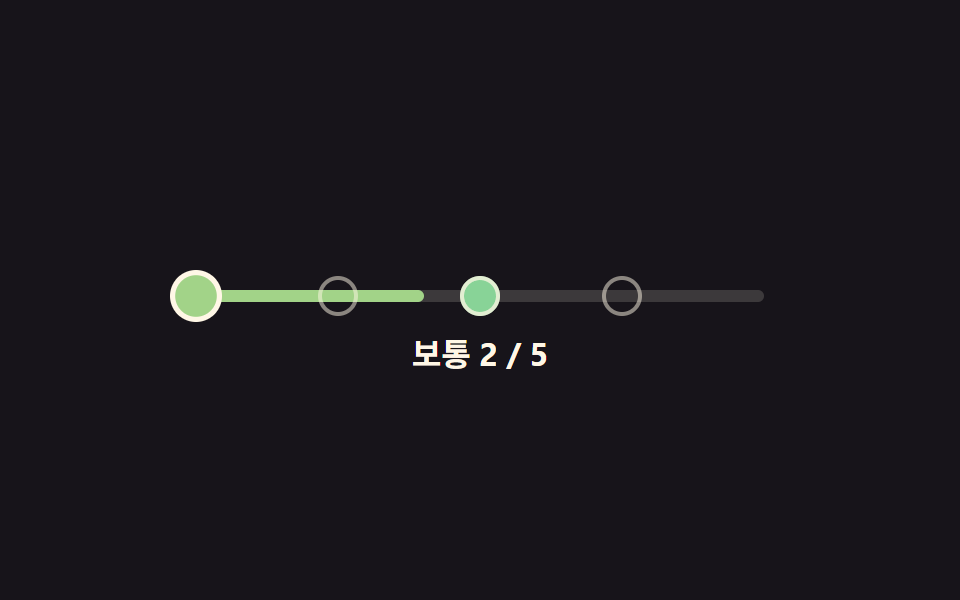 Difficulty Selector UI — 9 Computed PatternsAmong nine difficulty selector ui patterns, a slider handle overshoots then springs back, badge colors come from a hue f See all demos in this post
If you like this effect - similar demos
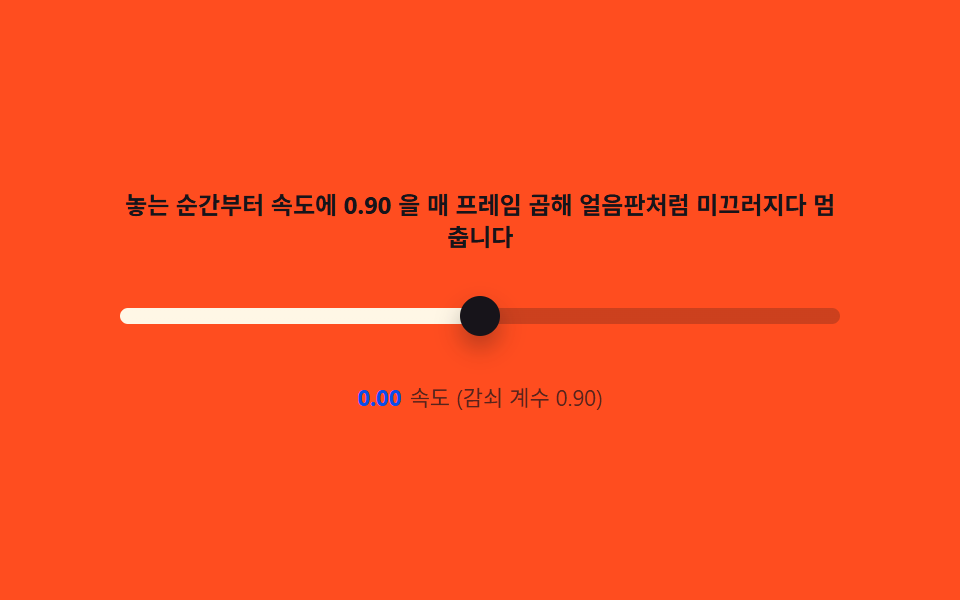 Pickers03 Drag inertia — tracking pointer velocity, then decaying it with an exponential glideCSS Range Slider: 9 Physics-Grade Custom Sliders
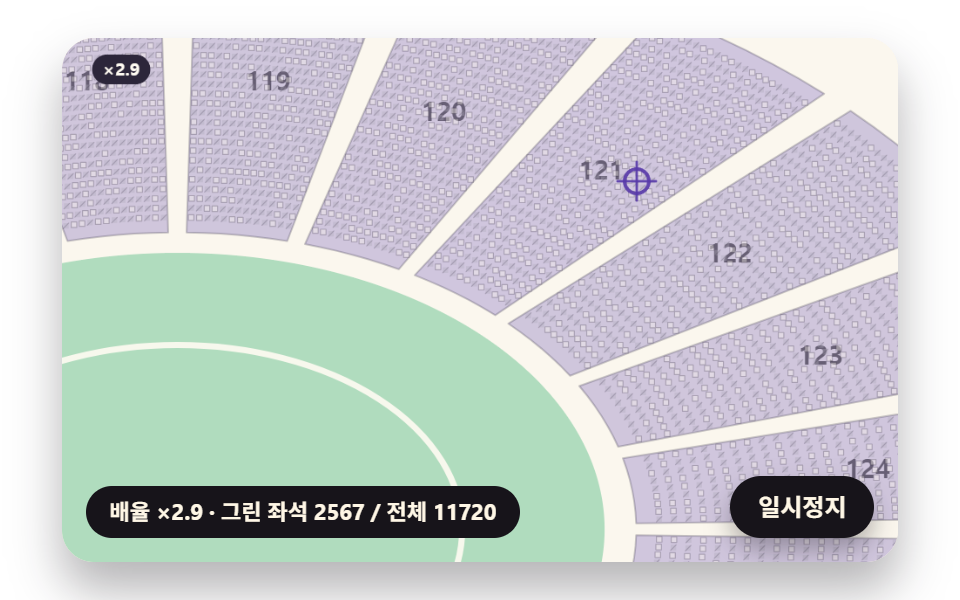 Pickers06 A Stadium Map with Inertia Whose Sections Split into Seats as It ZoomsSeat Selection UI: 9 Scenes That Score Every View
 Pickers02 Today ring with count badge9 css calendar design patterns that really move