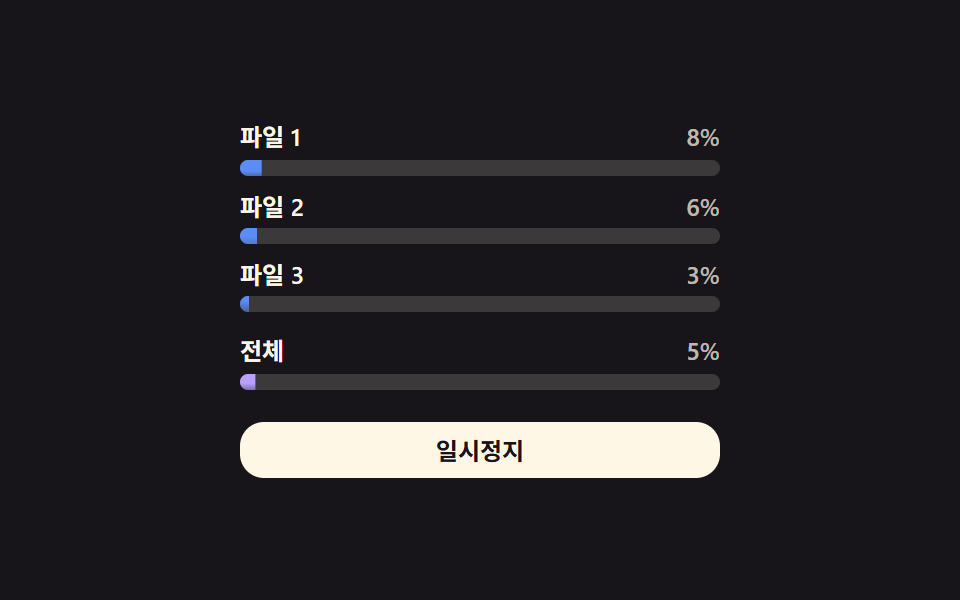
01Parallel multi-file progress values — each file's progress value updates independently within a list while several downloads run at once
While several files download at once, each file's progress value rises within the list at its own independent pace.
Best forA download list receiving multiple attachments at once, a bulk-resource distribution screen
.dmf__row--totalSIZES.dmf__fill

<main class="stage">
<div class="dmf is-demo" id="dmf">
  <div class="dmf__row" data-i="0">
    <div class="dmf__head"><span class="dmf__name">File 1</span><span class="dmf__pct" id="dmfPct0">0%</span></div>
    <div class="dmf__track"><div class="dmf__fill" id="dmfFill0"></div></div>
  </div>
  <div class="dmf__row" data-i="1">
    <div class="dmf__head"><span class="dmf__name">File 2</span><span class="dmf__pct" id="dmfPct1">0%</span></div>
    <div class="dmf__track"><div class="dmf__fill" id="dmfFill1"></div></div>
  </div>
  <div class="dmf__row" data-i="2">
    <div class="dmf__head"><span class="dmf__name">File 3</span><span class="dmf__pct" id="dmfPct2">0%</span></div>
    <div class="dmf__track"><div class="dmf__fill" id="dmfFill2"></div></div>
  </div>
  <div class="dmf__row dmf__row--total">
    <div class="dmf__head"><span class="dmf__name">Total</span><span class="dmf__pct" id="dmfPctT">0%</span></div>
    <div class="dmf__track"><div class="dmf__fill dmf__fill--total" id="dmfFillT"></div></div>
  </div>
  <button class="dmf__btn" id="dmfBtn" type="button">Pause</button>
</div>
</main>
@use "../../../../site/static/demo-tokens" as *;
// 계산 겹: 전체 바 = 파일별 바이트 합 ÷ 크기 합(용량 가중 평균) — index.html 참조
@include stage($stage-ink);
.dmf {
width: 100%;
max-width: 240px;
display: grid;
gap: $sp-2;
}
.dmf__head {
display: flex;
align-items: baseline;
justify-content: space-between;
font: 600 12px/1.2 -apple-system, "Segoe UI", "Noto Sans KR", sans-serif;
color: $subject-cream;
margin-bottom: $sp-1;
}
.dmf__pct { font-variant-numeric: tabular-nums; color: rgba($subject-cream, .72); }
.dmf__track {
width: 100%;
height: $sp-2;
border-radius: $r-pill;
background: rgba($subject-cream, .16);
overflow: hidden;
}
.dmf__fill {
height: 100%;
width: 100%;
transform-origin: left center;
transform: scaleX(0);
border-radius: $r-pill;
background: $subject-blue-light;
transition: transform $dur-instant linear;
}
.dmf__row--total { margin-top: $sp-1; }
.dmf__row--total .dmf__fill--total { background: $subject-lilac; }
.dmf--done .dmf__row--total .dmf__fill--total { background: $subject-mint; }
.dmf__btn {
margin-top: $sp-2;
width: 100%;
border: 0;
border-radius: $r-control;
padding: $sp-2 $sp-4;
background: $subject-cream;
color: $stage-ink;
font: 700 12px/1 -apple-system, "Segoe UI", "Noto Sans KR", sans-serif;
cursor: pointer;
transition: transform $dur-instant $ease-out;
&:active { transform: scale(.96); }
}
@media (max-width: 340px) {
.dmf { max-width: 200px; gap: $sp-1; }
.dmf__row--total { margin-top: 0; }
.dmf__btn { margin-top: $sp-1; padding: $sp-1 $sp-3; }
}
@media (prefers-reduced-motion: reduce) {
.dmf__fill { transition: none; }
.dmf__btn { transition: none; }
}html, body {
margin: 0;
overflow: hidden;
}
.stage {
box-sizing: border-box;
min-height: 100vh;
display: grid;
place-items: center;
margin: 0;
background: #17141a;
font-family: -apple-system, "Segoe UI", "Noto Sans KR", sans-serif;
padding: clamp(8px, 4vw, 24px);
}
.dmf {
width: 100%;
max-width: 240px;
display: grid;
gap: 8px;
}
.dmf__head {
display: flex;
align-items: baseline;
justify-content: space-between;
font: 600 12px/1.2 -apple-system, "Segoe UI", "Noto Sans KR", sans-serif;
color: #fff7e6;
margin-bottom: 4px;
}
.dmf__pct {
font-variant-numeric: tabular-nums;
color: rgba(255, 247, 230, 0.72);
}
.dmf__track {
width: 100%;
height: 8px;
border-radius: 999px;
background: rgba(255, 247, 230, 0.16);
overflow: hidden;
}
.dmf__fill {
height: 100%;
width: 100%;
transform-origin: left center;
transform: scaleX(0);
border-radius: 999px;
background: #5b8cf8;
transition: transform 140ms linear;
}
.dmf__row--total {
margin-top: 4px;
}
.dmf__row--total .dmf__fill--total {
background: #b9a0ff;
}
.dmf--done .dmf__row--total .dmf__fill--total {
background: #4cd4a6;
}
.dmf__btn {
margin-top: 8px;
width: 100%;
border: 0;
border-radius: 12px;
padding: 8px 16px;
background: #fff7e6;
color: #17141a;
font: 700 12px/1 -apple-system, "Segoe UI", "Noto Sans KR", sans-serif;
cursor: pointer;
transition: transform 140ms ease-out;
}
.dmf__btn:active {
transform: scale(0.96);
}
@media (max-width: 340px) {
.dmf {
max-width: 200px;
gap: 4px;
}
.dmf__row--total {
margin-top: 0;
}
.dmf__btn {
margin-top: 4px;
padding: 4px 12px;
}
}
@media (prefers-reduced-motion: reduce) {
.dmf__fill {
transition: none;
}
.dmf__btn {
transition: none;
}
}(function () {
var root = document.getElementById('dmf');
var btn = document.getElementById('dmfBtn');
var fills = [document.getElementById('dmfFill0'), document.getElementById('dmfFill1'), document.getElementById('dmfFill2')];
var pcts = [document.getElementById('dmfPct0'), document.getElementById('dmfPct1'), document.getElementById('dmfPct2')];
var fillT = document.getElementById('dmfFillT');
var pctT = document.getElementById('dmfPctT');
// 시드 고정: 파일별 크기(KB, 가상)와 틱마다 더할 속도 배열(KB/틱). 실 fetch·File API 0
var SIZES = [420, 980, 640];
var SPEEDS = [
[32, 40, 48, 52, 46, 38, 30, 44, 56, 60, 50, 36],
[58, 64, 60, 52, 44, 38, 46, 54, 62, 58, 48, 40],
[20, 26, 32, 38, 44, 40, 34, 28, 24, 30, 36, 42]
];
var TICK_MS = 140;
var HOLD_MS = 700;
var done = [0, 0, 0];
var tick = 0;
var paused = false;
var timer = null;
// 계산 겹: Total In progress 값 = 파일별 다운로드 바이트 합 ÷ Total 크기 합(용량 가중 평균, 단순 3칸 평균 아님)
function overall() {
var d = done[0] + done[1] + done[2];
var s = SIZES[0] + SIZES[1] + SIZES[2];
return d / s;
}
function paint() {
for (var i = 0; i < 3; i++) {
var p = done[i] / SIZES[i];
fills[i].style.transform = 'scaleX(' + p.toFixed(3) + ')';
pcts[i].textContent = Math.round(p * 100) + '%';
}
var o = overall();
fillT.style.transform = 'scaleX(' + o.toFixed(3) + ')';
pctT.textContent = Math.round(o * 100) + '%';
root.classList.toggle('dmf--done', o >= 1);
}
function step() {
var allDone = true;
for (var i = 0; i < 3; i++) {
if (done[i] < SIZES[i]) {
done[i] = Math.min(SIZES[i], done[i] + SPEEDS[i][tick % SPEEDS[i].length]);
allDone = false;
}
}
tick++;
paint();
if (allDone) {
timer = setTimeout(function () { done = [0, 0, 0]; tick = 0; paint(); loop(); }, HOLD_MS);
} else {
loop();
}
}
function loop() {
if (paused) return;
timer = setTimeout(step, TICK_MS);
}
paint();
loop();
btn.addEventListener('click', function () {
root.classList.remove('is-demo');
paused = !paused;
btn.textContent = paused ? 'Resume' : 'Pause';
if (!paused) loop();
else if (timer) clearTimeout(timer);
});
})();import { useEffect, useRef } from "react";
import styles from "./DownloadManagerMultiFileList.module.scss";
type Box<T> = { current: T };
export default function DownloadManagerMultiFileList() {
const rootRef = useRef(null) as unknown as Box<HTMLDivElement | null>;
useEffect(() => {
const root = rootRef.current;
if (!root) return;
const fills = [0, 1, 2].map((i) => root.querySelector(`.${styles["fill" + i]}`) as HTMLElement | null);
const pcts = [0, 1, 2].map((i) => root.querySelector(`.${styles["pct" + i]}`) as HTMLElement | null);
const fillT = root.querySelector(`.${styles.fillT}`) as HTMLElement | null;
const pctT = root.querySelector(`.${styles.pctT}`) as HTMLElement | null;
const btn = root.querySelector(`.${styles.btn}`) as HTMLElement | null;
if (!fillT || !pctT || !btn) return;
// 시드 고정: 파일별 크기(KB, 가상)와 틱마다 더할 속도 배열(KB/틱). 실 fetch·File API 0
const SIZES = [420, 980, 640];
const SPEEDS = [
[32, 40, 48, 52, 46, 38, 30, 44, 56, 60, 50, 36],
[58, 64, 60, 52, 44, 38, 46, 54, 62, 58, 48, 40],
[20, 26, 32, 38, 44, 40, 34, 28, 24, 30, 36, 42],
];
const TICK_MS = 140;
const HOLD_MS = 700;
let done = [0, 0, 0];
let tick = 0;
let paused = false;
let timer = 0;
let stopped = false;
// 계산 겹: 전체 진행 값 = 파일별 다운로드 바이트 합 ÷ 전체 크기 합(용량 가중 평균, 단순 3칸 평균 아님)
function overall() {
const d = done[0] + done[1] + done[2];
const s = SIZES[0] + SIZES[1] + SIZES[2];
return d / s;
}
function paint() {
for (let i = 0; i < 3; i++) {
const p = done[i] / SIZES[i];
const fillEl = fills[i];
const pctEl = pcts[i];
if (fillEl) fillEl.style.transform = "scaleX(" + p.toFixed(3) + ")";
if (pctEl) pctEl.textContent = Math.round(p * 100) + "%";
}
const o = overall();
fillT!.style.transform = "scaleX(" + o.toFixed(3) + ")";
pctT!.textContent = Math.round(o * 100) + "%";
root!.classList.toggle(styles["dmf--done"], o >= 1);
}
function step() {
if (stopped) return;
let allDone = true;
for (let i = 0; i < 3; i++) {
if (done[i] < SIZES[i]) {
done[i] = Math.min(SIZES[i], done[i] + SPEEDS[i][tick % SPEEDS[i].length]);
allDone = false;
}
}
tick++;
paint();
if (allDone) {
timer = window.setTimeout(() => { done = [0, 0, 0]; tick = 0; paint(); loop(); }, HOLD_MS);
} else {
loop();
}
}
function loop() {
if (paused || stopped) return;
timer = window.setTimeout(step, TICK_MS);
}
paint();
loop();
function onClick() {
root!.classList.remove(styles["is-demo"]);
paused = !paused;
btn!.textContent = paused ? "재개" : "일시정지";
if (!paused) loop();
else window.clearTimeout(timer);
}
btn.addEventListener("click", onClick);
return () => {
stopped = true;
window.clearTimeout(timer);
btn.removeEventListener("click", onClick);
};
}, []);
return (
<div ref={rootRef} className={`${styles.stage} ${styles.dmf} ${styles["is-demo"]}`}>
<div className={styles.row}>
<div className={styles.head}><span className={styles.name}>파일 1</span><span className={`${styles.pct} ${styles.pct0}`}>0%</span></div>
<div className={styles.track}><div className={`${styles.fill} ${styles.fill0}`} /></div>
</div>
<div className={styles.row}>
<div className={styles.head}><span className={styles.name}>파일 2</span><span className={`${styles.pct} ${styles.pct1}`}>0%</span></div>
<div className={styles.track}><div className={`${styles.fill} ${styles.fill1}`} /></div>
</div>
<div className={styles.row}>
<div className={styles.head}><span className={styles.name}>파일 3</span><span className={`${styles.pct} ${styles.pct2}`}>0%</span></div>
<div className={styles.track}><div className={`${styles.fill} ${styles.fill2}`} /></div>
</div>
<div className={`${styles.row} ${styles["row--total"]}`}>
<div className={styles.head}><span className={styles.name}>전체</span><span className={`${styles.pct} ${styles.pctT}`}>0%</span></div>
<div className={styles.track}><div className={`${styles.fill} ${styles["fill--total"]} ${styles.fillT}`} /></div>
</div>
<button className={styles.btn} type="button">일시정지</button>
</div>
);
}01 Parallel multi-file progress values — each file's progress value updates independently within a list while several downloads run at once — Measured area 3.927% · moving frames 16/23Original by GODRICH · SCSS and React ship in the zip · Download Progress Bar: 9 Loading UI Patterns
The post this demo lives in
 Download Progress Bar: 9 Loading UI PatternsThis download progress bar roundup: One of nine keeps each file's progress value climbing in a list, another resets it t See all demos in this post
If you like this effect - similar demos
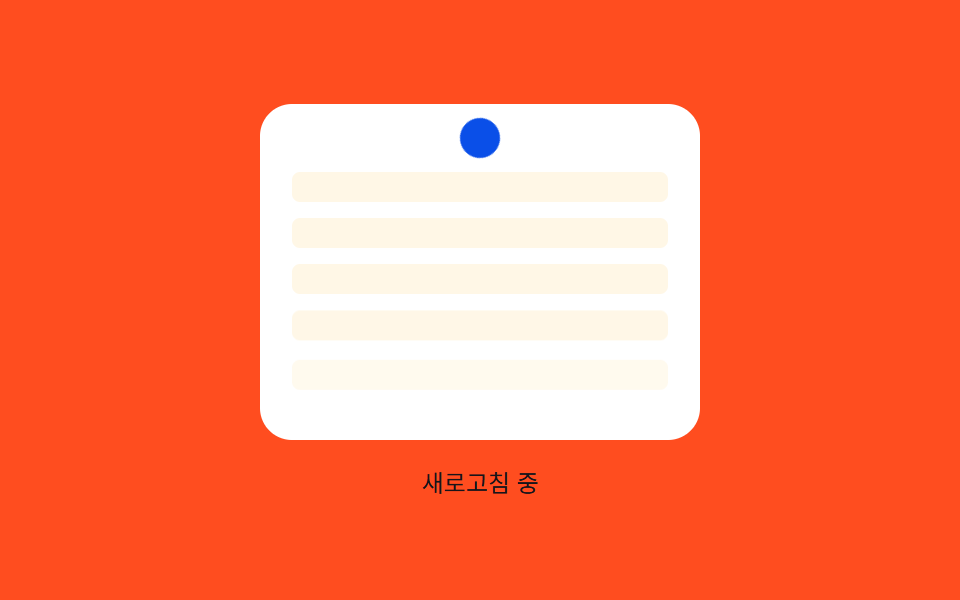 Loaders08 Row stagger reveal — an effect where each list row appears following an order value once the refresh finishesPull to Refresh CSS: 9 Loading Patterns
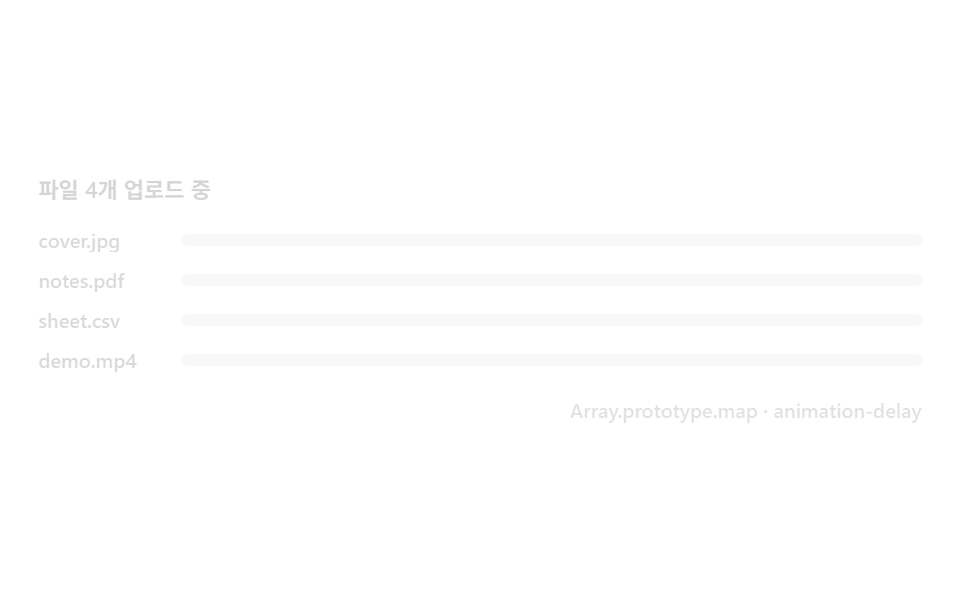 Loaders04 Multi-file stagger — progress rows that queue in one by oneFile Upload Progress Bar Loader: 9 UI Demos
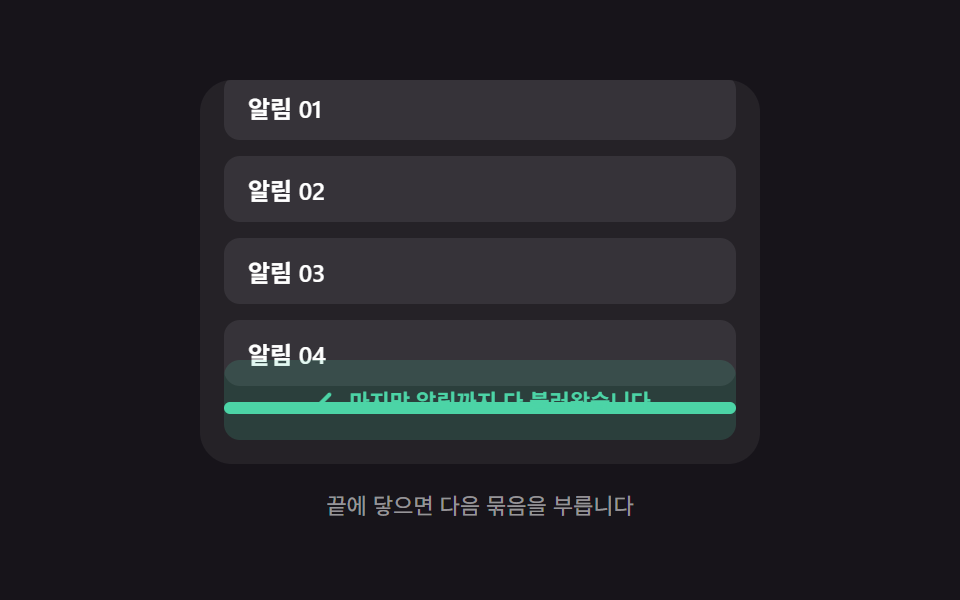 Loaders06 End-of-list reveal — a message appearing once the remaining-item value reaches zeroInfinite Scroll Loading: 9 Essential UI Patterns