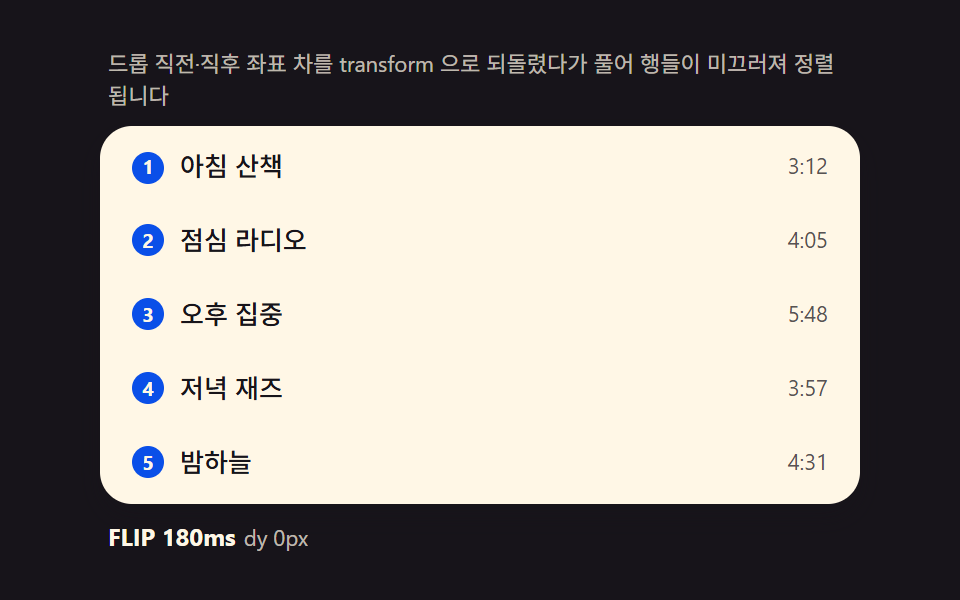
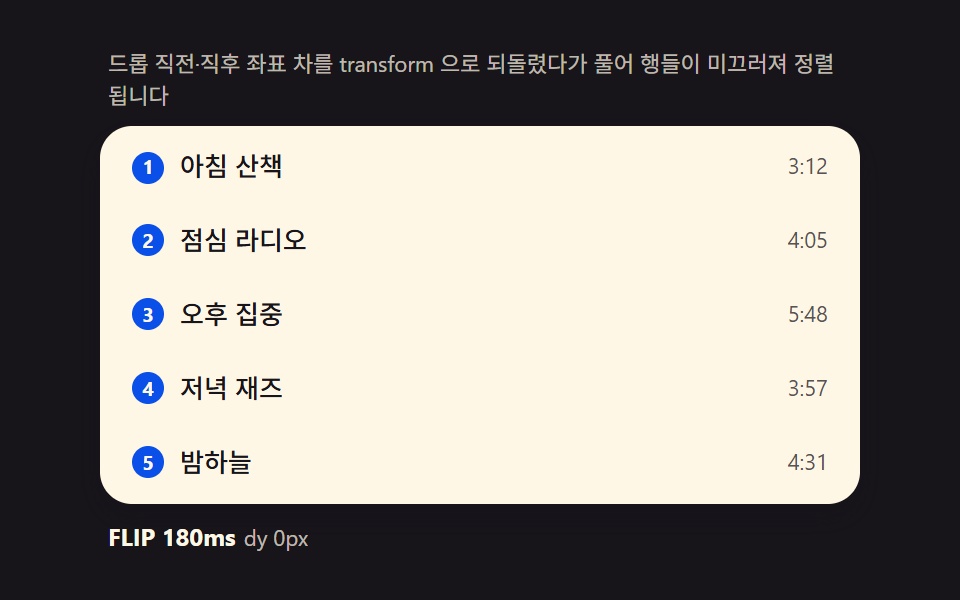
01FLIP list — computing the before/after offset and releasing it into a transition
Remeasuring each row's getBoundingClientRect right after a drop and instantly reversing the delta with transform, then releasing it to zero via transition on the next frame, makes rows glide naturally into place. The dragged row itself is excluded from this pass so it never overlaps its own ghost.
Best forTo-do lists, playlists
getBoundingClientRecttransformtransition
<main class="stage">
<div class="fl">
  <p class="fl__hint">The before/after coordinate delta is reversed with transform, then released so rows glide into place.</p>
  <ul class="fl__list" id="flList" role="listbox" aria-label="Playlist" aria-describedby="flHint">
    <li class="fl__row" role="option" aria-selected="false" tabindex="0"><span class="fl__rank" aria-hidden="true">1</span><span class="fl__name">Morning walk</span><span class="fl__len">3:12</span></li>
    <li class="fl__row" role="option" aria-selected="false" tabindex="0"><span class="fl__rank" aria-hidden="true">2</span><span class="fl__name">Lunch radio</span><span class="fl__len">4:05</span></li>
    <li class="fl__row" role="option" aria-selected="false" tabindex="0"><span class="fl__rank" aria-hidden="true">3</span><span class="fl__name">Deep focus</span><span class="fl__len">5:48</span></li>
    <li class="fl__row" role="option" aria-selected="false" tabindex="0"><span class="fl__rank" aria-hidden="true">4</span><span class="fl__name">Evening jazz</span><span class="fl__len">3:57</span></li>
    <li class="fl__row" role="option" aria-selected="false" tabindex="0"><span class="fl__rank" aria-hidden="true">5</span><span class="fl__name">Night sky</span><span class="fl__len">4:31</span></li>
  </ul>
  <p class="fl__meta"><b class="fl__tag" id="flState">FLIP 180ms</b><span class="fl__unit" id="flDelta">dy 0px</span></p>
</div>
</main>
@use "../../../../site/static/demo-tokens" as *;
$duration: 180ms;
$easing: cubic-bezier(.2,.8,.2,1);
$color: $subject-blue-deep;
// 파스텔 강조(도구/파스텔.py to_pastel 결과: 채도 .34 · 명도 +.11)
$p-mint: #93d9c0;
@include stage($stage-ink);
.fl {
width: 100%;
max-width: 380px;
display: flex;
flex-direction: column;
gap: $sp-2;
}
.fl__hint {
margin: 0;
padding: 0 $sp-1;
font-weight: 400;
font-size: 11px;
line-height: 1.4;
color: rgba($subject-cream, .72);
}
.fl__list {
margin: 0;
padding: $sp-1;
list-style: none;
display: flex;
flex-direction: column;
gap: $sp-1;
background: $subject-cream;
border-radius: $r-card;
box-shadow: $shadow-press;
overflow-y: auto;
}
.fl__row {
display: flex;
align-items: center;
gap: $sp-2;
padding: $sp-2 $sp-3;
border-radius: $r-sm;
background: transparent;
color: $subject-ink;
font-weight: 500;
font-size: 13px;
line-height: 1.3;
cursor: grab;
// will-change 없이도 transform 만 움직인다 — top/left 재계산 금지(기본규칙)
transform: translateY(0);
}
.fl__row:hover {
background: $p-mint;
}
.fl__rank {
flex: 0 0 auto;
width: 16px;
height: 16px;
display: grid;
place-items: center;
border-radius: $r-pill;
background: $color;
color: $subject-cream;
font-weight: 700;
font-size: 10px;
}
.fl__name {
flex: 1 1 auto;
min-width: 0;
overflow: hidden;
white-space: nowrap;
text-overflow: ellipsis;
}
.fl__len {
flex: 0 0 auto;
font-weight: 400;
font-size: 11px;
color: rgba($subject-ink, .72);
}
.fl__meta {
margin: 0;
padding: 0 $sp-1;
display: flex;
align-items: baseline;
gap: $sp-1;
}
.fl__tag {
font-weight: 700;
font-size: 12px;
color: $subject-cream;
}
.fl__unit {
font-weight: 400;
font-size: 11px;
color: rgba($subject-cream, .72);
}
@media (max-width: 340px) {
.fl { max-width: 280px; gap: $sp-1; }
.fl__hint { font-size: 10px; }
.fl__row { font-size: 12px; padding: $sp-1 $sp-2; }
.fl__list { max-height: 92px; gap: 0; }
}
@media (prefers-reduced-motion: reduce) {
.fl__row {
transition: none !important;
transform: none !important;
}
}html, body {
margin: 0;
overflow: hidden;
}
.stage {
box-sizing: border-box;
min-height: 100vh;
display: grid;
place-items: center;
margin: 0;
background: #17141a;
font-family: -apple-system, "Segoe UI", "Noto Sans KR", sans-serif;
padding: clamp(8px, 4vw, 24px);
}
.fl {
width: 100%;
max-width: 380px;
display: flex;
flex-direction: column;
gap: 8px;
}
.fl__hint {
margin: 0;
padding: 0 4px;
font-weight: 400;
font-size: 11px;
line-height: 1.4;
color: rgba(255, 247, 230, 0.72);
}
.fl__list {
margin: 0;
padding: 4px;
list-style: none;
display: flex;
flex-direction: column;
gap: 4px;
background: #fff7e6;
border-radius: 16px;
box-shadow: 0 6px 12px rgba(23, 20, 26, 0.32);
overflow-y: auto;
}
.fl__row {
display: flex;
align-items: center;
gap: 8px;
padding: 8px 12px;
border-radius: 8px;
background: transparent;
color: #17141a;
font-weight: 500;
font-size: 13px;
line-height: 1.3;
cursor: grab;
transform: translateY(0);
}
.fl__row:hover {
background: #93d9c0;
}
.fl__rank {
flex: 0 0 auto;
width: 16px;
height: 16px;
display: grid;
place-items: center;
border-radius: 999px;
background: #0a4fe8;
color: #fff7e6;
font-weight: 700;
font-size: 10px;
}
.fl__name {
flex: 1 1 auto;
min-width: 0;
overflow: hidden;
white-space: nowrap;
text-overflow: ellipsis;
}
.fl__len {
flex: 0 0 auto;
font-weight: 400;
font-size: 11px;
color: rgba(23, 20, 26, 0.72);
}
.fl__meta {
margin: 0;
padding: 0 4px;
display: flex;
align-items: baseline;
gap: 4px;
}
.fl__tag {
font-weight: 700;
font-size: 12px;
color: #fff7e6;
}
.fl__unit {
font-weight: 400;
font-size: 11px;
color: rgba(255, 247, 230, 0.72);
}
@media (max-width: 340px) {
.fl {
max-width: 280px;
gap: 4px;
}
.fl__hint {
font-size: 10px;
}
.fl__row {
font-size: 12px;
padding: 4px 8px;
}
.fl__list {
max-height: 92px;
gap: 0;
}
}
@media (prefers-reduced-motion: reduce) {
.fl__row {
transition: none !important;
transform: none !important;
}
}// FLIP 리스트(01) — 드롭으로 배열이 바뀌는 순간, 바뀌기 전 각 행의 getBoundingClientRect().top(first)을
// 재 두었다가 바뀐 뒤 좌표(last)와의 차(invert)를 transform translateY 로 즉시 되돌리고, 다음 프레임에
// transform 을 0 으로 풀어(play) 행들이 자연스럽게 미끄러지게 한다. 문구 사전과 실제 이동 픽셀은
// rAF 시계가 매 프레임 갱신한다. 포인터 조작도 같은 함수를 탄다(라이브러리 0, Pointer Events 기반).
(function () {
var list = document.getElementById('flList');
var stateEl = document.getElementById('flState');
var deltaEl = document.getElementById('flDelta');
if (!list || !stateEl || !deltaEl) return;
var DUR = 180; // FLIP 정리 시간(ms) — 변형 칩이 이 값만 바꾼다
var ROWS = ['Morning walk', 'Lunch radio', 'Deep focus', 'Evening jazz', 'Night sky'];
var LENS = ['3:12', '4:05', '5:48', '3:57', '4:31'];
var reduce = window.matchMedia('(prefers-reduced-motion: reduce)').matches;
function rows() { return Array.prototype.slice.call(list.children); }
// FLIP — 순서 배열 order 를 적용하고 이동한 행을 되돌렸다가 푼다
function applyOrder(order) {
var rs = rows();
var first = rs.map(function (r) { return r.getBoundingClientRect().top; });
// 배열 순서대로 다시 붙인다
for (var i = 0; i < order.length; i++) list.appendChild(rs[order[i]]);
rs = rows();
var maxAbs = 0;
for (var j = 0; j < rs.length; j++) {
var dy = first[order[j]] - rs[j].getBoundingClientRect().top; // invert
if (Math.abs(dy) > Math.abs(maxAbs)) maxAbs = dy;
if (dy !== 0) {
rs[j].style.transition = 'none';
rs[j].style.transform = 'translateY(' + dy + 'px)';
}
}
deltaEl.textContent = 'dy ' + Math.round(maxAbs) + 'px';
// play — 다음 프레임에 되돌림을 푼다
requestAnimationFrame(function () {
rs.forEach(function (r) {
r.style.transition = 'transform ' + DUR + 'ms cubic-bezier(.2,.8,.2,1)';
r.style.transform = 'translateY(0)';
});
setTimeout(function () { rs.forEach(function (r) { r.style.transition = ''; }); }, DUR + 40);
});
// rank 갱신
rs.forEach(function (r, i) { r.querySelector('.fl__rank').textContent = String(i + 1); });
return rs;
}
// 사람 조작 — 행을 클릭해 아래로, Shift+클릭으로 위로 (같은 FLIP 경로)
list.addEventListener('click', function (e) {
stop();
var li = e.target.closest('.fl__row');
if (!li) return;
var idx = rows().indexOf(li);
var order = [0, 1, 2, 3, 4];
if (e.shiftKey) {
if (idx === 0) return;
order.splice(idx - 1, 0, order.splice(idx, 1)[0]);
} else {
if (idx === 4) return;
order.splice(idx + 1, 0, order.splice(idx, 1)[0]);
}
applyOrder(order);
});
// 자동 시연 — 시드 고정 시나리오: 3→1, 1→4, 원복. 한 사이클 2초.
var playing = true;
function stop() { playing = false; }
var CYCLE = [
{ pick: 2, to: 0, hold: 700 }, // Deep focus 3번째 → 1번째
{ pick: 0, to: 3, hold: 700 }, // Morning walk 1번째 → 4번째
{ pick: 0, to: 1, hold: 600 } // 1번째와 2번째 교환(원복 성분)
];
function permute(pick, to) {
var order = [0, 1, 2, 3, 4];
order.splice(to, 0, order.splice(pick, 1)[0]);
applyOrder(order);
}
if (reduce) {
permute(2, 0);
} else {
var seg = 0, segStart = performance.now();
(function step(now) {
if (playing) {
var s = CYCLE[seg];
if (now - segStart >= s.hold) {
seg = (seg + 1) % CYCLE.length;
segStart = now;
permute(CYCLE[seg].pick, CYCLE[seg].to);
}
}
requestAnimationFrame(step);
})(segStart);
}
})();// DragReorderList — vanilla 판(run/336/demo/01-drag-reorder-list/index.html)
// 의 React 포트. 배열 순서(order)를 실제 DOM 자식에 적용하기 전 각 행의 getBoundingClientRect().top
// (first)을 재 두었다가, 적용 후 좌표(last)와의 차(invert)를 transform translateY 로 즉시 되돌리고
// 다음 프레임에 transform 을 0 으로 풀어(play) 행이 미끄러지듯 정렬된다(FLIP). 사람 조작(클릭·Shift+클릭)
// 도 같은 applyOrder 를 타고, 자동 시연은 시드 고정 시나리오(CYCLE)로 같은 함수를 호출한다.
import { useEffect, useRef } from "react";
import styles from "./DragReorderList.module.scss";
export type DragReorderListProps = {
duration?: string;
easing?: string;
color?: string;
};
type Box<T> = { current: T };
const HINT = "드롭 직전·직후 좌표 차를 transform 으로 되돌렸다가 풀어 행들이 미끄러져 정렬됩니다";
const ARIA_LABEL = "재생목록";
const ROW_NAMES = ["아침 산책", "점심 라디오", "오후 집중", "저녁 재즈", "밤하늘"];
const LENS = ["3:12", "4:05", "5:48", "3:57", "4:31"];
type CycleStep = { pick: number; to: number; hold: number };
const CYCLE: CycleStep[] = [
{ pick: 2, to: 0, hold: 700 },
{ pick: 0, to: 3, hold: 700 },
{ pick: 0, to: 1, hold: 600 }
];
export default function DragReorderList({
duration = "180ms",
easing = "cubic-bezier(.2,.8,.2,1)",
color = "#0a4fe8"
}: DragReorderListProps) {
const listRef = useRef<HTMLUListElement | null>(null);
const stateRef = useRef<HTMLElement | null>(null);
const deltaRef = useRef<HTMLSpanElement | null>(null);
const rafRef = useRef(0) as Box<number>;
useEffect(() => {
const list = listRef.current;
const stateEl = stateRef.current;
const deltaEl = deltaRef.current;
if (!list || !stateEl || !deltaEl) return;
const DUR = parseFloat(duration) || 180;
function rows(): HTMLElement[] {
return Array.prototype.slice.call(list!.children);
}
function applyOrder(order: number[]): HTMLElement[] {
let rs = rows();
const first = rs.map((r) => r.getBoundingClientRect().top);
for (let i = 0; i < order.length; i++) list!.appendChild(rs[order[i]]);
rs = rows();
let maxAbs = 0;
for (let j = 0; j < rs.length; j++) {
const dy = first[order[j]] - rs[j].getBoundingClientRect().top;
if (Math.abs(dy) > Math.abs(maxAbs)) maxAbs = dy;
if (dy !== 0) {
rs[j].style.transition = "none";
rs[j].style.transform = "translateY(" + dy + "px)";
}
}
deltaEl!.textContent = "dy " + Math.round(maxAbs) + "px";
requestAnimationFrame(() => {
rs.forEach((r) => {
r.style.transition = "transform " + DUR + "ms " + easing;
r.style.transform = "translateY(0)";
});
setTimeout(() => {
rs.forEach((r) => { r.style.transition = ""; });
}, DUR + 40);
});
rs.forEach((r, i) => {
const rank = r.querySelector("." + styles.rank);
if (rank) rank.textContent = String(i + 1);
});
return rs;
}
function stop(): void {
playing = false;
}
function onClick(e: MouseEvent): void {
stop();
const target = e.target as HTMLElement;
const li = target.closest("." + styles.row) as HTMLElement | null;
if (!li) return;
const idx = rows().indexOf(li);
const order = [0, 1, 2, 3, 4];
if (e.shiftKey) {
if (idx === 0) return;
order.splice(idx - 1, 0, order.splice(idx, 1)[0]);
} else {
if (idx === 4) return;
order.splice(idx + 1, 0, order.splice(idx, 1)[0]);
}
applyOrder(order);
}
list.addEventListener("click", onClick as EventListener);
const reduce = window.matchMedia("(prefers-reduced-motion: reduce)").matches;
let playing = true;
function permute(pick: number, to: number): void {
const order = [0, 1, 2, 3, 4];
order.splice(to, 0, order.splice(pick, 1)[0]);
applyOrder(order);
}
if (reduce) {
permute(2, 0);
} else {
let seg = 0;
let segStart = performance.now();
const step = (now: number): void => {
if (playing) {
const s = CYCLE[seg];
if (now - segStart >= s.hold) {
seg = (seg + 1) % CYCLE.length;
segStart = now;
permute(CYCLE[seg].pick, CYCLE[seg].to);
}
}
rafRef.current = requestAnimationFrame(step);
};
rafRef.current = requestAnimationFrame(step);
}
return () => {
cancelAnimationFrame(rafRef.current);
list.removeEventListener("click", onClick as EventListener);
};
// eslint-disable-next-line react-hooks/exhaustive-deps
}, []);
return (
<main className={styles.stage}>
<div className={styles.fl}>
<p className={styles.hint} id="flHintReact">{HINT}</p>
<ul className={styles.list} ref={listRef} role="listbox" aria-label={ARIA_LABEL} aria-describedby="flHintReact">
{ROW_NAMES.map((name, i) => (
<li key={i} className={styles.row} role="option" aria-selected="false" tabIndex={0}>
<span className={styles.rank} aria-hidden="true" style={{ background: color }}>{i + 1}</span>
<span className={styles.name}>{name}</span>
<span className={styles.len}>{LENS[i]}</span>
</li>
))}
</ul>
<p className={styles.meta}>
<b className={styles.tag} ref={stateRef}>FLIP {duration}</b>
<span className={styles.unit} ref={deltaRef}>dy 0px</span>
</p>
</div>
</main>
);
}01 FLIP list — computing the before/after offset and releasing it into a transition — Measured area 6.12% · moving frames 12/23Original by GODRICH · SCSS and React ship in the zip · Drag to Reorder UI: 9 Lists, One Drop Index
The post this demo lives in
 Drag to Reorder UI: 9 Lists, One Drop IndexDrag to reorder UI: Computing the drop index from pointer position reorders lists, kanban boards and grids -- with long- See all demos in this post
If you like this effect - similar demos
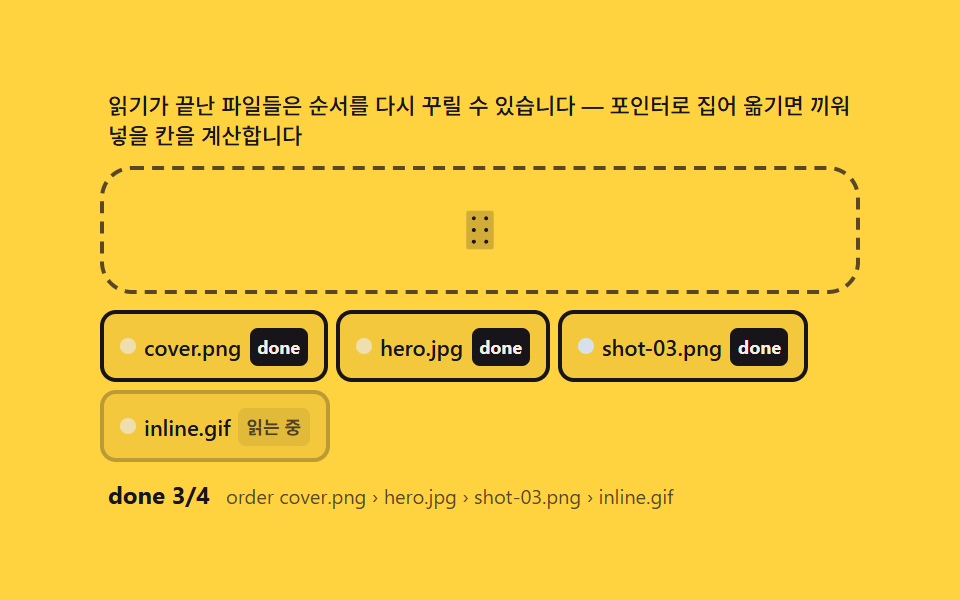 drag09 Reorder after upload — finishing by hand-arranging the completed chipsDrag and Drop File Upload UI: 9 Computed Dropzones
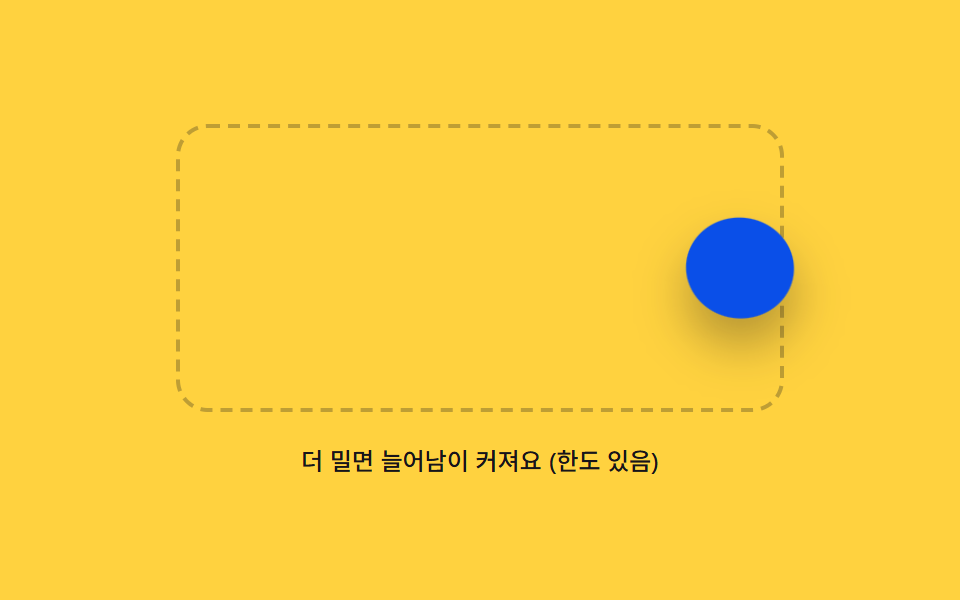 drag03 Rubber Boundary That Stretches and Snaps Back Past the EdgeDrag and Drop Animation CSS: 9 Physics Patterns
 drag03 A Table Whose Neighbor Column Absorbs the Width You DragCSS Resize Handle: 9 Demos That Follow Your Grip