06Keyboard reorder — moving array indices with Alt+Arrow and announcing via aria-live
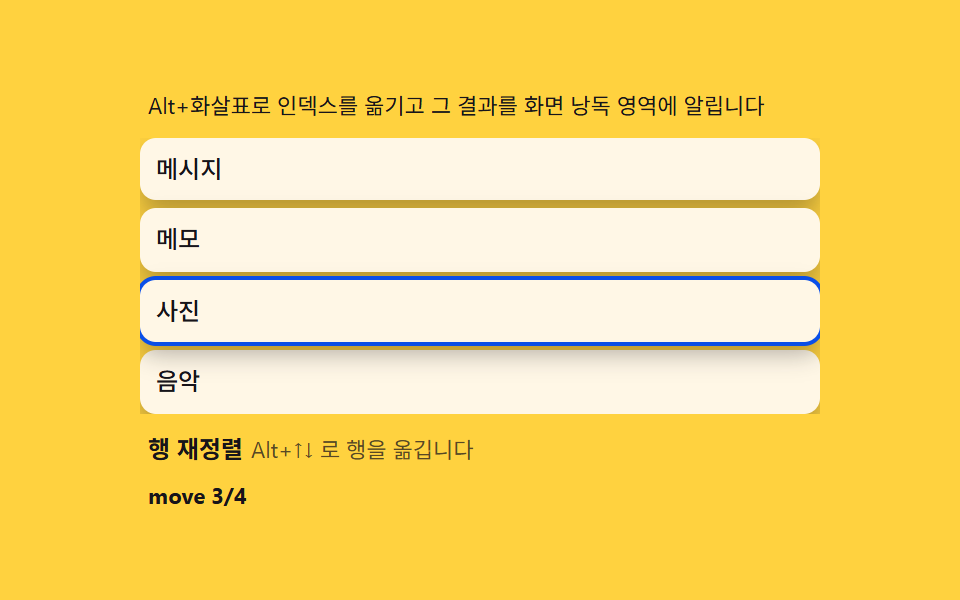
Pressing Alt+Up/Down on a focused row swaps its current array index with its neighbor, then reads the outcome into an aria-live region as 'moved to position 3.' It fills the principle that every reorder must be possible without a mouse.
Best forAccessibility-mandatory admin screens
keydownaria-liveCSS custom properties
<main class="stage">
<div class="ka">
  <p class="ka__hint">Alt+Arrow moves the index and announces the result to a live region.</p>
  <ul class="ka__list" id="kaList" role="listbox" aria-orientation="vertical" aria-describedby="kaHelp">
    <li class="ka__row" data-id="0" role="option" tabindex="0" aria-selected="false"><span class="ka__txt">Messages</span></li>
    <li class="ka__row" data-id="1" role="option" tabindex="0" aria-selected="false"><span class="ka__txt">Photos</span></li>
    <li class="ka__row" data-id="2" role="option" tabindex="0" aria-selected="false"><span class="ka__txt">Notes</span></li>
    <li class="ka__row" data-id="3" role="option" tabindex="0" aria-selected="false"><span class="ka__txt">Music</span></li>
  </ul>
  <span id="kaHelp" class="ka__sr">Move rows with Alt+Up/Down</span>
  <p class="ka__meta"><b class="ka__state" id="kaState">Row reorder</b><span class="ka__unit" id="kaUnit">Move rows with Alt+Up/Down</span></p>
  <p class="ka__live" id="kaLive" aria-live="polite"></p>
</div>
</main>
@use "../../../../site/static/demo-tokens" as *;
$duration: 220ms;
$easing: cubic-bezier(.2,.8,.2,1);
$color: $subject-ink;
@include stage($stage-yellow);
.ka {
width: 100%;
max-width: 340px;
display: flex;
flex-direction: column;
gap: $sp-2;
}
.ka__hint {
margin: 0;
padding: 0 $sp-1;
font-weight: 400;
font-size: 11px;
line-height: 1.4;
color: $subject-ink;
}
.ka__list {
margin: 0;
padding: 0;
list-style: none;
display: flex;
flex-direction: column;
gap: $sp-1;
overflow-y: auto;
}
.ka__row {
padding: $sp-2;
border-radius: $r-sm;
background: $subject-cream;
color: $subject-ink;
font-weight: 500;
font-size: 12px;
line-height: 1.3;
box-shadow: $shadow-press;
outline: none;
}
.ka__row:focus-visible {
box-shadow: 0 0 0 2px $subject-blue-deep, $shadow-press;
}
.ka__sr {
position: absolute;
width: 1px;
height: 1px;
overflow: hidden;
clip: rect(0 0 0 0);
}
.ka__meta {
margin: 0;
padding: 0 $sp-1;
display: flex;
align-items: baseline;
gap: $sp-1;
}
.ka__state {
font-weight: 700;
font-size: 12px;
color: $subject-ink;
}
.ka__unit {
font-weight: 400;
font-size: 11px;
color: rgba($subject-ink, .72);
}
.ka__live {
margin: 0;
padding: 0 $sp-1;
font-weight: 700;
font-size: 11px;
color: $color;
min-height: 14px;
}
@media (max-width: 340px) {
.ka { max-width: 260px; gap: $sp-1; }
.ka__hint { font-size: 10px; }
.ka__row { font-size: 11px; padding: $sp-1; }
.ka__list { max-height: 84px; }
.ka__live { min-height: 12px; font-size: 10px; }
}
@media (prefers-reduced-motion: reduce) {
.ka__row {
transition: none !important;
transform: none !important;
}
}html, body {
margin: 0;
overflow: hidden;
}
.stage {
box-sizing: border-box;
min-height: 100vh;
display: grid;
place-items: center;
margin: 0;
background: #ffd23f;
font-family: -apple-system, "Segoe UI", "Noto Sans KR", sans-serif;
padding: clamp(8px, 4vw, 24px);
}
.ka {
width: 100%;
max-width: 340px;
display: flex;
flex-direction: column;
gap: 8px;
}
.ka__hint {
margin: 0;
padding: 0 4px;
font-weight: 400;
font-size: 11px;
line-height: 1.4;
color: #17141a;
}
.ka__list {
margin: 0;
padding: 0;
list-style: none;
display: flex;
flex-direction: column;
gap: 4px;
overflow-y: auto;
}
.ka__row {
padding: 8px;
border-radius: 8px;
background: #fff7e6;
color: #17141a;
font-weight: 500;
font-size: 12px;
line-height: 1.3;
box-shadow: 0 6px 12px rgba(23, 20, 26, 0.32);
outline: none;
}
.ka__row:focus-visible {
box-shadow: 0 0 0 2px #0a4fe8, 0 6px 12px rgba(23, 20, 26, 0.32);
}
.ka__sr {
position: absolute;
width: 1px;
height: 1px;
overflow: hidden;
clip: rect(0 0 0 0);
}
.ka__meta {
margin: 0;
padding: 0 4px;
display: flex;
align-items: baseline;
gap: 4px;
}
.ka__state {
font-weight: 700;
font-size: 12px;
color: #17141a;
}
.ka__unit {
font-weight: 400;
font-size: 11px;
color: rgba(23, 20, 26, 0.72);
}
.ka__live {
margin: 0;
padding: 0 4px;
font-weight: 700;
font-size: 11px;
color: #17141a;
min-height: 14px;
}
@media (max-width: 340px) {
.ka {
max-width: 260px;
gap: 4px;
}
.ka__hint {
font-size: 10px;
}
.ka__row {
font-size: 11px;
padding: 4px;
}
.ka__list {
max-height: 84px;
}
.ka__live {
min-height: 12px;
font-size: 10px;
}
}
@media (prefers-reduced-motion: reduce) {
.ka__row {
transition: none !important;
transform: none !important;
}
}// 키보드 재정렬(06) — 포커스된 행에서 keydown 의 altKey && (ArrowUp|ArrowDown) 을 잡아 배열의
// 이웃 인덱스와 자리를 바꾼다. DOM 재배치는 FLIP 되돌림으로, 결과는 aria-live 영역에 알린다.
// 마우스 없는 사용자도 같은 handler 로 조작하므로 자동 시연도 이 함수를 그대로 부른다.
(function () {
var list = document.getElementById('kaList');
var liveEl = document.getElementById('kaLive');
var stateEl = document.getElementById('kaState');
if (!list || !liveEl || !stateEl) return;
function rows() { return Array.prototype.slice.call(list.children); }
function flipSwap(row, dir) {
var arr = rows();
var i = arr.indexOf(row);
var j = i + dir;
if (j < 0 || j >= arr.length) return i;
var first = arr.map(function (r) { return r.getBoundingClientRect(); });
if (dir > 0) list.insertBefore(arr[j], row);
else list.insertBefore(row, arr[j]);
arr.forEach(function (r, k) {
var rr = r.getBoundingClientRect();
var dy = first[k].top - rr.top;
if (dy !== 0) {
r.style.transition = 'none';
r.style.transform = 'translateY(' + dy + 'px)';
requestAnimationFrame(function () {
r.style.transition = 'transform 220ms cubic-bezier(.2,.8,.2,1)';
r.style.transform = 'translateY(0)';
});
}
});
return j;
}
function move(row, dir) {
var j = flipSwap(row, dir);
row.focus({ preventScroll: true });
stateEl.textContent = 'Row reorder';
liveEl.textContent = 'move ' + (j + 1) + '/' + rows().length;
}
function onKeydown(e) {
if (!e.altKey) return;
var row = e.target.closest('.ka__row');
if (!row) return;
if (e.key === 'ArrowUp') { stop(); e.preventDefault(); move(row, -1); }
else if (e.key === 'ArrowDown') { stop(); e.preventDefault(); move(row, 1); }
}
list.addEventListener('keydown', onKeydown);
// 자동 시연 — 실제 focus + move() 를 그대로 호출한다(포커스 이동도 실제로 일어난다)
var playing = true;
function stop() { playing = false; }
var reduce = window.matchMedia('(prefers-reduced-motion: reduce)').matches;
function loopOnce() {
var row = list.children[1];
if (!row) return;
row.focus({ preventScroll: true });
move(row, 1);
setTimeout(function () {
var r2 = list.children[2];
if (r2) { r2.focus({ preventScroll: true }); move(r2, -1); }
}, 480);
setTimeout(function () {
var r3 = list.children[1];
if (r3) { r3.focus({ preventScroll: true }); move(r3, 1); }
}, 980);
setTimeout(function () {
var r4 = list.children[2];
if (r4) { r4.focus({ preventScroll: true }); move(r4, -1); }
}, 1480);
}
if (reduce) {
var r0 = list.children[1];
if (r0) move(r0, 1);
} else {
loopOnce();
setInterval(function () { if (playing) loopOnce(); }, 1500);
}
})();// DragKeyboardAlt — vanilla 판(run/336/demo/06-drag-keyboard-alt/index.html)
// 의 React 포트. 포커스된 행에서 keydown 의 altKey && (ArrowUp|ArrowDown) 을 잡아 배열의
// 이웃 인덱스와 자리를 바꾼다. DOM 재배치는 FLIP 되돌림으로, 결과는 aria-live 영역에 알린다.
// 마우스 없는 사용자도 같은 handler 로 조작하므로 자동 시연도 이 함수를 그대로 부른다.
import { useEffect, useRef } from "react";
import styles from "./DragKeyboardAlt.module.scss";
export type DragKeyboardAltProps = {
duration?: string;
easing?: string;
color?: string;
};
const HINT = "Alt+화살표로 인덱스를 옮기고 그 결과를 화면 낭독 영역에 알립니다";
const HELP_TEXT = "Alt+↑↓ 로 행을 옮깁니다";
const ROW_TXT = ["메시지", "사진", "메모", "음악"];
export default function DragKeyboardAlt({
duration = "220ms",
easing = "cubic-bezier(.2,.8,.2,1)",
color = "#17141a"
}: DragKeyboardAltProps) {
const listRef = useRef<HTMLUListElement | null>(null);
const liveRef = useRef<HTMLElement | null>(null);
const stateRef = useRef<HTMLElement | null>(null);
useEffect(() => {
const list = listRef.current;
const liveEl = liveRef.current;
const stateEl = stateRef.current;
if (!list || !liveEl || !stateEl) return;
function rows(): HTMLElement[] {
return Array.prototype.slice.call(list!.children);
}
function flipSwap(row: HTMLElement, dir: number): number {
const arr = rows();
const i = arr.indexOf(row);
const j = i + dir;
if (j < 0 || j >= arr.length) return i;
const first = arr.map((r) => r.getBoundingClientRect());
if (dir > 0) list!.insertBefore(arr[j], row);
else list!.insertBefore(row, arr[j]);
arr.forEach((r, k) => {
const rr = r.getBoundingClientRect();
const dy = first[k].top - rr.top;
if (dy !== 0) {
r.style.transition = "none";
r.style.transform = "translateY(" + dy + "px)";
requestAnimationFrame(() => {
r.style.transition = "transform " + duration + " " + easing;
r.style.transform = "translateY(0)";
});
}
});
return j;
}
function move(row: HTMLElement, dir: number): void {
const j = flipSwap(row, dir);
row.focus({ preventScroll: true });
stateEl!.textContent = "행 재정렬";
liveEl!.textContent = "move " + (j + 1) + "/" + rows().length;
}
function onKeydown(e: KeyboardEvent): void {
if (!e.altKey) return;
const row = (e.target as HTMLElement).closest("." + styles.row) as HTMLElement | null;
if (!row) return;
if (e.key === "ArrowUp") {
stop();
e.preventDefault();
move(row, -1);
} else if (e.key === "ArrowDown") {
stop();
e.preventDefault();
move(row, 1);
}
}
list.addEventListener("keydown", onKeydown as EventListener);
let playing = true;
function stop(): void {
playing = false;
}
const reduce = window.matchMedia("(prefers-reduced-motion: reduce)").matches;
const timeouts: number[] = [];
let intervalId = 0;
function loopOnce(): void {
const row = list!.children[1] as HTMLElement | undefined;
if (!row) return;
row.focus({ preventScroll: true });
move(row, 1);
timeouts.push(
window.setTimeout(() => {
const r2 = list!.children[2] as HTMLElement | undefined;
if (r2) {
r2.focus({ preventScroll: true });
move(r2, -1);
}
}, 480)
);
timeouts.push(
window.setTimeout(() => {
const r3 = list!.children[1] as HTMLElement | undefined;
if (r3) {
r3.focus({ preventScroll: true });
move(r3, 1);
}
}, 980)
);
timeouts.push(
window.setTimeout(() => {
const r4 = list!.children[2] as HTMLElement | undefined;
if (r4) {
r4.focus({ preventScroll: true });
move(r4, -1);
}
}, 1480)
);
}
if (reduce) {
const r0 = list.children[1] as HTMLElement | undefined;
if (r0) move(r0, 1);
} else {
loopOnce();
intervalId = window.setInterval(() => {
if (playing) loopOnce();
}, 1500);
}
return () => {
timeouts.forEach((t) => clearTimeout(t));
if (intervalId) clearInterval(intervalId);
list.removeEventListener("keydown", onKeydown as EventListener);
};
// eslint-disable-next-line react-hooks/exhaustive-deps
}, []);
return (
<main className={styles.stage}>
<div className={styles.ka}>
<p className={styles.hint}>{HINT}</p>
<ul className={styles.list} ref={listRef} role="listbox" aria-orientation="vertical" aria-describedby="kaHelpReact">
{ROW_TXT.map((txt, i) => (
<li key={i} className={styles.row} role="option" tabIndex={0} aria-selected="false">
<span>{txt}</span>
</li>
))}
</ul>
<span id="kaHelpReact" className={styles.sr}>{HELP_TEXT}</span>
<p className={styles.meta}>
<b className={styles.state} ref={stateRef} style={{ color }}>행 재정렬</b>
<span className={styles.unit}>{HELP_TEXT}</span>
</p>
<p className={styles.live} ref={liveRef} aria-live="polite"></p>
</div>
</main>
);
}06 Keyboard reorder — moving array indices with Alt+Arrow and announcing via aria-live — Measured area 15.117% · moving frames 8/23Original by GODRICH · SCSS and React ship in the zip · Drag to Reorder UI: 9 Lists, One Drop Index
The post this demo lives in
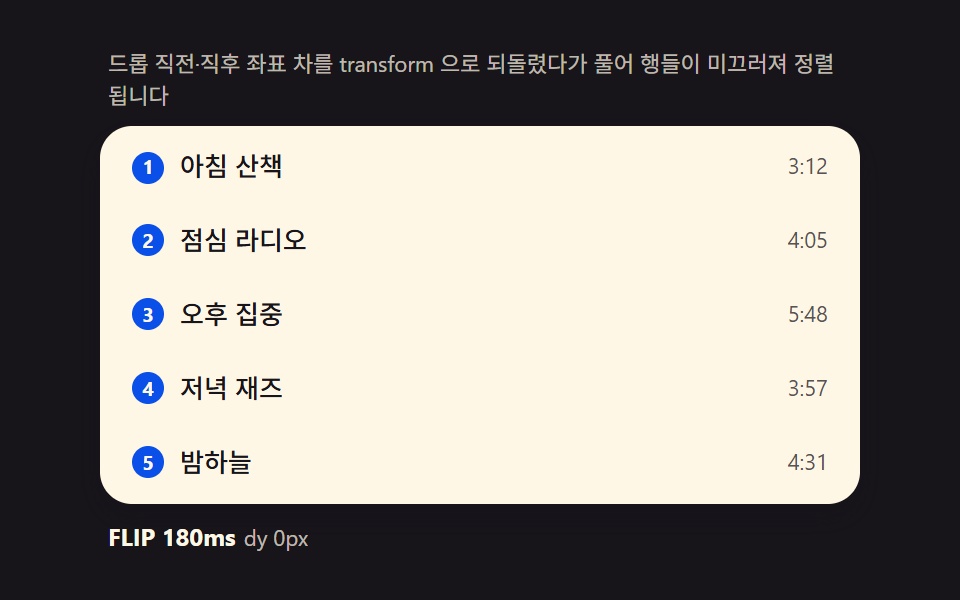 Drag to Reorder UI: 9 Lists, One Drop IndexDrag to reorder UI: Computing the drop index from pointer position reorders lists, kanban boards and grids -- with long- See all demos in this post
If you like this effect - similar demos
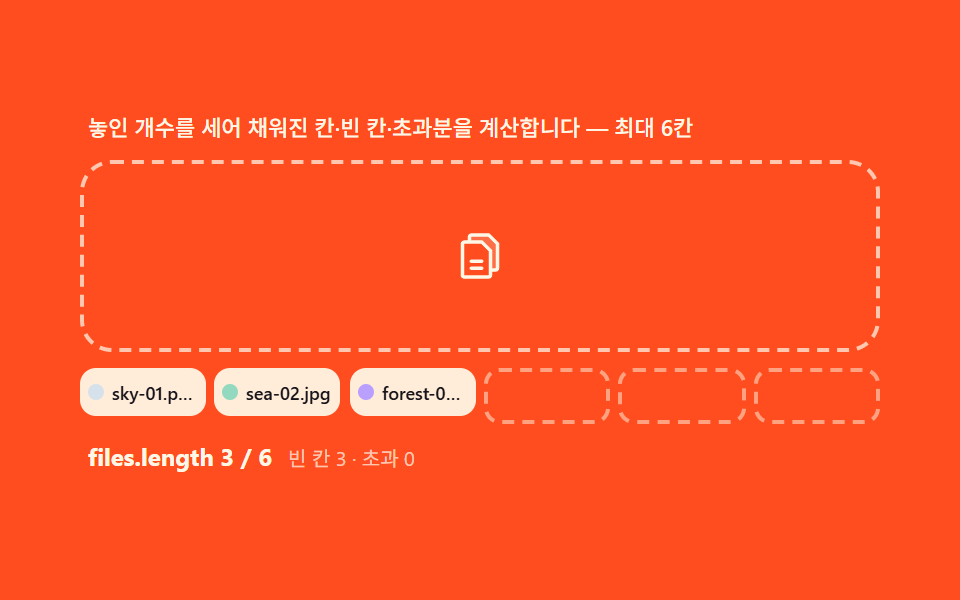 drag03 Multi-file — a group that counts entries and computes filled slots versus the remainderDrag and Drop File Upload UI: 9 Computed Dropzones
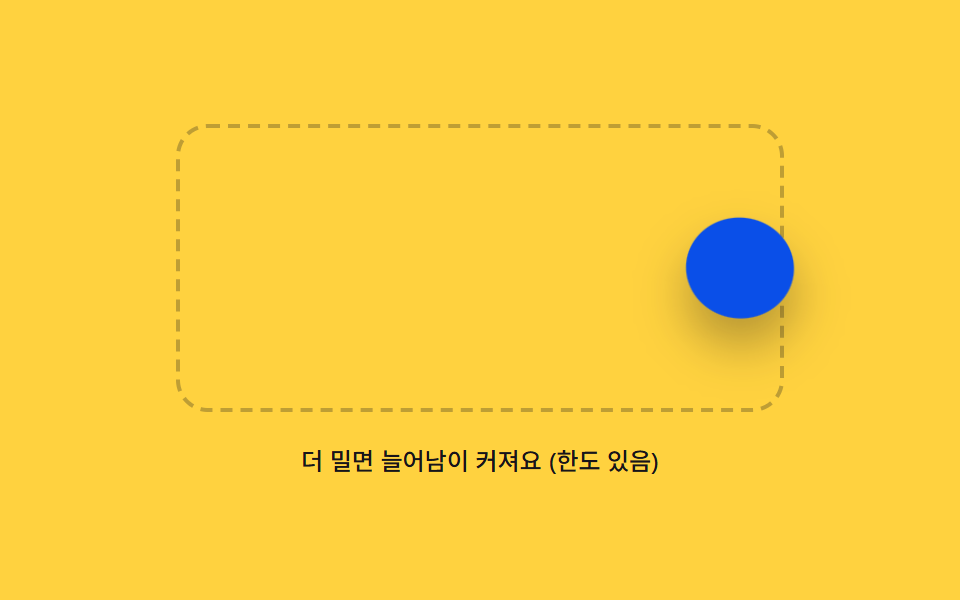 drag03 Rubber Boundary That Stretches and Snaps Back Past the EdgeDrag and Drop Animation CSS: 9 Physics Patterns
 drag07 A Lifted Piece with Speed Tilt and Shadow HeightJigsaw Puzzle JavaScript: 9 Snapping Tab Boards