09Range Slider Comparing Reduced Motion Against Normal Motion Side by Side
The same pair of handle values is drawn into two panels at once — the left panel transitions to its new position while the right-hand preview jumps instantly with no transition, so the reduced-motion result sits side by side with the normal one.
Best forAn accessibility fallback mode for motion-sensitive users
aria-hidden=trueprefers-reduced-motionrole=slider
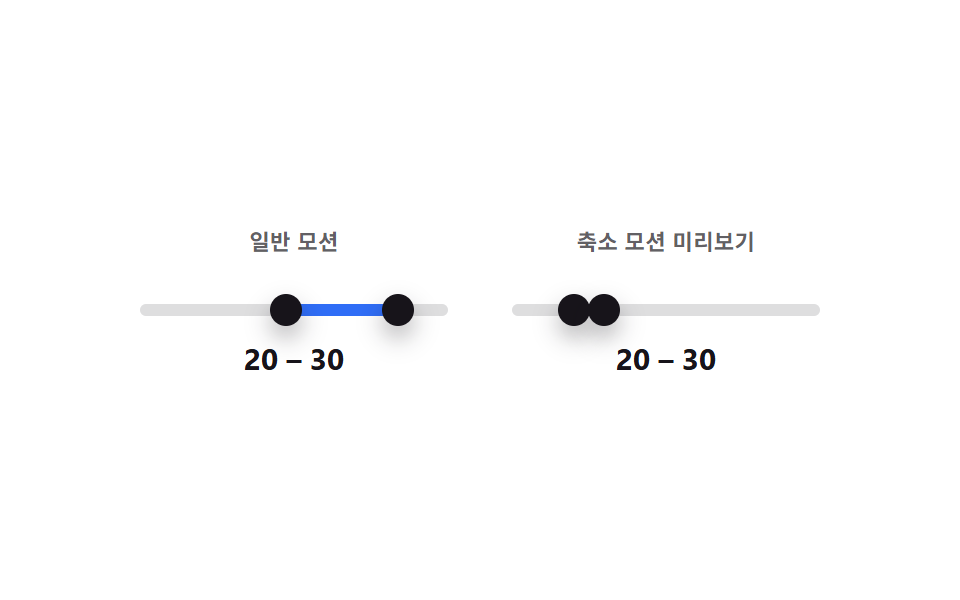
<main class="stage">
<div class="cmp">
  <div class="cmp__panel">
    <p class="cmp__label">Normal motion</p>
    <div class="ds is-demo" id="dsA">
      <div class="ds__track" id="trackA">
        <div class="ds__fill" id="fillA"></div>
        <button type="button" class="ds__thumb ds__thumb--lo" id="thumbLoA" role="slider"
          aria-label="Minimum value" aria-valuemin="0" aria-valuemax="100" aria-valuenow="25" aria-valuetext="25" tabindex="0"></button>
        <button type="button" class="ds__thumb ds__thumb--hi" id="thumbHiA" role="slider"
          aria-label="Maximum value" aria-valuemin="0" aria-valuemax="100" aria-valuenow="70" aria-valuetext="70" tabindex="0"></button>
      </div>
      <p class="ds__readout"><span id="loOutA">25</span> – <span id="hiOutA">70</span></p>
    </div>
  </div>
  <div class="cmp__panel">
    <p class="cmp__label">Reduced-motion preview</p>
    <div class="ds ds--mirror" id="dsB" aria-hidden="true">
      <div class="ds__track">
        <div class="ds__fill" id="fillB"></div>
        <span class="ds__thumb ds__thumb--lo" id="thumbLoB"></span>
        <span class="ds__thumb ds__thumb--hi" id="thumbHiB"></span>
      </div>
      <p class="ds__readout"><span id="loOutB">25</span> – <span id="hiOutB">70</span></p>
    </div>
  </div>
</div>
</main>@use "../../../../site/static/demo-tokens" as *;
// 변수 3개
$duration: $dur-loop;
$easing: $ease-pop;
$color: $subject-blue;
// 계산 겹: 오른쪽 미리보기 패널은 transition 규칙 자체가 없어 같은 상태값이 항상 즉시 이동으로 그려진다.
@include stage($stage-paper);
.cmp { display: flex; gap: $sp-8; width: min(340px, 92vw); }
.cmp__panel { flex: 1; text-align: center; }
.cmp__label {
margin: 0 0 $sp-2; font-weight: 700; font-size: 11px; color: rgba($subject-ink, .68);
text-transform: uppercase; letter-spacing: .02em;
}
.ds { color: $subject-ink; }
.ds__track {
position: relative; height: 6px; border-radius: $r-pill;
background: rgba($subject-ink, .14); margin: $sp-6 0 $sp-3;
}
.ds__fill {
position: absolute; top: 0; bottom: 0; left: 25%; width: 45%;
background: $color; border-radius: $r-pill;
}
.ds__thumb {
position: absolute; top: 50%; left: 25%; width: 16px; height: 16px;
appearance: none; border: 0; border-radius: 50%; background: $subject-ink;
box-shadow: $shadow-press; cursor: grab; touch-action: none; padding: 0;
transform: translate(-50%, -50%); z-index: 2;
}
.ds__thumb--hi { left: 70%; }
button.ds__thumb:focus-visible { outline: 2px solid $subject-blue-deep; outline-offset: 2px; }
button.ds__thumb:active { cursor: grabbing; }
.ds__readout { margin: 0; font-weight: 700; font-size: 15px; line-height: 1.2; font-variant-numeric: tabular-nums; }
.ds.is-demo .ds__thumb,
.ds.is-demo .ds__fill {
transition: left $duration $easing, width $duration $easing;
}
// 미리보기(.ds--mirror) 는 is-demo 여부와 상관없이 transition 이 없다 — "즉시 이동"이 이 패널의 핵심.
.ds--mirror .ds__thumb,
.ds--mirror .ds__fill { transition: none; }
.ds--mirror .ds__thumb { cursor: default; }
@media (max-width: 340px) {
.cmp { width: min(280px, 92vw); gap: $sp-4; }
.ds__readout { font-size: 13px; }
}
@media (prefers-reduced-motion: reduce) {
.ds.is-demo .ds__thumb, .ds.is-demo .ds__fill { transition: none; }
}html, body {
margin: 0;
overflow: hidden;
}
.stage {
box-sizing: border-box;
min-height: 100vh;
display: grid;
place-items: center;
margin: 0;
background: #ffffff;
font-family: -apple-system, "Segoe UI", "Noto Sans KR", sans-serif;
padding: clamp(8px, 4vw, 24px);
}
.cmp {
display: flex;
gap: 32px;
width: min(340px, 92vw);
}
.cmp__panel {
flex: 1;
text-align: center;
}
.cmp__label {
margin: 0 0 8px;
font-weight: 700;
font-size: 11px;
color: rgba(23, 20, 26, 0.68);
text-transform: uppercase;
letter-spacing: 0.02em;
}
.ds {
color: #17141a;
}
.ds__track {
position: relative;
height: 6px;
border-radius: 999px;
background: rgba(23, 20, 26, 0.14);
margin: 24px 0 12px;
}
.ds__fill {
position: absolute;
top: 0;
bottom: 0;
left: 25%;
width: 45%;
background: #2f6df6;
border-radius: 999px;
}
.ds__thumb {
position: absolute;
top: 50%;
left: 25%;
width: 16px;
height: 16px;
appearance: none;
border: 0;
border-radius: 50%;
background: #17141a;
box-shadow: 0 6px 12px rgba(23, 20, 26, 0.32);
cursor: grab;
touch-action: none;
padding: 0;
transform: translate(-50%, -50%);
z-index: 2;
}
.ds__thumb--hi {
left: 70%;
}
button.ds__thumb:focus-visible {
outline: 2px solid #0a4fe8;
outline-offset: 2px;
}
button.ds__thumb:active {
cursor: grabbing;
}
.ds__readout {
margin: 0;
font-weight: 700;
font-size: 15px;
line-height: 1.2;
font-variant-numeric: tabular-nums;
}
.ds.is-demo .ds__thumb,
.ds.is-demo .ds__fill {
transition: left 2s cubic-bezier(0.2, 1.4, 0.4, 1), width 2s cubic-bezier(0.2, 1.4, 0.4, 1);
}
.ds--mirror .ds__thumb,
.ds--mirror .ds__fill {
transition: none;
}
.ds--mirror .ds__thumb {
cursor: default;
}
@media (max-width: 340px) {
.cmp {
width: min(280px, 92vw);
gap: 16px;
}
.ds__readout {
font-size: 13px;
}
}
@media (prefers-reduced-motion: reduce) {
.ds.is-demo .ds__thumb, .ds.is-demo .ds__fill {
transition: none;
}
}(function () {
var MIN = 0, MAX = 100;
var root = document.getElementById('dsA');
var track = document.getElementById('trackA');
var fillA = document.getElementById('fillA');
var fillB = document.getElementById('fillB');
var lo = document.getElementById('thumbLoA');
var hi = document.getElementById('thumbHiA');
var loB = document.getElementById('thumbLoB');
var hiB = document.getElementById('thumbHiB');
var loOutA = document.getElementById('loOutA'); var hiOutA = document.getElementById('hiOutA');
var loOutB = document.getElementById('loOutB'); var hiOutB = document.getElementById('hiOutB');
var v = { lo: 25, hi: 70 };
// 계산 겹: 같은 상태값 하나를 두 패널에 동시에 그리되, 오른쪽 미리보기는 transition 을 원천적으로 갖지 않아
// "모션 줄임" 사용자가 보는 즉시-이동 결과를 항상 함께 보여준다 (실제 OS 설정과 무관한 비교용).
function paint() {
lo.style.left = v.lo + '%'; hi.style.left = v.hi + '%';
fillA.style.left = v.lo + '%'; fillA.style.width = (v.hi - v.lo) + '%';
loB.style.left = v.lo + '%'; hiB.style.left = v.hi + '%';
fillB.style.left = v.lo + '%'; fillB.style.width = (v.hi - v.lo) + '%';
lo.setAttribute('aria-valuenow', String(v.lo)); hi.setAttribute('aria-valuenow', String(v.hi));
lo.setAttribute('aria-valuetext', String(v.lo)); hi.setAttribute('aria-valuetext', String(v.hi));
loOutA.textContent = String(v.lo); hiOutA.textContent = String(v.hi);
loOutB.textContent = String(v.lo); hiOutB.textContent = String(v.hi);
}
function setLo(n) { v.lo = Math.max(MIN, Math.min(n, v.hi)); paint(); }
function setHi(n) { v.hi = Math.min(MAX, Math.max(n, v.lo)); paint(); }
function pctFromX(x) {
var r = track.getBoundingClientRect();
return Math.round(Math.max(0, Math.min(100, ((x - r.left) / r.width) * 100)));
}
function human() { root.classList.remove('is-demo'); clearInterval(timer); }
function drag(thumb, setter, isLo) {
thumb.addEventListener('pointerdown', function (e) {
human(); thumb.setPointerCapture(e.pointerId);
function move(ev) { setter(pctFromX(ev.clientX)); }
function up() { thumb.removeEventListener('pointermove', move); thumb.removeEventListener('pointerup', up); }
thumb.addEventListener('pointermove', move); thumb.addEventListener('pointerup', up);
});
thumb.addEventListener('keydown', function (e) {
var step = { ArrowRight: 1, ArrowLeft: -1, ArrowUp: 1, ArrowDown: -1 }[e.key];
if (step !== undefined) { e.preventDefault(); human(); setter((isLo ? v.lo : v.hi) + step); }
else if (e.key === 'Home') { e.preventDefault(); human(); setter(isLo ? MIN : v.lo); }
else if (e.key === 'End') { e.preventDefault(); human(); setter(isLo ? v.hi : MAX); }
});
}
drag(lo, setLo, true); drag(hi, setHi, false);
var presets = [[10, 40], [55, 95], [20, 30], [5, 85], [45, 60]];
var pi = 0;
function tick() {
var p = presets[pi % presets.length]; pi++;
v.lo = p[0]; v.hi = p[1]; paint();
}
var reduce = window.matchMedia('(prefers-reduced-motion: reduce)').matches;
var timer = reduce ? null : setInterval(tick, 480);
paint();
}());import { useEffect, useRef } from 'react';
import styles from './DualSliderReducedMotionStatic.module.scss';
const MIN = 0;
const MAX = 100;
const TICK_MS = 480;
const PRESETS: [number, number][] = [[10, 40], [55, 95], [20, 30], [5, 85], [45, 60]];
export default function DualSliderReducedMotionStatic() {
const rootRef = useRef<HTMLDivElement>(null);
const trackRef = useRef<HTMLDivElement>(null);
const fillARef = useRef<HTMLDivElement>(null);
const fillBRef = useRef<HTMLDivElement>(null);
const loRef = useRef<HTMLButtonElement>(null);
const hiRef = useRef<HTMLButtonElement>(null);
const loBRef = useRef<HTMLSpanElement>(null);
const hiBRef = useRef<HTMLSpanElement>(null);
const loOutARef = useRef<HTMLSpanElement>(null);
const hiOutARef = useRef<HTMLSpanElement>(null);
const loOutBRef = useRef<HTMLSpanElement>(null);
const hiOutBRef = useRef<HTMLSpanElement>(null);
useEffect(() => {
const root = rootRef.current;
const track = trackRef.current;
const fillA = fillARef.current;
const fillB = fillBRef.current;
const lo = loRef.current;
const hi = hiRef.current;
const loB = loBRef.current;
const hiB = hiBRef.current;
const loOutA = loOutARef.current; const hiOutA = hiOutARef.current;
const loOutB = loOutBRef.current; const hiOutB = hiOutBRef.current;
if (!root || !track || !fillA || !fillB || !lo || !hi || !loB || !hiB || !loOutA || !hiOutA || !loOutB || !hiOutB) return undefined;
const v = { lo: 25, hi: 70 };
// 계산 겹: 같은 상태값 하나를 두 패널에 동시에 그리되, 오른쪽 미리보기는 transition 을 원천적으로 갖지 않아
// "모션 줄임" 사용자가 보는 즉시-이동 결과를 항상 함께 보여준다 (실제 OS 설정과 무관한 비교용).
function paint() {
lo!.style.left = v.lo + '%'; hi!.style.left = v.hi + '%';
fillA!.style.left = v.lo + '%'; fillA!.style.width = (v.hi - v.lo) + '%';
loB!.style.left = v.lo + '%'; hiB!.style.left = v.hi + '%';
fillB!.style.left = v.lo + '%'; fillB!.style.width = (v.hi - v.lo) + '%';
lo!.setAttribute('aria-valuenow', String(v.lo)); hi!.setAttribute('aria-valuenow', String(v.hi));
lo!.setAttribute('aria-valuetext', String(v.lo)); hi!.setAttribute('aria-valuetext', String(v.hi));
loOutA!.textContent = String(v.lo); hiOutA!.textContent = String(v.hi);
loOutB!.textContent = String(v.lo); hiOutB!.textContent = String(v.hi);
}
function setLo(n: number) { v.lo = Math.max(MIN, Math.min(n, v.hi)); paint(); }
function setHi(n: number) { v.hi = Math.min(MAX, Math.max(n, v.lo)); paint(); }
function pctFromX(x: number) {
const r = track!.getBoundingClientRect();
return Math.round(Math.max(0, Math.min(100, ((x - r.left) / r.width) * 100)));
}
let timer = 0;
function human() { root!.classList.remove(styles['is-demo']); window.clearInterval(timer); }
function bindDrag(thumb: HTMLButtonElement, setter: (n: number) => void, isLo: boolean) {
function onDown(e: PointerEvent) {
human(); thumb.setPointerCapture(e.pointerId);
function move(ev: PointerEvent) { setter(pctFromX(ev.clientX)); }
function up() { thumb.removeEventListener('pointermove', move); thumb.removeEventListener('pointerup', up); }
thumb.addEventListener('pointermove', move); thumb.addEventListener('pointerup', up);
}
function onKey(e: KeyboardEvent) {
const step = ({ ArrowRight: 1, ArrowLeft: -1, ArrowUp: 1, ArrowDown: -1 } as Record<string, number>)[e.key];
if (step !== undefined) { e.preventDefault(); human(); setter((isLo ? v.lo : v.hi) + step); }
else if (e.key === 'Home') { e.preventDefault(); human(); setter(isLo ? MIN : v.lo); }
else if (e.key === 'End') { e.preventDefault(); human(); setter(isLo ? v.hi : MAX); }
}
thumb.addEventListener('pointerdown', onDown);
thumb.addEventListener('keydown', onKey);
return () => { thumb.removeEventListener('pointerdown', onDown); thumb.removeEventListener('keydown', onKey); };
}
const offLo = bindDrag(lo, setLo, true);
const offHi = bindDrag(hi, setHi, false);
let pi = 0;
function tick() {
const p = PRESETS[pi % PRESETS.length]; pi++;
v.lo = p[0]; v.hi = p[1]; paint();
}
const reduce = window.matchMedia('(prefers-reduced-motion: reduce)').matches;
if (!reduce) timer = window.setInterval(tick, TICK_MS);
paint();
return () => { offLo(); offHi(); window.clearInterval(timer); };
}, []);
return (
<main className={styles.stage}>
<div className={styles.cmp}>
<div className={styles.cmpPanel}>
<p className={styles.cmpLabel}>일반 모션</p>
<div className={styles.ds + ' ' + styles['is-demo']} ref={rootRef}>
<div className={styles.dsTrack} ref={trackRef}>
<div className={styles.dsFill} ref={fillARef} />
<button type="button" className={styles.dsThumb + ' ' + styles.dsThumbLo} ref={loRef} role="slider"
aria-label="최소값" aria-valuemin={0} aria-valuemax={100} aria-valuenow={25} aria-valuetext="25" tabIndex={0} />
<button type="button" className={styles.dsThumb + ' ' + styles.dsThumbHi} ref={hiRef} role="slider"
aria-label="최대값" aria-valuemin={0} aria-valuemax={100} aria-valuenow={70} aria-valuetext="70" tabIndex={0} />
</div>
<p className={styles.dsReadout}><span ref={loOutARef}>25</span> – <span ref={hiOutARef}>70</span></p>
</div>
</div>
<div className={styles.cmpPanel}>
<p className={styles.cmpLabel}>축소 모션 미리보기</p>
<div className={styles.ds + ' ' + styles.dsMirror} aria-hidden="true">
<div className={styles.dsTrack}>
<div className={styles.dsFill} ref={fillBRef} />
<span className={styles.dsThumb + ' ' + styles.dsThumbLo} ref={loBRef} />
<span className={styles.dsThumb + ' ' + styles.dsThumbHi} ref={hiBRef} />
</div>
<p className={styles.dsReadout}><span ref={loOutBRef}>25</span> – <span ref={hiOutBRef}>70</span></p>
</div>
</div>
</div>
</main>
);
}09 Range Slider Comparing Reduced Motion Against Normal Motion Side by Side — Measured area 5.484% · moving frames 21/23Original by GODRICH · SCSS and React ship in the zip · Dual Range Slider UI — 9 Two-Handle Patterns
The post this demo lives in
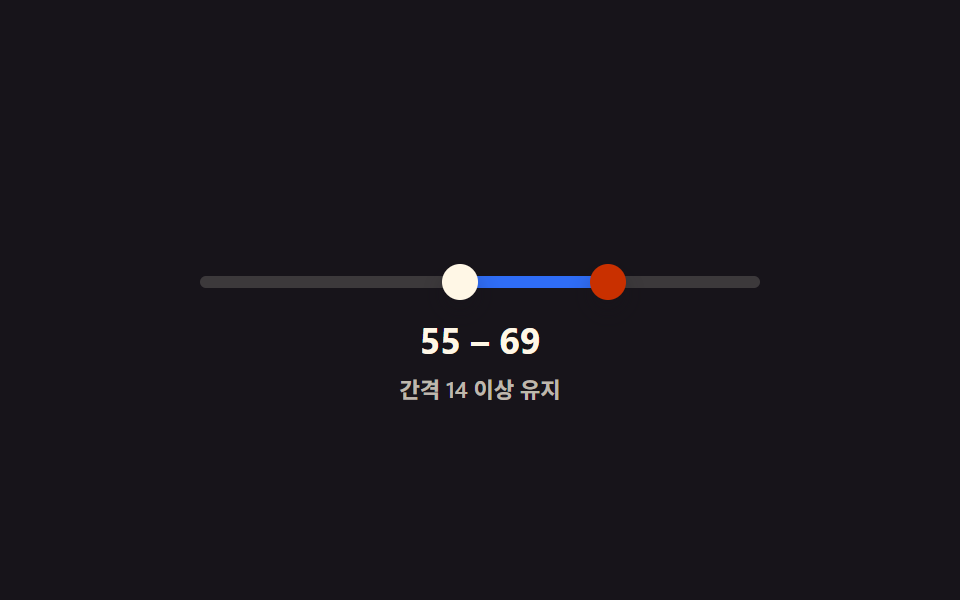 Dual Range Slider UI — 9 Two-Handle PatternsAmong nine dual range slider patterns, one blocks its two handles from crossing, one merges their value bubbles when clo See all demos in this post
If you like this effect - similar demos
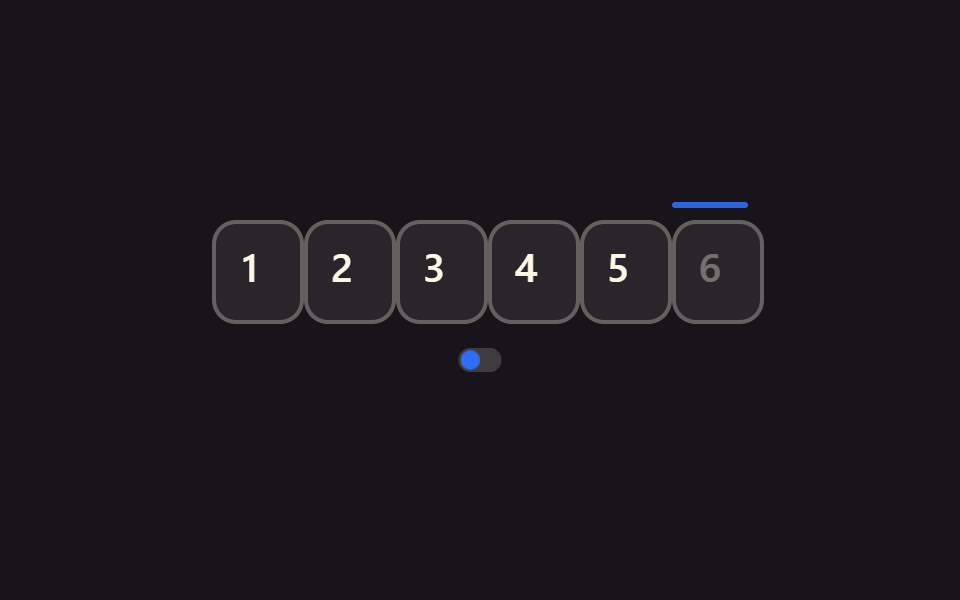 Inputs09 Static focus for reduced motionOTP Input UI: 9 States, Validation Included
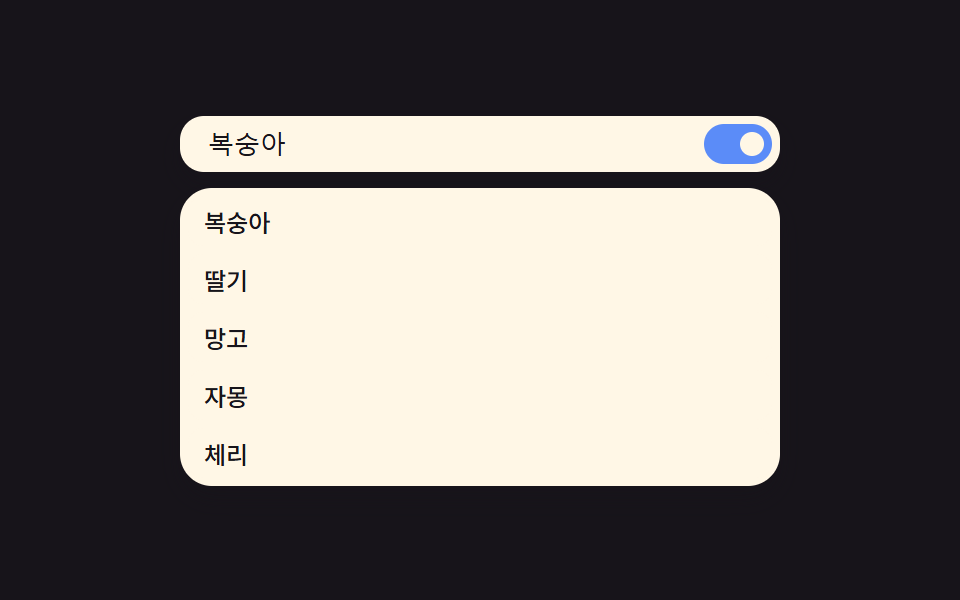 Inputs09 Reduced motion — killing shimmer and stagger for a list that appears instantlyAutocomplete Input: 9 Search Dropdowns
 Inputs09 Reduced-motion comparison toggle — the same checked-value change draws its line-length value on the normal panel, and jumps straight to target with no in-between step on the reduced panelCSS Custom Checkbox: 9 Interaction Patterns