01Image drop — an instant preview drawn from an object URL the moment it lands
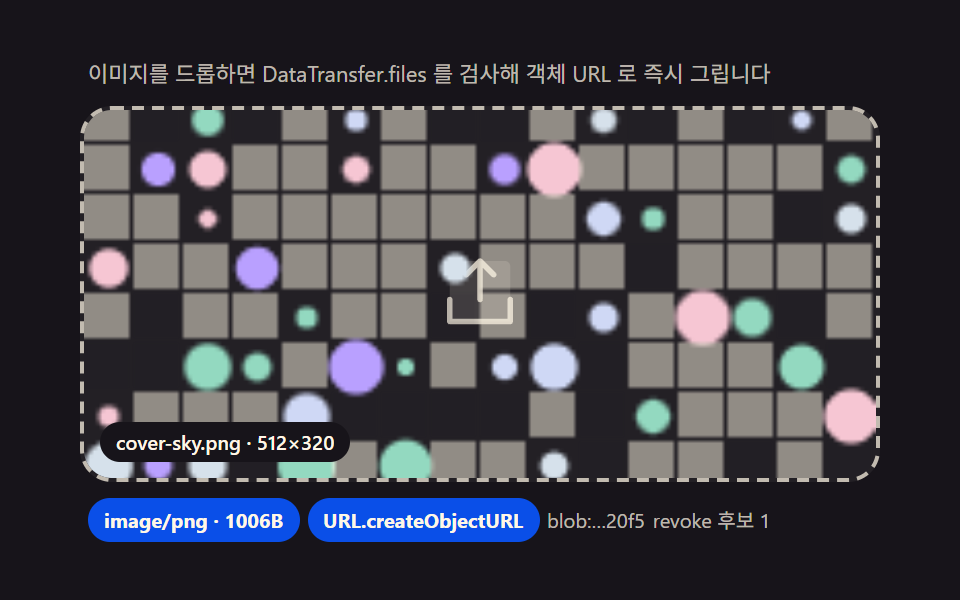
Pulling the File out of the drop event's DataTransfer.files, checking that File.type carries the image/ prefix, and minting a browser-memory-only URL via URL.createObjectURL to feed into img.src renders a preview without any server round-trip -- and revokeObjectURL returns the memory once the preview is dismissed.
Best forProfile photo registration, cover image picking
dropDataTransfer.filesURL.createObjectURL
<main class="stage">
<div class="dz" id="dz">
  <p class="dz__hint" id="dzHint">Drop an image and DataTransfer.files is inspected to draw an object URL right away</p>
  <div class="dz__zone" id="dzZone" role="button" tabindex="0" aria-describedby="dzHint" aria-label="Image dropzone">
    <input type="file" id="dzInput" accept="image/*" class="dz__file" aria-label="Choose file">
    <svg class="dz__ic dz__ic--up" viewBox="0 0 256 256" aria-hidden="true"><g fill="currentColor"><path d="M216 48v160H40V48a16 16 0 0 1 16-16h144a16 16 0 0 1 16 16" opacity=".2"/><path d="M224 144v64a8 8 0 0 1-8 8H40a8 8 0 0 1-8-8v-64a8 8 0 0 1 16 0v56h160v-56a8 8 0 0 1 16 0M93.66 77.66L120 51.31V144a8 8 0 0 0 16 0V51.31l26.34 26.35a8 8 0 0 0 11.32-11.32l-40-40a8 8 0 0 0-11.32 0l-40 40a8 8 0 0 0 11.32 11.32"/></g></svg>
    <div class="dz__frame" id="dzFrame" aria-hidden="true">
      <canvas class="dz__cv" id="dzCv" width="192" height="120"></canvas>
    </div>
    <p class="dz__file-label" id="dzFileLabel">cover-sky.png · 512×320</p>
  </div>
  <div class="dz__meta">
    <span class="dz__chip" id="dzChip">image/png</span>
    <span class="dz__chip" id="dzChip2">URL.createObjectURL</span>
    <span class="dz__unit" id="dzUrl">blob:…37f2</span>
    <span class="dz__unit" id="dzRevoked">revoke candidates 0</span>
  </div>
</div>
</main>
@use "../../../../site/static/demo-tokens" as *;
$duration: 240ms; // 놓인 순간 정착(스케일 스프링은 rAF 계산, 이 값은 프레임 하이라이트용)
$easing: $ease-spring;
$color: $subject-blue-deep;
// 파스텔 강조(도구/파스텔.py to_pastel 결과: 채도 .34 · 명도 +.11)
$p-sky: #d6e1eb;
$p-creamline: #f6eede;
@include stage($stage-ink);
.dz {
width: 100%;
max-width: 400px;
display: flex;
flex-direction: column;
gap: $sp-2;
}
.dz__hint {
margin: 0;
padding: 0 $sp-1;
font-weight: 400;
font-size: 11px;
line-height: 1.4;
color: rgba($subject-cream, .72);
}
.dz__zone {
position: relative;
display: grid;
place-items: center;
min-height: 160px;
padding: $sp-3;
border: 2px dashed rgba($subject-cream, .72);
border-radius: $r-card;
background: rgba($subject-cream, .05);
cursor: pointer;
overflow: hidden;
transition: border-color $dur-quick $ease-out, background $dur-quick $ease-out;
}
.dz__zone.is-over {
border-color: $p-sky;
background: rgba(159, 201, 236, .12);
}
.dz__file {
position: absolute;
inset: 0;
width: 100%;
height: 100%;
opacity: 0;
cursor: pointer;
}
.dz__ic {
width: 44px;
height: 44px;
color: rgba($subject-cream, .72);
transition: transform $duration $easing, color $dur-quick $ease-out;
}
.dz__zone.is-over .dz__ic {
transform: translateY(-6px);
color: $p-sky;
}
.dz__frame {
position: absolute;
inset: 0;
display: none;
transform: scale(1);
transform-origin: 50% 100%;
}
.dz__frame.is-in {
display: block;
}
.dz__cv {
display: block;
width: 100%;
height: 100%;
object-fit: cover;
}
.dz__file-label {
position: absolute;
left: $sp-2;
bottom: $sp-2;
margin: 0;
padding: $sp-1 $sp-2;
border-radius: $r-pill;
background: $subject-ink;
color: $subject-cream;
font-weight: 500;
font-size: 10px;
line-height: 1.2;
}
.dz__meta {
display: flex;
flex-wrap: wrap;
align-items: center;
gap: $sp-1;
padding: 0 $sp-1;
}
.dz__chip {
padding: $sp-1 $sp-2;
border-radius: $r-pill;
background: $color;
color: $subject-cream;
font-weight: 700;
font-size: 10px;
}
.dz__unit {
font-weight: 400;
font-size: 10px;
color: rgba($subject-cream, .72);
}
@media (max-width: 340px) {
.dz { max-width: 280px; gap: $sp-1; }
.dz__hint { font-size: 9px; line-height: 1.25; }
.dz__zone { min-height: 56px; padding: $sp-2; }
.dz__ic { width: 24px; height: 24px; }
.dz__meta { gap: $sp-1; }
.dz__chip { padding: $sp-1; font-size: 9px; }
.dz__unit { font-size: 9px; }
}
@media (prefers-reduced-motion: reduce) {
.dz__ic { transition: none; }
.dz__zone.is-over .dz__ic { transform: none; }
.dz__zone { transition: none; }
}html, body {
margin: 0;
overflow: hidden;
}
.stage {
box-sizing: border-box;
min-height: 100vh;
display: grid;
place-items: center;
margin: 0;
background: #17141a;
font-family: -apple-system, "Segoe UI", "Noto Sans KR", sans-serif;
padding: clamp(8px, 4vw, 24px);
}
.dz {
width: 100%;
max-width: 400px;
display: flex;
flex-direction: column;
gap: 8px;
}
.dz__hint {
margin: 0;
padding: 0 4px;
font-weight: 400;
font-size: 11px;
line-height: 1.4;
color: rgba(255, 247, 230, 0.72);
}
.dz__zone {
position: relative;
display: grid;
place-items: center;
min-height: 160px;
padding: 12px;
border: 2px dashed rgba(255, 247, 230, 0.72);
border-radius: 16px;
background: rgba(255, 247, 230, 0.05);
cursor: pointer;
overflow: hidden;
transition: border-color 220ms ease-out, background 220ms ease-out;
}
.dz__zone.is-over {
border-color: #d6e1eb;
background: rgba(159, 201, 236, 0.12);
}
.dz__file {
position: absolute;
inset: 0;
width: 100%;
height: 100%;
opacity: 0;
cursor: pointer;
}
.dz__ic {
width: 44px;
height: 44px;
color: rgba(255, 247, 230, 0.72);
transition: transform 240ms cubic-bezier(0.2, 0.8, 0.2, 1), color 220ms ease-out;
}
.dz__zone.is-over .dz__ic {
transform: translateY(-6px);
color: #d6e1eb;
}
.dz__frame {
position: absolute;
inset: 0;
display: none;
transform: scale(1);
transform-origin: 50% 100%;
}
.dz__frame.is-in {
display: block;
}
.dz__cv {
display: block;
width: 100%;
height: 100%;
object-fit: cover;
}
.dz__file-label {
position: absolute;
left: 8px;
bottom: 8px;
margin: 0;
padding: 4px 8px;
border-radius: 999px;
background: #17141a;
color: #fff7e6;
font-weight: 500;
font-size: 10px;
line-height: 1.2;
}
.dz__meta {
display: flex;
flex-wrap: wrap;
align-items: center;
gap: 4px;
padding: 0 4px;
}
.dz__chip {
padding: 4px 8px;
border-radius: 999px;
background: #0a4fe8;
color: #fff7e6;
font-weight: 700;
font-size: 10px;
}
.dz__unit {
font-weight: 400;
font-size: 10px;
color: rgba(255, 247, 230, 0.72);
}
@media (max-width: 340px) {
.dz {
max-width: 280px;
gap: 4px;
}
.dz__hint {
font-size: 9px;
line-height: 1.25;
}
.dz__zone {
min-height: 56px;
padding: 8px;
}
.dz__ic {
width: 24px;
height: 24px;
}
.dz__meta {
gap: 4px;
}
.dz__chip {
padding: 4px;
font-size: 9px;
}
.dz__unit {
font-size: 9px;
}
}
@media (prefers-reduced-motion: reduce) {
.dz__ic {
transition: none;
}
.dz__zone.is-over .dz__ic {
transform: none;
}
.dz__zone {
transition: none;
}
}// Drop an image(01) — drop 이벤트의 DataTransfer.files 에서 File 을 꺼내 File.type 이 image/ 접두사인지
// startsWith 로 검사하고, 통과하면 URL.createObjectURL 로 브라우저 메모리 안에서만 접근 가능한 주소를
// 만들어 캔버스에 그린다. 서버 전송은 전혀 없고(시뮬레이션만), 미리보기를 치울 때는 revokeObjectURL 로
// 메모리를 되돌린다. 시드 고정 캔버스 패턴으로 "가상 이미지 파일"을 Blob 으로 만들어 File 처럼 다룬다.
(function () {
var zone = document.getElementById('dzZone');
var frame = document.getElementById('dzFrame');
var cv = document.getElementById('dzCv');
var fileLabel = document.getElementById('dzFileLabel');
var chip = document.getElementById('dzChip');
var urlEl = document.getElementById('dzUrl');
var revEl = document.getElementById('dzRevoked');
if (!zone || !frame || !cv || !fileLabel || !chip || !urlEl || !revEl) return;
var ctx = cv.getContext('2d');
if (!ctx) return;
var reduce = window.matchMedia('(prefers-reduced-motion: reduce)').matches;
// 시드 고정 난수(mulberry32) — 같은 시드는 같은 그림. Math.random 금지.
function mulberry32(a) {
return function () {
a |= 0; a = a + 0x6D2B79F5 | 0;
var t = Math.imul(a ^ a >>> 15, 1 | a);
t = t + Math.imul(t ^ t >>> 7, 61 | t) ^ t;
return ((t ^ t >>> 14) >>> 0) / 4294967296;
};
}
var PALETTES = [
{ name: 'cover-sky.png', w: 512, h: 320, type: 'image/png', seed: 37, hex: '#d6e1eb' },
{ name: 'profile-mint.png', w: 256, h: 256, type: 'image/png', seed: 61, hex: '#93d9c0' },
{ name: 'poster-lilac.jpg', w: 640, h: 400, type: 'image/jpeg', seed: 89, hex: '#b9a0ff' }
];
var DROP_MS = 240; // 놓인 순간 스케일 정착 시간 — 변형 아님(기본값), 시간 표기와 일치
var HEXES = ['#d6e1eb', '#93d9c0', '#b9a0ff', '#f6c6d3', '#cfd8f5'];
// 가상 이미지 파일 — 시드 패턴을 캔버스로 그려 Blob(File) 로 만든다 (외부 이미지 0)
function drawPattern(p) {
var rnd = mulberry32(p.seed);
ctx.clearRect(0, 0, cv.width, cv.height);
var cell = 12;
for (var y = 0; y < cv.height; y += cell) {
for (var x = 0; x < cv.width; x += cell) {
var v = rnd();
if (v > .72) {
ctx.fillStyle = HEXES[Math.floor(rnd() * HEXES.length)];
ctx.beginPath();
var r = 2 + rnd() * (cell / 2 - 1);
ctx.arc(x + cell / 2, y + cell / 2, r, 0, Math.PI * 2);
ctx.fill();
} else {
ctx.fillStyle = v > .5 ? 'rgba(23,20,26,.06)' : 'rgba(255,247,230,.5)';
ctx.fillRect(x, y, cell - 1, cell - 1);
}
}
}
}
var cur = -1;
var objUrls = []; // createObjectURL 발급 이력 — revoke 시뮬레이션 카운터
var scale = 1, scaleV = 0;
// File 시뮬레이션 — new File(Blob) 로 실제 File 객체를 만들어 type/size 를 진짜로 읽게 한다
function virtualFile(p, cb) {
try {
cv.toBlob(function (b) {
var f = new File([b], p.name, { type: p.type });
cb(f);
}, p.type.split('/')[1] === 'jpeg' ? 'image/jpeg' : 'image/png');
} catch (e) { cb(null); }
}
// drop 처리 — DataTransfer.files 경로와 같은 검사·URL 발급을 탄다
function intake(files) {
var f = files && files[0];
if (!f) return;
var ok = f.type && f.type.indexOf('image/') === 0; // File.type 접두사 판정
if (!ok) return;
if (cur >= 0) { try { URL.revokeObjectURL(objUrls[cur]); } catch (e) {} }
cur = (cur + 1) % PALETTES.length;
drawPattern(PALETTES[cur]);
var u = URL.createObjectURL(f);
objUrls.push(u);
chip.textContent = f.type + ' · ' + f.size + 'B';
urlEl.textContent = 'blob:…' + u.slice(-4);
revEl.textContent = 'revoke candidates ' + objUrls.length;
fileLabel.textContent = PALETTES[cur].name + ' · ' + PALETTES[cur].w + '×' + PALETTES[cur].h;
frame.classList.add('is-in');
scale = .82; scaleV = 0; // 스케일 스프링(계산)
}
// 실제 드롭 — 사람이 파일을 올리면 같은 파이프라인
zone.addEventListener('dragover', function (e) { e.preventDefault(); zone.classList.add('is-over'); });
zone.addEventListener('dragleave', function () { zone.classList.remove('is-over'); });
zone.addEventListener('drop', function (e) {
e.preventDefault(); zone.classList.remove('is-over');
if (e.dataTransfer && e.dataTransfer.files) intake(e.dataTransfer.files);
});
var input = document.getElementById('dzInput');
if (input) input.addEventListener('change', function () {
if (input.files) intake(input.files);
input.value = '';
});
// 자동 시연 — 2.4초마다 가상 파일을 "드롭". 화면이 계속 살아 있다.
var nextAt = 0;
if (reduce) {
drawPattern(PALETTES[0]);
frame.classList.add('is-in');
cur = 0;
virtualFile(PALETTES[0], function () {});
} else {
(function loop(now) {
if (now >= nextAt) {
nextAt = now + 2400;
virtualFile(PALETTES[(cur + 1) % PALETTES.length], function (f) { if (f) intake([f]); });
}
// 스케일 스프링 — k=0.09 감쇠 lerp (계산 곡선)
if (frame.classList.contains('is-in')) {
scaleV += (1 - scale) * 0.09; scaleV *= 0.78;
scale += scaleV;
frame.style.transform = 'scale(' + scale.toFixed(4) + ')';
}
requestAnimationFrame(loop);
})(0);
}
})();// DropImage — vanilla 판(run/337/demo/01-drop-image/index.html) 의 React 포트.
// drop 이벤트의 DataTransfer.files 에서 File 을 꺼내 File.type 이 image/ 접두사인지 검사하고,
// 통과하면 URL.createObjectURL 로 브라우저 메모리 안 주소를 만들어 캔버스에 그린다. 미리보기를
// 치울 때는 revokeObjectURL 로 메모리를 되돌린다. 시드 고정(mulberry32) 캔버스 패턴으로 가상
// 이미지 파일을 Blob(File) 로 만들어 실제 File 객체처럼 다룬다 — Math.random 은 쓰지 않는다.
import { useEffect, useRef } from "react";
import styles from "./DropImage.module.scss";
export type DropImageProps = {
duration?: string;
easing?: string;
color?: string;
};
type Box<T> = { current: T };
const HINT = "이미지를 드롭하면 DataTransfer.files 를 검사해 객체 URL 로 즉시 그립니다";
const ARIA_LABEL = "이미지 드롭존";
// 시드 고정 난수(mulberry32) — 같은 시드는 같은 그림
function mulberry32(a: number): () => number {
return function (): number {
a |= 0; a = a + 0x6d2b79f5 | 0;
let t = Math.imul(a ^ a >>> 15, 1 | a);
t = t + Math.imul(t ^ t >>> 7, 61 | t) ^ t;
return ((t ^ t >>> 14) >>> 0) / 4294967296;
};
}
type Palette = { name: string; w: number; h: number; type: string; seed: number };
const PALETTES: Palette[] = [
{ name: "cover-sky.png", w: 512, h: 320, type: "image/png", seed: 37 },
{ name: "profile-mint.png", w: 256, h: 256, type: "image/png", seed: 61 },
{ name: "poster-lilac.jpg", w: 640, h: 400, type: "image/jpeg", seed: 89 }
];
const DROP_MS = 240; // 놓인 순간 스케일 정착 시간 — 프레임 하이라이트용(스프링은 rAF 계산)
const HEXES = ["#9fc9ec", "#93d9c0", "#b9a0ff", "#f6c6d3", "#cfd8f5"];
export default function DropImage({
duration = "240ms",
easing = "cubic-bezier(.2,.8,.2,1)",
color = "#0a4fe8"
}: DropImageProps) {
const zoneRef = useRef<HTMLDivElement | null>(null);
const inputRef = useRef<HTMLInputElement | null>(null);
const frameRef = useRef<HTMLDivElement | null>(null);
const cvRef = useRef<HTMLCanvasElement | null>(null);
const labelRef = useRef<HTMLSpanElement | null>(null);
const chipRef = useRef<HTMLSpanElement | null>(null);
const urlRef = useRef<HTMLSpanElement | null>(null);
const revRef = useRef<HTMLSpanElement | null>(null);
const rafRef = useRef(0) as Box<number>;
useEffect(() => {
const zone = zoneRef.current;
const input = inputRef.current;
const frame = frameRef.current;
const cv = cvRef.current;
const labelEl = labelRef.current;
const chipEl = chipRef.current;
const urlEl = urlRef.current;
const revEl = revRef.current;
if (!zone || !input || !frame || !cv || !labelEl || !chipEl || !urlEl || !revEl) return;
const ctx = cv.getContext("2d");
if (!ctx) return;
const reduce = window.matchMedia("(prefers-reduced-motion: reduce)").matches;
// 시드 패턴 — 셀마다 rnd() 를 소모해 같은 시드가 같은 그림을 보장
function drawPattern(p: Palette): void {
const rnd = mulberry32(p.seed);
ctx!.clearRect(0, 0, cv!.width, cv!.height);
const cell = 12;
for (let y = 0; y < cv!.height; y += cell) {
for (let x = 0; x < cv!.width; x += cell) {
const v = rnd();
if (v > 0.72) {
ctx!.fillStyle = HEXES[Math.floor(rnd() * HEXES.length)];
ctx!.beginPath();
const r = 2 + rnd() * (cell / 2 - 1);
ctx!.arc(x + cell / 2, y + cell / 2, r, 0, Math.PI * 2);
ctx!.fill();
} else {
ctx!.fillStyle = v > 0.5 ? "rgba(23,20,26,.06)" : "rgba(255,247,230,.5)";
ctx!.fillRect(x, y, cell - 1, cell - 1);
}
}
}
}
let cur = -1;
const objUrls: string[] = []; // createObjectURL 발급 이력 — revoke 시뮬레이션 카운터
let scale = 1;
let scaleV = 0;
// File 시뮬레이션 — new File(Blob) 로 실제 File 객체를 만들어 type/size 를 진짜로 읽게 한다
function virtualFile(p: Palette, cb: (f: File | null) => void): void {
try {
cv!.toBlob(
(b: Blob | null) => {
if (!b) { cb(null); return; }
try { cb(new File([b], p.name, { type: p.type })); } catch (e) { cb(null); }
},
p.type.split("/")[1] === "jpeg" ? "image/jpeg" : "image/png"
);
} catch (e) { cb(null); }
}
// drop 처리 — DataTransfer.files 경로와 같은 검사·URL 발급을 탄다
function intake(files: FileList | File[] | null): void {
const f = files && files[0];
if (!f) return;
const ok = f.type && f.type.indexOf("image/") === 0; // File.type 접두사 판정
if (!ok) return;
if (cur >= 0) { try { URL.revokeObjectURL(objUrls[cur]); } catch (e) { /* 이미 회수됨 */ } }
cur = (cur + 1) % PALETTES.length;
drawPattern(PALETTES[cur]);
const u = URL.createObjectURL(f);
objUrls.push(u);
chipEl!.textContent = f.type + " · " + f.size + "B";
urlEl!.textContent = "blob:…" + u.slice(-4);
revEl!.textContent = "revoke 후보 " + objUrls.length;
labelEl!.textContent = PALETTES[cur].name + " · " + PALETTES[cur].w + "×" + PALETTES[cur].h;
frame!.classList.add(styles.frameIn);
scale = 0.82; scaleV = 0; // 스케일 스프링 초기값(계산)
}
function onOver(e: DragEvent): void {
if (!e.dataTransfer) return;
e.preventDefault();
zone!.classList.add(styles.zoneOver);
}
function onLeave(): void {
zone!.classList.remove(styles.zoneOver);
}
function onDrop(e: DragEvent): void {
e.preventDefault();
zone!.classList.remove(styles.zoneOver);
if (e.dataTransfer && e.dataTransfer.files) intake(e.dataTransfer.files);
}
function onChange(): void {
if (input!.files) intake(input!.files);
input!.value = "";
}
zone.addEventListener("dragover", onOver as EventListener);
zone.addEventListener("dragleave", onLeave);
zone.addEventListener("drop", onDrop as EventListener);
input.addEventListener("change", onChange);
// 자동 시연 — 2.4초마다 가상 파일을 "드롭". 스케일 스프링(k=0.09 감쇠 lerp)로 화면이 산다.
let nextAt = 0;
if (reduce) {
drawPattern(PALETTES[0]);
frame.classList.add(styles.frameIn);
cur = 0;
} else {
const step = (now: number): void => {
if (now >= nextAt) {
nextAt = now + 2400;
virtualFile(PALETTES[(cur + 1) % PALETTES.length], (f) => { if (f) intake([f]); });
}
if (frame!.classList.contains(styles.frameIn)) {
scaleV += (1 - scale) * 0.09;
scaleV *= 0.78;
scale += scaleV;
frame!.style.transform = "scale(" + scale.toFixed(4) + ")";
}
rafRef.current = requestAnimationFrame(step);
};
rafRef.current = requestAnimationFrame(step);
}
return () => {
cancelAnimationFrame(rafRef.current);
objUrls.forEach((u) => { try { URL.revokeObjectURL(u); } catch (e) { /* 회수 */ } });
zone.removeEventListener("dragover", onOver as EventListener);
zone.removeEventListener("dragleave", onLeave);
zone.removeEventListener("drop", onDrop as EventListener);
input.removeEventListener("change", onChange);
};
// eslint-disable-next-line react-hooks/exhaustive-deps
}, []);
return (
<main className={styles.stage}>
<div className={styles.dz}>
<p className={styles.hint} id="dzHintReact">{HINT}</p>
<div
className={styles.zone}
ref={zoneRef}
role="button"
tabIndex={0}
aria-describedby="dzHintReact"
aria-label={ARIA_LABEL}
>
<input
type="file"
accept="image/*"
className={styles.file}
ref={inputRef}
aria-label="파일 선택"
/>
<svg className={styles.ic} viewBox="0 0 256 256" aria-hidden="true">
<g fill="currentColor">
<path d="M216 48v160H40V48a16 16 0 0 1 16-16h144a16 16 0 0 1 16 16" opacity=".2" />
<path d="M224 144v64a8 8 0 0 1-8 8H40a8 8 0 0 1-8-8v-64a8 8 0 0 1 16 0v56h160v-56a8 8 0 0 1 16 0M93.66 77.66L120 51.31V144a8 8 0 0 0 16 0V51.31l26.34 26.35a8 8 0 0 0 11.32-11.32l-40-40a8 8 0 0 0-11.32 0l-40 40a8 8 0 0 0 11.32 11.32" />
</g>
</svg>
<div className={styles.frame} ref={frameRef} aria-hidden="true">
<canvas className={styles.cv} ref={cvRef} width={192} height={120} />
</div>
<span className={styles.fileLabel} ref={labelRef}>cover-sky.png · 512×320</span>
</div>
<p className={styles.meta}>
<span className={styles.chip} ref={chipRef} style={{ background: color }}>image/png</span>
<span className={styles.chip} style={{ background: color }}>URL.createObjectURL</span>
<span className={styles.unit} ref={urlRef}>blob:…37f2</span>
<span className={styles.unit} ref={revRef}>revoke 후보 0</span>
</p>
</div>
</main>
);
}01 Image drop — an instant preview drawn from an object URL the moment it lands — Measured area 45.397% · moving frames 11/23Original by GODRICH · SCSS and React ship in the zip · Drag and Drop File Upload UI: 9 Computed Dropzones
The post this demo lives in
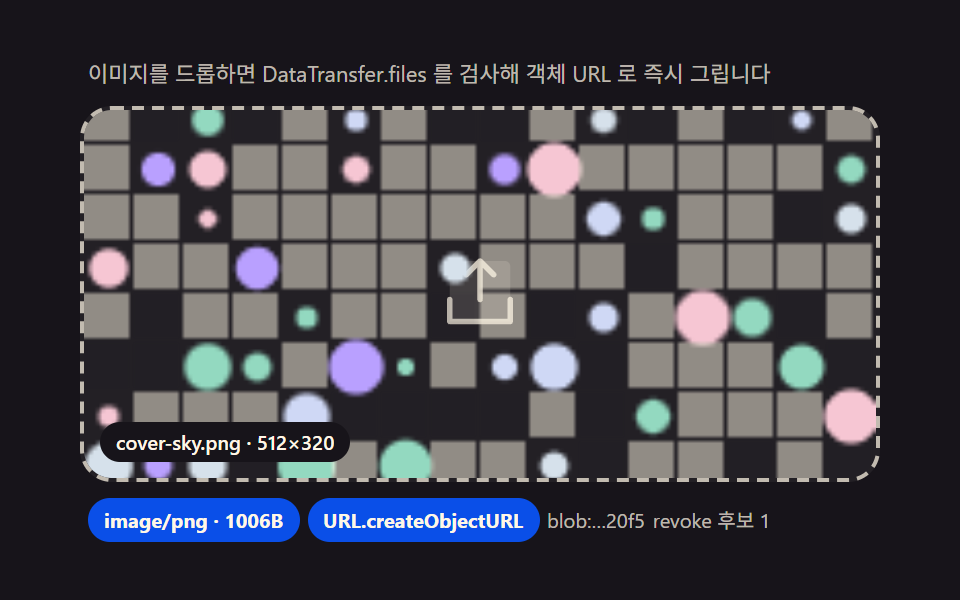 Drag and Drop File Upload UI: 9 Computed DropzonesDropped files turn into previews computed from their bytes: type, size and count drive the layout, images get pixel-read See all demos in this post
If you like this effect - similar demos
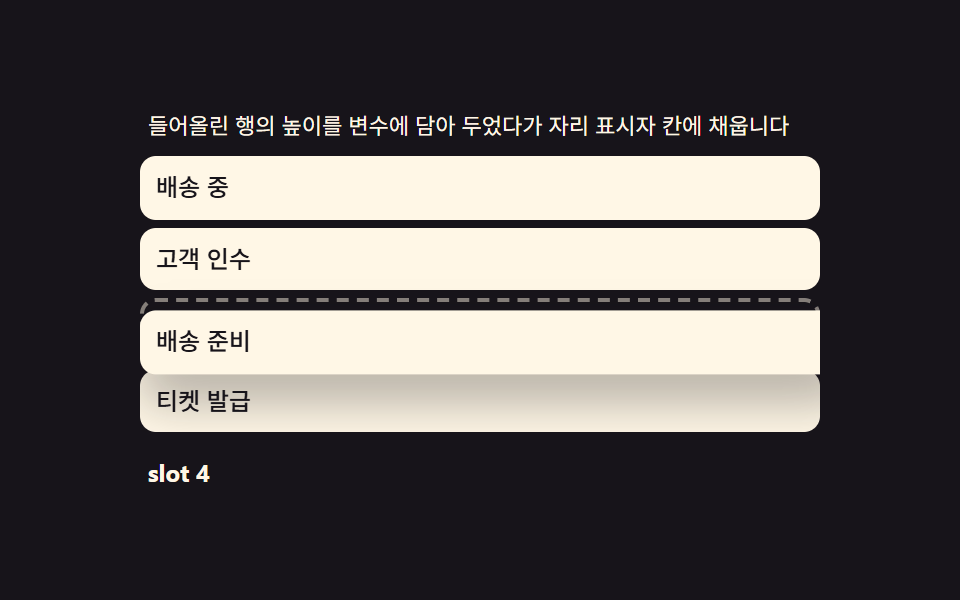 drag09 Drop placeholder — carrying the lifted row's height into a growing gapDrag to Reorder UI: 9 Lists, One Drop Index
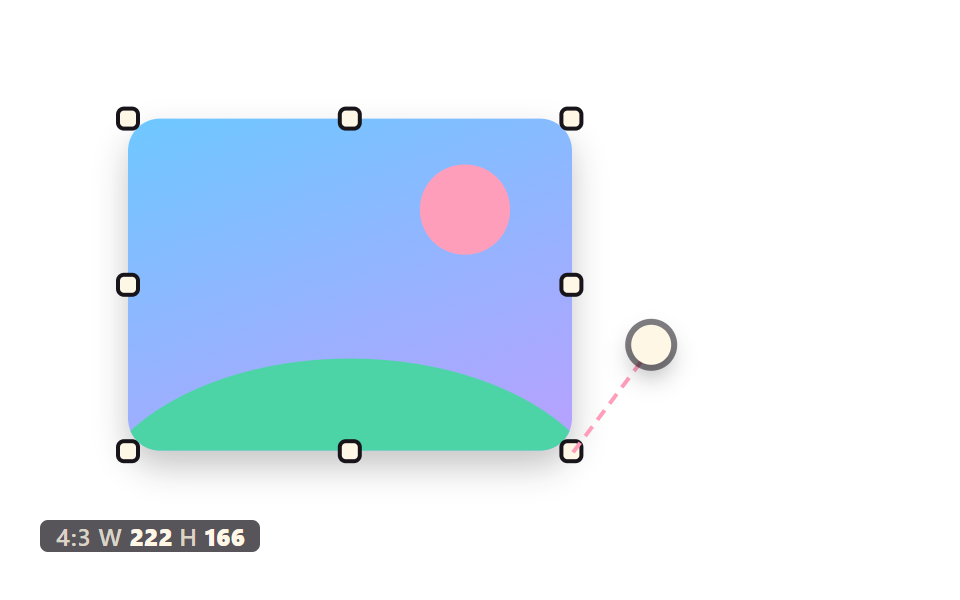 drag05 An Image That Scales From Eight Handles With Ratio LockedCSS Resize Handle: 9 Demos That Follow Your Grip
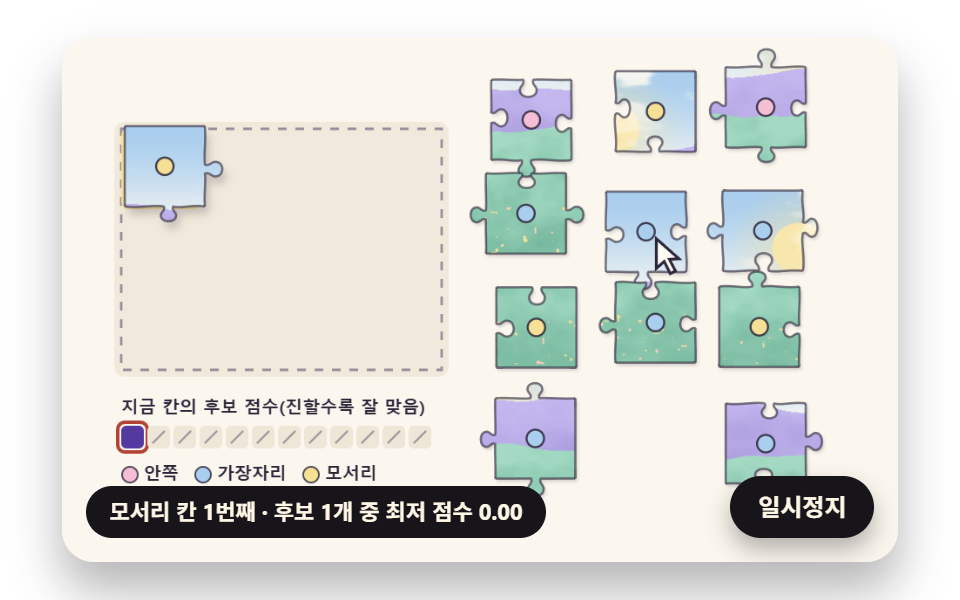 drag06 An Auto Solver That Starts from the BorderJigsaw Puzzle JavaScript: 9 Snapping Tab Boards