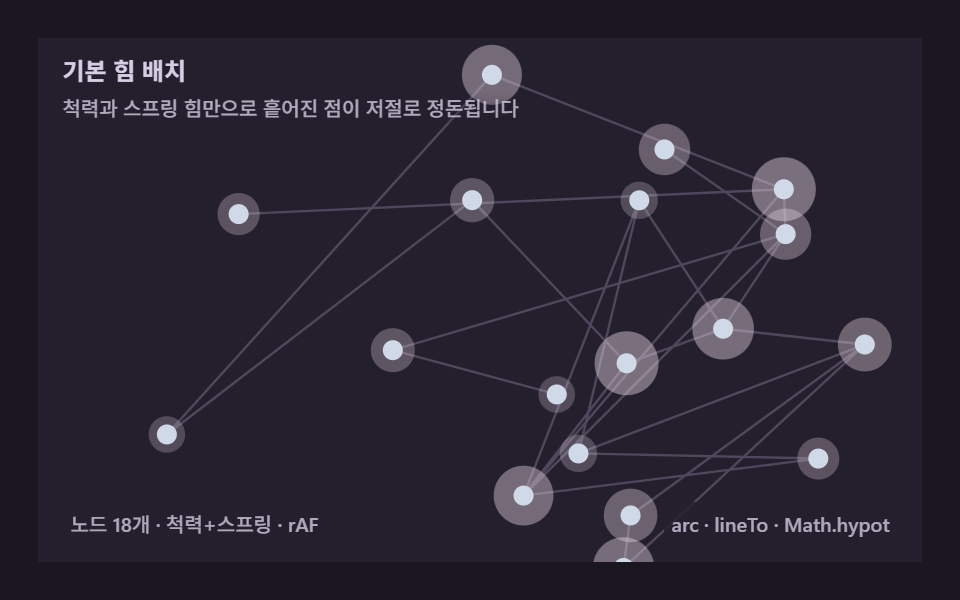
01Basic force layout — repulsion and springs alone tidy scattered dots
Sum a repulsion between every pair and a spring along every edge each frame, and tangled nodes settle into a readable picture on their own — the minimal implementation every force layout starts from.
Best forRelationship diagram intros, org-chart drafts
arclineTorequestAnimationFrameMath.hypot
<main class="stage">
<div class="ga is-demo" id="gaRoot" role="application" aria-label="Force layout network graph demo" tabindex="0">
  <canvas class="ga__cv" id="gaCv"></canvas>
  <p class="ga__hint">
    <span class="ga__title">Basic force layout</span>
    <span class="ga__desc">Repulsion and spring force alone let scattered points settle on their own</span>
  </p>
  <div class="ga__bar">
    <span class="ga__meta">18 nodes · repulsion+spring · rAF</span>
    <span class="ga__meta ga__meta--dim">arc · lineTo · Math.hypot</span>
  </div>
</div>
</main>
@use "../../../../site/static/demo-tokens" as *;
// 기본 힘 배치(01) — @keyframes 를 두지 않는다. 움직임은 전부 캔버스 rAF 루프
// (매 프레임 척력·스프링 재계산)가 만든다. 무대 잉크 — 어두운 판 위 파스텔 노드.
$ga-stage: #1a1720;
@include stage($ga-stage);
$ga-panel: #241f2d; // 캔버스 바닥 — 무대보다 한 단계 밝은 먹보라
$ga-text: #d5cfe6; // 라벨 글자 — 밝은 라일락 회색
$ga-edge: #6f6a82; // 링크 선 — 저채도 회보라
$ga-node: #cfd9e7; // 노드 — 파스텔 아이리스 블루
$ga-glow: #e8d5e2; // 노드 둘레 광 — 벚꽃 파스텔
$duration: $dur-loop;
$easing: $ease-out;
$color: $ga-node;
.ga {
--ga-panel: #{$ga-panel};
--ga-edge: #{$ga-edge};
--ga-node: #{$ga-node};
--ga-glow: #{$ga-glow};
position: relative;
display: flex; flex-direction: column;
width: 100%; height: 100%; min-height: 164px;
overflow: hidden;
}
.ga__cv { position: absolute; inset: 0; display: block; width: 100%; height: 100%; }
.ga__hint {
position: relative; z-index: 1;
display: flex; flex-direction: column; gap: 0; margin: 0;
padding: $sp-2 $sp-3 0;
font-weight: 700; font-size: clamp(10px, 2.8vw, 12px); line-height: 1.35;
color: $ga-text;
}
.ga__title { text-shadow: 0 1px 6px rgba($ga-panel, 1); }
.ga__desc {
margin-top: $sp-1;
font-weight: 500; font-size: clamp(9px, 2.4vw, 10px); line-height: 1.4;
color: rgba($ga-text, .78);
text-shadow: 0 1px 6px rgba($ga-panel, 1);
}
.ga__bar {
position: relative; z-index: 1;
margin-top: auto;
display: flex; align-items: baseline; justify-content: space-between; gap: $sp-2;
padding: 0 $sp-3 $sp-2;
}
.ga__meta {
font-size: 10px; font-weight: 500; color: rgba($ga-text, .78);
background: rgba($ga-panel, .8);
border-radius: $r-xs;
padding: 4px $sp-1;
}
.ga:focus-visible { outline: 2px solid $ga-node; outline-offset: -2px; }
@media (max-width: 340px) {
.ga__meta--dim { display: none; }
}
// reduce — rAF 를 돌리지 않고 정착된 배치 한 장만 남는다.
@media (prefers-reduced-motion: reduce) {
.ga.is-still { cursor: default !important; }
}html, body {
margin: 0;
overflow: hidden;
}
.stage {
box-sizing: border-box;
min-height: 100vh;
display: grid;
place-items: center;
margin: 0;
background: #1a1720;
font-family: -apple-system, "Segoe UI", "Noto Sans KR", sans-serif;
padding: clamp(8px, 4vw, 24px);
}
.ga {
--ga-panel: #241f2d;
--ga-edge: #6f6a82;
--ga-node: #cfd9e7;
--ga-glow: #e8d5e2;
position: relative;
display: flex;
flex-direction: column;
width: 100%;
height: 100%;
min-height: 164px;
overflow: hidden;
}
.ga__cv {
position: absolute;
inset: 0;
display: block;
width: 100%;
height: 100%;
}
.ga__hint {
position: relative;
z-index: 1;
display: flex;
flex-direction: column;
gap: 0;
margin: 0;
padding: 8px 12px 0;
font-weight: 700;
font-size: clamp(10px, 2.8vw, 12px);
line-height: 1.35;
color: #d5cfe6;
}
.ga__title {
text-shadow: 0 1px 6px #241f2d;
}
.ga__desc {
margin-top: 4px;
font-weight: 500;
font-size: clamp(9px, 2.4vw, 10px);
line-height: 1.4;
color: rgba(213, 207, 230, 0.78);
text-shadow: 0 1px 6px #241f2d;
}
.ga__bar {
position: relative;
z-index: 1;
margin-top: auto;
display: flex;
align-items: baseline;
justify-content: space-between;
gap: 8px;
padding: 0 12px 8px;
}
.ga__meta {
font-size: 10px;
font-weight: 500;
color: rgba(213, 207, 230, 0.78);
background: rgba(36, 31, 45, 0.8);
border-radius: 4px;
padding: 4px 4px;
}
.ga:focus-visible {
outline: 2px solid #cfd9e7;
outline-offset: -2px;
}
@media (max-width: 340px) {
.ga__meta--dim {
display: none;
}
}
@media (prefers-reduced-motion: reduce) {
.ga.is-still {
cursor: default !important;
}
}// Basic force layout(01) — 모든 노드 쌍의 척력(쿨롱형)과 엣지의 스프링(훅 법칙)을
// 매 프레임 합산해 좌표 자체를 다시 계산한다. 속성 트윈이 아니라 계산으로 움직인다.
// 흩어진 시작점에서 출발해 실시간으로 정돈된 그림으로 수렴하고, 수렴한 뒤에도
// 아주 약한 무작위 힘(온도)을 계속 더해 화면이 완전히 멈추지 않게 한다.
(function () {
// ── 변형 상수 블록 — 아래 값 하나만 바꿔 변형을 만든다 ──
var N = 18; // 노드 개수
var ATTRACT = 0.02; // 스프링 강도(k) — 변형 1: 0.02 → 0.08
var REPEL = 900; // 척력 강도
// ────────────────────────────────────────────────────
var REST = 46; // 스프링 목표 길이
var DAMP = 0.955; // 속도 감쇠 — 낮출수록 오래 출렁인다
var CENTER_K = 0.0009; // 중심으로 약하게 당기는 힘 — 그래프가 화면 밖으로 흘러가지 않게
var JITTER = 50; // 항상 더하는 무작위 힘(온도) — 화면 전역이 계속 출렁이게 한다
var NR = 5; // 노드 반지름
var OMEGA = 0.5; // 전체를 중심 기준 아주 천천히 돌리는 각속도(rad/s) — 화면 넓게 훑는다
var root = document.getElementById('gaRoot');
var cvEl = document.getElementById('gaCv');
if (!root || !cvEl) return;
var css = getComputedStyle(root);
function tokRGB(name) {
var s = css.getPropertyValue(name).trim();
var hx = s.length === 4
? s.charAt(1) + s.charAt(1) + s.charAt(2) + s.charAt(2) + s.charAt(3) + s.charAt(3)
: s.slice(1);
return [parseInt(hx.slice(0, 2), 16), parseInt(hx.slice(2, 4), 16), parseInt(hx.slice(4, 6), 16)];
}
var C_PANEL = tokRGB('--ga-panel');
var C_EDGE = tokRGB('--ga-edge');
var C_NODE = tokRGB('--ga-node');
var C_GLOW = tokRGB('--ga-glow');
var ctx = cvEl.getContext('2d');
var W = 0, H = 0, dpr = Math.min(window.devicePixelRatio || 1, 2);
function makeRand(seed) {
var st = seed >>> 0;
return function () {
st = (st + 0x6D2B79F5) >>> 0;
var t = st;
t = Math.imul(t ^ (t >>> 15), t | 1);
t ^= t + Math.imul(t ^ (t >>> 7), t | 61);
return ((t ^ (t >>> 14)) >>> 0) / 4294967296;
};
}
var rand = makeRand(0x327001);
var px, py, vx, vy, edges;
function buildGraph() {
px = new Float32Array(N); py = new Float32Array(N);
vx = new Float32Array(N); vy = new Float32Array(N);
for (var i = 0; i < N; i++) {
px[i] = rand() * W; py[i] = rand() * H;
}
edges = [];
for (var a = 1; a < N; a++) {
edges.push([a, Math.floor(rand() * a)]); // 스패닝 트리 — 모든 노드가 연결된다
}
var extra = Math.round(N * 0.5);
for (var k = 0; k < extra; k++) {
var u = Math.floor(rand() * N), v = Math.floor(rand() * N);
if (u !== v) edges.push([u, v]);
}
}
function fit() {
var r = root.getBoundingClientRect();
W = Math.round(r.width); H = Math.round(r.height);
cvEl.width = Math.round(W * dpr); cvEl.height = Math.round(H * dpr);
ctx.setTransform(dpr, 0, 0, dpr, 0, 0);
buildGraph();
}
function step(dt) {
var fx = new Float32Array(N), fy = new Float32Array(N);
for (var i = 0; i < N; i++) {
for (var j = i + 1; j < N; j++) {
var dx = px[j] - px[i], dy = py[j] - py[i];
var d2 = dx * dx + dy * dy; if (d2 < 4) d2 = 4;
var d = Math.sqrt(d2);
var f = REPEL / d2;
var ux = dx / d, uy = dy / d;
fx[i] -= ux * f; fy[i] -= uy * f;
fx[j] += ux * f; fy[j] += uy * f;
}
}
for (var e = 0; e < edges.length; e++) {
var a = edges[e][0], b = edges[e][1];
var dx2 = px[b] - px[a], dy2 = py[b] - py[a];
var d3 = Math.hypot(dx2, dy2) || 0.001;
var diff = (d3 - REST) * ATTRACT;
var ux2 = dx2 / d3, uy2 = dy2 / d3;
fx[a] += ux2 * diff; fy[a] += uy2 * diff;
fx[b] -= ux2 * diff; fy[b] -= uy2 * diff;
}
var cx = W / 2, cy = H / 2;
for (var n = 0; n < N; n++) {
fx[n] += (cx - px[n]) * CENTER_K;
fy[n] += (cy - py[n]) * CENTER_K;
fx[n] += (rand() - 0.5) * JITTER;
fy[n] += (rand() - 0.5) * JITTER;
vx[n] = (vx[n] + fx[n] * dt) * DAMP;
vy[n] = (vy[n] + fy[n] * dt) * DAMP;
px[n] += vx[n] * dt; py[n] += vy[n] * dt;
}
}
function rotateAll(dtheta) {
var cx = W / 2, cy = H / 2, cs = Math.cos(dtheta), sn = Math.sin(dtheta);
for (var i = 0; i < N; i++) {
var rx = px[i] - cx, ry = py[i] - cy;
px[i] = cx + rx * cs - ry * sn;
py[i] = cy + rx * sn + ry * cs;
}
}
function draw(t) {
ctx.clearRect(0, 0, W, H);
ctx.fillStyle = 'rgb(' + C_PANEL.join(',') + ')';
ctx.fillRect(0, 0, W, H);
ctx.lineWidth = 1.2;
ctx.strokeStyle = 'rgba(' + C_EDGE.join(',') + ',0.55)';
ctx.beginPath();
for (var e = 0; e < edges.length; e++) {
var a = edges[e][0], b = edges[e][1];
ctx.moveTo(px[a], py[a]); ctx.lineTo(px[b], py[b]);
}
ctx.stroke();
for (var i = 0; i < N; i++) {
var pulse = 0.5 + 0.5 * Math.sin(t * 2.2 + i * 0.7);
ctx.fillStyle = 'rgba(' + C_GLOW.join(',') + ',' + (0.24 + 0.2 * pulse).toFixed(3) + ')';
ctx.beginPath(); ctx.arc(px[i], py[i], NR + 4 + pulse * 7, 0, Math.PI * 2); ctx.fill();
ctx.fillStyle = 'rgb(' + C_NODE.join(',') + ')';
ctx.beginPath(); ctx.arc(px[i], py[i], NR, 0, Math.PI * 2); ctx.fill();
}
}
var reduce = window.matchMedia('(prefers-reduced-motion: reduce)').matches;
var t0 = -1, last = -1;
function frame(now) {
if (t0 < 0) { t0 = now; last = now; }
var dt = Math.min((now - last) / 1000, 0.05); last = now;
var t = (now - t0) / 1000;
step(dt);
rotateAll(OMEGA * dt);
draw(t);
requestAnimationFrame(frame);
}
window.addEventListener('resize', function () {
fit();
if (reduce) settle();
});
function settle() {
for (var s = 0; s < 260; s++) step(1 / 60);
draw(0);
}
fit();
if (reduce) {
settle();
root.classList.add('is-still');
} else {
requestAnimationFrame(frame);
}
})();// GraphForceBasicSpring — vanilla 판(run/327/demo/01-graph-force-basic-spring/index.html) 의 React 포트.
// 모든 노드 쌍의 척력(쿨롱형)과 엣지의 스프링(훅 법칙)을 매 프레임 합산해 좌표 자체를 다시 계산한다.
// 속성 트윈이 아니라 계산으로 움직인다. 흩어진 시작점에서 정돈된 그림으로 수렴하고, 수렴한 뒤에도
// 아주 약한 무작위 힘(온도)을 계속 더해 화면이 완전히 멈추지 않는다. 전체는 rotateAll 로 천천히 강체 회전한다.
import { useEffect, useRef, useState } from "react";
import type { CSSProperties } from "react";
import styles from "./GraphForceBasicSpring.module.scss";
export type GraphForceBasicSpringProps = {
duration?: string;
easing?: string;
color?: string;
n?: number; // 노드 개수
attract?: number; // 스프링 강도(k) — 변형 1: 0.02 → 0.08
repel?: number; // 척력 강도
};
// ── 변형 상수(기본값) — vanilla 판과 동일 ──
const N = 18;
const ATTRACT = 0.02;
const REPEL = 900;
const REST = 46; // 스프링 목표 길이
const DAMP = 0.955; // 속도 감쇠 — 낮출수록 오래 출렁인다
const CENTER_K = 0.0009; // 중심으로 약하게 당기는 힘
const JITTER = 50; // 항상 더하는 무작위 힘(온도)
const NR = 5; // 노드 반지름
const OMEGA = 0.5; // 전체를 중심 기준 천천히 돌리는 각속도(rad/s)
const SEED = 0x327001;
type Vars = CSSProperties & { "--duration"?: string; "--easing"?: string; "--color"?: string };
type Box<T> = { current: T };
type RGB = [number, number, number];
const BOARD_LABEL = "힘 배치 관계도 실험판";
const META_LEFT = "노드 18개 · 척력+스프링 · rAF";
const META_RIGHT = "arc · lineTo · Math.hypot";
const HINT_TITLE = "기본 힘 배치";
const HINT_DESC = "척력과 스프링 힘만으로 흩어진 점이 저절로 정돈됩니다";
function makeRand(seed: number): () => number {
let st = seed >>> 0;
return function () {
st = (st + 0x6d2b79f5) >>> 0;
let t = st;
t = Math.imul(t ^ (t >>> 15), t | 1);
t ^= t + Math.imul(t ^ (t >>> 7), t | 61);
return ((t ^ (t >>> 14)) >>> 0) / 4294967296;
};
}
export default function GraphForceBasicSpring({
duration = "2s",
easing = "ease-out",
color = "#cfd9e7",
n = N,
attract = ATTRACT,
repel = REPEL
}: GraphForceBasicSpringProps) {
const rootRef = useRef<HTMLDivElement | null>(null);
const cvRef = useRef<HTMLCanvasElement | null>(null);
const ctxRef = useRef<CanvasRenderingContext2D | null>(null);
const colRef = useRef<{ panel: RGB; edge: RGB; node: RGB; glow: RGB } | null>(null);
const wRef = useRef(0) as Box<number>;
const hRef = useRef(0) as Box<number>;
const rafRef = useRef(0) as Box<number>;
const randRef = useRef(makeRand(SEED)) as Box<() => number>;
const pxRef = useRef<Float32Array | null>(null);
const pyRef = useRef<Float32Array | null>(null);
const vxRef = useRef<Float32Array | null>(null);
const vyRef = useRef<Float32Array | null>(null);
const edgesRef = useRef<[number, number][]>([]);
const [still, setStill] = useState(false);
const vars: Vars = { "--duration": duration, "--easing": easing, "--color": color };
function reduced(): boolean {
return window.matchMedia("(prefers-reduced-motion: reduce)").matches;
}
function tokRGB(root: HTMLDivElement, name: string): RGB {
const s = getComputedStyle(root).getPropertyValue(name).trim();
const hx = s.length === 4
? s.charAt(1) + s.charAt(1) + s.charAt(2) + s.charAt(2) + s.charAt(3) + s.charAt(3)
: s.slice(1);
return [parseInt(hx.slice(0, 2), 16), parseInt(hx.slice(2, 4), 16), parseInt(hx.slice(4, 6), 16)];
}
function buildGraph(): void {
const rand = randRef.current;
const W = wRef.current, H = hRef.current;
const px = new Float32Array(n), py = new Float32Array(n);
const vx = new Float32Array(n), vy = new Float32Array(n);
for (let i = 0; i < n; i++) {
px[i] = rand() * W; py[i] = rand() * H;
}
const edges: [number, number][] = [];
for (let a = 1; a < n; a++) {
edges.push([a, Math.floor(rand() * a)]); // 스패닝 트리 — 모든 노드가 연결된다
}
const extra = Math.round(n * 0.5);
for (let k = 0; k < extra; k++) {
const u = Math.floor(rand() * n), v = Math.floor(rand() * n);
if (u !== v) edges.push([u, v]);
}
pxRef.current = px; pyRef.current = py; vxRef.current = vx; vyRef.current = vy;
edgesRef.current = edges;
}
function fit(): void {
const root = rootRef.current;
const cv = cvRef.current;
const ctx = ctxRef.current;
if (!root || !cv || !ctx) return;
const r = root.getBoundingClientRect();
const dpr = Math.min(window.devicePixelRatio || 1, 2);
wRef.current = Math.round(r.width);
hRef.current = Math.round(r.height);
cv.width = Math.round(wRef.current * dpr);
cv.height = Math.round(hRef.current * dpr);
ctx.setTransform(dpr, 0, 0, dpr, 0, 0);
buildGraph();
}
function step(dt: number): void {
const px = pxRef.current, py = pyRef.current, vx = vxRef.current, vy = vyRef.current;
const edges = edgesRef.current;
const rand = randRef.current;
const W = wRef.current, H = hRef.current;
if (!px || !py || !vx || !vy || !edges) return;
const fx = new Float32Array(n), fy = new Float32Array(n);
for (let i = 0; i < n; i++) {
for (let j = i + 1; j < n; j++) {
const dx = px[j] - px[i], dy = py[j] - py[i];
let d2 = dx * dx + dy * dy; if (d2 < 4) d2 = 4;
const d = Math.sqrt(d2);
const f = repel / d2;
const ux = dx / d, uy = dy / d;
fx[i] -= ux * f; fy[i] -= uy * f;
fx[j] += ux * f; fy[j] += uy * f;
}
}
for (let e = 0; e < edges.length; e++) {
const a = edges[e][0], b = edges[e][1];
const dx2 = px[b] - px[a], dy2 = py[b] - py[a];
const d3 = Math.hypot(dx2, dy2) || 0.001;
const diff = (d3 - REST) * attract;
const ux2 = dx2 / d3, uy2 = dy2 / d3;
fx[a] += ux2 * diff; fy[a] += uy2 * diff;
fx[b] -= ux2 * diff; fy[b] -= uy2 * diff;
}
const cx = W / 2, cy = H / 2;
for (let i = 0; i < n; i++) {
fx[i] += (cx - px[i]) * CENTER_K;
fy[i] += (cy - py[i]) * CENTER_K;
fx[i] += (rand() - 0.5) * JITTER;
fy[i] += (rand() - 0.5) * JITTER;
vx[i] = (vx[i] + fx[i] * dt) * DAMP;
vy[i] = (vy[i] + fy[i] * dt) * DAMP;
px[i] += vx[i] * dt; py[i] += vy[i] * dt;
}
}
function rotateAll(dtheta: number): void {
const px = pxRef.current, py = pyRef.current;
if (!px || !py) return;
const W = wRef.current, H = hRef.current;
const cx = W / 2, cy = H / 2, cs = Math.cos(dtheta), sn = Math.sin(dtheta);
for (let i = 0; i < n; i++) {
const rx = px[i] - cx, ry = py[i] - cy;
px[i] = cx + rx * cs - ry * sn;
py[i] = cy + rx * sn + ry * cs;
}
}
function draw(t: number): void {
const ctx = ctxRef.current;
const col = colRef.current;
const px = pxRef.current, py = pyRef.current;
const edges = edgesRef.current;
const W = wRef.current, H = hRef.current;
const rand = randRef.current;
if (!ctx || !col || !px || !py || !edges) return;
ctx.clearRect(0, 0, W, H);
ctx.fillStyle = "rgb(" + col.panel.join(",") + ")";
ctx.fillRect(0, 0, W, H);
ctx.lineWidth = 1.2;
ctx.strokeStyle = "rgba(" + col.edge.join(",") + ",0.55)";
ctx.beginPath();
for (let e = 0; e < edges.length; e++) {
const a = edges[e][0], b = edges[e][1];
ctx.moveTo(px[a], py[a]); ctx.lineTo(px[b], py[b]);
}
ctx.stroke();
for (let i = 0; i < n; i++) {
const pulse = 0.5 + 0.5 * Math.sin(t * 2.2 + i * 0.7);
ctx.fillStyle = "rgba(" + col.glow.join(",") + "," + (0.24 + 0.2 * pulse).toFixed(3) + ")";
ctx.beginPath(); ctx.arc(px[i], py[i], NR + 4 + pulse * 7, 0, Math.PI * 2); ctx.fill();
ctx.fillStyle = "rgb(" + col.node.join(",") + ")";
ctx.beginPath(); ctx.arc(px[i], py[i], NR, 0, Math.PI * 2); ctx.fill();
}
}
function settle(): void {
for (let s = 0; s < 260; s++) step(1 / 60);
draw(0);
}
let t0 = -1, last = -1;
function frame(now: number): void {
if (t0 < 0) { t0 = now; last = now; }
const dt = Math.min((now - last) / 1000, 0.05); last = now;
const t = (now - t0) / 1000;
step(dt);
rotateAll(OMEGA * dt);
draw(t);
rafRef.current = requestAnimationFrame(frame);
}
useEffect(() => {
const root = rootRef.current;
const cv = cvRef.current;
if (!root || !cv) return;
colRef.current = {
panel: tokRGB(root, "--ga-panel"),
edge: tokRGB(root, "--ga-edge"),
node: tokRGB(root, "--ga-node"),
glow: tokRGB(root, "--ga-glow")
};
ctxRef.current = cv.getContext("2d");
fit();
function onResize(): void {
fit();
if (reduced()) settle();
}
window.addEventListener("resize", onResize);
if (reduced()) {
settle();
setStill(true);
} else {
t0 = -1; last = -1;
rafRef.current = requestAnimationFrame(frame);
}
return () => {
window.removeEventListener("resize", onResize);
cancelAnimationFrame(rafRef.current);
};
// eslint-disable-next-line react-hooks/exhaustive-deps
}, [n, attract, repel]);
const rootCls = still ? `${styles.root} ${styles.isStill}` : styles.root;
return (
<main className={styles.stage}>
<div
className={rootCls}
ref={rootRef}
style={vars}
role="application"
aria-label={BOARD_LABEL}
tabIndex={0}
>
<canvas className={styles.cv} ref={cvRef}></canvas>
<p className={styles.hint}>
<span className={styles.title}>{HINT_TITLE}</span>
<span className={styles.desc}>{HINT_DESC}</span>
</p>
<div className={styles.bar}>
<span className={styles.meta}>{META_LEFT}</span>
<span className={styles.metaDim}>{META_RIGHT}</span>
</div>
</div>
</main>
);
}01 Basic force layout — repulsion and springs alone tidy scattered dots — Measured area 46.931% · moving frames 23/23Original by GODRICH · SCSS and React ship in the zip · Force Directed Graph: 9 Network Layout Demos
The post this demo lives in
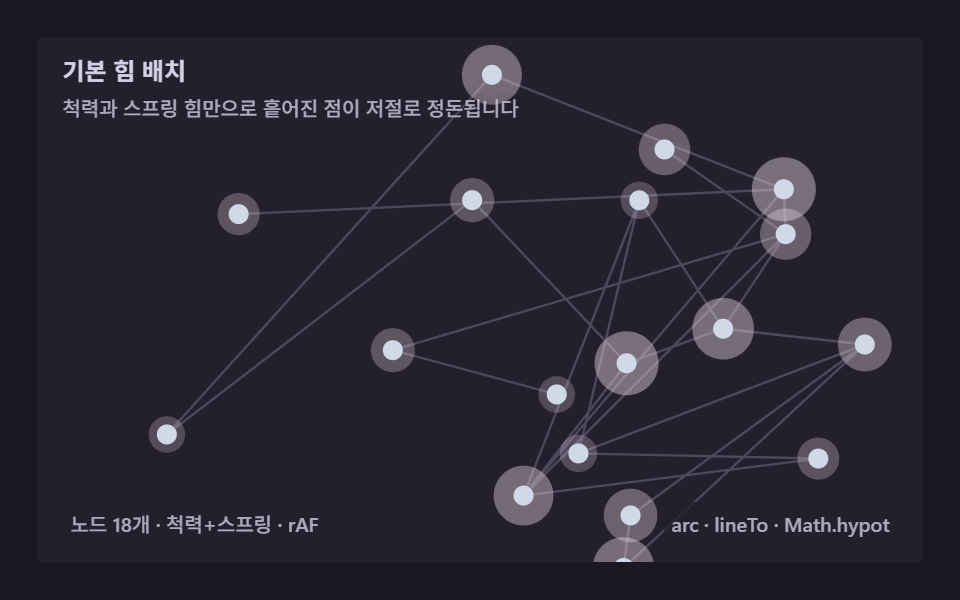 Force Directed Graph: 9 Network Layout DemosGive nodes a push-and-pull force and a tangled relationship untangles into a readable picture on its own. A canvas engin See all demos in this post
If you like this effect - similar demos
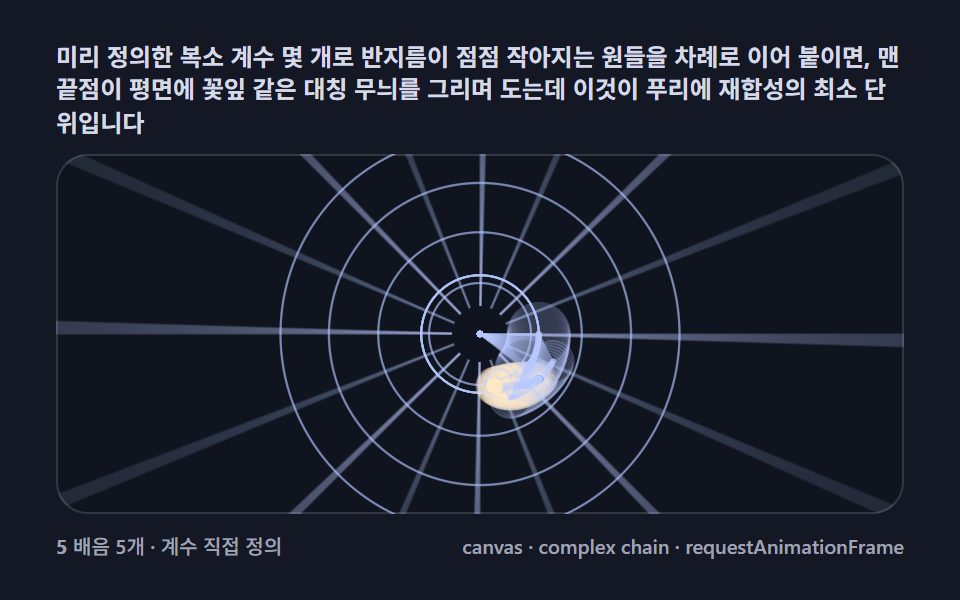 Creative UI01 Basic epicycle chain — circles stacked on circles, orbiting and plotting a pointFourier Epicycles, 9 Ways (No Library)
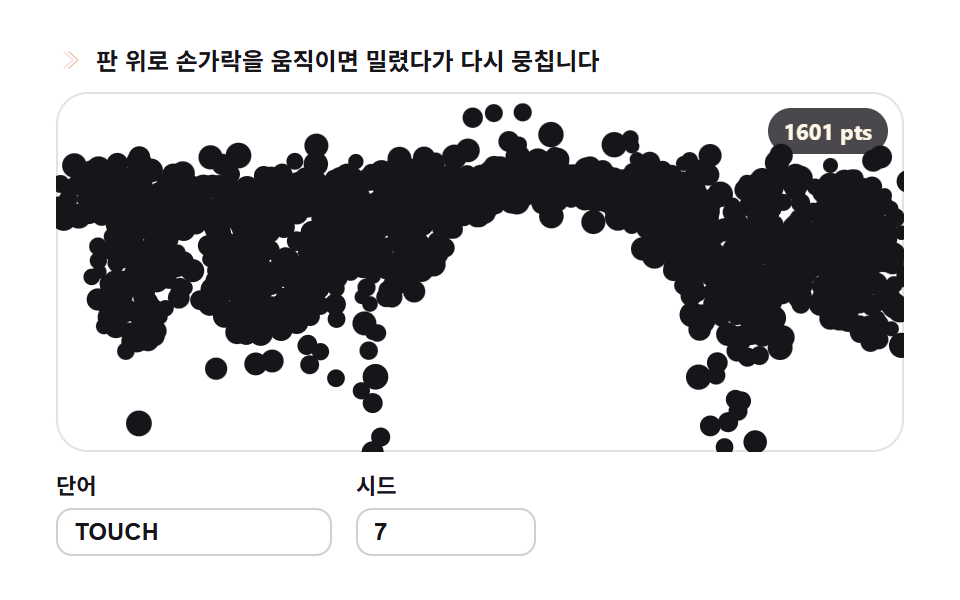 Creative UI09 Scatter and reassemble — letters reforming around the pointer9 Text Particle Effect CSS Ideas From Pixels
 Creative UI01 The basic strike — one layer of midpoint displacement halving a segment9 Lightning Effect Background Scenes, No WebGL