05Password strength gauge that scores as you type
A four-cell gauge fills one cell each for length, mixed case, a digit, and a symbol, and the weak, mid, or strong label and color switch together based on how many cells are lit.
Best forAccount security settings and password-change screens
scaleXsteps(1, end)textContent
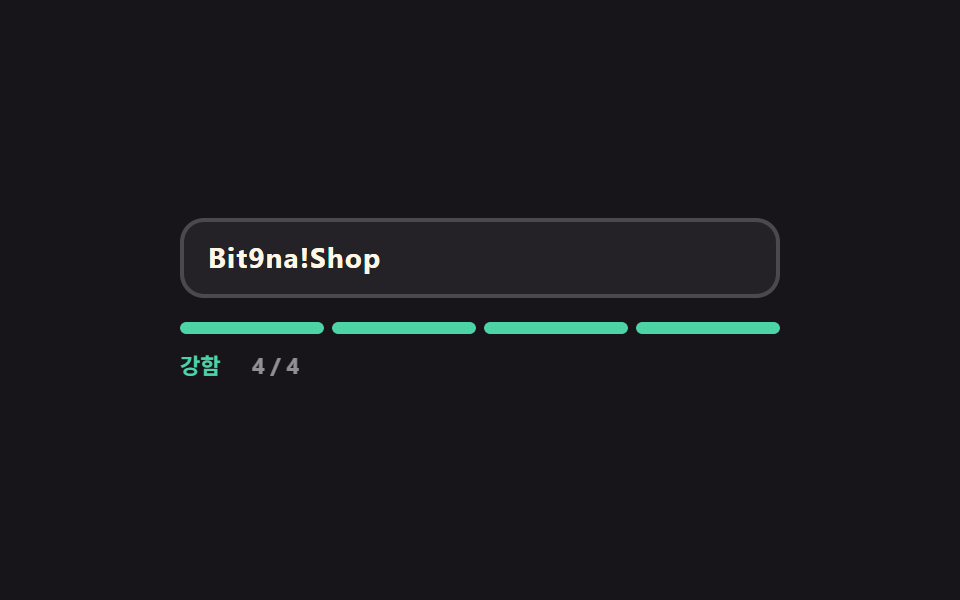
<main class="stage">
  <div class="pg is-demo" id="pg" data-score="1">
    <div class="pg__field">
      <input class="pg__input" id="pg-input" type="text" autocomplete="off" aria-describedby="pg-out" placeholder="Type a password">
      <span class="pg__ghost" aria-hidden="true">Bit9na!Shop</span>
    </div>
    <div class="pg__gauge" aria-hidden="true">
      <span class="pg__cell" data-cell="1"></span>
      <span class="pg__cell" data-cell="2"></span>
      <span class="pg__cell" data-cell="3"></span>
      <span class="pg__cell" data-cell="4"></span>
    </div>
    <p class="pg__out" id="pg-out">
      <span class="pg__words" aria-hidden="true">
        <span class="pg__w" data-w="low">Weak</span><span class="pg__w" data-w="mid">Fair</span><span class="pg__w" data-w="high">Strong</span>
      </span>
      <span class="pg__nums" aria-hidden="true">
        <span class="pg__n" data-n="0">0 / 4</span><span class="pg__n" data-n="1">1 / 4</span><span class="pg__n" data-n="2">2 / 4</span><span class="pg__n" data-n="3">3 / 4</span><span class="pg__n" data-n="4">4 / 4</span>
      </span>
      <span class="pg__say" id="pg-say" role="status" aria-live="polite">Only one of the four rules is met</span>
    </p>
  </div>
</main>
@use "../../../../site/static/demo-tokens" as *;
$duration: $dur-quick;
$easing: $ease-spring;
$color: $subject-blue;
@include stage($stage-ink);
$low: $error;
$mid: #cab493;
$high: $subject-mint;
.pg {
box-sizing: border-box;
width: min(300px, 86vw);
font-family: -apple-system, "Segoe UI", "Noto Sans KR", sans-serif;
}
.pg__field { position: relative; }
.pg__input {
box-sizing: border-box;
width: 100%; height: 40px;
padding: 0 $sp-3;
border: 2px solid rgba(255, 255, 255, .18);
border-radius: $r-control;
background: rgba(255, 255, 255, .06);
color: $subject-cream;
font-family: inherit;
font-size: 14px; line-height: 36px; font-weight: 700;
letter-spacing: .04em;
}
.pg__input::placeholder { color: rgba(255, 255, 255, .38); font-weight: 600; letter-spacing: normal; }
.pg__input:focus-visible { outline: 2px solid $color; outline-offset: 2px; }
// 자동 루프에서만 보이는 "쳐 넣는 글자". 진짜 placeholder 와 겹치지 않게 지운다
.pg.is-demo .pg__input::placeholder { color: transparent; }
.pg__ghost {
position: absolute;
left: 14px; top: 0;
color: $subject-cream;
font-size: 14px; line-height: 40px; font-weight: 700;
letter-spacing: .04em;
white-space: nowrap;
pointer-events: none;
opacity: 0;
}
// ── 네 칸 게이지 — 칸마다 왼쪽에서 자란다 ────────────────
.pg__gauge {
// 격자로 넷을 똑같이 나눈다 — flex 균등분배(1 1 0)는 고정 px 지오메트리와 섞이면 어긋난다
display: grid;
grid-template-columns: repeat(4, 1fr);
gap: $sp-1;
margin-top: $sp-3;
}
.pg__cell {
position: relative;
height: 6px;
border-radius: $r-pill;
background: rgba(255, 255, 255, .14);
overflow: hidden;
}
.pg__cell::after {
content: "";
position: absolute;
inset: 0;
border-radius: $r-pill;
background: $low;
transform: scaleX(0);
transform-origin: left center; // 규칙8: 네 칸 게이지 좌측 채움
transition: transform $duration $easing, background $duration $easing;
}
.pg[data-score="1"] .pg__cell[data-cell="1"]::after,
.pg[data-score="2"] .pg__cell[data-cell="1"]::after,
.pg[data-score="2"] .pg__cell[data-cell="2"]::after,
.pg[data-score="3"] .pg__cell[data-cell="1"]::after,
.pg[data-score="3"] .pg__cell[data-cell="2"]::after,
.pg[data-score="3"] .pg__cell[data-cell="3"]::after,
.pg[data-score="4"] .pg__cell::after { transform: scaleX(1); }
.pg[data-score="2"] .pg__cell::after,
.pg[data-score="3"] .pg__cell::after { background: $mid; }
.pg[data-score="4"] .pg__cell::after { background: $high; }
// ── 등급 한 줄 — 낱말과 점수를 겹쳐 두고 하나만 켠다 ──────
.pg__out {
position: relative;
display: flex;
align-items: center;
gap: $sp-2;
height: 16px;
margin: $sp-2 0 0;
font-size: 11px; line-height: 16px; font-weight: 700;
}
.pg__words, .pg__nums {
position: relative;
display: inline-block;
flex: 0 0 auto;
height: 16px;
}
.pg__words { width: 28px; }
.pg__nums { width: 32px; color: rgba(255, 255, 255, .52); }
.pg__w, .pg__n {
position: absolute;
left: 0; top: 0;
white-space: nowrap;
opacity: 0;
}
.pg__w[data-w="low"] { color: $low; }
.pg__w[data-w="mid"] { color: $mid; }
.pg__w[data-w="high"] { color: $high; }
.pg[data-score="0"] .pg__w[data-w="low"],
.pg[data-score="1"] .pg__w[data-w="low"],
.pg[data-score="2"] .pg__w[data-w="mid"],
.pg[data-score="3"] .pg__w[data-w="mid"],
.pg[data-score="4"] .pg__w[data-w="high"] { opacity: 1; }
.pg[data-score="0"] .pg__n[data-n="0"],
.pg[data-score="1"] .pg__n[data-n="1"],
.pg[data-score="2"] .pg__n[data-n="2"],
.pg[data-score="3"] .pg__n[data-n="3"],
.pg[data-score="4"] .pg__n[data-n="4"] { opacity: 1; }
.pg__say {
// 등급은 눈으로 칸이 말해 준다 — 문장은 낭독기 쪽으로만 보낸다
position: absolute;
width: 1px; height: 1px;
overflow: hidden;
clip-path: inset(50%);
}
// ── 자동 루프 (2s) ────────────────────────────────────
// 0~16% 1점 → 24% 2점 → 42% 3점 → 60% 4점(강함이 가장 큰 변화 = poster)
// → 76·80·84% 칸을 하나씩 흩어서 끄고 88% 되감기. 등급 낱말 교체는 steps(1, end) 컷 — 겹치면 두 낱말이 반투명하게 포개진다.
.pg.is-demo .pg__ghost {
opacity: 1;
animation-name: pg-type;
animation-duration: $dur-loop;
animation-timing-function: steps(1, end);
animation-iteration-count: infinite;
}
.pg.is-demo .pg__cell::after {
transition: none;
animation-duration: $dur-loop;
animation-timing-function: $easing;
animation-iteration-count: infinite;
}
.pg.is-demo .pg__cell[data-cell="1"]::after { animation-name: pg-c1; }
.pg.is-demo .pg__cell[data-cell="2"]::after { animation-name: pg-c2; }
.pg.is-demo .pg__cell[data-cell="3"]::after { animation-name: pg-c3; }
.pg.is-demo .pg__cell[data-cell="4"]::after { animation-name: pg-c4; }
.pg.is-demo .pg__w,
.pg.is-demo .pg__n {
animation-duration: $dur-loop;
animation-timing-function: steps(1, end);
animation-iteration-count: infinite;
}
.pg.is-demo .pg__w[data-w="low"] { animation-name: pg-w-low; }
.pg.is-demo .pg__w[data-w="mid"] { animation-name: pg-w-mid; }
.pg.is-demo .pg__w[data-w="high"] { animation-name: pg-w-high; }
.pg.is-demo .pg__n[data-n="1"] { animation-name: pg-n1; }
.pg.is-demo .pg__n[data-n="2"] { animation-name: pg-n2; }
.pg.is-demo .pg__n[data-n="3"] { animation-name: pg-n3; }
.pg.is-demo .pg__n[data-n="4"] { animation-name: pg-n4; }
@keyframes pg-type {
0% { clip-path: inset(0 64% 0 0); }
24% { clip-path: inset(0 46% 0 0); }
42% { clip-path: inset(0 22% 0 0); }
60% { clip-path: inset(0 0 0 0); }
88% { clip-path: inset(0 64% 0 0); }
100% { clip-path: inset(0 64% 0 0); }
}
@keyframes pg-c1 {
0% { transform: scaleX(1); background: $low; }
23.4% { transform: scaleX(1); background: $low; }
24% { transform: scaleX(1); background: $mid; }
59.4% { transform: scaleX(1); background: $mid; }
60% { transform: scaleX(1); background: $high; }
84.4% { transform: scaleX(1); background: $high; }
85% { transform: scaleX(1); background: $low; }
100% { transform: scaleX(1); background: $low; }
}
@keyframes pg-c2 {
0% { transform: scaleX(0); background: $mid; }
20% { transform: scaleX(0); background: $mid; }
24% { transform: scaleX(1); background: $mid; }
30% { transform: scaleX(1); background: $mid; }
59.4% { transform: scaleX(1); background: $mid; }
60% { transform: scaleX(1); background: $high; }
83% { transform: scaleX(1); background: $high; }
84% { transform: scaleX(0); background: $high; }
100% { transform: scaleX(0); background: $high; }
}
@keyframes pg-c3 {
0% { transform: scaleX(0); background: $mid; }
38% { transform: scaleX(0); background: $mid; }
42% { transform: scaleX(1); background: $mid; }
59.4% { transform: scaleX(1); background: $mid; }
60% { transform: scaleX(1); background: $high; }
79% { transform: scaleX(1); background: $high; }
80% { transform: scaleX(0); background: $high; }
100% { transform: scaleX(0); background: $high; }
}
@keyframes pg-c4 {
0% { transform: scaleX(0); background: $high; }
56% { transform: scaleX(0); background: $high; }
60% { transform: scaleX(1); background: $high; }
75% { transform: scaleX(1); background: $high; }
76% { transform: scaleX(0); background: $high; }
100% { transform: scaleX(0); background: $high; }
}
@keyframes pg-w-low { 0% { opacity: 1; } 24% { opacity: 0; } 85% { opacity: 1; } 100% { opacity: 1; } }
@keyframes pg-w-mid { 0% { opacity: 0; } 24% { opacity: 1; } 60% { opacity: 0; } 100% { opacity: 0; } }
@keyframes pg-w-high { 0% { opacity: 0; } 60% { opacity: 1; } 85% { opacity: 0; } 100% { opacity: 0; } }
@keyframes pg-n1 { 0% { opacity: 1; } 24% { opacity: 0; } 85% { opacity: 1; } 100% { opacity: 1; } }
@keyframes pg-n2 { 0% { opacity: 0; } 24% { opacity: 1; } 42% { opacity: 0; } 100% { opacity: 0; } }
@keyframes pg-n3 { 0% { opacity: 0; } 42% { opacity: 1; } 60% { opacity: 0; } 100% { opacity: 0; } }
@keyframes pg-n4 { 0% { opacity: 0; } 60% { opacity: 1; } 85% { opacity: 0; } 100% { opacity: 0; } }
// 320×200 — 무대 여백을 뺀 174px 안에 들어가도록 간격을 내린다(올리지 않는다)
@media (max-width: 360px) {
.pg__input { height: 36px; line-height: 32px; }
.pg__ghost { line-height: 36px; }
.pg__gauge { margin-top: $sp-2; }
}
@media (prefers-reduced-motion: reduce) {
.pg.is-demo .pg__ghost,
.pg.is-demo .pg__cell::after,
.pg.is-demo .pg__w,
.pg.is-demo .pg__n { animation: none !important; }
.pg.is-demo .pg__ghost { opacity: 1; clip-path: inset(0 0 0 0); }
.pg.is-demo .pg__cell::after { transform: scaleX(1); background: $high; }
.pg.is-demo .pg__w[data-w="high"],
.pg.is-demo .pg__n[data-n="4"] { opacity: 1; }
.pg__cell::after { transition: none; }
}html, body {
margin: 0;
overflow: hidden;
}
.stage {
box-sizing: border-box;
min-height: 100vh;
display: grid;
place-items: center;
margin: 0;
background: #17141a;
font-family: -apple-system, "Segoe UI", "Noto Sans KR", sans-serif;
padding: clamp(8px, 4vw, 24px);
}
.pg {
box-sizing: border-box;
width: min(300px, 86vw);
font-family: -apple-system, "Segoe UI", "Noto Sans KR", sans-serif;
}
.pg__field {
position: relative;
}
.pg__input {
box-sizing: border-box;
width: 100%;
height: 40px;
padding: 0 12px;
border: 2px solid rgba(255, 255, 255, 0.18);
border-radius: 12px;
background: rgba(255, 255, 255, 0.06);
color: #fff7e6;
font-family: inherit;
font-size: 14px;
line-height: 36px;
font-weight: 700;
letter-spacing: 0.04em;
}
.pg__input::placeholder {
color: rgba(255, 255, 255, 0.38);
font-weight: 600;
letter-spacing: normal;
}
.pg__input:focus-visible {
outline: 2px solid #2f6df6;
outline-offset: 2px;
}
.pg.is-demo .pg__input::placeholder {
color: transparent;
}
.pg__ghost {
position: absolute;
left: 14px;
top: 0;
color: #fff7e6;
font-size: 14px;
line-height: 40px;
font-weight: 700;
letter-spacing: 0.04em;
white-space: nowrap;
pointer-events: none;
opacity: 0;
}
.pg__gauge {
display: grid;
grid-template-columns: repeat(4, 1fr);
gap: 4px;
margin-top: 12px;
}
.pg__cell {
position: relative;
height: 6px;
border-radius: 999px;
background: rgba(255, 255, 255, 0.14);
overflow: hidden;
}
.pg__cell::after {
content: "";
position: absolute;
inset: 0;
border-radius: 999px;
background: #c2361a;
transform: scaleX(0);
transform-origin: left center;
transition: transform 220ms cubic-bezier(0.2, 0.8, 0.2, 1), background 220ms cubic-bezier(0.2, 0.8, 0.2, 1);
}
.pg[data-score="1"] .pg__cell[data-cell="1"]::after,
.pg[data-score="2"] .pg__cell[data-cell="1"]::after,
.pg[data-score="2"] .pg__cell[data-cell="2"]::after,
.pg[data-score="3"] .pg__cell[data-cell="1"]::after,
.pg[data-score="3"] .pg__cell[data-cell="2"]::after,
.pg[data-score="3"] .pg__cell[data-cell="3"]::after,
.pg[data-score="4"] .pg__cell::after {
transform: scaleX(1);
}
.pg[data-score="2"] .pg__cell::after,
.pg[data-score="3"] .pg__cell::after {
background: #cab493;
}
.pg[data-score="4"] .pg__cell::after {
background: #4cd4a6;
}
.pg__out {
position: relative;
display: flex;
align-items: center;
gap: 8px;
height: 16px;
margin: 8px 0 0;
font-size: 11px;
line-height: 16px;
font-weight: 700;
}
.pg__words, .pg__nums {
position: relative;
display: inline-block;
flex: 0 0 auto;
height: 16px;
}
.pg__words {
width: 28px;
}
.pg__nums {
width: 32px;
color: rgba(255, 255, 255, 0.52);
}
.pg__w, .pg__n {
position: absolute;
left: 0;
top: 0;
white-space: nowrap;
opacity: 0;
}
.pg__w[data-w=low] {
color: #c2361a;
}
.pg__w[data-w=mid] {
color: #cab493;
}
.pg__w[data-w=high] {
color: #4cd4a6;
}
.pg[data-score="0"] .pg__w[data-w=low],
.pg[data-score="1"] .pg__w[data-w=low],
.pg[data-score="2"] .pg__w[data-w=mid],
.pg[data-score="3"] .pg__w[data-w=mid],
.pg[data-score="4"] .pg__w[data-w=high] {
opacity: 1;
}
.pg[data-score="0"] .pg__n[data-n="0"],
.pg[data-score="1"] .pg__n[data-n="1"],
.pg[data-score="2"] .pg__n[data-n="2"],
.pg[data-score="3"] .pg__n[data-n="3"],
.pg[data-score="4"] .pg__n[data-n="4"] {
opacity: 1;
}
.pg__say {
position: absolute;
width: 1px;
height: 1px;
overflow: hidden;
clip-path: inset(50%);
}
.pg.is-demo .pg__ghost {
opacity: 1;
animation-name: pg-type;
animation-duration: 2s;
animation-timing-function: steps(1, end);
animation-iteration-count: infinite;
}
.pg.is-demo .pg__cell::after {
transition: none;
animation-duration: 2s;
animation-timing-function: cubic-bezier(0.2, 0.8, 0.2, 1);
animation-iteration-count: infinite;
}
.pg.is-demo .pg__cell[data-cell="1"]::after {
animation-name: pg-c1;
}
.pg.is-demo .pg__cell[data-cell="2"]::after {
animation-name: pg-c2;
}
.pg.is-demo .pg__cell[data-cell="3"]::after {
animation-name: pg-c3;
}
.pg.is-demo .pg__cell[data-cell="4"]::after {
animation-name: pg-c4;
}
.pg.is-demo .pg__w,
.pg.is-demo .pg__n {
animation-duration: 2s;
animation-timing-function: steps(1, end);
animation-iteration-count: infinite;
}
.pg.is-demo .pg__w[data-w=low] {
animation-name: pg-w-low;
}
.pg.is-demo .pg__w[data-w=mid] {
animation-name: pg-w-mid;
}
.pg.is-demo .pg__w[data-w=high] {
animation-name: pg-w-high;
}
.pg.is-demo .pg__n[data-n="1"] {
animation-name: pg-n1;
}
.pg.is-demo .pg__n[data-n="2"] {
animation-name: pg-n2;
}
.pg.is-demo .pg__n[data-n="3"] {
animation-name: pg-n3;
}
.pg.is-demo .pg__n[data-n="4"] {
animation-name: pg-n4;
}
@keyframes pg-type {
0% {
clip-path: inset(0 64% 0 0);
}
24% {
clip-path: inset(0 46% 0 0);
}
42% {
clip-path: inset(0 22% 0 0);
}
60% {
clip-path: inset(0 0 0 0);
}
88% {
clip-path: inset(0 64% 0 0);
}
100% {
clip-path: inset(0 64% 0 0);
}
}
@keyframes pg-c1 {
0% {
transform: scaleX(1);
background: #c2361a;
}
23.4% {
transform: scaleX(1);
background: #c2361a;
}
24% {
transform: scaleX(1);
background: #cab493;
}
59.4% {
transform: scaleX(1);
background: #cab493;
}
60% {
transform: scaleX(1);
background: #4cd4a6;
}
84.4% {
transform: scaleX(1);
background: #4cd4a6;
}
85% {
transform: scaleX(1);
background: #c2361a;
}
100% {
transform: scaleX(1);
background: #c2361a;
}
}
@keyframes pg-c2 {
0% {
transform: scaleX(0);
background: #cab493;
}
20% {
transform: scaleX(0);
background: #cab493;
}
24% {
transform: scaleX(1);
background: #cab493;
}
30% {
transform: scaleX(1);
background: #cab493;
}
59.4% {
transform: scaleX(1);
background: #cab493;
}
60% {
transform: scaleX(1);
background: #4cd4a6;
}
83% {
transform: scaleX(1);
background: #4cd4a6;
}
84% {
transform: scaleX(0);
background: #4cd4a6;
}
100% {
transform: scaleX(0);
background: #4cd4a6;
}
}
@keyframes pg-c3 {
0% {
transform: scaleX(0);
background: #cab493;
}
38% {
transform: scaleX(0);
background: #cab493;
}
42% {
transform: scaleX(1);
background: #cab493;
}
59.4% {
transform: scaleX(1);
background: #cab493;
}
60% {
transform: scaleX(1);
background: #4cd4a6;
}
79% {
transform: scaleX(1);
background: #4cd4a6;
}
80% {
transform: scaleX(0);
background: #4cd4a6;
}
100% {
transform: scaleX(0);
background: #4cd4a6;
}
}
@keyframes pg-c4 {
0% {
transform: scaleX(0);
background: #4cd4a6;
}
56% {
transform: scaleX(0);
background: #4cd4a6;
}
60% {
transform: scaleX(1);
background: #4cd4a6;
}
75% {
transform: scaleX(1);
background: #4cd4a6;
}
76% {
transform: scaleX(0);
background: #4cd4a6;
}
100% {
transform: scaleX(0);
background: #4cd4a6;
}
}
@keyframes pg-w-low {
0% {
opacity: 1;
}
24% {
opacity: 0;
}
85% {
opacity: 1;
}
100% {
opacity: 1;
}
}
@keyframes pg-w-mid {
0% {
opacity: 0;
}
24% {
opacity: 1;
}
60% {
opacity: 0;
}
100% {
opacity: 0;
}
}
@keyframes pg-w-high {
0% {
opacity: 0;
}
60% {
opacity: 1;
}
85% {
opacity: 0;
}
100% {
opacity: 0;
}
}
@keyframes pg-n1 {
0% {
opacity: 1;
}
24% {
opacity: 0;
}
85% {
opacity: 1;
}
100% {
opacity: 1;
}
}
@keyframes pg-n2 {
0% {
opacity: 0;
}
24% {
opacity: 1;
}
42% {
opacity: 0;
}
100% {
opacity: 0;
}
}
@keyframes pg-n3 {
0% {
opacity: 0;
}
42% {
opacity: 1;
}
60% {
opacity: 0;
}
100% {
opacity: 0;
}
}
@keyframes pg-n4 {
0% {
opacity: 0;
}
60% {
opacity: 1;
}
85% {
opacity: 0;
}
100% {
opacity: 0;
}
}
@media (max-width: 360px) {
.pg__input {
height: 36px;
line-height: 32px;
}
.pg__ghost {
line-height: 36px;
}
.pg__gauge {
margin-top: 8px;
}
}
@media (prefers-reduced-motion: reduce) {
.pg.is-demo .pg__ghost,
.pg.is-demo .pg__cell::after,
.pg.is-demo .pg__w,
.pg.is-demo .pg__n {
animation: none !important;
}
.pg.is-demo .pg__ghost {
opacity: 1;
clip-path: inset(0 0 0 0);
}
.pg.is-demo .pg__cell::after {
transform: scaleX(1);
background: #4cd4a6;
}
.pg.is-demo .pg__w[data-w=high],
.pg.is-demo .pg__n[data-n="4"] {
opacity: 1;
}
.pg__cell::after {
transition: none;
}
}// 실제 동작: 길이·대소문자·숫자·기호 네 조건을 각각 재서 점수를 만들고, 그 점수 하나가 칸 수와 등급을 함께 정한다.
var pg = document.getElementById('pg');
var pgInput = document.getElementById('pg-input');
var pgSay = document.getElementById('pg-say');
var PG_SAY = ['None of the four rules is met yet', 'Only one of the four rules is met', 'Two of the four rules are met',
'One more rule and it turns strong', 'All four rules are met'];
function pgScore(v) {
var n = 0;
if (/^.{10,}$/.test(v)) n += 1;
if (/[a-z]/.test(v) && /[A-Z]/.test(v)) n += 1;
if (/\d/.test(v)) n += 1;
if (/[^\w\s]/.test(v)) n += 1;
return n;
}
function pgPaint() {
pg.classList.remove('is-demo'); // 사람이 손대면 자동 루프를 멈춘다
var n = pgScore(pgInput.value);
pg.setAttribute('data-score', String(n));
pgSay.textContent = PG_SAY[n];
}
pgInput.addEventListener('input', pgPaint);
pgInput.addEventListener('focus', pgPaint);import { useState } from "react";
import type { CSSProperties } from "react";
import styles from "./PasswordScoreGauge.module.scss";
export type PasswordScoreGaugeProps = {
placeholder?: string;
words?: [string, string, string];
messages?: string[];
/** 자동 재생 루프 (갤러리용). 사람이 손대면 꺼진다 */
demo?: boolean;
duration?: number;
easing?: string;
color?: string;
};
type Vars = CSSProperties & { "--duration"?: string; "--easing"?: string; "--color"?: string };
type ChangeEvt = { target: { value: string } };
const DEFAULT_MESSAGES = [
"None of the four rules are met",
"Only one of the four rules is met",
"Two rules are met",
"One more rule and it is strong",
"All four rules are met",
];
export function scoreOf(v: string) {
let n = 0;
if (/^.{10,}$/.test(v)) n += 1;
if (/[a-z]/.test(v) && /[A-Z]/.test(v)) n += 1;
if (/\d/.test(v)) n += 1;
if (/[^\w\s]/.test(v)) n += 1;
return n;
}
export default function PasswordScoreGauge({
placeholder = "Type a password",
words = ["Weak", "Fair", "Strong"],
messages = DEFAULT_MESSAGES,
demo = true,
duration = 220,
easing = "cubic-bezier(.2,.8,.2,1)",
color = "#2f6df6",
}: PasswordScoreGaugeProps) {
const [value, setValue] = useState("");
const [live, setLive] = useState(demo);
const score = scoreOf(value);
const vars: Vars = { "--duration": `${duration}ms`, "--easing": easing, "--color": color };
return (
<div className={`${styles.root} ${live ? styles.isDemo : ""}`} style={vars} data-score={score}>
<div className={styles.field}>
<input
className={styles.input}
id="pg-input"
type="text"
autoComplete="off"
placeholder={placeholder}
aria-describedby="pg-out"
value={value}
onChange={(e: ChangeEvt) => { setValue(e.target.value); setLive(false); }}
onFocus={() => setLive(false)}
/>
<span className={styles.ghost} aria-hidden="true">Bit9na!Shop</span>
</div>
<div className={styles.gauge} aria-hidden="true">
{[1, 2, 3, 4].map((n) => (
<span key={n} className={styles.cell} data-cell={n} />
))}
</div>
<p className={styles.out} id="pg-out">
<span className={styles.words} aria-hidden="true">
<span className={styles.w} data-w="low">{words[0]}</span>
<span className={styles.w} data-w="mid">{words[1]}</span>
<span className={styles.w} data-w="high">{words[2]}</span>
</span>
<span className={styles.nums} aria-hidden="true">
{[0, 1, 2, 3, 4].map((n) => (
<span key={n} className={styles.n} data-n={n}>{n} / 4</span>
))}
</span>
<span className={styles.say} role="status" aria-live="polite">{messages[score]}</span>
</p>
</div>
);
}05 Password strength gauge that scores as you type — Measured area 1.597% · moving frames 10/23Original by GODRICH · SCSS and React ship in the zip · 9 Form Validation UI Patterns — As You Type
The post this demo lives in
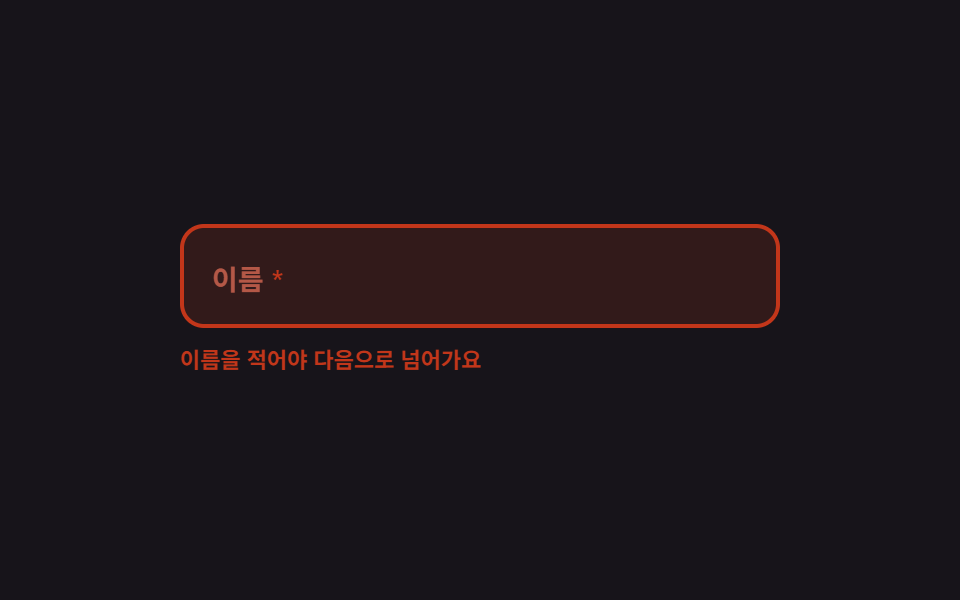 9 Form Validation UI Patterns — As You TypeForm validation UI is the layer that checks a typed value against a rule and reports the verdict on screen. All nine run See all demos in this post
If you like this effect - similar demos
 Inputs05 Side summary that stacks up as you type9 Multi Step Form UI Patterns — Branch and Resume
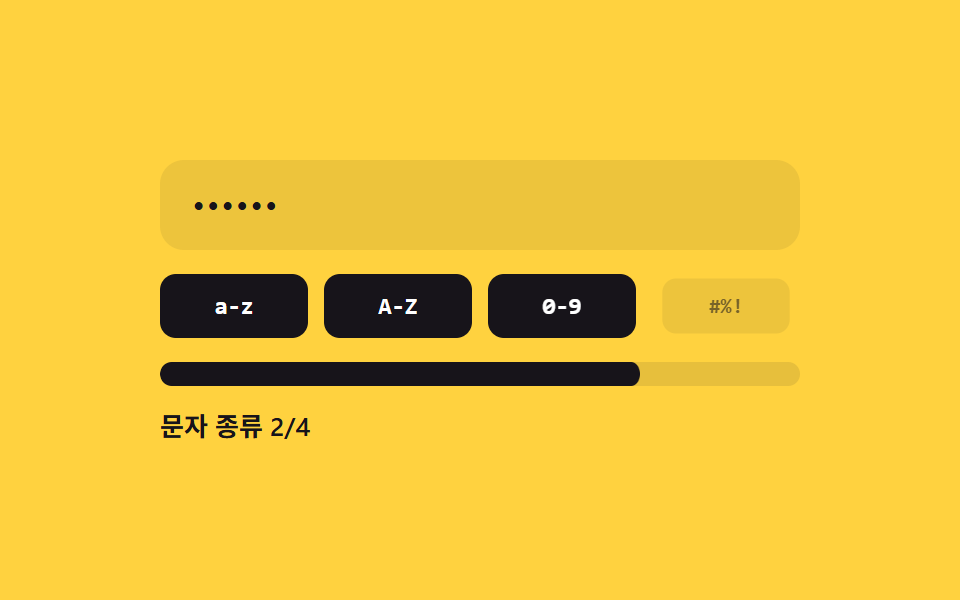 Inputs02 Character-class count fill — the strength value is set by how many distinct character-type values are mixed into the inputPassword Strength Meter UI: 9 Calculation Patterns
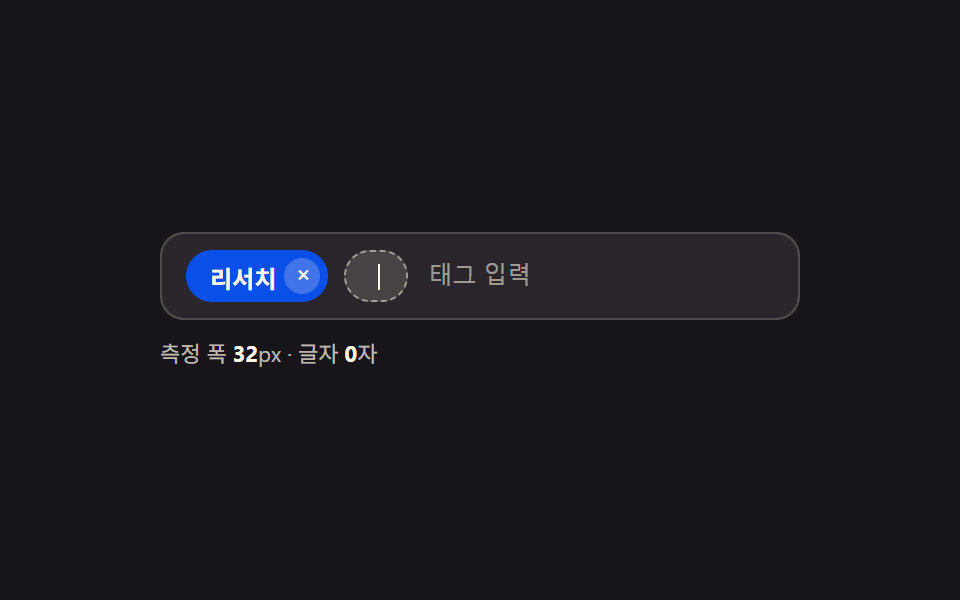 Inputs01 Tag Chip That Widens As You Type More Characters9 Tag Input UI Patterns With CSS Chips