05Side summary that stacks up as you type
Typing on the left changes the matching summary line on the right at the same instant, and the edit button on that line jumps straight back to the step holding the value and focuses the field.
Best forCheckout flows that keep the order beside the form, quote forms that must keep values visible
aria-livetranslateXsteps(1, end)

<main class="stage">
  <section class="sp is-demo" id="sp" aria-label="Delivery details entry steps">
    <div class="sp__bar">
      <p class="sp__h">Delivery details</p>
      <p class="sp__cnt" id="sp-step">2 / 3 steps</p>
    </div>
    <div class="sp__cols">
      <div class="sp__form">
        <div class="sp__f" data-f="1">
          <span class="sp__num" aria-hidden="true">1</span>
          <input class="sp__inp" id="sp-i1" value="Hong Gildong" aria-label="Recipient" placeholder="Hong Gildong">
        </div>
        <div class="sp__f is-current" data-f="2">
          <span class="sp__num" aria-hidden="true">2</span>
          <input class="sp__inp" id="sp-i2" value="[email protected]" aria-label="Email" placeholder="[email protected]">
        </div>
        <div class="sp__f" data-f="3">
          <span class="sp__num" aria-hidden="true">3</span>
          <input class="sp__inp" id="sp-i3" value="+1 555 0134" aria-label="Phone" placeholder="+1 555 0134">
        </div>
      </div>
      <div class="sp__side" aria-live="polite">
        <ul class="sp__list">
          <li class="sp__row" data-row="1">
            <span class="sp__k">Recipient</span>
            <span class="sp__v"><span class="sp__v0">—</span><span class="sp__v1">Hong Gildong</span></span>
            <button class="sp__fix" type="button">Edit</button>
          </li>
          <li class="sp__row" data-row="2">
            <span class="sp__k">Email</span>
            <span class="sp__v"><span class="sp__v0">—</span><span class="sp__v1">[email protected]</span></span>
            <button class="sp__fix" type="button">Edit</button>
          </li>
          <li class="sp__row" data-row="3">
            <span class="sp__k">Phone</span>
            <span class="sp__v"><span class="sp__v0">—</span><span class="sp__v1">+1 555 0134</span></span>
            <button class="sp__fix" type="button">Edit</button>
          </li>
        </ul>
      </div>
    </div>
  </section>
</main>@use "sass:color";
@use "../../../../site/static/demo-tokens" as *;
$duration: $dur-quick;
$easing: $ease-spring;
$color: $subject-blue;
@include stage($stage-ink);
$line: color.mix($subject-cream, $stage-ink, 16%);
$soft: color.mix($subject-cream, $stage-ink, 8%);
.sp {
box-sizing: border-box;
width: min(320px, 92vw);
padding: $sp-3;
border: 1px solid $line;
border-radius: $r-card;
background: $stage-ink;
color: $subject-cream;
font-family: -apple-system, "Segoe UI", "Noto Sans KR", sans-serif;
font-size: 12px;
line-height: 1.3;
}
.sp__bar {
display: flex;
align-items: baseline;
justify-content: space-between;
gap: $sp-2;
margin: 0 0 $sp-2;
}
.sp__h { margin: 0; font-size: 11px; font-weight: 700; letter-spacing: .04em; color: rgba(255, 255, 255, .56); }
.sp__cnt { margin: 0; font-size: 11px; font-weight: 700; color: $subject-blue-light; }
.sp__cols {
display: grid;
grid-template-columns: 1fr 1fr;
gap: $sp-3;
}
// ── 왼쪽: 단계 칸 ────────────────────────────────
.sp__form { display: grid; gap: $sp-2; align-content: start; }
.sp__f {
display: grid;
grid-template-columns: auto 1fr;
gap: $sp-2;
align-items: center;
}
.sp__num {
display: grid;
place-items: center;
width: 16px;
height: 16px;
border: 1px solid $line;
border-radius: 50%;
font-size: 10px;
font-weight: 700;
color: rgba(255, 255, 255, .5);
transition: background-color $duration $easing, border-color $duration $easing, color $duration $easing;
}
.sp__inp {
box-sizing: border-box;
width: 100%;
min-width: 0;
margin: 0;
padding: $sp-1;
border: 1px solid $line;
border-radius: $r-sm;
background: $soft;
color: $subject-cream;
font-family: inherit;
font-size: 12px;
line-height: 1.3;
}
.sp__inp:focus-visible { outline: 2px solid $color; outline-offset: 1px; }
// 현재 단계 표시 — 고치기로 돌아온 단계가 어디인지 번호와 테두리로 보인다
.sp__f.is-current .sp__num { border-color: $subject-blue-deep; background: $subject-blue-deep; color: $subject-cream; }
.sp__f.is-current .sp__inp { border-color: $color; }
// ── 오른쪽: 요약 패널 ────────────────────────────
.sp__side { min-width: 0; border-left: 1px solid $line; padding-left: $sp-2; }
.sp__list { display: grid; gap: $sp-2; margin: 0; padding: 0; list-style: none; align-content: start; }
.sp__row {
display: grid;
grid-template-columns: 1fr auto;
gap: 0 $sp-1;
align-items: center;
}
.sp__k { grid-column: 1 / -1; font-size: 10px; color: rgba(255, 255, 255, .72); }
.sp__v { position: relative; display: block; min-width: 0; font-size: 11px; }
.sp__v0, .sp__v1 { display: block; overflow: hidden; white-space: nowrap; text-overflow: ellipsis; }
.sp__v0 { color: rgba(255, 255, 255, .34); }
.sp__v1 { position: absolute; inset: 0; color: $subject-cream; }
// 정적 상태(사람이 조작하는 길) — 요약 줄에는 이미 값이 들어와 있다
.sp__v0 { opacity: 0; }
.sp__v1 { opacity: 1; }
.sp__fix {
margin: 0;
padding: 0 $sp-1;
border: 1px solid $line;
border-radius: $r-pill;
background: transparent;
color: rgba(255, 255, 255, .56);
font-family: inherit;
font-size: 10px;
line-height: 1.4;
cursor: pointer;
transition: border-color $duration $easing, color $duration $easing;
}
.sp__fix:hover { border-color: $color; color: $subject-cream; }
.sp__fix:focus-visible { outline: 2px solid $color; outline-offset: 1px; }
// 격자 미리보기 동안 플레이스홀더가 값과 겹쳐 보이지 않게
.sp.is-demo .sp__inp::placeholder { color: transparent; }
// ── 격자 미리보기 전용 2초 루프 ──────────────────
// 값 글자는 steps(1, end) 로 한 프레임에 컷 교체되고(반투명 유령 금지),
// 같은 순간 translateX 로 오른쪽에서 미끄러져 들어와 프레임 수를 채운다
// 값은 한 번 들어오면 루프 끝까지 유지되고, 처음 상태로 돌아가는 순간(컷)은
// 애니메이션 경계(100% → 0%) 자체다 — 루프 안에서 주인공(요약 값)을 지우지 않는다
@keyframes sp-cut-1 {
0%, 13% { opacity: 0; }
14%, 100% { opacity: 1; }
}
@keyframes sp-cut-2 {
0%, 43% { opacity: 0; }
44%, 100% { opacity: 1; }
}
@keyframes sp-cut-3 {
0%, 73% { opacity: 0; }
74%, 100% { opacity: 1; }
}
@keyframes sp-empty-1 {
0%, 13% { opacity: 1; }
14%, 100% { opacity: 0; }
}
@keyframes sp-empty-2 {
0%, 43% { opacity: 1; }
44%, 100% { opacity: 0; }
}
@keyframes sp-empty-3 {
0%, 73% { opacity: 1; }
74%, 100% { opacity: 0; }
}
@keyframes sp-slide-1 {
0%, 12% { transform: translateX(0); }
14% { transform: translateX(10px); }
28%, 100% { transform: translateX(0); }
}
@keyframes sp-slide-2 {
0%, 42% { transform: translateX(0); }
44% { transform: translateX(10px); }
58%, 100% { transform: translateX(0); }
}
@keyframes sp-slide-3 {
0%, 72% { transform: translateX(0); }
74% { transform: translateX(10px); }
88%, 100% { transform: translateX(0); }
}
.sp.is-demo {
.sp__row[data-row="1"] .sp__v1 { animation-name: sp-cut-1, sp-slide-1; }
.sp__row[data-row="2"] .sp__v1 { animation-name: sp-cut-2, sp-slide-2; }
.sp__row[data-row="3"] .sp__v1 { animation-name: sp-cut-3, sp-slide-3; }
.sp__v1 {
animation-duration: $dur-loop, $dur-loop;
animation-timing-function: steps(1, end), $easing;
animation-iteration-count: infinite, infinite;
}
.sp__row[data-row="1"] .sp__v0 { animation-name: sp-empty-1; }
.sp__row[data-row="2"] .sp__v0 { animation-name: sp-empty-2; }
.sp__row[data-row="3"] .sp__v0 { animation-name: sp-empty-3; }
.sp__v0 {
animation-duration: $dur-loop;
animation-timing-function: steps(1, end);
animation-iteration-count: infinite;
}
}
// 320px 에서는 요약을 아래로 내리지 않고 폭만 줄인다 — 세로 예산(174px) 때문
@media (max-width: 340px) {
.sp { padding: $sp-2; }
.sp__bar { margin-bottom: $sp-1; }
.sp__cols { gap: $sp-2; }
.sp__form, .sp__list { gap: $sp-1; }
.sp__f { gap: $sp-1; }
.sp__inp { padding: 0 $sp-1; font-size: 11px; }
.sp__side { padding-left: $sp-1; }
.sp__fix { padding: 0; border: 0; }
}
@media (prefers-reduced-motion: reduce) {
.sp.is-demo .sp__v0,
.sp.is-demo .sp__v1 { animation: none !important; transform: none !important; }
// 움직임만 끄고 판정 결과(값이 들어와 있는 요약)는 정적 규칙 그대로 남는다
}html, body {
margin: 0;
overflow: hidden;
}
.stage {
box-sizing: border-box;
min-height: 100vh;
display: grid;
place-items: center;
margin: 0;
background: #17141a;
font-family: -apple-system, "Segoe UI", "Noto Sans KR", sans-serif;
padding: clamp(8px, 4vw, 24px);
}
.sp {
box-sizing: border-box;
width: min(320px, 92vw);
padding: 12px;
border: 1px solid rgb(23.5764705882%, 22.0862745098%, 22.9960784314%);
border-radius: 16px;
background: #17141a;
color: #fff7e6;
font-family: -apple-system, "Segoe UI", "Noto Sans KR", sans-serif;
font-size: 12px;
line-height: 1.3;
}
.sp__bar {
display: flex;
align-items: baseline;
justify-content: space-between;
gap: 8px;
margin: 0 0 8px;
}
.sp__h {
margin: 0;
font-size: 11px;
font-weight: 700;
letter-spacing: 0.04em;
color: rgba(255, 255, 255, 0.56);
}
.sp__cnt {
margin: 0;
font-size: 11px;
font-weight: 700;
color: #5b8cf8;
}
.sp__cols {
display: grid;
grid-template-columns: 1fr 1fr;
gap: 12px;
}
.sp__form {
display: grid;
gap: 8px;
align-content: start;
}
.sp__f {
display: grid;
grid-template-columns: auto 1fr;
gap: 8px;
align-items: center;
}
.sp__num {
display: grid;
place-items: center;
width: 16px;
height: 16px;
border: 1px solid rgb(23.5764705882%, 22.0862745098%, 22.9960784314%);
border-radius: 50%;
font-size: 10px;
font-weight: 700;
color: rgba(255, 255, 255, 0.5);
transition: background-color 220ms cubic-bezier(0.2, 0.8, 0.2, 1), border-color 220ms cubic-bezier(0.2, 0.8, 0.2, 1), color 220ms cubic-bezier(0.2, 0.8, 0.2, 1);
}
.sp__inp {
box-sizing: border-box;
width: 100%;
min-width: 0;
margin: 0;
padding: 4px;
border: 1px solid rgb(23.5764705882%, 22.0862745098%, 22.9960784314%);
border-radius: 8px;
background: rgb(16.2980392157%, 14.9647058824%, 16.5960784314%);
color: #fff7e6;
font-family: inherit;
font-size: 12px;
line-height: 1.3;
}
.sp__inp:focus-visible {
outline: 2px solid #2f6df6;
outline-offset: 1px;
}
.sp__f.is-current .sp__num {
border-color: #0a4fe8;
background: #0a4fe8;
color: #fff7e6;
}
.sp__f.is-current .sp__inp {
border-color: #2f6df6;
}
.sp__side {
min-width: 0;
border-left: 1px solid rgb(23.5764705882%, 22.0862745098%, 22.9960784314%);
padding-left: 8px;
}
.sp__list {
display: grid;
gap: 8px;
margin: 0;
padding: 0;
list-style: none;
align-content: start;
}
.sp__row {
display: grid;
grid-template-columns: 1fr auto;
gap: 0 4px;
align-items: center;
}
.sp__k {
grid-column: 1/-1;
font-size: 10px;
color: rgba(255, 255, 255, 0.72);
}
.sp__v {
position: relative;
display: block;
min-width: 0;
font-size: 11px;
}
.sp__v0, .sp__v1 {
display: block;
overflow: hidden;
white-space: nowrap;
text-overflow: ellipsis;
}
.sp__v0 {
color: rgba(255, 255, 255, 0.34);
}
.sp__v1 {
position: absolute;
inset: 0;
color: #fff7e6;
}
.sp__v0 {
opacity: 0;
}
.sp__v1 {
opacity: 1;
}
.sp__fix {
margin: 0;
padding: 0 4px;
border: 1px solid rgb(23.5764705882%, 22.0862745098%, 22.9960784314%);
border-radius: 999px;
background: transparent;
color: rgba(255, 255, 255, 0.56);
font-family: inherit;
font-size: 10px;
line-height: 1.4;
cursor: pointer;
transition: border-color 220ms cubic-bezier(0.2, 0.8, 0.2, 1), color 220ms cubic-bezier(0.2, 0.8, 0.2, 1);
}
.sp__fix:hover {
border-color: #2f6df6;
color: #fff7e6;
}
.sp__fix:focus-visible {
outline: 2px solid #2f6df6;
outline-offset: 1px;
}
.sp.is-demo .sp__inp::placeholder {
color: transparent;
}
@keyframes sp-cut-1 {
0%, 13% {
opacity: 0;
}
14%, 100% {
opacity: 1;
}
}
@keyframes sp-cut-2 {
0%, 43% {
opacity: 0;
}
44%, 100% {
opacity: 1;
}
}
@keyframes sp-cut-3 {
0%, 73% {
opacity: 0;
}
74%, 100% {
opacity: 1;
}
}
@keyframes sp-empty-1 {
0%, 13% {
opacity: 1;
}
14%, 100% {
opacity: 0;
}
}
@keyframes sp-empty-2 {
0%, 43% {
opacity: 1;
}
44%, 100% {
opacity: 0;
}
}
@keyframes sp-empty-3 {
0%, 73% {
opacity: 1;
}
74%, 100% {
opacity: 0;
}
}
@keyframes sp-slide-1 {
0%, 12% {
transform: translateX(0);
}
14% {
transform: translateX(10px);
}
28%, 100% {
transform: translateX(0);
}
}
@keyframes sp-slide-2 {
0%, 42% {
transform: translateX(0);
}
44% {
transform: translateX(10px);
}
58%, 100% {
transform: translateX(0);
}
}
@keyframes sp-slide-3 {
0%, 72% {
transform: translateX(0);
}
74% {
transform: translateX(10px);
}
88%, 100% {
transform: translateX(0);
}
}
.sp.is-demo .sp__row[data-row="1"] .sp__v1 {
animation-name: sp-cut-1, sp-slide-1;
}
.sp.is-demo .sp__row[data-row="2"] .sp__v1 {
animation-name: sp-cut-2, sp-slide-2;
}
.sp.is-demo .sp__row[data-row="3"] .sp__v1 {
animation-name: sp-cut-3, sp-slide-3;
}
.sp.is-demo .sp__v1 {
animation-duration: 2s, 2s;
animation-timing-function: steps(1, end), cubic-bezier(0.2, 0.8, 0.2, 1);
animation-iteration-count: infinite, infinite;
}
.sp.is-demo .sp__row[data-row="1"] .sp__v0 {
animation-name: sp-empty-1;
}
.sp.is-demo .sp__row[data-row="2"] .sp__v0 {
animation-name: sp-empty-2;
}
.sp.is-demo .sp__row[data-row="3"] .sp__v0 {
animation-name: sp-empty-3;
}
.sp.is-demo .sp__v0 {
animation-duration: 2s;
animation-timing-function: steps(1, end);
animation-iteration-count: infinite;
}
@media (max-width: 340px) {
.sp {
padding: 8px;
}
.sp__bar {
margin-bottom: 4px;
}
.sp__cols {
gap: 8px;
}
.sp__form, .sp__list {
gap: 4px;
}
.sp__f {
gap: 4px;
}
.sp__inp {
padding: 0 4px;
font-size: 11px;
}
.sp__side {
padding-left: 4px;
}
.sp__fix {
padding: 0;
border: 0;
}
}
@media (prefers-reduced-motion: reduce) {
.sp.is-demo .sp__v0,
.sp.is-demo .sp__v1 {
animation: none !important;
transform: none !important;
}
}// 실제 동작: 왼쪽 칸에 넣는 글자가 input 이벤트로 그 순간 오른쪽 요약 줄에 반영되고,
// Edit 단추는 그 값을 담은 단계를 현재 단계로 만들어 해당 칸에 초점을 옮긴다.
var sp = document.getElementById('sp');
var STEPS = ['1 / 3 steps', '2 / 3 steps', '3 / 3 steps'];
var fs = [].slice.call(sp.querySelectorAll('.sp__f'));
var ins = [].slice.call(sp.querySelectorAll('.sp__inp'));
var rows = [].slice.call(sp.querySelectorAll('.sp__row'));
var cnt = document.getElementById('sp-step');
function setStep(i) {
fs.forEach(function (f, n) { f.classList.toggle('is-current', n === i); });
cnt.textContent = STEPS[i];
}
ins.forEach(function (inp, i) {
inp.addEventListener('input', function () {
sp.classList.remove('is-demo');
rows[i].querySelector('.sp__v1').textContent = inp.value.trim() || '—';
});
inp.addEventListener('focus', function () { sp.classList.remove('is-demo'); setStep(i); });
inp.addEventListener('keydown', function (e) {
var d = e.key === 'ArrowDown' ? 1 : e.key === 'ArrowUp' ? -1 : 0;
if (d && ins[i + d]) { e.preventDefault(); ins[i + d].focus({ preventScroll: true }); }
});
});
rows.forEach(function (row, i) {
row.querySelector('.sp__fix').addEventListener('click', function () {
sp.classList.remove('is-demo');
setStep(i);
ins[i].focus({ preventScroll: true });
});
});import { useState, useRef } from "react";
import type { CSSProperties } from "react";
import styles from "./LiveSummaryPanel.module.scss";
export type LiveSummaryPanelProps = {
heading?: string;
fields?: { label: string; value: string }[];
editLabel?: string;
groupLabel?: string;
/** 격자 미리보기용 2초 자동 루프. 사람이 손대면 꺼진다 */
demo?: boolean;
duration?: number;
easing?: string;
color?: string;
};
type Vars = CSSProperties & { "--duration"?: string; "--easing"?: string; "--color"?: string };
type FocusEl = { focus(opt: { preventScroll: boolean }): void };
type Box<T> = { current: T };
type KeyEvt = { key: string; preventDefault(): void };
type InpEvt = { target: { value: string } };
const DEFAULT_FIELDS = [
{ label: "Recipient", value: "Hong Gildong" },
{ label: "Email", value: "[email protected]" },
{ label: "Phone", value: "010-2345-6789" },
];
export default function LiveSummaryPanel({
heading = "Delivery details",
fields = DEFAULT_FIELDS,
editLabel = "Edit",
groupLabel = "Delivery details entry steps",
demo = true,
duration = 220,
easing = "cubic-bezier(.2,.8,.2,1)",
color = "#2f6df6",
}: LiveSummaryPanelProps) {
// 정적 상태: 요약이 값으로 차 있고 현재 단계는 2 (0 기반 1)
const [values, setValues] = useState<string[]>(fields.map((f) => f.value));
const [at, setAt] = useState(1);
const [live, setLive] = useState(demo);
const boxes = useRef<(FocusEl | null)[]>([]);
const vars: Vars = { "--duration": `${duration}ms`, "--easing": easing, "--color": color };
function type(i: number, v: string) {
setLive(false);
setValues((prev) => prev.map((s, n) => (n === i ? v : s)));
}
// 고치기: 그 값을 담은 단계로 돌아가 해당 칸에 초점을 준다
function jump(i: number) {
setLive(false);
setAt(i);
const arr = boxes.current;
const el = arr ? arr[i] : null;
if (el) el.focus({ preventScroll: true });
}
function arrows(i: number, e: KeyEvt) {
const d = e.key === "ArrowDown" ? 1 : e.key === "ArrowUp" ? -1 : 0;
if (d && fields[i + d]) {
e.preventDefault();
setAt(i + d);
const arr = boxes.current;
const el = arr ? arr[i + d] : null;
if (el) el.focus({ preventScroll: true });
}
}
const cls = [styles.sp, live ? styles.isDemo : ""].filter(Boolean).join(" ");
return (
<section className={cls} style={vars} aria-label={groupLabel}>
<div className={styles.bar}>
<p className={styles.h}>{heading}</p>
<p className={styles.cnt}>{at + 1} / {fields.length} steps</p>
</div>
<div className={styles.cols}>
<div className={styles.form}>
{fields.map((f, i) => (
<div
key={f.label}
className={[styles.f, i === at ? styles.isCurrent : ""].filter(Boolean).join(" ")}
data-f={i + 1}
>
<span className={styles.num} aria-hidden="true">{i + 1}</span>
<input
className={styles.inp}
ref={(el: FocusEl | null) => { const arr = boxes.current; if (arr) arr[i] = el; }}
value={values[i]}
aria-label={f.label}
placeholder={f.value}
onChange={(e: InpEvt) => type(i, e.target.value)}
onFocus={() => { setLive(false); setAt(i); }}
onKeyDown={(e: KeyEvt) => arrows(i, e)}
/>
</div>
))}
</div>
<div className={styles.side} aria-live="polite">
<ul className={styles.list}>
{fields.map((f, i) => (
<li key={f.label} className={styles.row} data-row={i + 1}>
<span className={styles.k}>{f.label}</span>
<span className={styles.v}>
<span className={styles.v0}>—</span>
<span className={styles.v1}>{values[i] || "—"}</span>
</span>
<button className={styles.fix} type="button" onClick={() => jump(i)}>{editLabel}</button>
</li>
))}
</ul>
</div>
</div>
</section>
);
}05 Side summary that stacks up as you type — Measured area 1.076% · moving frames 11/23Original by GODRICH · SCSS and React ship in the zip · 9 Multi Step Form UI Patterns — Branch and Resume
The post this demo lives in
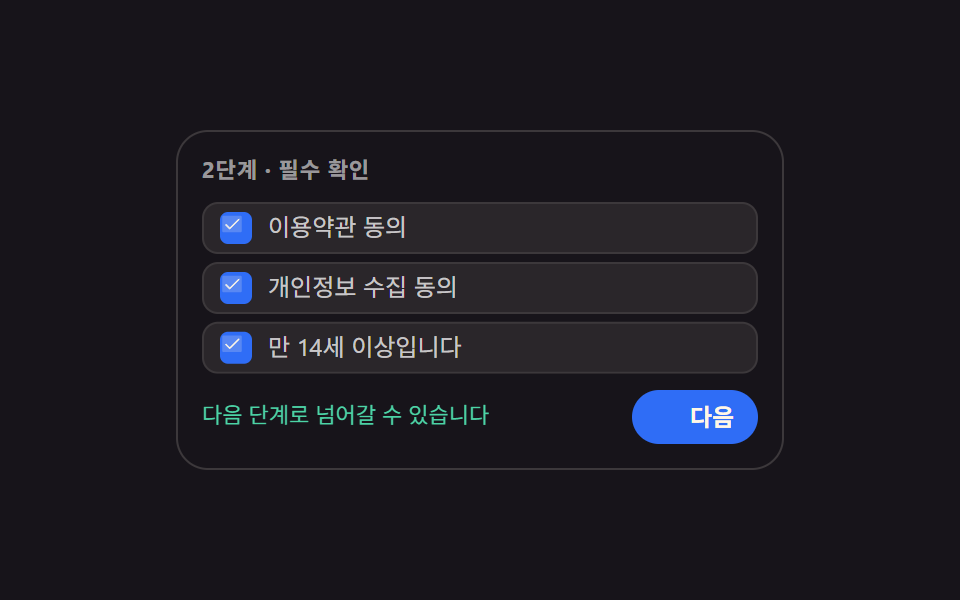 9 Multi Step Form UI Patterns — Branch and ResumeA multi step form ui splits one long form into screens and collects answers in order. All nine read real values, run rea See all demos in this post
If you like this effect - similar demos
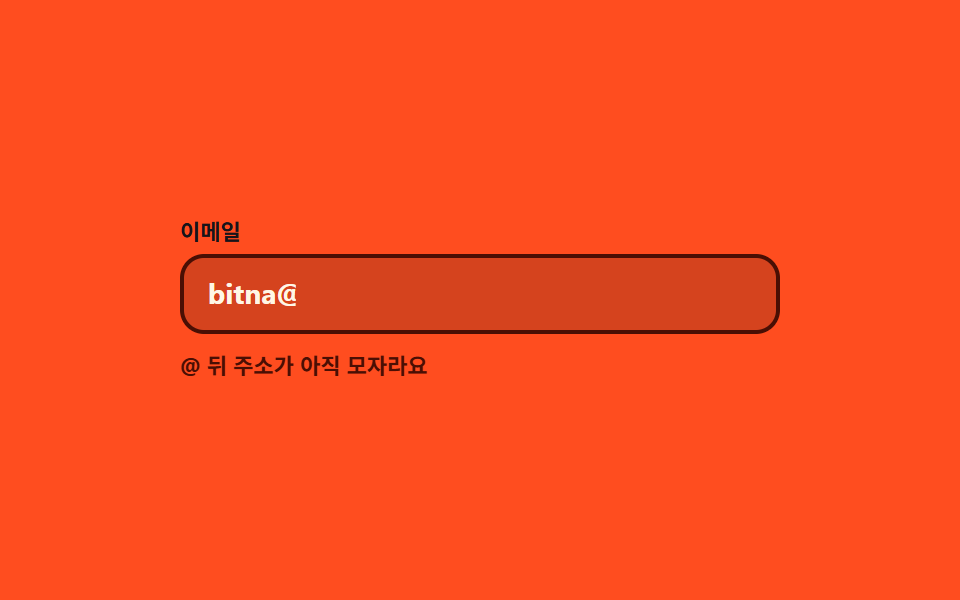 Inputs03 Inline hint that flips while you type9 Form Validation UI Patterns — As You Type
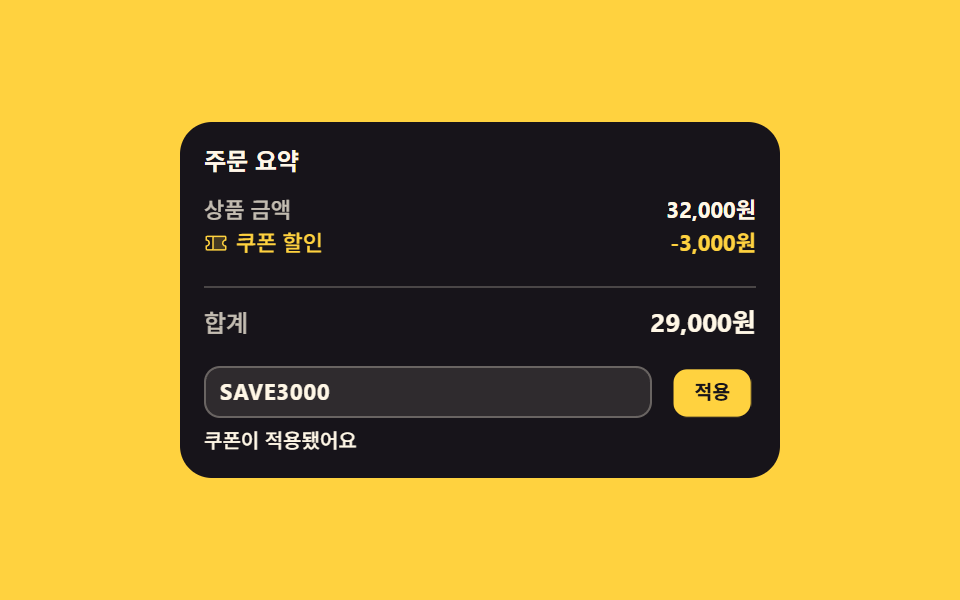 Inputs03 Discount line that wedges into the order summaryCheckout Page Design — 9 Cart Patterns, No Library
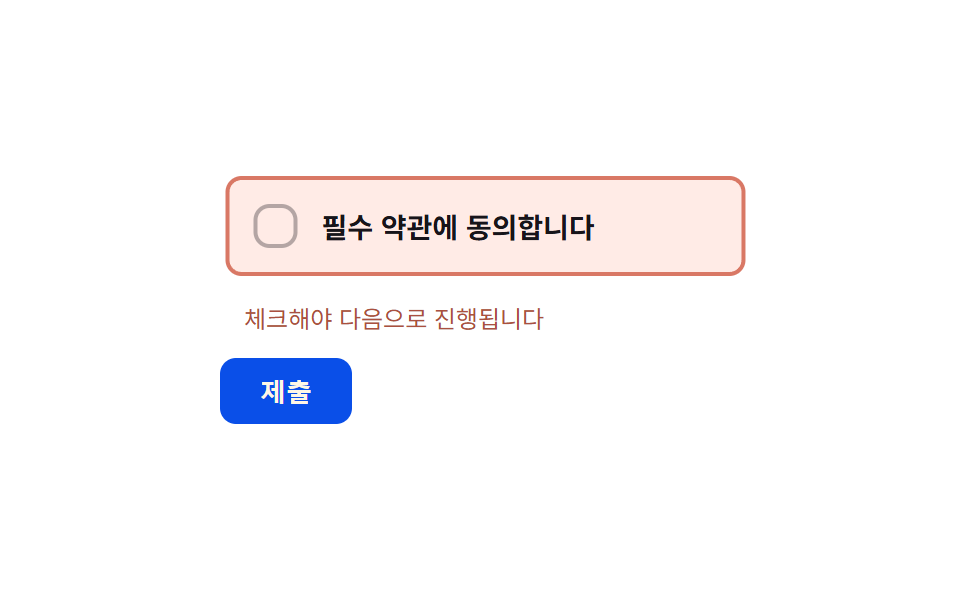 Inputs07 Required-error shake toggle — when a submit attempt hits an empty required box, its horizontal-position value shakes briefly side to sideCSS Custom Checkbox: 9 Interaction Patterns