09A Hard Break on Press That Settles Down
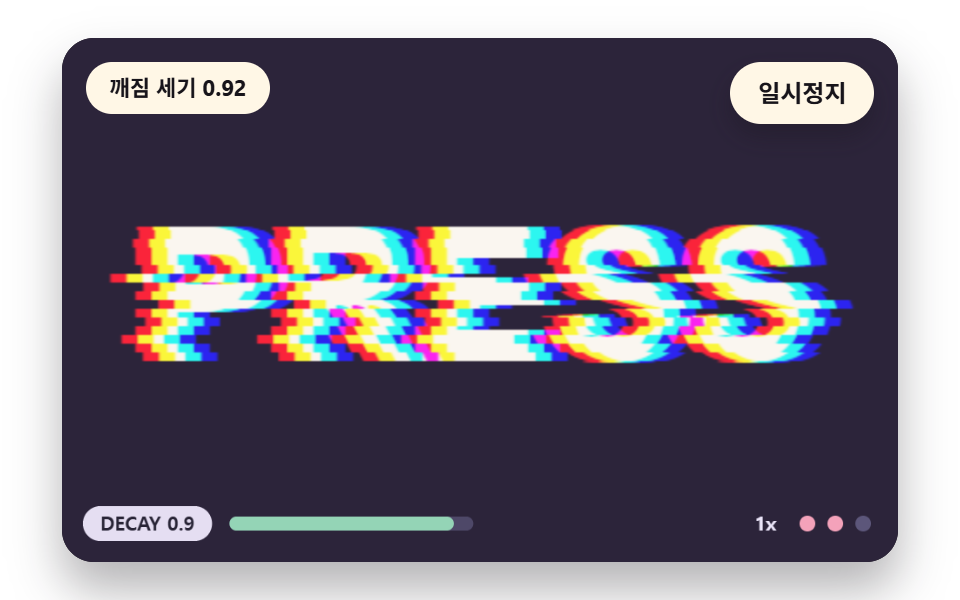
The word is clean most of the time, and on a press or a timetable signal the break strength starts at 1 and shrinks by a factor of DECAY (0.92) every 1/30 second. Once it falls below TRIGGER_MIN (0.05) the word returns to the original with no slice shift. It shows how to tie the band shift and the color split to one strength value.
Best forHow to attach it to a button or title that breaks only on click
DECAYTRIGGER_MINstrength
<main class="stage">
<div class="vj is-demo" id="vj">
  <div class="vj__pad" data-role="pad" tabindex="0" role="application" aria-label="Glitch text stage: Enter or Space pauses, R restarts, the right arrow key, T or a press breaks it once">
    <canvas class="vj__canvas" data-role="canvas" width="480" height="300" role="img" aria-label="A word PRESS sits on a deep violet background. On a press or a signal the break strength starts at 1 and shrinks by a factor of 0.92 a step, so the word tears hard with a colour split and then calms slowly, and below 0.05 it snaps back to the original word. The bar below shows the current strength. The gauge below shows the setting and the strength step, and under reduced motion only one clean word is drawn"></canvas>
  </div>
  <p class="vj__status" data-role="status" aria-live="off">Glitch text scene</p>
  <div class="vj__ctrl">
    <button class="vj__pause" data-role="pause" type="button" aria-pressed="false">Pause</button>
  </div>
  <p class="vj__done" data-role="done" role="status" aria-live="polite"></p>
</div>
</main>
@use "../../../../site/static/demo-tokens" as *;
@include stage($stage-paper);
.vj {
position: relative;
width: min(92vw, calc(160vh - 12.8vw));
aspect-ratio: 480 / 300;
margin: 0 auto;
border-radius: $r-card;
overflow: hidden;
box-shadow: $shadow-raised;
background: $subject-ink;
}
// 무대 상자 — 눌러서 한 번 깨뜨리는 곳(touch-action: none 은 이 상자에만). 무대 밖 터치는 페이지 스크롤 그대로
.vj__pad {
position: absolute;
inset: 0;
border-radius: inherit;
outline: none;
touch-action: none;
cursor: pointer;
}
// 바깥 .vj 가 넘침을 자르므로 포커스 테두리는 안쪽으로 들인다
.vj__pad:focus-visible {
outline: 3px solid $subject-cream;
outline-offset: -3px;
}
.vj__canvas {
position: absolute;
inset: 0;
display: block;
width: 100%;
height: 100%;
}
.vj__ctrl {
position: absolute;
right: $sp-3;
top: $sp-3;
display: flex;
gap: $sp-2;
}
.vj__pause {
padding: $sp-1 $sp-3;
border: 2px solid $subject-cream;
border-radius: $r-pill;
background: $subject-cream;
color: $subject-ink;
font-family: inherit;
font-weight: 700;
font-size: 12px;
line-height: 1.6;
cursor: pointer;
box-shadow: $shadow-press;
transition: transform $dur-quick $ease-spring;
}
// 스크린리더에만 읽히는 낭독 문장 — 모드가 바뀔 때만 쓴다
.vj__done {
position: absolute;
width: 1px;
height: 1px;
margin: 0;
overflow: hidden;
clip-path: inset(50%);
white-space: nowrap;
}
// 눌린 상태(멈춤) — 바탕과 글자색을 뒤집어 aria-pressed 가 눈에도 보이게
.vj__pause[aria-pressed="true"] {
background: $subject-ink;
color: $subject-cream;
}
.vj__pause:hover {
transform: translateY(-2px);
}
.vj__pause:active {
transform: translateY(1px);
}
.vj__pause:focus-visible {
outline: 3px solid $subject-cream;
outline-offset: 3px;
}
// 상태 줄 — 지금 장면의 수치를 글자로. 화면에만 있고 aria-live 는 늘 off
.vj__status {
position: absolute;
left: $sp-3;
top: $sp-3;
max-width: calc(100% - 100px);
margin: 0;
padding: $sp-1 $sp-3;
border-radius: $r-pill;
background: $subject-cream;
color: $subject-ink;
font-weight: 700;
font-size: 11px;
line-height: 1.6;
white-space: nowrap;
overflow: hidden;
text-overflow: ellipsis;
pointer-events: none;
}
@media (max-width: 340px) {
.vj__pause,
.vj__status { font-size: 10px; padding: 0 $sp-2; }
}
// 움직임 줄이기 — 장면은 스크립트가 글리치 없는 원문 한 장으로 멈춘다. 버튼도 떠오르지 않게
@media (prefers-reduced-motion: reduce) {
.vj__pause { transition: none !important; }
.vj__pause:hover,
.vj__pause:active { transform: none !important; }
}html, body {
margin: 0;
overflow: hidden;
}
.stage {
box-sizing: border-box;
min-height: 100vh;
display: grid;
place-items: center;
margin: 0;
background: #ffffff;
font-family: -apple-system, "Segoe UI", "Noto Sans KR", sans-serif;
padding: clamp(8px, 4vw, 24px);
}
.vj {
position: relative;
width: min(92vw, 160vh - 12.8vw);
aspect-ratio: 480/300;
margin: 0 auto;
border-radius: 16px;
overflow: hidden;
box-shadow: 0 14px 24px rgba(23, 20, 26, 0.32);
background: #17141a;
}
.vj__pad {
position: absolute;
inset: 0;
border-radius: inherit;
outline: none;
touch-action: none;
cursor: pointer;
}
.vj__pad:focus-visible {
outline: 3px solid #fff7e6;
outline-offset: -3px;
}
.vj__canvas {
position: absolute;
inset: 0;
display: block;
width: 100%;
height: 100%;
}
.vj__ctrl {
position: absolute;
right: 12px;
top: 12px;
display: flex;
gap: 8px;
}
.vj__pause {
padding: 4px 12px;
border: 2px solid #fff7e6;
border-radius: 999px;
background: #fff7e6;
color: #17141a;
font-family: inherit;
font-weight: 700;
font-size: 12px;
line-height: 1.6;
cursor: pointer;
box-shadow: 0 6px 12px rgba(23, 20, 26, 0.32);
transition: transform 220ms cubic-bezier(0.2, 0.8, 0.2, 1);
}
.vj__done {
position: absolute;
width: 1px;
height: 1px;
margin: 0;
overflow: hidden;
clip-path: inset(50%);
white-space: nowrap;
}
.vj__pause[aria-pressed=true] {
background: #17141a;
color: #fff7e6;
}
.vj__pause:hover {
transform: translateY(-2px);
}
.vj__pause:active {
transform: translateY(1px);
}
.vj__pause:focus-visible {
outline: 3px solid #fff7e6;
outline-offset: 3px;
}
.vj__status {
position: absolute;
left: 12px;
top: 12px;
max-width: calc(100% - 100px);
margin: 0;
padding: 4px 12px;
border-radius: 999px;
background: #fff7e6;
color: #17141a;
font-weight: 700;
font-size: 11px;
line-height: 1.6;
white-space: nowrap;
overflow: hidden;
text-overflow: ellipsis;
pointer-events: none;
}
@media (max-width: 340px) {
.vj__pause,
.vj__status {
font-size: 10px;
padding: 0 8px;
}
}
@media (prefers-reduced-motion: reduce) {
.vj__pause {
transition: none !important;
}
.vj__pause:hover,
.vj__pause:active {
transform: none !important;
}
}(function () {
const root = document.getElementById("vj");
if (!root) return;
// 무대 좌표 — 캔버스 안 계산은 늘 480×300. 화면에 보이는 크기와 상관없다
const W = 480;
const H = 300;
const TAU = Math.PI * 2;
function clamp(v, lo, hi) { return v < lo ? lo : (v > hi ? hi : v); }
function lerp(a, b, k) { return a + (b - a) * k; }
// 파스텔 팔레트 — 바탕은 짙은 자두색, 글자는 연한 종이색, 눈금과 알약은 연한 색
const INK = [40, 36, 54];
const PAPER = [250, 246, 240];
const ROSE = [244, 162, 186];
const MINT = [148, 212, 182];
const NEU = [236, 230, 250];
function rgba(c, a) {
return 'rgba(' + Math.round(clamp(c[0], 0, 255)) + ',' + Math.round(clamp(c[1], 0, 255)) + ',' + Math.round(clamp(c[2], 0, 255)) + ',' + clamp(a, 0, 1).toFixed(3) + ')';
}
// 해시 — 같은 (a, b) 에는 늘 같은 0 이상 1 미만 값. 난수 함수는 쓰지 않는다
function hash2(a, b) {
let h = (Math.imul(a | 0, 374761393) + Math.imul(b | 0, 668265263)) | 0;
h = Math.imul(h ^ (h >>> 13), 1274126177);
h = h ^ (h >>> 16);
return (h >>> 0) / 4294967296;
}
// 1차원 값 잡음 — 정수 칸마다 해시 값이 있고 그 사이를 부드럽게 잇는다
function noise1(x, seed) {
const i = Math.floor(x);
const f = x - i;
const u = f * f * (3 - 2 * f);
return lerp(hash2(i, seed), hash2(i + 1, seed), u);
}
// 장면 시계(초)·판 반복 번호·시간표 — 시간표는 (시각, 할 일) 목록이고 시각이 지나면 한 번씩 부른다
let sceneT = 0;
let lap = 0;
let script = [];
let evAt = 0;
// 문구 틀의 {a}·{b} 자리에 값을 끼운다 — 화면 문구는 늘 이 틀 한 줄로 두고 로케일 사전이 통째로 바꾼다
function fill(s, a, b) { return s.replace('{a}', a).replace('{b}', b === undefined ? '' : b); }
function r1(v) { return String(Math.round(v * 10) / 10); }
// 세기 단계 — 장면을 누를 때마다 0 → 1 → 2 → 0 으로 돈다. 글리치의 크기에 이 배율이 곱해진다
const LVL_MUL = [0.5, 1, 1.7];
let lvl = 1;
// 깨짐 세기 g 는 시간표가 정한 목표 gTgt 를 따라간다. 손으로 누르면 holdUntil 까지 목표가 서 있다가 0 으로 돌아간다
let g = 0;
let gTgt = 0;
let holdUntil = 0;
function followG(dt, rate) {
if (manual && sceneT > holdUntil) {
gTgt = 0;
}
g += (gTgt - g) * (1 - Math.exp(-rate * dt));
if (g < 0.002 && gTgt === 0) {
g = 0;
}
}
function hitG(top) {
gTgt = top;
holdUntil = sceneT + 1.6;
}
// 움직임 줄이기에서는 글리치 없이 원문 한 장 — 세기 단계는 눈금에만 반영된다
function gainNow() { return still ? 0 : g * LVL_MUL[lvl]; }
const STILL_FMT = 'Reduced motion: one clean word, setting {a}';
const SPEAK_GLITCH = 'The word {a} is breaking, strength step {b}';
const SPEAK_CLEAN = 'The word {a} is shown clean, strength step {b}';
const SPEAK_STILL = 'Reduced motion: one still of the word {a}, strength step {b}';
function speakLine(word) {
if (still) {
return fill(SPEAK_STILL, word, String(lvl + 1));
}
return fill(modeId() === 1 ? SPEAK_GLITCH : SPEAK_CLEAN, word, String(lvl + 1));
}
const canvasEl = root.querySelector('[data-role="canvas"]');
const padEl = root.querySelector('[data-role="pad"]');
const pauseEl = root.querySelector('[data-role="pause"]');
const statusEl = root.querySelector('[data-role="status"]');
const doneEl = root.querySelector('[data-role="done"]');
const ctxRaw = canvasEl ? canvasEl.getContext('2d') : null;
const wkCv = document.createElement('canvas');
wkCv.width = W;
wkCv.height = H;
const wkRaw = wkCv.getContext('2d');
const wordCv = document.createElement('canvas');
wordCv.width = W;
wordCv.height = H;
const wordRaw = wordCv.getContext('2d', { willReadFrequently: true });
if (!canvasEl || !ctxRaw || !pauseEl || !padEl || !doneEl || !wkRaw || !wordRaw) {
return;
}
const cv = canvasEl;
const ctx = ctxRaw;
const wkCtx = wkRaw;
const wordCtx = wordRaw;
const pauseBtn = pauseEl;
const doneP = doneEl;
const pad = padEl;
// 외부 웹폰트는 부르지 않는다 — 기기에 있는 굵은 글꼴 목록만
const WORD_FONT = '"Arial Black", "Segoe UI Black", Impact, system-ui, sans-serif';
const UI_FONT = 'system-ui, -apple-system, "Segoe UI", "Noto Sans KR", sans-serif';
let dpr = 1;
function fitCanvas() {
// 배율은 2 에서 자른다 — 화소 계산은 늘 480×300 이고 화면 배율만 이 값
dpr = Math.min(window.devicePixelRatio || 1, 2);
cv.width = Math.round(W * dpr);
cv.height = Math.round(H * dpr);
ctx.setTransform(dpr, 0, 0, dpr, 0, 0);
}
const MAX_W = 392;
// 글자 한 줄을 무대 한가운데에 그린다 — dx·dy 는 그림자·겹침용 어긋남
function paintWord(c, word, px, fillStyle, dx, dy) {
// 글꼴이 기기마다 달라도 단어가 MAX_W 안에 들도록 크기를 줄여 맞춘다
c.font = '900 ' + px + 'px ' + WORD_FONT;
const wide = c.measureText(word).width;
const fit = wide > MAX_W ? px * MAX_W / wide : px;
c.font = '900 ' + fit + 'px ' + WORD_FONT;
c.textAlign = 'center';
c.textBaseline = 'middle';
c.fillStyle = fillStyle;
c.fillText(word, W / 2 + dx, H / 2 + 6 + dy);
}
// 원본 화소 버퍼 — 글자를 한 번 그려 읽어 둔 판. 모든 글리치는 이 base 를 읽어 out 에 쓴다
let base = new Uint8ClampedArray(W * H * 4);
let rowTop = 0;
let rowBot = H - 1;
const img = wkCtx.createImageData(W, H);
const out = img.data;
function loadWord(paint) {
wordCtx.fillStyle = rgba(BGC, 1);
wordCtx.fillRect(0, 0, W, H);
paint(wordCtx);
base = wordCtx.getImageData(0, 0, W, H).data;
// 글자가 있는 행 범위 — 글리치 계산은 이 행만 돈다
let top = -1;
let bot = -1;
for (let y = 0; y < H; y += 1) {
let hit = false;
for (let x = 0; x < W && !hit; x += 2) {
const p = (y * W + x) * 4;
if (Math.abs(base[p] - BGC[0]) + Math.abs(base[p + 1] - BGC[1]) + Math.abs(base[p + 2] - BGC[2]) > 24) {
hit = true;
}
}
if (hit) {
if (top < 0) {
top = y;
}
bot = y;
}
}
rowTop = Math.max(0, top - 2);
rowBot = Math.min(H - 1, bot + 2);
}
function present() {
wkCtx.putImageData(img, 0, 0);
ctx.drawImage(wkCv, 0, 0, W, H);
}
// 한 행을 채널마다 다른 가로 어긋남으로 읽어 tmp(길이 W×3)에 쓴다 — 어긋남이 소수여도 이웃 두 화소를 섞는다
function rowSample(y, dR, dG, dB, tmp) {
const o = y * W * 4;
const d = [dR, dG, dB];
for (let c = 0; c < 3; c += 1) {
for (let x = 0; x < W; x += 1) {
let sx = x - d[c];
if (sx < 0) {
sx = 0;
}
else if (sx > W - 1.001) {
sx = W - 1.001;
}
const i0 = Math.floor(sx);
const f = sx - i0;
const p = o + i0 * 4 + c;
tmp[x * 3 + c] = base[p] * (1 - f) + base[p + 4] * f;
}
}
}
const rowTmp = new Float32Array(W * 3);
function renderRows(y0, y1, dxR, dxG, dxB) {
for (let y = y0; y <= y1; y += 1) {
rowSample(y, dxR[y], dxG[y], dxB[y], rowTmp);
const o = y * W * 4;
for (let x = 0; x < W; x += 1) {
out[o + x * 4] = rowTmp[x * 3];
out[o + x * 4 + 1] = rowTmp[x * 3 + 1];
out[o + x * 4 + 2] = rowTmp[x * 3 + 2];
}
}
}
function box(x, y, w, h, r, c, a) {
if (w <= 0.2 || h <= 0.2 || a <= 0) {
return;
}
ctx.beginPath();
ctx.roundRect(x, y, w, h, Math.max(0, Math.min(r, w / 2, h / 2)));
ctx.fillStyle = rgba(c, a);
ctx.fill();
}
function disc(x, y, r, c) {
ctx.beginPath();
ctx.arc(x, y, r, 0, TAU);
ctx.fillStyle = rgba(c, 1);
ctx.fill();
}
function text(s, x, y, c, px, weight, align) {
ctx.font = weight + ' ' + px + 'px ' + UI_FONT;
ctx.textAlign = align;
ctx.textBaseline = 'middle';
ctx.fillStyle = rgba(c, 1);
ctx.fillText(s, x, y);
}
// 아래쪽 눈금 — 상수 이름과 지금 설정값 · 설정 크기 막대 · 세기 단계 점 셋. 값은 세기 단계가 곱해진 설정이다
function hud(name, val, frac) {
const label = name + ' ' + r1(val);
ctx.font = '700 11px ' + UI_FONT;
const w = ctx.measureText(label).width + 20;
const x = 12;
const y = H - 32;
box(x, y, w, 20, 10, NEU, 0.96);
text(label, x + w / 2, y + 10.5, INK, 11, 700, 'center');
const mx = x + w + 10;
box(mx, y + 6, 140, 8, 4, [78, 72, 104], 1);
box(mx, y + 6, 140 * clamp(frac, 0, 1), 8, 4, MINT, 1);
text(String(LVL_MUL[lvl]) + 'x', W - 70, y + 10.5, NEU, 11, 700, 'right');
for (let i = 0; i < 3; i += 1) {
disc(W - 52 + i * 16, y + 10, 4.5, i <= lvl ? ROSE : [92, 86, 122]);
}
}
let shownStatus = '';
function pushStatus(s) {
if (!statusEl || s === shownStatus) {
return;
}
shownStatus = s;
statusEl.textContent = s;
}
let paused = false;
const reduceQuery = window.matchMedia('(prefers-reduced-motion: reduce)');
// 페이지를 연 채 움직임 줄이기 설정을 바꿔도 change 리스너가 다시 읽는다
let still = reduceQuery.matches;
// 자동 시연 표시 — 사람이 처음 손대면 떼고, 그 뒤부터 모드가 바뀔 때만 낭독 문장을 쓴다
let demo = root.classList.contains('is-demo');
const off = new AbortController();
// 사람이 직접 누르는 중이면 시간표는 멈추고 계산만 흐른다
let manual = false;
function wake() {
if (!demo) {
return;
}
demo = false;
root.classList.remove('is-demo');
}
function takeOver() {
if (manual) {
return;
}
manual = true;
wake();
}
// 낭독 문장 — 화면 상태 줄(aria-live off)과 따로, 모드가 바뀔 때와 사람이 눌렀을 때만 role=status 에 쓴다
let lastMode = -9;
function say() {
doneP.textContent = speakLine(WORD);
lastMode = still ? -2 : modeId();
}
function advance(dt) {
sceneT += dt;
if (!manual) {
while (evAt < script.length && script[evAt].t <= sceneT) {
const ev = script[evAt];
evAt += 1;
ev.f();
}
if (sceneT >= LAP_S) {
lap += 1;
begin();
return;
}
}
update(dt);
}
function begin() {
sceneT = 0;
evAt = 0;
script = [];
build();
}
const DT_MAX = 0.05;
function showNow() {
draw();
pushStatus(statusText());
if (!demo) {
const m = still ? -2 : modeId();
if (m !== lastMode) {
say();
}
}
}
let rafId = 0;
let lastTs = -1;
function frame(ts) {
if (still || paused) {
rafId = 0;
return;
}
if (lastTs < 0) {
lastTs = ts;
}
const dt = Math.min((ts - lastTs) / 1000, DT_MAX);
lastTs = ts;
if (dt > 0) {
advance(dt);
}
showNow();
rafId = window.requestAnimationFrame(frame);
}
function startLoop() {
if (rafId) {
return;
}
// 멈췄던 사이의 시간을 첫 프레임 dt 로 넘기지 않는다
lastTs = -1;
rafId = window.requestAnimationFrame(frame);
}
function stopLoop() {
if (rafId) {
window.cancelAnimationFrame(rafId);
rafId = 0;
}
}
// 움직임 줄이기 — 루프 없이 글리치 없는 원문 한 장
function showRest() {
stopLoop();
lap = 0;
sceneT = 0;
evAt = 0;
script = [];
build();
update(0);
showNow();
}
function play() {
begin();
showNow();
if (!paused) {
startLoop();
}
}
function togglePause() {
paused = !paused;
pauseBtn.setAttribute('aria-pressed', paused ? 'true' : 'false');
wake();
if (paused) {
stopLoop();
}
else if (!still) {
startLoop();
}
say();
}
function restart() {
manual = false;
lap += 1;
g = 0;
gTgt = 0;
begin();
update(0);
showNow();
say();
}
// 누르기 — 세기 단계를 한 칸 올리고(0 → 1 → 2 → 0) 그 자리에서 한 번 깨뜨린다. 멈춘 채여도 세 걸음을 더 돌려 깨진 장면이 눈에 보이게
function tap() {
takeOver();
lvl = (lvl + 1) % 3;
if (!still) {
onHit();
if (paused) {
for (let k = 0; k < 3; k += 1) {
sceneT += 1 / 30;
update(1 / 30);
}
}
}
showNow();
say();
}
pauseBtn.addEventListener('click', togglePause, { signal: off.signal });
// 키보드 — 무대에 포커스가 있을 때만. Enter·Space = Pause, R = 처음부터, 오른쪽·위·T = 한 번 깨뜨리기
pad.addEventListener('keydown', function (e) {
if (e.altKey || e.ctrlKey || e.metaKey) {
return;
}
const k = e.key;
if (k === 'Enter' || k === ' ' || k === 'p' || k === 'P') {
e.preventDefault();
togglePause();
}
else if (k === 'r' || k === 'R') {
restart();
}
else if (k === 'ArrowRight' || k === 'ArrowUp' || k === 't' || k === 'T') {
e.preventDefault();
tap();
}
}, { signal: off.signal });
// 마우스·터치 — 무대를 누르는 순간 한 번 깨뜨린다
pad.addEventListener('pointerdown', function () { tap(); }, { signal: off.signal });
// 탭이 숨으면 멈추고, 돌아오면 시계를 다시 맞춰 시작 — 숨은 동안의 몇 초가 한 프레임에 몰리지 않게
document.addEventListener('visibilitychange', function () {
if (document.hidden) {
stopLoop();
}
else if (!paused && !still) {
startLoop();
}
}, { signal: off.signal });
// 설정이 바뀌면 — 켜지면 원문 한 장, 꺼지면 다시 움직인다
reduceQuery.addEventListener('change', function () {
still = reduceQuery.matches;
if (still) {
showRest();
}
else {
lap = 0;
play();
}
}, { signal: off.signal });
window.addEventListener('resize', function () {
fitCanvas();
showNow();
}, { signal: off.signal });
// 09 — 평소에는 깨끗한 글자. 누르거나 시간표의 신호가 오면 깨짐 세기 strength 가 1 에서 시작해 TICK_S 마다 DECAY 배씩 줄고, TRIGGER_MIN 아래로 내려가면 0 으로 잘라 원본으로 돌아온다. 세기가 같은 값 하나로 띠 밀림과 색 갈라짐을 함께 정한다
const DECAY = 0.92;
const TRIGGER_MIN = 0.05;
const TICK_S = 1 / 30;
const SHIFT_AMP = 28;
const SPLIT_AMP = 10;
const STEP_S = 0.16;
const LAP_S = 9.0;
const BGC = [44, 36, 58];
const WORD = 'PRESS';
loadWord(function (c) { paintWord(c, WORD, 150, rgba(PAPER, 1), 0, 0); });
const dxR = new Float32Array(H);
const dxG = new Float32Array(H);
const dxB = new Float32Array(H);
let strength = 0;
let acc = 0;
let hitN = 0;
function setting() { return SHIFT_AMP * LVL_MUL[lvl]; }
function trigger() {
strength = 1;
acc = 0;
hitN += 1;
}
function build() {
strength = 0;
acc = 0;
script.push({ t: 0.25, f: function () { trigger(); } });
script.push({ t: 3.6, f: function () { trigger(); } });
script.push({ t: 6.4, f: function () { trigger(); } });
}
function update(dt) {
if (strength <= 0) {
return;
}
acc += dt;
while (acc >= TICK_S && strength > 0) {
acc -= TICK_S;
strength *= DECAY;
if (strength < TRIGGER_MIN) {
strength = 0;
}
}
}
function draw() {
out.set(base);
if (strength > 0 && !still) {
const k = Math.floor(sceneT / STEP_S);
const m = LVL_MUL[lvl];
for (let y = rowTop; y <= rowBot; y += 1) {
const b = Math.floor(y / 5);
// 세기가 클수록 더 많은 띠가 밀리고, 밀리는 폭도 세기에 비례한다
const moved = hash2(b, k + hitN * 31) < Math.min(1, strength * 0.7 * m);
const dx = moved ? (hash2(b, k + 7) - 0.5) * 2 * SHIFT_AMP * strength * m : 0;
dxR[y] = dx - SPLIT_AMP * strength * m;
dxG[y] = dx;
dxB[y] = dx + SPLIT_AMP * strength * m;
}
renderRows(rowTop, rowBot, dxR, dxG, dxB);
}
present();
hud('DECAY', DECAY, still ? 0 : strength);
}
function statusText() {
if (still) {
return fill(STILL_FMT, 'DECAY ' + String(DECAY));
}
if (strength <= 0) {
return 'Waiting for a signal, a clean word';
}
return fill('Break strength {a}', (Math.round(strength * 100) / 100).toFixed(2));
}
function modeId() { return strength > 0 ? 1 : 0; }
function onHit() { trigger(); }
fitCanvas();
if (still) {
showRest();
}
else {
play();
}
return function () {
stopLoop();
off.abort();
};
})();// EnvelopeTriggerDecay - 같은 항목 vanilla index.html 의 React 판. 같은 계산을 useEffect 안에서 돌린다
import { useEffect, useRef } from "react";
import styles from "./EnvelopeTriggerDecay.module.scss";
const cx = (s: string): string => s.split(" ").map((n) => styles[n] ?? n).join(" ");
export default function EnvelopeTriggerDecay() {
const rootRef = useRef<HTMLDivElement | null>(null);
useEffect(() => {
const rootEl = rootRef.current;
if (!rootEl) return;
const root: HTMLElement = rootEl;
type RGB = [number, number, number];
// 무대 좌표 — 캔버스 안 계산은 늘 480×300. 화면에 보이는 크기와 상관없다
const W = 480;
const H = 300;
const TAU = Math.PI * 2;
function clamp(v: number, lo: number, hi: number): number { return v < lo ? lo : (v > hi ? hi : v); }
function lerp(a: number, b: number, k: number): number { return a + (b - a) * k; }
// 파스텔 팔레트 — 바탕은 짙은 자두색, 글자는 연한 종이색, 눈금과 알약은 연한 색
const INK: RGB = [40, 36, 54];
const PAPER: RGB = [250, 246, 240];
const ROSE: RGB = [244, 162, 186];
const MINT: RGB = [148, 212, 182];
const NEU: RGB = [236, 230, 250];
function rgba(c: RGB, a: number): string {
return 'rgba(' + Math.round(clamp(c[0], 0, 255)) + ',' + Math.round(clamp(c[1], 0, 255)) + ',' + Math.round(clamp(c[2], 0, 255)) + ',' + clamp(a, 0, 1).toFixed(3) + ')';
}
// 해시 — 같은 (a, b) 에는 늘 같은 0 이상 1 미만 값. 난수 함수는 쓰지 않는다
function hash2(a: number, b: number): number {
let h = (Math.imul(a | 0, 374761393) + Math.imul(b | 0, 668265263)) | 0;
h = Math.imul(h ^ (h >>> 13), 1274126177);
h = h ^ (h >>> 16);
return (h >>> 0) / 4294967296;
}
// 1차원 값 잡음 — 정수 칸마다 해시 값이 있고 그 사이를 부드럽게 잇는다
function noise1(x: number, seed: number): number {
const i = Math.floor(x);
const f = x - i;
const u = f * f * (3 - 2 * f);
return lerp(hash2(i, seed), hash2(i + 1, seed), u);
}
// 장면 시계(초)·판 반복 번호·시간표 — 시간표는 (시각, 할 일) 목록이고 시각이 지나면 한 번씩 부른다
let sceneT = 0;
let lap = 0;
type Ev = { t: number; f: () => void };
let script: Ev[] = [];
let evAt = 0;
// 문구 틀의 {a}·{b} 자리에 값을 끼운다 — 화면 문구는 늘 이 틀 한 줄로 두고 로케일 사전이 통째로 바꾼다
function fill(s: string, a: string, b?: string): string { return s.replace('{a}', a).replace('{b}', b === undefined ? '' : b); }
function r1(v: number): string { return String(Math.round(v * 10) / 10); }
// 세기 단계 — 장면을 누를 때마다 0 → 1 → 2 → 0 으로 돈다. 글리치의 크기에 이 배율이 곱해진다
const LVL_MUL = [0.5, 1, 1.7];
let lvl = 1;
// 깨짐 세기 g 는 시간표가 정한 목표 gTgt 를 따라간다. 손으로 누르면 holdUntil 까지 목표가 서 있다가 0 으로 돌아간다
let g = 0;
let gTgt = 0;
let holdUntil = 0;
function followG(dt: number, rate: number): void {
if (manual && sceneT > holdUntil) { gTgt = 0; }
g += (gTgt - g) * (1 - Math.exp(-rate * dt));
if (g < 0.002 && gTgt === 0) { g = 0; }
}
function hitG(top: number): void {
gTgt = top;
holdUntil = sceneT + 1.6;
}
// 움직임 줄이기에서는 글리치 없이 원문 한 장 — 세기 단계는 눈금에만 반영된다
function gainNow(): number { return still ? 0 : g * LVL_MUL[lvl]; }
const STILL_FMT = '움직임 줄이기 — 깨끗한 글자 한 장, 설정 {a}';
const SPEAK_GLITCH = '글자 {a} 가 깨지는 중, 세기 {b}단계';
const SPEAK_CLEAN = '글자 {a} 가 깨끗하게 보이는 중, 세기 {b}단계';
const SPEAK_STILL = '움직임 줄이기 — 글자 {a} 한 장, 세기 {b}단계';
function speakLine(word: string): string {
if (still) { return fill(SPEAK_STILL, word, String(lvl + 1)); }
return fill(modeId() === 1 ? SPEAK_GLITCH : SPEAK_CLEAN, word, String(lvl + 1));
}
const canvasEl = root.querySelector('[data-role="canvas"]') as HTMLCanvasElement | null;
const padEl = root.querySelector('[data-role="pad"]') as HTMLElement | null;
const pauseEl = root.querySelector('[data-role="pause"]') as HTMLButtonElement | null;
const statusEl = root.querySelector('[data-role="status"]') as HTMLElement | null;
const doneEl = root.querySelector('[data-role="done"]') as HTMLElement | null;
const ctxRaw = canvasEl ? canvasEl.getContext('2d') : null;
const wkCv: HTMLCanvasElement = document.createElement('canvas');
wkCv.width = W;
wkCv.height = H;
const wkRaw = wkCv.getContext('2d');
const wordCv: HTMLCanvasElement = document.createElement('canvas');
wordCv.width = W;
wordCv.height = H;
const wordRaw = wordCv.getContext('2d', { willReadFrequently: true });
if (!canvasEl || !ctxRaw || !pauseEl || !padEl || !doneEl || !wkRaw || !wordRaw) { return; }
const cv: HTMLCanvasElement = canvasEl;
const ctx: CanvasRenderingContext2D = ctxRaw;
const wkCtx: CanvasRenderingContext2D = wkRaw;
const wordCtx: CanvasRenderingContext2D = wordRaw;
const pauseBtn: HTMLButtonElement = pauseEl;
const doneP: HTMLElement = doneEl;
const pad: HTMLElement = padEl;
// 외부 웹폰트는 부르지 않는다 — 기기에 있는 굵은 글꼴 목록만
const WORD_FONT = '"Arial Black", "Segoe UI Black", Impact, system-ui, sans-serif';
const UI_FONT = 'system-ui, -apple-system, "Segoe UI", "Noto Sans KR", sans-serif';
let dpr = 1;
function fitCanvas(): void {
// 배율은 2 에서 자른다 — 화소 계산은 늘 480×300 이고 화면 배율만 이 값
dpr = Math.min(window.devicePixelRatio || 1, 2);
cv.width = Math.round(W * dpr);
cv.height = Math.round(H * dpr);
ctx.setTransform(dpr, 0, 0, dpr, 0, 0);
}
const MAX_W = 392;
// 글자 한 줄을 무대 한가운데에 그린다 — dx·dy 는 그림자·겹침용 어긋남
function paintWord(c: CanvasRenderingContext2D, word: string, px: number, fillStyle: string | CanvasGradient, dx: number, dy: number): void {
// 글꼴이 기기마다 달라도 단어가 MAX_W 안에 들도록 크기를 줄여 맞춘다
c.font = '900 ' + px + 'px ' + WORD_FONT;
const wide = c.measureText(word).width;
const fit = wide > MAX_W ? px * MAX_W / wide : px;
c.font = '900 ' + fit + 'px ' + WORD_FONT;
c.textAlign = 'center';
c.textBaseline = 'middle';
c.fillStyle = fillStyle;
c.fillText(word, W / 2 + dx, H / 2 + 6 + dy);
}
// 원본 화소 버퍼 — 글자를 한 번 그려 읽어 둔 판. 모든 글리치는 이 base 를 읽어 out 에 쓴다
let base: Uint8ClampedArray = new Uint8ClampedArray(W * H * 4);
let rowTop = 0;
let rowBot = H - 1;
const img: ImageData = wkCtx.createImageData(W, H);
const out: Uint8ClampedArray = img.data;
function loadWord(paint: (c: CanvasRenderingContext2D) => void): void {
wordCtx.fillStyle = rgba(BGC, 1);
wordCtx.fillRect(0, 0, W, H);
paint(wordCtx);
base = wordCtx.getImageData(0, 0, W, H).data;
// 글자가 있는 행 범위 — 글리치 계산은 이 행만 돈다
let top = -1;
let bot = -1;
for (let y = 0; y < H; y += 1) {
let hit = false;
for (let x = 0; x < W && !hit; x += 2) {
const p = (y * W + x) * 4;
if (Math.abs(base[p] - BGC[0]) + Math.abs(base[p + 1] - BGC[1]) + Math.abs(base[p + 2] - BGC[2]) > 24) { hit = true; }
}
if (hit) {
if (top < 0) { top = y; }
bot = y;
}
}
rowTop = Math.max(0, top - 2);
rowBot = Math.min(H - 1, bot + 2);
}
function present(): void {
wkCtx.putImageData(img, 0, 0);
ctx.drawImage(wkCv, 0, 0, W, H);
}
// 한 행을 채널마다 다른 가로 어긋남으로 읽어 tmp(길이 W×3)에 쓴다 — 어긋남이 소수여도 이웃 두 화소를 섞는다
function rowSample(y: number, dR: number, dG: number, dB: number, tmp: Float32Array): void {
const o = y * W * 4;
const d = [dR, dG, dB];
for (let c = 0; c < 3; c += 1) {
for (let x = 0; x < W; x += 1) {
let sx = x - d[c];
if (sx < 0) { sx = 0; } else if (sx > W - 1.001) { sx = W - 1.001; }
const i0 = Math.floor(sx);
const f = sx - i0;
const p = o + i0 * 4 + c;
tmp[x * 3 + c] = base[p] * (1 - f) + base[p + 4] * f;
}
}
}
const rowTmp = new Float32Array(W * 3);
function renderRows(y0: number, y1: number, dxR: Float32Array, dxG: Float32Array, dxB: Float32Array): void {
for (let y = y0; y <= y1; y += 1) {
rowSample(y, dxR[y], dxG[y], dxB[y], rowTmp);
const o = y * W * 4;
for (let x = 0; x < W; x += 1) {
out[o + x * 4] = rowTmp[x * 3];
out[o + x * 4 + 1] = rowTmp[x * 3 + 1];
out[o + x * 4 + 2] = rowTmp[x * 3 + 2];
}
}
}
function box(x: number, y: number, w: number, h: number, r: number, c: RGB, a: number): void {
if (w <= 0.2 || h <= 0.2 || a <= 0) { return; }
ctx.beginPath();
ctx.roundRect(x, y, w, h, Math.max(0, Math.min(r, w / 2, h / 2)));
ctx.fillStyle = rgba(c, a);
ctx.fill();
}
function disc(x: number, y: number, r: number, c: RGB): void {
ctx.beginPath();
ctx.arc(x, y, r, 0, TAU);
ctx.fillStyle = rgba(c, 1);
ctx.fill();
}
function text(s: string, x: number, y: number, c: RGB, px: number, weight: number, align: CanvasTextAlign): void {
ctx.font = weight + ' ' + px + 'px ' + UI_FONT;
ctx.textAlign = align;
ctx.textBaseline = 'middle';
ctx.fillStyle = rgba(c, 1);
ctx.fillText(s, x, y);
}
// 아래쪽 눈금 — 상수 이름과 지금 설정값 · 설정 크기 막대 · 세기 단계 점 셋. 값은 세기 단계가 곱해진 설정이다
function hud(name: string, val: number, frac: number): void {
const label = name + ' ' + r1(val);
ctx.font = '700 11px ' + UI_FONT;
const w = ctx.measureText(label).width + 20;
const x = 12;
const y = H - 32;
box(x, y, w, 20, 10, NEU, 0.96);
text(label, x + w / 2, y + 10.5, INK, 11, 700, 'center');
const mx = x + w + 10;
box(mx, y + 6, 140, 8, 4, [78, 72, 104], 1);
box(mx, y + 6, 140 * clamp(frac, 0, 1), 8, 4, MINT, 1);
text(String(LVL_MUL[lvl]) + 'x', W - 70, y + 10.5, NEU, 11, 700, 'right');
for (let i = 0; i < 3; i += 1) { disc(W - 52 + i * 16, y + 10, 4.5, i <= lvl ? ROSE : [92, 86, 122]); }
}
let shownStatus = '';
function pushStatus(s: string): void {
if (!statusEl || s === shownStatus) { return; }
shownStatus = s;
statusEl.textContent = s;
}
let paused = false;
const reduceQuery = window.matchMedia('(prefers-reduced-motion: reduce)');
// 페이지를 연 채 움직임 줄이기 설정을 바꿔도 change 리스너가 다시 읽는다
let still = reduceQuery.matches;
// 자동 시연 표시 — 사람이 처음 손대면 떼고, 그 뒤부터 모드가 바뀔 때만 낭독 문장을 쓴다
let demo = root.classList.contains('is-demo');
const off = new AbortController();
// 사람이 직접 누르는 중이면 시간표는 멈추고 계산만 흐른다
let manual = false;
function wake(): void {
if (!demo) { return; }
demo = false;
root.classList.remove('is-demo');
}
function takeOver(): void {
if (manual) { return; }
manual = true;
wake();
}
// 낭독 문장 — 화면 상태 줄(aria-live off)과 따로, 모드가 바뀔 때와 사람이 눌렀을 때만 role=status 에 쓴다
let lastMode = -9;
function say(): void {
doneP.textContent = speakLine(WORD);
lastMode = still ? -2 : modeId();
}
function advance(dt: number): void {
sceneT += dt;
if (!manual) {
while (evAt < script.length && script[evAt].t <= sceneT) {
const ev = script[evAt];
evAt += 1;
ev.f();
}
if (sceneT >= LAP_S) { lap += 1; begin(); return; }
}
update(dt);
}
function begin(): void {
sceneT = 0;
evAt = 0;
script = [];
build();
}
const DT_MAX = 0.05;
function showNow(): void {
draw();
pushStatus(statusText());
if (!demo) {
const m = still ? -2 : modeId();
if (m !== lastMode) { say(); }
}
}
let rafId = 0;
let lastTs = -1;
function frame(ts: number): void {
if (still || paused) { rafId = 0; return; }
if (lastTs < 0) { lastTs = ts; }
const dt = Math.min((ts - lastTs) / 1000, DT_MAX);
lastTs = ts;
if (dt > 0) { advance(dt); }
showNow();
rafId = window.requestAnimationFrame(frame);
}
function startLoop(): void {
if (rafId) { return; }
// 멈췄던 사이의 시간을 첫 프레임 dt 로 넘기지 않는다
lastTs = -1;
rafId = window.requestAnimationFrame(frame);
}
function stopLoop(): void {
if (rafId) { window.cancelAnimationFrame(rafId); rafId = 0; }
}
// 움직임 줄이기 — 루프 없이 글리치 없는 원문 한 장
function showRest(): void {
stopLoop();
lap = 0;
sceneT = 0;
evAt = 0;
script = [];
build();
update(0);
showNow();
}
function play(): void {
begin();
showNow();
if (!paused) { startLoop(); }
}
function togglePause(): void {
paused = !paused;
pauseBtn.setAttribute('aria-pressed', paused ? 'true' : 'false');
wake();
if (paused) { stopLoop(); } else if (!still) { startLoop(); }
say();
}
function restart(): void {
manual = false;
lap += 1;
g = 0;
gTgt = 0;
begin();
update(0);
showNow();
say();
}
// 누르기 — 세기 단계를 한 칸 올리고(0 → 1 → 2 → 0) 그 자리에서 한 번 깨뜨린다. 멈춘 채여도 세 걸음을 더 돌려 깨진 장면이 눈에 보이게
function tap(): void {
takeOver();
lvl = (lvl + 1) % 3;
if (!still) {
onHit();
if (paused) {
for (let k = 0; k < 3; k += 1) { sceneT += 1 / 30; update(1 / 30); }
}
}
showNow();
say();
}
pauseBtn.addEventListener('click', togglePause, { signal: off.signal });
// 키보드 — 무대에 포커스가 있을 때만. Enter·Space = 일시정지, R = 처음부터, 오른쪽·위·T = 한 번 깨뜨리기
pad.addEventListener('keydown', function (e: KeyboardEvent): void {
if (e.altKey || e.ctrlKey || e.metaKey) { return; }
const k = e.key;
if (k === 'Enter' || k === ' ' || k === 'p' || k === 'P') {
e.preventDefault();
togglePause();
} else if (k === 'r' || k === 'R') {
restart();
} else if (k === 'ArrowRight' || k === 'ArrowUp' || k === 't' || k === 'T') {
e.preventDefault();
tap();
}
}, { signal: off.signal });
// 마우스·터치 — 무대를 누르는 순간 한 번 깨뜨린다
pad.addEventListener('pointerdown', function (): void { tap(); }, { signal: off.signal });
// 탭이 숨으면 멈추고, 돌아오면 시계를 다시 맞춰 시작 — 숨은 동안의 몇 초가 한 프레임에 몰리지 않게
document.addEventListener('visibilitychange', function (): void {
if (document.hidden) { stopLoop(); } else if (!paused && !still) { startLoop(); }
}, { signal: off.signal });
// 설정이 바뀌면 — 켜지면 원문 한 장, 꺼지면 다시 움직인다
reduceQuery.addEventListener('change', function (): void {
still = reduceQuery.matches;
if (still) { showRest(); } else { lap = 0; play(); }
}, { signal: off.signal });
window.addEventListener('resize', function (): void {
fitCanvas();
showNow();
}, { signal: off.signal });
// 09 — 평소에는 깨끗한 글자. 누르거나 시간표의 신호가 오면 깨짐 세기 strength 가 1 에서 시작해 TICK_S 마다 DECAY 배씩 줄고, TRIGGER_MIN 아래로 내려가면 0 으로 잘라 원본으로 돌아온다. 세기가 같은 값 하나로 띠 밀림과 색 갈라짐을 함께 정한다
const DECAY = 0.92;
const TRIGGER_MIN = 0.05;
const TICK_S = 1 / 30;
const SHIFT_AMP = 28;
const SPLIT_AMP = 10;
const STEP_S = 0.16;
const LAP_S = 9.0;
const BGC: RGB = [44, 36, 58];
const WORD = 'PRESS';
loadWord(function (c: CanvasRenderingContext2D): void { paintWord(c, WORD, 150, rgba(PAPER, 1), 0, 0); });
const dxR = new Float32Array(H);
const dxG = new Float32Array(H);
const dxB = new Float32Array(H);
let strength = 0;
let acc = 0;
let hitN = 0;
function setting(): number { return SHIFT_AMP * LVL_MUL[lvl]; }
function trigger(): void {
strength = 1;
acc = 0;
hitN += 1;
}
function build(): void {
strength = 0;
acc = 0;
script.push({ t: 0.25, f: function (): void { trigger(); } });
script.push({ t: 3.6, f: function (): void { trigger(); } });
script.push({ t: 6.4, f: function (): void { trigger(); } });
}
function update(dt: number): void {
if (strength <= 0) { return; }
acc += dt;
while (acc >= TICK_S && strength > 0) {
acc -= TICK_S;
strength *= DECAY;
if (strength < TRIGGER_MIN) { strength = 0; }
}
}
function draw(): void {
out.set(base);
if (strength > 0 && !still) {
const k = Math.floor(sceneT / STEP_S);
const m = LVL_MUL[lvl];
for (let y = rowTop; y <= rowBot; y += 1) {
const b = Math.floor(y / 5);
// 세기가 클수록 더 많은 띠가 밀리고, 밀리는 폭도 세기에 비례한다
const moved = hash2(b, k + hitN * 31) < Math.min(1, strength * 0.7 * m);
const dx = moved ? (hash2(b, k + 7) - 0.5) * 2 * SHIFT_AMP * strength * m : 0;
dxR[y] = dx - SPLIT_AMP * strength * m;
dxG[y] = dx;
dxB[y] = dx + SPLIT_AMP * strength * m;
}
renderRows(rowTop, rowBot, dxR, dxG, dxB);
}
present();
hud('DECAY', DECAY, still ? 0 : strength);
}
function statusText(): string {
if (still) { return fill(STILL_FMT, 'DECAY ' + String(DECAY)); }
if (strength <= 0) { return '신호를 기다리는 중, 깨끗한 글자'; }
return fill('깨짐 세기 {a}', (Math.round(strength * 100) / 100).toFixed(2));
}
function modeId(): number { return strength > 0 ? 1 : 0; }
function onHit(): void { trigger(); }
fitCanvas();
if (still) { showRest(); } else { play(); }
return function (): void {
stopLoop();
off.abort();
};
}, []);
return (
<div className={cx("vj") + " is-demo"} ref={rootRef}>
<div className={cx("vj__pad")} data-role="pad" tabIndex={0} role="application" aria-label={'글리치 텍스트 시연 무대 — Enter 또는 Space 로 일시정지, R 로 처음부터, 오른쪽 방향키나 T 나 누르기로 한 번 깨뜨리기'}>
<canvas className={cx("vj__canvas")} data-role="canvas" width={480} height={300} role="img" aria-label={'짙은 보라색 바탕에 PRESS 라는 글자가 있다. 누르거나 신호가 오면 깨짐 세기가 1 에서 시작해 0.92 배씩 줄어 글자가 크게 찢기고 색이 갈라졌다가 서서히 잦아들며, 세기가 0.05 아래로 내려가면 원본 글자로 딱 돌아온다. 아래 막대는 지금 세기를 보인다. 아래 눈금은 설정값과 세기 단계를 보이고, 움직임 줄이기에서는 깨끗한 글자 한 장만 그려진다'}></canvas>
</div>
<p className={cx("vj__status")} data-role="status" aria-live="off">{'글리치 텍스트 장면'}</p>
<div className={cx("vj__ctrl")}>
<button className={cx("vj__pause")} data-role="pause" type="button" aria-pressed="false">{'일시정지'}</button>
</div>
<p className={cx("vj__done")} data-role="done" role="status" aria-live="polite"></p>
</div>
);
}09 A Hard Break on Press That Settles Down — Measured area 14.229% · moving frames 12/23Original by GODRICH · SCSS and React ship in the zip · Glitch Text Effect: 9 Canvas Pixel Glitch Scenes
The post this demo lives in
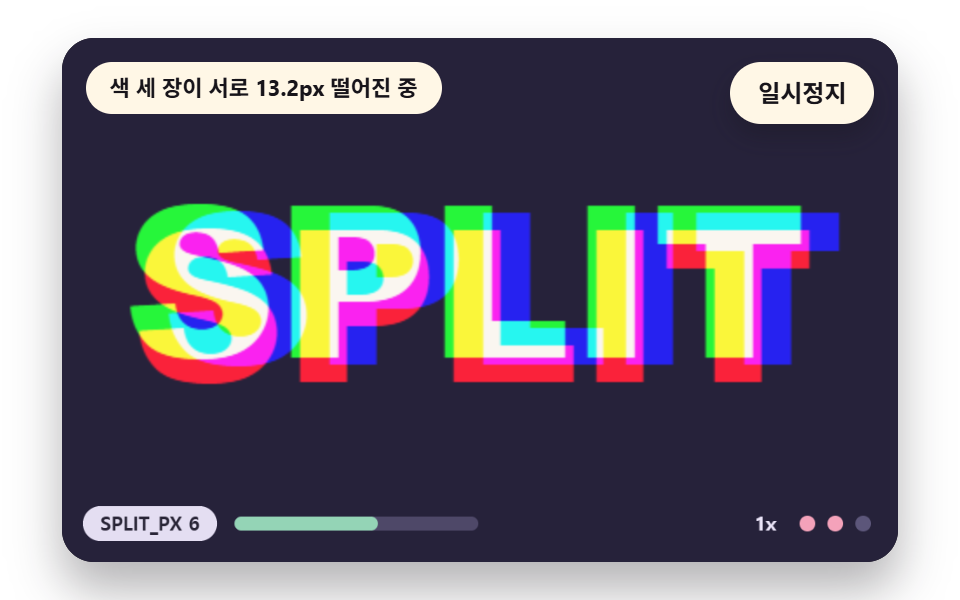 Glitch Text Effect: 9 Canvas Pixel Glitch ScenesHow does glitch text break a word? 02 pushes horizontal slices by hash into row tears, 03 drags bright pixels into a sme See all demos in this post
If you like this effect - similar demos
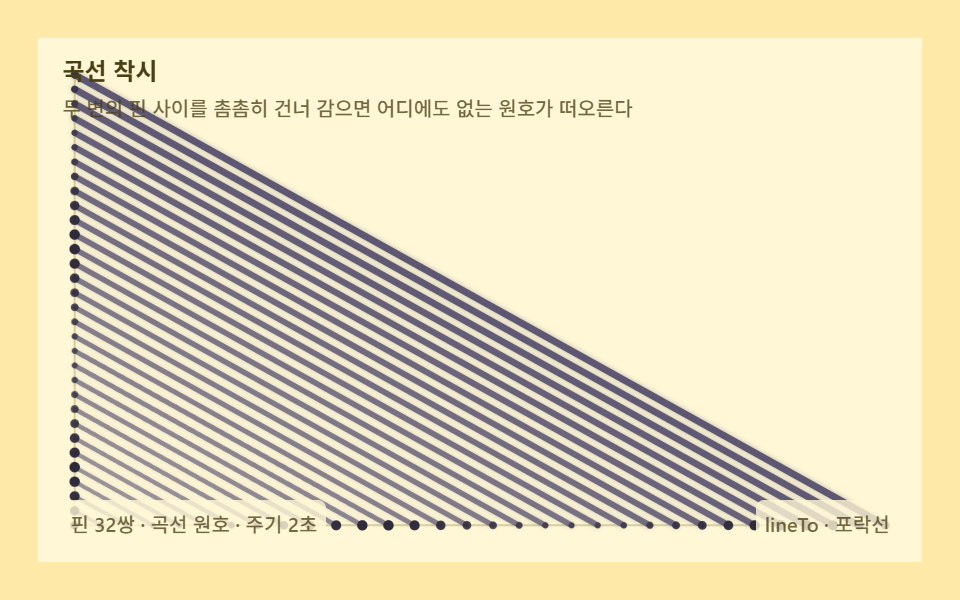 Creative UI02 Curve illusion — an envelope that bends circles from straight threadString Art: 9 Thread-Geometry Demos
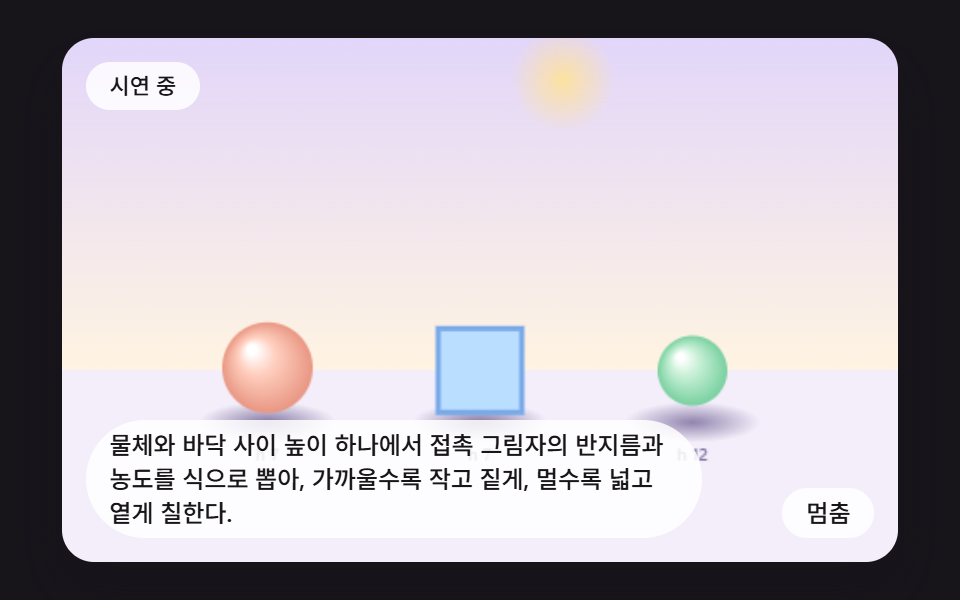 Creative UI07 A Contact Shadow That Darkens as the Object SettlesCSS Shadow Effects: 9 Demos That Compute the Cast
 Creative UI08 Text that scatters into particlesCanvas Particle Animation: 9 Engine Patterns