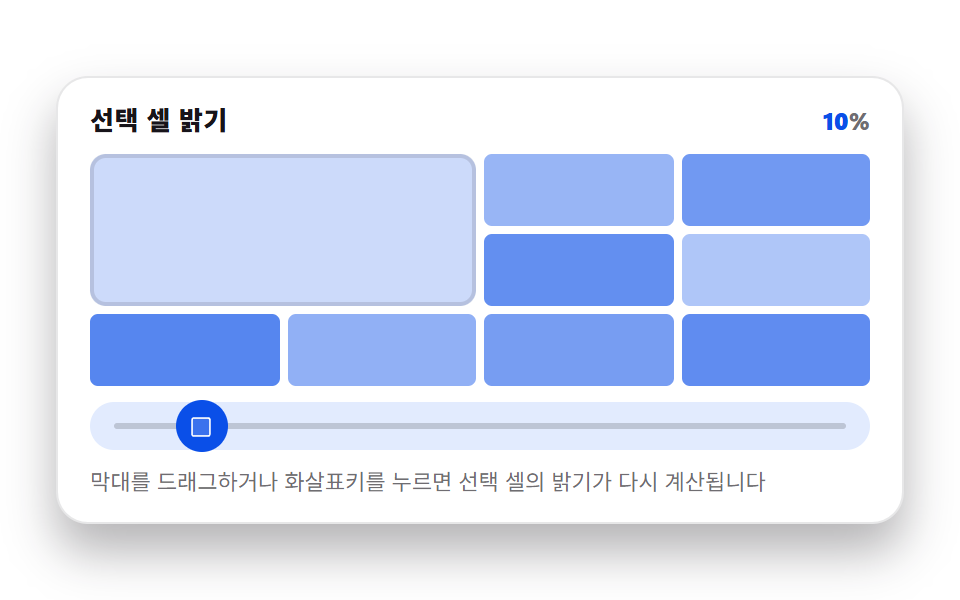
08Picker Whose Value Sets a Heatmap Cell's Intensity
The selected cell's value divided by a fixed maximum becomes a background lightness, so a larger value darkens only that cell while the rest stay at their previous ratio.
Best forIntensity selection by day or hour, like shift charts or streaks
RATIOSMAX_Vgrid-template-columns
<main class="stage">
<figure class="hm is-demo" id="hm">
  <div class="hm__head">
    <span class="hm__title">Selected cell brightness</span>
    <span class="hm__stat" aria-hidden="true"><b class="hm__n" id="hm-val">62</b>%</span>
  </div>

  <div class="hm__zone">
    <div class="hm__grid" id="grid" role="img" aria-label="A 9-cell heatmap; the large cell at the top left is the selected cell, and its brightness recomputes to match the value's ratio. The other 8 cells stay at their previous ratio.">
      <div class="hm__cell hm__cell--hero" id="hero"></div>
    </div>
  </div>

  <div class="hm__track" id="track">
    <span class="hm__rail" aria-hidden="true"></span>
    <button class="hm__grab" id="grab" type="button" role="slider" aria-orientation="horizontal"
            aria-label="Choose selected cell's value" aria-valuemin="0" aria-valuemax="100"
            aria-valuenow="62" aria-valuetext="Selected cell 62%">
      <svg class="hm__ic" viewBox="0 0 256 256" aria-hidden="true"><g fill="currentColor"><rect x="40" y="40" width="176" height="176" rx="16" opacity=".2"/><path d="M200 32H56a24 24 0 0 0-24 24v144a24 24 0 0 0 24 24h144a24 24 0 0 0 24-24V56a24 24 0 0 0-24-24m8 168a8 8 0 0 1-8 8H56a8 8 0 0 1-8-8V56a8 8 0 0 1 8-8h144a8 8 0 0 1 8 8Z"/></g></svg>
    </button>
  </div>

  <p class="hm__hint">Drag on the bar or press the arrow keys and the selected cell's brightness recomputes.</p>

  <div class="sr">
    <span aria-live="polite" id="hm-live"></span>
    <ul id="hm-legend"></ul>
  </div>
</figure>
</main>@use "../../../../site/static/demo-tokens" as *;
// 히트맵 셀 밝기 피커 — 선택 셀 값(0~100)을 드래그·키보드로 정하면, 그 값을 정해둔
// 최대값(100)으로 나눈 비율을 배경색 알파(밝기)로 바꿔 선택 셀(왼쪽 위 큰 칸)만 매 프레임
// 다시 칠한다. 나머지 8칸은 고정 비율로 처음 한 번만 칠하고 이후 손대지 않는다. 값은
// 관성 lerp 로 목표를 뒤따른다.
// CSS @keyframes 는 0개(값이 매 프레임 실수로 바뀌어 선언형으로 못 담는다, 398-01~07 과 같은 이유).
// picker-graph-heatmap-cell-count(JS, N)가 고정 눈금 칸 수를, picker-graph-heatmap-max-value(JS, MAX_V)가
// 정해둔 최대값을 정한다.
$duration: $dur-loop;
$easing: $ease-lerp-settle;
$color: $subject-blue;
@include stage($stage-paper);
.sr {
position: absolute; width: 1px; height: 1px; overflow: hidden;
clip-path: inset(50%); white-space: nowrap;
}
.hm {
box-sizing: border-box;
width: min(424px, 92vw);
margin: 0; padding: $sp-3;
display: flex; flex-direction: column; gap: $sp-2;
border-radius: $r-card;
background: $stage-paper;
border: 1px solid rgba($subject-ink, .10);
box-shadow: $shadow-raised;
color: $subject-ink;
}
.hm__head { display: flex; align-items: baseline; justify-content: flex-end; gap: $sp-2; padding: 0 $sp-1; }
.hm__title { font-size: 13px; line-height: 18px; font-weight: 800; letter-spacing: .02em; margin-right: auto; }
.hm__stat { font-size: 12px; line-height: 18px; font-weight: 800; font-variant-numeric: tabular-nums; color: rgba($subject-ink, .62); }
.hm__n { color: $subject-blue-deep; }
.hm__zone { padding: 0 $sp-1; }
.hm__grid {
display: grid;
grid-template-columns: repeat(4, 1fr);
grid-template-rows: repeat(3, 1fr);
grid-auto-flow: dense;
gap: 4px;
height: 116px;
}
.hm__cell { border-radius: $r-xs; }
.hm__cell--hero {
grid-column: 1 / span 2;
grid-row: 1 / span 2;
border-radius: $r-sm;
box-shadow: inset 0 0 0 2px rgba($subject-ink, .12);
}
.hm__track {
position: relative;
height: 24px;
margin: 0 $sp-1;
border-radius: $r-pill;
background: mix($subject-blue, $stage-paper, 14%);
}
.hm__rail {
position: absolute; left: $sp-3; right: $sp-3; top: 50%;
height: 3px; transform: translateY(-50%);
border-radius: $r-pill;
background: rgba($subject-ink, .18);
}
.hm__grab {
position: absolute; top: 50%; left: 50%;
width: 26px; height: 26px;
margin: 0; padding: 0; border: 0; border-radius: 50%;
display: grid; place-items: center;
background: $subject-blue-deep;
color: $stage-paper;
transform: translate(-50%, -50%);
cursor: ew-resize;
touch-action: none;
}
.hm__grab:focus-visible { outline: 2px solid $subject-blue-deep; outline-offset: 2px; }
.hm__ic { width: 13px; height: 13px; }
.hm__hint { margin: 0; padding: 0 $sp-1; font-size: 11px; line-height: 16px; color: rgba($subject-ink, .62); }
@media (max-width: 340px) {
.hm { padding: $sp-2; gap: $sp-1; }
.hm__hint { display: none; }
.hm__title { font-size: 12px; line-height: 16px; }
.hm__stat { font-size: 11px; line-height: 16px; }
.hm__grid { height: 108px; }
.hm__grab { width: 22px; height: 22px; }
}
@media (prefers-reduced-motion: reduce) {
.hm.is-still .hm__cell--hero { transition: none !important; }
}html, body {
margin: 0;
overflow: hidden;
}
.stage {
box-sizing: border-box;
min-height: 100vh;
display: grid;
place-items: center;
margin: 0;
background: #ffffff;
font-family: -apple-system, "Segoe UI", "Noto Sans KR", sans-serif;
padding: clamp(8px, 4vw, 24px);
}
.sr {
position: absolute;
width: 1px;
height: 1px;
overflow: hidden;
clip-path: inset(50%);
white-space: nowrap;
}
.hm {
box-sizing: border-box;
width: min(424px, 92vw);
margin: 0;
padding: 12px;
display: flex;
flex-direction: column;
gap: 8px;
border-radius: 16px;
background: #ffffff;
border: 1px solid rgba(23, 20, 26, 0.1);
box-shadow: 0 14px 24px rgba(23, 20, 26, 0.32);
color: #17141a;
}
.hm__head {
display: flex;
align-items: baseline;
justify-content: flex-end;
gap: 8px;
padding: 0 4px;
}
.hm__title {
font-size: 13px;
line-height: 18px;
font-weight: 800;
letter-spacing: 0.02em;
margin-right: auto;
}
.hm__stat {
font-size: 12px;
line-height: 18px;
font-weight: 800;
font-variant-numeric: tabular-nums;
color: rgba(23, 20, 26, 0.62);
}
.hm__n {
color: #0a4fe8;
}
.hm__zone {
padding: 0 4px;
}
.hm__grid {
display: grid;
grid-template-columns: repeat(4, 1fr);
grid-template-rows: repeat(3, 1fr);
grid-auto-flow: dense;
gap: 4px;
height: 116px;
}
.hm__cell {
border-radius: 4px;
}
.hm__cell--hero {
grid-column: 1/span 2;
grid-row: 1/span 2;
border-radius: 8px;
box-shadow: inset 0 0 0 2px rgba(23, 20, 26, 0.12);
}
.hm__track {
position: relative;
height: 24px;
margin: 0 4px;
border-radius: 999px;
background: rgb(88.5803921569%, 91.9843137255%, 99.5058823529%);
}
.hm__rail {
position: absolute;
left: 12px;
right: 12px;
top: 50%;
height: 3px;
transform: translateY(-50%);
border-radius: 999px;
background: rgba(23, 20, 26, 0.18);
}
.hm__grab {
position: absolute;
top: 50%;
left: 50%;
width: 26px;
height: 26px;
margin: 0;
padding: 0;
border: 0;
border-radius: 50%;
display: grid;
place-items: center;
background: #0a4fe8;
color: #ffffff;
transform: translate(-50%, -50%);
cursor: ew-resize;
touch-action: none;
}
.hm__grab:focus-visible {
outline: 2px solid #0a4fe8;
outline-offset: 2px;
}
.hm__ic {
width: 13px;
height: 13px;
}
.hm__hint {
margin: 0;
padding: 0 4px;
font-size: 11px;
line-height: 16px;
color: rgba(23, 20, 26, 0.62);
}
@media (max-width: 340px) {
.hm {
padding: 8px;
gap: 4px;
}
.hm__hint {
display: none;
}
.hm__title {
font-size: 12px;
line-height: 16px;
}
.hm__stat {
font-size: 11px;
line-height: 16px;
}
.hm__grid {
height: 108px;
}
.hm__grab {
width: 22px;
height: 22px;
}
}
@media (prefers-reduced-motion: reduce) {
.hm.is-still .hm__cell--hero {
transition: none !important;
}
}// 실제 동작: pointerdown/move/up 과 keydown 이 Selected cell Value(0~100)을 바꾸면, 그 값을 정해둔
// 최대값(100)으로 나눈 비율을 배경색 알파(밝기)로 바꿔 Selected cell(왼쪽 위 큰 칸)만 매 프레임
// 다시 칠한다. 나머지 8칸은 고정 Ratio(RATIOS)로 처음 한 번만 칠하고 이후 손대지 않는다
// ("이전 Ratio 그대로 남는다"). CSS @keyframes 없음(값이 매 프레임 실수로 바뀌어 선언형으로
// 못 담는다, 398-01~07 과 같은 이유).
var root = document.getElementById('hm');
var track = document.getElementById('track');
var grab = document.getElementById('grab');
var grid = document.getElementById('grid');
var hero = document.getElementById('hero');
var valEl = document.getElementById('hm-val');
var live = document.getElementById('hm-live');
var legend = document.getElementById('hm-legend');
var N = 8; // picker-graph-heatmap-cell-count — 고정 눈금 칸 수
var MAX_V = 100; // picker-graph-heatmap-max-value — 정해둔 최대값
var LERP_RATE = 0.22;
var AUTO_PERIOD = 2.0;
var STEP = 5;
var R = 10, G = 79, B = 232; // $subject-blue-deep
var RATIOS = [];
for (var ri = 0; ri < N; ri++) {
RATIOS.push(Math.min(0.85, 0.15 + 0.55 * Math.abs(Math.sin(ri * 1.9 + 0.4))));
}
var value = 62;
var current = 62;
var manual = false;
var autoT = 0;
var lastTs = 0;
var trackRect = null;
var rafId = 0;
function reduced() {
return window.matchMedia && window.matchMedia('(prefers-reduced-motion: reduce)').matches;
}
function colorFor(ratio) {
var a = 0.12 + ratio * 0.82;
return 'rgba(' + R + ',' + G + ',' + B + ',' + a.toFixed(3) + ')';
}
function buildStatic() {
var legendHtml = '';
for (var i = 0; i < N; i++) {
var cell = document.createElement('div');
cell.className = 'hm__cell';
cell.style.background = colorFor(RATIOS[i]);
grid.appendChild(cell);
legendHtml += '<li>Fixed cell ' + (i + 1) + ': ' + Math.round(RATIOS[i] * 100) + '%</li>';
}
legend.innerHTML = legendHtml;
}
function paint() {
var ratio = current / MAX_V;
hero.style.background = colorFor(ratio);
var rv = Math.round(current);
valEl.textContent = String(rv);
grab.style.left = value + '%';
grab.setAttribute('aria-valuenow', String(Math.round(value)));
grab.setAttribute('aria-valuetext', 'Selected cell ' + Math.round(value) + '%');
}
function announce() {
live.textContent = 'Selected cell ' + Math.round(current) + '% recomputed';
}
function setValue(v, isManual) {
value = Math.max(0, Math.min(MAX_V, v));
if (isManual) { manual = true; root.classList.remove('is-demo'); }
}
function fromPointer(clientX) {
if (!trackRect) trackRect = track.getBoundingClientRect();
var ratio = (clientX - trackRect.left) / trackRect.width;
setValue(ratio * MAX_V, true);
}
function reflectNow() { current = value; paint(); announce(); }
function onDown(e) {
trackRect = track.getBoundingClientRect();
if (grab.setPointerCapture) { try { grab.setPointerCapture(e.pointerId); } catch (err) {} }
fromPointer(e.clientX);
if (reduced()) reflectNow();
}
function onMove(e) { fromPointer(e.clientX); if (reduced()) reflectNow(); }
function onUp() { announce(); }
function onTrackDown(e) { trackRect = track.getBoundingClientRect(); fromPointer(e.clientX); if (reduced()) reflectNow(); }
function onKey(e) {
var map = { ArrowLeft: -STEP, ArrowDown: -STEP, ArrowRight: STEP, ArrowUp: STEP };
if (e.key === 'Home') { setValue(0, true); e.preventDefault(); }
else if (e.key === 'End') { setValue(MAX_V, true); e.preventDefault(); }
else if (map[e.key] !== undefined) { setValue(value + map[e.key], true); e.preventDefault(); }
else { return; }
if (reduced()) reflectNow();
}
function onResize() { trackRect = track.getBoundingClientRect(); if (reduced()) paint(); }
function autoStep(dt) {
autoT += dt;
var omega = 2 * Math.PI / AUTO_PERIOD;
value = 50 + 46 * Math.sin(autoT * omega);
}
function frame(ts) {
if (!lastTs) lastTs = ts;
var dt = Math.min(0.05, (ts - lastTs) / 1000);
lastTs = ts;
if (!manual) autoStep(dt);
current += (value - current) * LERP_RATE;
paint();
rafId = requestAnimationFrame(frame);
}
buildStatic();
grab.addEventListener('pointerdown', onDown);
grab.addEventListener('pointermove', onMove);
grab.addEventListener('pointerup', onUp);
grab.addEventListener('keydown', onKey);
track.addEventListener('pointerdown', onTrackDown);
window.addEventListener('resize', onResize);
if (reduced()) {
root.classList.add('is-still');
current = value;
paint();
} else {
paint();
rafId = requestAnimationFrame(frame);
}// HeatmapCellIntensity — vanilla 판(run/398/demo/08-picker-graph-heatmap-cell-intensity/index.html) 의
// React 포트. 선택 셀 값을 정해둔 최대값으로 나눈 비율을 배경색의 밝기로 바꿔, 선택 셀(왼쪽
// 위 큰 칸)만 매 프레임 다시 칠한다. 나머지 고정 칸은 처음 한 번만 칠하고 이후 손대지 않는다.
import { useEffect, useRef } from "react";
import styles from "./HeatmapCellIntensity.module.scss";
type Box<T> = { current: T };
type KeyEvt = { key: string; preventDefault(): void };
type PtrEvt = { clientX: number; pointerId: number };
const N = 8; // picker-graph-heatmap-cell-count — 고정 눈금 칸 수
const MAX_V = 100; // picker-graph-heatmap-max-value — 정해둔 최대값
const LERP_RATE = 0.22;
const AUTO_PERIOD = 2.0;
const STEP = 5;
const CR = 10, CG = 79, CB = 232; // $subject-blue-deep
const RATIOS: number[] = [];
for (let ri = 0; ri < N; ri++) {
RATIOS.push(Math.min(0.85, 0.15 + 0.55 * Math.abs(Math.sin(ri * 1.9 + 0.4))));
}
function colorFor(ratio: number): string {
const a = 0.12 + ratio * 0.82;
return "rgba(" + CR + "," + CG + "," + CB + "," + a.toFixed(3) + ")";
}
export default function HeatmapCellIntensity() {
const rootRef = useRef<HTMLElement | null>(null);
const trackRef = useRef<HTMLDivElement | null>(null);
const grabRef = useRef<HTMLButtonElement | null>(null);
const heroRef = useRef<HTMLDivElement | null>(null);
const valRef = useRef<HTMLElement | null>(null);
const liveRef = useRef<HTMLSpanElement | null>(null);
const value = useRef(62) as Box<number>;
const current = useRef(62) as Box<number>;
const manual = useRef(false) as Box<boolean>;
const autoT = useRef(0) as Box<number>;
const lastTs = useRef(0) as Box<number>;
const trackRect = useRef<DOMRect | null>(null) as Box<DOMRect | null>;
const rafId = useRef(0) as Box<number>;
function reduced(): boolean {
return window.matchMedia("(prefers-reduced-motion: reduce)").matches;
}
function paint(): void {
const ratio = current.current / MAX_V;
if (heroRef.current) heroRef.current.style.background = colorFor(ratio);
const rv = Math.round(current.current);
if (valRef.current) valRef.current.textContent = String(rv);
const grab = grabRef.current;
if (grab) {
grab.style.left = value.current + "%";
grab.setAttribute("aria-valuenow", String(Math.round(value.current)));
grab.setAttribute("aria-valuetext", "선택 셀 " + Math.round(value.current) + "%");
}
}
function announce(): void {
if (liveRef.current) liveRef.current.textContent = "선택 셀 " + Math.round(current.current) + "%로 다시 계산됨";
}
function setValue(v: number, isManual: boolean): void {
value.current = Math.max(0, Math.min(MAX_V, v));
if (isManual) {
manual.current = true;
rootRef.current?.classList.remove("is-demo");
}
}
function fromPointer(clientX: number): void {
if (!trackRect.current && trackRef.current) trackRect.current = trackRef.current.getBoundingClientRect();
const rect = trackRect.current;
if (!rect) return;
const ratio = (clientX - rect.left) / rect.width;
setValue(ratio * MAX_V, true);
}
function reflectNow(): void {
current.current = value.current;
paint();
announce();
}
function onDown(e: PtrEvt): void {
if (trackRef.current) trackRect.current = trackRef.current.getBoundingClientRect();
const grab = grabRef.current;
if (grab && typeof grab.setPointerCapture === "function") {
try { grab.setPointerCapture(e.pointerId); } catch { /* 캡처 실패는 치명적이지 않다 */ }
}
fromPointer(e.clientX);
if (reduced()) reflectNow();
}
function onMove(e: PtrEvt): void {
fromPointer(e.clientX);
if (reduced()) reflectNow();
}
function onUp(): void {
announce();
}
function onTrackDown(e: PtrEvt): void {
if (trackRef.current) trackRect.current = trackRef.current.getBoundingClientRect();
fromPointer(e.clientX);
if (reduced()) reflectNow();
}
function onKey(e: KeyEvt): void {
const map: Record<string, number> = { ArrowLeft: -STEP, ArrowDown: -STEP, ArrowRight: STEP, ArrowUp: STEP };
if (e.key === "Home") { setValue(0, true); e.preventDefault(); }
else if (e.key === "End") { setValue(MAX_V, true); e.preventDefault(); }
else if (map[e.key] !== undefined) { setValue(value.current + map[e.key], true); e.preventDefault(); }
else { return; }
if (reduced()) reflectNow();
}
function onResize(): void {
if (trackRef.current) trackRect.current = trackRef.current.getBoundingClientRect();
if (reduced()) paint();
}
function autoStep(dt: number): void {
autoT.current += dt;
const omega = (2 * Math.PI) / AUTO_PERIOD;
value.current = 50 + 46 * Math.sin(autoT.current * omega);
}
function frame(ts: number): void {
if (!lastTs.current) lastTs.current = ts;
const dt = Math.min(0.05, (ts - lastTs.current) / 1000);
lastTs.current = ts;
if (!manual.current) autoStep(dt);
current.current += (value.current - current.current) * LERP_RATE;
paint();
rafId.current = requestAnimationFrame(frame);
}
useEffect(() => {
window.addEventListener("resize", onResize);
if (reduced()) {
rootRef.current?.classList.add("is-still");
reflectNow();
} else {
paint();
rafId.current = requestAnimationFrame(frame);
}
return () => {
window.removeEventListener("resize", onResize);
cancelAnimationFrame(rafId.current);
};
// eslint-disable-next-line react-hooks/exhaustive-deps
}, []);
return (
<main className={styles.stage}>
<figure className={styles.hm + " is-demo"} ref={rootRef}>
<div className={styles.head}>
<span className={styles.title}>선택 셀 밝기</span>
<span className={styles.stat} aria-hidden="true"><b className={styles.n} ref={valRef}>62</b>%</span>
</div>
<div className={styles.zone}>
<div
className={styles.grid}
role="img"
aria-label="9칸 히트맵, 왼쪽 위 큰 칸이 선택 셀이고 값 비율만큼 밝기가 다시 계산된다. 나머지 8칸은 이전 비율 그대로 남는다"
>
<div className={styles.cell + " " + styles.hero} ref={heroRef} />
{RATIOS.map((r, i) => (
<div key={i} className={styles.cell} style={{ background: colorFor(r) }} />
))}
</div>
</div>
<div className={styles.track} ref={trackRef} onPointerDown={onTrackDown}>
<span className={styles.rail} aria-hidden="true" />
<button
className={styles.grab}
ref={grabRef}
type="button"
role="slider"
aria-orientation="horizontal"
aria-label="선택 셀 값 고르기"
aria-valuemin={0}
aria-valuemax={MAX_V}
aria-valuenow={62}
aria-valuetext="선택 셀 62%"
onPointerDown={onDown}
onPointerMove={onMove}
onPointerUp={onUp}
onKeyDown={onKey}
>
<svg className={styles.ic} viewBox="0 0 256 256" aria-hidden="true">
<g fill="currentColor">
<rect x={40} y={40} width={176} height={176} rx={16} opacity={0.2} />
<path d="M200 32H56a24 24 0 0 0-24 24v144a24 24 0 0 0 24 24h144a24 24 0 0 0 24-24V56a24 24 0 0 0-24-24m8 168a8 8 0 0 1-8 8H56a8 8 0 0 1-8-8V56a8 8 0 0 1 8-8h144a8 8 0 0 1 8 8Z" />
</g>
</svg>
</button>
</div>
<p className={styles.hint}>막대를 드래그하거나 화살표키를 누르면 선택 셀의 밝기가 다시 계산됩니다</p>
<div className={styles.sr}>
<span aria-live="polite" ref={liveRef} />
<ul>
{RATIOS.map((r, i) => (
<li key={i}>고정 칸 {i + 1}: {Math.round(r * 100)}%</li>
))}
</ul>
</div>
</figure>
</main>
);
}08 Picker Whose Value Sets a Heatmap Cell's Intensity — Measured area 15.633% · moving frames 23/23Original by GODRICH · SCSS and React ship in the zip · 9 Graph Animation CSS Pickers With Live Recompute
The post this demo lives in
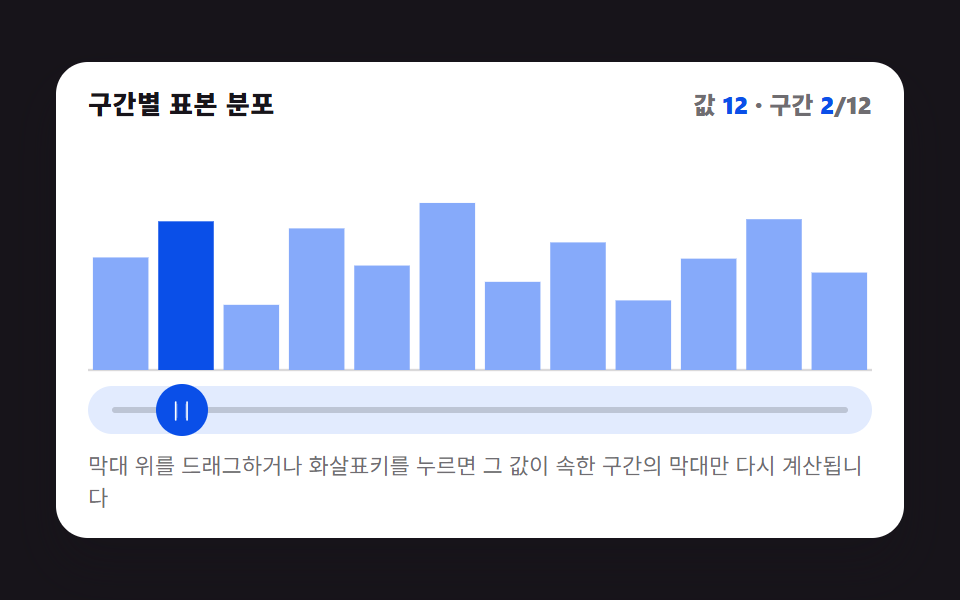 9 Graph Animation CSS Pickers With Live RecomputeMove a bar by pixel and the graph drifts from its value. So nine pickers recompute: bar height from a bucket value, a ga See all demos in this post
If you like this effect - similar demos
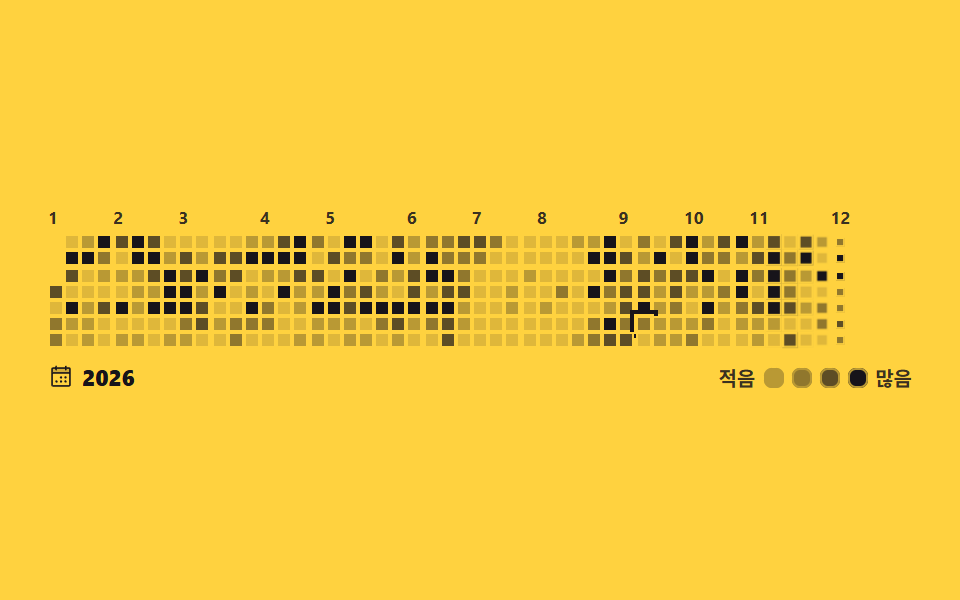 Pickers07 Contribution heatmap calendar9 css calendar design patterns that really move
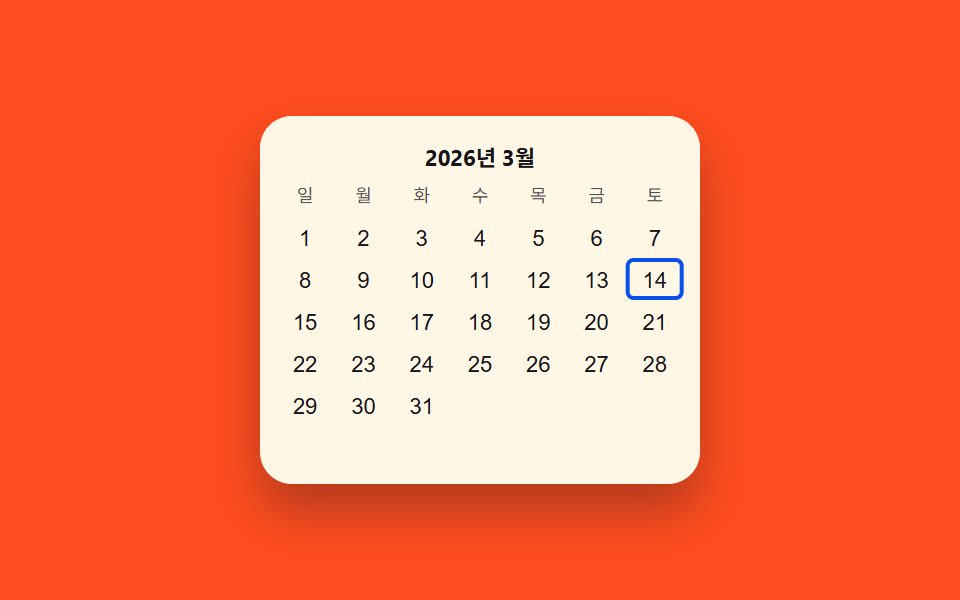 Pickers03 Keyboard-arrow value toggle — each time a direction value changes, a highlighted-cell value moves across the gridDate Picker UI: 9 Popover & Calendar Patterns
 Pickers03 Slot grid where only open times take a press9 time picker ui patterns, from a point to a span