06Onboarding wizard step card
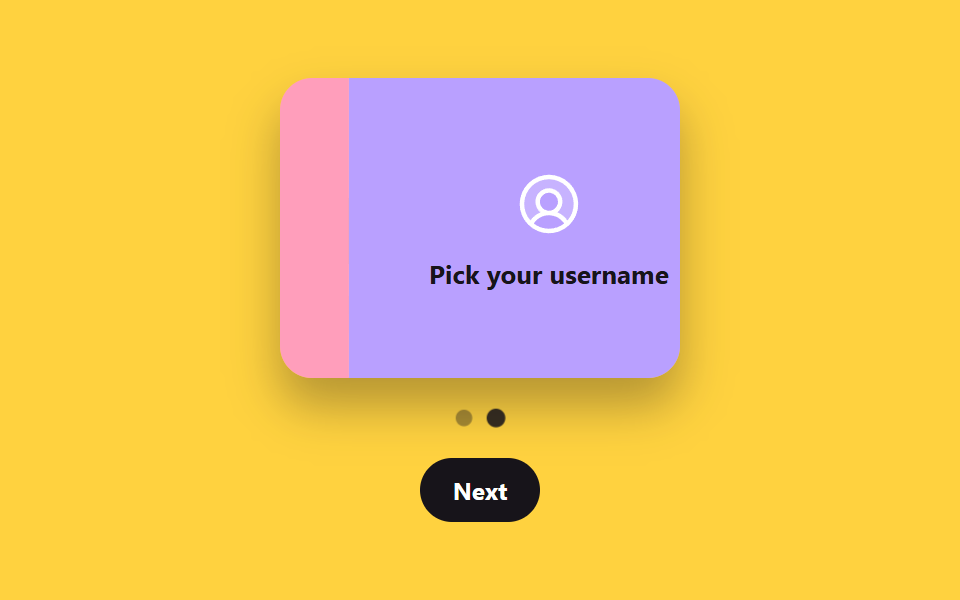
Right after verification, a profile-setup card slides its content left on next, and the following pastel-toned card slides in to replace it.
Best forProfile setup right after signup verification, information-collecting cards in first-run onboarding
transform: translateX 슬라이드커스텀 프로퍼티 --step@keyframes wiz-track
<main class="stage">
  <div class="wizard is-demo">
    <div class="wizard__viewport">
      <div class="wizard__track">
        <div class="wizard__step wizard__step--pink">
          <span class="wizard__icon" aria-hidden="true">
            <svg viewBox="0 0 256 256"><g fill="currentColor"><path d="M224 128a95.76 95.76 0 0 1-31.8 71.37A72 72 0 0 0 128 160a40 40 0 1 0-40-40a40 40 0 0 0 40 40a72 72 0 0 0-64.2 39.37A96 96 0 1 1 224 128" opacity=".2"/><path d="M128 24a104 104 0 1 0 104 104A104.11 104.11 0 0 0 128 24M74.08 197.5a64 64 0 0 1 107.84 0a87.83 87.83 0 0 1-107.84 0M96 120a32 32 0 1 1 32 32a32 32 0 0 1-32-32m97.76 66.41a79.66 79.66 0 0 0-36.06-28.75a48 48 0 1 0-59.4 0a79.66 79.66 0 0 0-36.06 28.75a88 88 0 1 1 131.52 0"/></g></svg>
          </span>
          <p class="wizard__label">Add a photo</p>
        </div>
        <div class="wizard__step wizard__step--lilac">
          <span class="wizard__icon" aria-hidden="true">
            <svg viewBox="0 0 256 256"><g fill="currentColor"><path d="M224 128a95.76 95.76 0 0 1-31.8 71.37A72 72 0 0 0 128 160a40 40 0 1 0-40-40a40 40 0 0 0 40 40a72 72 0 0 0-64.2 39.37A96 96 0 1 1 224 128" opacity=".2"/><path d="M128 24a104 104 0 1 0 104 104A104.11 104.11 0 0 0 128 24M74.08 197.5a64 64 0 0 1 107.84 0a87.83 87.83 0 0 1-107.84 0M96 120a32 32 0 1 1 32 32a32 32 0 0 1-32-32m97.76 66.41a79.66 79.66 0 0 0-36.06-28.75a48 48 0 1 0-59.4 0a79.66 79.66 0 0 0-36.06 28.75a88 88 0 1 1 131.52 0"/></g></svg>
          </span>
          <p class="wizard__label">Pick your username</p>
        </div>
      </div>
    </div>
    <div class="wizard__dots">
      <span class="wizard__dot"></span>
      <span class="wizard__dot"></span>
    </div>
    <button class="wizard__next" type="button">Next</button>
  </div>
</main>@use "../../../../site/static/demo-tokens" as *;
$duration: $dur-loop; // 다음 단계로 슬라이드했다 되돌아오는 한 주기
$easing: $ease-spring;
$color: $subject-pink; // 밝고 귀여운 파스텔 축
@include stage($stage-yellow);
.wizard { display: flex; flex-direction: column; align-items: center; gap: $sp-4; }
.wizard__viewport {
width: min(200px, 78vw);
height: 150px;
overflow: hidden;
border-radius: $r-card;
box-shadow: $shadow-raised;
}
.wizard__track {
display: flex;
width: 200%;
height: 100%;
transition: transform $dur-base $easing;
}
.wizard__step {
flex: 0 0 50%;
box-sizing: border-box;
display: flex;
flex-direction: column;
align-items: center;
justify-content: center;
gap: $sp-2;
padding: $sp-4;
}
.wizard__step--pink { background: $subject-pink; }
.wizard__step--lilac { background: $subject-lilac; }
.wizard__icon { width: 36px; height: 36px; color: $stage-paper; }
.wizard__label { margin: 0; font-size: 13px; font-weight: 700; color: $stage-ink; font-family: inherit; text-align: center; }
.wizard__dots { display: flex; gap: $sp-2; }
.wizard__dot {
width: 8px; height: 8px;
border-radius: 50%;
background: rgba(23, 20, 26, .25);
transition: background $dur-base $easing, transform $dur-base $easing;
}
.wizard__dot.is-active { background: $stage-ink; transform: scale(1.2); }
.wizard__next {
padding: $sp-2 $sp-4;
border: none;
border-radius: $r-pill;
background: $stage-ink;
color: $stage-paper;
font-weight: 700;
font-size: 12px;
font-family: inherit;
cursor: pointer;
}
.wizard__next:hover, .wizard__next:focus-visible { background: lighten($stage-ink, 12%); }
// 자동 재생 루프 — 다음으로 넘어갔다가 다시 첫 화면으로 돌아온다 (실제 클릭은 index.html 의 스크립트가 처리)
.wizard.is-demo .wizard__track { animation: wiz-track $duration $easing infinite; }
.wizard.is-demo .wizard__dot:nth-child(1) { animation: wiz-dot1 $duration $easing infinite; }
.wizard.is-demo .wizard__dot:nth-child(2) { animation: wiz-dot2 $duration $easing infinite; }
@keyframes wiz-track {
0%, 8% { transform: translateX(0%); }
23%, 77% { transform: translateX(-50%); }
92%, 100% { transform: translateX(0%); }
}
@keyframes wiz-dot1 {
0%, 8% { background: $stage-ink; transform: scale(1.2); }
23%, 77% { background: rgba(23, 20, 26, .25); transform: scale(1); }
92%, 100% { background: $stage-ink; transform: scale(1.2); }
}
@keyframes wiz-dot2 {
0%, 8% { background: rgba(23, 20, 26, .25); transform: scale(1); }
23%, 77% { background: $stage-ink; transform: scale(1.2); }
92%, 100% { background: rgba(23, 20, 26, .25); transform: scale(1); }
}
// 폰 뷰포트(320×200) — 세로 합(뷰포트 150 + 점 + 버튼 + 간격 2)이 174px 을 넘어 BD9 가 깨졌다. 카드 높이와 간격만 줄인다
@media (max-height: 240px) {
.wizard { gap: $sp-2; }
.wizard__viewport { height: 96px; }
.wizard__icon { width: 28px; height: 28px; }
}
@media (prefers-reduced-motion: reduce) {
.wizard__track, .wizard__dot { transition: none; }
.wizard.is-demo .wizard__track,
.wizard.is-demo .wizard__dot:nth-child(1),
.wizard.is-demo .wizard__dot:nth-child(2) { animation: none; }
}html, body {
margin: 0;
overflow: hidden;
}
.stage {
box-sizing: border-box;
min-height: 100vh;
display: grid;
place-items: center;
margin: 0;
background: #ffd23f;
font-family: -apple-system, "Segoe UI", "Noto Sans KR", sans-serif;
padding: clamp(8px, 4vw, 24px);
}
.wizard {
display: flex;
flex-direction: column;
align-items: center;
gap: 16px;
}
.wizard__viewport {
width: min(200px, 78vw);
height: 150px;
overflow: hidden;
border-radius: 16px;
box-shadow: 0 14px 24px rgba(23, 20, 26, 0.32);
}
.wizard__track {
display: flex;
width: 200%;
height: 100%;
transition: transform 300ms cubic-bezier(0.2, 0.8, 0.2, 1);
}
.wizard__step {
flex: 0 0 50%;
box-sizing: border-box;
display: flex;
flex-direction: column;
align-items: center;
justify-content: center;
gap: 8px;
padding: 16px;
}
.wizard__step--pink {
background: #ff9ebb;
}
.wizard__step--lilac {
background: #b9a0ff;
}
.wizard__icon {
width: 36px;
height: 36px;
color: #ffffff;
}
.wizard__label {
margin: 0;
font-size: 13px;
font-weight: 700;
color: #17141a;
font-family: inherit;
text-align: center;
}
.wizard__dots {
display: flex;
gap: 8px;
}
.wizard__dot {
width: 8px;
height: 8px;
border-radius: 50%;
background: rgba(23, 20, 26, 0.25);
transition: background 300ms cubic-bezier(0.2, 0.8, 0.2, 1), transform 300ms cubic-bezier(0.2, 0.8, 0.2, 1);
}
.wizard__dot.is-active {
background: #17141a;
transform: scale(1.2);
}
.wizard__next {
padding: 8px 16px;
border: none;
border-radius: 999px;
background: #17141a;
color: #ffffff;
font-weight: 700;
font-size: 12px;
font-family: inherit;
cursor: pointer;
}
.wizard__next:hover, .wizard__next:focus-visible {
background: rgb(21.0196078431%, 18.2779198636%, 23.7612958227%);
}
.wizard.is-demo .wizard__track {
animation: wiz-track 2s cubic-bezier(0.2, 0.8, 0.2, 1) infinite;
}
.wizard.is-demo .wizard__dot:nth-child(1) {
animation: wiz-dot1 2s cubic-bezier(0.2, 0.8, 0.2, 1) infinite;
}
.wizard.is-demo .wizard__dot:nth-child(2) {
animation: wiz-dot2 2s cubic-bezier(0.2, 0.8, 0.2, 1) infinite;
}
@keyframes wiz-track {
0%, 8% {
transform: translateX(0%);
}
23%, 77% {
transform: translateX(-50%);
}
92%, 100% {
transform: translateX(0%);
}
}
@keyframes wiz-dot1 {
0%, 8% {
background: #17141a;
transform: scale(1.2);
}
23%, 77% {
background: rgba(23, 20, 26, 0.25);
transform: scale(1);
}
92%, 100% {
background: #17141a;
transform: scale(1.2);
}
}
@keyframes wiz-dot2 {
0%, 8% {
background: rgba(23, 20, 26, 0.25);
transform: scale(1);
}
23%, 77% {
background: #17141a;
transform: scale(1.2);
}
92%, 100% {
background: rgba(23, 20, 26, 0.25);
transform: scale(1);
}
}
@media (max-height: 240px) {
.wizard {
gap: 8px;
}
.wizard__viewport {
height: 96px;
}
.wizard__icon {
width: 28px;
height: 28px;
}
}
@media (prefers-reduced-motion: reduce) {
.wizard__track, .wizard__dot {
transition: none;
}
.wizard.is-demo .wizard__track,
.wizard.is-demo .wizard__dot:nth-child(1),
.wizard.is-demo .wizard__dot:nth-child(2) {
animation: none;
}
}(function(){
var track = document.querySelector('.wizard__track');
var dots = Array.prototype.slice.call(document.querySelectorAll('.wizard__dot'));
var btn = document.querySelector('.wizard__next');
var step = 0;
btn.addEventListener('click', function(){
step = step === 0 ? 1 : 0;
track.style.transform = 'translateX(' + (step === 0 ? '0%' : '-50%') + ')';
dots.forEach(function(d, i){ d.classList.toggle('is-active', i === step); });
btn.textContent = step === 0 ? 'Next' : 'Back';
});
}());import styles from "./OnboardingWizardStep.module.scss";
export type WizardStep = { label: string };
export type OnboardingWizardStepProps = {
steps: WizardStep[];
step: number;
onNext?: () => void;
};
const ICON = (
<svg viewBox="0 0 256 256">
<g fill="currentColor"><path d="M224 128a95.76 95.76 0 0 1-31.8 71.37A72 72 0 0 0 128 160a40 40 0 1 0-40-40a40 40 0 0 0 40 40a72 72 0 0 0-64.2 39.37A96 96 0 1 1 224 128" opacity=".2" /><path d="M128 24a104 104 0 1 0 104 104A104.11 104.11 0 0 0 128 24M74.08 197.5a64 64 0 0 1 107.84 0a87.83 87.83 0 0 1-107.84 0M96 120a32 32 0 1 1 32 32a32 32 0 0 1-32-32m97.76 66.41a79.66 79.66 0 0 0-36.06-28.75a48 48 0 1 0-59.4 0a79.66 79.66 0 0 0-36.06 28.75a88 88 0 1 1 131.52 0" /></g>
</svg>
);
/** 인증 직후 프로필 설정을 한 단계씩 진행한다 — Next 를 누르면 다음 파스텔 카드로 넘어간다 */
export default function OnboardingWizardStep({ steps, step, onNext }: OnboardingWizardStepProps) {
const count = steps.length;
return (
<div className={styles.wizard}>
<div className={styles.viewport}>
<div
className={styles.track}
style={{ width: `${count * 100}%`, transform: `translateX(-${(100 / count) * step}%)` }}
>
{steps.map((s, i) => (
<div
key={i}
className={`${styles.step} ${i % 2 === 0 ? styles.pink : styles.lilac}`}
style={{ flexBasis: `${100 / count}%` }}
>
<span className={styles.icon} aria-hidden="true">{ICON}</span>
<p className={styles.label}>{s.label}</p>
</div>
))}
</div>
</div>
<div className={styles.dots}>
{steps.map((_, i) => (
<span key={i} className={`${styles.dot} ${i === step ? styles.isActive : ""}`} />
))}
</div>
<button className={styles.next} type="button" onClick={onNext} disabled={step >= count - 1}>
{step >= count - 1 ? "Done" : "Next"}
</button>
</div>
);
}06 Onboarding wizard step card — Measured area 20.839% · moving frames 10/23Original by GODRICH · SCSS and React ship in the zip · 9 ID Verification Screen UI Patterns, Paste-Ready
The post this demo lives in
 9 ID Verification Screen UI Patterns, Paste-ReadyAn id verification screen ui is a screen — a permission prompt, an OTP grid, a security question card — that proves a pe See all demos in this post
If you like this effect - similar demos
 Auth UI01 Glassmorphic login card9 Login Form Design Patterns You Can Copy-Paste
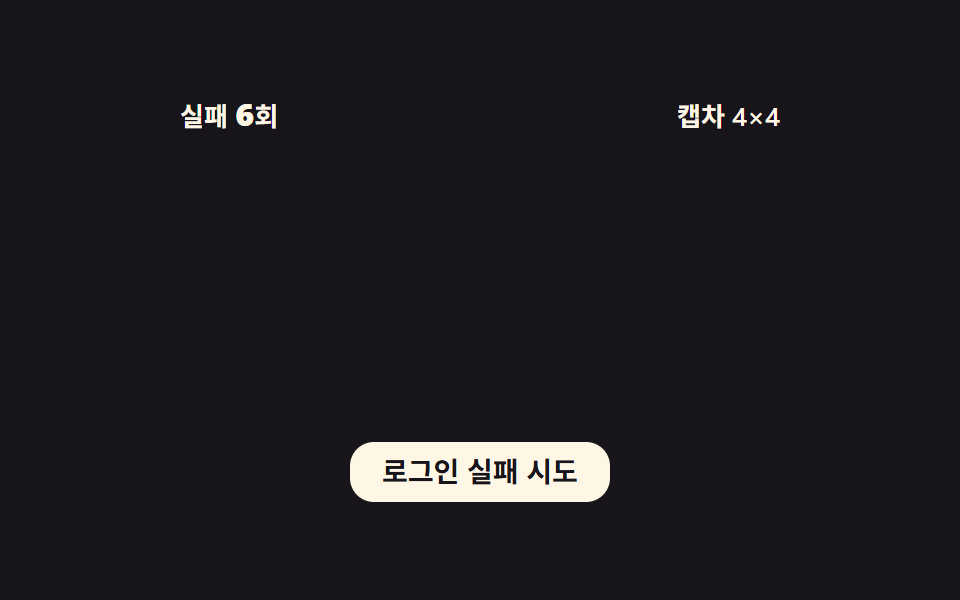 Auth UI04 Captcha step-up — the captcha cell-count value grows each time the failure count crosses a threshold valueToo Many Failed Login Attempts: 9 Patterns
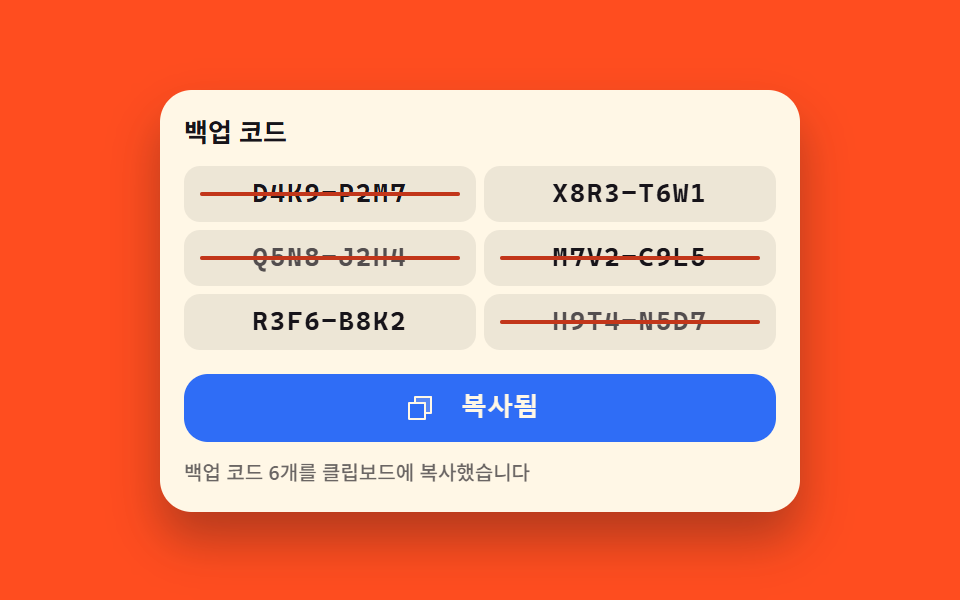 Auth UI03 Backup codes struck through once they are used9 account security settings UI patterns