01Full-bleed hero slider
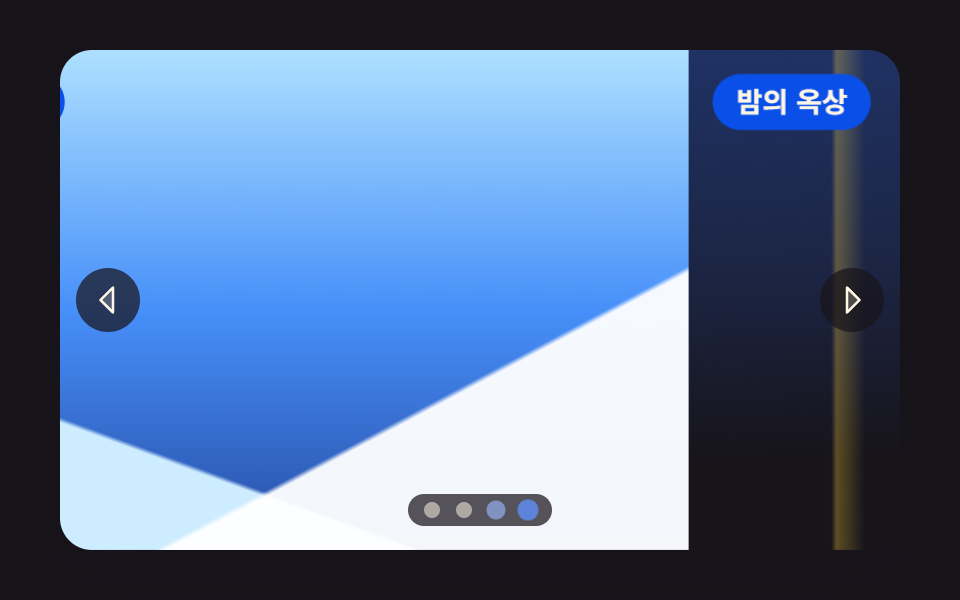
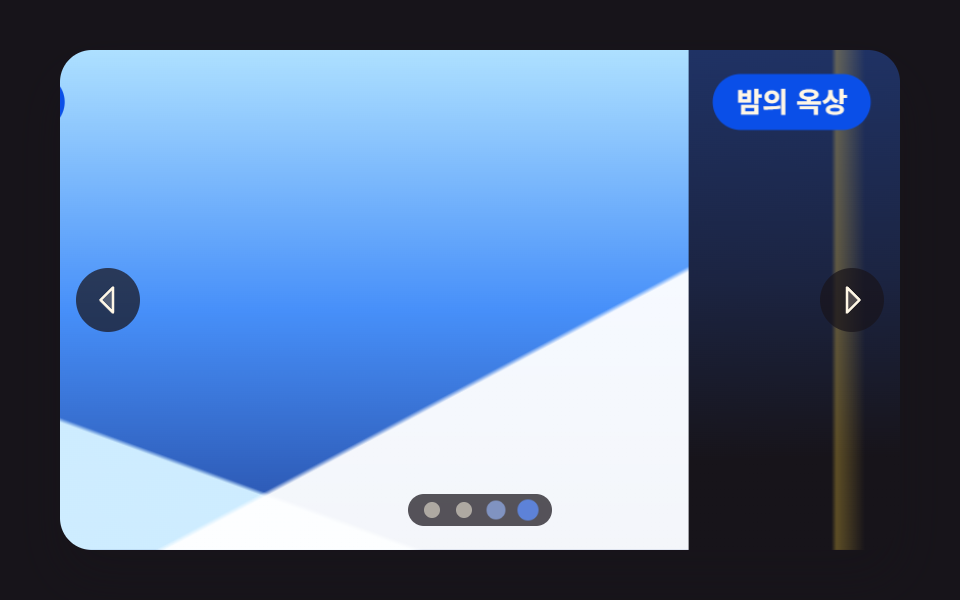
Four photos sit on one long track that slides a step at a time with translate3d, and the arrows and dots both read the same single index.
Best forA landing-page hero banner, the top of a venue or stay listing
translate3daria-roledescriptiontransition
<main class="stage">
<section class="hero is-demo" id="hero" tabindex="0" role="region" aria-roledescription="carousel" aria-label="Travel photo hero slider">
  <div class="hero__view">
    <div class="hero__track" id="track" style="--i:0">
      <article class="hero__slide" aria-roledescription="slide">
        <div class="hero__shot hero__shot--a" role="img" aria-label="A coast road curving along the sea under a sky flooded with sunset"></div>
        <p class="hero__cap">Coast road</p>
      </article>
      <article class="hero__slide" aria-roledescription="slide">
        <div class="hero__shot hero__shot--b" role="img" aria-label="A still lake under low dawn mist with woods on the far shore"></div>
        <p class="hero__cap">Dawn lake</p>
      </article>
      <article class="hero__slide" aria-roledescription="slide">
        <div class="hero__shot hero__shot--c" role="img" aria-label="A snow-covered mountain ridge under a wide, cold sky"></div>
        <p class="hero__cap">Snowy ridge</p>
      </article>
      <article class="hero__slide" aria-roledescription="slide">
        <div class="hero__shot hero__shot--d" role="img" aria-label="Window lights and a far horizon seen from a city rooftop at night"></div>
        <p class="hero__cap">Night rooftop</p>
      </article>
    </div>
  </div>
  <button class="hero__nav hero__nav--prev" id="prev" type="button" aria-label="Previous photo"><svg xmlns="http://www.w3.org/2000/svg" width="1em" height="1em" viewBox="0 0 256 256" aria-hidden="true"><g fill="currentColor"><path d="M160 48v160l-80-80Z" opacity=".2"/><path d="M163.06 40.61a8 8 0 0 0-8.72 1.73l-80 80a8 8 0 0 0 0 11.32l80 80A8 8 0 0 0 168 208V48a8 8 0 0 0-4.94-7.39M152 188.69L91.31 128L152 67.31Z"/></g></svg></button>
  <button class="hero__nav hero__nav--next" id="next" type="button" aria-label="Next photo"><svg xmlns="http://www.w3.org/2000/svg" width="1em" height="1em" viewBox="0 0 256 256" aria-hidden="true"><g fill="currentColor"><path d="m176 128l-80 80V48Z" opacity=".2"/><path d="m181.66 122.34l-80-80A8 8 0 0 0 88 48v160a8 8 0 0 0 13.66 5.66l80-80a8 8 0 0 0 0-11.32M104 188.69V67.31L164.69 128Z"/></g></svg></button>
  <div class="hero__dots" id="dots"></div>
</section>
</main>@use "../../../../site/static/demo-tokens" as *;
// 화면 가득 채우는 히어로 슬라이더.
// 사진 넉 장이 한 줄로 이어 붙은 트랙 하나를 translate3d 로 밀고, 화살표와 점은 같은 인덱스 하나를 본다.
// 옮기는 값은 CSS 변수 --i 뿐이다 — JS 는 숫자만 바꾸고 거리 계산은 calc(-100% * var(--i)) 가 한다.
// 스크롤 컨테이너가 아니다: overflow-x·scroll-snap-type 을 쓰지 않으므로 트랙 폭이 뷰포트를 넘지 않는다.
// 사진 자리는 FLUX 키가 오면 배경만 갈아 끼운다 (run/082/_이미지후보.01.json).
$duration: $dur-enter;
$easing: $ease-out;
$color: $subject-blue;
$panel: $subject-blue-deep; // 크림 글자를 얹는 파란 면 — 5.98:1 (blog-design 대비 표)
$veil: rgba($subject-ink, .72); // 사진 위에 얹는 조작 면. 아이콘·점이 어떤 장면에서도 보이게 한다
$cap-fs: clamp(11px, 3.2vw, 14px);
@include stage($stage-ink);
.hero {
position: relative;
box-sizing: border-box;
width: min(100%, 420px);
height: min(250px, 84vh);
border-radius: $r-card;
overflow: hidden;
background: $subject-ink;
box-shadow: $shadow-raised;
}
.hero:focus-visible { outline: 3px solid $color; outline-offset: 2px; }
// ── 창(고정) 과 트랙(움직임)
.hero__view { position: absolute; inset: 0; overflow: hidden; }
.hero__track {
display: flex;
width: 100%;
height: 100%;
transform: translate3d(calc(-100% * var(--i, 0)), 0, 0);
transition: transform $duration $easing;
will-change: transform;
}
.hero__slide { position: relative; flex: 0 0 100%; height: 100%; }
// ── 사진 자리. 하늘·지평선·빛 세 겹을 겹쳐 장면이 서로 구분되게 한다
.hero__shot { position: absolute; inset: 0; background-repeat: no-repeat; background-size: cover; }
// 해 → 수평선 → 바다 → 도로 띠 순으로 겹친다.
// 해는 반지름을 정한 작은 원이다 — 먼 곳까지 퍼지는 radial 은 gif 로 줄이면 동심원 띠가 남는다 (실측 2026-09-14)
.hero__shot--a {
background-image:
radial-gradient(circle 20px at 68% 30%, rgba($subject-cream, .96) 0 52%, rgba($subject-cream, .20) 80%, rgba($subject-cream, 0) 100%),
linear-gradient(74deg, rgba($subject-cream, 0) 44%, rgba($subject-cream, .26) 47%, rgba($subject-cream, 0) 50%),
linear-gradient(180deg, rgba($subject-cream, 0) 58%, rgba($subject-cream, .30) 59%, rgba($subject-cream, 0) 62%),
linear-gradient(180deg, mix($stage-orange, $subject-cream, 30%) 0%, $stage-orange 36%,
mix($stage-orange, $subject-ink, 46%) 59%, mix($subject-ink, $stage-orange, 74%) 60%,
mix($subject-ink, $stage-orange, 92%) 100%);
}
.hero__shot--b {
background-image:
radial-gradient(circle 16px at 32% 30%, rgba($subject-cream, .92) 0 50%, rgba($subject-cream, .18) 82%, rgba($subject-cream, 0) 100%),
linear-gradient(180deg, rgba($subject-cream, 0) 54%, rgba($subject-cream, .38) 58%, rgba($subject-cream, .10) 66%, rgba($subject-cream, 0) 72%),
linear-gradient(180deg, mix($subject-sky, $subject-cream, 40%) 0%, mix($subject-sky, $subject-cream, 68%) 44%,
mix($subject-blue, $subject-ink, 50%) 58%, mix($subject-ink, $subject-blue, 80%) 100%);
}
// 앞 능선(밝은 눈) · 뒤 능선(그늘) · 하늘 세 겹. 대각선은 아래쪽에서만 올라오게 시작점을 60% 아래로 둔다
.hero__shot--c {
background-image:
linear-gradient(152deg, rgba($stage-paper, 0) 70%, rgba($stage-paper, .95) 70.6%),
linear-gradient(200deg, rgba($stage-paper, 0) 74%, mix($subject-sky, $stage-paper, 34%) 74.6%),
linear-gradient(180deg, mix($subject-sky, $stage-paper, 56%) 0%, mix($subject-sky, $subject-blue, 38%) 52%,
mix($subject-blue, $subject-ink, 62%) 100%);
}
.hero__shot--d {
background-image:
radial-gradient(circle 14px at 78% 20%, rgba($stage-yellow, .90) 0 46%, rgba($stage-yellow, .16) 80%, rgba($stage-yellow, 0) 100%),
linear-gradient(90deg, rgba($stage-yellow, 0) 17%, rgba($stage-yellow, .30) 17.6%, rgba($stage-yellow, 0) 21%,
rgba($stage-yellow, 0) 31%, rgba($stage-yellow, .22) 31.6%, rgba($stage-yellow, 0) 35%,
rgba($stage-yellow, 0) 62%, rgba($stage-yellow, .28) 62.6%, rgba($stage-yellow, 0) 66%),
linear-gradient(178deg, mix($subject-blue, $subject-ink, 34%) 0%, mix($subject-blue, $subject-ink, 18%) 44%,
$subject-ink 78%);
}
// ── 장면 이름. 파란 면 위 크림 글자 (5.98:1)
.hero__cap {
position: absolute;
top: $sp-3;
left: $sp-3;
margin: 0;
padding: $sp-1 $sp-3;
border-radius: $r-pill;
background: $panel;
color: $subject-cream;
font-weight: 700;
font-size: $cap-fs;
line-height: 1.4;
}
// ── 화살표·점. 둘 다 진짜 button 이고 같은 index 를 읽는다
.hero__nav {
position: absolute;
top: 50%;
width: 32px;
height: 32px;
padding: 0;
border: 0;
border-radius: 50%;
display: grid;
place-items: center;
background: $veil;
color: $subject-cream;
font-size: 20px;
cursor: pointer;
transform: translateY(-50%);
transition: transform $dur-quick $easing;
}
.hero__nav--prev { left: $sp-2; }
.hero__nav--next { right: $sp-2; }
.hero__nav:hover { transform: translateY(-50%) scale(1.12); }
.hero__nav:focus-visible { outline: 3px solid $color; outline-offset: 2px; }
.hero__dots {
position: absolute;
left: 50%;
bottom: $sp-3;
display: flex;
gap: $sp-2;
padding: $sp-1 $sp-2;
border-radius: $r-pill;
background: $veil;
transform: translateX(-50%);
}
.hero__dot {
width: 8px;
height: 8px;
padding: 0;
border: 0;
border-radius: 50%;
background: rgba($subject-cream, .52);
cursor: pointer;
transition: transform $dur-quick $easing, background-color $dur-quick $easing;
}
.hero__dot[aria-current="true"] { background: $color; transform: scale(1.5); }
.hero__dot:focus-visible { outline: 2px solid $subject-cream; outline-offset: 2px; }
// ── 좁은 화면: 조작 면을 줄여 사진이 계속 주인공이 되게 한다
@media (max-width: 360px) {
.hero__cap { top: $sp-2; left: $sp-2; padding: 0 $sp-2; }
.hero__nav { width: 26px; height: 26px; font-size: 16px; }
.hero__dots { bottom: $sp-2; gap: $sp-1; }
}
@media (prefers-reduced-motion: reduce) {
.hero__track,
.hero__nav,
.hero__dot { transition-duration: 0s; }
}html, body {
margin: 0;
overflow: hidden;
}
.stage {
box-sizing: border-box;
min-height: 100vh;
display: grid;
place-items: center;
margin: 0;
background: #17141a;
font-family: -apple-system, "Segoe UI", "Noto Sans KR", sans-serif;
padding: clamp(8px, 4vw, 24px);
}
.hero {
position: relative;
box-sizing: border-box;
width: min(100%, 420px);
height: min(250px, 84vh);
border-radius: 16px;
overflow: hidden;
background: #17141a;
box-shadow: 0 14px 24px rgba(23, 20, 26, 0.32);
}
.hero:focus-visible {
outline: 3px solid #2f6df6;
outline-offset: 2px;
}
.hero__view {
position: absolute;
inset: 0;
overflow: hidden;
}
.hero__track {
display: flex;
width: 100%;
height: 100%;
transform: translate3d(calc(-100% * var(--i, 0)), 0, 0);
transition: transform 600ms ease-out;
will-change: transform;
}
.hero__slide {
position: relative;
flex: 0 0 100%;
height: 100%;
}
.hero__shot {
position: absolute;
inset: 0;
background-repeat: no-repeat;
background-size: cover;
}
.hero__shot--a {
background-image: radial-gradient(circle 20px at 68% 30%, rgba(255, 247, 230, 0.96) 0 52%, rgba(255, 247, 230, 0.2) 80%, rgba(255, 247, 230, 0) 100%), linear-gradient(74deg, rgba(255, 247, 230, 0) 44%, rgba(255, 247, 230, 0.26) 47%, rgba(255, 247, 230, 0) 50%), linear-gradient(180deg, rgba(255, 247, 230, 0) 58%, rgba(255, 247, 230, 0.3) 59%, rgba(255, 247, 230, 0) 62%), linear-gradient(180deg, rgb(100%, 76.862745098%, 66.7843137255%) 0%, #ff4d1f 36%, rgb(50.8705882353%, 18.1254901961%, 11.0980392157%) 59%, rgb(32.6745098039%, 13.6549019608%, 10.7058823529%) 60%, rgb(16.2980392157%, 9.631372549%, 10.3529411765%) 100%);
}
.hero__shot--b {
background-image: radial-gradient(circle 16px at 32% 30%, rgba(255, 247, 230, 0.92) 0 50%, rgba(255, 247, 230, 0.18) 82%, rgba(255, 247, 230, 0) 100%), linear-gradient(180deg, rgba(255, 247, 230, 0) 54%, rgba(255, 247, 230, 0.38) 58%, rgba(255, 247, 230, 0.1) 66%, rgba(255, 247, 230, 0) 72%), linear-gradient(180deg, rgb(77.2549019608%, 89.4901960784%, 94.1176470588%) 0%, rgb(61.3333333333%, 84.3294117647%, 96.862745098%) 44%, rgb(13.7254901961%, 25.2941176471%, 53.3333333333%) 58%, rgb(10.9019607843%, 14.8235294118%, 27.4509803922%) 100%);
}
.hero__shot--c {
background-image: linear-gradient(152deg, rgba(255, 255, 255, 0) 70%, rgba(255, 255, 255, 0.95) 70.6%), linear-gradient(200deg, rgba(255, 255, 255, 0) 74%, rgb(80.6666666667%, 92.6666666667%, 100%) 74.6%), linear-gradient(180deg, rgb(68.1568627451%, 87.9215686275%, 100%) 0%, rgb(27.8196078431%, 56.3058823529%, 97.8117647059%) 52%, rgb(14.8549019608%, 29.4823529412%, 63.6862745098%) 100%);
}
.hero__shot--d {
background-image: radial-gradient(circle 14px at 78% 20%, rgba(255, 210, 63, 0.9) 0 46%, rgba(255, 210, 63, 0.16) 80%, rgba(255, 210, 63, 0) 100%), linear-gradient(90deg, rgba(255, 210, 63, 0) 17%, rgba(255, 210, 63, 0.3) 17.6%, rgba(255, 210, 63, 0) 21%, rgba(255, 210, 63, 0) 31%, rgba(255, 210, 63, 0.22) 31.6%, rgba(255, 210, 63, 0) 35%, rgba(255, 210, 63, 0) 62%, rgba(255, 210, 63, 0.28) 62.6%, rgba(255, 210, 63, 0) 66%), linear-gradient(178deg, rgb(12.2196078431%, 19.7098039216%, 39.5294117647%) 0%, rgb(10.7137254902%, 14.1254901961%, 25.7254901961%) 44%, #17141a 78%);
}
.hero__cap {
position: absolute;
top: 12px;
left: 12px;
margin: 0;
padding: 4px 12px;
border-radius: 999px;
background: #0a4fe8;
color: #fff7e6;
font-weight: 700;
font-size: clamp(11px, 3.2vw, 14px);
line-height: 1.4;
}
.hero__nav {
position: absolute;
top: 50%;
width: 32px;
height: 32px;
padding: 0;
border: 0;
border-radius: 50%;
display: grid;
place-items: center;
background: rgba(23, 20, 26, 0.72);
color: #fff7e6;
font-size: 20px;
cursor: pointer;
transform: translateY(-50%);
transition: transform 220ms ease-out;
}
.hero__nav--prev {
left: 8px;
}
.hero__nav--next {
right: 8px;
}
.hero__nav:hover {
transform: translateY(-50%) scale(1.12);
}
.hero__nav:focus-visible {
outline: 3px solid #2f6df6;
outline-offset: 2px;
}
.hero__dots {
position: absolute;
left: 50%;
bottom: 12px;
display: flex;
gap: 8px;
padding: 4px 8px;
border-radius: 999px;
background: rgba(23, 20, 26, 0.72);
transform: translateX(-50%);
}
.hero__dot {
width: 8px;
height: 8px;
padding: 0;
border: 0;
border-radius: 50%;
background: rgba(255, 247, 230, 0.52);
cursor: pointer;
transition: transform 220ms ease-out, background-color 220ms ease-out;
}
.hero__dot[aria-current=true] {
background: #2f6df6;
transform: scale(1.5);
}
.hero__dot:focus-visible {
outline: 2px solid #fff7e6;
outline-offset: 2px;
}
@media (max-width: 360px) {
.hero__cap {
top: 8px;
left: 8px;
padding: 0 8px;
}
.hero__nav {
width: 26px;
height: 26px;
font-size: 16px;
}
.hero__dots {
bottom: 8px;
gap: 4px;
}
}
@media (prefers-reduced-motion: reduce) {
.hero__track,
.hero__nav,
.hero__dot {
transition-duration: 0s;
}
}// 인덱스 하나가 전부다. 트랙의 --i 를 바꾸면 CSS 가 translate3d 로 옮기고,
// 점과 화살표는 같은 index 를 읽는다 (라이브러리 0 · 스크롤 컨테이너 아님).
var hero = document.getElementById('hero');
var track = document.getElementById('track');
var dotsBox = document.getElementById('dots');
var slides = track.querySelectorAll('.hero__slide');
var SLIDE_LABEL = '{n} of {total}';
var DOT_LABEL = 'Show photo {n}';
var total = slides.length;
var index = 0;
var timer = 0;
var dots = [];
function label(form, n) { return form.replace('{n}', n).replace('{total}', total); }
function picker(n) { return function () { stop(); go(n); }; }
function go(n) {
index = (n + total) % total;
track.style.setProperty('--i', index);
for (var k = 0; k < total; k++) {
slides[k].setAttribute('aria-hidden', k === index ? 'false' : 'true');
dots[k].setAttribute('aria-current', k === index ? 'true' : 'false');
}
}
function stop() {
hero.classList.remove('is-demo');
if (timer) { clearInterval(timer); timer = 0; }
}
for (var i = 0; i < total; i++) {
slides[i].setAttribute('aria-label', label(SLIDE_LABEL, i + 1));
var dot = document.createElement('button');
dot.type = 'button';
dot.className = 'hero__dot';
dot.setAttribute('aria-label', label(DOT_LABEL, i + 1));
dot.addEventListener('click', picker(i));
dotsBox.appendChild(dot);
dots.push(dot);
}
document.getElementById('prev').addEventListener('click', function () { stop(); go(index - 1); });
document.getElementById('next').addEventListener('click', function () { stop(); go(index + 1); });
hero.addEventListener('keydown', function (e) {
if (e.key === 'ArrowLeft') { stop(); go(index - 1); }
if (e.key === 'ArrowRight') { stop(); go(index + 1); }
});
hero.addEventListener('pointerdown', stop);
go(0);
// 격자 미리보기: .is-demo 가 붙어 있는 동안만 혼자 넘어간다. 손이 닿으면 stop() 이 뗀다
timer = setInterval(function () { if (hero.classList.contains('is-demo')) { go(index + 1); } }, 560);// HeroTrackSlider — vanilla 판(run/082/demo/01-slider-fullscreen-hero-track/index.html) 의 React 포트.
// 사진 넉 장이 한 줄로 이어 붙은 트랙 하나를 translate3d 로 밀고, 화살표와 점이 같은 인덱스 하나를 본다.
// 옮기는 값은 CSS 변수 --i 뿐이다 — 컴포넌트는 숫자만 바꾸고 거리 계산은 calc(-100% * var(--i)) 가 한다.
import { useEffect, useState } from "react";
import type { CSSProperties } from "react";
import styles from "./HeroTrackSlider.module.scss";
export type HeroTrackSliderProps = {
duration?: number;
easing?: string;
color?: string;
autoplayMs?: number;
};
type Vars = CSSProperties & {
"--i"?: number;
"--duration"?: string;
"--easing"?: string;
"--color"?: string;
};
const REGION_LABEL = "여행 사진 히어로 슬라이더";
const SLIDE_LABEL = "{total}장 중 {n}장";
const DOT_LABEL = "{n}번째 사진 보기";
const PREV_LABEL = "이전 사진";
const NEXT_LABEL = "다음 사진";
type Shot = { key: string; cap: string; alt: string };
const SHOTS: Shot[] = [
{ key: "a", cap: "해안 도로", alt: "노을이 번진 하늘 아래 바다를 끼고 굽어 도는 해안 도로" },
{ key: "b", cap: "새벽 호수", alt: "새벽 물안개가 낮게 깔린 잔잔한 호수와 건너편 숲" },
{ key: "c", cap: "눈 덮인 능선", alt: "눈이 덮인 산등성이와 그 위로 트인 차가운 하늘" },
{ key: "d", cap: "밤의 옥상", alt: "밤의 도시 옥상에서 내려다본 창문 불빛과 먼 지평선" },
];
function label(form: string, n: number, total: number): string {
return form.replace("{n}", String(n)).replace("{total}", String(total));
}
function CaretLeft() {
return (
<svg xmlns="http://www.w3.org/2000/svg" width="1em" height="1em" viewBox="0 0 256 256" aria-hidden="true">
<g fill="currentColor">
<path d="M160 48v160l-80-80Z" opacity=".2" />
<path d="M163.06 40.61a8 8 0 0 0-8.72 1.73l-80 80a8 8 0 0 0 0 11.32l80 80A8 8 0 0 0 168 208V48a8 8 0 0 0-4.94-7.39M152 188.69L91.31 128L152 67.31Z" />
</g>
</svg>
);
}
function CaretRight() {
return (
<svg xmlns="http://www.w3.org/2000/svg" width="1em" height="1em" viewBox="0 0 256 256" aria-hidden="true">
<g fill="currentColor">
<path d="m176 128l-80 80V48Z" opacity=".2" />
<path d="m181.66 122.34l-80-80A8 8 0 0 0 88 48v160a8 8 0 0 0 13.66 5.66l80-80a8 8 0 0 0 0-11.32M104 188.69V67.31L164.69 128Z" />
</g>
</svg>
);
}
export default function HeroTrackSlider(props: HeroTrackSliderProps) {
const duration = props.duration ?? 600;
const easing = props.easing ?? "ease-out";
const color = props.color ?? "#2f6df6";
const autoplayMs = props.autoplayMs ?? 560;
const total = SHOTS.length;
const [index, setIndex] = useState<number>(0);
const [playing, setPlaying] = useState<boolean>(true);
// 격자 미리보기: playing 인 동안만 혼자 넘어간다. 손이 닿으면 stop() 이 끈다
useEffect(() => {
if (!playing) return;
const id = window.setInterval(() => setIndex((prev: number) => (prev + 1) % total), autoplayMs);
return () => window.clearInterval(id);
}, [playing, autoplayMs, total]);
const stop = () => setPlaying(false);
const go = (n: number) => {
stop();
setIndex(((n % total) + total) % total);
};
const vars: Vars = { "--i": index, "--duration": duration + "ms", "--easing": easing, "--color": color };
return (
<main className={styles.stage}>
<section
className={styles.hero}
style={vars}
tabIndex={0}
role="region"
aria-roledescription="carousel"
aria-label={REGION_LABEL}
onPointerDown={stop}
onKeyDown={(e: { key: string }) => {
if (e.key === "ArrowLeft") go(index - 1);
if (e.key === "ArrowRight") go(index + 1);
}}
>
<div className={styles.view}>
<div className={styles.track}>
{SHOTS.map((shot: Shot, i: number) => (
<article
key={shot.key}
className={styles.slide}
aria-roledescription="slide"
aria-label={label(SLIDE_LABEL, i + 1, total)}
aria-hidden={i === index ? "false" : "true"}
>
<div className={styles.shot + " " + styles["shot--" + shot.key]} role="img" aria-label={shot.alt} />
<p className={styles.cap}>{shot.cap}</p>
</article>
))}
</div>
</div>
<button className={styles.nav + " " + styles.navPrev} type="button" aria-label={PREV_LABEL} onClick={() => go(index - 1)}>
<CaretLeft />
</button>
<button className={styles.nav + " " + styles.navNext} type="button" aria-label={NEXT_LABEL} onClick={() => go(index + 1)}>
<CaretRight />
</button>
<div className={styles.dots}>
{SHOTS.map((shot: Shot, i: number) => (
<button
key={shot.key}
className={styles.dot}
type="button"
aria-label={label(DOT_LABEL, i + 1, total)}
aria-current={i === index ? "true" : "false"}
onClick={() => go(i)}
/>
))}
</div>
</section>
</main>
);
}01 Full-bleed hero slider — Measured area 72.751% · moving frames 20/23Original by GODRICH · SCSS and React ship in the zip · CSS Image Slider — 9 Responsive Sliders, No GSAP
The post this demo lives in
 CSS Image Slider — 9 Responsive Sliders, No GSAPA css image slider lines up several photo slots in a row and shows them one at a time with arrows, dots, or a finger — N See all demos in this post