06Autoplay slideshow with a progress bar and a pause button
A bar shrinking with scaleX shows the time left, and both the pause button and visibilitychange stop the same timer so photos never advance while the tab is away.
Best forAn in-store info screen, a rotating notice banner
scaleXtransform-originvisibilitychange
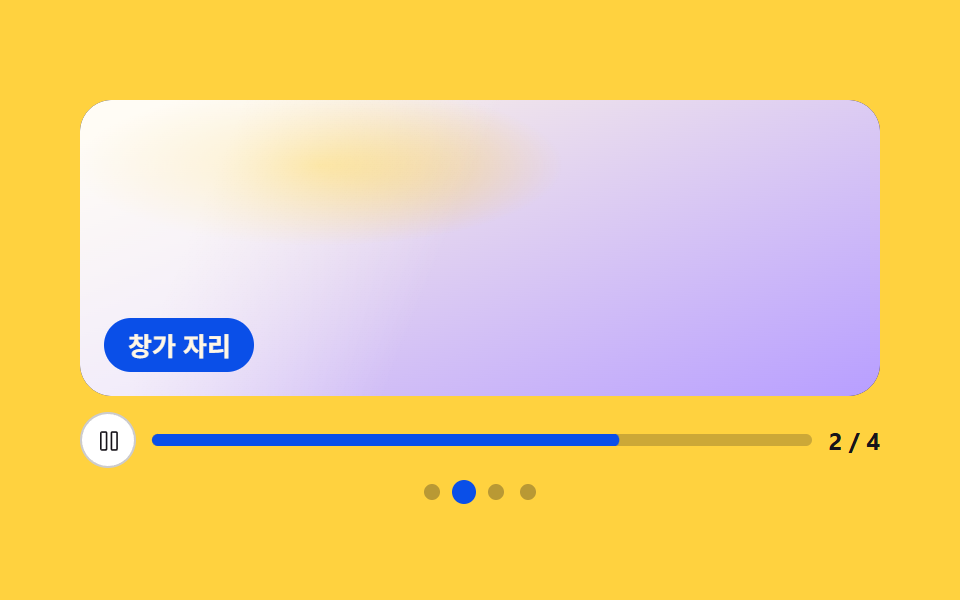
<main class="stage">
<div class="ap" id="ap">
  <div class="ap__view" id="view" role="region" aria-roledescription="carousel" aria-label="In-store info autoplay slideshow" tabindex="0">
    <div class="ap__track" id="track">
      <div class="ap__shot" role="group" aria-roledescription="slide" aria-label="Slide 1 of 4">
        <span class="ap__photo ap__photo--bread" role="img" aria-label="Loaves fresh from the oven lined up on a shelf"></span>
        <span class="ap__cap">Fresh bread</span>
      </div>
      <div class="ap__shot" role="group" aria-roledescription="slide" aria-label="Slide 2 of 4">
        <span class="ap__photo ap__photo--window" role="img" aria-label="A sunlit window seat with a wooden table"></span>
        <span class="ap__cap">Window seat</span>
      </div>
      <div class="ap__shot" role="group" aria-roledescription="slide" aria-label="Slide 3 of 4">
        <span class="ap__photo ap__photo--drink" role="img" aria-label="Two summer drinks with ice and fruit"></span>
        <span class="ap__cap">Summer drinks</span>
      </div>
      <div class="ap__shot" role="group" aria-roledescription="slide" aria-label="Slide 4 of 4">
        <span class="ap__photo ap__photo--plant" role="img" aria-label="Green potted plants lined up by the shop door"></span>
        <span class="ap__cap">Pots by the door</span>
      </div>
    </div>
  </div>
  <div class="ap__bar">
    <button class="ap__toggle" type="button" id="toggle" aria-label="Pause autoplay">
      <span class="ap__ico ap__ico--pause"><svg viewBox="0 0 256 256" width="1em" height="1em" aria-hidden="true" focusable="false"><path d="M200,32H160a16,16,0,0,0-16,16V208a16,16,0,0,0,16,16h40a16,16,0,0,0,16-16V48A16,16,0,0,0,200,32Zm0,176H160V48h40ZM96,32H56A16,16,0,0,0,40,48V208a16,16,0,0,0,16,16H96a16,16,0,0,0,16-16V48A16,16,0,0,0,96,32Zm0,176H56V48H96Z" fill="currentColor"/></svg></span>
      <span class="ap__ico ap__ico--play"><svg viewBox="0 0 256 256" width="1em" height="1em" aria-hidden="true" focusable="false"><path d="M232.4,114.49,88.32,26.35a16,16,0,0,0-16.2-.3A15.86,15.86,0,0,0,64,39.87V216.13A15.94,15.94,0,0,0,80,232a16.07,16.07,0,0,0,8.36-2.35L232.4,141.51a15.81,15.81,0,0,0,0-27ZM80,215.94V40l143.83,88Z" fill="currentColor"/></svg></span>
    </button>
    <span class="ap__meter"><span class="ap__fill" id="fill"></span></span>
    <span class="ap__count" id="count" aria-hidden="true">1 / 4</span>
  </div>
  <span class="ap__dots" role="group" aria-label="Choose a slide">
    <button class="ap__dot" type="button" data-go="0" aria-label="Slide 1" aria-current="true"></button>
    <button class="ap__dot" type="button" data-go="1" aria-label="Slide 2" aria-current="false"></button>
    <button class="ap__dot" type="button" data-go="2" aria-label="Slide 3" aria-current="false"></button>
    <button class="ap__dot" type="button" data-go="3" aria-label="Slide 4" aria-current="false"></button>
  </span>
</div>
</main>@use "../../../../site/static/demo-tokens" as *;
// 진행 막대와 멈춤 단추가 있는 자동 슬라이드쇼.
// 타이머는 JS 하나뿐이고 화면의 두 가지(장 넘김·남은 시간)가 그 타이머 하나를 함께 본다.
// 남은 시간은 막대의 scaleX 로만 그린다 — width 를 줄이면 매 프레임 레이아웃을 다시 재고,
// transform-origin: left 가 없으면 막대가 가운데에서 양쪽으로 빨려 들어간다.
// 멈춤 단추와 visibilitychange 가 같은 타이머를 세우므로 탭을 떠나면 사진이 혼자 넘어가지 않는다.
$duration: $dur-quick;
$easing: $ease-spring;
$color: $subject-blue-deep;
$line: rgba($subject-ink, .22);
@include stage($stage-yellow);
.ap {
display: flex; flex-direction: column; gap: $sp-2;
box-sizing: border-box; width: min(100%, 400px);
}
.ap__view {
position: relative;
height: clamp(92px, 32vw, 148px);
border-radius: $r-card; overflow: hidden;
background: $subject-ink;
}
.ap__view:focus-visible { outline: 2px solid $color; outline-offset: 2px; }
.ap__track {
--i: 0;
display: flex; height: 100%;
transform: translateX(calc(var(--i) * -100%));
transition: transform $duration $easing;
will-change: transform;
}
.ap__shot { position: relative; flex: 0 0 100%; }
// ── 사진 자리 (FLUX 대기 중 — 지금은 토큰 팔레트로 합성한 장면 그라디언트)
.ap__photo { position: absolute; inset: 0; display: block; }
.ap__photo--bread {
background:
linear-gradient(to bottom, rgba($subject-ink, 0) 64%, rgba($subject-ink, .50) 64.6%, rgba($subject-ink, .66)),
repeating-linear-gradient(94deg, rgba($stage-yellow, .30) 0 14px, rgba($stage-yellow, 0) 14px 42px),
radial-gradient(34% 30% at 68% 30%, rgba($stage-yellow, .82), rgba($stage-yellow, 0) 74%),
linear-gradient(162deg, $subject-orange-deep 4%, $stage-orange 98%);
}
.ap__photo--window {
background:
linear-gradient(112deg, rgba($stage-paper, .62) 0 18%, rgba($stage-paper, 0) 46%),
radial-gradient(40% 36% at 30% 22%, rgba($stage-yellow, .70), rgba($stage-yellow, 0) 76%),
linear-gradient(158deg, $subject-cream 6%, $subject-lilac 98%);
}
.ap__photo--drink {
background:
radial-gradient(24% 30% at 38% 54%, rgba($stage-paper, .58), rgba($stage-paper, 0) 74%),
radial-gradient(24% 30% at 62% 44%, rgba($stage-paper, .48), rgba($stage-paper, 0) 74%),
linear-gradient(170deg, $subject-sky 4%, $chart-3 98%);
}
.ap__photo--plant {
background:
linear-gradient(to top, rgba($subject-ink, .40), rgba($subject-ink, 0) 48%),
radial-gradient(30% 44% at 24% 66%, rgba($subject-mint, .78), rgba($subject-mint, 0) 76%),
linear-gradient(166deg, $chart-3 8%, $subject-mint 96%);
}
.ap__cap {
position: absolute; left: $sp-3; bottom: $sp-3;
padding: $sp-1 $sp-3; border-radius: $r-pill;
background: $color; color: $subject-cream;
font-weight: 700; font-size: clamp(11px, 3vw, 13px); line-height: 1.5;
white-space: nowrap;
}
// ── 남은 시간 줄
.ap__bar { display: flex; align-items: center; gap: $sp-2; }
.ap__toggle {
display: grid; place-items: center;
width: 28px; height: 28px; padding: 0;
border: 1px solid $line; border-radius: $r-pill;
background: $stage-paper; color: $subject-ink;
font-size: 13px; cursor: pointer;
transition: transform $duration $easing;
}
.ap__toggle:hover { transform: scale(1.08); }
.ap__toggle:active { transform: scale(.94); }
.ap__toggle:focus-visible { outline: 2px solid $color; outline-offset: 2px; }
.ap__ico { display: grid; place-items: center; }
.ap__ico--play { display: none; }
.ap.is-paused .ap__ico--pause { display: none; }
.ap.is-paused .ap__ico--play { display: grid; }
.ap__meter {
flex: 1 1 auto; min-width: 0;
height: 6px; border-radius: $r-pill; overflow: hidden;
background: rgba($subject-ink, .22);
}
.ap__fill {
--p: 1;
display: block; width: 100%; height: 100%;
border-radius: $r-pill;
background: $color;
transform: scaleX(var(--p));
transform-origin: left;
}
.ap__count {
flex: 0 0 auto;
color: $subject-ink;
font-weight: 700; font-size: clamp(10px, 2.6vw, 12px); line-height: 1.4;
font-variant-numeric: tabular-nums;
}
.ap__dots { display: flex; align-items: center; justify-content: center; gap: $sp-2; }
.ap__dot {
width: 8px; height: 8px; padding: 0;
border: 0; border-radius: 50%;
background: rgba($subject-ink, .30);
cursor: pointer;
transition: transform $duration $easing, background-color $duration $easing;
}
.ap__dot[aria-current="true"] { background: $color; transform: scale(1.5); }
.ap__dot:focus-visible { outline: 2px solid $color; outline-offset: 2px; }
// ── 좁은 화면: 남은 시간 줄만 남기고 나머지를 줄인다
@media (max-width: 340px) {
.ap__cap { left: $sp-2; bottom: $sp-2; padding: 0 $sp-2; }
.ap__toggle { width: 24px; height: 24px; font-size: 11px; }
.ap__count { display: none; }
}
@media (prefers-reduced-motion: reduce) {
.ap__track, .ap__toggle, .ap__dot { transition: none; }
}html, body {
margin: 0;
overflow: hidden;
}
.stage {
box-sizing: border-box;
min-height: 100vh;
display: grid;
place-items: center;
margin: 0;
background: #ffd23f;
font-family: -apple-system, "Segoe UI", "Noto Sans KR", sans-serif;
padding: clamp(8px, 4vw, 24px);
}
.ap {
display: flex;
flex-direction: column;
gap: 8px;
box-sizing: border-box;
width: min(100%, 400px);
}
.ap__view {
position: relative;
height: clamp(92px, 32vw, 148px);
border-radius: 16px;
overflow: hidden;
background: #17141a;
}
.ap__view:focus-visible {
outline: 2px solid #0a4fe8;
outline-offset: 2px;
}
.ap__track {
--i: 0;
display: flex;
height: 100%;
transform: translateX(calc(var(--i) * -100%));
transition: transform 220ms cubic-bezier(0.2, 0.8, 0.2, 1);
will-change: transform;
}
.ap__shot {
position: relative;
flex: 0 0 100%;
}
.ap__photo {
position: absolute;
inset: 0;
display: block;
}
.ap__photo--bread {
background: linear-gradient(to bottom, rgba(23, 20, 26, 0) 64%, rgba(23, 20, 26, 0.5) 64.6%, rgba(23, 20, 26, 0.66)), repeating-linear-gradient(94deg, rgba(255, 210, 63, 0.3) 0 14px, rgba(255, 210, 63, 0) 14px 42px), radial-gradient(34% 30% at 68% 30%, rgba(255, 210, 63, 0.82), rgba(255, 210, 63, 0) 74%), linear-gradient(162deg, #c93000 4%, #ff4d1f 98%);
}
.ap__photo--window {
background: linear-gradient(112deg, rgba(255, 255, 255, 0.62) 0 18%, rgba(255, 255, 255, 0) 46%), radial-gradient(40% 36% at 30% 22%, rgba(255, 210, 63, 0.7), rgba(255, 210, 63, 0) 76%), linear-gradient(158deg, #fff7e6 6%, #b9a0ff 98%);
}
.ap__photo--drink {
background: radial-gradient(24% 30% at 38% 54%, rgba(255, 255, 255, 0.58), rgba(255, 255, 255, 0) 74%), radial-gradient(24% 30% at 62% 44%, rgba(255, 255, 255, 0.48), rgba(255, 255, 255, 0) 74%), linear-gradient(170deg, #6ec8ff 4%, #2b9d74 98%);
}
.ap__photo--plant {
background: linear-gradient(to top, rgba(23, 20, 26, 0.4), rgba(23, 20, 26, 0) 48%), radial-gradient(30% 44% at 24% 66%, rgba(76, 212, 166, 0.78), rgba(76, 212, 166, 0) 76%), linear-gradient(166deg, #2b9d74 8%, #4cd4a6 96%);
}
.ap__cap {
position: absolute;
left: 12px;
bottom: 12px;
padding: 4px 12px;
border-radius: 999px;
background: #0a4fe8;
color: #fff7e6;
font-weight: 700;
font-size: clamp(11px, 3vw, 13px);
line-height: 1.5;
white-space: nowrap;
}
.ap__bar {
display: flex;
align-items: center;
gap: 8px;
}
.ap__toggle {
display: grid;
place-items: center;
width: 28px;
height: 28px;
padding: 0;
border: 1px solid rgba(23, 20, 26, 0.22);
border-radius: 999px;
background: #ffffff;
color: #17141a;
font-size: 13px;
cursor: pointer;
transition: transform 220ms cubic-bezier(0.2, 0.8, 0.2, 1);
}
.ap__toggle:hover {
transform: scale(1.08);
}
.ap__toggle:active {
transform: scale(0.94);
}
.ap__toggle:focus-visible {
outline: 2px solid #0a4fe8;
outline-offset: 2px;
}
.ap__ico {
display: grid;
place-items: center;
}
.ap__ico--play {
display: none;
}
.ap.is-paused .ap__ico--pause {
display: none;
}
.ap.is-paused .ap__ico--play {
display: grid;
}
.ap__meter {
flex: 1 1 auto;
min-width: 0;
height: 6px;
border-radius: 999px;
overflow: hidden;
background: rgba(23, 20, 26, 0.22);
}
.ap__fill {
--p: 1;
display: block;
width: 100%;
height: 100%;
border-radius: 999px;
background: #0a4fe8;
transform: scaleX(var(--p));
transform-origin: left;
}
.ap__count {
flex: 0 0 auto;
color: #17141a;
font-weight: 700;
font-size: clamp(10px, 2.6vw, 12px);
line-height: 1.4;
font-variant-numeric: tabular-nums;
}
.ap__dots {
display: flex;
align-items: center;
justify-content: center;
gap: 8px;
}
.ap__dot {
width: 8px;
height: 8px;
padding: 0;
border: 0;
border-radius: 50%;
background: rgba(23, 20, 26, 0.3);
cursor: pointer;
transition: transform 220ms cubic-bezier(0.2, 0.8, 0.2, 1), background-color 220ms cubic-bezier(0.2, 0.8, 0.2, 1);
}
.ap__dot[aria-current=true] {
background: #0a4fe8;
transform: scale(1.5);
}
.ap__dot:focus-visible {
outline: 2px solid #0a4fe8;
outline-offset: 2px;
}
@media (max-width: 340px) {
.ap__cap {
left: 8px;
bottom: 8px;
padding: 0 8px;
}
.ap__toggle {
width: 24px;
height: 24px;
font-size: 11px;
}
.ap__count {
display: none;
}
}
@media (prefers-reduced-motion: reduce) {
.ap__track, .ap__toggle, .ap__dot {
transition: none;
}
}var root = document.getElementById('ap');
var track = document.getElementById('track');
var fill = document.getElementById('fill');
var toggle = document.getElementById('toggle');
var count = document.getElementById('count');
var dots = Array.prototype.slice.call(root.querySelectorAll('.ap__dot'));
var PAUSE_LABEL = 'Pause autoplay';
var PLAY_LABEL = 'Start autoplay';
var HOLD = 1200;
var reduce = window.matchMedia('(prefers-reduced-motion: reduce)').matches;
var index = 0, playing = false, wanted = !reduce, startAt = 0, remain = HOLD, raf = 0;
function show(next) {
index = (next + dots.length) % dots.length;
track.style.setProperty('--i', index);
count.textContent = (index + 1) + ' / ' + dots.length;
dots.forEach(function (dot, i) { dot.setAttribute('aria-current', i === index ? 'true' : 'false'); });
}
// 남은 시간은 막대 하나의 scaleX 로만 나타난다 — 폭을 줄이면 매 프레임 레이아웃을 다시 잰다
function frame(now) {
var passed = Math.min(1, (now - startAt) / HOLD);
fill.style.setProperty('--p', (1 - passed).toFixed(3));
if (passed >= 1) { startAt = now; show(index + 1); }
raf = requestAnimationFrame(frame);
}
function play() {
if (playing) { return; }
playing = true;
startAt = performance.now() - (HOLD - remain);
root.classList.remove('is-paused');
toggle.setAttribute('aria-label', PAUSE_LABEL);
raf = requestAnimationFrame(frame);
}
function pause() {
if (!playing) { return; }
playing = false;
remain = Math.max(0, HOLD - (performance.now() - startAt));
cancelAnimationFrame(raf);
root.classList.add('is-paused');
toggle.setAttribute('aria-label', PLAY_LABEL);
}
toggle.addEventListener('click', function () {
wanted = !wanted;
if (wanted) { remain = HOLD; play(); } else { pause(); }
});
root.addEventListener('click', function (e) {
var dot = e.target.closest('[data-go]');
if (!dot) { return; }
show(Number(dot.getAttribute('data-go')));
remain = HOLD;
startAt = performance.now();
fill.style.setProperty('--p', '1');
});
// 탭을 떠나 있는 동안 사진이 혼자 넘어가면 돌아왔을 때 어디였는지 알 수 없다
document.addEventListener('visibilitychange', function () {
if (document.hidden) { pause(); } else if (wanted) { play(); }
});
// 움직임을 줄이라는 설정이면 자동재생을 아예 시작하지 않는다 (WCAG 2.2.2)
if (wanted) { play(); } else {
root.classList.add('is-paused');
toggle.setAttribute('aria-label', PLAY_LABEL);
}// AutoplayProgressSlider — vanilla 판(run/082/demo/06-slider-autoplay-progress-pause/index.html) 의 React 포트.
// 타이머는 하나뿐이고 장 넘김과 남은 시간 막대가 그 타이머를 함께 본다.
// 멈춤 단추와 visibilitychange 가 같은 타이머를 세우고, 움직임을 줄이라는 설정이면
// 자동재생을 아예 시작하지 않는다 (WCAG 2.2.2) — vanilla 와 같은 규칙이다.
import { useEffect, useRef, useState } from "react";
import type { CSSProperties } from "react";
import styles from "./AutoplayProgressSlider.module.scss";
export type AutoplayProgressSliderProps = {
duration?: number;
easing?: string;
color?: string;
hold?: number;
};
type Vars = CSSProperties & { "--duration"?: string; "--easing"?: string; "--color"?: string };
type TrackVars = CSSProperties & { "--i"?: number };
type FillVars = CSSProperties & { "--p"?: number };
type Box<T> = { current: T | null };
type Shot = { tone: string; cap: string; alt: string; slide: string; dot: string };
const REGION = "매장 안내 자동 슬라이드쇼";
const PAUSE_LABEL = "자동재생 멈춤";
const PLAY_LABEL = "자동재생 시작";
const DOTS_LABEL = "장 고르기";
const SHOTS: Shot[] = [
{ tone: "bread", cap: "갓 구운 빵", alt: "오븐에서 막 꺼낸 빵이 진열대에 놓인 장면", slide: "4장 중 1장", dot: "1번째 장" },
{ tone: "window", cap: "창가 자리", alt: "햇살이 드는 창가 자리와 나무 탁자", slide: "4장 중 2장", dot: "2번째 장" },
{ tone: "drink", cap: "여름 음료", alt: "얼음과 과일을 담은 여름 음료 두 잔", slide: "4장 중 3장", dot: "3번째 장" },
{ tone: "plant", cap: "문 앞 화분", alt: "가게 문 앞에 나란히 놓인 초록 화분들", slide: "4장 중 4장", dot: "4번째 장" },
];
export default function AutoplayProgressSlider(props: AutoplayProgressSliderProps) {
const duration = props.duration ?? 220;
const easing = props.easing ?? "cubic-bezier(.2, .8, .2, 1)";
const color = props.color ?? "#0a4fe8";
const hold = props.hold ?? 1200;
const reduce = typeof window === "undefined" ? false : window.matchMedia("(prefers-reduced-motion: reduce)").matches;
const [index, setIndex] = useState<number>(0);
const [playing, setPlaying] = useState<boolean>(!reduce);
const [left, setLeft] = useState<number>(1);
const startRef = useRef<number>(0) as Box<number>;
const leftRef = useRef<number>(1) as Box<number>;
// 남은 비율 하나를 rAF 가 계속 고쳐 쓰고, 0 이 되는 순간 다음 장으로 넘긴다
useEffect(() => {
if (!playing) { return; }
const total = hold * (leftRef.current ?? 1);
startRef.current = performance.now();
let raf = 0;
const frame = (now: number) => {
const passed = Math.min(1, (now - (startRef.current ?? now)) / total);
const rest = 1 - passed;
leftRef.current = rest;
setLeft(rest);
if (passed >= 1) {
leftRef.current = 1;
setIndex((prev: number) => (prev + 1) % SHOTS.length);
startRef.current = now;
}
raf = requestAnimationFrame(frame);
};
raf = requestAnimationFrame(frame);
return () => cancelAnimationFrame(raf);
}, [playing, hold, index]);
// 탭을 떠나 있는 동안 사진이 혼자 넘어가면 돌아왔을 때 어디였는지 알 수 없다
useEffect(() => {
const onVisibility = () => {
if (document.hidden) { setPlaying(false); } else if (!reduce) { setPlaying(true); }
};
document.addEventListener("visibilitychange", onVisibility);
return () => document.removeEventListener("visibilitychange", onVisibility);
}, [reduce]);
const jump = (next: number) => {
leftRef.current = 1;
setLeft(1);
setIndex((next + SHOTS.length) % SHOTS.length);
};
const vars: Vars = { "--duration": duration + "ms", "--easing": easing, "--color": color };
const trackVars: TrackVars = { "--i": index };
const fillVars: FillVars = { "--p": left };
return (
<main className={styles.stage}>
<div className={styles.root + (playing ? "" : " " + styles.isPaused)} style={vars}>
<div className={styles.view} role="region" aria-roledescription="carousel" aria-label={REGION} tabIndex={0}>
<div className={styles.track} style={trackVars}>
{SHOTS.map((shot) => (
<div key={shot.tone} className={styles.shot} role="group" aria-roledescription="slide" aria-label={shot.slide}>
<span className={styles.photo + " " + styles["photo--" + shot.tone]} role="img" aria-label={shot.alt} />
<span className={styles.cap}>{shot.cap}</span>
</div>
))}
</div>
</div>
<div className={styles.bar}>
<button
className={styles.toggle}
type="button"
aria-label={playing ? PAUSE_LABEL : PLAY_LABEL}
onClick={() => {
if (playing) { setPlaying(false); } else { leftRef.current = 1; setLeft(1); setPlaying(true); }
}}
>
<span className={styles.ico + " " + styles["ico--pause"]}>
<svg viewBox="0 0 256 256" width="1em" height="1em" aria-hidden="true" focusable="false">
<path d="M200,32H160a16,16,0,0,0-16,16V208a16,16,0,0,0,16,16h40a16,16,0,0,0,16-16V48A16,16,0,0,0,200,32Zm0,176H160V48h40ZM96,32H56A16,16,0,0,0,40,48V208a16,16,0,0,0,16,16H96a16,16,0,0,0,16-16V48A16,16,0,0,0,96,32Zm0,176H56V48H96Z" fill="currentColor" />
</svg>
</span>
<span className={styles.ico + " " + styles["ico--play"]}>
<svg viewBox="0 0 256 256" width="1em" height="1em" aria-hidden="true" focusable="false">
<path d="M232.4,114.49,88.32,26.35a16,16,0,0,0-16.2-.3A15.86,15.86,0,0,0,64,39.87V216.13A15.94,15.94,0,0,0,80,232a16.07,16.07,0,0,0,8.36-2.35L232.4,141.51a15.81,15.81,0,0,0,0-27ZM80,215.94V40l143.83,88Z" fill="currentColor" />
</svg>
</span>
</button>
<span className={styles.meter}>
<span className={styles.fill} style={fillVars} />
</span>
<span className={styles.count} aria-hidden="true">{index + 1} / {SHOTS.length}</span>
</div>
<span className={styles.dots} role="group" aria-label={DOTS_LABEL}>
{SHOTS.map((shot, i) => (
<button
key={shot.dot}
className={styles.dot}
type="button"
aria-label={shot.dot}
aria-current={i === index ? "true" : "false"}
onClick={() => jump(i)}
/>
))}
</span>
</div>
</main>
);
}06 Autoplay slideshow with a progress bar and a pause button — Measured area 42.569% · moving frames 23/23Original by GODRICH · SCSS and React ship in the zip · CSS Image Slider — 9 Responsive Sliders, No GSAP
The post this demo lives in
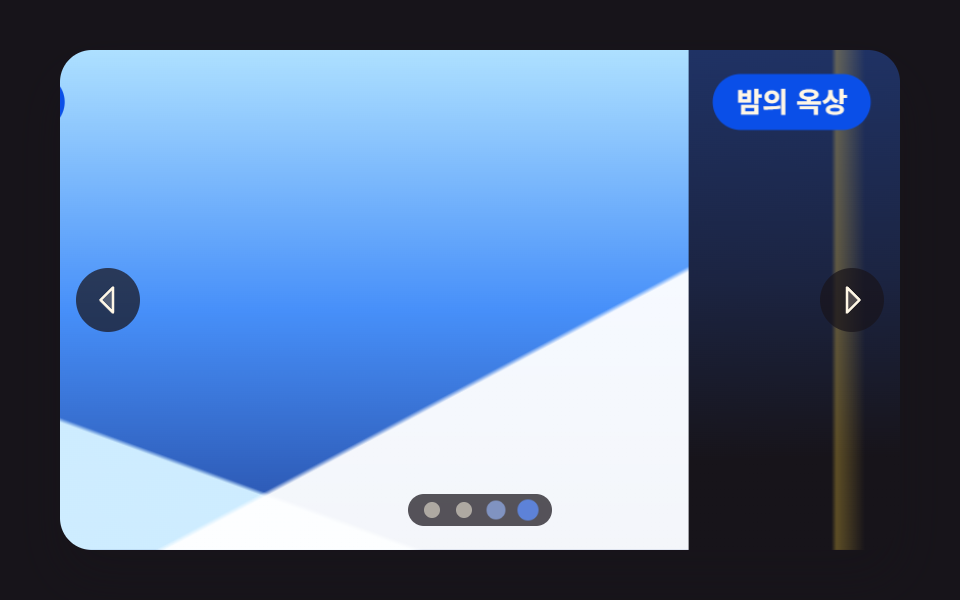 CSS Image Slider — 9 Responsive Sliders, No GSAPA css image slider lines up several photo slots in a row and shows them one at a time with arrows, dots, or a finger — N See all demos in this post
If you like this effect - similar demos
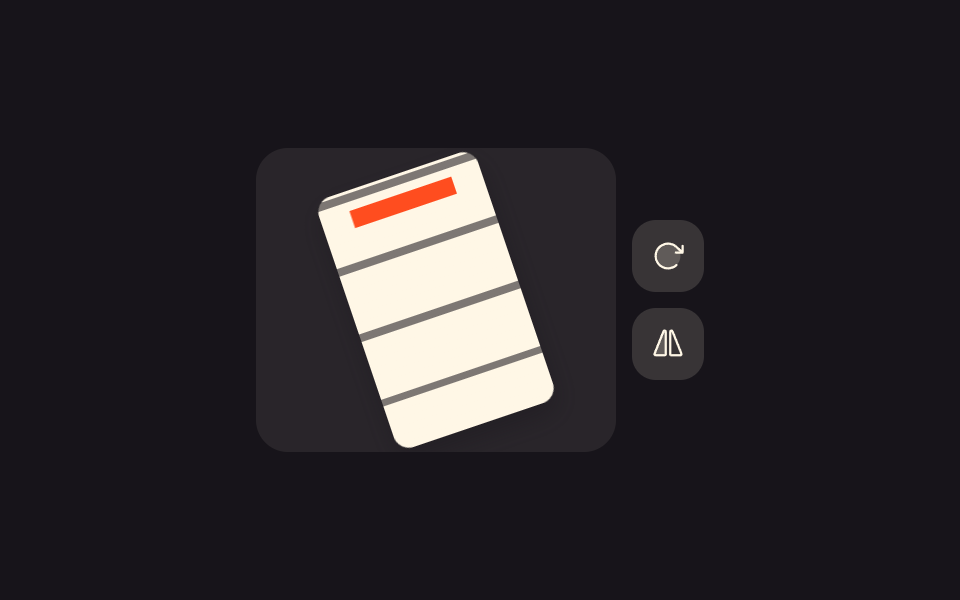 Galleries05 Rotate and flip toolbar9 Image Zoom Viewer Interactions — No Photo Files
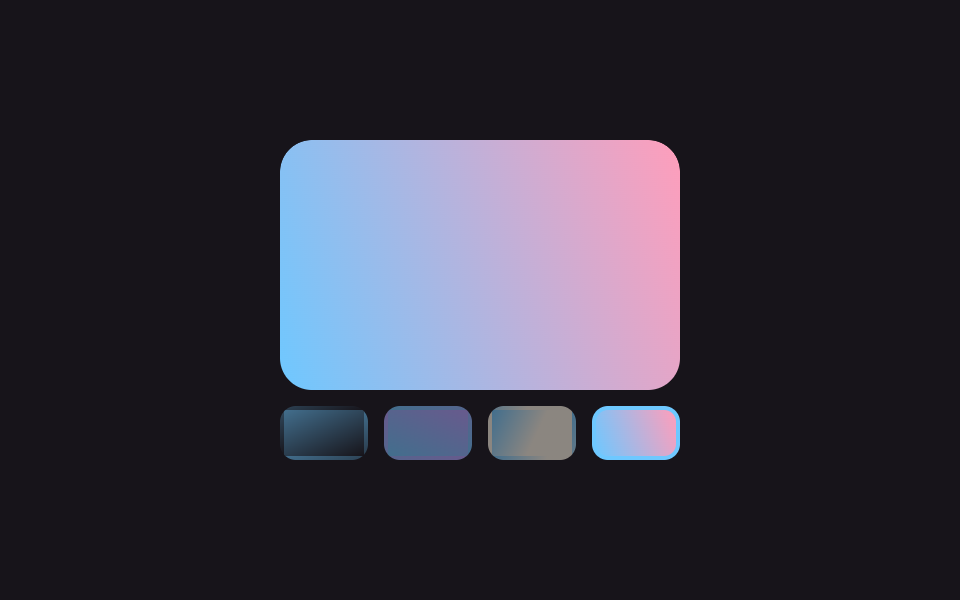 Galleries07 Full-bleed slideshow with thumbnail stripPortfolio Gallery HTML CSS: 9 UI Patterns
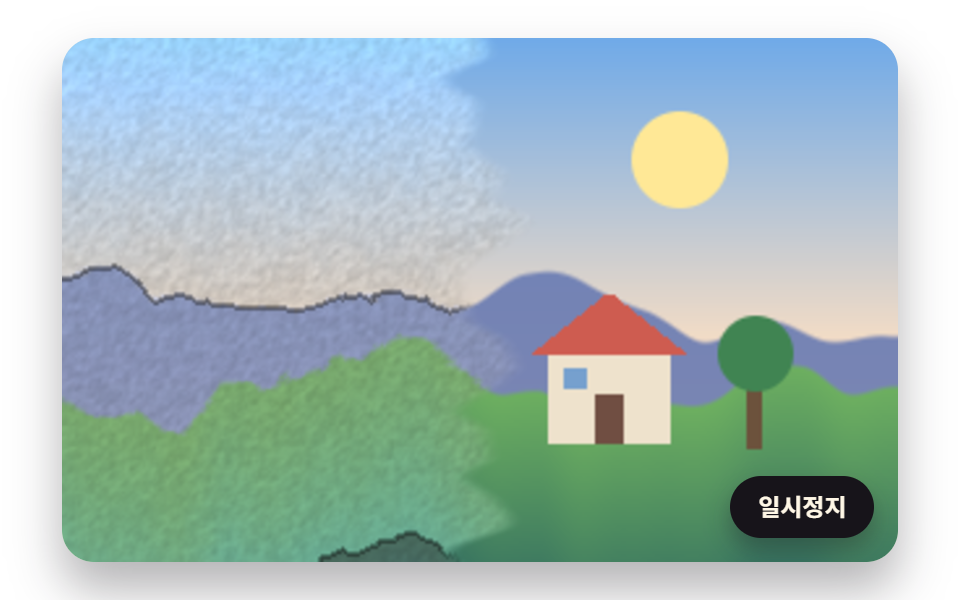 Galleries06 An Image Watercolor Filter That Turns a Landscape into Paint with Stepped Brightness and Wavering EdgesWatercolor Effect CSS: 9 Bleeding Paint Scenes