02Wheel to zoom, drag to pan
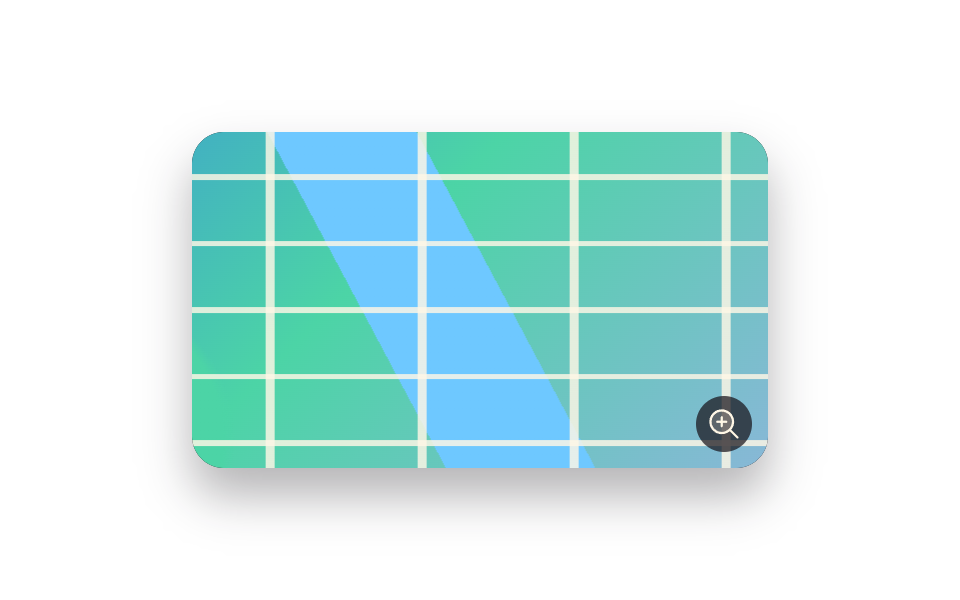
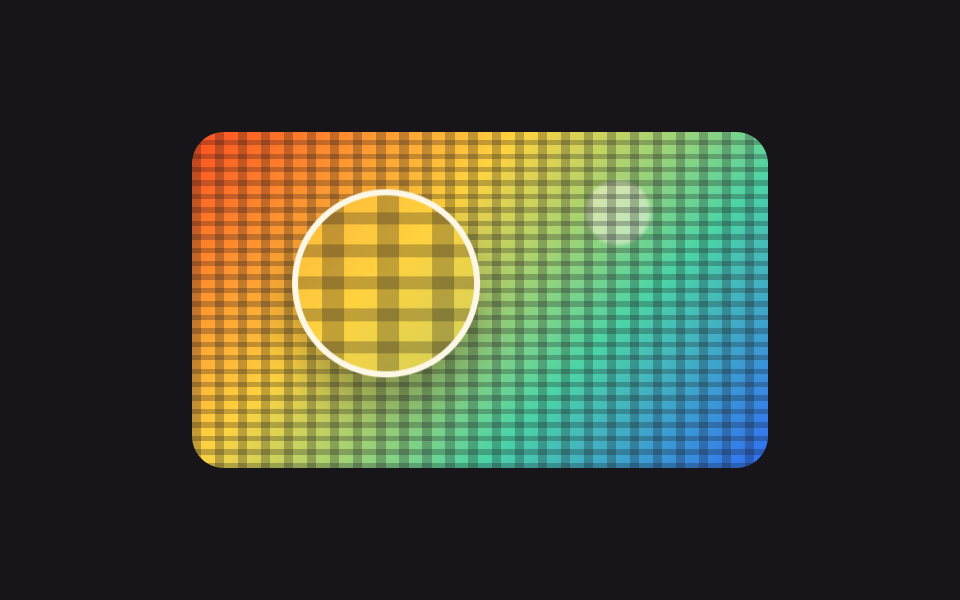
The wheel moves the scale between 1x and 3x, and dragging slides the picture. The travel is cut with Math.min and Math.max, so no matter how hard you drag, no empty margin shows.
Best forBlueprints, maps, and screenshots too large for one screen
transform-originwheelMath.min
<main class="stage">
  <div class="zp is-demo" id="zp">
    <div class="zp__view" id="zp-view" tabindex="0" role="img" aria-label="City map. Zoom with the wheel, pan with the arrow keys">
      <div class="zp__layer" id="zp-layer"></div>
      <span class="zp__badge" aria-hidden="true"><svg viewBox="0 0 256 256" width="18" height="18"><g fill="currentColor"><path d="M192 112a80 80 0 1 1-80-80a80 80 0 0 1 80 80" opacity=".2"/><path d="m229.66 218.34l-50.06-50.06a88.21 88.21 0 1 0-11.32 11.31l50.06 50.07a8 8 0 0 0 11.32-11.32M40 112a72 72 0 1 1 72 72a72.08 72.08 0 0 1-72-72m112 0a8 8 0 0 1-8 8h-24v24a8 8 0 0 1-16 0v-24H80a8 8 0 0 1 0-16h24V80a8 8 0 0 1 16 0v24h24a8 8 0 0 1 8 8"/></g></svg></span>
    </div>
  </div>
</main>
@use "../../../../site/static/demo-tokens" as *;
$duration: $dur-base;
$easing: $ease-spring;
$color: $subject-blue;
@include stage($stage-paper);
// 가짜 사진 — 파일 없이 그린 도시 지도. 골목이 촘촘해서 당길수록 볼 것이 늘어난다
$map:
repeating-linear-gradient(0deg, rgba(255, 247, 230, .82) 0 .7%, transparent .7% 9%),
repeating-linear-gradient(90deg, rgba(255, 247, 230, .82) 0 .7%, transparent .7% 12%),
linear-gradient(62deg, transparent 0 44%, $subject-sky 44% 53%, transparent 53%),
radial-gradient(circle at 22% 72%, $subject-mint 0 12%, transparent 13%),
linear-gradient(135deg, $subject-blue 0%, $subject-mint 46%, $subject-lilac 100%);
.zp { position: relative; }
.zp__view {
position: relative;
box-sizing: border-box;
width: 288px;
height: 168px;
overflow: hidden;
border-radius: $r-card;
background: $stage-ink;
box-shadow: $shadow-raised;
cursor: grab;
touch-action: none;
}
.zp__view:focus-visible { outline: 3px solid $color; outline-offset: 2px; }
.zp__layer {
width: 100%;
height: 100%;
background: $map;
transform-origin: center center;
transform: scale(1) translate(0, 0);
}
.zp__badge {
position: absolute;
right: $sp-2;
bottom: $sp-2;
display: inline-flex;
width: 28px;
height: 28px;
align-items: center;
justify-content: center;
border-radius: 50%;
background: rgba(23, 20, 26, .72);
color: $subject-cream;
pointer-events: none;
}
// ── 자동 루프 (2s) ────────────────────────────────────
// 1배에서 2.2배까지 당겼다가 두 곳을 둘러보고 다시 1배로 돌아온다. 끝과 처음이 같은 값이다
.zp.is-demo .zp__layer {
animation-name: zp-pan;
animation-duration: $dur-loop;
animation-timing-function: $easing;
animation-iteration-count: infinite;
}
@keyframes zp-pan {
0% { transform: scale(1) translate(0, 0); }
30% { transform: scale(2.2) translate(-38px, -22px); }
62% { transform: scale(2.2) translate(34px, 18px); }
100% { transform: scale(1) translate(0, 0); }
}
@media (prefers-reduced-motion: reduce) {
.zp.is-demo .zp__layer { animation: none !important; transform: scale(1.6) translate(0, 0); }
}html, body {
margin: 0;
overflow: hidden;
}
.stage {
box-sizing: border-box;
min-height: 100vh;
display: grid;
place-items: center;
margin: 0;
background: #ffffff;
font-family: -apple-system, "Segoe UI", "Noto Sans KR", sans-serif;
padding: clamp(8px, 4vw, 24px);
}
.zp {
position: relative;
}
.zp__view {
position: relative;
box-sizing: border-box;
width: 288px;
height: 168px;
overflow: hidden;
border-radius: 16px;
background: #17141a;
box-shadow: 0 14px 24px rgba(23, 20, 26, 0.32);
cursor: grab;
touch-action: none;
}
.zp__view:focus-visible {
outline: 3px solid #2f6df6;
outline-offset: 2px;
}
.zp__layer {
width: 100%;
height: 100%;
background: repeating-linear-gradient(0deg, rgba(255, 247, 230, 0.82) 0 0.7%, transparent 0.7% 9%), repeating-linear-gradient(90deg, rgba(255, 247, 230, 0.82) 0 0.7%, transparent 0.7% 12%), linear-gradient(62deg, transparent 0 44%, #6ec8ff 44% 53%, transparent 53%), radial-gradient(circle at 22% 72%, #4cd4a6 0 12%, transparent 13%), linear-gradient(135deg, #2f6df6 0%, #4cd4a6 46%, #b9a0ff 100%);
transform-origin: center center;
transform: scale(1) translate(0, 0);
}
.zp__badge {
position: absolute;
right: 8px;
bottom: 8px;
display: inline-flex;
width: 28px;
height: 28px;
align-items: center;
justify-content: center;
border-radius: 50%;
background: rgba(23, 20, 26, 0.72);
color: #fff7e6;
pointer-events: none;
}
.zp.is-demo .zp__layer {
animation-name: zp-pan;
animation-duration: 2s;
animation-timing-function: cubic-bezier(0.2, 0.8, 0.2, 1);
animation-iteration-count: infinite;
}
@keyframes zp-pan {
0% {
transform: scale(1) translate(0, 0);
}
30% {
transform: scale(2.2) translate(-38px, -22px);
}
62% {
transform: scale(2.2) translate(34px, 18px);
}
100% {
transform: scale(1) translate(0, 0);
}
}
@media (prefers-reduced-motion: reduce) {
.zp.is-demo .zp__layer {
animation: none !important;
transform: scale(1.6) translate(0, 0);
}
}// 실제 동작: 휠은 배율, 드래그는 위치. 옮길 수 있는 거리는 배율에서 계산해 잘라 낸다.
var zp = document.getElementById('zp');
var zpView = document.getElementById('zp-view');
var zpLayer = document.getElementById('zp-layer');
var zpScale = 1, zpX = 0, zpY = 0, zpDrag = null;
function zpPaint() {
var box = zpView.getBoundingClientRect();
var maxX = box.width * (zpScale - 1) / 2 / zpScale;
var maxY = box.height * (zpScale - 1) / 2 / zpScale;
zpX = Math.min(Math.max(zpX, -maxX), maxX);
zpY = Math.min(Math.max(zpY, -maxY), maxY);
zpLayer.style.transform = 'scale(' + zpScale + ') translate(' + zpX + 'px,' + zpY + 'px)';
}
function zpZoom(d) { zp.classList.remove('is-demo'); zpScale = Math.min(Math.max(zpScale + d, 1), 3); zpPaint(); }
zpView.addEventListener('wheel', function (e) { e.preventDefault(); zpZoom(-e.deltaY / 400); }, { passive: false });
zpView.addEventListener('pointerdown', function (e) {
zp.classList.remove('is-demo');
zpDrag = { x: e.clientX, y: e.clientY };
zpView.setPointerCapture(e.pointerId);
});
zpView.addEventListener('pointermove', function (e) {
if (!zpDrag) return;
zpX += (e.clientX - zpDrag.x) / zpScale;
zpY += (e.clientY - zpDrag.y) / zpScale;
zpDrag = { x: e.clientX, y: e.clientY };
zpPaint();
});
zpView.addEventListener('pointerup', function () { zpDrag = null; });
zpView.addEventListener('keydown', function (e) {
var pan = { ArrowLeft: [24, 0], ArrowRight: [-24, 0], ArrowUp: [0, 24], ArrowDown: [0, -24] }[e.key];
if (pan) { e.preventDefault(); zp.classList.remove('is-demo'); zpX += pan[0]; zpY += pan[1]; zpPaint(); }
if (e.key === '+' || e.key === '=') { e.preventDefault(); zpZoom(0.4); }
if (e.key === '-') { e.preventDefault(); zpZoom(-0.4); }
});import { useRef, useState } from "react";
import type { CSSProperties } from "react";
import styles from "./WheelZoomPan.module.scss";
export type WheelZoomPanProps = {
label?: string;
minScale?: number;
maxScale?: number;
/** 자동 재생 루프 (갤러리용). 사람이 손대면 꺼진다 */
demo?: boolean;
duration?: number;
easing?: string;
color?: string;
};
type Vars = CSSProperties & { "--duration"?: string; "--easing"?: string; "--color"?: string };
type WheelEvt = { deltaY: number; preventDefault: () => void };
type DragEvt = { clientX: number; clientY: number; pointerId: number };
type KeyEvt = { key: string; preventDefault: () => void };
const clamp = (v: number, lo: number, hi: number) => Math.min(Math.max(v, lo), hi);
export default function WheelZoomPan({
label = "City map. Zoom with the wheel, pan with the arrow keys",
minScale = 1,
maxScale = 3,
demo = true,
duration = 300,
easing = "cubic-bezier(.2,.8,.2,1)",
color = "#2f6df6",
}: WheelZoomPanProps) {
const view = useRef<HTMLDivElement>(null);
const drag = useRef<{ x: number; y: number } | null>(null);
const [live, setLive] = useState(demo);
const [scale, setScale] = useState(1);
const [at, setAt] = useState({ x: 0, y: 0 });
function fit(next: number, x: number, y: number) {
const box = view.current ? view.current.getBoundingClientRect() : null;
const w = box ? box.width : 288;
const h = box ? box.height : 168;
const maxX = (w * (next - 1)) / 2 / next;
const maxY = (h * (next - 1)) / 2 / next;
setLive(false);
setScale(next);
setAt({ x: clamp(x, -maxX, maxX), y: clamp(y, -maxY, maxY) });
}
const vars: Vars = { "--duration": `${duration}ms`, "--easing": easing, "--color": color };
const layer: CSSProperties = { transform: `scale(${scale}) translate(${at.x}px,${at.y}px)` };
return (
<div className={[styles.root, live ? styles.isDemo : ""].join(" ")} style={vars}>
<div
className={styles.view}
ref={view}
tabIndex={0}
role="img"
aria-label={label}
onWheel={(e: WheelEvt) => {
e.preventDefault();
fit(clamp(scale - e.deltaY / 400, minScale, maxScale), at.x, at.y);
}}
onPointerDown={(e: DragEvt) => { drag.current = { x: e.clientX, y: e.clientY }; }}
onPointerMove={(e: DragEvt) => {
const d = drag.current;
if (!d) return;
fit(scale, at.x + (e.clientX - d.x) / scale, at.y + (e.clientY - d.y) / scale);
drag.current = { x: e.clientX, y: e.clientY };
}}
onPointerUp={() => { drag.current = null; }}
onKeyDown={(e: KeyEvt) => {
const pan: { [k: string]: number[] } = {
ArrowLeft: [24, 0], ArrowRight: [-24, 0], ArrowUp: [0, 24], ArrowDown: [0, -24],
};
if (pan[e.key]) {
e.preventDefault();
fit(scale, at.x + pan[e.key][0], at.y + pan[e.key][1]);
}
if (e.key === "+" || e.key === "=") { e.preventDefault(); fit(clamp(scale + 0.4, minScale, maxScale), at.x, at.y); }
if (e.key === "-") { e.preventDefault(); fit(clamp(scale - 0.4, minScale, maxScale), at.x, at.y); }
}}
>
<div className={styles.layer} style={live ? undefined : layer} />
<span className={styles.badge} aria-hidden="true" />
</div>
</div>
);
}02 Wheel to zoom, drag to pan — Measured area 33.417% · moving frames 23/23Original by GODRICH · SCSS and React ship in the zip · 9 Image Zoom Viewer Interactions — No Photo Files
The post this demo lives in
 9 Image Zoom Viewer Interactions — No Photo FilesAn image zoom viewer is the layer between a picture and the person studying it: it magnifies, turns, or lights up one pa See all demos in this post