06Six-fold snowflake — folding paper without paper
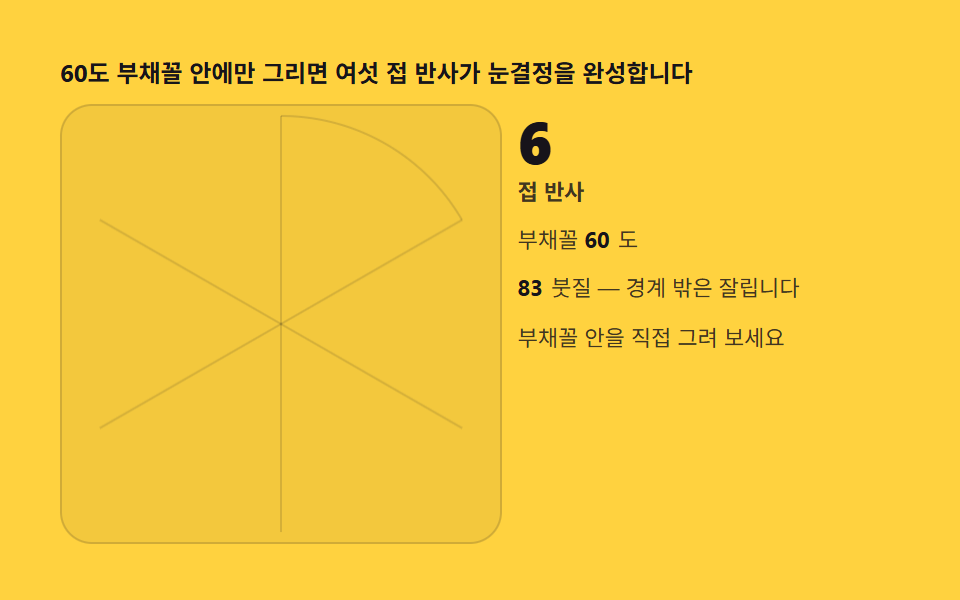
Narrow the wedge to 60 degrees and add one edge reflection — out comes the classic six-fold paper snowflake. Crossing the boundary with the brush is the cut scissors would make.
Best forWinter UI, decorative frames
setTransformlineTo
<main class="stage">
<div class="kf" id="kf">
  <p class="kf__hint">Draw only inside the 60-degree wedge and six-fold reflection completes the crystal</p>
  <div class="kf__row">
    <div class="kf__field" id="field" role="application" aria-label="Six-fold snowflake lab" tabindex="0">
      <canvas class="kf__cv" id="cv"></canvas>
    </div>
    <div class="kf__side">
      <b class="kf__num" id="fold">6</b>
      <span class="kf__unit">fold reflections</span>
      <p class="kf__meta">Wedge <b id="deg">60</b>deg</p>
      <p class="kf__meta"><b id="cnt">0</b>strokes — outside the wedge is clipped</p>
      <p class="kf__meta">Draw inside the wedge yourself</p>
    </div>
  </div>
</div>
</main>
@use "../../../../site/static/demo-tokens" as *;
// 여섯 접 눈결정(06) — rAF 캔버스 데모. 60도 부채꼴 하나에만 그리면 나머지는
// 반사 행렬이 채운다. 경계 밖 붓질은 클리핑으로 잘린다 — 실제 종이 접기와 같은 규칙.
$duration: $dur-loop;
$easing: $ease-out;
$color: $subject-ink;
@include stage($stage-yellow);
.kf {
--c1: #4d659d; // 잉크보다 한 단 밝은 파랑 파스텔 — 결 첫째
--c2: #9d714d; // 황토 파스텔 짙음 — 결 둘째
--grid: #{rgba($subject-ink, .14)};
display: flex; flex-direction: column; gap: $sp-2;
width: 100%; max-width: 420px;
}
.kf__hint {
margin: 0; font-weight: 700; font-size: clamp(10px, 2.8vw, 12px); line-height: 1.35;
color: $subject-ink;
}
.kf__row { display: flex; gap: $sp-2; align-items: stretch; }
.kf__field {
position: relative; overflow: hidden;
flex: 0 0 auto;
width: clamp(176px, 46vw, 232px);
height: clamp(176px, 46vw, 232px);
border-radius: $r-card;
background: rgba($subject-ink, .05);
box-shadow: inset 0 0 0 1px rgba($subject-ink, .16);
cursor: crosshair; touch-action: none;
}
.kf__field:focus-visible { outline: 2px solid $color; outline-offset: 2px; }
.kf__cv { display: block; width: 100%; height: 100%; }
.kf__side {
flex: 1; min-width: 0;
display: flex; flex-direction: column; gap: $sp-1;
padding-top: $sp-1;
}
.kf__num {
font-weight: 800; font-size: clamp(20px, 6vw, 30px); line-height: 1;
color: $subject-ink; font-variant-numeric: tabular-nums;
}
.kf__unit { font-weight: 600; font-size: clamp(9px, 2.4vw, 11px); line-height: 1.4; color: rgba($subject-ink, .82); }
.kf__meta { margin: $sp-1 0 0; font-size: clamp(9px, 2.4vw, 11px); line-height: 1.5; color: rgba($subject-ink, .82); }
.kf__meta b { font-weight: 700; color: $subject-ink; font-variant-numeric: tabular-nums; margin-right: $sp-1; }
@media (max-width: 340px) {
.kf { gap: $sp-1; }
.kf__field { width: 150px; height: 150px; }
.kf__num { font-size: 16px; }
.kf__meta { margin-top: 0; font-size: 8px; }
}
// reduce — 루프가 안 돈다. 완성 눈결정 한 장이 남는다.
@media (prefers-reduced-motion: reduce) {
.kf.is-still .kf__field { cursor: default !important; }
}html, body {
margin: 0;
overflow: hidden;
}
.stage {
box-sizing: border-box;
min-height: 100vh;
display: grid;
place-items: center;
margin: 0;
background: #ffd23f;
font-family: -apple-system, "Segoe UI", "Noto Sans KR", sans-serif;
padding: clamp(8px, 4vw, 24px);
}
.kf {
--c1: #4d659d;
--c2: #9d714d;
--grid: rgba(23, 20, 26, 0.14);
display: flex;
flex-direction: column;
gap: 8px;
width: 100%;
max-width: 420px;
}
.kf__hint {
margin: 0;
font-weight: 700;
font-size: clamp(10px, 2.8vw, 12px);
line-height: 1.35;
color: #17141a;
}
.kf__row {
display: flex;
gap: 8px;
align-items: stretch;
}
.kf__field {
position: relative;
overflow: hidden;
flex: 0 0 auto;
width: clamp(176px, 46vw, 232px);
height: clamp(176px, 46vw, 232px);
border-radius: 16px;
background: rgba(23, 20, 26, 0.05);
box-shadow: inset 0 0 0 1px rgba(23, 20, 26, 0.16);
cursor: crosshair;
touch-action: none;
}
.kf__field:focus-visible {
outline: 2px solid #17141a;
outline-offset: 2px;
}
.kf__cv {
display: block;
width: 100%;
height: 100%;
}
.kf__side {
flex: 1;
min-width: 0;
display: flex;
flex-direction: column;
gap: 4px;
padding-top: 4px;
}
.kf__num {
font-weight: 800;
font-size: clamp(20px, 6vw, 30px);
line-height: 1;
color: #17141a;
font-variant-numeric: tabular-nums;
}
.kf__unit {
font-weight: 600;
font-size: clamp(9px, 2.4vw, 11px);
line-height: 1.4;
color: rgba(23, 20, 26, 0.82);
}
.kf__meta {
margin: 4px 0 0;
font-size: clamp(9px, 2.4vw, 11px);
line-height: 1.5;
color: rgba(23, 20, 26, 0.82);
}
.kf__meta b {
font-weight: 700;
color: #17141a;
font-variant-numeric: tabular-nums;
margin-right: 4px;
}
@media (max-width: 340px) {
.kf {
gap: 4px;
}
.kf__field {
width: 150px;
height: 150px;
}
.kf__num {
font-size: 16px;
}
.kf__meta {
margin-top: 0;
font-size: 8px;
}
}
@media (prefers-reduced-motion: reduce) {
.kf.is-still .kf__field {
cursor: default !important;
}
}// 여섯 접 눈결정 — Wedge 하나(−90deg ~ −30deg, 60deg 폭)만 그리기 판이다. 붓질은 전부
// 세그먼트로 저장해 두고, k번째 접의 변환 [[cos, sin],[sin, −cos]] (a = −60deg·k) 로
// 여섯 번 찍는다. 종이 접기와 같아 경계를 넘는 선은 클리핑돼 잘린 채 반사된다.
(function () {
var root = document.getElementById('kf');
var field = document.getElementById('field');
var cv = document.getElementById('cv');
var fold = document.getElementById('fold');
var deg = document.getElementById('deg');
var cnt = document.getElementById('cnt');
if (!root || !field || !cv || !fold || !deg || !cnt) return;
var ctx = cv.getContext('2d');
var css = getComputedStyle(root);
var C1 = css.getPropertyValue('--c1').trim();
var C2 = css.getPropertyValue('--c2').trim();
var GRID = css.getPropertyValue('--grid').trim();
var N = 6; // 접 수 — 360/60
var A0 = -Math.PI / 2; // Wedge 시작각 (12시 방향)
var WEDGE = Math.PI / 3; // 60deg
var strokes = 0;
var W = 0, H = 0, dpr = 1, cx = 0, cy = 0, R = 0;
function fit() {
W = field.clientWidth; H = field.clientHeight;
dpr = Math.min(2, window.devicePixelRatio || 1);
cv.width = Math.round(W * dpr); cv.height = Math.round(H * dpr);
cx = W / 2; cy = H / 2; R = Math.min(W, H) / 2 - 6;
drawGuide();
}
// Wedge 안내선 — 첫 접만 진하게, 나머지는 흐리게
function drawGuide() {
ctx.setTransform(dpr, 0, 0, dpr, 0, 0);
ctx.clearRect(0, 0, W, H);
ctx.strokeStyle = GRID; ctx.lineWidth = 1;
for (var k = 0; k < N; k++) {
var a = A0 + k * WEDGE;
ctx.beginPath(); ctx.moveTo(cx, cy);
ctx.lineTo(cx + R * Math.cos(a), cy + R * Math.sin(a)); ctx.stroke();
}
ctx.beginPath(); ctx.arc(cx, cy, R, A0, A0 + WEDGE); ctx.stroke();
}
// 반사 복제 — 세그먼트를 여섯 접에 찍는다. Wedge 클리핑은 beginPath-clip 로
function mirroredSeg(x0, y0, x1, y1, ci) {
for (var k = 0; k < N; k++) {
var a = A0 + k * WEDGE, c = Math.cos(a), s = Math.sin(a);
ctx.setTransform(dpr * c, dpr * s, dpr * s, -dpr * c, cx * dpr, cy * dpr);
// Wedge(0 <= 각 <= WEDGE, 지역좌표) 클리핑 — 경계 밖 붓질이 잘리는 규칙
ctx.save();
ctx.beginPath();
ctx.moveTo(0, 0);
ctx.arc(0, 0, R + 2, 0, WEDGE);
ctx.closePath();
ctx.clip();
ctx.strokeStyle = ci ? C2 : C1;
ctx.lineWidth = 4.5;
ctx.lineCap = 'round';
ctx.beginPath(); ctx.moveTo(x0 - cx, y0 - cy); ctx.lineTo(x1 - cx, y1 - cy); ctx.stroke();
ctx.restore();
}
ctx.setTransform(dpr, 0, 0, dpr, 0, 0);
strokes += 1;
cnt.textContent = String(strokes);
}
// Wedge 안으로 좌표를 뒤집어 주는 그리기 좌표 — 사용자가 어디를 그려도 첫 접에 사상
function foldPoint(px, py) {
var dx = px - cx, dy = py - cy;
var a = Math.atan2(dy, dx);
var r = Math.min(R, Math.hypot(dx, dy));
// 각도를 [A0, A0+WEDGE] 로 접는다 — 육각 대칭이라 어떤 각이든 이 부채꼴로 사상 가능
var span = 2 * Math.PI / N;
var rel = ((a - A0) % (2 * span) + 2 * span) % (2 * span);
if (rel > span) rel = 2 * span - rel; // 넓은 쪽이면 반사로 접힘
var a2 = A0 + rel;
return [cx + r * Math.cos(a2), cy + r * Math.sin(a2)];
}
// 시드 고정 자동 strokes — 가지 뻗는 결정 성장 곡선
function pathAt(t) {
var rel = WEDGE * (0.5 + 0.42 * Math.sin(t * 0.7)); // Wedge 안을 좌우로
var r = R * (0.18 + 0.74 * (0.5 + 0.5 * Math.sin(t * 0.23 + 1.1)));
var a = A0 + rel;
return [cx + r * Math.cos(a), cy + r * Math.sin(a)];
}
var reduce = window.matchMedia('(prefers-reduced-motion: reduce)').matches;
var t = 0, last = 0, prev = null, pen = false, penPt = null, ci = 0, lastInput = -9;
function toLocal(e) {
var b = field.getBoundingClientRect();
return [e.clientX - b.left, e.clientY - b.top];
}
field.addEventListener('pointerdown', function (e) {
pen = true; penPt = foldPoint.apply(null, toLocal(e)); lastInput = t;
if (field.setPointerCapture) { try { field.setPointerCapture(e.pointerId); } catch (err) { /* 무시 */ } }
});
field.addEventListener('pointermove', function (e) {
if (!pen) return;
var p = foldPoint.apply(null, toLocal(e));
mirroredSeg(penPt[0], penPt[1], p[0], p[1], ci);
penPt = p; lastInput = t;
});
field.addEventListener('pointerup', function () { pen = false; ci = 1 - ci; lastInput = t; });
field.addEventListener('pointercancel', function () { pen = false; lastInput = t; });
function step(now) {
var dt = Math.min(64, now - last) / 1000; last = now;
if (!pen && t - lastInput > 1.6) {
t += dt;
var p = pathAt(t);
if (prev) mirroredSeg(prev[0], prev[1], p[0], p[1], Math.floor(t * 0.7));
prev = p;
}
requestAnimationFrame(step);
}
fit();
window.addEventListener('resize', fit);
if (reduce) {
// 정지 한 장 — 시간 5초 분의 성장을 미리 그린다
for (var j = 1; j <= 250; j++) {
var tt = j * 0.02;
var a0 = pathAt(tt - 0.02), a1 = pathAt(tt);
mirroredSeg(a0[0], a0[1], a1[0], a1[1], Math.floor(tt * 0.7));
}
root.classList.add('is-still');
} else {
last = performance.now();
requestAnimationFrame(step);
}
})();// KaleidoSnowflakeFoldSix — vanilla 판(run/331/demo/06-kaleido-snowflake-fold-six/index.html) 의 React 포트.
// 부채꼴 하나(−90도 ~ −30도, 60도 폭)만 그리기 판이다. 붓질은 전부 세그먼트로 저장해 두고,
// k번째 접의 변환 [[cos, sin],[sin, −cos]] (a = −60도·k) 로 여섯 번 찍는다. 종이 접기와
// 같아 경계를 넘는 선은 클리핑돼 잘린 채 반사된다. 값·수치는 vanilla 와 같다.
// 움직임은 전부 캔버스 rAF 루프가 그리므로 CSS 애니메이션이 없다.
// reduce 에서는 루프를 돌리지 않고 시간 5초 분의 성장을 미리 그린 한 장만 남긴다(.isStill).
import { useEffect, useRef, useState } from "react";
import type { CSSProperties, PointerEvent } from "react";
import styles from "./KaleidoSnowflakeFoldSix.module.scss";
export type KaleidoSnowflakeFoldSixProps = {
duration?: string;
easing?: string;
color?: string;
};
type Vars = CSSProperties & { "--duration"?: string; "--easing"?: string; "--color"?: string };
// useRef 는 T | null 을 돌려준다. 처음부터 값이 있고 절대 비지 않는 상자는 이렇게 좁혀 쓴다
type Box<T> = { current: T };
const N = 6; // 접 수 — 360/60
const A0 = -Math.PI / 2; // 부채꼴 시작각 (12시 방향)
const WEDGE = Math.PI / 3; // 60도
const C1 = "#4d659d"; // 잉크보다 한 단 밝은 파랑 파스텔 — 결 첫째
const C2 = "#9d714d"; // 황토 파스텔 짙음 — 결 둘째
const GRID = "rgba(23, 20, 26, 0.14)"; // 부채꼴 안내선
const HINT = "60도 부채꼴 안에만 그리면 여섯 접 반사가 눈결정을 완성합니다";
const ARIA_FIELD = "여섯 접 눈결정 실험판";
const FOLD_UNIT = "접 반사";
const WEDGE_TEXT = "부채꼴";
const DEG_UNIT = "도";
const STROKE_TEXT = "붓질 — 경계 밖은 잘립니다";
const DRAW_TEXT = "부채꼴 안을 직접 그려 보세요";
export default function KaleidoSnowflakeFoldSix({
duration = "2s",
easing = "ease-out",
color = "#17141a"
}: KaleidoSnowflakeFoldSixProps) {
const fieldRef = useRef<HTMLDivElement | null>(null);
const cvRef = useRef<HTMLCanvasElement | null>(null);
const cntRef = useRef<HTMLSpanElement | null>(null);
const ctxRef = useRef<CanvasRenderingContext2D | null>(null);
const stRef = useRef({
W: 0, H: 0, dpr: 1, cx: 0, cy: 0, R: 0,
strokes: 0, t: 0, prev: null as [number, number] | null,
pen: false, penPt: null as [number, number] | null, ci: 0, lastInput: -9
}) as Box<{
W: number; H: number; dpr: number; cx: number; cy: number; R: number;
strokes: number; t: number; prev: [number, number] | null;
pen: boolean; penPt: [number, number] | null; ci: number; lastInput: number;
}>;
const lastRef = useRef(0) as Box<number>;
const rafRef = useRef(0) as Box<number>;
const [still, setStill] = useState(false);
function reduced(): boolean {
return window.matchMedia("(prefers-reduced-motion: reduce)").matches;
}
function fit(): void {
const st = stRef.current;
const field = fieldRef.current, cv = cvRef.current;
if (!field || !cv) return;
const ctx = cv.getContext("2d");
if (!ctx) return;
st.W = field.clientWidth; st.H = field.clientHeight;
st.dpr = Math.min(2, window.devicePixelRatio || 1);
cv.width = Math.round(st.W * st.dpr); cv.height = Math.round(st.H * st.dpr);
st.cx = st.W / 2; st.cy = st.H / 2; st.R = Math.min(st.W, st.H) / 2 - 6;
ctxRef.current = ctx;
drawGuide();
}
// 부채꼴 안내선 — 첫 접만 진하게, 나머지는 흐리게
function drawGuide(): void {
const st = stRef.current;
const ctx = ctxRef.current;
if (!ctx) return;
ctx.setTransform(st.dpr, 0, 0, st.dpr, 0, 0);
ctx.clearRect(0, 0, st.W, st.H);
ctx.strokeStyle = GRID; ctx.lineWidth = 1;
for (let k = 0; k < N; k++) {
const a = A0 + k * WEDGE;
ctx.beginPath(); ctx.moveTo(st.cx, st.cy);
ctx.lineTo(st.cx + st.R * Math.cos(a), st.cy + st.R * Math.sin(a)); ctx.stroke();
}
ctx.beginPath(); ctx.arc(st.cx, st.cy, st.R, A0, A0 + WEDGE); ctx.stroke();
}
// 반사 복제 — 세그먼트를 여섯 접에 찍는다. 부채꼴 클리핑은 beginPath-clip 로
function mirroredSeg(x0: number, y0: number, x1: number, y1: number, ci: number): void {
const st = stRef.current;
const ctx = ctxRef.current;
if (!ctx) return;
for (let k = 0; k < N; k++) {
const a = A0 + k * WEDGE, c = Math.cos(a), s = Math.sin(a);
ctx.setTransform(st.dpr * c, st.dpr * s, st.dpr * s, -st.dpr * c, st.cx * st.dpr, st.cy * st.dpr);
// 부채꼴(0 <= 각 <= WEDGE, 지역좌표) 클리핑 — 경계 밖 붓질이 잘리는 규칙
ctx.save();
ctx.beginPath();
ctx.moveTo(0, 0);
ctx.arc(0, 0, st.R + 2, 0, WEDGE);
ctx.closePath();
ctx.clip();
ctx.strokeStyle = ci ? C2 : C1;
ctx.lineWidth = 4.5;
ctx.lineCap = "round";
ctx.beginPath(); ctx.moveTo(x0 - st.cx, y0 - st.cy); ctx.lineTo(x1 - st.cx, y1 - st.cy); ctx.stroke();
ctx.restore();
}
ctx.setTransform(st.dpr, 0, 0, st.dpr, 0, 0);
st.strokes += 1;
const out = cntRef.current;
if (out) out.textContent = String(st.strokes);
}
// 부채꼴 안으로 좌표를 뒤집어 주는 그리기 좌표 — 사용자가 어디를 그려도 첫 접에 사상
function foldPoint(px: number, py: number): [number, number] {
const st = stRef.current;
const dx = px - st.cx, dy = py - st.cy;
const a = Math.atan2(dy, dx);
const r = Math.min(st.R, Math.hypot(dx, dy));
// 각도를 [A0, A0+WEDGE] 로 접는다 — 육각 대칭이라 어떤 각이든 이 부채꼴로 사상 가능
const span = 2 * Math.PI / N;
let rel = ((a - A0) % (2 * span) + 2 * span) % (2 * span);
if (rel > span) rel = 2 * span - rel; // 넓은 쪽이면 반사로 접힘
const a2 = A0 + rel;
return [st.cx + r * Math.cos(a2), st.cy + r * Math.sin(a2)];
}
// 시드 고정 자동 붓질 — 가지 뻗는 결정 성장 곡선
function pathAt(t: number): [number, number] {
const st = stRef.current;
const rel = WEDGE * (0.5 + 0.42 * Math.sin(t * 0.7)); // 부채꼴 안을 좌우로
const r = st.R * (0.18 + 0.74 * (0.5 + 0.5 * Math.sin(t * 0.23 + 1.1)));
const a = A0 + rel;
return [st.cx + r * Math.cos(a), st.cy + r * Math.sin(a)];
}
function step(now: number): void {
const st = stRef.current;
const dt = Math.min(64, now - lastRef.current) / 1000; lastRef.current = now;
if (!st.pen && st.t - st.lastInput > 1.6) {
st.t += dt;
const p = pathAt(st.t);
if (st.prev) mirroredSeg(st.prev[0], st.prev[1], p[0], p[1], Math.floor(st.t * 0.7));
st.prev = p;
}
rafRef.current = requestAnimationFrame(step);
}
function toLocal(e: PointerEvent<HTMLDivElement>): [number, number] {
const b = e.currentTarget.getBoundingClientRect();
return [e.clientX - b.left, e.clientY - b.top];
}
function onPointerDown(e: PointerEvent<HTMLDivElement>): void {
const st = stRef.current;
const p = toLocal(e);
st.pen = true; st.penPt = foldPoint(p[0], p[1]); st.lastInput = st.t;
try { e.currentTarget.setPointerCapture(e.pointerId); } catch { /* 무시 */ }
}
function onPointerMove(e: PointerEvent<HTMLDivElement>): void {
const st = stRef.current;
if (!st.pen || !st.penPt) return;
const p = foldPoint.apply(null, toLocal(e));
mirroredSeg(st.penPt[0], st.penPt[1], p[0], p[1], st.ci);
st.penPt = p; st.lastInput = st.t;
}
function onPointerUp(): void {
const st = stRef.current;
st.pen = false; st.ci = 1 - st.ci; st.lastInput = st.t;
}
useEffect(() => {
fit();
function onResize(): void { fit(); }
window.addEventListener("resize", onResize);
if (reduced()) {
// 정지 한 장 — 시간 5초 분의 성장을 미리 그린다
for (let j = 1; j <= 250; j++) {
const tt = j * 0.02;
const a0 = pathAt(tt - 0.02), a1 = pathAt(tt);
mirroredSeg(a0[0], a0[1], a1[0], a1[1], Math.floor(tt * 0.7));
}
setStill(true);
} else {
lastRef.current = performance.now();
rafRef.current = requestAnimationFrame(step);
}
return () => {
window.removeEventListener("resize", onResize);
cancelAnimationFrame(rafRef.current);
};
// eslint-disable-next-line react-hooks/exhaustive-deps
}, []);
const rootCls = still ? styles.kf + " " + styles.isStill : styles.kf;
return (
<main className={styles.stage}>
<div className={rootCls} style={{ "--duration": duration, "--easing": easing, "--color": color } as Vars}>
<p className={styles.hint}>{HINT}</p>
<div className={styles.row}>
<div
className={styles.field}
ref={fieldRef}
role="application"
aria-label={ARIA_FIELD}
tabIndex={0}
onPointerDown={onPointerDown}
onPointerMove={onPointerMove}
onPointerUp={onPointerUp}
onPointerCancel={onPointerUp}
>
<canvas className={styles.cv} ref={cvRef}></canvas>
</div>
<div className={styles.side}>
<b className={styles.num}>{N}</b>
<span className={styles.unit}>{FOLD_UNIT}</span>
<p className={styles.meta}>{WEDGE_TEXT} <b>60</b>{DEG_UNIT}</p>
<p className={styles.meta}><b><span ref={cntRef}>0</span></b>{STROKE_TEXT}</p>
<p className={styles.meta}>{DRAW_TEXT}</p>
</div>
</div>
</div>
</main>
);
}06 Six-fold snowflake — folding paper without paper — Measured area 0.714% · moving frames 23/23Original by GODRICH · SCSS and React ship in the zip · Kaleidoscope Drawing: 9 Canvas Symmetry Tools
The post this demo lives in
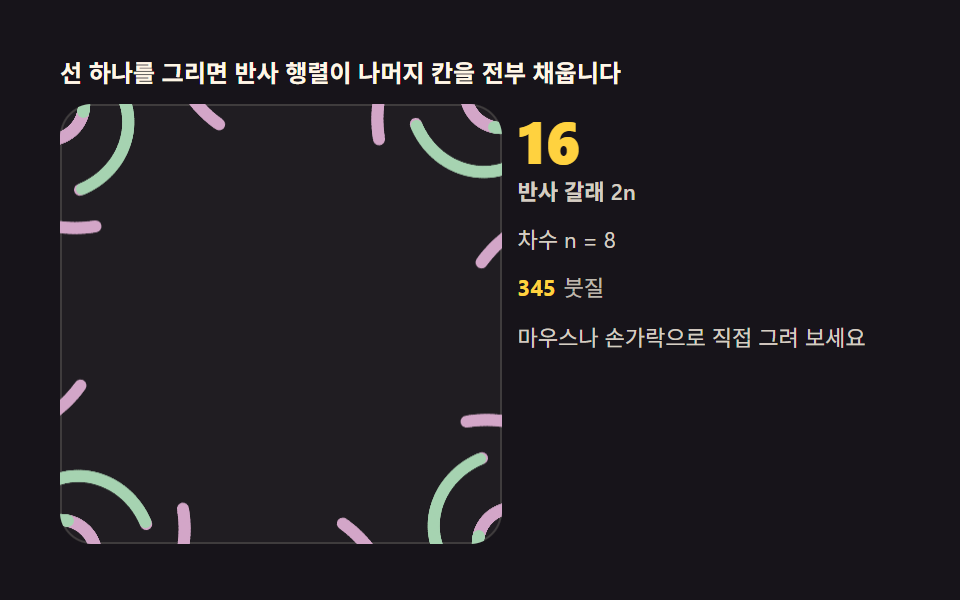 Kaleidoscope Drawing: 9 Canvas Symmetry ToolsDraw one stroke and reflection matrices fill every remaining wedge. Mirror angle, symmetry order and hue cycling are you See all demos in this post
If you like this effect - similar demos
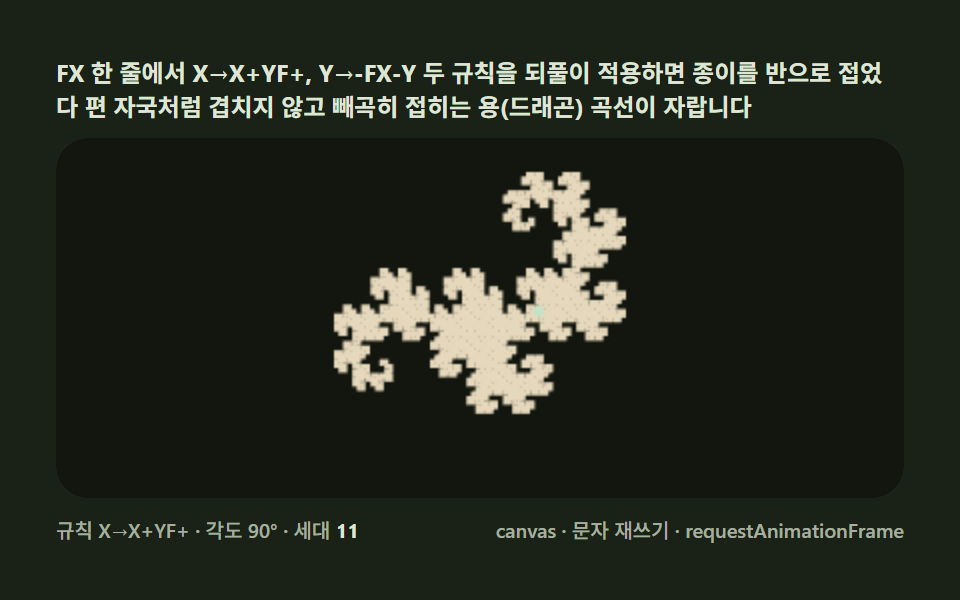 Creative UI06 Dragon curve — a folding rule that grows a paper dinosaurL-System Fractal Tree Generator: 9 Demos
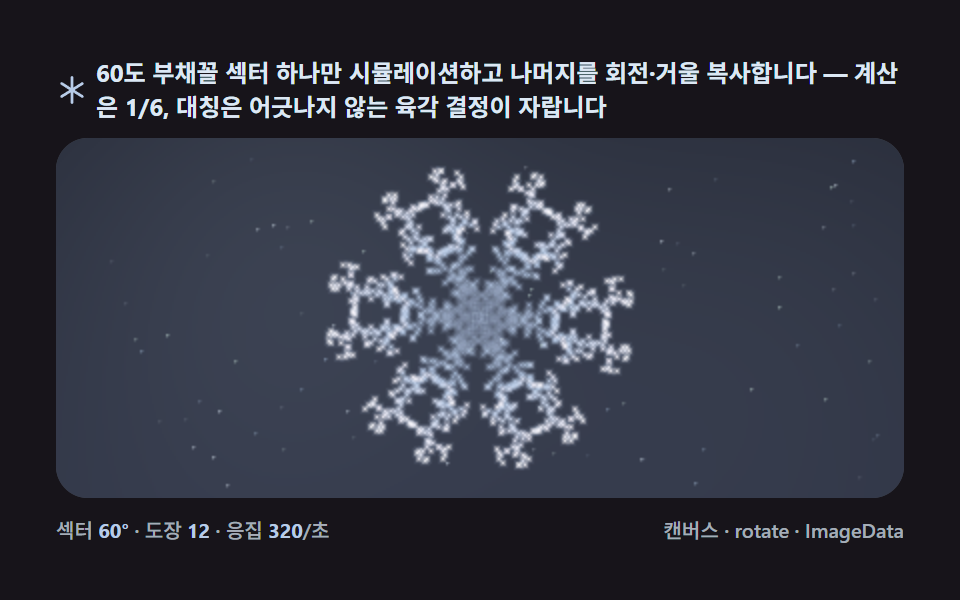 Creative UI04 The six-fold mirror — fold by 60 degrees and grow six times fasterSnowflake Generator, 9 Ways (DLA, No Library)
 Creative UI05 Flip and mirrorImage Crop JavaScript: 9 Canvas Editor UIs