09Wallpaper export — turning the pattern into a repeating tile
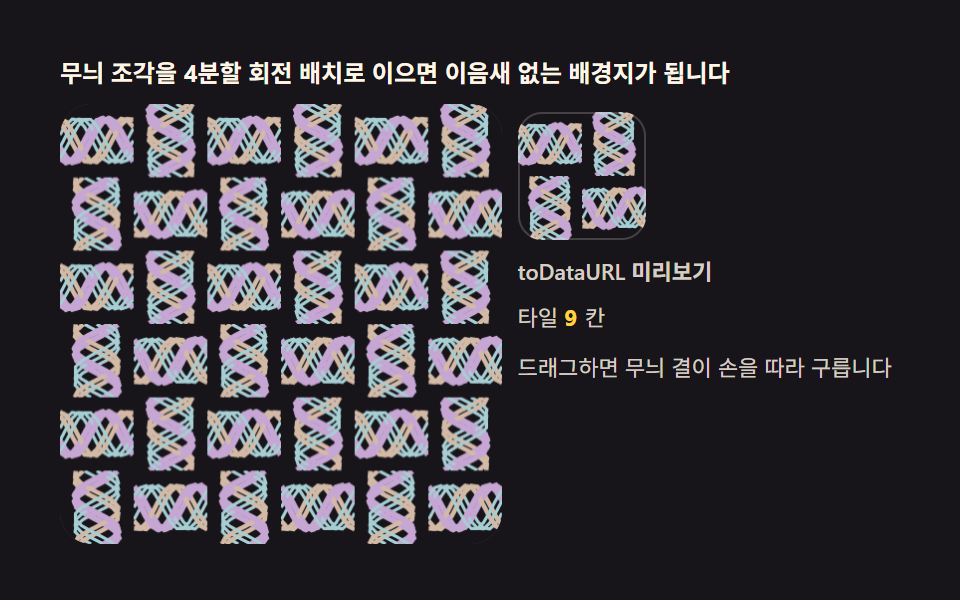
The finished disc exports as a PNG via toDataURL; for repeating backgrounds the disc is quartered so the corners tile seamlessly. What you drew becomes a usable wallpaper.
Best forBackground patterns, downloadables
toDataURLfillRect
<main class="stage">
<div class="kt" id="kt">
  <p class="kt__hint">Quarter-turn assembly of one motif makes a seamless wallpaper</p>
  <div class="kt__row">
    <div class="kt__field" id="field" role="application" aria-label="Wallpaper tile lab" tabindex="0">
      <canvas class="kt__cv" id="cv"></canvas>
    </div>
    <div class="kt__side">
      <div class="kt__tile" id="tile" role="img" aria-label="Exported tile preview"></div>
      <span class="kt__lab">toDataURL preview</span>
      <p class="kt__meta">Tiles <b id="cells">9</b>cells</p>
      <p class="kt__meta">Drag and the motif grain rolls with your hand</p>
    </div>
  </div>
</div>
</main>
@use "../../../../site/static/demo-tokens" as *;
// 배경지 타일 내보내기(09) — rAF 캔버스 데모. 무늬 한 조각(타일)을 4분할 회전 배치로
// 짜 이으면 이어짐 새 없는 배경지가 된다. 잉크 무대 위 파스텔 빛살.
$duration: $dur-loop;
$easing: $ease-out;
$color: $subject-cream;
@include stage($stage-ink);
.kt {
--stage: #{$stage-ink};
--c1: #a6ced3; // 청록 파스텔 — 타일 결 첫째
--c2: #d3baa6; // 황토 파스텔 — 타일 결 둘째
--c3: #c6a6d3; // 보라 파스텔 — 타일 결 셋째
display: flex; flex-direction: column; gap: $sp-2;
width: 100%; max-width: 420px;
}
.kt__hint {
margin: 0; font-weight: 700; font-size: clamp(10px, 2.8vw, 12px); line-height: 1.35;
color: $subject-cream;
}
.kt__row { display: flex; gap: $sp-2; align-items: stretch; }
.kt__field {
position: relative; overflow: hidden;
flex: 0 0 auto;
width: clamp(176px, 46vw, 232px);
height: clamp(176px, 46vw, 232px);
border-radius: $r-card;
background: rgba($subject-cream, .04);
box-shadow: inset 0 0 0 1px rgba($subject-cream, .14);
cursor: crosshair; touch-action: none;
}
.kt__field:focus-visible { outline: 2px solid $color; outline-offset: 2px; }
.kt__cv { display: block; width: 100%; height: 100%; }
.kt__side {
flex: 1; min-width: 0;
display: flex; flex-direction: column; gap: $sp-2;
padding-top: $sp-1;
}
.kt__tile {
width: 64px; height: 64px;
border-radius: $r-control;
box-shadow: inset 0 0 0 1px rgba($subject-cream, .2);
background-size: cover;
}
.kt__lab { font-weight: 600; font-size: clamp(9px, 2.4vw, 11px); line-height: 1.4; color: rgba($subject-cream, .82); }
.kt__meta { margin: 0; font-size: clamp(9px, 2.4vw, 11px); line-height: 1.5; color: rgba($subject-cream, .82); }
.kt__meta b { font-weight: 700; color: $stage-yellow; font-variant-numeric: tabular-nums; margin-right: $sp-1; }
@media (max-width: 340px) {
.kt { gap: $sp-1; }
.kt__field { width: 150px; height: 150px; }
.kt__tile { width: 48px; height: 48px; }
.kt__meta { font-size: 8px; }
}
// reduce — 루프가 안 돈다. 완성 배경지 한 장이 남는다.
@media (prefers-reduced-motion: reduce) {
.kt.is-still .kt__field { cursor: default !important; }
}html, body {
margin: 0;
overflow: hidden;
}
.stage {
box-sizing: border-box;
min-height: 100vh;
display: grid;
place-items: center;
margin: 0;
background: #17141a;
font-family: -apple-system, "Segoe UI", "Noto Sans KR", sans-serif;
padding: clamp(8px, 4vw, 24px);
}
.kt {
--stage: #17141a;
--c1: #a6ced3;
--c2: #d3baa6;
--c3: #c6a6d3;
display: flex;
flex-direction: column;
gap: 8px;
width: 100%;
max-width: 420px;
}
.kt__hint {
margin: 0;
font-weight: 700;
font-size: clamp(10px, 2.8vw, 12px);
line-height: 1.35;
color: #fff7e6;
}
.kt__row {
display: flex;
gap: 8px;
align-items: stretch;
}
.kt__field {
position: relative;
overflow: hidden;
flex: 0 0 auto;
width: clamp(176px, 46vw, 232px);
height: clamp(176px, 46vw, 232px);
border-radius: 16px;
background: rgba(255, 247, 230, 0.04);
box-shadow: inset 0 0 0 1px rgba(255, 247, 230, 0.14);
cursor: crosshair;
touch-action: none;
}
.kt__field:focus-visible {
outline: 2px solid #fff7e6;
outline-offset: 2px;
}
.kt__cv {
display: block;
width: 100%;
height: 100%;
}
.kt__side {
flex: 1;
min-width: 0;
display: flex;
flex-direction: column;
gap: 8px;
padding-top: 4px;
}
.kt__tile {
width: 64px;
height: 64px;
border-radius: 12px;
box-shadow: inset 0 0 0 1px rgba(255, 247, 230, 0.2);
background-size: cover;
}
.kt__lab {
font-weight: 600;
font-size: clamp(9px, 2.4vw, 11px);
line-height: 1.4;
color: rgba(255, 247, 230, 0.82);
}
.kt__meta {
margin: 0;
font-size: clamp(9px, 2.4vw, 11px);
line-height: 1.5;
color: rgba(255, 247, 230, 0.82);
}
.kt__meta b {
font-weight: 700;
color: #ffd23f;
font-variant-numeric: tabular-nums;
margin-right: 4px;
}
@media (max-width: 340px) {
.kt {
gap: 4px;
}
.kt__field {
width: 150px;
height: 150px;
}
.kt__tile {
width: 48px;
height: 48px;
}
.kt__meta {
font-size: 8px;
}
}
@media (prefers-reduced-motion: reduce) {
.kt.is-still .kt__field {
cursor: default !important;
}
}// 배경지 Tiles 내보내기 — 사분면 조각(q)을 Tiles 캔버스의 네 칸에 0/90/180/270도로
// 돌려 놓는다. 이웃 타일과 맞닿는 가장자리가 짝 반사라 어느 방향으로 반복해도
// 이음새가 없다. 완성 타일은 toDataURL 로 짜서 오른쪽 미리보기 배경에 실제로 심는다 —
// 내보낸 결과를 화면에서 바로 보는 게 이 데모의 낙점이다.
(function () {
var root = document.getElementById('kt');
var field = document.getElementById('field');
var cv = document.getElementById('cv');
var tile = document.getElementById('tile');
var cells = document.getElementById('cells');
if (!root || !field || !cv || !tile || !cells) return;
var ctx = cv.getContext('2d');
var css = getComputedStyle(root);
var C1 = css.getPropertyValue('--c1').trim();
var C2 = css.getPropertyValue('--c2').trim();
var C3 = css.getPropertyValue('--c3').trim();
var STAGE = css.getPropertyValue('--stage').trim();
var NX = 3, NY = 3; // Tiles 격자 3×3
cells.textContent = String(NX * NY);
var W = 0, H = 0, dpr = 1;
var S = 0; // 사분면 한 변 (css px)
var q = null, qc = null; // 사분면 캔버스
var tw = null, tc = null; // Tiles(2S×2S) 캔버스
function fit() {
W = field.clientWidth; H = field.clientHeight;
dpr = Math.min(2, window.devicePixelRatio || 1);
cv.width = Math.round(W * dpr); cv.height = Math.round(H * dpr);
var tileS = Math.min(W, H) / NX; // Tiles 한 변 = 사분면 두 개
S = tileS / 2;
q = document.createElement('canvas');
q.width = Math.max(2, Math.round(S * dpr)); q.height = q.width;
qc = q.getContext('2d');
tw = document.createElement('canvas');
tw.width = q.width * 2; tw.height = q.height * 2;
tc = tw.getContext('2d');
render(0);
}
// 사분면 무늬 — 파라미터 곡선 결. p(0~1) 가 흐르면 결의 위상이 구른다
function paintQuadrant(p) {
qc.setTransform(1, 0, 0, 1, 0, 0);
qc.clearRect(0, 0, q.width, q.height);
qc.scale(dpr, dpr);
for (var i = 0; i < 7; i++) {
var ph = i * 1.9 + p * 6.28;
qc.strokeStyle = [C1, C2, C3][i % 3];
qc.lineWidth = 1.6 + (i % 3) * 0.7;
qc.beginPath();
for (var s = 0; s <= 12; s++) {
var x = S * s / 12;
var y = S * (0.2 + 0.6 * (0.5 + 0.5 * Math.sin(s * 0.55 + ph)));
if (s === 0) qc.moveTo(x, y); else qc.lineTo(x, y);
}
qc.stroke();
}
}
// 4분할 회전 배치 — 좌상(0deg)·우상(90)·우하(180)·좌하(270). 변환 행렬이 곧 회전
function assembleTile() {
var qd = q.width; // 사분면 device px — 정사각형
tc.setTransform(1, 0, 0, 1, 0, 0);
tc.clearRect(0, 0, tw.width, tw.height);
tc.drawImage(q, 0, 0); // 좌상 0deg
tc.setTransform(0, 1, -1, 0, qd * 2, 0); tc.drawImage(q, 0, 0); // 우상 90deg
tc.setTransform(-1, 0, 0, -1, qd * 2, qd * 2); tc.drawImage(q, 0, 0); // 우하 180deg
tc.setTransform(0, -1, 1, 0, 0, qd * 2); tc.drawImage(q, 0, 0); // 좌하 270deg
tc.setTransform(1, 0, 0, 1, 0, 0);
}
function render(p) {
paintQuadrant(p);
assembleTile();
ctx.setTransform(dpr, 0, 0, dpr, 0, 0);
ctx.fillStyle = STAGE;
ctx.fillRect(0, 0, W, H);
var tileS = S * 2;
for (var gy = 0; gy < NY; gy++) {
for (var gx = 0; gx < NX; gx++) {
ctx.drawImage(tw, gx * tileS, gy * tileS, tileS, tileS);
}
}
// 내보내기 — 완성 타일을 데이터 URL 로 짜서 미리보기 배경에 심는다
var url = tw.toDataURL('image/png');
tile.style.backgroundImage = 'url(' + url + ')';
}
var reduce = window.matchMedia('(prefers-reduced-motion: reduce)').matches;
var t = 0, last = 0, drag = false, dragP = null;
function toLocal(e) {
var b = field.getBoundingClientRect();
return [e.clientX - b.left, e.clientY - b.top];
}
field.addEventListener('pointerdown', function (e) {
drag = true; dragP = toLocal(e);
if (field.setPointerCapture) { try { field.setPointerCapture(e.pointerId); } catch (err) { /* 무시 */ } }
});
field.addEventListener('pointermove', function (e) {
if (!drag || !dragP) return;
var p = toLocal(e);
render(Math.max(0, Math.min(1, p[0] / W)));
dragP = p;
});
field.addEventListener('pointerup', function () { drag = false; dragP = null; });
field.addEventListener('pointercancel', function () { drag = false; dragP = null; });
function step(now) {
var dt = Math.min(64, now - last) / 1000; last = now;
if (!drag) {
t += dt;
render(0.5 + 0.48 * Math.sin(t * 0.19));
}
requestAnimationFrame(step);
}
fit();
window.addEventListener('resize', fit);
if (reduce) {
// 정지 한 장 — p = 0.35 배경지 + 미리보기
render(0.35);
root.classList.add('is-still');
} else {
last = performance.now();
requestAnimationFrame(step);
}
})();// KaleidoWallpaperTileExport — vanilla 판(run/331/demo/09-kaleido-wallpaper-tile-export/index.html) 의 React 포트.
// 사분면 조각(q)을 타일 캔버스의 네 칸에 0/90/180/270도로 돌려 놓는다. 이웃 타일과
// 맞닿는 가장자리가 짝 반사라 어느 방향으로 반복해도 이음새가 없다. 완성 타일은
// toDataURL 로 짜서 오른쪽 미리보기 배경에 실제로 심는다 — 내보낸 결과를 화면에서
// 바로 보는 게 이 데모의 낙점이다. q/tw 두 캔버스 분리 + 4분할 회전 행렬 배치는
// vanilla 와 1:1. 값·수치는 vanilla 와 같다.
// 움직임은 전부 캔버스 rAF 루프가 그리므로 CSS 애니메이션이 없다.
// reduce 에서는 루프를 돌리지 않고 p = 0.35 배경지 한 장만 남긴다(.isStill).
import { useEffect, useRef, useState } from "react";
import type { CSSProperties, PointerEvent } from "react";
import styles from "./KaleidoWallpaperTileExport.module.scss";
export type KaleidoWallpaperTileExportProps = {
duration?: string;
easing?: string;
color?: string;
};
type Vars = CSSProperties & { "--duration"?: string; "--easing"?: string; "--color"?: string };
// useRef 는 T | null 을 돌려준다. 처음부터 값이 있고 절대 비지 않는 상자는 이렇게 좁혀 쓴다
type Box<T> = { current: T };
const STAGE = "#17141a"; // 무대 잉크
const C1 = "#a6ced3"; // 청록 파스텔 — 타일 결 첫째
const C2 = "#d3baa6"; // 황토 파스텔 — 타일 결 둘째
const C3 = "#c6a6d3"; // 보라 파스텔 — 타일 결 셋째
const NX = 3, NY = 3; // 타일 격자 3×3
const HINT = "무늬 조각을 4분할 회전 배치로 이으면 이음새 없는 배경지가 됩니다";
const ARIA_FIELD = "배경지 타일 실험판";
const TILE_ARIA = "내보낸 타일 미리보기";
const PREVIEW_LABEL = "toDataURL 미리보기";
const TILE_TEXT = "타일";
const CELL_UNIT = "칸";
const DRAG_TEXT = "드래그하면 무늬 결이 손을 따라 구릅니다";
export default function KaleidoWallpaperTileExport({
duration = "2s",
easing = "ease-out",
color = "#fff7e6"
}: KaleidoWallpaperTileExportProps) {
const fieldRef = useRef<HTMLDivElement | null>(null);
const cvRef = useRef<HTMLCanvasElement | null>(null);
const tileRef = useRef<HTMLDivElement | null>(null);
const ctxRef = useRef<CanvasRenderingContext2D | null>(null);
// q(사분면)·tw(타일) 캔버스 분리 — vanilla 와 1:1
const qRef = useRef<HTMLCanvasElement | null>(null);
const qcRef = useRef<CanvasRenderingContext2D | null>(null);
const twRef = useRef<HTMLCanvasElement | null>(null);
const tcRef = useRef<CanvasRenderingContext2D | null>(null);
const stRef = useRef({
W: 0, H: 0, dpr: 1, S: 0,
t: 0, drag: false
}) as Box<{
W: number; H: number; dpr: number; S: number;
t: number; drag: boolean;
}>;
const lastRef = useRef(0) as Box<number>;
const rafRef = useRef(0) as Box<number>;
const [still, setStill] = useState(false);
function reduced(): boolean {
return window.matchMedia("(prefers-reduced-motion: reduce)").matches;
}
function fit(): void {
const st = stRef.current;
const field = fieldRef.current, cv = cvRef.current;
if (!field || !cv) return;
const ctx = cv.getContext("2d");
if (!ctx) return;
st.W = field.clientWidth; st.H = field.clientHeight;
st.dpr = Math.min(2, window.devicePixelRatio || 1);
cv.width = Math.round(st.W * st.dpr); cv.height = Math.round(st.H * st.dpr);
const tileS = Math.min(st.W, st.H) / NX; // 타일 한 변 = 사분면 두 개
st.S = tileS / 2;
const q = document.createElement("canvas");
q.width = Math.max(2, Math.round(st.S * st.dpr)); q.height = q.width;
qRef.current = q;
qcRef.current = q.getContext("2d");
const tw = document.createElement("canvas");
tw.width = q.width * 2; tw.height = q.height * 2;
twRef.current = tw;
tcRef.current = tw.getContext("2d");
ctxRef.current = ctx;
render(0);
}
// 사분면 무늬 — 파라미터 곡선 결. p(0~1) 가 흐르면 결의 위상이 구른다
function paintQuadrant(p: number): void {
const st = stRef.current;
const qc = qcRef.current, q = qRef.current;
if (!qc || !q) return;
qc.setTransform(1, 0, 0, 1, 0, 0);
qc.clearRect(0, 0, q.width, q.height);
qc.scale(st.dpr, st.dpr);
const cols = [C1, C2, C3];
for (let i = 0; i < 7; i++) {
const ph = i * 1.9 + p * 6.28;
qc.strokeStyle = cols[i % 3];
qc.lineWidth = 1.6 + (i % 3) * 0.7;
qc.beginPath();
for (let s = 0; s <= 12; s++) {
const x = st.S * s / 12;
const y = st.S * (0.2 + 0.6 * (0.5 + 0.5 * Math.sin(s * 0.55 + ph)));
if (s === 0) qc.moveTo(x, y); else qc.lineTo(x, y);
}
qc.stroke();
}
}
// 4분할 회전 배치 — 좌상(0도)·우상(90)·우하(180)·좌하(270). 변환 행렬이 곧 회전
function assembleTile(): void {
const q = qRef.current, tw = twRef.current, tc = tcRef.current;
if (!q || !tw || !tc) return;
const qd = q.width; // 사분면 device px — 정사각형
tc.setTransform(1, 0, 0, 1, 0, 0);
tc.clearRect(0, 0, tw.width, tw.height);
tc.drawImage(q, 0, 0); // 좌상 0도
tc.setTransform(0, 1, -1, 0, qd * 2, 0); tc.drawImage(q, 0, 0); // 우상 90도
tc.setTransform(-1, 0, 0, -1, qd * 2, qd * 2); tc.drawImage(q, 0, 0); // 우하 180도
tc.setTransform(0, -1, 1, 0, 0, qd * 2); tc.drawImage(q, 0, 0); // 좌하 270도
tc.setTransform(1, 0, 0, 1, 0, 0);
}
function render(p: number): void {
const st = stRef.current;
const ctx = ctxRef.current, tw = twRef.current, tile = tileRef.current;
if (!ctx || !tw) return;
paintQuadrant(p);
assembleTile();
ctx.setTransform(st.dpr, 0, 0, st.dpr, 0, 0);
ctx.fillStyle = STAGE;
ctx.fillRect(0, 0, st.W, st.H);
const tileS = st.S * 2;
for (let gy = 0; gy < NY; gy++) {
for (let gx = 0; gx < NX; gx++) {
ctx.drawImage(tw, gx * tileS, gy * tileS, tileS, tileS);
}
}
// 내보내기 — 완성 타일을 데이터 URL 로 짜서 미리보기 배경에 심는다
const url = tw.toDataURL("image/png");
if (tile) tile.style.backgroundImage = "url(" + url + ")";
}
function step(now: number): void {
const st = stRef.current;
const dt = Math.min(64, now - lastRef.current) / 1000; lastRef.current = now;
if (!st.drag) {
st.t += dt;
render(0.5 + 0.48 * Math.sin(st.t * 0.19));
}
rafRef.current = requestAnimationFrame(step);
}
function toLocal(e: PointerEvent<HTMLDivElement>): [number, number] {
const b = e.currentTarget.getBoundingClientRect();
return [e.clientX - b.left, e.clientY - b.top];
}
function onPointerDown(e: PointerEvent<HTMLDivElement>): void {
const st = stRef.current;
st.drag = true;
toLocal(e);
try { e.currentTarget.setPointerCapture(e.pointerId); } catch { /* 무시 */ }
}
function onPointerMove(e: PointerEvent<HTMLDivElement>): void {
const st = stRef.current;
if (!st.drag) return;
const p = toLocal(e);
render(Math.max(0, Math.min(1, p[0] / st.W)));
}
function onPointerUp(): void {
const st = stRef.current;
st.drag = false;
}
useEffect(() => {
fit();
function onResize(): void { fit(); }
window.addEventListener("resize", onResize);
if (reduced()) {
// 정지 한 장 — p = 0.35 배경지 + 미리보기
render(0.35);
setStill(true);
} else {
lastRef.current = performance.now();
rafRef.current = requestAnimationFrame(step);
}
return () => {
window.removeEventListener("resize", onResize);
cancelAnimationFrame(rafRef.current);
};
// eslint-disable-next-line react-hooks/exhaustive-deps
}, []);
const rootCls = still ? styles.kt + " " + styles.isStill : styles.kt;
return (
<main className={styles.stage}>
<div className={rootCls} style={{ "--duration": duration, "--easing": easing, "--color": color } as Vars}>
<p className={styles.hint}>{HINT}</p>
<div className={styles.row}>
<div
className={styles.field}
ref={fieldRef}
role="application"
aria-label={ARIA_FIELD}
tabIndex={0}
onPointerDown={onPointerDown}
onPointerMove={onPointerMove}
onPointerUp={onPointerUp}
onPointerCancel={onPointerUp}
>
<canvas className={styles.cv} ref={cvRef}></canvas>
</div>
<div className={styles.side}>
<div className={styles.tile} ref={tileRef} role="img" aria-label={TILE_ARIA}></div>
<span className={styles.lab}>{PREVIEW_LABEL}</span>
<p className={styles.meta}>{TILE_TEXT} <b>{NX * NY}</b>{CELL_UNIT}</p>
<p className={styles.meta}>{DRAG_TEXT}</p>
</div>
</div>
</div>
</main>
);
}09 Wallpaper export — turning the pattern into a repeating tile — Measured area 25.892% · moving frames 23/23Original by GODRICH · SCSS and React ship in the zip · Kaleidoscope Drawing: 9 Canvas Symmetry Tools
The post this demo lives in
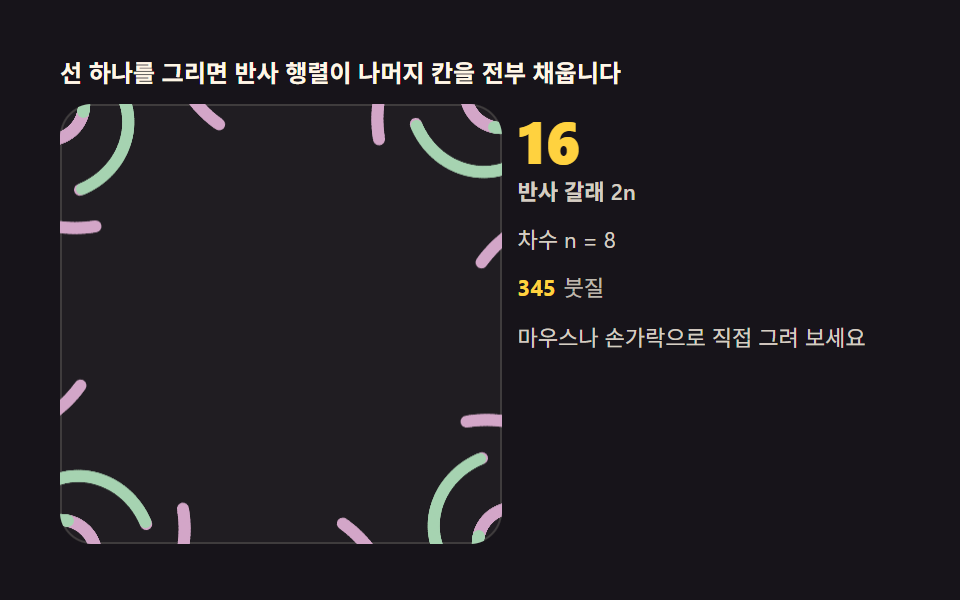 Kaleidoscope Drawing: 9 Canvas Symmetry ToolsDraw one stroke and reflection matrices fill every remaining wedge. Mirror angle, symmetry order and hue cycling are you See all demos in this post
If you like this effect - similar demos
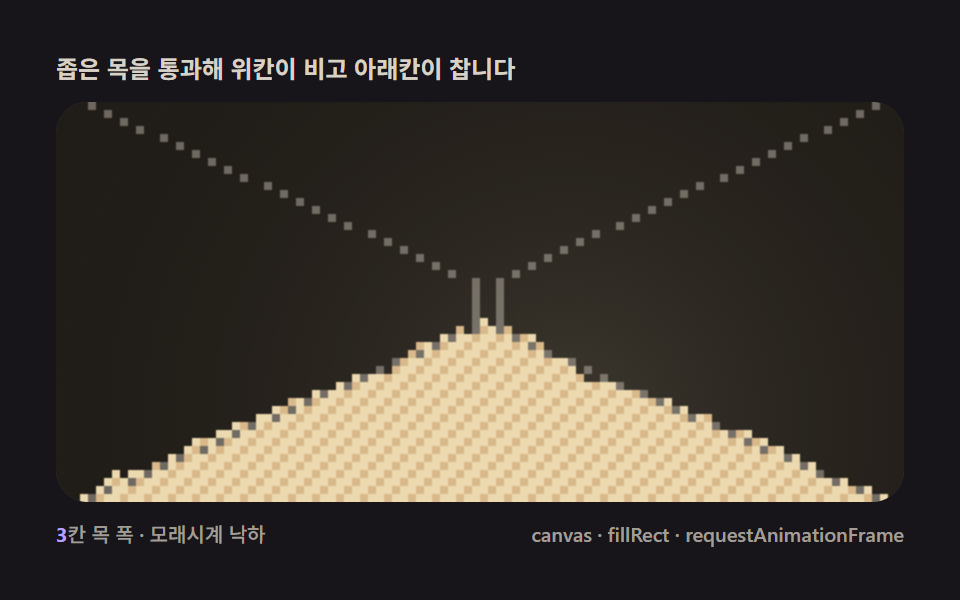 Creative UI08 Hourglass timer — walls channeling the fall into a readable time displayFalling Sand Simulator, 9 Ways (No Library)
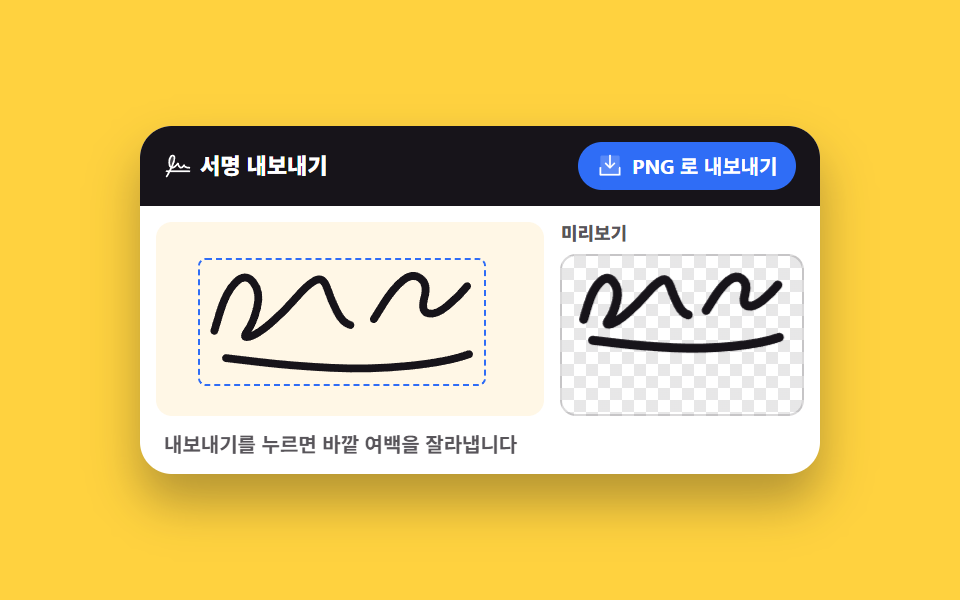 Creative UI07 Auto-crop exportSignature Pad JavaScript: 9 Canvas Drawing UIs
 Creative UI01 One candle — the smallest fire standing on a wick9 Canvas Fire Animation Scenes, No WebGL