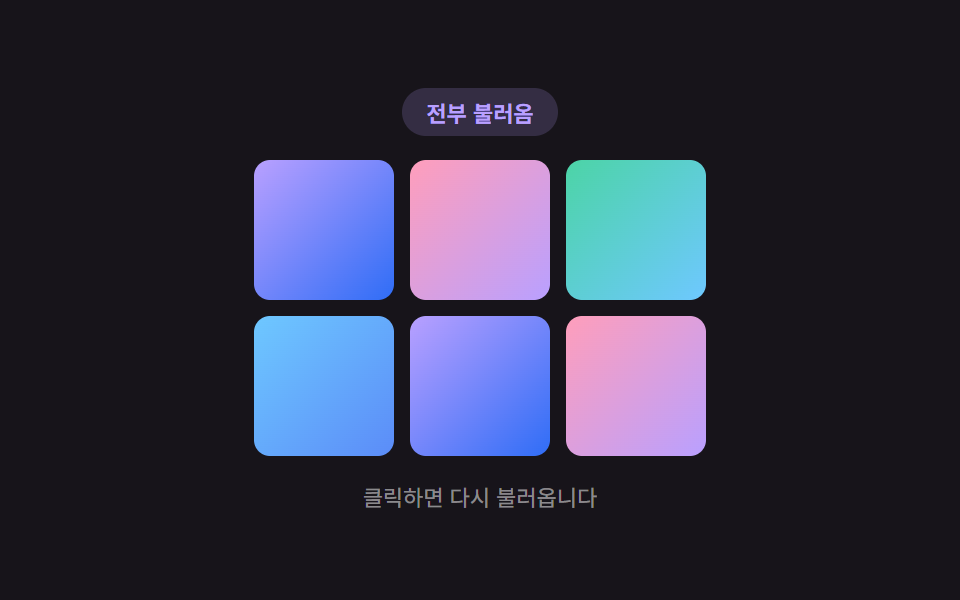
05Gallery Where a Grid-position Value Computes the Reveal Order
A thumbnail's grid-position value computes its reveal delay, so placeholders swap for real photos in order starting from the top-left with a staggered gap.
Best forPortfolio grids and product-listing galleries
STAGGER_STEP_MSSTART_DELAY_MSdelayFor
<main class="stage">
<div class="lgs is-demo" id="lgs">
  <div class="lgs__badge" id="lgsBadge">Loading</div>
  <div class="lgs__grid" id="lgsGrid"></div>
  <p class="lgs__hint">Click to reload</p>
</div>
</main>
@use "../../../../site/static/demo-tokens" as *;
// 격자 위치(행+열) 값으로 지연 시간을 계산하는 맨해튼 거리 스태거.
// 왼쪽 위 칸이 가장 먼저, 오른쪽 아래로 갈수록 늦게 실제 사진으로 바뀐다.
$duration: $dur-enter;
$easing: $ease-elastic;
$color: $subject-lilac;
@include stage($stage-ink);
.lgs {
display: flex;
flex-direction: column;
align-items: center;
gap: $sp-3;
outline: none;
cursor: pointer;
}
.lgs__badge {
padding: $sp-1 $sp-3;
border-radius: $r-pill;
background: rgba(185, 160, 255, .18);
color: $color;
font-weight: 700;
font-size: 11px;
}
.lgs__grid {
display: grid;
grid-template-columns: repeat(3, 70px);
grid-template-rows: repeat(2, 70px);
gap: $sp-2;
}
.lgs__cell {
position: relative;
border-radius: $r-sm;
overflow: hidden;
}
.lgs__placeholder {
position: absolute;
inset: 0;
background: rgba(255, 255, 255, .1);
transition: opacity $dur-quick $ease-out;
}
.lgs__photo {
position: absolute;
inset: 0;
opacity: 0;
transform: scale(.7);
transform-origin: center;
transition: transform $duration $easing, opacity $dur-base $ease-out;
}
.lgs__photo--0 { background: linear-gradient(135deg, $subject-lilac, $subject-blue); }
.lgs__photo--1 { background: linear-gradient(135deg, $subject-pink, $subject-lilac); }
.lgs__photo--2 { background: linear-gradient(135deg, $subject-mint, $subject-sky); }
.lgs__photo--3 { background: linear-gradient(135deg, $subject-sky, $subject-blue-light); }
.lgs__cell--loaded .lgs__placeholder { opacity: 0; }
.lgs__cell--loaded .lgs__photo { opacity: 1; transform: scale(1); }
.lgs__hint {
margin: 0;
color: rgba(255, 255, 255, .5);
font-size: 11px;
}
@media (max-width: 340px) {
.lgs { gap: $sp-2; }
.lgs__grid { grid-template-columns: repeat(3, 48px); grid-template-rows: repeat(2, 48px); gap: $sp-1; }
}
@media (prefers-reduced-motion: reduce) {
.lgs__placeholder, .lgs__photo { transition: none !important; }
}html, body {
margin: 0;
overflow: hidden;
}
.stage {
box-sizing: border-box;
min-height: 100vh;
display: grid;
place-items: center;
margin: 0;
background: #17141a;
font-family: -apple-system, "Segoe UI", "Noto Sans KR", sans-serif;
padding: clamp(8px, 4vw, 24px);
}
.lgs {
display: flex;
flex-direction: column;
align-items: center;
gap: 12px;
outline: none;
cursor: pointer;
}
.lgs__badge {
padding: 4px 12px;
border-radius: 999px;
background: rgba(185, 160, 255, 0.18);
color: #b9a0ff;
font-weight: 700;
font-size: 11px;
}
.lgs__grid {
display: grid;
grid-template-columns: repeat(3, 70px);
grid-template-rows: repeat(2, 70px);
gap: 8px;
}
.lgs__cell {
position: relative;
border-radius: 8px;
overflow: hidden;
}
.lgs__placeholder {
position: absolute;
inset: 0;
background: rgba(255, 255, 255, 0.1);
transition: opacity 220ms ease-out;
}
.lgs__photo {
position: absolute;
inset: 0;
opacity: 0;
transform: scale(0.7);
transform-origin: center;
transition: transform 600ms cubic-bezier(0.34, 1.56, 0.64, 1), opacity 300ms ease-out;
}
.lgs__photo--0 {
background: linear-gradient(135deg, #b9a0ff, #2f6df6);
}
.lgs__photo--1 {
background: linear-gradient(135deg, #ff9ebb, #b9a0ff);
}
.lgs__photo--2 {
background: linear-gradient(135deg, #4cd4a6, #6ec8ff);
}
.lgs__photo--3 {
background: linear-gradient(135deg, #6ec8ff, #5b8cf8);
}
.lgs__cell--loaded .lgs__placeholder {
opacity: 0;
}
.lgs__cell--loaded .lgs__photo {
opacity: 1;
transform: scale(1);
}
.lgs__hint {
margin: 0;
color: rgba(255, 255, 255, 0.5);
font-size: 11px;
}
@media (max-width: 340px) {
.lgs {
gap: 8px;
}
.lgs__grid {
grid-template-columns: repeat(3, 48px);
grid-template-rows: repeat(2, 48px);
gap: 4px;
}
}
@media (prefers-reduced-motion: reduce) {
.lgs__placeholder, .lgs__photo {
transition: none !important;
}
}(function () {
var root = document.getElementById('lgs');
var grid = document.getElementById('lgsGrid');
var badge = document.getElementById('lgsBadge');
var COLS = 3;
var ROWS = 2;
var STAGGER_STEP_MS = 90;
var START_DELAY_MS = 200;
var CYCLE_GAP_MS = 1600;
var cells = [];
for (var i = 0; i < COLS * ROWS; i += 1) {
var cell = document.createElement('div');
cell.className = 'lgs__cell';
cell.innerHTML = '<div class="lgs__placeholder"></div><div class="lgs__photo lgs__photo--' + (i % 4) + '"></div>';
grid.appendChild(cell);
cells.push(cell);
}
// 계산 겹: 격자 위치(행 값 + 열 값)로 지연 시간을 계산한다 — 맨해튼 거리 스태거.
// 왼쪽 위(행0·열0)가 가장 먼저, 오른쪽 아래로 갈수록 늦게 실제 사진으로 바뀐다.
function delayFor(idx) {
var row = Math.floor(idx / COLS);
var col = idx % COLS;
return START_DELAY_MS + (row + col) * STAGGER_STEP_MS;
}
var timers = [];
function clearTimers() { timers.forEach(clearTimeout); timers = []; }
function loadAll() {
cells.forEach(function (cell) { cell.classList.remove('lgs__cell--loaded'); });
badge.textContent = 'Loading';
var maxDelay = 0;
cells.forEach(function (cell, idx) {
var d = delayFor(idx);
maxDelay = Math.max(maxDelay, d);
var t = setTimeout(function () { cell.classList.add('lgs__cell--loaded'); }, d);
timers.push(t);
});
var t2 = setTimeout(function () { badge.textContent = 'All loaded'; }, maxDelay + 120);
timers.push(t2);
return maxDelay + 120;
}
root.addEventListener('click', function () {
root.classList.remove('is-demo');
clearTimers();
loadAll();
});
root.addEventListener('keydown', function (e) {
if (e.key === 'Enter' || e.key === ' ') { e.preventDefault(); root.click(); }
});
root.tabIndex = 0;
var reduce = window.matchMedia('(prefers-reduced-motion: reduce)').matches;
if (reduce) {
root.classList.remove('is-demo');
cells.forEach(function (cell) { cell.classList.add('lgs__cell--loaded'); });
badge.textContent = 'All loaded';
} else {
(function loop() {
clearTimers();
var total = loadAll();
setTimeout(function () {
if (!root.classList.contains('is-demo')) { return; }
setTimeout(function () {
if (root.classList.contains('is-demo')) { loop(); }
}, 500);
}, total + CYCLE_GAP_MS);
})();
}
})();import { useEffect, useRef, useState, useCallback } from "react";
import styles from "./GalleryGridStaggerReveal.module.scss";
// 격자 위치(행+열) 값으로 지연 시간을 계산하는 맨해튼 거리 스태거.
const COLS = 3;
const ROWS = 2;
const STAGGER_STEP_MS = 90;
const START_DELAY_MS = 200;
const CYCLE_GAP_MS = 1600;
const CELL_COUNT = COLS * ROWS;
function delayFor(idx: number): number {
const row = Math.floor(idx / COLS);
const col = idx % COLS;
return START_DELAY_MS + (row + col) * STAGGER_STEP_MS;
}
type Box<T> = { current: T };
function useBox<T>(initial: T): Box<T> {
return useRef(initial) as unknown as Box<T>;
}
export default function GalleryGridStaggerReveal() {
const rootRef = useRef<HTMLDivElement>(null);
const [demo, setDemo] = useState(true);
const [loaded, setLoaded] = useState<boolean[]>(Array(CELL_COUNT).fill(false));
const [badge, setBadge] = useState("불러오는 중");
const timersRef = useBox<number[]>([]);
const clearTimers = useCallback(() => {
timersRef.current.forEach((t) => window.clearTimeout(t));
timersRef.current = [];
}, [timersRef]);
const loadAll = useCallback((): number => {
setLoaded(Array(CELL_COUNT).fill(false));
setBadge("불러오는 중");
let maxDelay = 0;
for (let idx = 0; idx < CELL_COUNT; idx += 1) {
const d = delayFor(idx);
maxDelay = Math.max(maxDelay, d);
const t = window.setTimeout(() => {
setLoaded((prev) => prev.map((v, j) => (j === idx ? true : v)));
}, d);
timersRef.current.push(t);
}
const t2 = window.setTimeout(() => setBadge("전부 불러옴"), maxDelay + 120);
timersRef.current.push(t2);
return maxDelay + 120;
}, [timersRef]);
const onActivate = useCallback(() => {
setDemo(false);
clearTimers();
loadAll();
}, [clearTimers, loadAll]);
useEffect(() => {
const reduce = window.matchMedia("(prefers-reduced-motion: reduce)").matches;
if (reduce) {
setDemo(false);
setLoaded(Array(CELL_COUNT).fill(true));
setBadge("전부 불러옴");
return;
}
let cancelled = false;
let outer: number | null = null;
let inner: number | null = null;
function loop() {
if (cancelled) { return; }
clearTimers();
const total = loadAll();
outer = window.setTimeout(() => {
if (cancelled || !rootRef.current?.classList.contains(styles["is-demo"])) { return; }
inner = window.setTimeout(() => {
if (!cancelled && rootRef.current?.classList.contains(styles["is-demo"])) { loop(); }
}, 500);
}, total + CYCLE_GAP_MS);
}
loop();
return () => {
cancelled = true;
clearTimers();
if (outer !== null) { window.clearTimeout(outer); }
if (inner !== null) { window.clearTimeout(inner); }
};
// eslint-disable-next-line react-hooks/exhaustive-deps
}, []);
useEffect(() => {
const root = rootRef.current;
function onKeyDown(e: KeyboardEvent) {
if (e.key === "Enter" || e.key === " ") { e.preventDefault(); onActivate(); }
}
root?.addEventListener("keydown", onKeyDown);
return () => root?.removeEventListener("keydown", onKeyDown);
}, [onActivate]);
return (
<main className={styles.stage}>
<div
ref={rootRef}
className={`${styles.lgs} ${demo ? styles["is-demo"] : ""}`}
tabIndex={0}
onClick={onActivate}
>
<div className={styles["lgs__badge"]}>{badge}</div>
<div className={styles["lgs__grid"]}>
{Array.from({ length: CELL_COUNT }).map((_, idx) => (
<div key={idx} className={`${styles["lgs__cell"]} ${loaded[idx] ? styles["lgs__cell--loaded"] : ""}`}>
<div className={styles["lgs__placeholder"]} />
<div className={`${styles["lgs__photo"]} ${styles["lgs__photo--" + (idx % 4)]}`} />
</div>
))}
</div>
<p className={styles["lgs__hint"]}>클릭하면 다시 불러옵니다</p>
</div>
</main>
);
}05 Gallery Where a Grid-position Value Computes the Reveal Order — Measured area 20.573% · moving frames 7/23Original by GODRICH · SCSS and React ship in the zip · Lazy Loading Images: 9 CSS Placeholder Patterns
The post this demo lives in
 Lazy Loading Images: 9 CSS Placeholder PatternsAmong nine lazy loading images patterns, one computes a ratio to fade an image in, one computes timing to swap an iframe See all demos in this post
If you like this effect - similar demos
 Loaders08 Row stagger reveal — an effect where each list row appears following an order value once the refresh finishesPull to Refresh CSS: 9 Loading Patterns
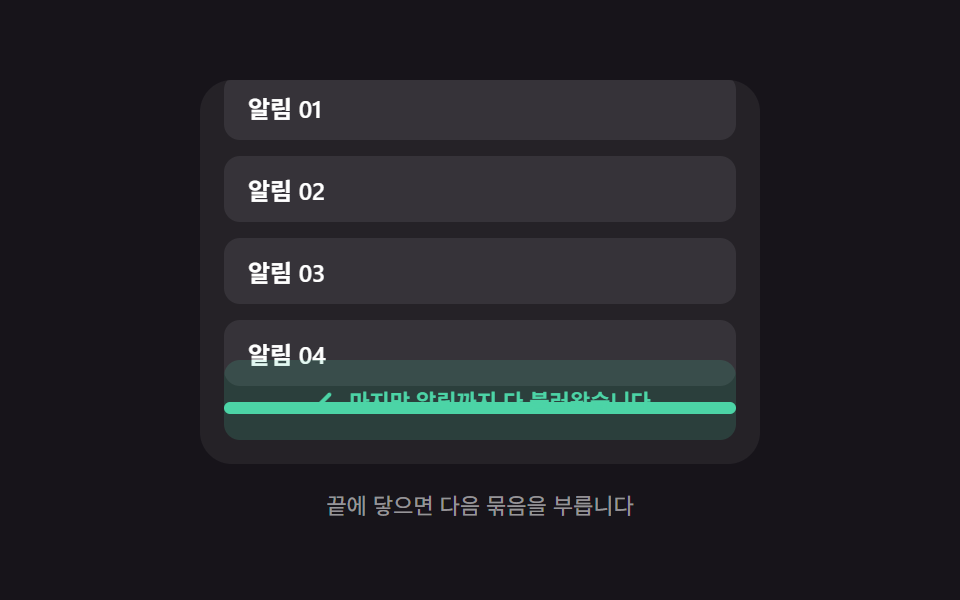 Loaders06 End-of-list reveal — a message appearing once the remaining-item value reaches zeroInfinite Scroll Loading: 9 Essential UI Patterns
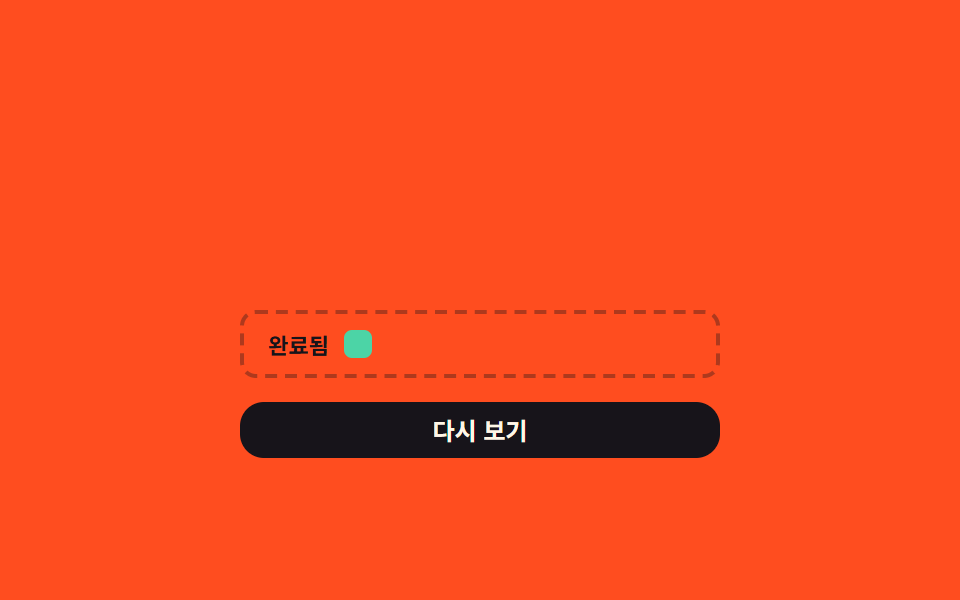 Loaders08 Finished-item position-value move — a finished item's position value shifts into a set area of the listDownload Progress Bar: 9 Loading UI Patterns