03Pull-to-Refresh That Sweeps Only the Rows That Changed
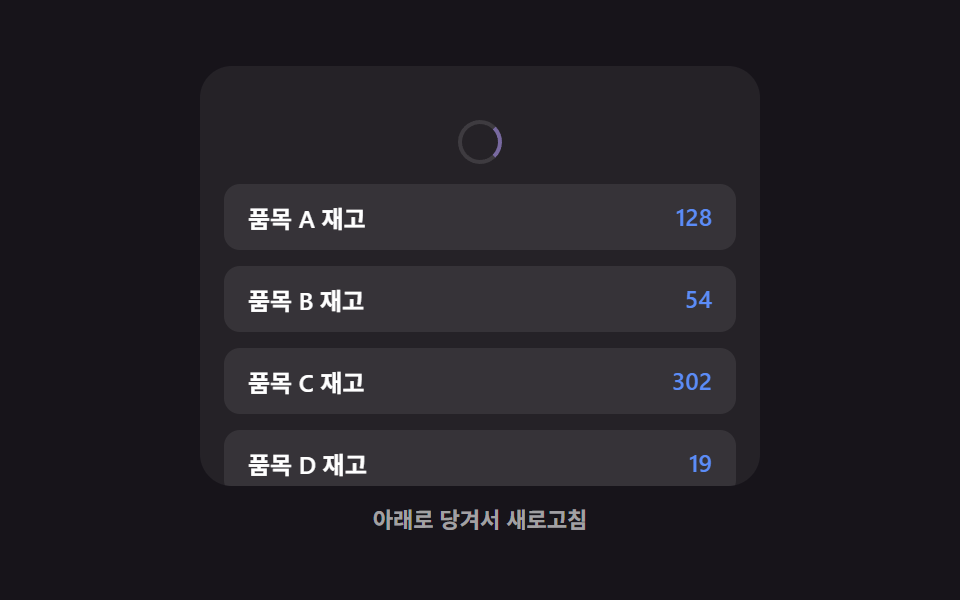
After the pull-to-refresh gesture completes, instead of redrawing the whole list, only the rows whose values changed get a brief highlight sweep showing what was updated (a different focus from 353, which covers the pull gesture, icon, and elastic feel itself — this one only covers what happens after release).
Best forLists like live prices or stock where only values change
applyPullsweepRowcomputeChanged
<main class="stage">
<div class="ptr is-demo" id="ptr">
  <div class="ptr__view" id="ptrView">
    <div class="ptr__zone" id="ptrZone">
      <div class="ptr__indicator" id="ptrIndicator" aria-hidden="true">
        <span class="ptr__spinner" id="ptrSpinner"></span>
      </div>
      <ul class="ptr__list" id="ptrList">
        <li class="ptr__row" data-row="0"><span class="ptr__label">Item A stock</span><span class="ptr__value" id="ptrVal0">128</span></li>
        <li class="ptr__row" data-row="1"><span class="ptr__label">Item B stock</span><span class="ptr__value" id="ptrVal1">54</span></li>
        <li class="ptr__row" data-row="2"><span class="ptr__label">Item C stock</span><span class="ptr__value" id="ptrVal2">302</span></li>
        <li class="ptr__row" data-row="3"><span class="ptr__label">Item D stock</span><span class="ptr__value" id="ptrVal3">19</span></li>
        <li class="ptr__row" data-row="4"><span class="ptr__label">Item E stock</span><span class="ptr__value" id="ptrVal4">77</span></li>
      </ul>
    </div>
  </div>
  <p class="ptr__hint" id="ptrHint" aria-live="polite">Pull down to refresh</p>
</div>
</main>
@use "../../../../site/static/demo-tokens" as *;
// 변수 3개
$duration: $dur-enter;
$easing: $ease-spring;
$color: $subject-lilac;
// 계산 겹: index.html 의 applyPull() 이 저항 곡선으로 당김 표시량을 만들고,
// 놓았을 때 새로고침되면 computeChanged() 로 실제 값이 달라진 행만 골라 훑는다.
@include stage($stage-ink);
.ptr {
width: min(100%, 280px);
display: flex;
flex-direction: column;
gap: $sp-2;
align-items: center;
}
.ptr__view {
box-sizing: border-box;
width: 100%;
height: 210px;
overflow: hidden;
border-radius: $r-card;
background: rgba(255, 255, 255, .06);
touch-action: none;
}
.ptr__zone {
--pull-px: 0px;
box-sizing: border-box;
padding: $sp-3;
transform: translateY(var(--pull-px));
transition: transform $duration $easing;
&.is-dragging {
transition: none;
}
}
.ptr__indicator {
display: flex;
justify-content: center;
height: 28px;
margin-bottom: $sp-1;
opacity: 0;
}
.ptr__spinner {
--spin-deg: 0deg;
width: 18px;
height: 18px;
border-radius: $r-pill;
border: 2px solid rgba(255, 255, 255, .2);
border-top-color: $color;
transform: rotate(var(--spin-deg));
}
.ptr__list {
list-style: none;
margin: 0;
padding: 0;
display: flex;
flex-direction: column;
gap: $sp-2;
}
.ptr__row {
box-sizing: border-box;
position: relative;
overflow: hidden;
display: flex;
justify-content: space-between;
padding: $sp-2 $sp-3;
border-radius: $r-sm;
background: rgba(255, 255, 255, .08);
color: $stage-paper;
font-weight: 600;
font-size: 12px;
&.is-swept::after {
content: "";
position: absolute;
inset: 0;
background: linear-gradient(90deg, transparent, rgba($color, .38), transparent);
transform: translateX(-140%);
animation-name: ptrSweep;
animation-duration: $duration;
animation-timing-function: $ease-out;
}
}
.ptr__value {
color: $subject-blue-light;
}
@keyframes ptrSweep {
to { transform: translateX(140%); }
}
.ptr__hint {
margin: 0;
color: rgba(255, 255, 255, .6);
font-weight: 600;
font-size: 11px;
}
@media (max-width: 340px) {
.ptr { gap: $sp-1; }
.ptr__view { height: 130px; }
.ptr__row { padding: $sp-1 $sp-2; font-size: 11px; }
.ptr__hint { font-size: 10px; }
}
// reduce: 실사용 경로 적용 — 당김 스프링·스침 트윈만 멈춘다. 새로고침 계산·값 갱신은 그대로 동작
@media (prefers-reduced-motion: reduce) {
.ptr__zone { transition: none; }
.ptr__row.is-swept::after { animation: none; opacity: 0; }
}html, body {
margin: 0;
overflow: hidden;
}
.stage {
box-sizing: border-box;
min-height: 100vh;
display: grid;
place-items: center;
margin: 0;
background: #17141a;
font-family: -apple-system, "Segoe UI", "Noto Sans KR", sans-serif;
padding: clamp(8px, 4vw, 24px);
}
.ptr {
width: min(100%, 280px);
display: flex;
flex-direction: column;
gap: 8px;
align-items: center;
}
.ptr__view {
box-sizing: border-box;
width: 100%;
height: 210px;
overflow: hidden;
border-radius: 16px;
background: rgba(255, 255, 255, 0.06);
touch-action: none;
}
.ptr__zone {
--pull-px: 0px;
box-sizing: border-box;
padding: 12px;
transform: translateY(var(--pull-px));
transition: transform 600ms cubic-bezier(0.2, 0.8, 0.2, 1);
}
.ptr__zone.is-dragging {
transition: none;
}
.ptr__indicator {
display: flex;
justify-content: center;
height: 28px;
margin-bottom: 4px;
opacity: 0;
}
.ptr__spinner {
--spin-deg: 0deg;
width: 18px;
height: 18px;
border-radius: 999px;
border: 2px solid rgba(255, 255, 255, 0.2);
border-top-color: #b9a0ff;
transform: rotate(var(--spin-deg));
}
.ptr__list {
list-style: none;
margin: 0;
padding: 0;
display: flex;
flex-direction: column;
gap: 8px;
}
.ptr__row {
box-sizing: border-box;
position: relative;
overflow: hidden;
display: flex;
justify-content: space-between;
padding: 8px 12px;
border-radius: 8px;
background: rgba(255, 255, 255, 0.08);
color: #ffffff;
font-weight: 600;
font-size: 12px;
}
.ptr__row.is-swept::after {
content: "";
position: absolute;
inset: 0;
background: linear-gradient(90deg, transparent, rgba(185, 160, 255, 0.38), transparent);
transform: translateX(-140%);
animation-name: ptrSweep;
animation-duration: 600ms;
animation-timing-function: ease-out;
}
.ptr__value {
color: #5b8cf8;
}
@keyframes ptrSweep {
to {
transform: translateX(140%);
}
}
.ptr__hint {
margin: 0;
color: rgba(255, 255, 255, 0.6);
font-weight: 600;
font-size: 11px;
}
@media (max-width: 340px) {
.ptr {
gap: 4px;
}
.ptr__view {
height: 130px;
}
.ptr__row {
padding: 4px 8px;
font-size: 11px;
}
.ptr__hint {
font-size: 10px;
}
}
@media (prefers-reduced-motion: reduce) {
.ptr__zone {
transition: none;
}
.ptr__row.is-swept::after {
animation: none;
opacity: 0;
}
}(function () {
var MAX_PULL_PX = 64; // 당김 표시량 상한
var DAMPING = 90; // 저항 곡선 상수 — 클수록 손가락 이동량이 그대로 반영된다
var RELEASE_THRESHOLD_PX = 46; // 이 표시량을 넘기고 놓으면 새로고침
var AUTO_TICK_MS = 40;
var AUTO_PULL_STEP = 6;
var AUTO_HOLD_MS = 160;
var AUTO_WAIT_MS = 900;
var SWEEP_STAGGER_MS = 90;
var SET_A = [128, 54, 302, 19, 77];
var SET_B = [128, 61, 302, 24, 77];
var root = document.getElementById('ptr');
var view = document.getElementById('ptrView');
var zone = document.getElementById('ptrZone');
var indicator = document.getElementById('ptrIndicator');
var spinner = document.getElementById('ptrSpinner');
var list = document.getElementById('ptrList');
var hint = document.getElementById('ptrHint');
var rows = Array.prototype.slice.call(list.querySelectorAll('.ptr__row'));
var values = SET_A.slice();
var currentIsA = true;
var lastDisplayed = 0;
function renderValues() {
values.forEach(function (v, i) {
document.getElementById('ptrVal' + i).textContent = String(v);
});
}
renderValues();
// 계산 겹: 원시 당김량(raw)을 지수 감쇠 저항 곡선으로 눌러 표시량을 만든다 —
// 처음엔 손가락을 따라오다가 당길수록 점점 덜 늘어난다.
function applyPull(raw) {
var displayed = MAX_PULL_PX * (1 - Math.exp(-raw / DAMPING));
zone.style.setProperty('--pull-px', displayed.toFixed(1) + 'px');
spinner.style.setProperty('--spin-deg', (displayed / MAX_PULL_PX * 320).toFixed(1) + 'deg');
indicator.style.opacity = Math.min(1, displayed / (RELEASE_THRESHOLD_PX * 0.7)).toFixed(2);
lastDisplayed = displayed;
return displayed;
}
function computeChanged(oldVals, newVals) {
var idx = [];
for (var i = 0; i < oldVals.length; i += 1) {
if (oldVals[i] !== newVals[i]) { idx.push(i); }
}
return idx;
}
function sweepRow(row, delayMs) {
row.classList.remove('is-swept');
void row.offsetWidth; // 리플로우 강제 — 클래스를 다시 붙여도 애니메이션이 처음부터 재생되게
row.style.animationDelay = delayMs + 'ms';
row.classList.add('is-swept');
}
function refresh() {
var next = currentIsA ? SET_B : SET_A;
var changed = computeChanged(values, next);
values = next.slice();
currentIsA = !currentIsA;
renderValues();
hint.textContent = changed.length ? 'Sweeping only the rows that changed' : 'No rows changed';
changed.forEach(function (idx, order) {
sweepRow(rows[idx], order * SWEEP_STAGGER_MS);
});
}
var dragging = false;
var startY = 0;
function human() {
if (root.classList.contains('is-demo')) {
root.classList.remove('is-demo');
if (timer) { window.clearInterval(timer); timer = null; }
}
}
view.addEventListener('pointerdown', function (e) {
human();
if (view.scrollTop > 0) { return; }
dragging = true;
startY = e.clientY;
zone.classList.add('is-dragging');
});
view.addEventListener('pointermove', function (e) {
if (!dragging) { return; }
var raw = Math.max(0, e.clientY - startY);
applyPull(raw);
});
window.addEventListener('pointerup', function () {
if (!dragging) { return; }
dragging = false;
zone.classList.remove('is-dragging');
var wasEnough = lastDisplayed >= RELEASE_THRESHOLD_PX;
applyPull(0);
if (wasEnough) { refresh(); }
});
var timer = null;
var raw = 0;
var phase = 'pull';
function autoTick() {
if (phase === 'pull') {
raw += AUTO_PULL_STEP;
var displayed = applyPull(raw);
if (displayed >= RELEASE_THRESHOLD_PX) {
phase = 'hold';
window.setTimeout(function () {
refresh();
applyPull(0);
phase = 'wait';
window.setTimeout(function () {
raw = 0;
phase = 'pull';
}, AUTO_WAIT_MS);
}, AUTO_HOLD_MS);
}
}
}
var reduce = window.matchMedia('(prefers-reduced-motion: reduce)').matches;
if (!reduce) {
timer = window.setInterval(autoTick, AUTO_TICK_MS);
} else {
// reduce: 실사용 경로 적용 — 자동 당김 루프와 스침 애니메이션을 멈추고 최신 값만 보여준다
hint.textContent = 'Pull down to refresh';
}
})();// PullToRefresh — vanilla 판(run/381/demo/03-pull-to-refresh/index.html)의 React 포트.
// 원시 당김량(raw)을 지수 감쇠 저항 곡선으로 눌러 표시량을 만들고, 놓았을 때 새로고침되면
// computeChanged() 로 실제 값이 달라진 행만 골라 훑는다.
import { useEffect, useRef } from "react";
import type { CSSProperties } from "react";
import styles from "./PullToRefresh.module.scss";
export type PullToRefreshProps = {
duration?: string;
easing?: string;
color?: string;
};
type Vars = CSSProperties & { "--duration"?: string; "--easing"?: string; "--color"?: string };
const LABELS = ["품목 A 재고", "품목 B 재고", "품목 C 재고", "품목 D 재고", "품목 E 재고"];
const SET_A = [128, 54, 302, 19, 77];
export default function PullToRefresh({
duration = "600ms", // vanilla $duration: $dur-enter
easing = "cubic-bezier(.2, .8, .2, 1)", // vanilla $easing: $ease-spring
color = "#b9a0ff", // vanilla $color: $subject-lilac
}: PullToRefreshProps) {
const rootRef = useRef<HTMLDivElement | null>(null);
useEffect(() => {
const root = rootRef.current;
if (!root) return;
const view = root.querySelector<HTMLDivElement>('[data-role="view"]');
const zone = root.querySelector<HTMLDivElement>('[data-role="zone"]');
const indicator = root.querySelector<HTMLDivElement>('[data-role="indicator"]');
const spinner = root.querySelector<HTMLSpanElement>('[data-role="spinner"]');
const list = root.querySelector<HTMLUListElement>('[data-role="list"]');
const hint = root.querySelector<HTMLParagraphElement>('[data-role="hint"]');
if (!view || !zone || !indicator || !spinner || !list || !hint) return;
const rows = Array.prototype.slice.call(list.querySelectorAll("[data-row]")) as HTMLLIElement[];
const MAX_PULL_PX = 64; // 당김 표시량 상한
const DAMPING = 90; // 저항 곡선 상수 — 클수록 손가락 이동량이 그대로 반영된다
const RELEASE_THRESHOLD_PX = 46; // 이 표시량을 넘기고 놓으면 새로고침
const AUTO_TICK_MS = 40;
const AUTO_PULL_STEP = 6;
const AUTO_HOLD_MS = 160;
const AUTO_WAIT_MS = 900;
const SWEEP_STAGGER_MS = 90;
const SET_B = [128, 61, 302, 24, 77];
let values = SET_A.slice();
let currentIsA = true;
let lastDisplayed = 0;
function renderValues(): void {
values.forEach((v, i) => {
const cell = rows[i].querySelector<HTMLSpanElement>("[data-value]");
if (cell) cell.textContent = String(v);
});
}
renderValues();
// 계산 겹: 원시 당김량(raw)을 지수 감쇠 저항 곡선으로 눌러 표시량을 만든다 —
// 처음엔 손가락을 따라오다가 당길수록 점점 덜 늘어난다.
function applyPull(raw: number): number {
const displayed = MAX_PULL_PX * (1 - Math.exp(-raw / DAMPING));
zone!.style.setProperty("--pull-px", displayed.toFixed(1) + "px");
spinner!.style.setProperty("--spin-deg", ((displayed / MAX_PULL_PX) * 320).toFixed(1) + "deg");
indicator!.style.opacity = Math.min(1, displayed / (RELEASE_THRESHOLD_PX * 0.7)).toFixed(2);
lastDisplayed = displayed;
return displayed;
}
function computeChanged(oldVals: number[], newVals: number[]): number[] {
const idx: number[] = [];
for (let i = 0; i < oldVals.length; i += 1) {
if (oldVals[i] !== newVals[i]) {
idx.push(i);
}
}
return idx;
}
function sweepRow(row: HTMLLIElement, delayMs: number): void {
row.classList.remove("is-swept");
void row.offsetWidth; // 리플로우 강제 — 클래스를 다시 붙여도 애니메이션이 처음부터 재생되게
row.style.animationDelay = delayMs + "ms";
row.classList.add("is-swept");
}
function refresh(): void {
const next = currentIsA ? SET_B : SET_A;
const changed = computeChanged(values, next);
values = next.slice();
currentIsA = !currentIsA;
renderValues();
hint!.textContent = changed.length ? "값이 바뀐 행만 훑습니다" : "변경된 행이 없습니다";
changed.forEach((idx, order) => {
sweepRow(rows[idx], order * SWEEP_STAGGER_MS);
});
}
let dragging = false;
let startY = 0;
function human(): void {
if (root!.classList.contains("is-demo")) {
root!.classList.remove("is-demo");
if (timer) {
window.clearInterval(timer);
timer = null;
}
}
}
function onPointerDown(e: PointerEvent): void {
human();
if (view!.scrollTop > 0) return;
dragging = true;
startY = e.clientY;
zone!.classList.add("is-dragging");
}
function onPointerMove(e: PointerEvent): void {
if (!dragging) return;
const raw = Math.max(0, e.clientY - startY);
applyPull(raw);
}
function onPointerUp(): void {
if (!dragging) return;
dragging = false;
zone!.classList.remove("is-dragging");
const wasEnough = lastDisplayed >= RELEASE_THRESHOLD_PX;
applyPull(0);
if (wasEnough) refresh();
}
view.addEventListener("pointerdown", onPointerDown);
view.addEventListener("pointermove", onPointerMove);
window.addEventListener("pointerup", onPointerUp);
let timer: number | null = null;
let raw = 0;
let phase: "pull" | "hold" | "wait" = "pull";
function autoTick(): void {
if (phase === "pull") {
raw += AUTO_PULL_STEP;
const displayed = applyPull(raw);
if (displayed >= RELEASE_THRESHOLD_PX) {
phase = "hold";
window.setTimeout(() => {
refresh();
applyPull(0);
phase = "wait";
window.setTimeout(() => {
raw = 0;
phase = "pull";
}, AUTO_WAIT_MS);
}, AUTO_HOLD_MS);
}
}
}
const reduce = window.matchMedia("(prefers-reduced-motion: reduce)").matches;
if (!reduce) {
timer = window.setInterval(autoTick, AUTO_TICK_MS);
} else {
// reduce: 실사용 경로 적용 — 자동 당김 루프와 스침 애니메이션을 멈추고 최신 값만 보여준다
hint.textContent = "아래로 당겨서 새로고침";
}
return () => {
view.removeEventListener("pointerdown", onPointerDown);
view.removeEventListener("pointermove", onPointerMove);
window.removeEventListener("pointerup", onPointerUp);
if (timer) {
window.clearInterval(timer);
}
};
}, []);
const vars: Vars = { "--duration": duration, "--easing": easing, "--color": color };
return (
<main className={styles.stage}>
<div className={`${styles.ptr} is-demo`} ref={rootRef} style={vars}>
<div className={styles.ptr__view} data-role="view">
<div className={styles.ptr__zone} data-role="zone">
<div className={styles.ptr__indicator} data-role="indicator" aria-hidden="true">
<span className={styles.ptr__spinner} data-role="spinner" />
</div>
<ul className={styles.ptr__list} data-role="list">
{LABELS.map((label, i) => (
<li className={styles.ptr__row} data-row={i} key={i}>
<span className={styles.ptr__label}>{label}</span>
<span className={styles.ptr__value} data-value>
{SET_A[i]}
</span>
</li>
))}
</ul>
</div>
</div>
<p className={styles.ptr__hint} data-role="hint" aria-live="polite">
아래로 당겨서 새로고침
</p>
</div>
</main>
);
}03 Pull-to-Refresh That Sweeps Only the Rows That Changed — Measured area 29.576% · moving frames 12/23Original by GODRICH · SCSS and React ship in the zip · Infinite Scroll Implementation — 9 List UI Basics
The post this demo lives in
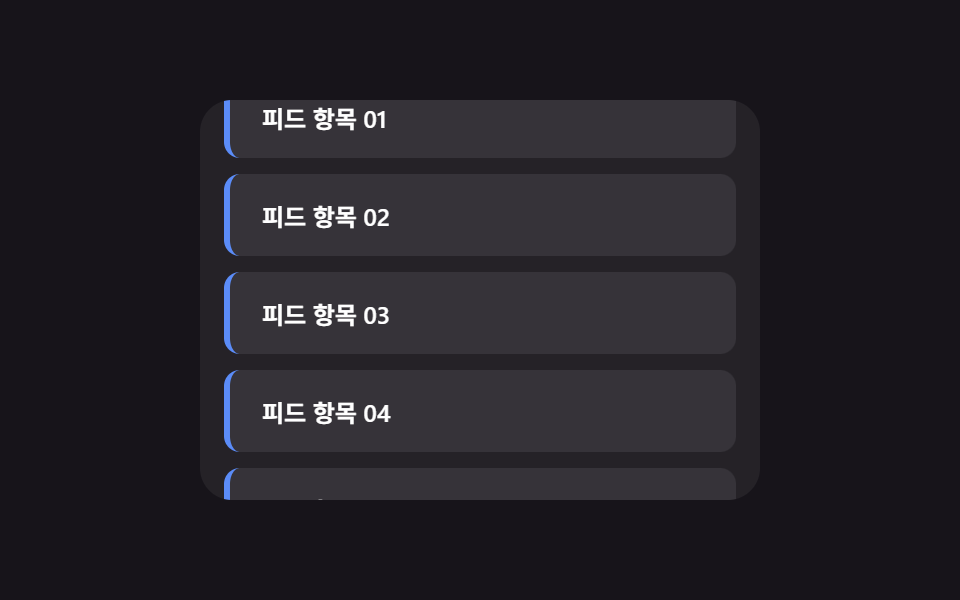 Infinite Scroll Implementation — 9 List UI BasicsAmong nine infinite scroll implementation ideas, one slides in new rows with no spinner, one swaps row order on sort cli See all demos in this post
If you like this effect - similar demos
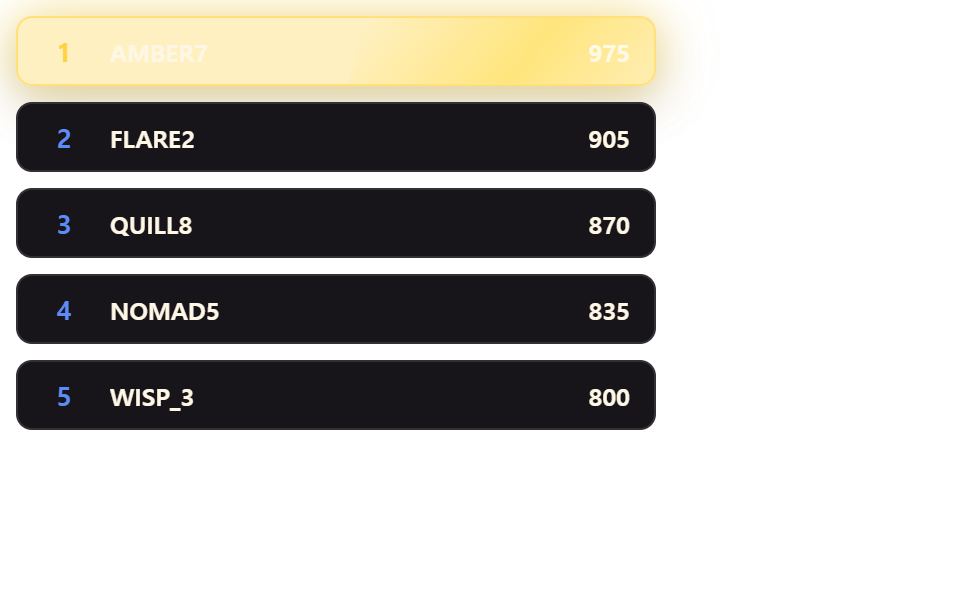 Lists & tables05 Gold Gloss That Sweeps Only Across the No. 1 RowLeaderboard UI Design: 9 Rank-Change List Patterns
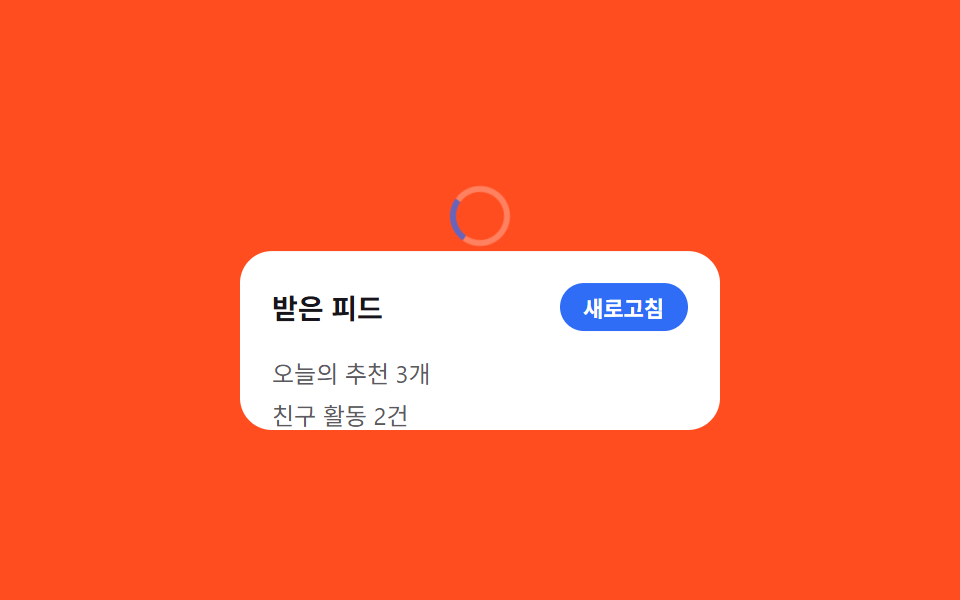 Lists & tables03 Pull-to-refresh spinner9 Swipe to Delete List UI Patterns (Copy-Paste)
 Lists & tables03 Column reorder that lifts the header9 Data Table UI Patterns — Drag, Resize, Select