08Frozen Column That Carries Its Shadow While Scrolling Sideways
Scrolling the table sideways leaves the leftmost column frozen in place while the rest pass beneath it, and a soft shadow along the frozen column's right edge deepens in proportion to how far the scroll has moved (a different axis from 207's sticky-columns-header-freeze, which freezes the top header on vertical scroll — this one freezes the left column on horizontal scroll).
Best forFreezing a name column in a wide table
updateShadowscrollLeftposition:sticky
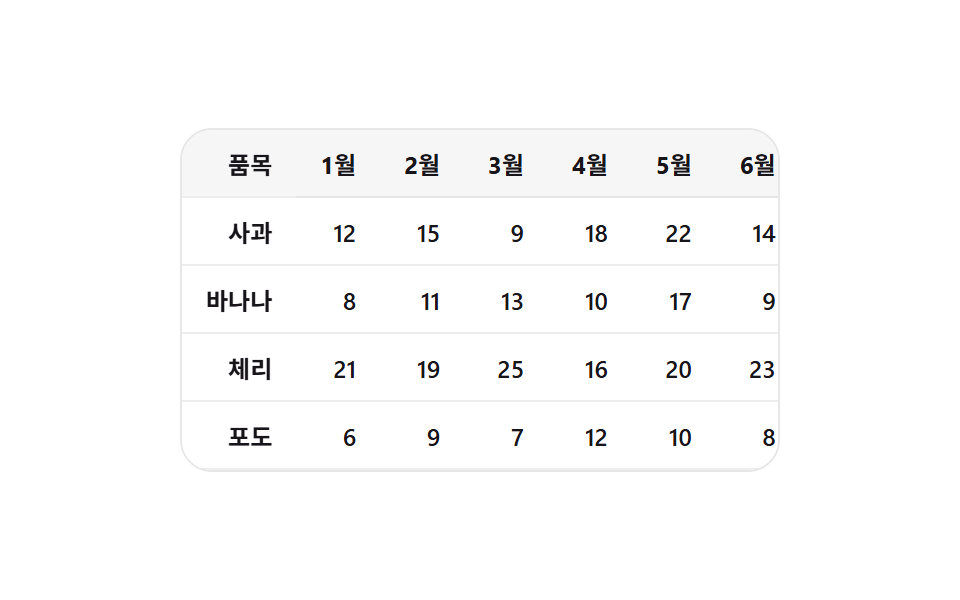
<main class="stage">
<div class="stc is-demo" id="stc">
  <div class="stc__view" id="stcView">
    <table class="stc__table">
      <thead>
        <tr>
          <th class="stc__frozen" scope="col">Item</th>
          <th scope="col">Jan</th>
          <th scope="col">Feb</th>
          <th scope="col">Mar</th>
          <th scope="col">Apr</th>
          <th scope="col">May</th>
          <th scope="col">Jun</th>
        </tr>
      </thead>
      <tbody>
        <tr><th class="stc__frozen" scope="row">Apple</th><td>12</td><td>15</td><td>9</td><td>18</td><td>22</td><td>14</td></tr>
        <tr><th class="stc__frozen" scope="row">Banana</th><td>8</td><td>11</td><td>13</td><td>10</td><td>17</td><td>9</td></tr>
        <tr><th class="stc__frozen" scope="row">Cherry</th><td>21</td><td>19</td><td>25</td><td>16</td><td>20</td><td>23</td></tr>
        <tr><th class="stc__frozen" scope="row">Grape</th><td>6</td><td>9</td><td>7</td><td>12</td><td>10</td><td>8</td></tr>
      </tbody>
    </table>
  </div>
</div>
</main>@use "../../../../site/static/demo-tokens" as *;
// 변수 3개
$duration: $dur-instant;
$easing: $ease-out;
$color: $stage-ink;
// 계산 겹: index.html 의 updateShadow() 가 scrollLeft 를 정규화해 --shadow-alpha 로
// 넘긴다 — 고정 칼럼의 그림자 진하기가 스크롤량의 함수로 정해진다.
@include stage($stage-paper);
.stc {
width: min(100%, 300px);
}
.stc__view {
--shadow-alpha: 0;
box-sizing: border-box;
width: 100%;
overflow-x: auto;
overflow-y: hidden;
border-radius: $r-card;
background: $stage-paper;
border: 1px solid rgba($color, .1);
}
.stc__table {
border-collapse: collapse;
table-layout: fixed;
}
.stc__table th,
.stc__table td {
box-sizing: border-box;
width: 72px;
padding: $sp-2 $sp-3;
font-weight: 600;
font-size: 12px;
color: $color;
text-align: right;
white-space: nowrap;
border-bottom: 1px solid rgba($color, .08);
}
.stc__table thead th {
font-weight: 700;
background: rgba($color, .04);
}
.stc__frozen {
position: sticky;
left: 0;
z-index: 1;
width: 96px;
text-align: left;
background: $stage-paper;
&::after {
content: "";
position: absolute;
top: 0;
right: -12px;
width: 12px;
height: 100%;
background: linear-gradient(90deg, rgba($color, var(--shadow-alpha)), transparent);
opacity: 1;
transition: background $duration $easing;
pointer-events: none;
}
}
@media (max-width: 340px) {
.stc__table th,
.stc__table td { width: 60px; padding: $sp-1 $sp-2; font-size: 11px; }
.stc__frozen { width: 78px; }
}
// reduce: 실사용 경로 적용 — 그림자 색 전환만 즉시로 바꾼다. 스크롤·알파 계산은 그대로 동작
@media (prefers-reduced-motion: reduce) {
.stc__frozen::after { transition: none; }
}html, body {
margin: 0;
overflow: hidden;
}
.stage {
box-sizing: border-box;
min-height: 100vh;
display: grid;
place-items: center;
margin: 0;
background: #ffffff;
font-family: -apple-system, "Segoe UI", "Noto Sans KR", sans-serif;
padding: clamp(8px, 4vw, 24px);
}
.stc {
width: min(100%, 300px);
}
.stc__view {
--shadow-alpha: 0;
box-sizing: border-box;
width: 100%;
overflow-x: auto;
overflow-y: hidden;
border-radius: 16px;
background: #ffffff;
border: 1px solid rgba(23, 20, 26, 0.1);
}
.stc__table {
border-collapse: collapse;
table-layout: fixed;
}
.stc__table th,
.stc__table td {
box-sizing: border-box;
width: 72px;
padding: 8px 12px;
font-weight: 600;
font-size: 12px;
color: #17141a;
text-align: right;
white-space: nowrap;
border-bottom: 1px solid rgba(23, 20, 26, 0.08);
}
.stc__table thead th {
font-weight: 700;
background: rgba(23, 20, 26, 0.04);
}
.stc__frozen {
position: sticky;
left: 0;
z-index: 1;
width: 96px;
text-align: left;
background: #ffffff;
}
.stc__frozen::after {
content: "";
position: absolute;
top: 0;
right: -12px;
width: 12px;
height: 100%;
background: linear-gradient(90deg, rgba(23, 20, 26, var(--shadow-alpha)), transparent);
opacity: 1;
transition: background 140ms ease-out;
pointer-events: none;
}
@media (max-width: 340px) {
.stc__table th,
.stc__table td {
width: 60px;
padding: 4px 8px;
font-size: 11px;
}
.stc__frozen {
width: 78px;
}
}
@media (prefers-reduced-motion: reduce) {
.stc__frozen::after {
transition: none;
}
}(function () {
var STICKY_COL_SHADOW_ALPHA = 0.35; // 변형 대상 — 완전히 스크롤됐을 때 그림자 알파 상한
var SHADOW_RAMP_PX = 40; // 이 픽셀만큼 스크롤되면 그림자가 상한에 도달
var AUTO_TICK_MS = 45;
var AUTO_STEP_PX = 5;
function clamp(v, lo, hi) { return Math.min(hi, Math.max(lo, v)); }
var root = document.getElementById('stc');
var view = document.getElementById('stcView');
// 계산 겹: 가로 스크롤량(scrollLeft)을 SHADOW_RAMP_PX 로 정규화해 그림자 알파를 산술로 만든다 —
// 스크롤이 없으면 그림자가 없고, 조금만 밀려도 곧바로 상한 근처까지 진해진다.
function updateShadow() {
var raw = clamp(view.scrollLeft / SHADOW_RAMP_PX, 0, 1);
var alpha = raw * STICKY_COL_SHADOW_ALPHA;
view.style.setProperty('--shadow-alpha', alpha.toFixed(3));
}
view.addEventListener('scroll', updateShadow, { passive: true });
updateShadow();
var timer = null;
function human() {
if (root.classList.contains('is-demo')) {
root.classList.remove('is-demo');
if (timer) { window.clearInterval(timer); timer = null; }
}
}
view.addEventListener('wheel', human, { passive: true });
view.addEventListener('touchstart', human, { passive: true });
view.addEventListener('pointerdown', human, { passive: true });
var dir = 1;
function autoTick() {
var max = view.scrollWidth - view.clientWidth;
var next = clamp(view.scrollLeft + dir * AUTO_STEP_PX, 0, max);
view.scrollLeft = next;
if (next <= 0 || next >= max) { dir *= -1; }
}
var reduce = window.matchMedia('(prefers-reduced-motion: reduce)').matches;
if (!reduce) {
timer = window.setInterval(autoTick, AUTO_TICK_MS);
} else {
// reduce: 실사용 경로 적용 — 자동 가로 스크롤 루프를 멈춘다. 사람이 스크롤하면 그림자 계산은 그대로 동작
}
})();// StickyColumns — vanilla 판(run/381/demo/08-sticky-columns/index.html)의 React 포트.
// 가로 스크롤량(scrollLeft)을 SHADOW_RAMP_PX 로 정규화해 고정 칼럼의 그림자 알파를
// 산술로 만든다 — 스크롤이 없으면 그림자가 없고, 조금만 밀려도 곧바로 상한 근처까지 진해진다.
import { useEffect, useRef } from "react";
import type { CSSProperties } from "react";
import styles from "./StickyColumns.module.scss";
export type StickyColumnsProps = {
duration?: string;
easing?: string;
color?: string;
};
type Vars = CSSProperties & { "--duration"?: string; "--easing"?: string; "--color"?: string };
const ROW_LABELS = ["사과", "바나나", "체리", "포도"];
const MONTH_LABELS = ["1월", "2월", "3월", "4월", "5월", "6월"];
const ROW_VALUES = [
[12, 15, 9, 18, 22, 14],
[8, 11, 13, 10, 17, 9],
[21, 19, 25, 16, 20, 23],
[6, 9, 7, 12, 10, 8],
];
export default function StickyColumns({
duration = "140ms", // vanilla $duration: $dur-instant
easing = "ease-out", // vanilla $easing: $ease-out
color = "#17141a", // vanilla $color: $stage-ink
}: StickyColumnsProps) {
const rootRef = useRef<HTMLDivElement | null>(null);
useEffect(() => {
const root = rootRef.current;
if (!root) return;
const view = root.querySelector<HTMLDivElement>('[data-role="view"]');
if (!view) return;
const STICKY_COL_SHADOW_ALPHA = 0.35; // 변형 대상 — 완전히 스크롤됐을 때 그림자 알파 상한
const SHADOW_RAMP_PX = 40; // 이 픽셀만큼 스크롤되면 그림자가 상한에 도달
const AUTO_TICK_MS = 45;
const AUTO_STEP_PX = 5;
function clamp(v: number, lo: number, hi: number): number {
return Math.min(hi, Math.max(lo, v));
}
// 계산 겹: 가로 스크롤량(scrollLeft)을 SHADOW_RAMP_PX 로 정규화해 그림자 알파를 산술로 만든다 —
// 스크롤이 없으면 그림자가 없고, 조금만 밀려도 곧바로 상한 근처까지 진해진다.
function updateShadow(): void {
const raw = clamp(view!.scrollLeft / SHADOW_RAMP_PX, 0, 1);
const alpha = raw * STICKY_COL_SHADOW_ALPHA;
view!.style.setProperty("--shadow-alpha", alpha.toFixed(3));
}
view.addEventListener("scroll", updateShadow, { passive: true });
updateShadow();
let timer: number | null = null;
function human(): void {
if (root!.classList.contains("is-demo")) {
root!.classList.remove("is-demo");
if (timer) {
window.clearInterval(timer);
timer = null;
}
}
}
view.addEventListener("wheel", human, { passive: true });
view.addEventListener("touchstart", human, { passive: true });
view.addEventListener("pointerdown", human, { passive: true });
let dir = 1;
function autoTick(): void {
const max = view!.scrollWidth - view!.clientWidth;
const next = clamp(view!.scrollLeft + dir * AUTO_STEP_PX, 0, max);
view!.scrollLeft = next;
if (next <= 0 || next >= max) {
dir *= -1;
}
}
const reduce = window.matchMedia("(prefers-reduced-motion: reduce)").matches;
if (!reduce) {
timer = window.setInterval(autoTick, AUTO_TICK_MS);
}
// reduce: 실사용 경로 적용 — 자동 가로 스크롤 루프를 멈춘다. 사람이 스크롤하면 그림자 계산은 그대로 동작
return () => {
view.removeEventListener("scroll", updateShadow);
view.removeEventListener("wheel", human);
view.removeEventListener("touchstart", human);
view.removeEventListener("pointerdown", human);
if (timer) {
window.clearInterval(timer);
}
};
}, []);
const vars: Vars = { "--duration": duration, "--easing": easing, "--color": color };
return (
<main className={styles.stage}>
<div className={`${styles.stc} is-demo`} ref={rootRef} style={vars}>
<div className={styles.stc__view} data-role="view">
<table className={styles.stc__table}>
<thead>
<tr>
<th className={styles.stc__frozen} scope="col">
품목
</th>
{MONTH_LABELS.map((label) => (
<th scope="col" key={label}>
{label}
</th>
))}
</tr>
</thead>
<tbody>
{ROW_LABELS.map((label, i) => (
<tr key={label}>
<th className={styles.stc__frozen} scope="row">
{label}
</th>
{ROW_VALUES[i].map((v, j) => (
<td key={j}>{v}</td>
))}
</tr>
))}
</tbody>
</table>
</div>
</div>
</main>
);
}08 Frozen Column That Carries Its Shadow While Scrolling Sideways — Measured area 4.625% · moving frames 23/23Original by GODRICH · SCSS and React ship in the zip · Infinite Scroll Implementation — 9 List UI Basics
The post this demo lives in
 Infinite Scroll Implementation — 9 List UI BasicsAmong nine infinite scroll implementation ideas, one slides in new rows with no spinner, one swaps row order on sort cli See all demos in this post
If you like this effect - similar demos
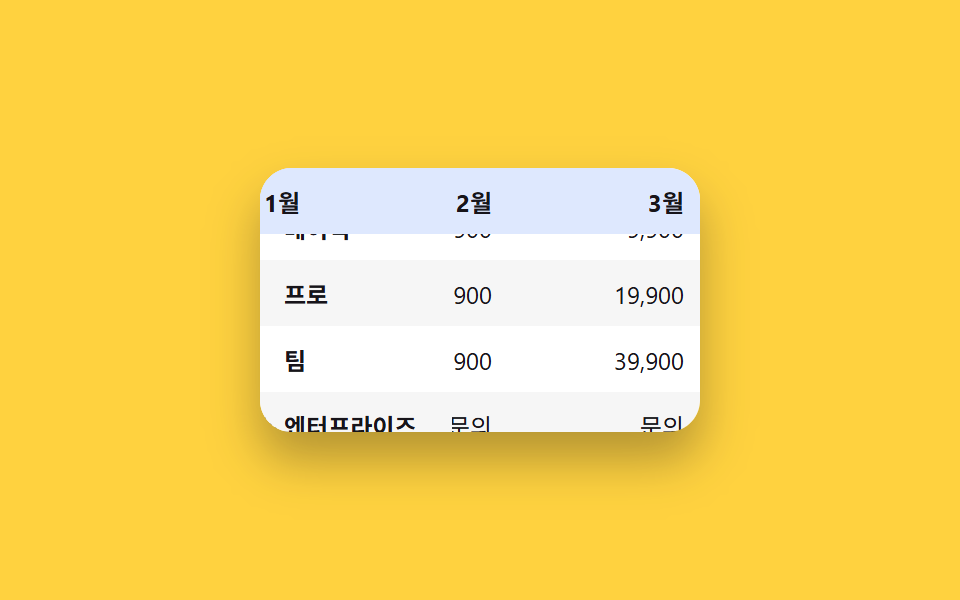 Lists & tables06 Frozen header + first column9 Swipe to Delete List UI Patterns (Copy-Paste)
 Lists & tables01 Priority sort that holds two columns at once9 Data Table UI Patterns — Drag, Resize, Select
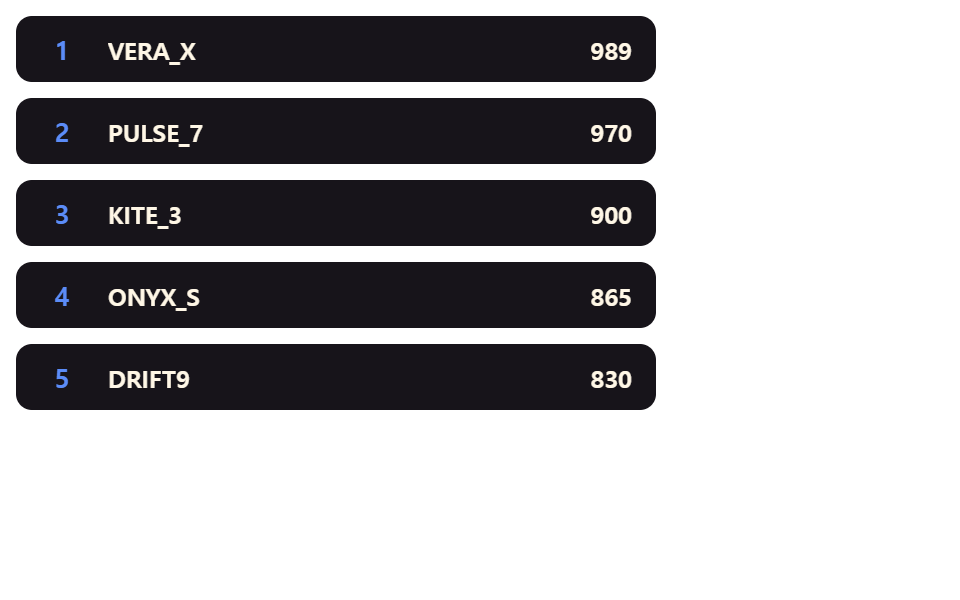 Lists & tables02 Row That Springs Up When Its Rank ImprovesLeaderboard UI Design: 9 Rank-Change List Patterns