09Pagination Where One Dot Slides, No Ellipsis
Behind the row of dots between the prev and next arrows, a filled pill the same size and shape as a dot slides over and settles onto whichever dot marks the current page (a different demo from 207's pagination-numbered-ellipsis, which handles many pages with numbers and an ellipsis — this is the simplest form, just dots and arrows for a small page count).
Best forNavigating a short list of about 3 to 7 pages
measureAndMovegoToaria-current

<main class="stage">
<div class="pgn is-demo" id="pgn">
  <div class="pgn__panel" id="pgnPanel" aria-live="polite">Light info card 1</div>
  <nav class="pgn__nav" aria-label="Pagination">
    <button type="button" class="pgn__navBtn" id="pgnPrev" aria-label="Previous page" disabled>
      <span aria-hidden="true">‹</span>
    </button>
    <div class="pgn__dots" id="pgnDots">
      <span class="pgn__track" id="pgnTrack" aria-hidden="true"></span>
      <button type="button" class="pgn__dot" aria-current="page" aria-label="Go to page 1" data-page="0"></button>
      <button type="button" class="pgn__dot" aria-label="Go to page 2" data-page="1"></button>
      <button type="button" class="pgn__dot" aria-label="Go to page 3" data-page="2"></button>
      <button type="button" class="pgn__dot" aria-label="Go to page 4" data-page="3"></button>
      <button type="button" class="pgn__dot" aria-label="Go to page 5" data-page="4"></button>
    </div>
    <button type="button" class="pgn__navBtn" id="pgnNext" aria-label="Next page">
      <span aria-hidden="true">›</span>
    </button>
  </nav>
</div>
</main>
@use "../../../../site/static/demo-tokens" as *;
// 변수 3개
$duration: $dur-base;
$easing: $ease-spring;
$color: $subject-blue-light;
$dot-size: 8px;
// 계산 겹: index.html 의 measureAndMove() 가 활성 점의 실제 offsetLeft 를 재서
// --track-x 로 넘긴다 — 점 간격을 고정값으로 가정하지 않는다.
@include stage($stage-ink);
.pgn {
width: min(100%, 260px);
display: flex;
flex-direction: column;
align-items: center;
gap: $sp-4;
}
.pgn__panel {
box-sizing: border-box;
width: 100%;
min-height: 72px;
display: flex;
align-items: center;
justify-content: center;
border-radius: $r-card;
background: rgba(255, 255, 255, .06);
color: $stage-paper;
font-weight: 600;
font-size: 13px;
text-align: center;
padding: $sp-3;
}
.pgn__nav {
display: flex;
align-items: center;
gap: $sp-3;
}
.pgn__navBtn {
box-sizing: border-box;
width: 28px;
height: 28px;
border: 0;
border-radius: $r-pill;
background: rgba(255, 255, 255, .1);
color: $stage-paper;
font-size: 14px;
line-height: 1;
cursor: pointer;
&:disabled {
opacity: .35;
cursor: default;
}
&:focus-visible {
outline: 2px solid $color;
outline-offset: 2px;
}
}
.pgn__dots {
position: relative;
display: inline-flex;
align-items: center;
gap: $sp-3;
padding: $sp-1;
}
.pgn__track {
position: absolute;
left: 0;
top: 50%;
width: $dot-size;
height: $dot-size;
border-radius: $r-pill;
background: $color;
transform: translate(var(--track-x, 0px), -50%);
transition: transform $duration $easing;
pointer-events: none;
}
.pgn__dot {
box-sizing: border-box;
width: $dot-size;
height: $dot-size;
border: 0;
border-radius: $r-pill;
background: rgba(255, 255, 255, .25);
padding: 0;
cursor: pointer;
&:focus-visible {
outline: 2px solid $color;
outline-offset: 3px;
}
}
@media (max-width: 340px) {
.pgn__panel { min-height: 60px; font-size: 12px; }
.pgn__dots { gap: $sp-2; }
}
// reduce: 실사용 경로 적용 — 표시자 이동 트랜지션만 없앤다. 페이지 계산·이동은 그대로 동작
@media (prefers-reduced-motion: reduce) {
.pgn__track { transition: none; }
}html, body {
margin: 0;
overflow: hidden;
}
.stage {
box-sizing: border-box;
min-height: 100vh;
display: grid;
place-items: center;
margin: 0;
background: #17141a;
font-family: -apple-system, "Segoe UI", "Noto Sans KR", sans-serif;
padding: clamp(8px, 4vw, 24px);
}
.pgn {
width: min(100%, 260px);
display: flex;
flex-direction: column;
align-items: center;
gap: 16px;
}
.pgn__panel {
box-sizing: border-box;
width: 100%;
min-height: 72px;
display: flex;
align-items: center;
justify-content: center;
border-radius: 16px;
background: rgba(255, 255, 255, 0.06);
color: #ffffff;
font-weight: 600;
font-size: 13px;
text-align: center;
padding: 12px;
}
.pgn__nav {
display: flex;
align-items: center;
gap: 12px;
}
.pgn__navBtn {
box-sizing: border-box;
width: 28px;
height: 28px;
border: 0;
border-radius: 999px;
background: rgba(255, 255, 255, 0.1);
color: #ffffff;
font-size: 14px;
line-height: 1;
cursor: pointer;
}
.pgn__navBtn:disabled {
opacity: 0.35;
cursor: default;
}
.pgn__navBtn:focus-visible {
outline: 2px solid #5b8cf8;
outline-offset: 2px;
}
.pgn__dots {
position: relative;
display: inline-flex;
align-items: center;
gap: 12px;
padding: 4px;
}
.pgn__track {
position: absolute;
left: 0;
top: 50%;
width: 8px;
height: 8px;
border-radius: 999px;
background: #5b8cf8;
transform: translate(var(--track-x, 0px), -50%);
transition: transform 300ms cubic-bezier(0.2, 0.8, 0.2, 1);
pointer-events: none;
}
.pgn__dot {
box-sizing: border-box;
width: 8px;
height: 8px;
border: 0;
border-radius: 999px;
background: rgba(255, 255, 255, 0.25);
padding: 0;
cursor: pointer;
}
.pgn__dot:focus-visible {
outline: 2px solid #5b8cf8;
outline-offset: 3px;
}
@media (max-width: 340px) {
.pgn__panel {
min-height: 60px;
font-size: 12px;
}
.pgn__dots {
gap: 8px;
}
}
@media (prefers-reduced-motion: reduce) {
.pgn__track {
transition: none;
}
}(function () {
var PANEL_TEXTS = [
'Light info card 1',
'Light info card 2',
'Light info card 3',
'Light info card 4',
'Light info card 5'
];
var AUTO_STEP_MS = 460;
function clamp(v, lo, hi) { return Math.min(hi, Math.max(lo, v)); }
var root = document.getElementById('pgn');
var panel = document.getElementById('pgnPanel');
var dotsWrap = document.getElementById('pgnDots');
var track = document.getElementById('pgnTrack');
var prevBtn = document.getElementById('pgnPrev');
var nextBtn = document.getElementById('pgnNext');
var dots = Array.prototype.slice.call(dotsWrap.querySelectorAll('.pgn__dot'));
var total = dots.length;
var current = 0;
// 계산 겹: 점마다 고정 간격을 가정하지 않고, 실제 렌더된 좌표(offsetLeft)를 그대로 재서
// 슬라이딩 표시자를 그 좌표로 옮긴다 — transform 이동만 쓰고 폭은 바꾸지 않는다.
function measureAndMove(index) {
var dot = dots[index];
track.style.setProperty('--track-x', dot.offsetLeft + 'px');
}
function goTo(index) {
index = clamp(index, 0, total - 1);
if (index === current) { return; }
current = index;
dots.forEach(function (dot, i) {
if (i === current) { dot.setAttribute('aria-current', 'page'); } else { dot.removeAttribute('aria-current'); }
});
measureAndMove(current);
panel.textContent = PANEL_TEXTS[current];
prevBtn.disabled = current === 0;
nextBtn.disabled = current === total - 1;
}
function human() {
if (root.classList.contains('is-demo')) {
root.classList.remove('is-demo');
if (timer) { window.clearInterval(timer); timer = null; }
}
}
dots.forEach(function (dot, i) {
dot.addEventListener('click', function () { human(); goTo(i); });
});
prevBtn.addEventListener('click', function () { human(); goTo(current - 1); });
nextBtn.addEventListener('click', function () { human(); goTo(current + 1); });
dotsWrap.addEventListener('keydown', function (e) {
if (e.key === 'ArrowRight') { human(); goTo(current + 1); }
else if (e.key === 'ArrowLeft') { human(); goTo(current - 1); }
});
window.addEventListener('resize', function () { measureAndMove(current); });
// 초기 배치는 트랜지션 없이 — 그대로 두면 CSS 기본값(0px)에서 실측 offsetLeft 로 바뀌는
// 자체가 트랜지션 하나를 만들어, 렌더러가 그 트랜지션을 "재생 중인 애니메이션"으로 오인해
// 실시간 대신 결정론(시계 직접 이동) 모드로 들어간다. 그러면 setInterval 자동 넘김이 실제
// 경과 시간을 못 받아 프레임마다 거의 안 움직인다 — 최초 1회만 트랜지션을 꺼서 막는다.
track.style.transition = 'none';
measureAndMove(0);
void track.offsetHeight;
track.style.transition = '';
var timer = null;
function autoTick() {
goTo((current + 1) % total);
}
var reduce = window.matchMedia('(prefers-reduced-motion: reduce)').matches;
if (!reduce) {
timer = window.setInterval(autoTick, AUTO_STEP_MS);
} else {
// reduce: 실사용 경로 적용 — 자동 Pagination 루프를 멈춘다. 클릭·화살표 키 이동과 위치 계산은 그대로 동작
}
})();// Pagination — vanilla 판(run/381/demo/09-pagination/index.html)의 React 포트.
// 점마다 고정 간격을 가정하지 않고, 실제 렌더된 좌표(offsetLeft)를 그대로 재서
// 슬라이딩 표시자를 그 좌표로 옮긴다 — transform 이동만 쓰고 폭은 바꾸지 않는다.
import { useEffect, useRef } from "react";
import type { CSSProperties } from "react";
import styles from "./Pagination.module.scss";
export type PaginationProps = {
duration?: string;
easing?: string;
color?: string;
};
type Vars = CSSProperties & { "--duration"?: string; "--easing"?: string; "--color"?: string };
const PANEL_TEXTS = [
"가벼운 안내 카드 1",
"가벼운 안내 카드 2",
"가벼운 안내 카드 3",
"가벼운 안내 카드 4",
"가벼운 안내 카드 5",
];
export default function Pagination({
duration = "300ms", // vanilla $duration: $dur-base
easing = "cubic-bezier(.2, .8, .2, 1)", // vanilla $easing: $ease-spring
color = "#5b8cf8", // vanilla $color: $subject-blue-light
}: PaginationProps) {
const rootRef = useRef<HTMLDivElement | null>(null);
useEffect(() => {
const root = rootRef.current;
if (!root) return;
const panel = root.querySelector<HTMLDivElement>('[data-role="panel"]');
const dotsWrap = root.querySelector<HTMLDivElement>('[data-role="dots"]');
const track = root.querySelector<HTMLSpanElement>('[data-role="track"]');
const prevBtn = root.querySelector<HTMLButtonElement>('[data-role="prev"]');
const nextBtn = root.querySelector<HTMLButtonElement>('[data-role="next"]');
if (!panel || !dotsWrap || !track || !prevBtn || !nextBtn) return;
const dots = Array.prototype.slice.call(
dotsWrap.querySelectorAll("[data-page]")
) as HTMLButtonElement[];
const total = dots.length;
let current = 0;
const AUTO_STEP_MS = 460;
function clamp(v: number, lo: number, hi: number): number {
return Math.min(hi, Math.max(lo, v));
}
// 계산 겹: 점마다 고정 간격을 가정하지 않고, 실제 렌더된 좌표(offsetLeft)를 그대로 재서
// 슬라이딩 표시자를 그 좌표로 옮긴다 — transform 이동만 쓰고 폭은 바꾸지 않는다.
function measureAndMove(index: number): void {
const dot = dots[index];
track!.style.setProperty("--track-x", dot.offsetLeft + "px");
}
function goTo(index: number): void {
index = clamp(index, 0, total - 1);
if (index === current) return;
current = index;
dots.forEach((dot, i) => {
if (i === current) {
dot.setAttribute("aria-current", "page");
} else {
dot.removeAttribute("aria-current");
}
});
measureAndMove(current);
panel!.textContent = PANEL_TEXTS[current];
prevBtn!.disabled = current === 0;
nextBtn!.disabled = current === total - 1;
}
function human(): void {
if (root!.classList.contains("is-demo")) {
root!.classList.remove("is-demo");
if (timer) {
window.clearInterval(timer);
timer = null;
}
}
}
const dotHandlers: (() => void)[] = [];
dots.forEach((dot, i) => {
const handler = () => {
human();
goTo(i);
};
dotHandlers.push(handler);
dot.addEventListener("click", handler);
});
function onPrev(): void {
human();
goTo(current - 1);
}
function onNext(): void {
human();
goTo(current + 1);
}
prevBtn.addEventListener("click", onPrev);
nextBtn.addEventListener("click", onNext);
function onKeydown(e: KeyboardEvent): void {
if (e.key === "ArrowRight") {
human();
goTo(current + 1);
} else if (e.key === "ArrowLeft") {
human();
goTo(current - 1);
}
}
dotsWrap.addEventListener("keydown", onKeydown);
function onResize(): void {
measureAndMove(current);
}
window.addEventListener("resize", onResize);
// 초기 배치는 트랜지션 없이 — 그대로 두면 CSS 기본값(0px)에서 실측 offsetLeft 로 바뀌는
// 자체가 트랜지션 하나를 만들어, 렌더러가 그 트랜지션을 "재생 중인 애니메이션"으로 오인해
// 실시간 대신 결정론(시계 직접 이동) 모드로 들어간다. 그러면 setInterval 자동 넘김이 실제
// 경과 시간을 못 받아 프레임마다 거의 안 움직인다 — 최초 1회만 트랜지션을 꺼서 막는다.
track.style.transition = "none";
measureAndMove(0);
void track.offsetHeight;
track.style.transition = "";
let timer: number | null = null;
function autoTick(): void {
goTo((current + 1) % total);
}
const reduce = window.matchMedia("(prefers-reduced-motion: reduce)").matches;
if (!reduce) {
timer = window.setInterval(autoTick, AUTO_STEP_MS);
}
// reduce: 실사용 경로 적용 — 자동 페이지 넘김 루프를 멈춘다. 클릭·화살표 키 이동과 위치 계산은 그대로 동작
return () => {
dots.forEach((dot, i) => dot.removeEventListener("click", dotHandlers[i]));
prevBtn.removeEventListener("click", onPrev);
nextBtn.removeEventListener("click", onNext);
dotsWrap.removeEventListener("keydown", onKeydown);
window.removeEventListener("resize", onResize);
if (timer) {
window.clearInterval(timer);
}
};
}, []);
const vars: Vars = { "--duration": duration, "--easing": easing, "--color": color };
return (
<main className={styles.stage}>
<div className={`${styles.pgn} is-demo`} ref={rootRef} style={vars}>
<div className={styles.pgn__panel} data-role="panel" aria-live="polite">
가벼운 안내 카드 1
</div>
<nav className={styles.pgn__nav} aria-label="페이지 넘김">
<button
type="button"
className={styles.pgn__navBtn}
data-role="prev"
aria-label="이전 페이지"
disabled
>
<span aria-hidden="true">‹</span>
</button>
<div className={styles.pgn__dots} data-role="dots">
<span className={styles.pgn__track} data-role="track" aria-hidden="true" />
<button
type="button"
className={styles.pgn__dot}
aria-current="page"
aria-label="1페이지로 이동"
data-page={0}
/>
<button
type="button"
className={styles.pgn__dot}
aria-label="2페이지로 이동"
data-page={1}
/>
<button
type="button"
className={styles.pgn__dot}
aria-label="3페이지로 이동"
data-page={2}
/>
<button
type="button"
className={styles.pgn__dot}
aria-label="4페이지로 이동"
data-page={3}
/>
<button
type="button"
className={styles.pgn__dot}
aria-label="5페이지로 이동"
data-page={4}
/>
</div>
<button type="button" className={styles.pgn__navBtn} data-role="next" aria-label="다음 페이지">
<span aria-hidden="true">›</span>
</button>
</nav>
</div>
</main>
);
}09 Pagination Where One Dot Slides, No Ellipsis — Measured area 1.672% · moving frames 16/23Original by GODRICH · SCSS and React ship in the zip · Infinite Scroll Implementation — 9 List UI Basics
The post this demo lives in
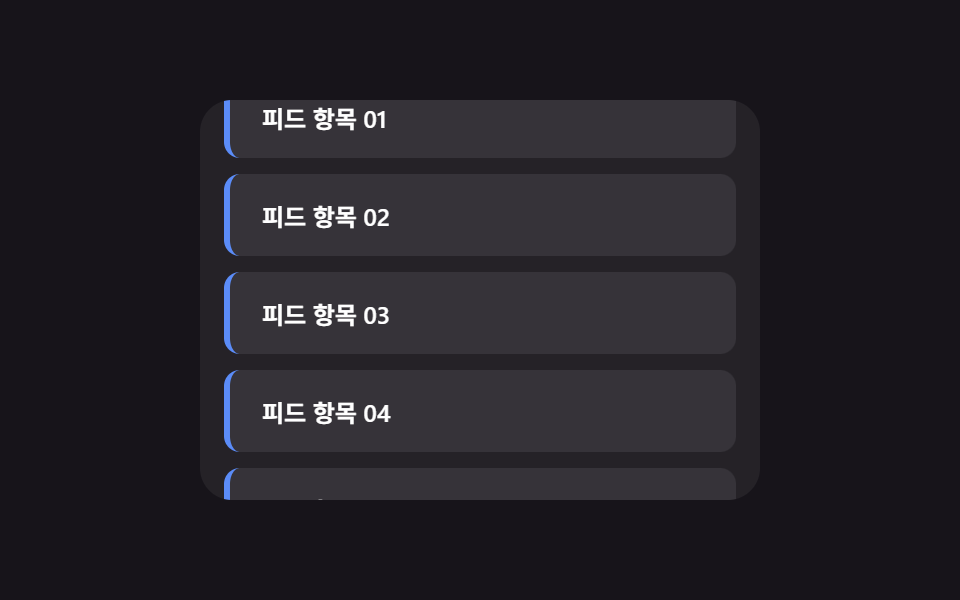 Infinite Scroll Implementation — 9 List UI BasicsAmong nine infinite scroll implementation ideas, one slides in new rows with no spinner, one swaps row order on sort cli See all demos in this post
If you like this effect - similar demos
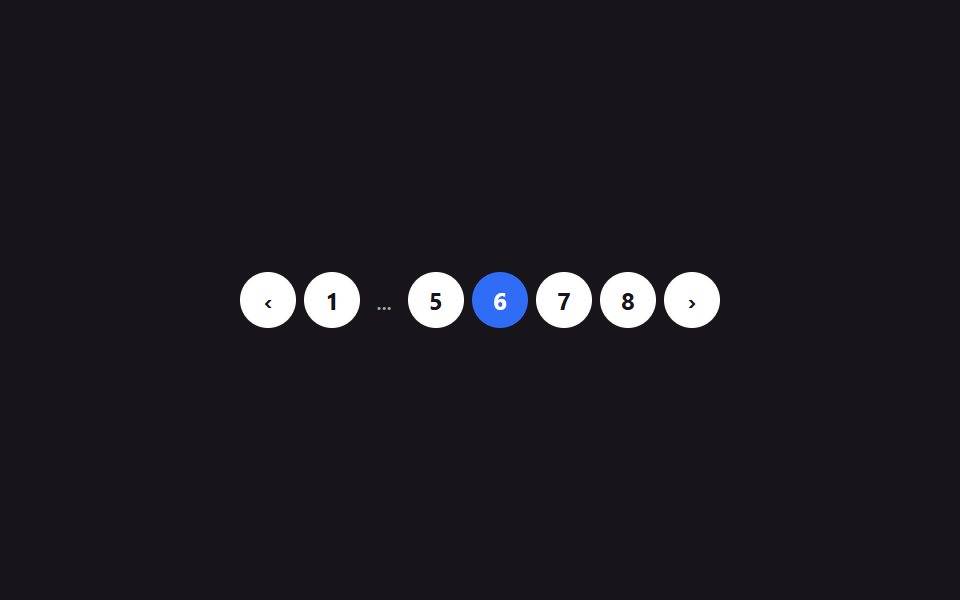 Lists & tables09 Numbered pagination9 Swipe to Delete List UI Patterns (Copy-Paste)
 Lists & tables01 A Receipt Print Scene Where the Paper Steps One Line at a Time and Shivers Slightly Under the Print HeadCSS Receipt: 9 Thermal Print and Tear-Off Scenes
 Lists & tables06 Filter chips clearing one by one9 Empty State UI Design Cards Drawn in Pure CSS