05Sticky sub-nav that announces the current section
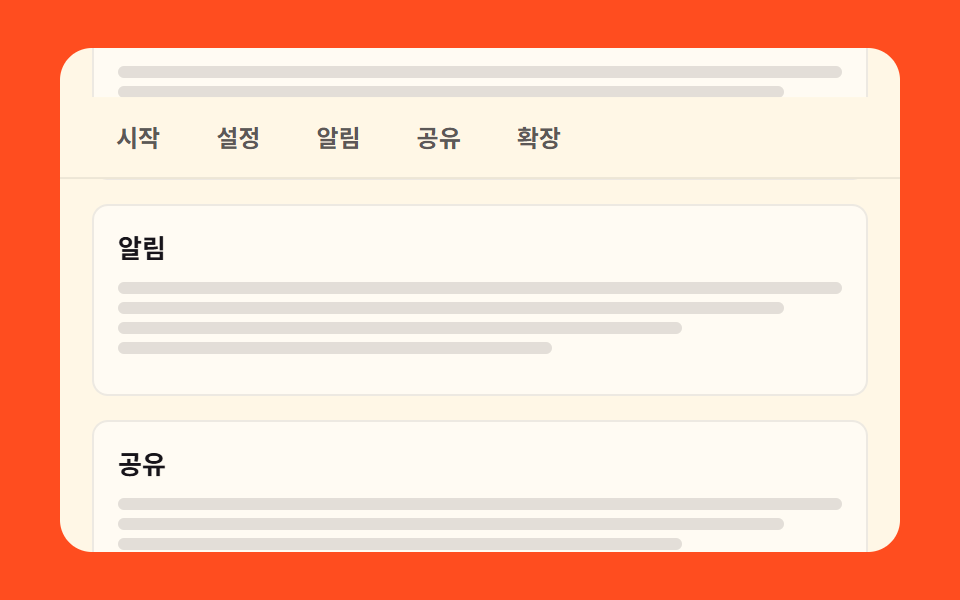
While sections scroll past, the category bar stays pinned, and whenever the section on screen changes the highlight moves to its chip.
Best forManuals and landing pages where one page holds several sections
position: stickyIntersectionObserveraria-current
<main class="stage">
  <div class="ss is-demo">
    <div class="ss__win">
      <div class="ss__doc">
        <div class="ss__docHead">
          <h2 class="ss__title">Manual</h2>
        </div>
        <nav class="ss__bar">
          <a class="ss__chip" href="#sec-1">Start</a>
          <a class="ss__chip" href="#sec-2">Settings</a>
          <a class="ss__chip" href="#sec-3">Alerts</a>
          <a class="ss__chip" href="#sec-4">Share</a>
          <a class="ss__chip" href="#sec-5">Extend</a>
        </nav>
        <div class="ss__track">
          <section class="ss__sec" id="sec-1">
            <h3 class="ss__h">Start</h3>
            <i class="ss__line"></i><i class="ss__line ss__line--a"></i><i class="ss__line ss__line--b"></i><i class="ss__line ss__line--c"></i>
          </section>
          <section class="ss__sec" id="sec-2">
            <h3 class="ss__h">Settings</h3>
            <i class="ss__line"></i><i class="ss__line ss__line--a"></i><i class="ss__line ss__line--b"></i><i class="ss__line ss__line--c"></i>
          </section>
          <section class="ss__sec" id="sec-3">
            <h3 class="ss__h">Alerts</h3>
            <i class="ss__line"></i><i class="ss__line ss__line--a"></i><i class="ss__line ss__line--b"></i><i class="ss__line ss__line--c"></i>
          </section>
          <section class="ss__sec" id="sec-4">
            <h3 class="ss__h">Share</h3>
            <i class="ss__line"></i><i class="ss__line ss__line--a"></i><i class="ss__line ss__line--b"></i><i class="ss__line ss__line--c"></i>
          </section>
          <section class="ss__sec" id="sec-5">
            <h3 class="ss__h">Extend</h3>
            <i class="ss__line"></i><i class="ss__line ss__line--a"></i><i class="ss__line ss__line--b"></i><i class="ss__line ss__line--c"></i>
          </section>
        </div>
      </div>
    </div>
  </div>
</main>@use "../../../../site/static/demo-tokens" as *;
// ── 변수 3개 ──────────────────────────────────────────
$duration: $dur-loop; // 격자 미리보기 루프 한 바퀴 2초
$easing: linear; // 칩 컷과 섹션이 같은 속도로 지나가야 하이라이트 타이밍이 맞는다
$color: $subject-ink; // 크림 카드 위 글자 · 현재 칩 배경
@include stage($stage-orange);
.ss, .ss * { box-sizing: border-box; }
.ss { width: min(420px, 94vw); }
// 스크롤 상자 = 크림 카드 자체. 안에서만 스크롤이 일어난다.
.ss__win {
height: clamp(160px, 84vh, 272px);
overflow-y: auto;
scrollbar-width: none;
&::-webkit-scrollbar { display: none; }
border-radius: $r-card;
background: $subject-cream;
color: $color;
scroll-behavior: smooth;
}
// sticky 바는 부모(.ss__doc) 높이만큼만 붙어 있을 수 있다 — 부모가 콘텐츠 전체를 감싼다(260 실측).
.ss__doc { position: relative; }
// 제목 영역 높이 46px(16 + 22 + 8) — 아래 루프 ss-bar 의 시작 오프셋과 같은 값
.ss__docHead { padding: $sp-4 $sp-4 $sp-2; }
.ss__title { margin: 0; font-size: 16px; line-height: 22px; font-weight: 800; }
.ss__bar {
position: sticky;
top: 0;
z-index: 1;
display: flex;
gap: $sp-1;
padding: $sp-2 $sp-4;
background: $subject-cream;
border-bottom: 1px solid rgba(23, 20, 26, .08);
}
.ss__chip {
padding: $sp-1 $sp-3;
border-radius: $r-pill;
color: rgba(23, 20, 26, .7);
font-size: 12px;
line-height: 16px;
font-weight: 700;
text-decoration: none;
transition: background-color 140ms $ease-out, color 140ms $ease-out;
}
.ss__chip[aria-current="true"] { background: $color; color: $subject-cream; }
.ss__track { display: grid; gap: $sp-3; padding: $sp-3 $sp-4 $sp-12; }
.ss__sec { min-height: 96px; padding: $sp-3; border: 1px solid rgba(23, 20, 26, .08); border-radius: $r-sm; background: rgba(255, 255, 255, .5); }
.ss__h { margin: 0 0 $sp-2; font-size: 13px; line-height: 18px; font-weight: 700; }
.ss__line { display: block; height: 6px; margin-top: $sp-1; border-radius: $r-xs; background: rgba(23, 20, 26, .12); }
.ss__line--a { width: 92%; }
.ss__line--b { width: 78%; }
.ss__line--c { width: 60%; }
// ── 격자 미리보기 루프 ──
// .is-demo 동안은 스크롤이 0 이라 sticky 가 안 걸린다 — 바를 absolute 로 무대 위에 고정하고
// 트랙(제목+섹션 묶음)을 translateY 로 흘려 스크롤을 흉내낸다(051: 상자가 아니라 트랙).
// 제목도 트랙과 함께 흘러가고 바만 남는다.
.ss.is-demo .ss__bar {
position: absolute;
top: 0; left: 0; right: 0;
animation-name: ss-bar;
animation-duration: $duration;
animation-timing-function: $easing;
animation-iteration-count: infinite;
}
.ss.is-demo .ss__docHead,
.ss.is-demo .ss__track {
animation-name: ss-flow;
animation-duration: $duration;
animation-timing-function: $easing;
animation-iteration-count: infinite;
}
// 칩 하이라이트는 steps(1, end) 컷으로 옮겨간다(이동 아님) — 섹션이 중앙을 지나는 타이밍과 맞춤
.ss.is-demo .ss__chip {
animation-duration: $duration;
animation-timing-function: steps(1, end);
animation-iteration-count: infinite;
}
.ss.is-demo .ss__chip:nth-child(1) { animation-name: ss-cur-1; }
.ss.is-demo .ss__chip:nth-child(2) { animation-name: ss-cur-2; }
.ss.is-demo .ss__chip:nth-child(3) { animation-name: ss-cur-3; }
.ss.is-demo .ss__chip:nth-child(4) { animation-name: ss-cur-4; }
.ss.is-demo .ss__chip:nth-child(5) { animation-name: ss-cur-5; }
@keyframes ss-flow {
0%, 6% { transform: translateY(0); }
74%, 78% { transform: translateY(-420px); }
88%, 100% { transform: translateY(0); }
}
@keyframes ss-bar {
0%, 6% { transform: translateY(46px); } // 제목 아래 본래 위치
16% { transform: translateY(0); } // 제목이 흘러가면 무대 위에 붙는다
78% { transform: translateY(0); }
88%, 100% { transform: translateY(46px); }
}
// 시작→설정→알림→공유→확장 순서대로 하이라이트가 컷 이동, 88% 안에 복귀
@keyframes ss-cur-1 { 0% { background: $color; color: $subject-cream; } 18%, 100% { background: transparent; color: rgba(23, 20, 26, .7); } }
@keyframes ss-cur-2 { 0% { background: transparent; color: rgba(23, 20, 26, .7); } 18% { background: $color; color: $subject-cream; } 34%, 100% { background: transparent; color: rgba(23, 20, 26, .7); } }
@keyframes ss-cur-3 { 0% { background: transparent; color: rgba(23, 20, 26, .7); } 34% { background: $color; color: $subject-cream; } 50%, 100% { background: transparent; color: rgba(23, 20, 26, .7); } }
@keyframes ss-cur-4 { 0% { background: transparent; color: rgba(23, 20, 26, .7); } 50% { background: $color; color: $subject-cream; } 66%, 100% { background: transparent; color: rgba(23, 20, 26, .7); } }
@keyframes ss-cur-5 { 0% { background: transparent; color: rgba(23, 20, 26, .7); } 66% { background: $color; color: $subject-cream; } 80%, 100% { background: transparent; color: rgba(23, 20, 26, .7); } }
@media (max-width: 340px) {
.ss__bar { gap: 0; padding: $sp-2 $sp-3; }
.ss__chip { padding: $sp-1 $sp-2; font-size: 11px; }
.ss__sec { min-height: 84px; padding: $sp-2; }
.ss__track { gap: $sp-2; padding: $sp-2 $sp-3 $sp-10; }
}
@media (prefers-reduced-motion: reduce) {
.ss.is-demo .ss__bar,
.ss.is-demo .ss__docHead,
.ss.is-demo .ss__track,
.ss.is-demo .ss__chip { animation: none !important; }
// 정적 상태에서도 바가 제목 아래 붙어 있는 모습이 그대로 보인다(진짜 sticky 로 복귀)
.ss.is-demo .ss__bar { position: sticky; top: 0; transform: none !important; }
.ss.is-demo .ss__docHead, .ss.is-demo .ss__track { transform: none !important; }
.ss__win { scroll-behavior: auto; }
}html, body {
margin: 0;
overflow: hidden;
}
.stage {
box-sizing: border-box;
min-height: 100vh;
display: grid;
place-items: center;
margin: 0;
background: #ff4d1f;
font-family: -apple-system, "Segoe UI", "Noto Sans KR", sans-serif;
padding: clamp(8px, 4vw, 24px);
}
.ss, .ss * {
box-sizing: border-box;
}
.ss {
width: min(420px, 94vw);
}
.ss__win {
height: clamp(160px, 84vh, 272px);
overflow-y: auto;
scrollbar-width: none;
}
.ss__win::-webkit-scrollbar {
display: none;
}
.ss__win {
border-radius: 16px;
background: #fff7e6;
color: #17141a;
scroll-behavior: smooth;
}
.ss__doc {
position: relative;
}
.ss__docHead {
padding: 16px 16px 8px;
}
.ss__title {
margin: 0;
font-size: 16px;
line-height: 22px;
font-weight: 800;
}
.ss__bar {
position: sticky;
top: 0;
z-index: 1;
display: flex;
gap: 4px;
padding: 8px 16px;
background: #fff7e6;
border-bottom: 1px solid rgba(23, 20, 26, 0.08);
}
.ss__chip {
padding: 4px 12px;
border-radius: 999px;
color: rgba(23, 20, 26, 0.7);
font-size: 12px;
line-height: 16px;
font-weight: 700;
text-decoration: none;
transition: background-color 140ms ease-out, color 140ms ease-out;
}
.ss__chip[aria-current=true] {
background: #17141a;
color: #fff7e6;
}
.ss__track {
display: grid;
gap: 12px;
padding: 12px 16px 48px;
}
.ss__sec {
min-height: 96px;
padding: 12px;
border: 1px solid rgba(23, 20, 26, 0.08);
border-radius: 8px;
background: rgba(255, 255, 255, 0.5);
}
.ss__h {
margin: 0 0 8px;
font-size: 13px;
line-height: 18px;
font-weight: 700;
}
.ss__line {
display: block;
height: 6px;
margin-top: 4px;
border-radius: 4px;
background: rgba(23, 20, 26, 0.12);
}
.ss__line--a {
width: 92%;
}
.ss__line--b {
width: 78%;
}
.ss__line--c {
width: 60%;
}
.ss.is-demo .ss__bar {
position: absolute;
top: 0;
left: 0;
right: 0;
animation-name: ss-bar;
animation-duration: 2s;
animation-timing-function: linear;
animation-iteration-count: infinite;
}
.ss.is-demo .ss__docHead,
.ss.is-demo .ss__track {
animation-name: ss-flow;
animation-duration: 2s;
animation-timing-function: linear;
animation-iteration-count: infinite;
}
.ss.is-demo .ss__chip {
animation-duration: 2s;
animation-timing-function: steps(1, end);
animation-iteration-count: infinite;
}
.ss.is-demo .ss__chip:nth-child(1) {
animation-name: ss-cur-1;
}
.ss.is-demo .ss__chip:nth-child(2) {
animation-name: ss-cur-2;
}
.ss.is-demo .ss__chip:nth-child(3) {
animation-name: ss-cur-3;
}
.ss.is-demo .ss__chip:nth-child(4) {
animation-name: ss-cur-4;
}
.ss.is-demo .ss__chip:nth-child(5) {
animation-name: ss-cur-5;
}
@keyframes ss-flow {
0%, 6% {
transform: translateY(0);
}
74%, 78% {
transform: translateY(-420px);
}
88%, 100% {
transform: translateY(0);
}
}
@keyframes ss-bar {
0%, 6% {
transform: translateY(46px);
}
16% {
transform: translateY(0);
}
78% {
transform: translateY(0);
}
88%, 100% {
transform: translateY(46px);
}
}
@keyframes ss-cur-1 {
0% {
background: #17141a;
color: #fff7e6;
}
18%, 100% {
background: transparent;
color: rgba(23, 20, 26, 0.7);
}
}
@keyframes ss-cur-2 {
0% {
background: transparent;
color: rgba(23, 20, 26, 0.7);
}
18% {
background: #17141a;
color: #fff7e6;
}
34%, 100% {
background: transparent;
color: rgba(23, 20, 26, 0.7);
}
}
@keyframes ss-cur-3 {
0% {
background: transparent;
color: rgba(23, 20, 26, 0.7);
}
34% {
background: #17141a;
color: #fff7e6;
}
50%, 100% {
background: transparent;
color: rgba(23, 20, 26, 0.7);
}
}
@keyframes ss-cur-4 {
0% {
background: transparent;
color: rgba(23, 20, 26, 0.7);
}
50% {
background: #17141a;
color: #fff7e6;
}
66%, 100% {
background: transparent;
color: rgba(23, 20, 26, 0.7);
}
}
@keyframes ss-cur-5 {
0% {
background: transparent;
color: rgba(23, 20, 26, 0.7);
}
66% {
background: #17141a;
color: #fff7e6;
}
80%, 100% {
background: transparent;
color: rgba(23, 20, 26, 0.7);
}
}
@media (max-width: 340px) {
.ss__bar {
gap: 0;
padding: 8px 12px;
}
.ss__chip {
padding: 4px 8px;
font-size: 11px;
}
.ss__sec {
min-height: 84px;
padding: 8px;
}
.ss__track {
gap: 8px;
padding: 8px 12px 40px;
}
}
@media (prefers-reduced-motion: reduce) {
.ss.is-demo .ss__bar,
.ss.is-demo .ss__docHead,
.ss.is-demo .ss__track,
.ss.is-demo .ss__chip {
animation: none !important;
}
.ss.is-demo .ss__bar {
position: sticky;
top: 0;
transform: none !important;
}
.ss.is-demo .ss__docHead, .ss.is-demo .ss__track {
transform: none !important;
}
.ss__win {
scroll-behavior: auto;
}
}// 실제 동작: 화면(스크롤 상자) 중앙에 가장 가까운 섹션이 현재 칩이 된다.
var ss = document.querySelector('.ss');
var win = ss.querySelector('.ss__win');
var chips = Array.prototype.slice.call(ss.querySelectorAll('.ss__chip'));
var secs = Array.prototype.slice.call(ss.querySelectorAll('.ss__sec'));
function stopDemo() { ss.classList.remove('is-demo'); } // 사람이 만졌으니 자동 루프를 끈다
ss.addEventListener('pointerdown', stopDemo);
win.addEventListener('scroll', stopDemo, { passive: true });
function mark(el) {
chips.forEach(function (c) {
c.setAttribute('aria-current', c.getAttribute('href') === '#' + el.id ? 'true' : 'false');
});
}
var io = new IntersectionObserver(function (entries) {
var w = win.getBoundingClientRect();
var mid = w.top + w.height / 2;
var best = null, gap = Infinity;
entries.forEach(function (e) {
if (!e.isIntersecting) return;
var r = e.boundingClientRect;
var d = Math.abs((r.top + r.bottom) / 2 - mid);
if (d < gap) { gap = d; best = e.target; }
});
if (best) mark(best);
}, { root: win, threshold: 0.5 });
secs.forEach(function (s) { io.observe(s); });
mark(secs[0]);import { useState, useEffect, useRef } from "react";
import type { CSSProperties } from "react";
import styles from "./StickySubnav.module.scss";
export type StickySubnavProps = {
labels?: { title?: string; chips?: string[] };
/** 격자 미리보기용 2초 자동 루프. 사람이 손대면 꺼진다 */
demo?: boolean;
duration?: number;
easing?: string;
color?: string;
};
type Vars = CSSProperties & { "--duration"?: string; "--easing"?: string; "--color"?: string };
type Box<T> = { current: T | null };
const CHIPS = ["Start", "Settings", "Alerts", "Sharing", "Extend"];
export default function StickySubnav({
labels,
demo = true,
duration = 2000,
easing = "linear",
color = "#17141a",
}: StickySubnavProps) {
const title = labels?.title ?? "Manual";
const chips = labels?.chips ?? CHIPS;
const [live, setLive] = useState(demo);
const [cur, setCur] = useState(0);
const winRef: Box<HTMLDivElement> = useRef(null);
const trackRef: Box<HTMLDivElement> = useRef(null);
// 화면(스크롤 상자) 중앙에 가장 가까운 섹션이 현재 칩이 된다
useEffect(() => {
const win = winRef.current;
const track = trackRef.current;
if (win === null || track === null) return;
const secs = Array.from(track.children) as HTMLElement[];
const io = new IntersectionObserver(
(entries) => {
const r = win.getBoundingClientRect();
const mid = r.top + r.height / 2;
let best: HTMLElement | null = null;
let gap = Infinity;
entries.forEach((e) => {
if (!e.isIntersecting) return;
const b = e.boundingClientRect;
const d = Math.abs((b.top + b.bottom) / 2 - mid);
if (d < gap) {
gap = d;
best = e.target as HTMLElement;
}
});
if (best !== null) setCur(secs.indexOf(best));
},
{ root: win, threshold: 0.5 }
);
secs.forEach((s) => io.observe(s));
return () => io.disconnect();
}, []);
function touch() {
setLive(false); // 사람이 만졌으니 자동 루프를 끈다
}
const vars: Vars = { "--duration": `${duration}ms`, "--easing": easing, "--color": color };
const cls = [styles.ss, live ? styles.isDemo : ""].filter(Boolean).join(" ");
return (
<section className={cls} style={vars} onPointerDown={touch}>
<div className={styles.win} ref={winRef} onScroll={touch}>
<div className={styles.doc}>
<div className={styles.docHead}>
<h2 className={styles.title}>{title}</h2>
</div>
<nav className={styles.bar}>
{chips.map((c, i) => (
<a
className={styles.chip}
key={c}
href={`#sec-${i + 1}`}
aria-current={i === cur ? "true" : "false"}
>
{c}
</a>
))}
</nav>
<div className={styles.track} ref={trackRef}>
{chips.map((c, i) => (
<section className={styles.sec} key={c} id={`sec-${i + 1}`}>
<h3 className={styles.h}>{c}</h3>
<i className={styles.line} />
<i className={`${styles.line} ${styles.lineA}`} />
<i className={`${styles.line} ${styles.lineB}`} />
<i className={`${styles.line} ${styles.lineC}`} />
</section>
))}
</div>
</div>
</div>
</section>
);
}05 Sticky sub-nav that announces the current section — Measured area 66.211% · moving frames 21/23Original by GODRICH · SCSS and React ship in the zip · 9 mega menu ui patterns, link list to site map
The post this demo lives in
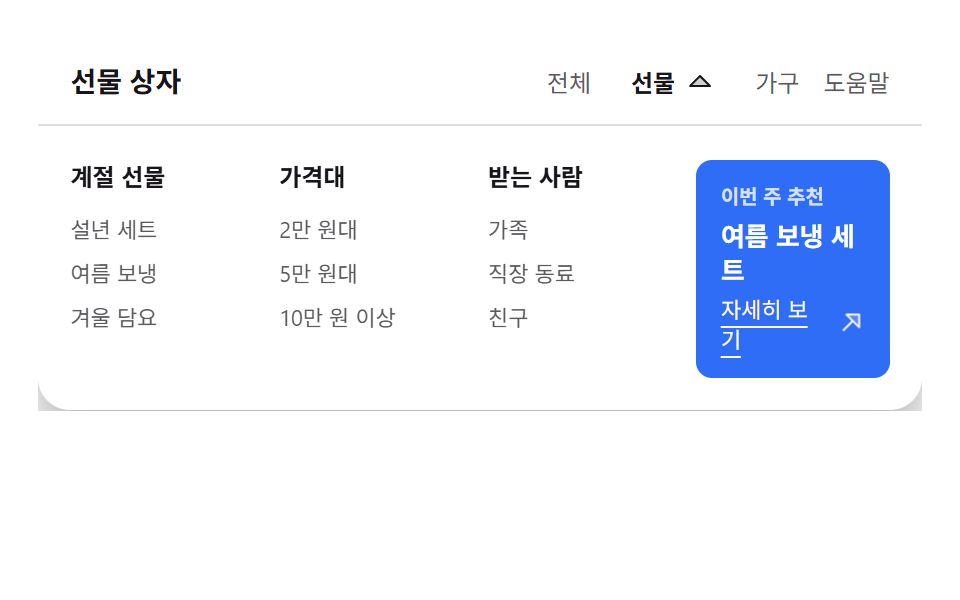 9 mega menu ui patterns, link list to site mapA mega menu ui opens a screen-wide panel from one top-row item, turning the site into one readable map. The nine running See all demos in this post
If you like this effect - similar demos
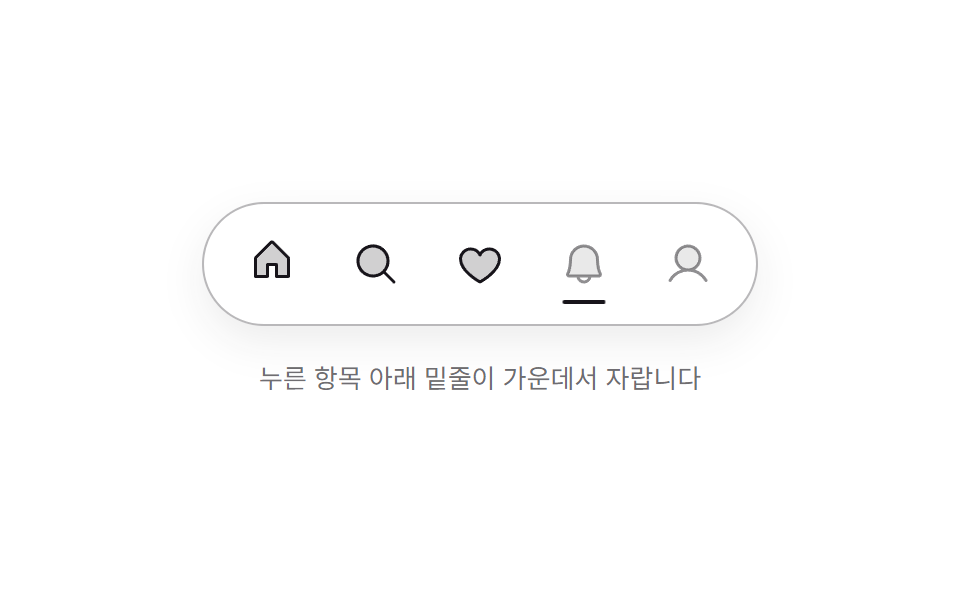 Transitions01 Minimal line dockMac Dock CSS — 9 Floating Dock Styles, No Library
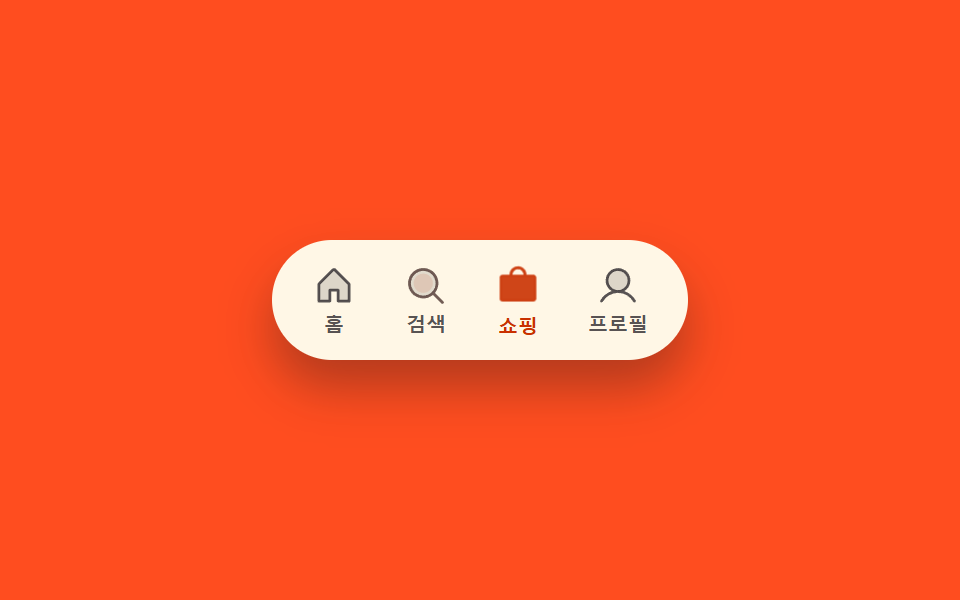 Transitions02 Icon fill-swap toggle — when the selected tab changes, that spot's fill-amount value switches from low to fullCSS Bottom Navigation Bar: 9 Transition Patterns
 Transitions04 Elastic quantity bump — a quantity number that grows then eases back by the size of its changeCart Drawer UI Patterns: 9 Motion Techniques