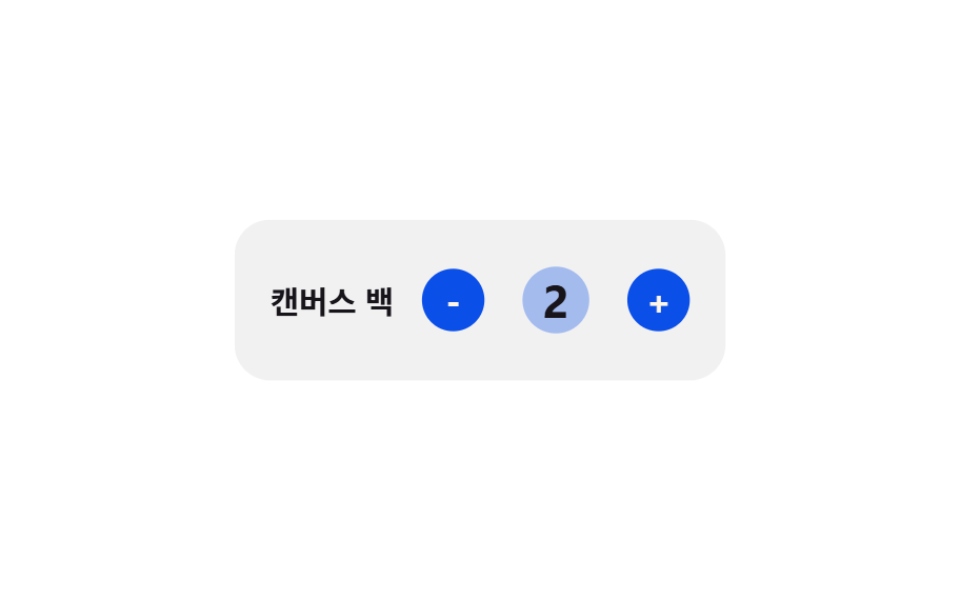
04Elastic quantity bump — a quantity number that grows then eases back by the size of its change
Once the quantity value changes, the number's size value grows in proportion to the change before easing back along an elastic curve, and a decreasing value dips slightly smaller before returning.
Best forA cart row with quantity increment controls
elasticPulseAMPLITUDEapplyRipple
<main class="stage">
<div class="cqbe is-demo" id="cqbe">
  <div class="cqbe__row">
    <span class="cqbe__name">Canvas Tote</span>
    <div class="cqbe__stepper">
      <button class="cqbe__btn" id="cqbeMinus" type="button" aria-label="Decrease quantity">-</button>
      <span class="cqbe__badge">
        <span class="cqbe__ripple" id="cqbeRipple"></span>
        <span class="cqbe__qty" id="cqbeQty">1</span>
      </span>
      <button class="cqbe__btn" id="cqbePlus" type="button" aria-label="Increase quantity">+</button>
    </div>
  </div>
</div>
</main>
@use "../../../../site/static/demo-tokens" as *;
// 계산 겹: 값이 바뀐 시각부터 지난 시간에 감쇠 사인파(elasticPulse(), index.html)를 매 프레임
// 계산해 scale 에 대입한다 — 고정 keyframes 곡선이 아니라 변경 시각 기준으로 다시 푼다.
$duration: $dur-quick;
$easing: $ease-pop;
$color: $subject-blue-deep;
@include stage($stage-paper);
.stage { position: relative; }
.cqbe {
width: min(220px, 68vw);
}
.cqbe__row {
display: flex;
align-items: center;
justify-content: space-between;
padding: $sp-4;
border-radius: $r-card;
background: rgba(23, 20, 26, .06);
transform-origin: center;
will-change: transform;
}
.cqbe__name {
color: $subject-ink;
font-weight: 700;
font-size: 14px;
}
.cqbe__stepper {
display: flex;
align-items: center;
gap: $sp-3;
}
.cqbe__btn {
width: 28px;
height: 28px;
border: 0;
border-radius: $r-pill;
background: $color;
color: $subject-cream;
font-family: inherit;
font-weight: 700;
font-size: 16px;
line-height: 1;
display: grid;
place-items: center;
cursor: pointer;
}
.cqbe__badge {
position: relative;
width: 40px;
height: 40px;
display: grid;
place-items: center;
}
.cqbe__ripple {
position: absolute;
left: 50%;
top: 50%;
width: 40px;
height: 40px;
border-radius: $r-pill;
background: $color;
opacity: 0;
transform: translate(-50%, -50%) scale(.4);
transform-origin: center;
pointer-events: none;
}
.cqbe__qty {
position: relative;
min-width: 20px;
text-align: center;
color: $subject-ink;
font-weight: 700;
font-size: 18px;
display: inline-block;
transform-origin: center;
}
@media (max-width: 340px) {
.cqbe__row { padding: $sp-3; }
.cqbe__btn { width: 24px; height: 24px; font-size: 14px; }
}
@media (prefers-reduced-motion: reduce) {
.cqbe__qty { transition: none !important; }
}html, body {
margin: 0;
overflow: hidden;
}
.stage {
box-sizing: border-box;
min-height: 100vh;
display: grid;
place-items: center;
margin: 0;
background: #ffffff;
font-family: -apple-system, "Segoe UI", "Noto Sans KR", sans-serif;
padding: clamp(8px, 4vw, 24px);
}
.stage {
position: relative;
}
.cqbe {
width: min(220px, 68vw);
}
.cqbe__row {
display: flex;
align-items: center;
justify-content: space-between;
padding: 16px;
border-radius: 16px;
background: rgba(23, 20, 26, 0.06);
transform-origin: center;
will-change: transform;
}
.cqbe__name {
color: #17141a;
font-weight: 700;
font-size: 14px;
}
.cqbe__stepper {
display: flex;
align-items: center;
gap: 12px;
}
.cqbe__btn {
width: 28px;
height: 28px;
border: 0;
border-radius: 999px;
background: #0a4fe8;
color: #fff7e6;
font-family: inherit;
font-weight: 700;
font-size: 16px;
line-height: 1;
display: grid;
place-items: center;
cursor: pointer;
}
.cqbe__badge {
position: relative;
width: 40px;
height: 40px;
display: grid;
place-items: center;
}
.cqbe__ripple {
position: absolute;
left: 50%;
top: 50%;
width: 40px;
height: 40px;
border-radius: 999px;
background: #0a4fe8;
opacity: 0;
transform: translate(-50%, -50%) scale(0.4);
transform-origin: center;
pointer-events: none;
}
.cqbe__qty {
position: relative;
min-width: 20px;
text-align: center;
color: #17141a;
font-weight: 700;
font-size: 18px;
display: inline-block;
transform-origin: center;
}
@media (max-width: 340px) {
.cqbe__row {
padding: 12px;
}
.cqbe__btn {
width: 24px;
height: 24px;
font-size: 14px;
}
}
@media (prefers-reduced-motion: reduce) {
.cqbe__qty {
transition: none !important;
}
}(function () {
var root = document.getElementById('cqbe');
var qtyEl = document.getElementById('cqbeQty');
var minusBtn = document.getElementById('cqbeMinus');
var plusBtn = document.getElementById('cqbePlus');
// 계산 겹: 값이 바뀐 순간부터 지난 시간(t)에 감쇠 사인파(elasticPulse())를 매 프레임 계산해
// scale 에 대입한다 — CSS keyframes 의 고정 퍼센트 곡선이 아니라 값 변경 시각을 기준으로 다시 푼다.
var AMPLITUDE = 0.3;
var FREQ = 18;
var DECAY = 9;
function elasticPulse(tSec) {
if (tSec <= 0) { return 1; }
return 1 + AMPLITUDE * Math.sin(tSec * FREQ) * Math.exp(-DECAY * tSec);
}
// 계산 겹 2: 범프와 별도로, 배지 둘레의 번짐(ripple)은 ease-out 곡선으로 반지름을 키우고
// 동시에 옅어지게 계산한다 — 하나의 진행값(p)에서 scale·opacity 둘을 같이 뽑는다(depth-scale 항목과 같은 패턴, 다른 대상).
function easeOutCubic(p) { return 1 - Math.pow(1 - p, 3); }
var rippleEl = document.getElementById('cqbeRipple');
function applyRipple(tSec) {
var p = Math.min(1, Math.max(0, tSec / 0.5));
var eased = easeOutCubic(p);
var s = 0.4 + eased * 2.1;
var op = (1 - eased) * 0.4;
rippleEl.style.transform = 'translate(-50%, -50%) scale(' + s.toFixed(3) + ')';
rippleEl.style.opacity = op.toFixed(3);
}
var qty = 1;
var pulseStart = null;
var raf = null;
var rowEl = root.querySelector('.cqbe__row');
function frame(now) {
var t = (now - pulseStart) / 1000;
var scale = elasticPulse(t);
rowEl.style.transform = 'scale(' + scale.toFixed(4) + ')';
qtyEl.style.transform = 'scale(' + scale.toFixed(4) + ')';
applyRipple(t);
if (t < 0.5) {
raf = requestAnimationFrame(frame);
} else {
rowEl.style.transform = 'scale(1)';
qtyEl.style.transform = 'scale(1)';
rippleEl.style.opacity = '0';
raf = null;
}
}
function bump() {
if (raf) { cancelAnimationFrame(raf); }
pulseStart = performance.now();
raf = requestAnimationFrame(frame);
}
function setQty(n) {
qty = Math.max(1, Math.min(9, n));
qtyEl.textContent = String(qty);
bump();
}
minusBtn.addEventListener('click', function () {
root.classList.remove('is-demo');
stopAutoplay();
setQty(qty - 1);
});
plusBtn.addEventListener('click', function () {
root.classList.remove('is-demo');
stopAutoplay();
setQty(qty + 1);
});
var autoplayTimer = null;
var dir = 1;
function stopAutoplay() {
if (autoplayTimer) { clearInterval(autoplayTimer); autoplayTimer = null; }
}
function autoplayTick() {
if (qty >= 5) { dir = -1; }
if (qty <= 1) { dir = 1; }
setQty(qty + dir);
}
var reduce = window.matchMedia('(prefers-reduced-motion: reduce)').matches;
if (!reduce) {
autoplayTimer = setInterval(autoplayTick, 700);
}
})();import { useEffect, useRef, useState } from "react";
import type { CSSProperties } from "react";
import styles from "./CartDrawerQtyBumpElastic.module.scss";
export type CartDrawerQtyBumpElasticProps = {
duration?: number;
color?: string;
};
// 계산 겹: 값이 바뀐 순간부터 지난 시간(t)에 감쇠 사인파(elasticPulse())를 매 프레임 계산해
// scale 에 대입한다 — CSS keyframes 의 고정 퍼센트 곡선이 아니라 값 변경 시각을 기준으로 다시 푼다.
const AMPLITUDE = 0.3;
const FREQ = 18;
const DECAY = 9;
function elasticPulse(tSec: number): number {
if (tSec <= 0) return 1;
return 1 + AMPLITUDE * Math.sin(tSec * FREQ) * Math.exp(-DECAY * tSec);
}
// 계산 겹 2: 범프와 별도로, 배지 둘레의 번짐(ripple)은 ease-out 곡선으로 반지름을 키우고
// 동시에 옅어지게 계산한다 — 하나의 진행값(p)에서 scale·opacity 둘을 같이 뽑는다.
function easeOutCubic(p: number): number {
return 1 - Math.pow(1 - p, 3);
}
export default function CartDrawerQtyBumpElastic({
color = "#0a4fe8",
}: CartDrawerQtyBumpElasticProps) {
const rootRef = useRef<HTMLDivElement | null>(null);
const rowRef = useRef<HTMLDivElement | null>(null);
const qtyRef = useRef<HTMLSpanElement | null>(null);
const rippleRef = useRef<HTMLSpanElement | null>(null);
const [qty, setQtyState] = useState(1);
const qtyValRef = useRef(1);
const rafRef = useRef<number | null>(null);
const timerRef = useRef<ReturnType<typeof setInterval> | null>(null);
useEffect(() => {
function applyRipple(tSec: number) {
const el = rippleRef.current;
if (!el) return;
const p = Math.min(1, Math.max(0, tSec / 0.5));
const eased = easeOutCubic(p);
const s = 0.4 + eased * 2.1;
const op = (1 - eased) * 0.4;
el.style.transform = `translate(-50%, -50%) scale(${s.toFixed(3)})`;
el.style.opacity = op.toFixed(3);
}
function bump() {
if (rafRef.current) cancelAnimationFrame(rafRef.current);
const start = performance.now();
function frame(now: number) {
const t = (now - start) / 1000;
const scale = elasticPulse(t);
if (rowRef.current) rowRef.current.style.transform = `scale(${scale.toFixed(4)})`;
if (qtyRef.current) qtyRef.current.style.transform = `scale(${scale.toFixed(4)})`;
applyRipple(t);
if (t < 0.5) {
rafRef.current = requestAnimationFrame(frame);
} else {
if (rowRef.current) rowRef.current.style.transform = "scale(1)";
if (qtyRef.current) qtyRef.current.style.transform = "scale(1)";
if (rippleRef.current) rippleRef.current.style.opacity = "0";
rafRef.current = null;
}
}
rafRef.current = requestAnimationFrame(frame);
}
function setQty(n: number) {
qtyValRef.current = Math.max(1, Math.min(9, n));
setQtyState(qtyValRef.current);
bump();
}
function stopAutoplay() {
if (timerRef.current) {
clearInterval(timerRef.current);
timerRef.current = null;
}
}
const onMinus = () => {
rootRef.current?.classList.remove(styles.isDemo);
stopAutoplay();
setQty((qtyValRef.current ?? 1) - 1);
};
const onPlus = () => {
rootRef.current?.classList.remove(styles.isDemo);
stopAutoplay();
setQty((qtyValRef.current ?? 1) + 1);
};
const minusEl = rootRef.current?.querySelector<HTMLButtonElement>(`.${styles.minus}`);
const plusEl = rootRef.current?.querySelector<HTMLButtonElement>(`.${styles.plus}`);
minusEl?.addEventListener("click", onMinus);
plusEl?.addEventListener("click", onPlus);
let dir = 1;
function autoplayTick() {
const cur = qtyValRef.current ?? 1;
if (cur >= 5) dir = -1;
if (cur <= 1) dir = 1;
setQty(cur + dir);
}
const reduce = window.matchMedia("(prefers-reduced-motion: reduce)").matches;
if (!reduce) {
timerRef.current = setInterval(autoplayTick, 700);
}
return () => {
stopAutoplay();
if (rafRef.current) cancelAnimationFrame(rafRef.current);
minusEl?.removeEventListener("click", onMinus);
plusEl?.removeEventListener("click", onPlus);
};
}, []);
return (
<div ref={rootRef} className={`${styles.stage} ${styles.isDemo}`} style={{ "--color": color } as CSSProperties}>
<div ref={rowRef} className={styles.row}>
<span className={styles.name}>캔버스 백</span>
<div className={styles.stepper}>
<button className={styles.minus} type="button" aria-label="수량 줄이기">-</button>
<span className={styles.badge}>
<span ref={rippleRef} className={styles.ripple} />
<span ref={qtyRef} className={styles.qty}>{qty}</span>
</span>
<button className={styles.plus} type="button" aria-label="수량 늘리기">+</button>
</div>
</div>
</div>
);
}04 Elastic quantity bump — a quantity number that grows then eases back by the size of its change — Measured area 8.746% · moving frames 16/23Original by GODRICH · SCSS and React ship in the zip · Cart Drawer UI Patterns: 9 Motion Techniques
The post this demo lives in
 Cart Drawer UI Patterns: 9 Motion TechniquesOne panel overshoots its open position before a spring curve settles it, one drag distance meets growing resistance past See all demos in this post
If you like this effect - similar demos
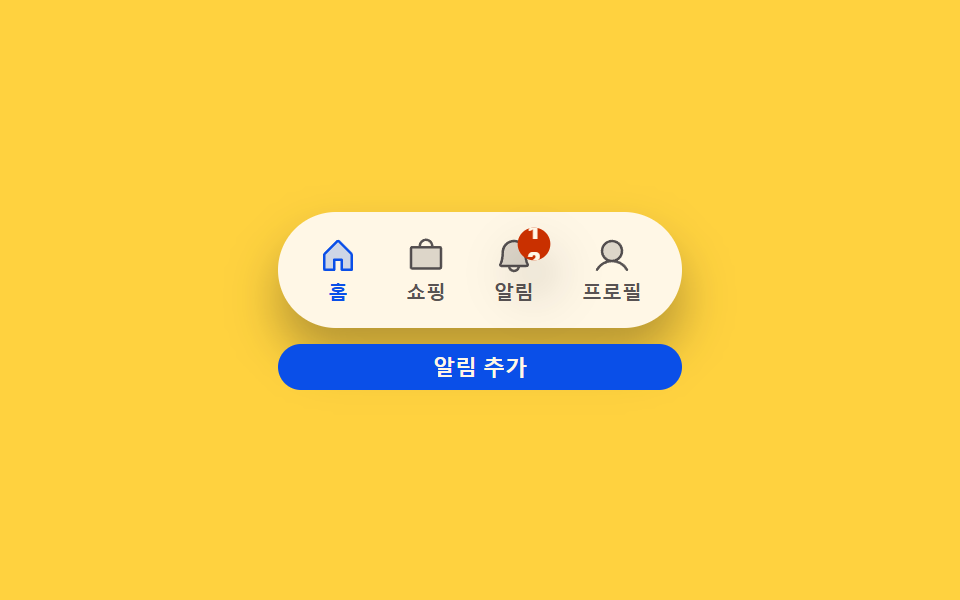 Transitions03 Badge count-bump toggle — each time a notification count value rises, that display's size value grows once then settles backCSS Bottom Navigation Bar: 9 Transition Patterns
 Transitions05 Active-count badge pulse — a badge scaling by its change amount then settling back9 Filter UI Patterns (Panel Slide to Chip Remove)
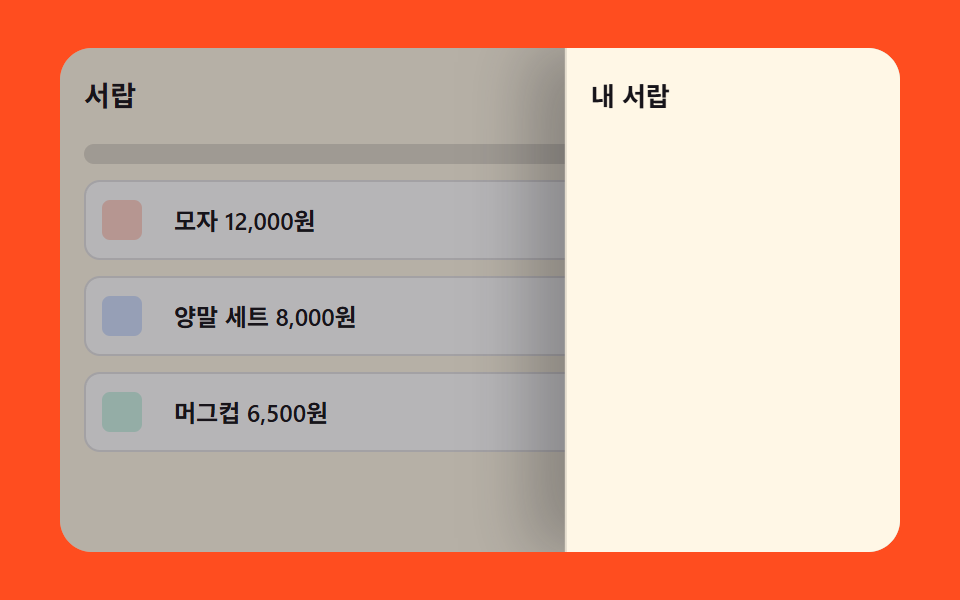 Transitions07 Side drawer that slides in from the right9 mega menu ui patterns, link list to site map